

Page 1

USER MANUAL For BLUE TOOTH V1.0 2012/08/01
USER MANUAL For BLUE TOOTH
2012/08/01
[ 1 / 10 ]
Page 2

USER MANUAL For BLUE TOOTH V1.0 2012/08/01
INDEX
1. Download the Blue tooth software to the smart phone -------------3
2. How to fix the blue tooth module -------------------------------------------3
3. Instruction for the software -------------------------------------------------3-9
[ 2 / 10 ]
Page 3
USER MANUAL For BLUE TOOTH V1.0 2012/08/01
1. Download the Blue tooth software to the smart phone
Please visit www.bhbikes.com/manuals ,and then download the
software named “BH SMART PHONE”.
Install “BH SMART PHONE” to your smart phone.
How to fix the blue tooth module
2.
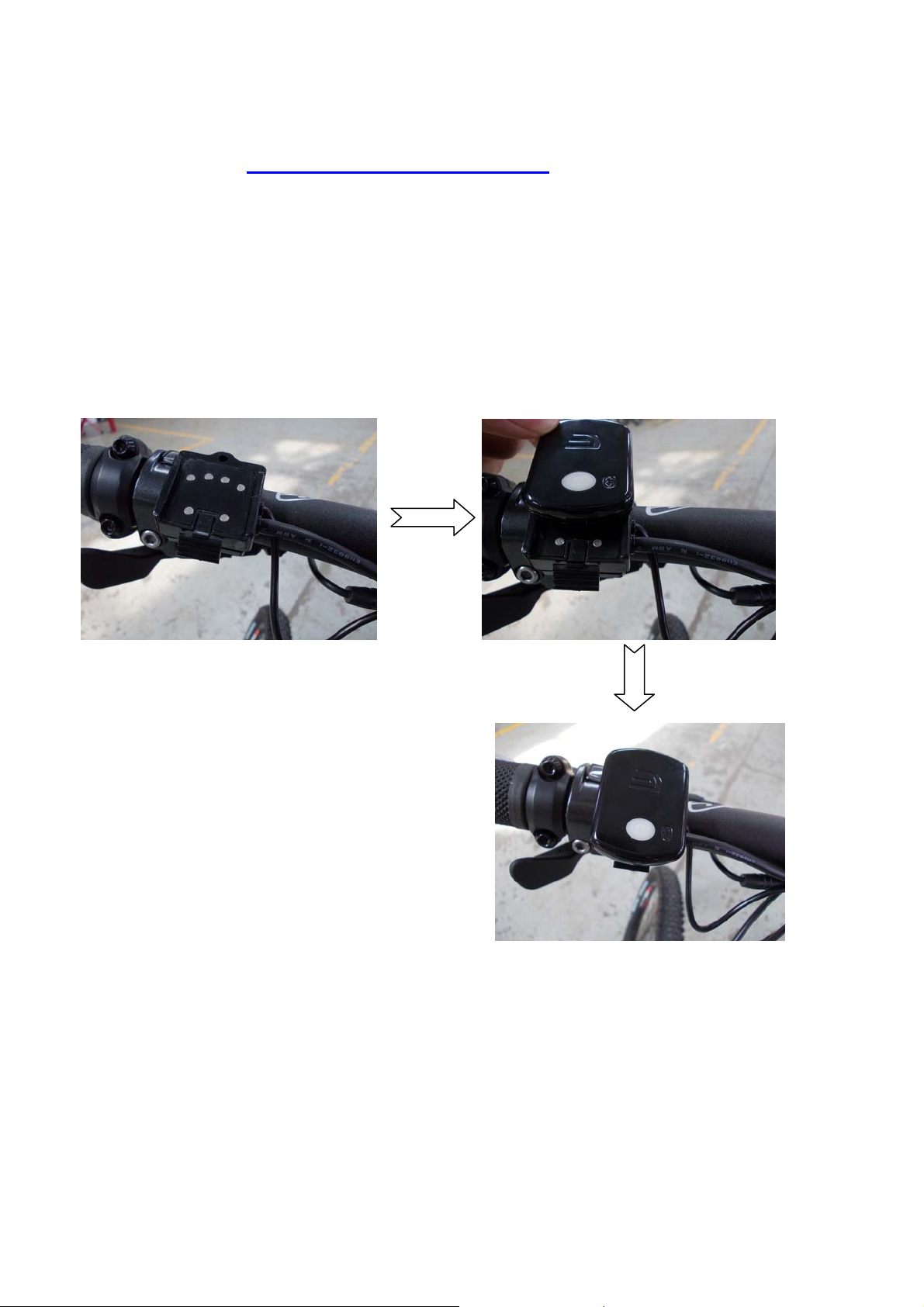
Fix the blue tooth module to the display holder as shown below
Press the middle grey button to switch it on, and the blue
background light will flash which means that the blue tooth
module has been activated.
3.
Instruction for the software
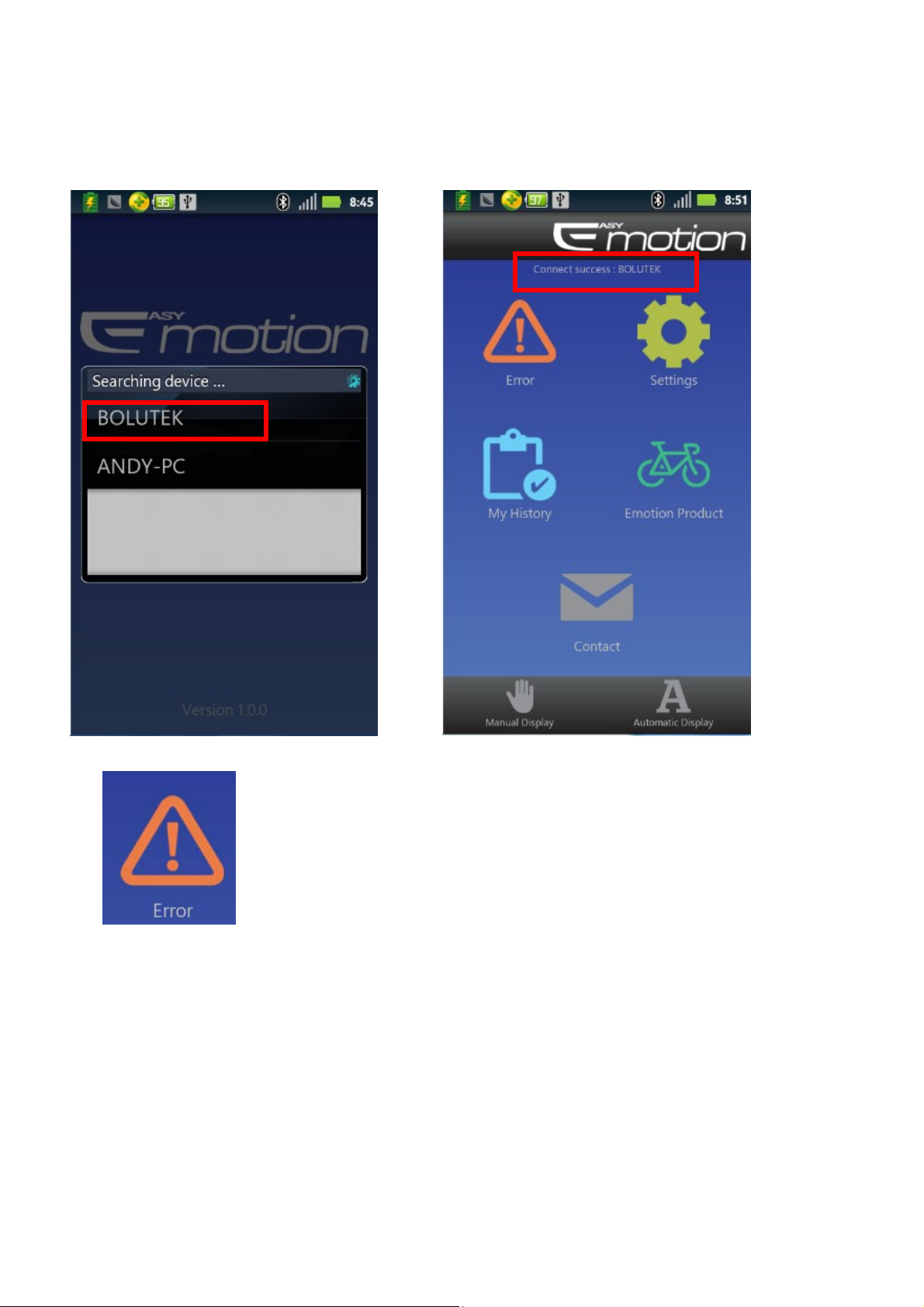
After switching on the blue tooth module, the phone will search the
[ 3 / 10 ]
Page 4
USER MANUAL For BLUE TOOTH V1.0 2012/08/01
device and then get into the operation MENU where shows “Connect
success: BOLUTEK”.
If there is something wrong in the system, the “!” will
flash, click it, then you will see the error prompt and trouble
shooting.(As. The pic. shown bebelow).
[ 4 / 10 ]
Page 5
USER MANUAL For BLUE TOOTH V1.0 2012/08/01
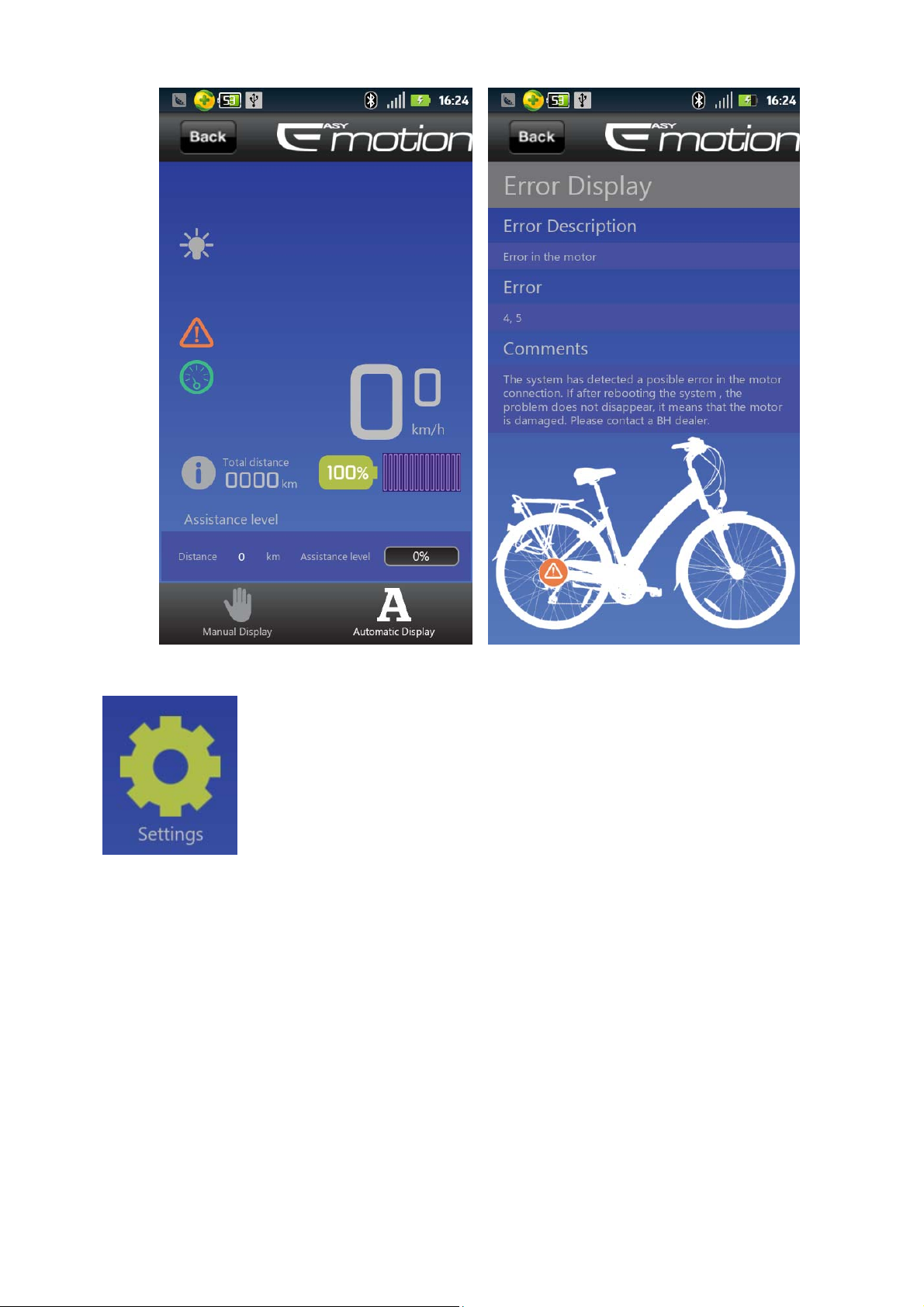
Click the “Settings”, 4 options shown as below: just
select the options you need from the droplist menu.
[ 5 / 10 ]
Page 6
USER MANUAL For BLUE TOOTH V1.0 2012/08/01
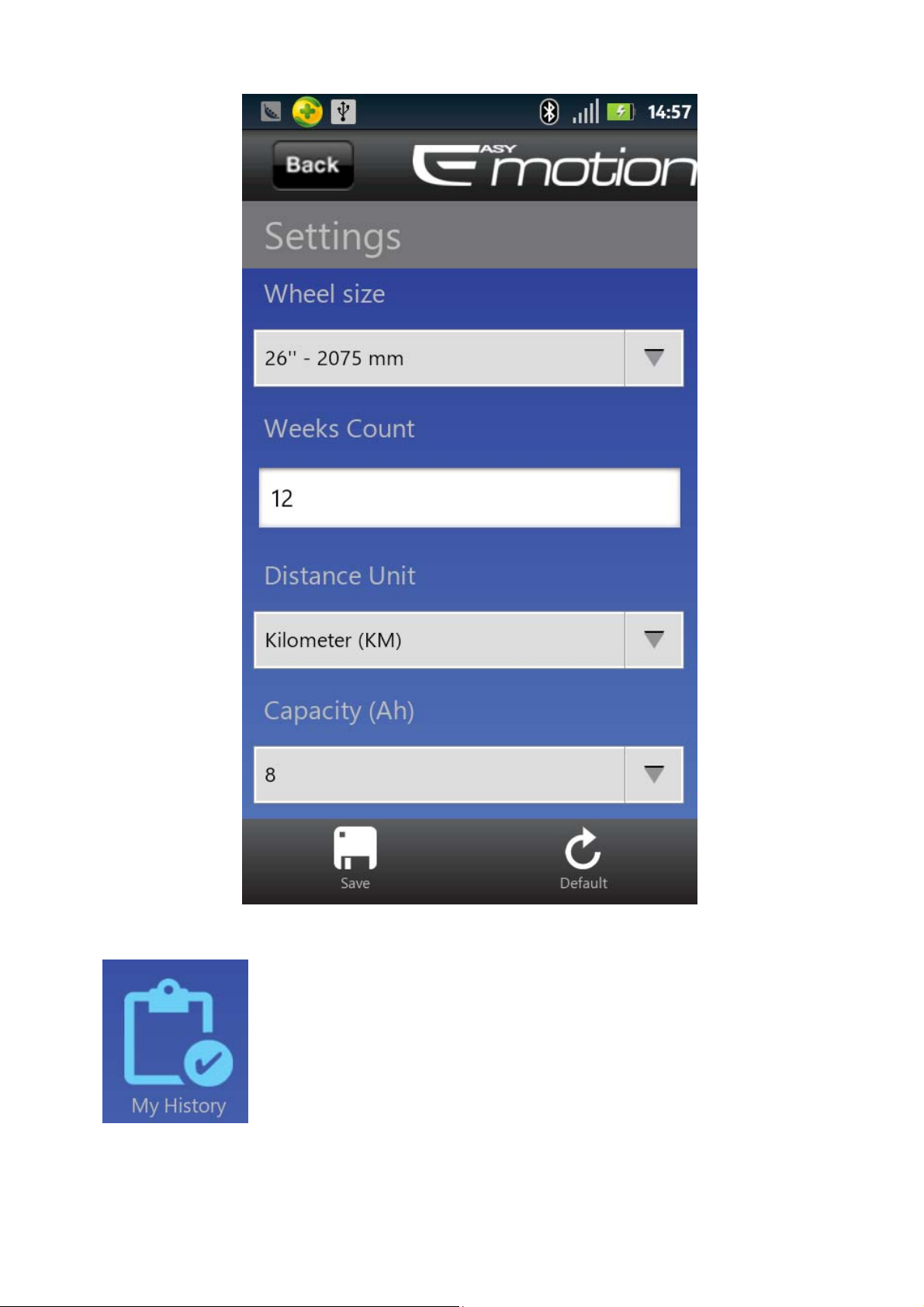
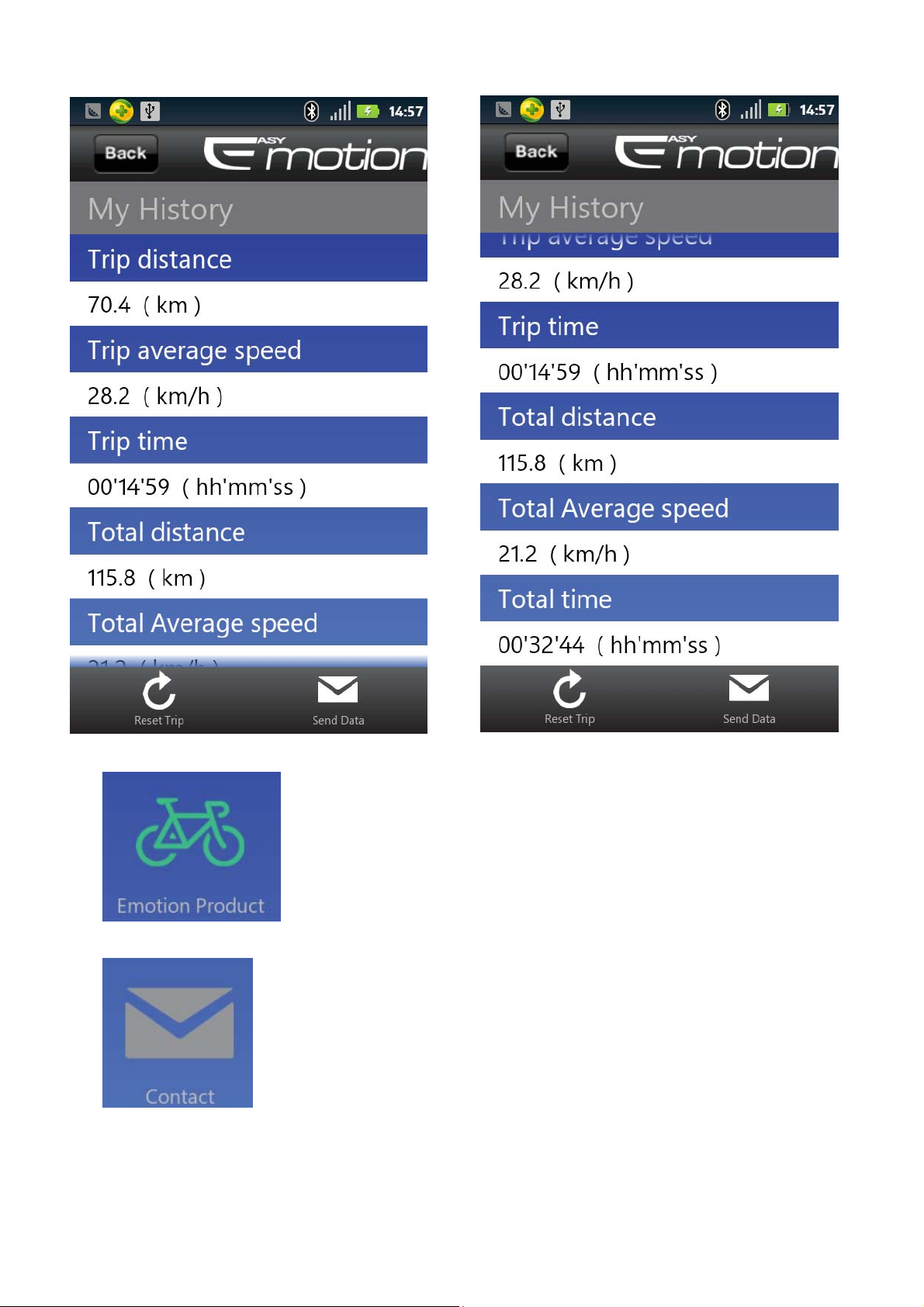
All the riding information will be saved in My
History”(Pic. below)
[ 6 / 10 ]
Page 7
USER MANUAL For BLUE TOOTH V1.0 2012/08/01
Click “Emotion Product” to get link to BH website.
Click “Contact” to send email to the Service Engineer of
BH.
[ 7 / 10 ]
Page 8
USER MANUAL For BLUE TOOTH V1.0 2012/08/01
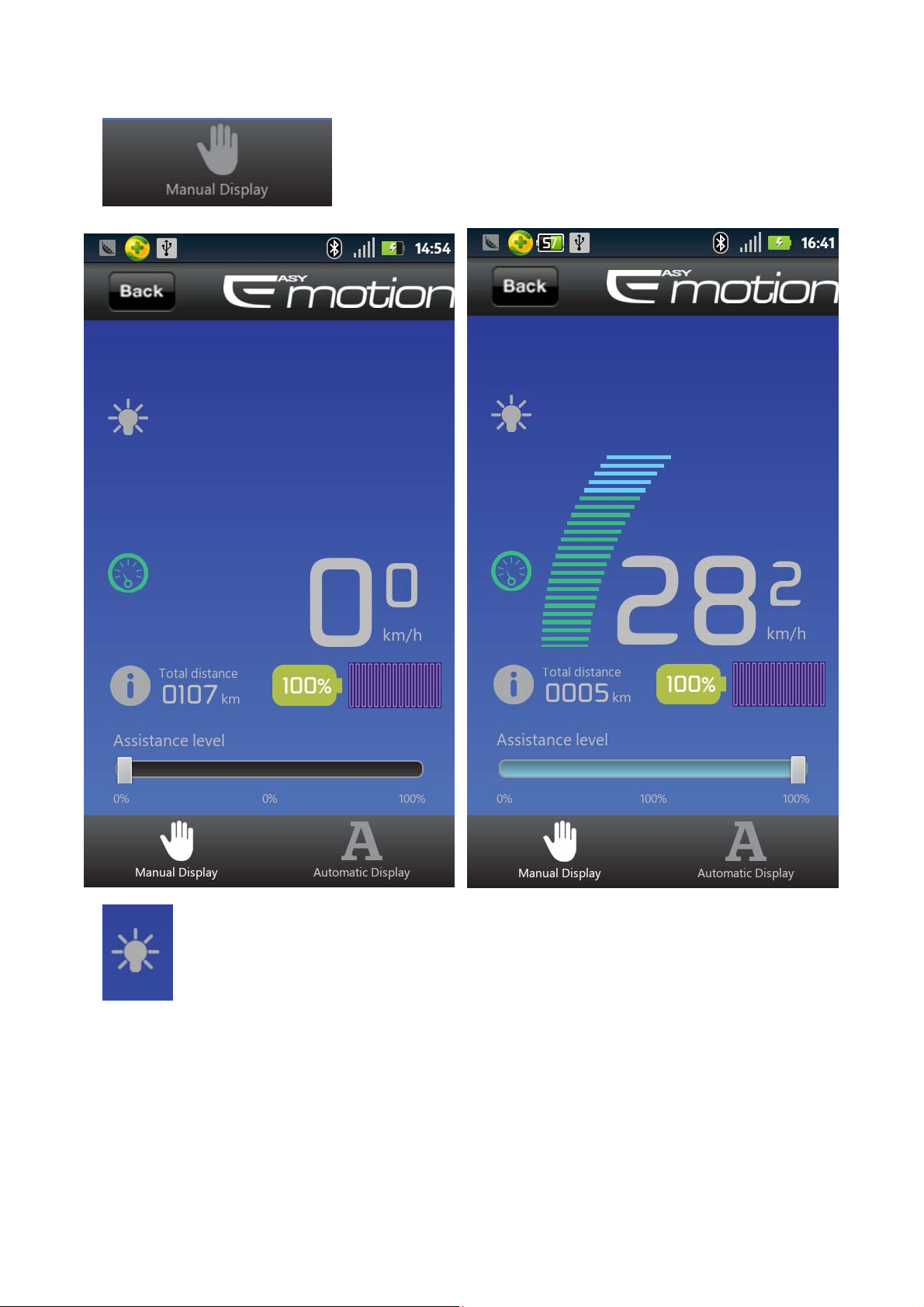
Click “Manual Display” to another menu below:
This light icon turns into yello means that the front & rear light s
is on now.
[ 8 / 10 ]
Page 9
USER MANUAL For BLUE TOOTH V1.0 2012/08/01
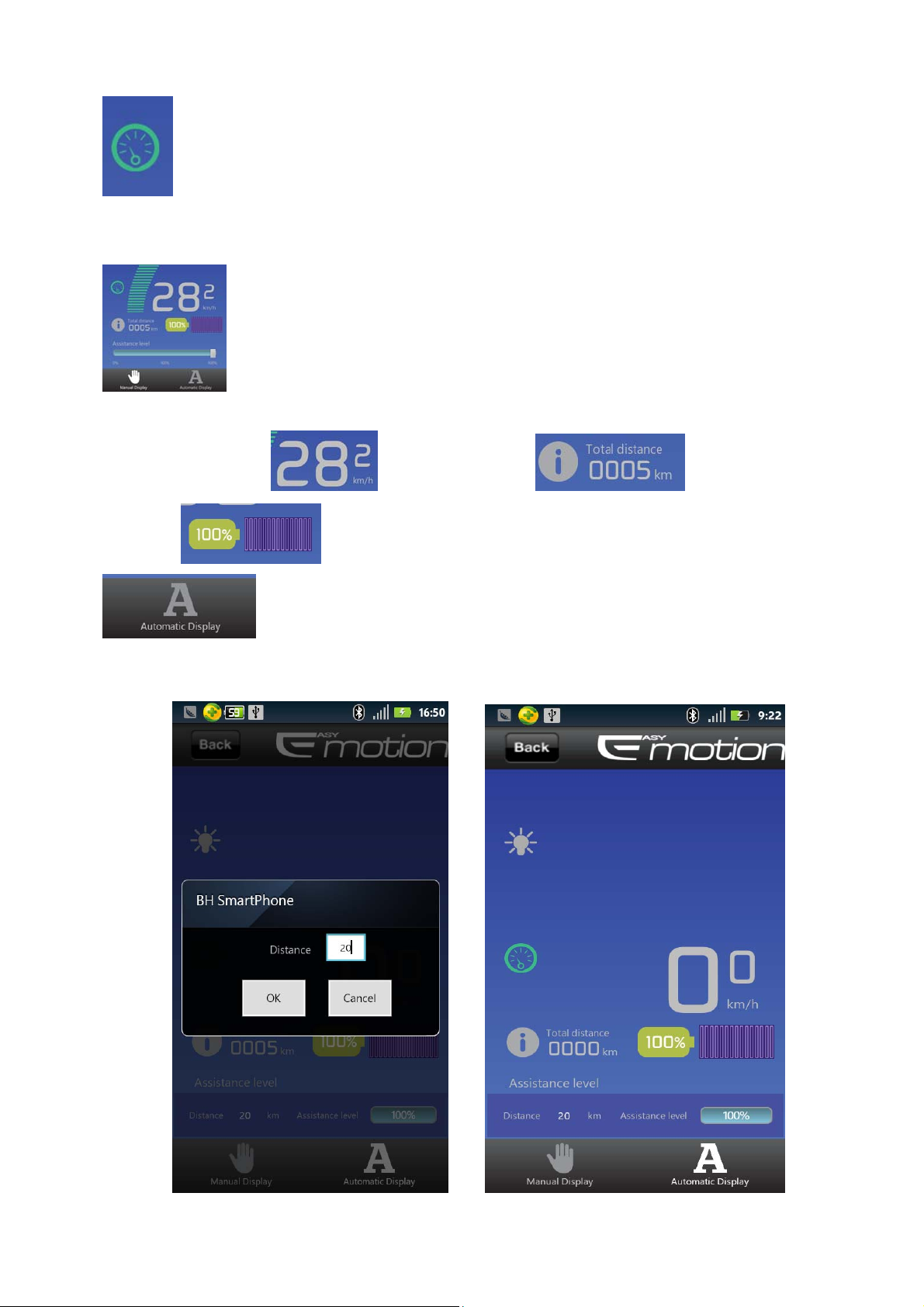
Click this icon, it will turn red, keep pressing it, the bike will get
into the “Move” mode with speed 6km/h.
Under the PAS mode, the assistance level (0%---100%,but you have
to pedal of course) can be adjusted by sliding on the progress bar.
The ‘riding speed’ & ‘total distance’ & ‘riding
current’ will be shown above.
Click “Automatic Display” to get into the “Smart Mode”.
Input the distance you would like to ride, then the system will help you to set up all
the relative parameters automatically.
[ 9 / 10 ]
Page 10

USER MANUAL For BLUE TOOTH V1.0 2012/08/01
FCC Warning:
Changes or modifications to this unit not expressly approved by the party responsible
for compliance will void the user’s authority to operate the equipment. Any change to
the equipment will void FCC grant.
This device complies with Part 15 of the FCC Rules. Operation is subject to the
following two conditions: (1) this device may not cause harmful interference, and (2)
this device must accept any interference received, including interference that may
cause undesired operation.
This equipment complies with FCC radiation exposure limits set forth for an
uncontrolled environment. It must be used at least 20cm away from the body of the
user.
This equipment has been tested and found to comply with the limits for a Class B
digital device, pursuant to part 15 of the FCC Rules. These limits are designed to
provide reasonable protection against harmful interference in a residential installation.
This equipment generates, uses and can radiate radio frequency energy and, if not
installed and used in accordance with the instructions, may cause harmful interference
to radio communications. However, there is no guarantee that interference will not
occur in a particular installation. If this equipment does cause harmful interference to
radio or television reception, which can be determined by turning the equipment off
and on, the user is encouraged to try to correct the interference by one or more of the
following measures:
--Reorient or relocate the receiving antenna.
--Increase the separation between the equipment and receiver.
--Connect the equipment into an outlet on a circuit different from that to which the
receiver is connected.
--Consult the dealer or an experienced radio/TV technician for help.
[ 10 / 10 ]
 Loading...