

Page 1
Waterproof Mp3 player
User ManUal
Music Format: MP3/WMA
USB Interface: USB 2.0
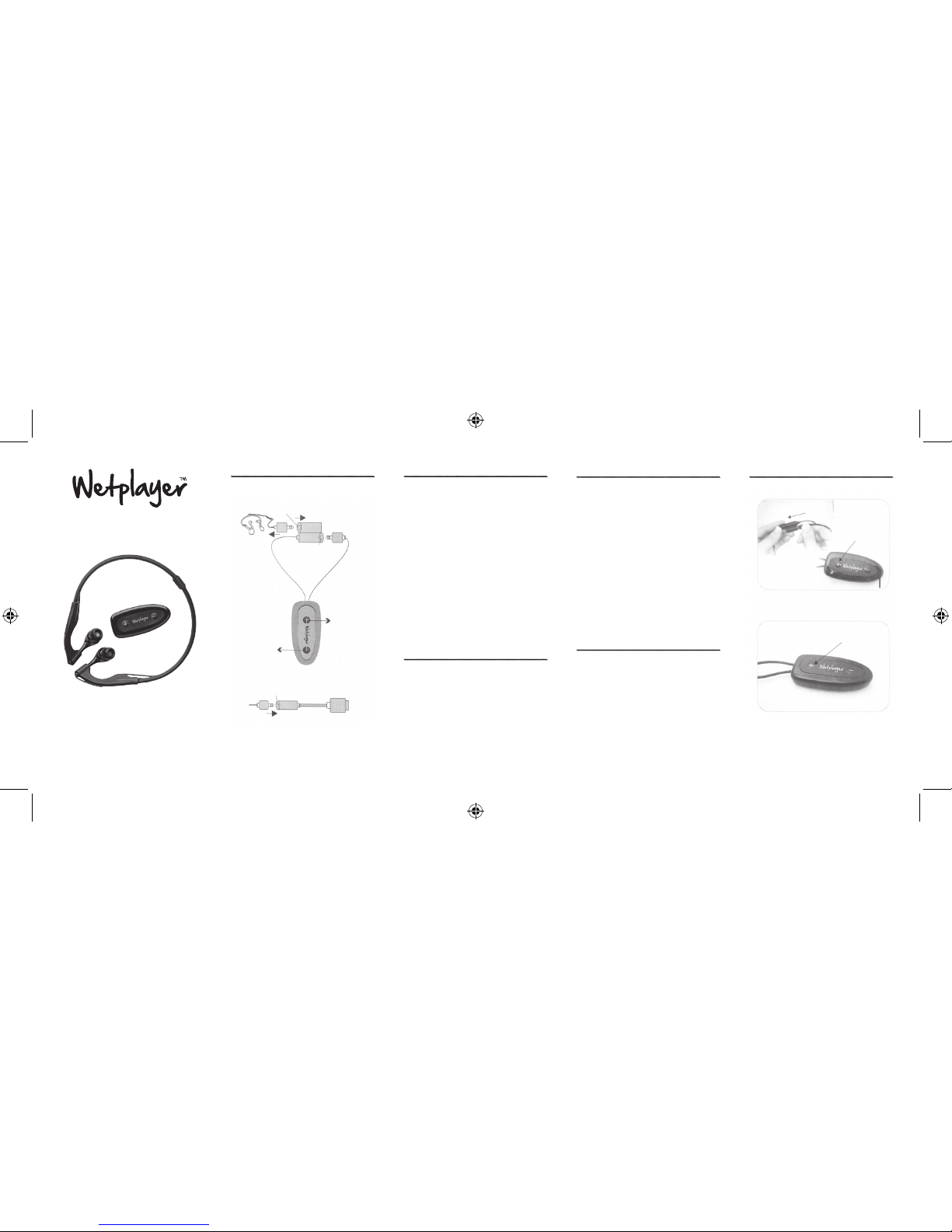
1. Key Definition
1. Power on: insert earphone to jack 2, press + for
seconds until the LED light comes on. Try again if rst
time failed.
2. Power o: pull out earphone from jack 2, press - for
5 seconds, system will shut down in approximately
1 minute.
3. Next/previous: when music is playing, press +/shortly to skip to the next/previous song.
4. Volume up/down: when music is playing, press
and hold +/- for a longer time to adjust the volume
up/down.
earphone
UsB
Jack 2
POWER ON
Jack 1
POWER OFF
1. ConneCtion
2. MainfraMe
poWer on
Vol + / neXt
Vol - / pre
Jack 3
UsB
pC
2. operation
1. Connect the USB cable to the MP3 player and plug in
to USB port on the computer. If the device is not
recognized, charge it for 1 hour and try again.
2. Use Windows Explorer or other lebrowsing software
to navigate to the external device (default name: MP3).
3. Copy MP3 or WMA les from your hard disk to the
MP3 player: select the le, press CTRL + C, open the
MP3 player folder and press CTRL + V.
4. To remove music, simply select the le and delete it
(press the ‘delete’ button on your keyboard).
4. aDD/reMoVe MUsiC
1. Connect the USB cable to the MP3 player and plug in
to USB port on the computer.
2. Battery charging starts automatically and will be
nished in approximately 2 hours.
3. Charging the Battery
1. For optimal battery usage, let the battery drain
completely and then charge it again to full capacity
(at least 2 hours). Preferably do not leave the battery
charging for more than 6 hours.
2. Water from the sea or swimming pool can cause
corrosion to the jack. Please rinse with fresh water and
dry with cloth or towel after use.
5. MaintenanCe
5. operation illUstration
3 seC
(1)
Power on
(2)
2~3 seC
Long press for volume adjustment
Page 2
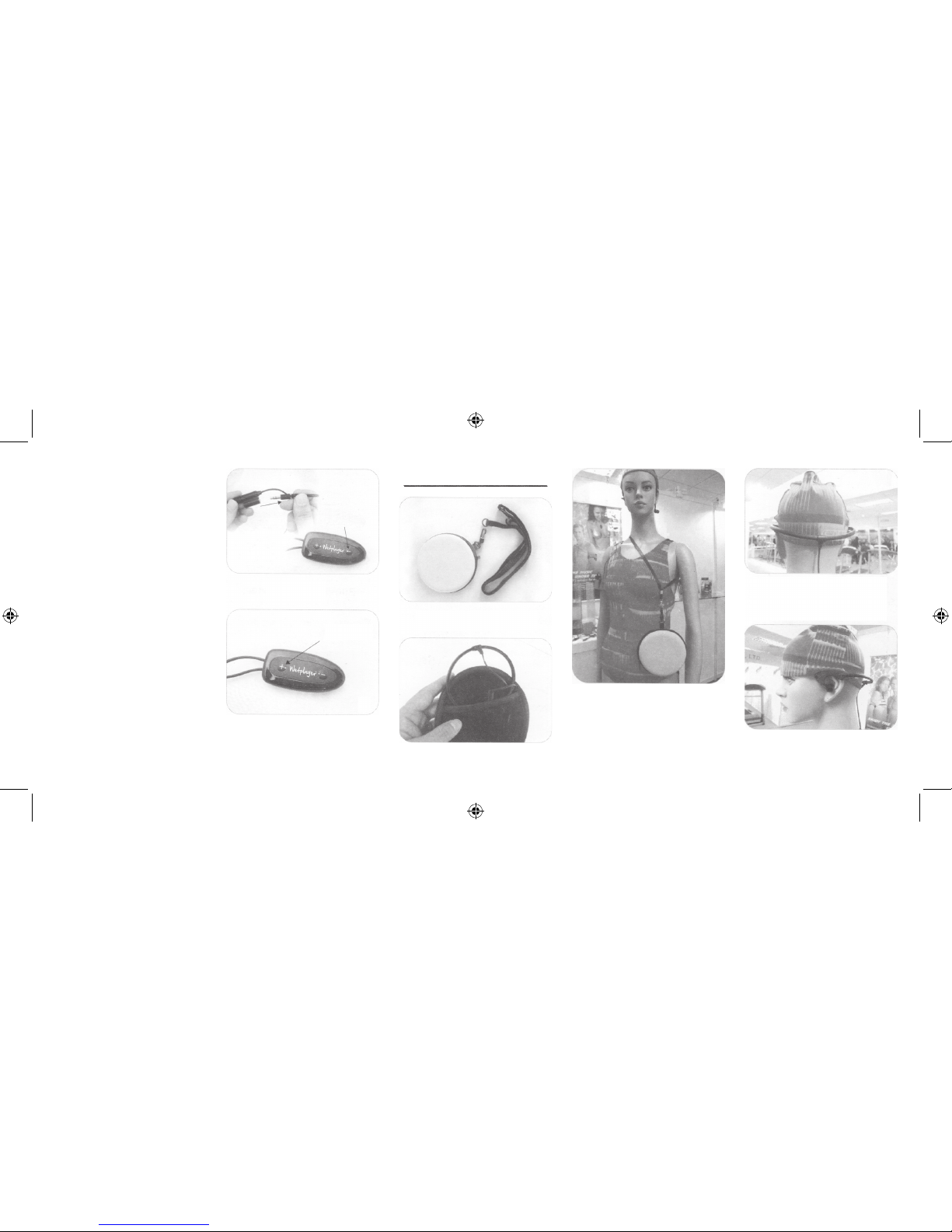
6. Carry Bag anD heaD MoUnt
illUstrations
0,5 seC
Power o
Short press for song select
5
seC
Buckle the beach bag
Handle with care when taking out or putting back
your head mount to avoid breaking.
Easy for carrying around and keeping safe.
Fix head mount to the back of your head with cable running
downwards. Careful not to place it upside down to avoid
breaking, see image for reference.
Rest head mount on ears and manually insert the earplugs
into your ears. Adjust until they properly and comfortably
t in your ears.
 Loading...