

Page 1
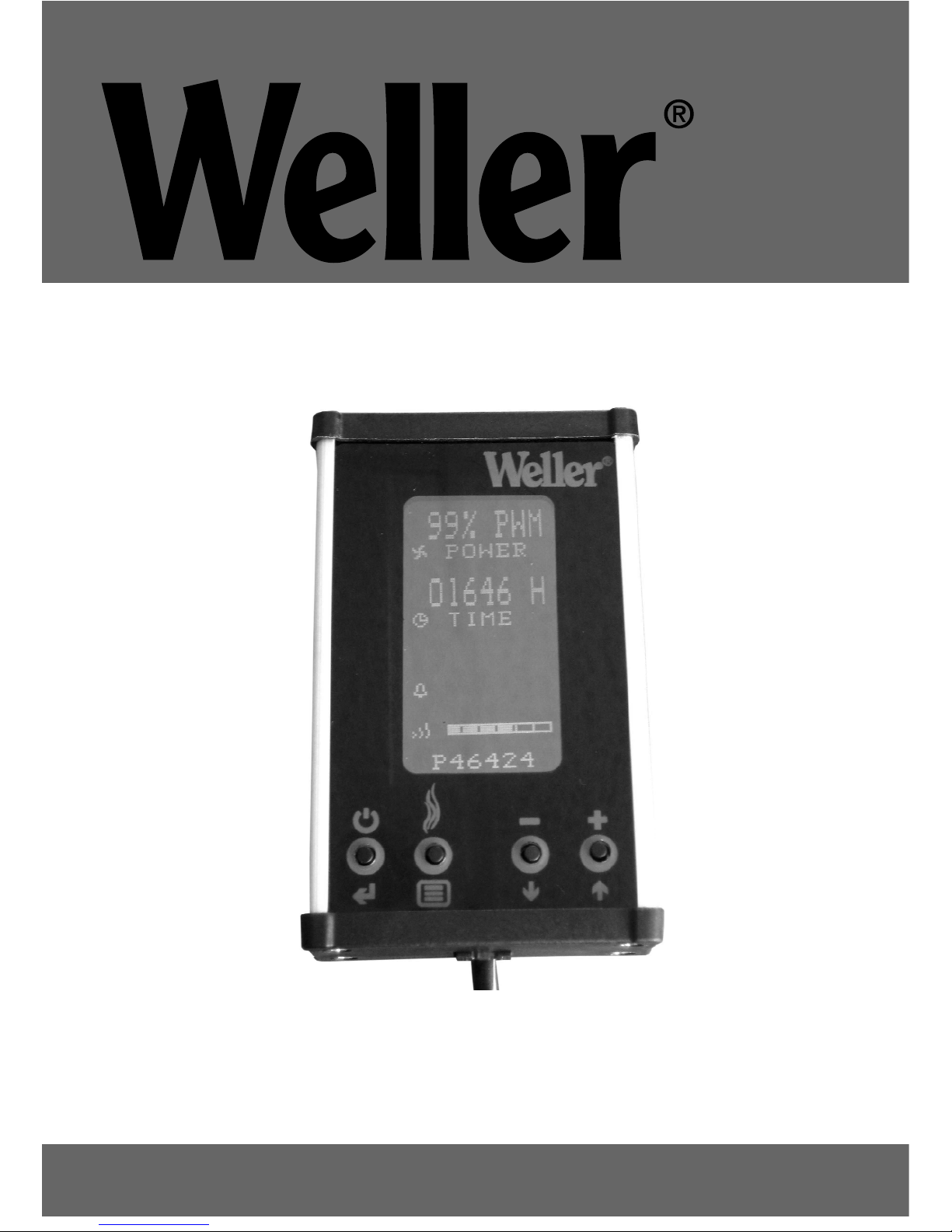
WFE 2X remote control
Operating Instruction
Page 2
1. Introduction
The remote control is a communication tool to read information and for settings in the filter system micro processor controller. The information will be stored in the micro processor
inside the filter unit and not in the remote control.
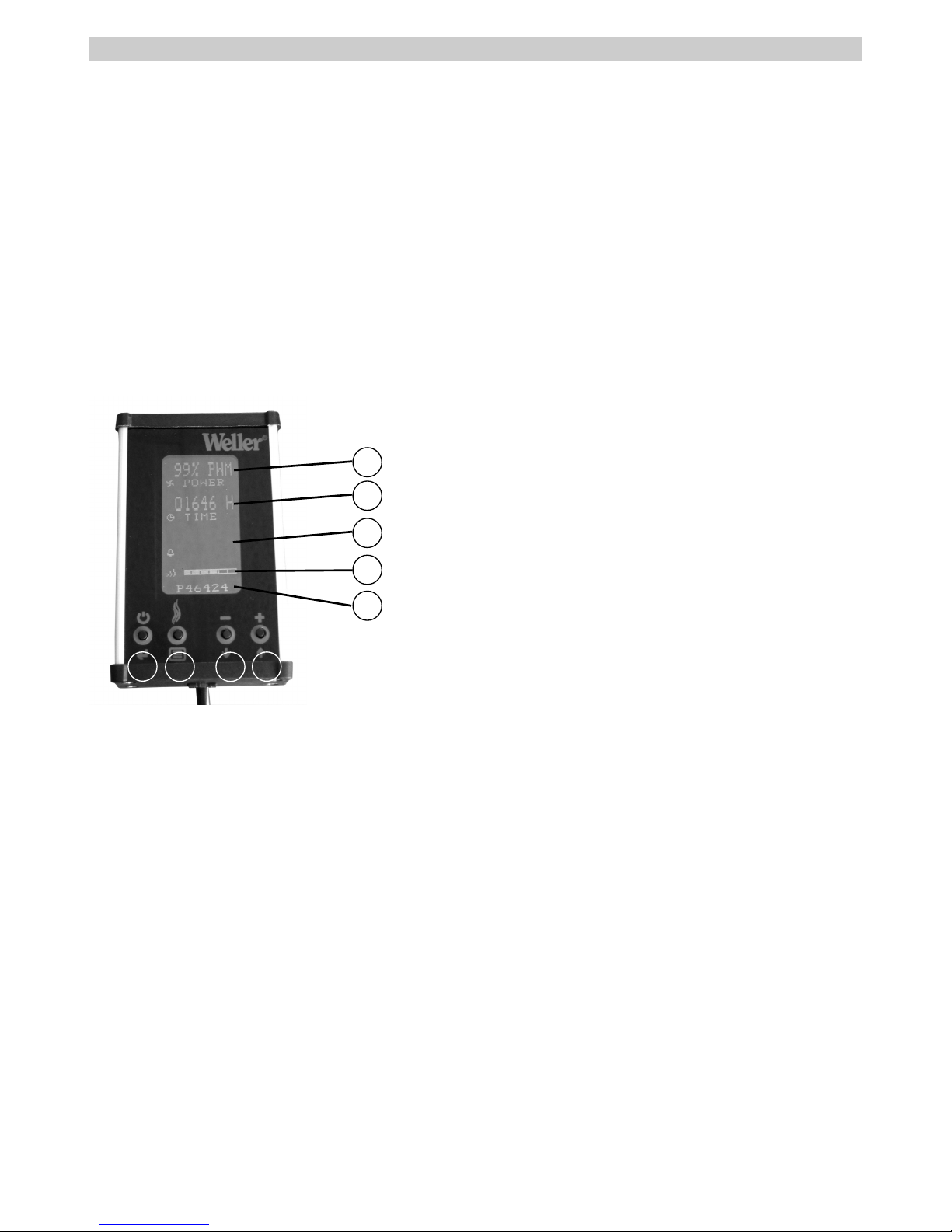
1 Push button - Start/stop
2 Push button - Filter monitoring
3 Push button - Decrease
4 Push button - Increase
5 Indicator - Suction capacity/Power on-off
6 Indicator - Remaining life time
7 Indicator - Alarm
8 Interval selector - Filter exchange
9 Software version - Filter unit
NOTE! The push buttons on the remote control has the same
function as push buttons on the
filter unit.
2. Start the filter unit
Start the filter unit with the on/off button on the unit. Press
push button (1) on the remote control. The power indicator
(5) in the LCD screen will be changed from Power Off to show
Power and current speed in %. To stop the filter unit press
push button (1). The filter unit is now operated via the remote control and do not need to be switched off on the unit.
3. Change the speed of the filter unit
When delivered the filter unit will run on maximum speed. To
decrease the capacity of the fan press push button (3). The
power indicator (5) will then change to the new speed. To
increase the capacity again press push button (4).
4. Change the running time
The running time (6) indicates the remaining time before filter exchange. The filter unit is set at 1500 hours when delivered and will count downwards. This time can be changed
by pressing push button (2). Possible steps are 500, 1000,
1500, 2000, 2500 and 3000 hours. When the time get to 0
hours the filter alarm goes off. The filter should then be changed (see Operating Instructions for the unit).
Hours Application example:
500 Heavy smoke formation, gluing
1500 Inspection, re-work
2000 Heavy smoke formation if pre filter is used
The running time can be resetted by switching on the filter
unit and at the same time pressing push button (3) and (4) for
more than five seconds.
5. Alarm status
On the display the alarm status (7) will be blank if the system
is running without problems. If the alarm goes off the display
will show FILTER ALARM at the same time as a beeping
sound is heard. To reset the alarm press push button (4) for
more than two seconds. The alarm will then be turned off.
6. Check the total time that a filter
unit has been running
The total time that a unit has been running can be checked
by switching on the filter unit and at the same time pressing
push button (2),(3) and (4) for more than five seconds. The
display will show the software version of the remote control
and the total running time of the filter unit. This time can not
be resetted.
7. Stand-by mode
When delivered, the display is set to stand-by mode. The
display goes down within 30 seconds. To cancel the standby mode press button (1) and (2) for five seconds. ”Auto
Power Down - YES ” is now shown in the display. Press button (4) once and ”Auto Power Up - NO” is shown. The dispay
will automatically go into operation mode.
8. Technical data
Height 110 mm ( 4,3 inch)
Width 65 mm ( 2,6 inch)
Depth 30 mm ( 1,2 inch)
Weight 0,3 kg ( 0,7 lb)
Battery (only 700-3058) 9V 6LR61
Operating time battery 15 h
9. Article number
Remote control with cable (standard) 700-3057
Remote control (battery) IR 700-3058
10. Warranty
Claims by the buyer for physical defects are time-barred
after a period of one year from delivery to the buyer. This
does not apply to claims by the buyer for indemnification in
accordance with §§ 478, 479 BGB (German Federal Law
1
English
4
321
9
8
7
6
5
Page 3

2
Gazette). We shall only be liable for claims arising from a
warranty furnished by us if the quality or durability warranty
has been furnished by use in writing and using the term
"Warranty“.
In addition, for the USA and Canada:
Weller Tools warrants to the original purchaser and any subsequent owner (“Buyer”) that Weller soldering and desoldering products will be free from defects in material and workmanship for a period of one year from date of purchase, provided that no warranty is made with respect to products
which have been altered, subjected to abuse or improperly
used, installed or repaired. Use of non-Weller Tools components will void this warranty if a non-Weller Tools component
is defective (or is the source of the defect). Weller Tools will
repair or replace products found to be defective not caused
by a part, component or accessory manufactured by another
company, during the warranty period. Contact Weller Tools
with dated proof of purchase and return to Apex Tool Group,
LLC., 14600 York Rd. Suite A, Sparks, MD 21152. All costs of
transportation and reinstallation shall be borne by the Buyer.
IN NO EVENT SHALL WELLER TOOLS BE LIABLE FOR INCIDENTAL OR CONSEQUENTIAL DAMAGES. COOPER TOOLS
LIABILITY FOR ANY CLAIMS ARISING OUT OF THIS WARRANTY SHALL NOT EXCEED THE PURCHASE PRICE OF THE
PRODUCT. THE PERIOD OF ALL IMPLIED WARRANTIES APPLICABLE TO THIS PRODUCT INCLUDING ANY IMPLIED WARRANTY OF MERCHANTABILITY OR FITNESS, OR FITNESS FOR
A PARTICULAR PURPOSE IS LIMITED TO 12 MONTHS FROM
THE DATE OF PURCHASE BY THE USER.
Some states do not allow the exclusion or limitation of incidental or consequential damages, so the above limitation or
exclusion may not apply to you. Some states do not allow
limitation on how long an implied warranty lasts, so the
above limitation may not apply to you. This warranty gives
you specific legal rights, and you may also have other rights,
which vary from state to state.
Subject to technical alterations and amendments!
Updated operating instructions are available for download at www.weller.eu.
English
Page 4

Weller®is a registered Trademark and registered Design of Apex Tool Group, LLC.
© 2012, Apex Tool Grop, LLC.
www.weller-tools.com
GERMANY
Weller Tools GmbH
Carl-Benz-Str. 2
74354 Besigheim
Phone: +49 (0) 7143 580-0
Fax: +49 (0) 7143) 580-108
FRANCE
Apex Tool Group S.A.S.
25 Rue Maurice Chevalier BP 46
77832 Ozoir-la-Ferrière, Cedex
Phone:+33 (01) 60.18.55.40
Fax: +33 (01) 64.40.33.05
GREAT BRITAIN
Apex Tool UK Limited
4
th
Floor Pennine House
Washington, Tyne & Wear
NE37 1LY
Phone: +44 (0191) 419 7700
Fax: +44 (0191) 417 9421
ITALY
Apex Tool S.r.I.
Viale Europa 80
20090 Cusago (MI)
Phone: +39 (02) 9033101
Fax: +39 (02) 90394231
SWITZERLAND
Apex Tool Switzerland Sàrl
Rue de la Roselière 12
1400 Yverdon-les-Bains
Phone: +41 (024) 426 12 06
Fax: +41 (024) 425 09 77
AUSTRALIA
Apex Tools
P.O. Box 366
519 Nurigong Street
Albury, N. S. W. 2640
Phone: +61 (2) 6058-0300
CANADA
Apex Tools - Canada
164 Innnisfil street
Barrie Ontario
Canada L4N 3E7
Phone: +1 (905) 455 5200
USA
Apex Tool Group, LLC.
14600 York Rd. Suite A
Sparks, MD 21152
Phone: +1 (800) 688-8949
Fax.: +1 (800) 234-0472
CHINA
Apex Tools
18
th
Floor, Yu An Building
738 Dongfang Road
Pudong, Shanghai
200122 China
Phone: +57 (2) 691 0900
 Loading...