

Page 1
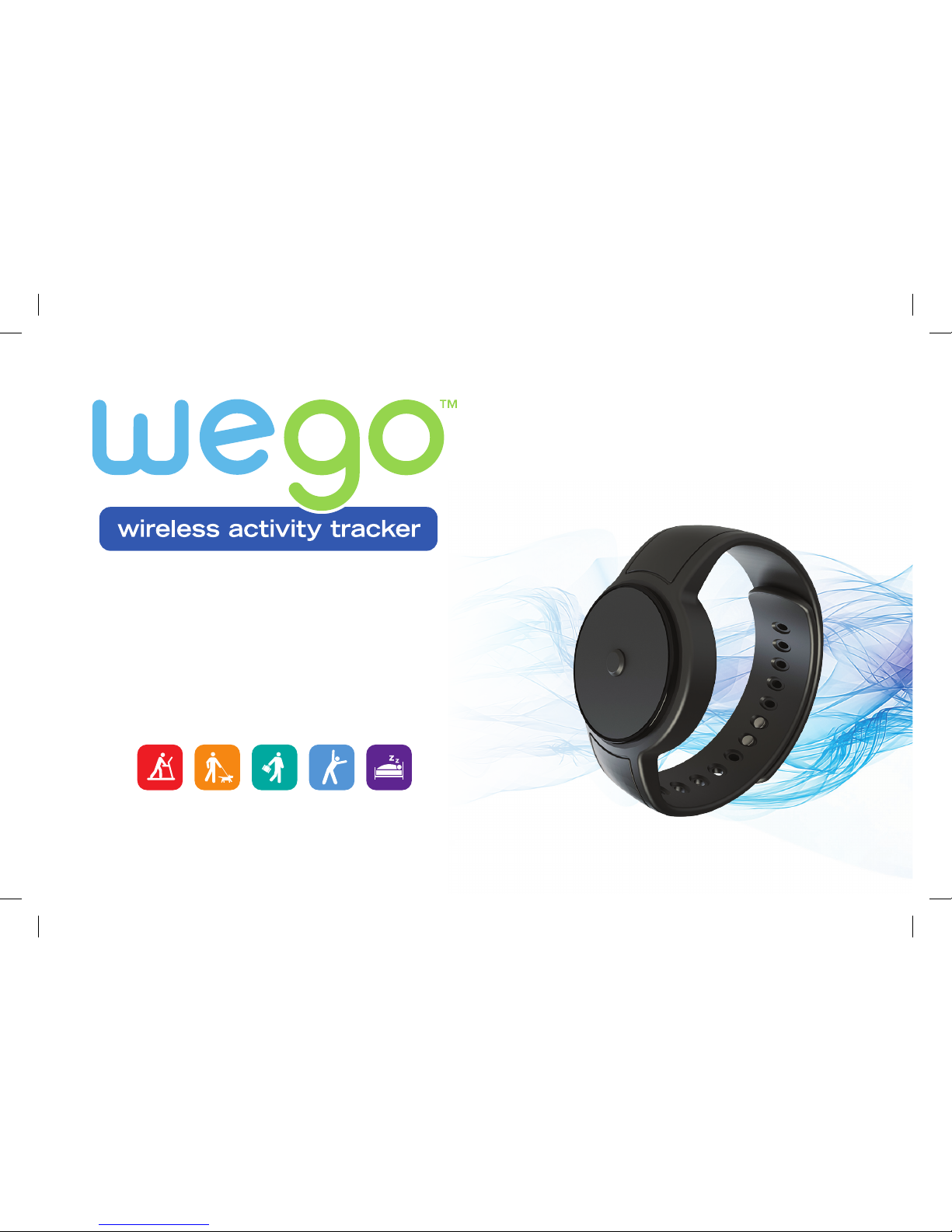
track your activities and sleep
for a better, healthier you!
www.joinwego.com
User Manual
SPOT
WO1615IS01SPO.indd 1 11/5/14 5:25 PM
Page 2

1
WeGo™ SPOT User Manual
Contents
Welcome to WeGo™ 2
Downloading and Setting Up the Join WeGo™ App 3
Syncing Your SPOT 4
Using Your SPOT Throughout the Day 5
Using Your SPOT During Sleep Sessions 6
Regulatory and Safety Notices 7
Battery Safety Information 8
Warranty 9
WO1615IS01SPO.indd 1 11/5/14 5:25 PM
Page 3
2
WeGo™ SPOT User Manual
Welcome to WeGo™
Congratulations on the purchase of your new WeGo™ SPOT!
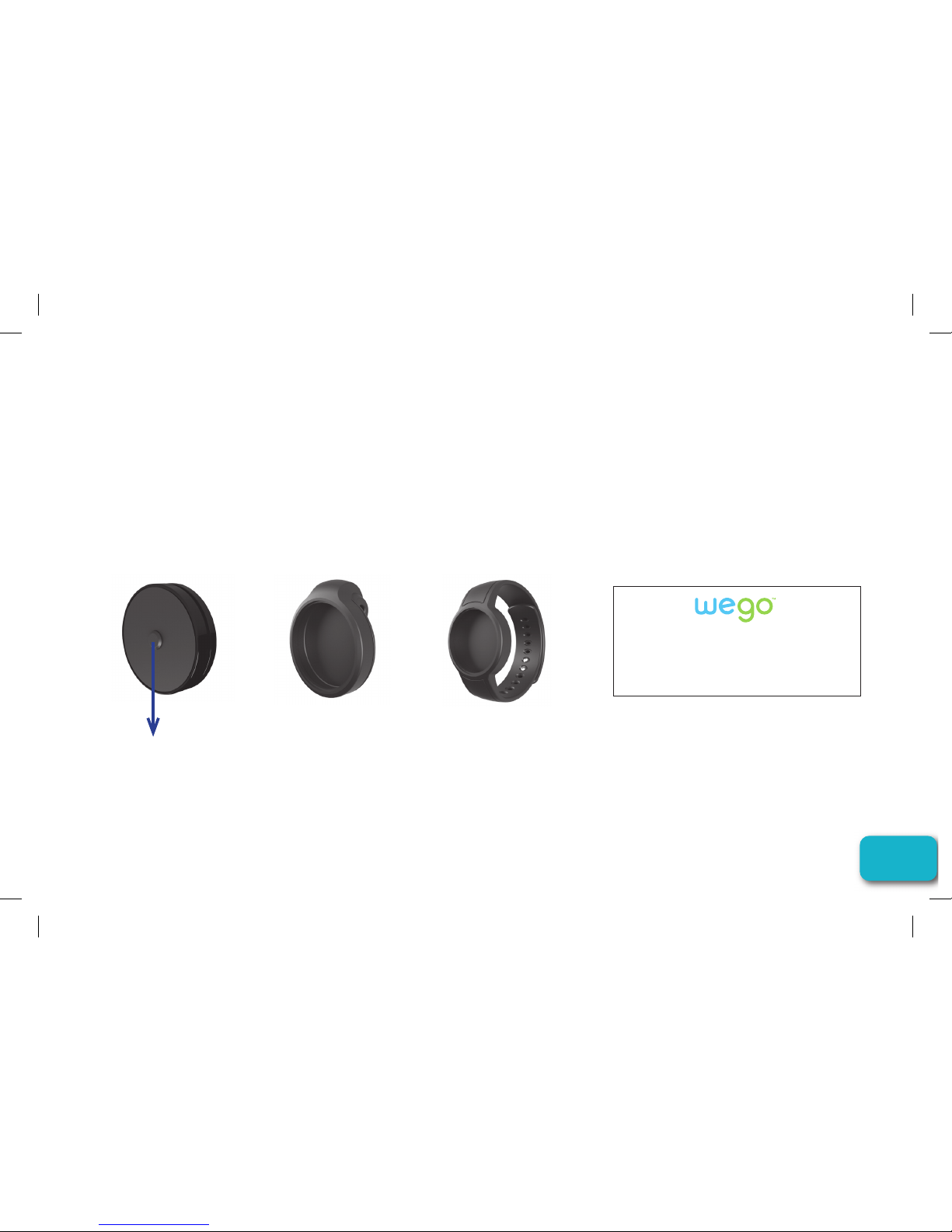
Included in the package are the following:
SPOT Activity
Tracker Module
SPOT
Waist Holder
Quick Start
Guide
Operation
Button
SPOT
Wrist Holder
WeGo
™
SPOT QUICK START GUIDE
Congratulations on the purchase of the WeGo SPOT Activity Tracker.
Included here are the initial steps to get you go ing.
Please visit www.JoinWeGo.com for more details.
WO1615IS01SPO.indd 2 11/5/14 5:25 PM
Page 4

3
WeGo™ SPOT User Manual
Downloading and Setting Up the Join WeGo™ App
Before you can sync the CLIP to your smartphone or tablet, you must download the Join
WeGo
™ app in the App Store or Google Play. You can find the app by typing “JOIN WEGO”
in the search field within the app stores.
After the app download is complete, you will be asked to log into an existing MapMyFitness
account or create a new one. Below account setup, please fill in your birthday and height.
Once this has been completed, there are a few more details needed before your profile is
ready to go. Add a profile picture, your current weight, and gender (this will help us calculate
specific data to each person and their activities).
Once setup is complete, set your goals, and start tracking a happier, healthier you!
WO1615IS01SPO.indd 3 11/5/14 5:25 PM
Page 5

4
WeGo™ SPOT User Manual
Syncing Your SPOT
Make sure that Bluetooth is enabled on your phone before proceeding.
To initiate the sync, open the app and make sure you are in the Dashboard. If you are not
in the Dashboard press the menu icon (3 solid lines) and select.
Next, press the sync icon on the top right which will open up instructions to help you properly
transfer data from your device to the app.
Once completed, you will receive a “SUCCESSFUL SYNC” message, and the device will
go back to the normal display with the app showing all updated data.
Please note: A sync should be performed before you start using your new device.
WO1615IS01SPO.indd 4 11/5/14 5:25 PM
Page 6
5
WeGo™ SPOT User Manual
Using Your SPOT Throughout the Day
How to Wear
You can wear and use the SPOT module in a variety of ways. When placed inside the
waist clip holder it can be affixed to any piece of clothing. When used with the wristband
it can be placed onto your wrist like a watch, or it can just be left out of both and placed
inside your pocket.
Viewing the Data
The SPOT is known as a passive activity tracker. There is no display on this device, only
LED’s. However, it will still sync and track the following metrics to your smartphone or tablet
for analysis:
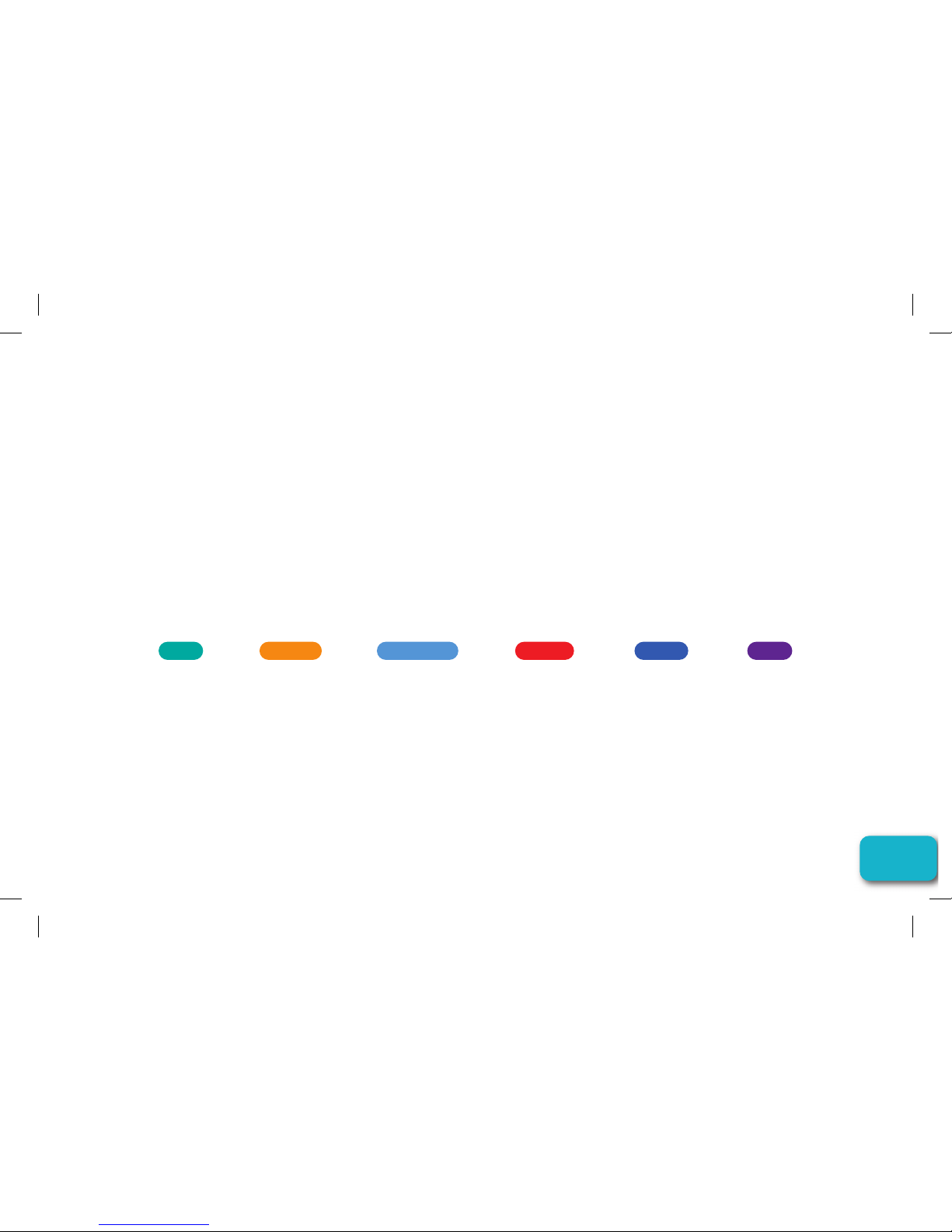
Steps
steps taken
during a 24
hour period
Distance
distance
traveled
during a 24
hour period
Active Time
hours/minutes
moved during a
24 hour period
Calories
calories burned
during a 24
hour period
Goal %
percentage of
completion to
your set goal
Sleep
initiate sleep
quality/time
tracking
How the Data is Captured
The SPOT captures activities from midnight to midnight. Each evening at 12:00am it
resets to zero in order to begin capturing those activities/sleep for a new day
WO1615IS01SPO.indd 5 11/5/14 5:25 PM
Page 7

6
WeGo™ SPOT User Manual
Using Your SPOT During Sleep Sessions
How to Wear During Sleep
It is recommended that you place SPOT
inside of the wristband for easy analysis.
Initiating the Sleep Mode
•When Unit/LED is off, press, then release
the button.
•If the SPOT is in Sleep mode, the Blue
LED will flash 10 times.
•If the SPOT is in Active mode, the Green
LED will flash 10 times. If you want to
switch to Sleep mode, while the Green
LED is flashing, press and hold the button
for 5 seconds…and the Blue LED will flash
10 times.
•The unit will start the sleep recording
function when it has been in Sleep mode
for 10 sec. The sleep recording function
will stop and save when the mode has
changed from Sleep to Active.
Waking from Sleep Mode
To exit Sleep mode (thereby entering into
Active mode-vice versa)
•When Unit/LED is off, press, then release
middle button.
•If the SPOT is in Sleep mode, the Blue
LED will flash 10 times.
•If you want to switch to Active mode, while
the Blue LED is flashing, press and hold
the button for 5 seconds…and the Green
LED will flash 10 times.
Frequency of Sleep Mode
•You can enter into and out of multiple
sleep sessions during a 24 hour period.
The SPOT device will record these and
you can view the data on the Join WeGo™
app after you sync the device.
WO1615IS01SPO.indd 6 11/5/14 5:25 PM
Page 8

7
WeGo™ SPOT User Manual
Regulatory and Safety Notices
This device complies with Part 15 of the FCC
Rules. Operation is subject to the following two
conditions: (1) this device may not cause harmful
interference, and (2) this device must accept any
interference received, including interference that
may cause undesired operation.
1. Changes or modifications not expressly
approved by the party responsible for
compliance could void the user’s authority to
operate the product.
2. NOTE: This product has been tested and
found to comply with the limits for a Class
B digital device, pursuant to Part 15 of the
FCC Rules. These limits are designed to
provide reasonable protection against harmful
interference in a residential installation. This
product generates uses and can radiate radio
frequency energy and, if not installed and used
in accordance with the instructions, may cause
harmful interference to radio communications.
However, there is no guarantee that interference
will not occur in a particular installation. If the
product does cause harmful interference to radio
or television reception, which can be determined
by turning the equipment off and on, the user is
encouraged to try to correct the interference by
one or more of the following measures:
• Reorient or relocate the receiving antenna.
• Increase the separation between the product
and receiver.
• Connect the product into an outlet on a circuit
different from that to which the receiver is
connected.
• Consult the dealer or an experienced radio/TV
technician for help.
This digital apparatus does not exceed the Class
B limits for radio noise emissions from digital
apparatus as set out in the interference-causing
equipment standard entitled “Digital Apparatus,”
ICES-003 of the Canadian Department of
Communications.
WO1615IS01SPO.indd 7 11/5/14 5:25 PM
Page 9
8
WeGo™ SPOT User Manual
Battery Safety Information
Caution – Battery Safety Information
• Do not allow children to play with button cell
batteries, and keep button cell batteries out
of your child’s reach.
• Never put button cell batteries in your mouth
for any reason as they are easily swallowed
accidentally.
• If a button cell battery is ingested, immediately
seek medical attention.
• Non-rechargeable batteries are not to be
recharged
• Rechargeable batteries must be removed
before recharging
• Rechargeable batteries should only be
recharged under adult supervision
• Do not mix alkaline, standard (carbon-zinc), or
rechargeable (nickel-cadmium) batteries
• Exhausted batteries are to be removed
• Do not mix old and new batteries
• Do not dispose of batteries in fire; batteries
may explode or leak
• Do not dispose of product in fire; batteries
may explode or leak
• If this product will not be used for an extended
period of time, remove the batteries from the
product
• The supply terminals are not to be shortcircuited
• Batteries are to be inserted with correct
polarity
• Clean the battery contacts and also those of
the product prior to battery installation
• As always, dispose of batteries in an ecofriendly manner
The purpose of the crossed-out wheelie bin symbol is to remind us that most
electrical products, and batteries, contain trace elements (including Mercur y –
Hg, Cadmium – Cd and Lead – Pb) which could be harmful to our environment
and therefore our health. We must all be careful to dispose of them responsibly
in a specifically designated way – either using a collection scheme or into the
correctly labeled civic amenity (NOT into general waste) – this will help your local
authority to arrange to recycle or dispose of them in the appropriate manner.
WO1615IS01SPO.indd 8 11/5/14 5:25 PM
Page 10

9
WeGo™ SPOT User Manual
Warranty
Guarantee Certificate – For Purchases Made in the U.S.
If at any time within one (1) year from the purchase date of this product, it fails to perform
properly because of defects in material or manufacturing, return it prepaid to:
EB SPORT
GROUP, 585 OAK RIDGE ROAD, HAZLETON, PA 18202
Complete this Guarantee Certificate and enclose it (or a copy of it) with the product.
Please contact Customer Service at 866-694-4575 or [email protected] for a return
authorization number, prior to sending in your product.
(PLEASE PRINT CLEARLY)
Name Phone
Address
Store Purchased From
Date Of Purchase Purchase Price
State Zip
Problem With Product
WO1615IS01SPO.indd 9 11/5/14 5:25 PM
Page 11

10
WeGo™ SPOT User Manual
Warranty
Replacement
This product has been carefully designed, manufactured and packaged. If any parts are
missing or damaged, please contact us at the address above and we will replace the unit at
no charge. (Guarantee does not cover crystal or battery.)
For Purchases Made in the UK
Should you experience problems with this item, please return it to the point of purchase.
This will not affect your statutory rights. Alternatively return it to the address shown below
for a repair/replacement.
EB BRANDS UK, BERKELEY BUSINESS PARK, WAINWRIGHT ROAD, WORCESTER WR4 9FA
Guarantee Certificate – For Purchases Made in Canada
If at any time within one (1) year from the purchase date of this product, it fails to
perform properly because of defects in material or manufacturing, return it prepaid to:
ACI BRANDS INC., 2616 SHERIDAN GARDEN DRIVE, OAKVILLE, ON L6J 7Z2
Complete this Guarantee Certificate and enclose it (or a copy of it) with the product.
Please contact Customer Service at 1-800-866-5593 or [email protected] for a return
authorization number, prior to sending in your product.
WO1615IS01SPO.indd 10 11/5/14 5:25 PM
Page 12

11
WeGo™ SPOT User Manual
(PLEASE PRINT CLEARLY)
Name Phone
Address
Store Purchased From
Date Of Purchase Purchase Price
Province Postal Code
Problem With Product
www.JoinWeGo.com
Made in China. WeGo™ is a trademark of EB Sport Group, Hazleton, PA 18202. Distributed in the United Kingdom by EB
Brands (UK), Worcester WR4 9FA. Distributed in Canada by ACI Brands Inc., 2616 Sheridan Garden Drive, Oakville, Ontario,
L6J 7Z2. MapMyFitness is a trademark of MapMyFitness, Inc. Bluetooth marks and logos are owned by the Bluetooth SIG,
Inc. iPhone and iPad are trademarks of Apple Inc., registered in the U.S. and other countries. Android and Google Play are
trademarks of Google Inc. All Rights Reserved. ©2014 Designed and engineered by EB Labs. WO1615IS01SPO
Caution : Not a medical device. Should not be used to diagnose or treat any medical condition. Consult your doctor for prevention,
diagnosis and treatment. See the user guide for further guidance.
WO1615IS01SPO.indd 11 11/5/14 5:25 PM
 Loading...