

Page 1
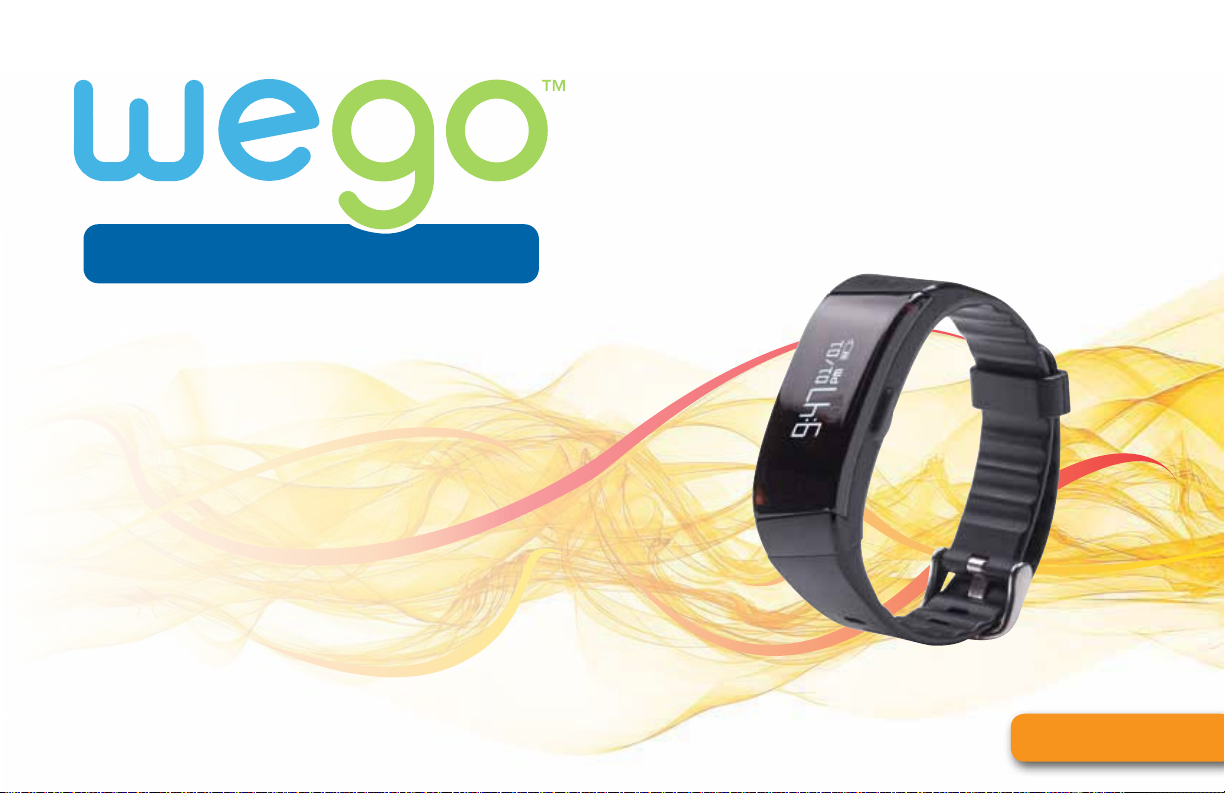
activity
track your activities and sleep
for a better, healthier you!
& sleep tracker
RELAY HR
USER MANUAL
JoinWeGo.com
Page 2

CONTENTS
Welcome to WeGo
What’s Included 2
The Join WeGo App 3
How Does My RELAY HR Work? 4
Charging My RELAY HR 5
Syncing My RELAY HR 6
Viewing My Heart Rate 7
™
1
Auto Sleep 8
Caller ID & Text Notifications 9
Setting My Silent Alarm 10
Care & Maintenance 11
Regulatory & Safety Notices 12
Warranty 14
WeGo™ RELAY HR User Manual
JoinWeGo.com
Page 3
WELCOME TO WEGO
AFFORDABLE, EASY TO USE, and integrated with a USER-FRIENDLY smartphone app which is
™
powered by MapMyFitness, WeGo™ allows users to seamlessly track their fitness progress and goals. WeGo’s
line includes products for all individuals– regardless of their fitness level or activity type.
BE INSPIRED
the fitness motivator that makes
it easy to become more active
WeGo™ RELAY HR User Manual
TAKE ACTION
track daily activities and sleep
for a better, healthier you
SEE RESULTS
monitor progress and
reach your personal goals
1
Page 4
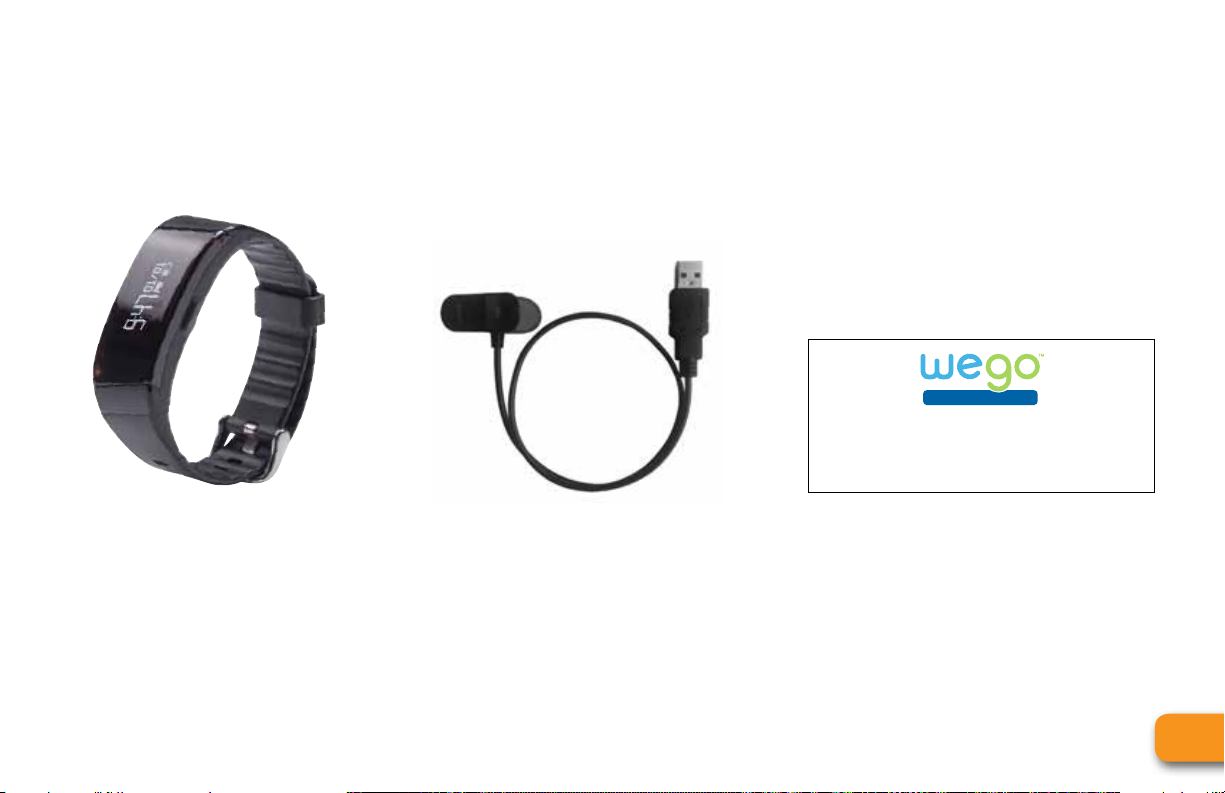
WHAT’S INCLUDED
activity & sleep tracker
RELAY HR
QUICK START GUIDE
JoinWeGo.com
RELAY HR TRACKER USB CHARGING CABLE QUICK START GUIDE
WeGo™ RELAY HR User Manual
2
Page 5
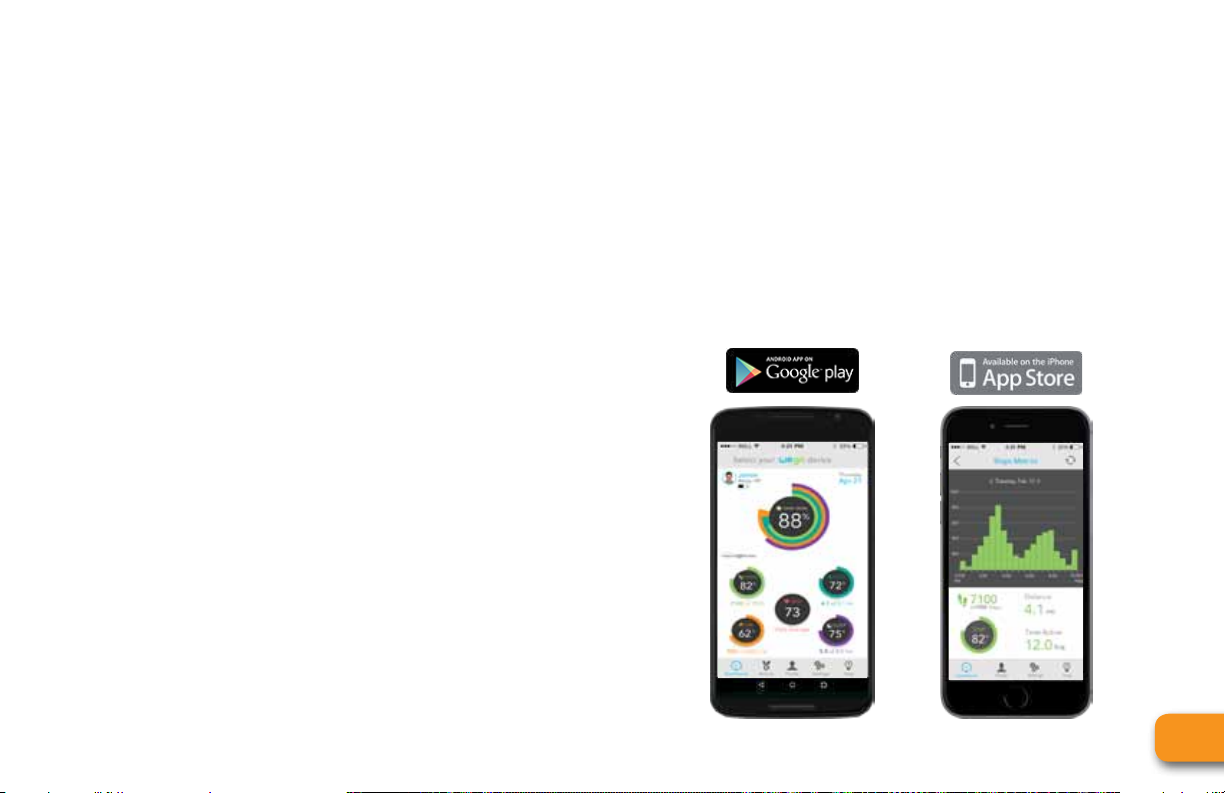
THE JOIN WEGO APP
DETAILED DATA AND
INTUITIVE SYNCING
• Ease of Use: Improved overall syncing process.
• At-A-Glance: Easy to see/understand your 24 hour
summary for STEPS, SLEEP, CALORIES, etc.
• Data Rich: Time stamps to help you understand
more granular data; down to every 15/30 min
period of time.
NEW AND IMPROVED DASHBOARD
• Comprehensive Information is now displayed in
both percentages/numbers and colors in order to
make them easily visible and readable.
• At-A-Glance: Al
on one screen. No scrolling needed.
l your daily information is located
INTEGRATION WITH MAPMYFITNESS,
UA RECORD AND MORE.
• Access to several apps partnered with MapMyFitness
• Any 3rd Party App, that is connected to MapMyFitness,
is already connected to your WeGo (just use your
username to register). See all your data populate
within their respective apps.
WeGo™ RELAY HR User Manual
3
Page 6
HOW DOES MY RELAY HR WORK?
HOW THE DATA IS CAPTURED
The RELAY HR displays activities from midnight to midnight. Each evening at 12:00am it resets to zero in order to
begin capturing those activities/sleep for a new day.
VIEWING THE DATA
Pressing the main operation button will illuminate the display. As you continue to press the button, it will scroll
through the various metrics. Those metrics include:
Time Steps Calories Distance Active Time Goal %
time of day percentage of
steps taken
during a 24
hour period
Heart Rate
Daily Avg.
BPM
WeGo™ RELAY HR User Manual
calories burned
during a 24
hour period
distance traveled
during a 24
hour period
hours/minutes
moved during a
24 hour period
completion to
your set goal
4
Page 7
CHARGING MY RELAY HR
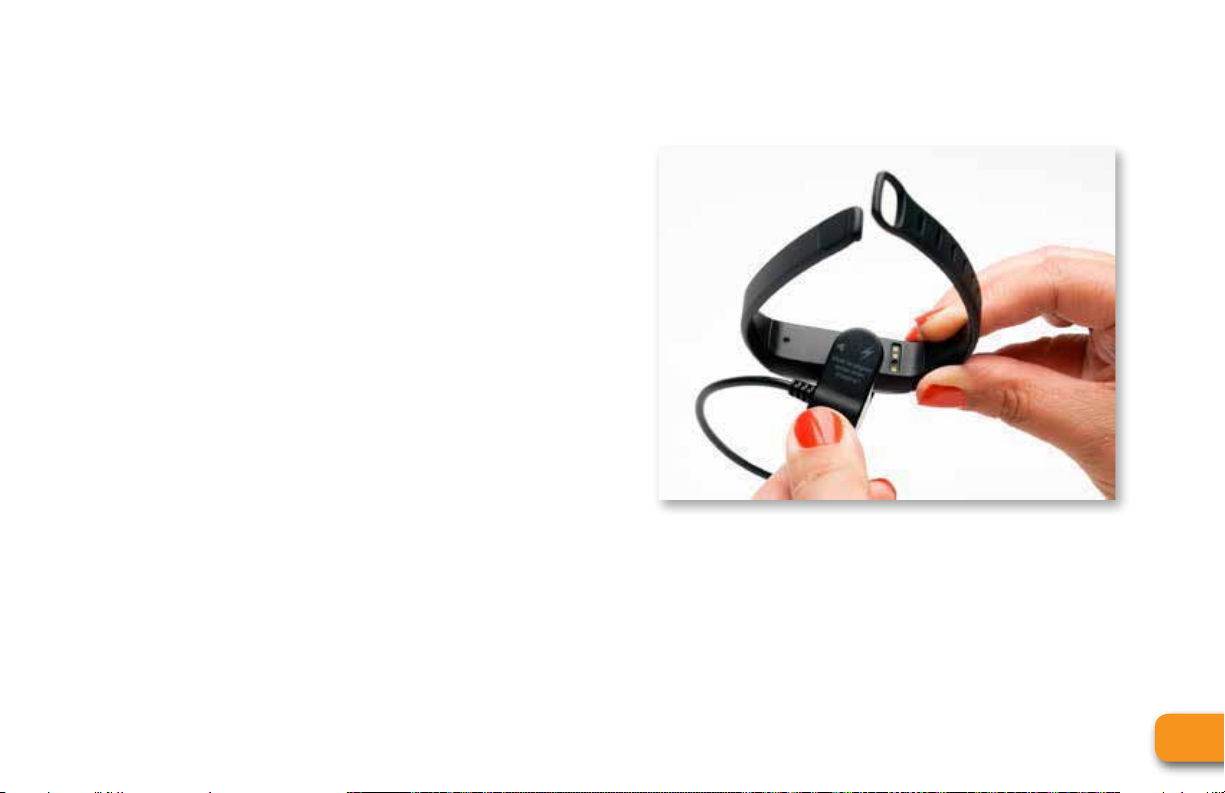
1. Inside the packaging for your RELAY HR, you should find
a quick start guide, USB charging cable, and your
new activity tracker.
2. Located on the opposite side of the RELAY HR’s screen
are 3 holes that need to be connected with the
correct side of the charger.
The opposite end, which is USB, needs to be
3.
plugged into a laptop, desktop or any USB hub.
4.
Once correctly plugged in your devices screen should
show that it is charging – once the battery icon is
filled your ch
arging
is complete.
WeGo™ RELAY HR User Manual
5
Page 8

SYNCING MY RELAY HR
A sync should be performed before you start using your new device! Once synced to the Join WeGo app, your
device will automatically update to the correct time/date, and take into account all of your personal stats in order
to correctly identify metrics such as calorie burn. Please follow these instructions to sync your device:
1. Make sure that Bluetooth is enabled on your phone.
2. Open the Join WeGo app to the main dashboard
screen (if you are not on the dashboard please loc
the tab on the bottom of the app and select).
3. Click on the sync icon on the top right of your
dashboard and follow the directions.
• Press the sync button on the app
• You will be asked to pair the RELAY HR to your
phone and the sync process should start.
• The first time you sync it may take up to 30
seconds to find the device.
WeGo™ RELAY HR User Manual
AUTO-SYNC FEATURE
After your first successful sync, the WeGo app gives
ate
you the ability to auto sync directly to the dashboard.
• Whenever the app is opened up and
dashboard screen the RELAY HR will automatically
sync and pull your most up-to-date data –
No button needed.
• Directly underneath the WeGo logo the Sync
progress will start to run.
on the
6
Page 9

AUTO SLEEP
HOW TO WEAR DURING SLEEP
In order to gain insight into valuable sleep metrics
like quality of sleep on your app, you must keep your
RELAY HR on your wrist while sleeping.
HOW TO TURN ON SLEEP MODE:
The RELAY HR will track your sleep automatically.
When
you wear your RELAY HR to bed it will
a
utomatically recognize when you go to sleep and
wake up so that you don’t have to manually turn
it on or off.
HOW IS THE RELAY ABLE TO TRACK
MY SLEEP?
Auto sleep gives the RELAY HR the ability to track your
sleep based on movement. When you haven’t moved
for an extended period of time, the RELAY HR will
use
specific measurements of data to indicate sleep and
your movement during sleep (light and deep) without
having to initiate.
Remember to sync your device to the app once you wake up to review
your data.
WeGo™ RELAY HR User Manual
7
Page 10

CALLER ID & TEXT NOTIFICATIONS
TURNING CALLER ID AND TEXT
NOTIFICATIONS ON/OFF:
1. Locate and click on the settings tab within the
WeGo app
2. Press the toggle switch on or off depending on
your preference.
3. Press save and then press the dashboard icon.
4. Sync your device to update your settings change.
MANAGING CALLER ID AND TEXT
MESSAGES
1. When receiving a call or text message your RELAY HR
will vibrate to notify you.
2. If you receive a call a phone icon will appear with
the incoming number or name(if the conta
your address book).
3. If you receive a text message a message icon will
appear with the incoming number or name (if the
contact is in your address book) along with the
actual text.
4. To dismiss the notification from appearing on
your wrist simply press the operation button on
the RELAY HR.
ct is in
WeGo™ RELAY HR User Manual
8
Page 11

SETTING MY SILENT ALARM
To set the customized silent alarm using the RELAY HR:
1. Locate and click on the settings icon on tab of
your WeGo App
2. Enable the alarm by clicking the toggle
3. Setting the time you would like the alarm set at.
4. Click save on the top right.
5. Go back to your dashboard screen and resync
your device.
6. An Alarm icon should appear on your RELAY HR=
once synced to show that the alarm has been set
WeGo™ RELAY HR User Manual
9
Page 12

VIEWING MY HEART RATE
VIEWING MY HEART RATE ON MY WRIST
To view your heart rate, locate the heart rate screen (The heart icon that says “OFF”). With the screen
still illuminated press and hold the main operation button for 2-3 seconds. The text will change to
“Finding,” and the device will start analyzing your heart rate. Within 15 seconds your HR will display on
the device.
VIEWING MY HEART RATE ON THE APP
After syncing your RELAY HR to the app, your dashboard should display your AVERAGE HR for the day.
Your RELAY HR is consistently pulling your heart rate throughout the day, providing you with a daily average.
WARNING: Heart rate monitoring systems may
be inaccurate. Over exercising may result in
serious injury or death. If you feel faint stop
exercising immediately.
WeGo™ RELAY HR User Manual
10
Page 13

CARE & MAINTENANCE
• NEVER attempt to disassemble or service your unit.
• DO NOT expose the unit to extreme heat, shocks,
magnetic fields, electrical noise, strong vibration
or long-term exposure to direct sunlight.
• DO NOT drop or step on the watch.
• STORE the unit in a dry place when you are not
using it.
CLEANING
With constant wear, your RELAY HR straps may get
dirty. Carefully rinse in water and wipe dry with towel
(without running water over the screen).
Do not use any type of soap or cleaners.
WATER RESISTANCE
Rain, Sweat, and Splash Proof
Please remove from your wrist prior to taking a shower or swimming.
FACTORY RESET
• Locate and click the “SETTINGS” tab on the
bottom of the Join WeGo app
• Press “
RESET” underneath Device Settings.
(Only available on select WeGo devices.)
WARNING: This will erase all data currently stored on your device,
not your profile.
CUSTOMER SUPPORT
If you experience any problems with this product or
have questions,
please first contact our Customer
Service Team at 800-338-6337.
WeGo™ RELAY HR User Manual
11
Page 14

REGULATORY & SAFETY NOTICES
This device complies with Part 15 of the FCC Rules.
Operation is subject to the following two conditions:
(1) this device may not cause harmful interference,
and (2) this device must accept any interference
received, including interference that may cause
undesired operation.
1. Changes or modifications not expressly approved
by the party responsible for compliance could void
the user’s authority to operate the product.
2. NOTE: This
to comply with the limits for a Class B digital device,
pursuant to Part 15 of the FCC Rules. These limits
are designed to provide reasonable protection against
harmful interference in a residential installation.
This product generates uses and can radiate radio
frequency energy and, if not installed and used in
product has been tested and found
accordance with the instructions, may cause harmful
interference to radio communications. However, there
is no guarantee that interference will not occur in a
particular installation. If the product does cause
harmful interference to radio or television reception,
which can be determined by turning the equipment
off and on, the user is encouraged to try to correct the
interference by one or more of the following measures:
• Reorient or relocate the receiving antenna.
• Increase the separation between the product
and receiver.
• Connect the product into an outlet on a
circuit different from that t
is connected.
• Consult the dealer or an experienced radio/TV
technician for help.
o which the receiver
WeGo™ RELAY HR User Manual
12
Page 15
REGULATORY & SAFETY NOTICES
WARNING: Heart rate monitoring systems may
be inaccurate. Over exercising may result in
serious injury or death. If you feel faint stop
exercising immediately.
CAUTION
This is not a medical device. Should not be used to
diagnose or treat any medical condition. Consult your
doctor for prevention, diagnosis and treatment. See
the user guide for further guidance.
This is not a toy. Keep away from children.
BATTERY
Lithium Ion Polymer 3.7 V 75 mAh
Do Not Open. Do Not Dispose product into Fire.
The WEEE symbol on the product or on its packaging
indicates that the product must not be disposed of
with normal household waste. Instead such marked
waste equipment must be disposed of by arranging to
return to a designated collection point for the recycling
of waste electrical and electronic equipment. By
separating and recycling this waste equipment at the
time of disposal will help to conserve natural resources
and ensure that the equipment is recycled in a mann
that protects human health and the environment.
Keep this manual and packaging for future reference
since it contains important information
er
May Short Circuit, Explode or Leak.
Do Not Swallow. Keep Battery Out of Reach of C
WeGo™ RELAY HR User Manual
hildren.
FCC ID: 2ABZ6BT016
IC ID: 11996A-9461
13
Page 16

WARRANTY
GUARANTEE CERTIFICATE – FOR PURCHASES MADE IN THE U.S.
If at any time within one (1) year from the purchase date of this product, it fails to perform properly because
of defects in material or manufacturing, return it prepaid to:
Complete this Guarantee Certificate and enclose it (or a copy of it) with the product. Please contact Customer
Service at 866-694-4575 or [email protected] for a return authoriz
sending in your product.
(PLEASE PRINT CLEARLY)
Name: Phone:
Address:
Store Purchased From :
Date of Purchase: Purchase Price:
State: Zip:
Problem With Product:
EB SPORT GROUP, 585 OAK RIDGE ROAD, HAZLETON, PA 18202
ation number, prior to
WeGo™ RELAY HR User Manual
STOP - DO NOT RETURN THIS PRODUCT TO THE STORE. FOR QUESTIONS OR ASSISTANCE PLEASE CALL OUR
CUSTOMER SERVICE AT TOLL FREE AT: 1-866-694-4575 OR VISIT THE FAQ SECTION OF
WWW.JOINWEGO.COM/SUPPORT OR EMAIL CUSTOMER SERVICE AT [email protected].
14
Page 17

WARRANTY
REPLACEMENT
This product has been carefully designed, manufactured and packaged. If any parts are missing or damaged,
please contact us at the address above and we will replace the unit at no charge. (Guarantee does not cover
crystal or battery.)
FOR PURCHASES MADE IN THE UK
Should you experience problems with this item, please return it to the point of purchase. This will not affect
your statutory rights. Alternatively return it to the address shown below for a repai
EB Brands UK, Berkeley Business Park, Wainwright Road, Worcester WR4 9FA
www.JoinWeGo.com
Distributed in the UK by EB Brands UK, Worcester WR4 9FA
r/replacement.
WeGo™ RELAY HR User Manual
15
Page 18
WARNING:
• Not a medical device. Should not be used to diagnose or treat any medical condition. Consult your doctor for
prevention, diagnosis and treatment. See t
• Before starting any exercise program or performing any vigorous physical activity, we strongly suggest you visit
your doctor for a complete physical and to discuss your plans.
• Do not allow children to play with button cell batteries, and keep button cell batteries out of your child's reach.
• Never put button cell batteries in your mouth for any reason as they are easily swallowed accidentally.
• If a button cell battery is ingested, immediately seek medical attention.
CAUTION – Battery Safety Information:
• Non-rechargeable batteries are not to be recharged
• Rechargeable batteries must be removed before recharging
• Rechargeable batteries should only be recharged under adult supervision
• Exhausted batteries are to be removed
• Do not mix old and new batteries
• Do not mix al
• Do not dispose of batteries in fire; batteries may explode or
• If this product will not be used for an extended period of ti
• The supply terminals are not to be short-circuited
• Batteries are to be inserted with correct polarity
• Clean the battery contacts and also those of the product pri
• As always, dispose
Caution: Do Not Open. Do Not Dispose product into Fire.
May Short Circuit, Explode or Leak.
Do Not Swallow. Keep Battery Out of Reach of Children.
kaline, standard (carbon-zinc), or rechargeable
of batteries in an eco-friendly manner
he user guide for further guidance.
(nickel-cadmium) batteries
leak
me, remove the batteries from the product
or to battery installation
NOTICE:
AVOID exposing the Activity Tracker to extreme conditions.
AVOID rough uses or severe impacts to the Activity Tracker.
CLEAN the Activity Tracker occasionally with a soft, dry cloth.
STORE the Activity Tr
for a long time.
This marking indicates that this product should not be disposed with other
household wastes throughout the EU. To prevent possible harm to the
environment or human health from uncontrolled waste disposal, recycle it
responsibly to promote the sustainable reuse of material resources. To
return your used device, please use the return and collection systems or
contact th
product for environmental safe recycling.
Made in China. WeGo™ is a trademark of EB Sport Group, Hazleton, PA 18202. Distributed in the United Kingdom by EB
Brands (UK), Worcester WR4 9FA. MapMyFitness is a trademark of MapMyFitness, Inc. Bluetooth marks and logos are owned
by the Bluetooth SIG, Inc. iPhone and iPad are trademarks of Apple Inc., registered in the U.S. and other countries. Android and
Google Play are trademarks of Google Inc. All Rights Reserved.
©2016 Designed and engineered b
acker in a dry place when it is not in use
e retailer where the product was purchased. They can take this
y EB Labs.
Made in China. WeGo
™
is a trademark of EB Sport Group, Hazleton, PA 18202. Distributed in the United Kingdom by EB Brands (UK), Worcester WR4 9FA.
MapMyFitness is a trademark of MapMyFitness, Inc. All Rights Reserved. ©2016. Designed and engineered by EB Labs.
SB1945IS01WGO
WeGo™ RELAY HR User Manual
JoinWeGo.com
 Loading...