

Page 1
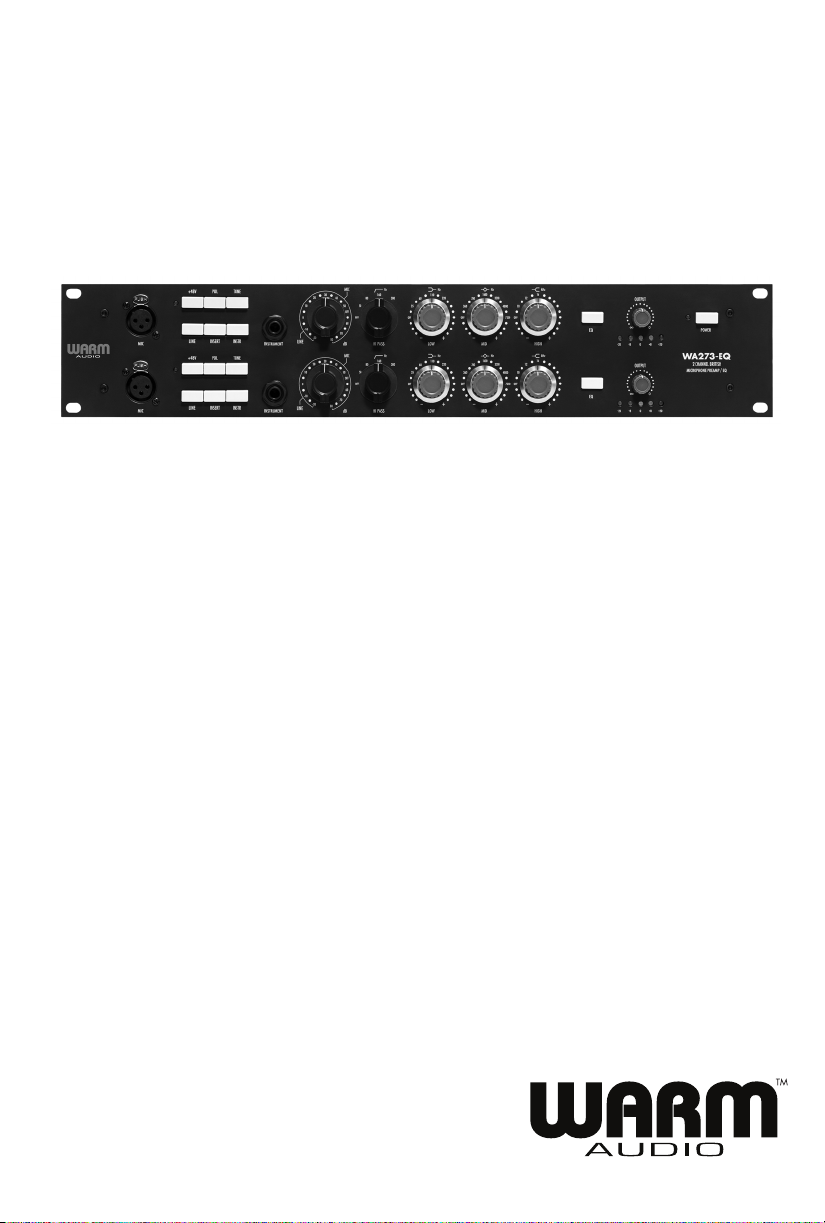
WA273-EQ
DUAL CHANNEL BRITISH MICROPHONE PREAMPLIFIER + EQ
Page 2

THANK YOU!
Thank you for purchasing the Warm Audio WA273-EQ Dual Channel British Microphone Preamplifier with
Equalizer. We feel this product offers the best in ter ms of the sound, function, and vibe from the classic era of
analog recording. We don’t cut corners when it comes to what goes into our products, and the WA273-EQ
is no exception. The WA273-EQ uses the highest quality custom input and output transformers made by
Carnhill Transformers UK. Classic ‘73-style preamps were often hand-wired and so is the WA273-EQ!
Guru’s claim that a portion of the sought after classic British tone can be attributed to the hand-wired
nature of the build. The WA273-EQ is hand-wired and hand assembled, including the pcb components
that are all populated by hand and class A signal path throughout. We are confident you will love
recording with the WA273-EQ.
WELCOME BACK TO THE WORLD OF ANALOG
Though digital technology and software have made great strides in their performance
in recent years; we still feel that nothing compares to the level of articulation, depth, realism, and
responsiveness of a well-built piece of analog gear. When you hear the bottom end presence and top
end detail of quality analog gear, the difference can be astounding. The cost of most boutique analog
equipment is financially out of reach for many recording artists. Our mission is to change this, and
introduce as many people as we can to recording and mixing with real, dedicated hardware. Whether
this is the first piece of outboard gear you’ve ever purchased outside of a recording interface, or merely
the first in a long time; we thank you, and welcome you back to the world of analog.
Bryce Young
President
Warm Audio
Liberty Hill, Texas USA
REGISTER YOUR WA273-EQ!
Before we begin, please take
you receive proper and uninterrupted warranty support for your product, please register your unit within
14 days from purchase.
1 30
the time to visit www.warmaudio.com to register your product. To ensure
Page 3

WARRANTY STATEMENT
Warm Audio warranties this product to be free from defect in materials and workmanship for one
year from the date of purchase, for the original purchaser to whom this equipment is registered. This
warranty is non-transferrable.
This warranty is void in the event of damage incurred from unauthorized service to this unit, or from
electrical or mechanical modification to this unit. This warranty does not cover damage resulting
from abuse, accidental damage, misuse, improper electrical conditions such as mis-wiring, incorrect
voltage or frequency, unstable power, disconnection from earth ground (for products requiring a 3
pin, grounded power cable), or from exposure to hostile environmental conditions such as moisture,
humidity, smoke, fire, sand or other debris, and extreme temperatures.
Warm Audio will, at its sole discretion, repair or replace this product in a timely manner. This limited
warranty extends only to products determined to be defective and does not cover incidental costs
such as equipment rental, loss of revenue, etc. Please visit us at www.warmaudio.com for more
information on your warranty, or to request warranty service.
This warranty applies to products sold in the United States of America. For warranty information in any
other country, please refer to your local Warm Audio distributor. This warranty provides specific legal
rights, which may vary from state to state. Depending on the state in which you live, you may have
rights in addition to those covered in this statement. Please refer to your state laws or see your local
Warm Audio retailer for more information.
NON-WARRANTY SERVICE
If you have a defective unit that is outside of our warranty period or conditions; we are still here for you and
can get your unit working again for a modest service fee. Please visit us at www.warmaudio.com
to contact us about setting up a repair or for more information.
With the proper care, your Warm Audio gear should last a lifetime and provide a lifetime of enjoyment.
We believe the best advertisement we can have is a properly working unit being put to great use. Let’s
work together to make it happen.
2
Page 4
The Warm Audio WA273-EQ is one of the highest quality microphone preamplifiers on the market in its
price range. It uses custom made components similarly found in preamplifiers with much higher price
tags. Home-based musicians and professional studios alike will find the WA273-EQ to be an extremely
powerful, versatile and fully professional piece of gear that is capable of warming and shaping both
input signals and mixes in a way that is very pleasing to the ear.
The information contained in this manual is written to help you get quickly started with using your
WA273-EQ.
TECHNICAL SPECS
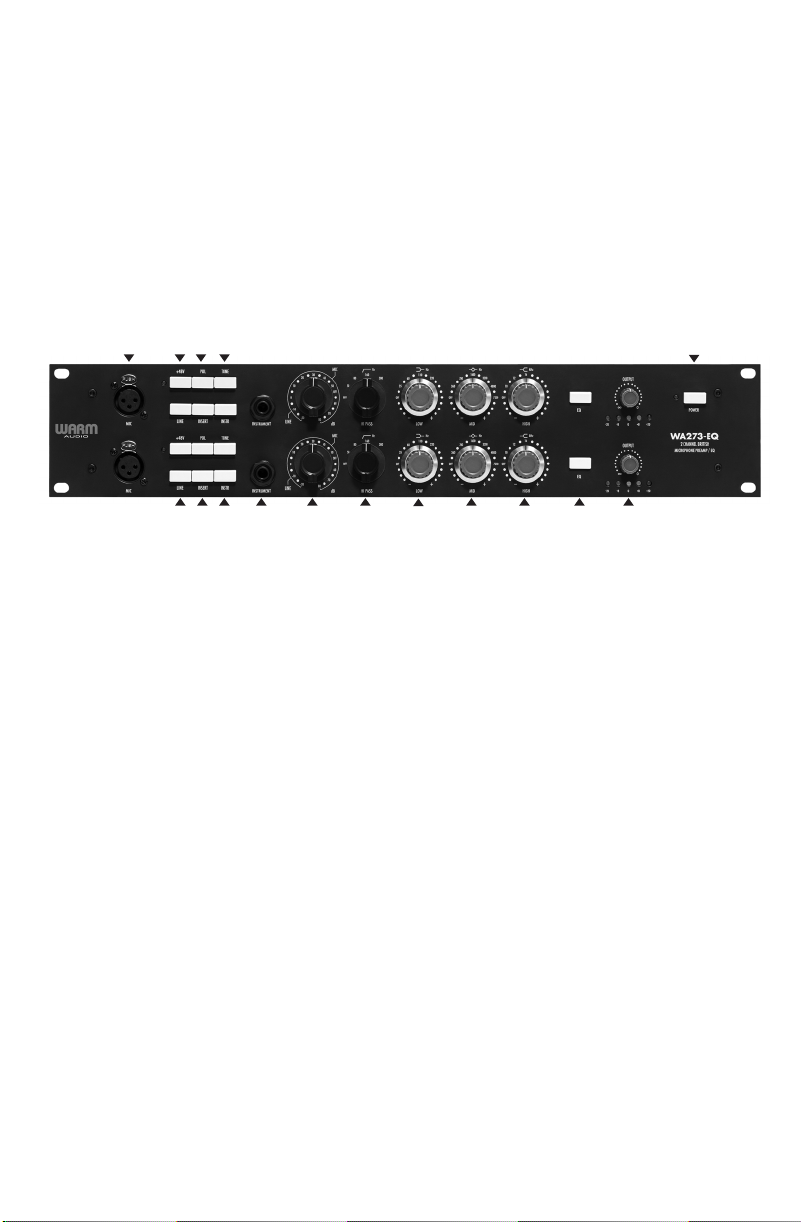
1 2 3 4
5 6 7 8 9 10
12 13 14 15
11
1. Microphone Level Input (XLR)
This input is designed for dynamic, condenser and ribbon microphones. Other instruments or
devices that put out a low level microphone signal can also be plugged into this input. The
input impedance can be set to either 600 or 150 ohms, via the tone button.
2. +48V Switch
The 48 volts feature provides power for condenser mics and any other devices requiring continuous
phantom power through the XLR input. This power is supplied at a constant level to prevent any
degradation of audio quality. The adjacent LED lights when phantom power is active.
3. Polarity Switch
This feature inverts the polarity of the signal. Use the polarity switch when recording with more than one
open microphone to combat phase cancellation between microphones.
4. Tone Switch
The control switches the input transformer configuration from a 1:2 (step up) turns ratio to a steeper 1:4
(step up) turns ratio, drawing out a greater degree of coloration and impact from the input transformer.
When engaged, the input impedance of the WA273-EQ is 300 ohms. When disengaged, the input
impedance of the WA273-EQ is 1200 ohms. This feature will make a noticeable tone change to most
microphones. The 1200 ohms impedance setting is recommended for condenser and dynamic microphones,
and 300 ohms is recommended for dynamic and ribbons. This switch is labeled “Tone” for a reason;
most listeners will find the unswitched setting to be more open and natural, with the engaged setting
to be more punchy, aggressive, or thick. We strongly suggest you experiment with both settings on all
sources to find the best possible tone for your recordings. As with all things, let your ear be the final
judge on which setting to use for any given situation.
16
3 28
Page 5
TECHNICAL SPECS
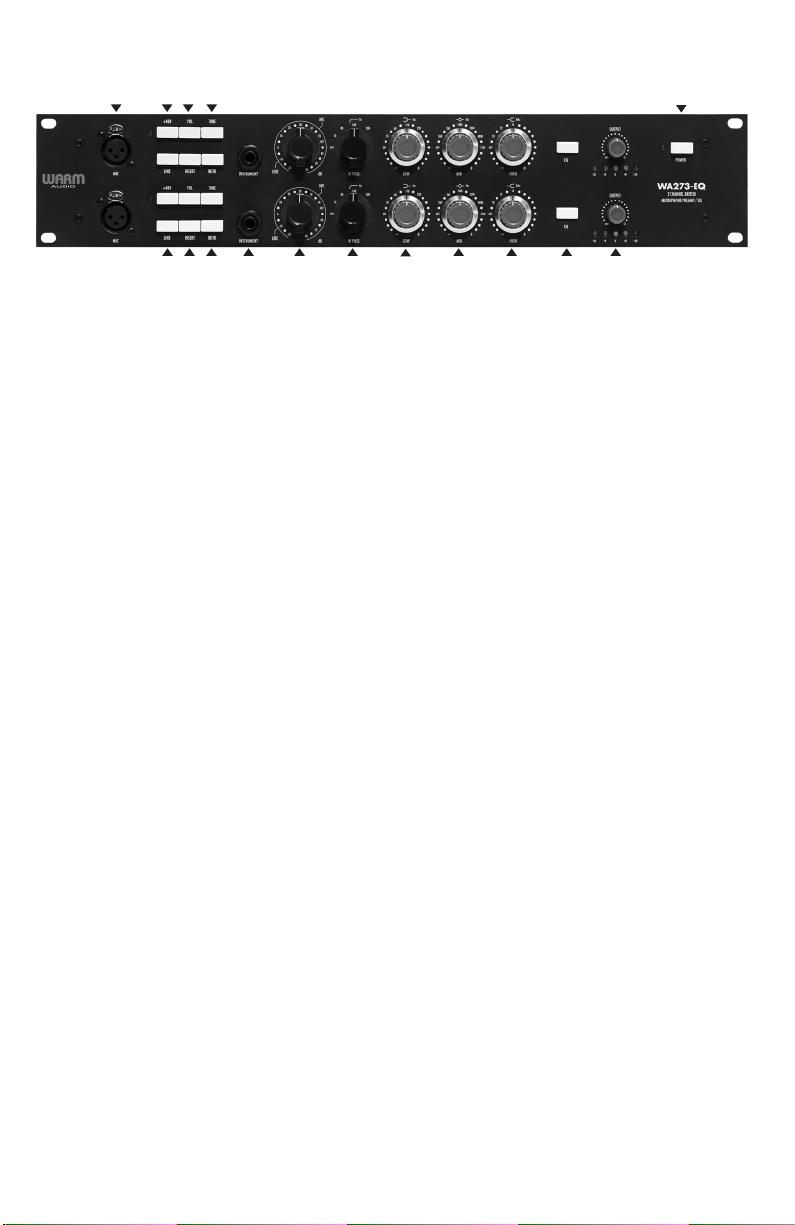
1 2 3 4
16
5 6 7 8 9 10
12 13 14 15
11
5. Line Input Switch
This feature engages the TRS line input on back of the WA273-EQ and disconnects the XLR microphone
inputs.
6. Insert Switch
Switches the insert loop into the signal path.
7. Instrument Switch
This feature engages the Instrument input on the front of the WA273-EQ and disconnects the XLR microphone
inputs.
8. TRS Instrument Input
You can connect a variety of instruments via the instrument input on the front panel of the WA273-EQ
including: acoustic and electric guitars, bass guitar, keyboards, synths and drum machines.
9. Red Input Knob
This is a 22 position gain switch that adjusts gain for Line / Mic / Hi-Z level sources.
10. HI Pass Knob
18dB per octave slope, switchable between 50Hz, 80Hz, 160Hz, 300Hz.
11. Low Frequency
Silky smooth +/-16dB shelving with selectable frequencies of 35Hz, 60Hz,110Hz, 220Hz.
12. Mid Frequency
Silky smooth +/-18dB peaking, fixed ‘Q’ with selectable center frequencies of 360Hz, 700Hz, 1600Hz,
3200Hz, 4800Hz, 7200Hz.
13. High Frequency
Silky smooth +/-16dB fixed frequency shelving at 10kHz, 12kHz, 16kHz.
14. EQ Switch
Switches the equalization circuit into the signal path.
4
Page 6
TECHNICAL SPECS
15. Output Control Knob
This knob controls the signal exiting the WA273-EQ. It ensures that the amplified signal doesn’t exit the
WA273 too loud and overload the inputs on your recording interface or the next device in the signal
chain. It also gives greater ability to drive the gain of the preamp harder resulting in greater colorization
and tone shaping within the various settings.
16. Power Switch
The power switch is used to power the unit on and off. LED light will indicate if the unit is powered on.
To extend the life of the electronics please turn the WA273-EQ off when not in use.
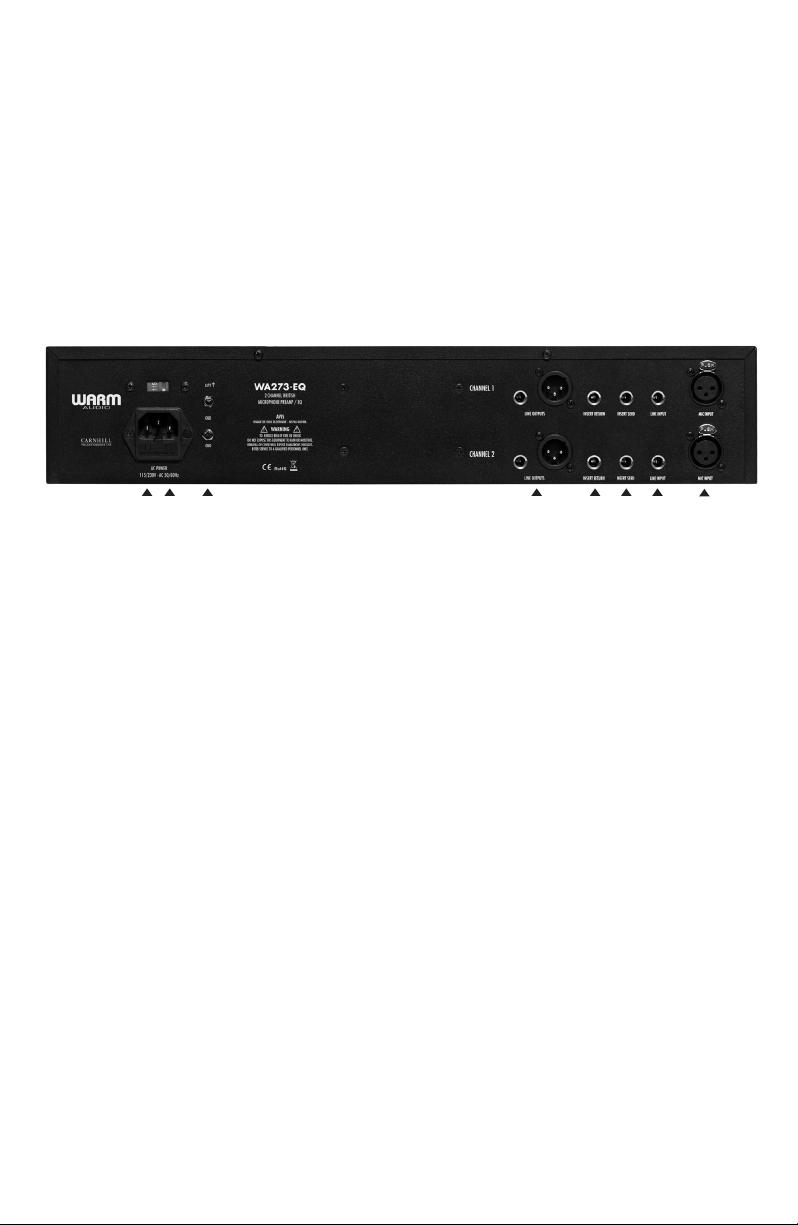
1 2 3 4 5 5 6
1. IEC AC POWER INLET
Connect the accompanying power cord to power the unit.
2. 250v Fuse
Always use the correct fuse rating, as indicated beside the fuse holder. Warm Audio provides an extra
fuse located inside the IEC inlet.
7
3. Ground Lift Switch
Eliminates unwanted hum and buzz by interrupting the ground loops between equipment, preventing
current flow along the cable shield between two devices.
4. Balanced Line Outputs (XLR & TRS)
Balanced output are provided on an XLR and ¼” TRS connection for convenience. Unbalanced operation is
possible via ¼” TRS output using an unbalanced ¼” cable.
5. Insert (Send & Return)
These connects are designed to allow another device such as a compressor or EQ to be inserted in the
middle of the WA273-EQ’s circuit. These connections insert the secondary device into the circuit after
the input transformer and initial gain stage. We recommend unbalanced ¼” patch cables.
6. Line Input
This TRS input is padded and is designed for line level instruments or sources that put out line level
signals such as keyboards, electric instruments or audio interface outputs. This input travels through the
entire preamp circuit including both Carnhill Transformers.
Page 7
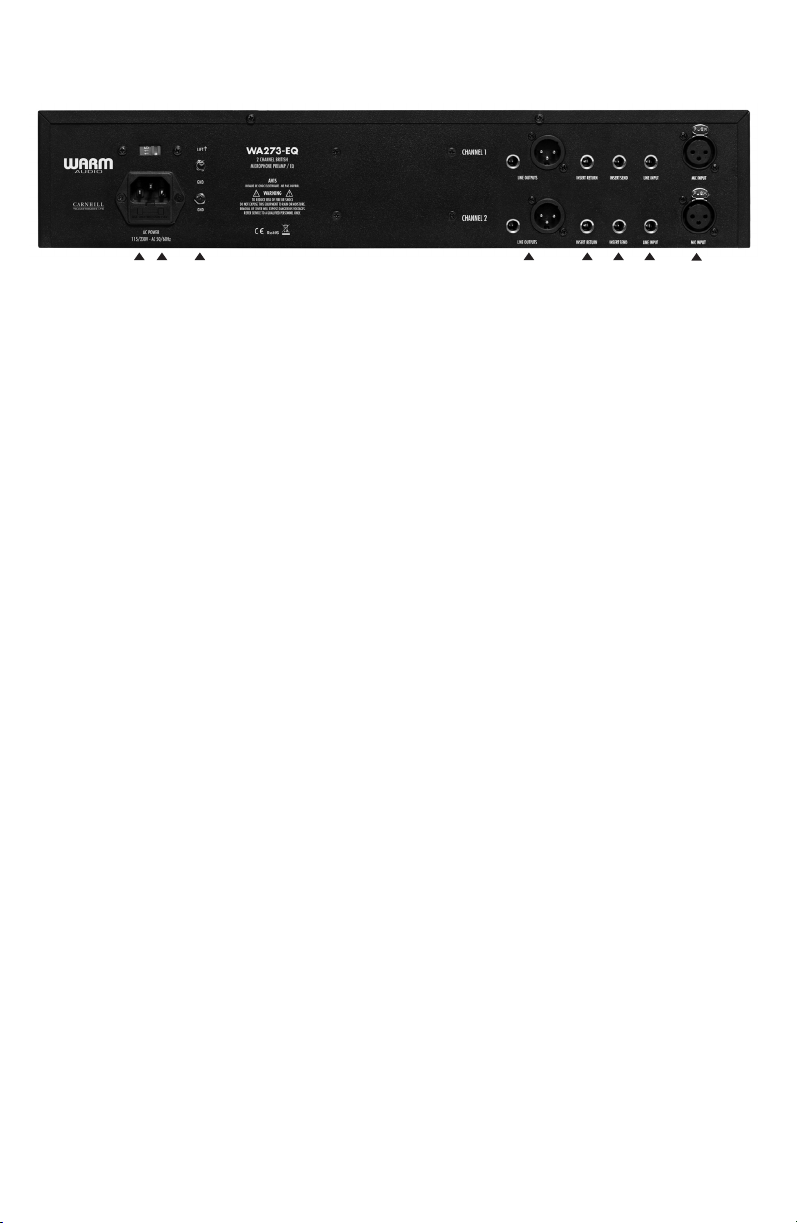
TECHNICAL SPECS
1 2 3 4 5 5 6
7. Microphone XLR Input
This input is designed for dynamic, condenser and ribbon microphones. Other instruments or devices
that put out a low level microphone signal can also be plugged into this input. The input impedance
can be set to either 1200 or 300 ohms, via the tone button.
7
Page 8
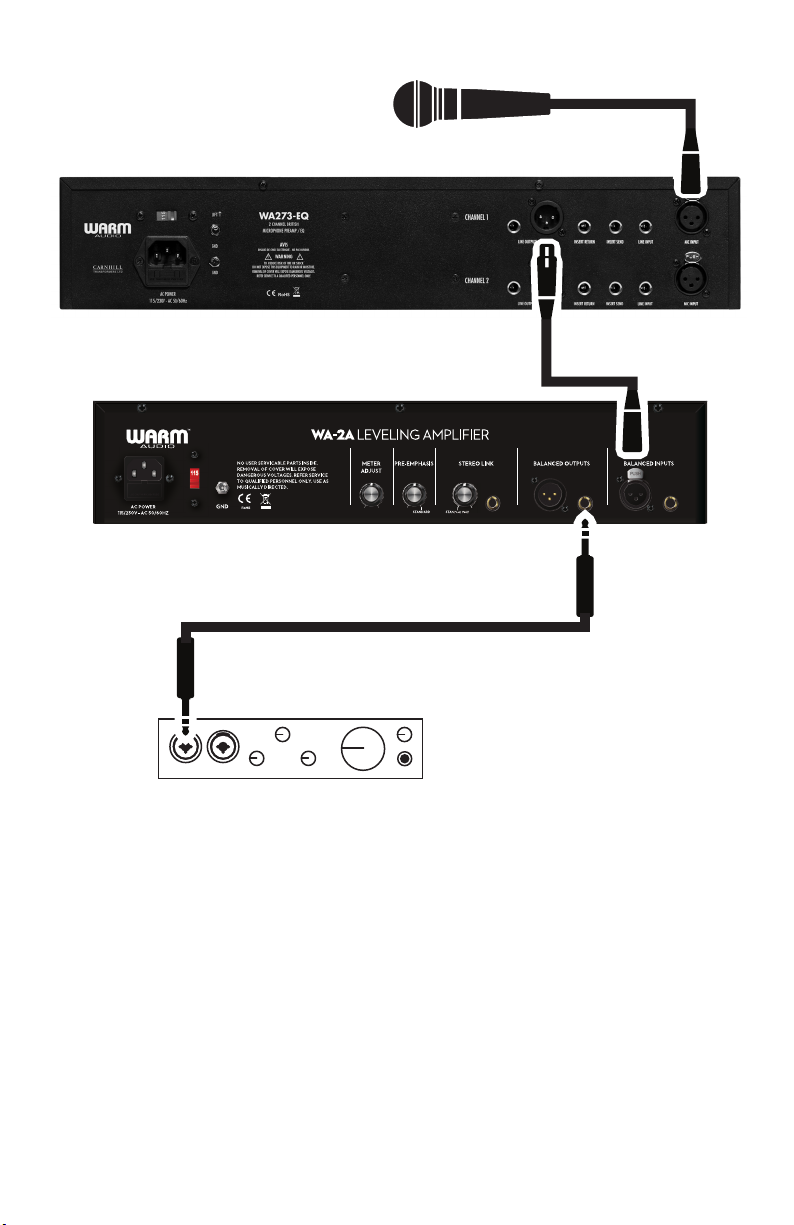
HOOKUP DIAGRAMS
WA273-EQ
WA-2A
Recording interface
In this example, a microphone is feeding into a WA273-EQ, which feeds
in to the WA-2A via a balanced XLR patch cable, which feeds in the LINE
LEVEL input of your recording interface/recorder.
Note: it is important to use a line level input on your recording device as opposed to a
microphone or instrument level input.
Page 9
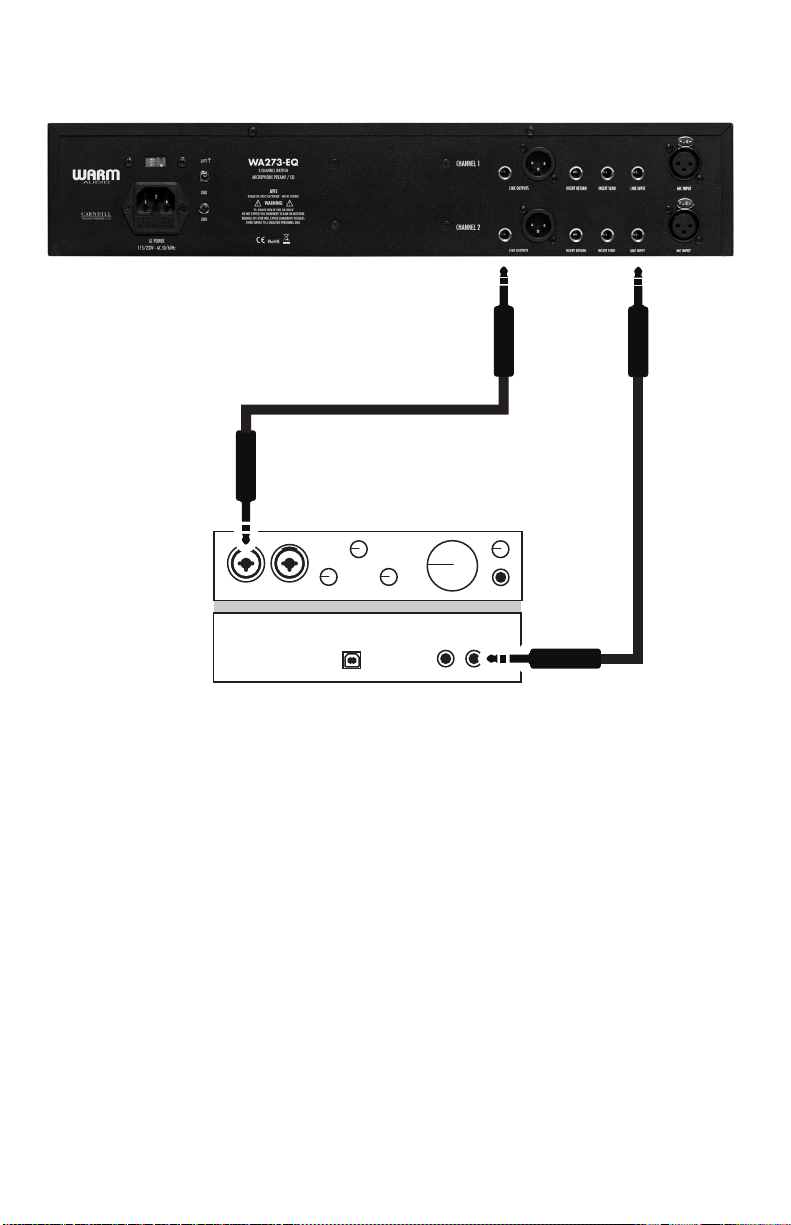
HOOKUP DIAGRAMS
WA273-EQ
Recording interface
In this example, theWA273-EQ is being routed as an insert into a recording device. This is
useful for using the WA273-EQ as an “analog plug-in” or insert for mix-down. The recording
device is feeding the WA273-EQ with a balanced 1/4” cable via a line output. Then, the
recording device is capturing the WA273-EQ via a LINE LEVEL input.
The WA273-EQ may be used as a line level processor to ‘warm up’, saturate, or intentionally
distort a line level signal creatively. It may also be used after any other line level device or
another preamp for a similar effect.
8
Page 10

SPECIFICATIONS
• Dual Channel, Class A, ‘73-style British Microphone Preamp with EQ
• UK made Carnhill Transformers
• UK made - Blore Edwards EQ dual-concentric switch potentiometers
• Hand Wired, hand assembled
• 80dB of gain - resistor stepped gain switch
• Fully discrete
• TONE button - Changes input transformer impedance for varying tone
• Polarity switch
• 48v phantom power
• Inductor based 3 band EQ
• Low Band Boost/Cut - 35, 60, 110, 220 Hz
• Mid Band Boost/Cut - 360, 700, 1600, 3200, 4800, 7200 Hz
• High Band Boost/Cut - 10, 12, 16 kHz
• Additional high band frequency EQ points added (compared to vintage 1073)
• 4 position inductor based hipass filter - 50, 80, 160, 300 Hz
• XLR mic inputs (front & back)
• Line level TRS input
• TS Send/Receive insert jacks
• XLR & TRS line level outputs
• Direct In, instrument input
• Output control
• Led level indication
• Freq response 20Hz - 20kHz +/-.5 dB
• 19” rackable
• Internal IEC 115v/230v power inlet
9 22
Page 11
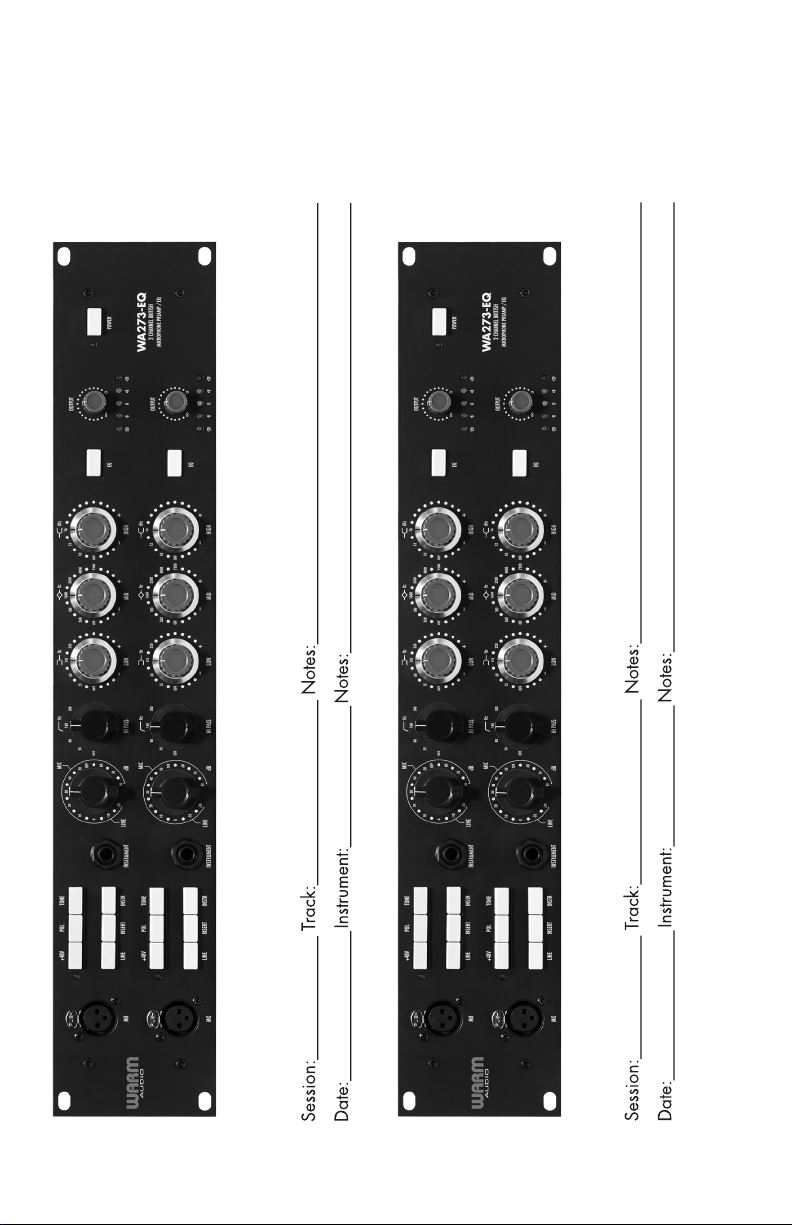
RECALL SHEETS
Page 12
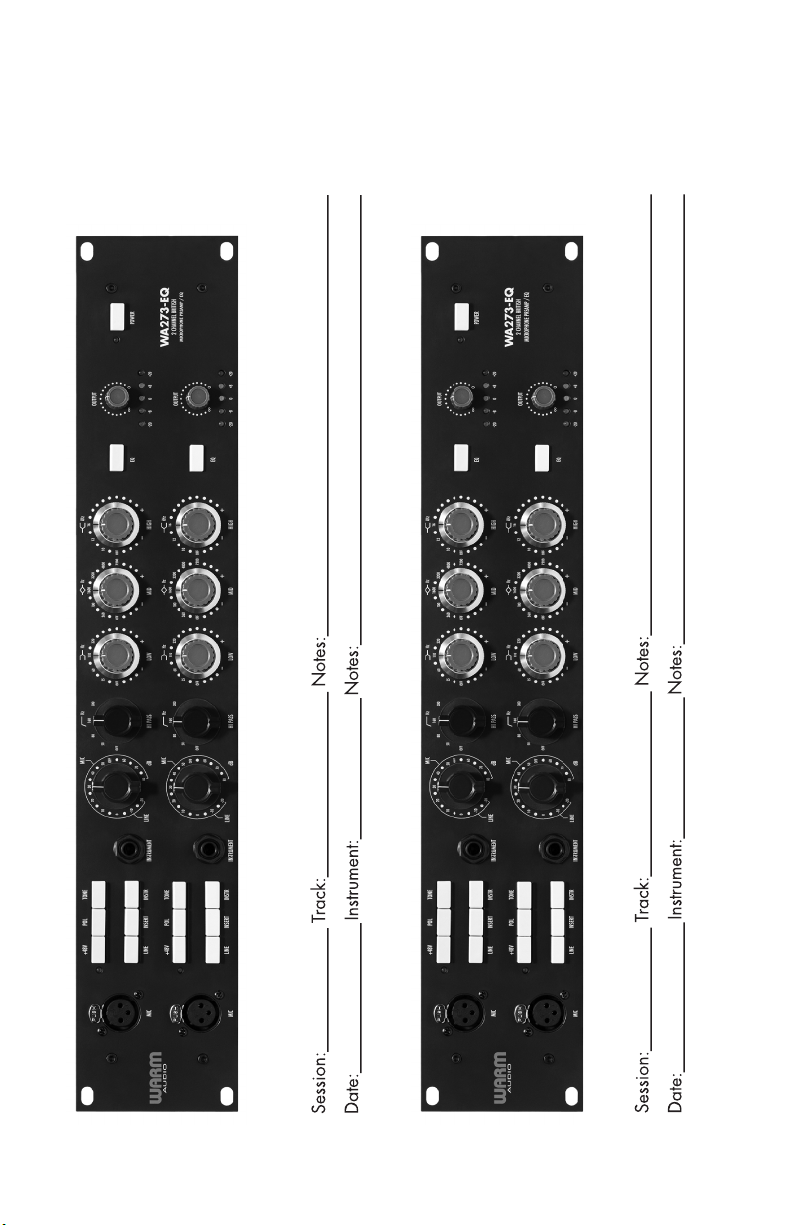
RECALL SHEETS
Page 13
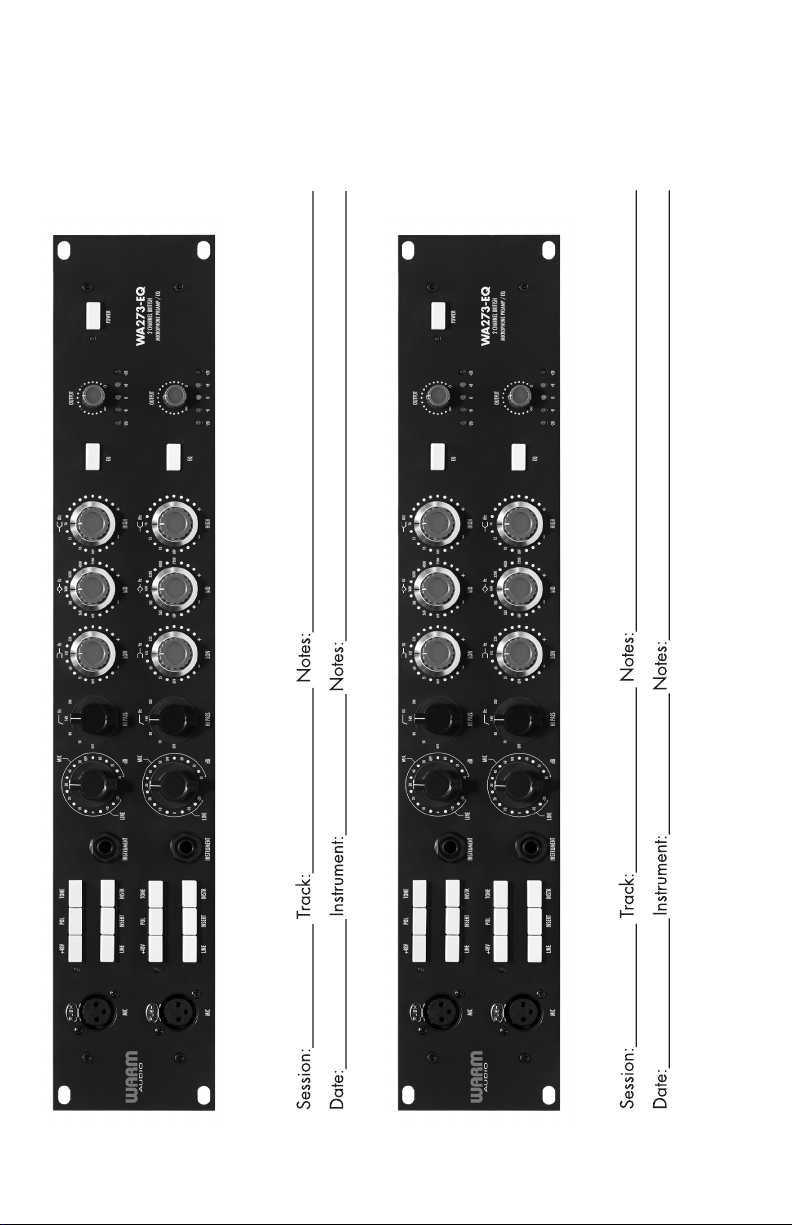
RECALL SHEETSNOW LET’S GET STARTED!
Page 14

© 2018 Warm AudioTM LLC.
Liberty Hill, Texas USA | www.warmaudio.com
 Loading...