

Page 1
Sphere Delay Manual
Sphere Delay - A Multimode Delay Effect Plugin.
Page 2
Main Features
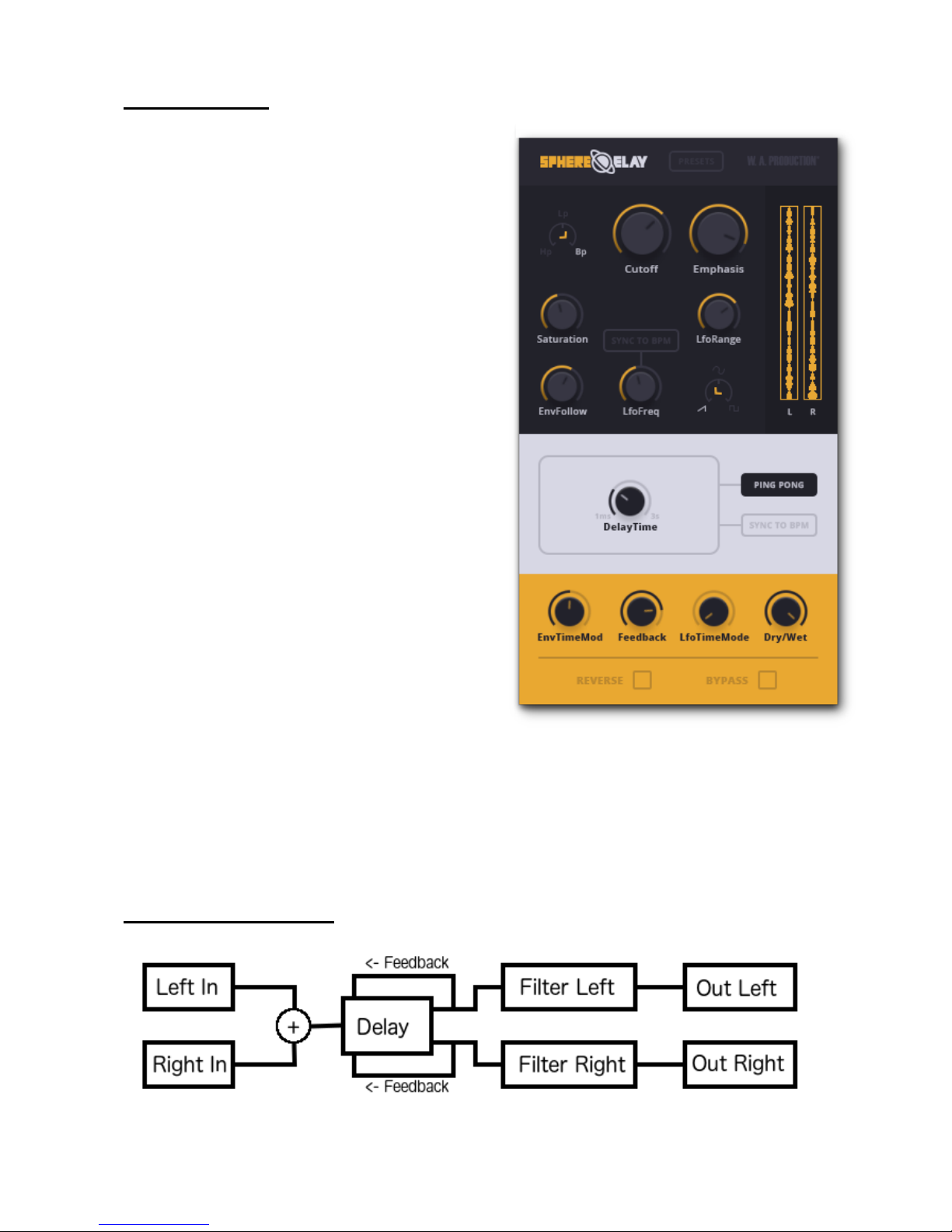
4 Delay Modes – Mono, Stereo, Ping-Pong
and Ping-Pong Separate. In each mode, delay
time can be synced to BPM.
Delay Time Modulation – In each delay
mode the delay time can be modulated with
the LFO and the envelope follower to create a
variety of special effects.
Reverse – In each delay mode the input can
be reverse. The feedback signal however is
not reversed back in order to keep its reverse
state.
Stereo Filter – A 24db/OCT variable state
stereo linked filter with saturation, LFO
and envelope follower modulation.
LFO – With variable wave shape and BPM
sync.
Envelope Follower – Following the transient
of the input signal.
Presets – Sphere Delay comes with 30 high
quality factory presets from classic PingPong tape delay to psychedelic spacey effects.
Basic Block Diagram
Page 3
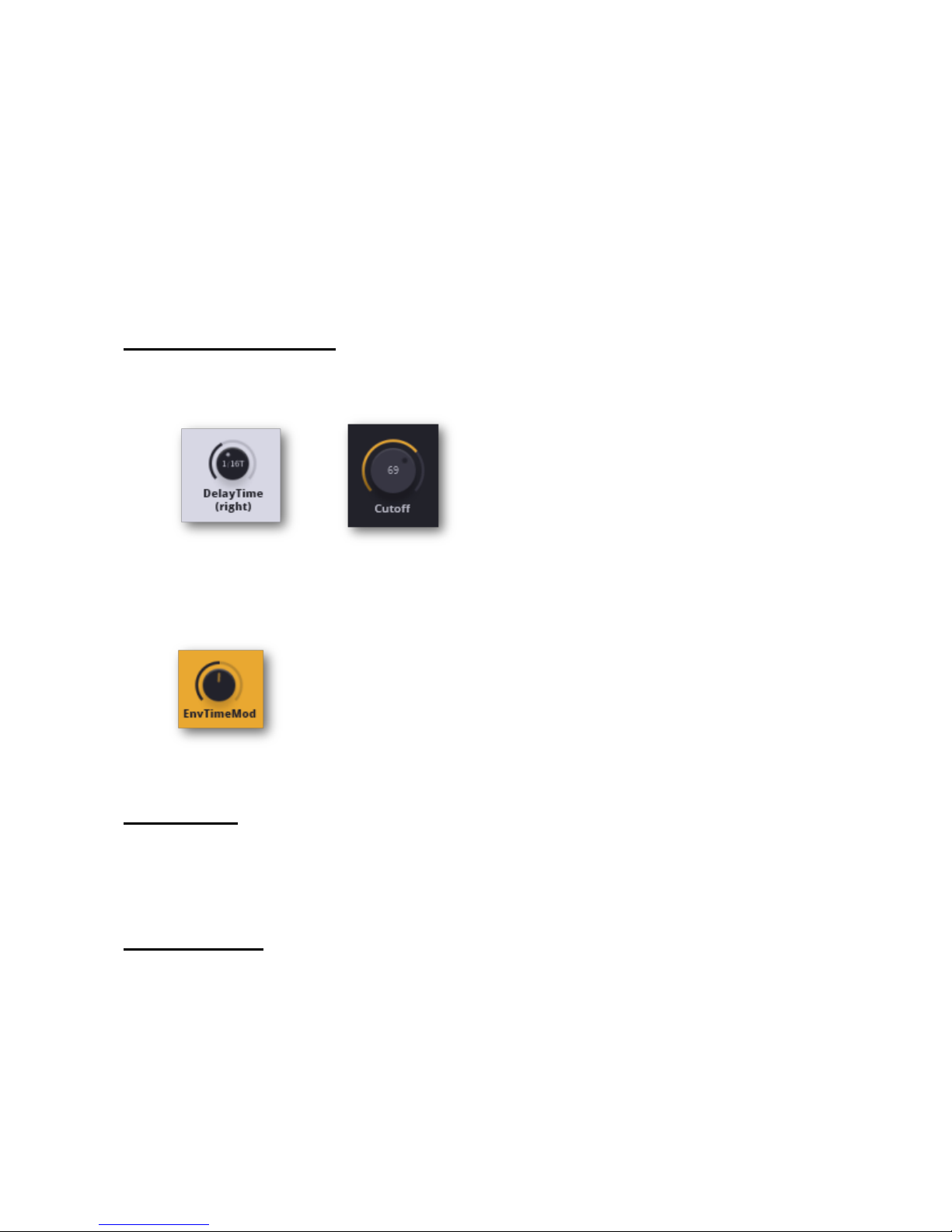
The Signal from the left and the right input channels are summed up before
entering the delay unit.
Inside the delay unit the signal flow is changing according to the delay mode
selected.
The delayed signal is then entering the stereo linked filter which include
saturation at the exit (the louder the signal the more saturation it gets).
From the filter out back into your DAW.
Parameters Behavior
Click on any knob to see its value.
Double click any knob to reset it to its default state (especially useful for
envelope follower knobs).
Installation
Make sure to first remove any previous or demo version you might have.
Click the installation file and follow the directions.
Requirements
Windows 7 or higher (32 / 64 bit)
Mac OSX 10.5 or higher (32 / 64 bit)
AAX - ProTools 11 or higher
 Loading...