

Page 1

Smart Pet Feeder
PF1
User Manual
1 Main Functions
HD Camera
140° Wide Angle Camera with Night Vision
Video
HD Video
Audio
Two-way Audio
Feeding Plan
Automatically Dispense According to Feeding Plan
2 System Configurations
Wireless WiFi Connection
Password Protection
Network: High-speed Wireless Network
Apple System IOS 9.0 +
Android System 4.4.4 +
3 Functional Layout
Top Opening Button
Microphone
HD Camera
Infrared Night Vision Light
Speaker
Food Outlet
Food Tray
Status Indicator Light (Yellow)
Alert Light (Red)
Multi-functional Set Button
Power Indicator Light
DC Interface
Power Cable Slot
Power Switch
Battery Case
Page 2
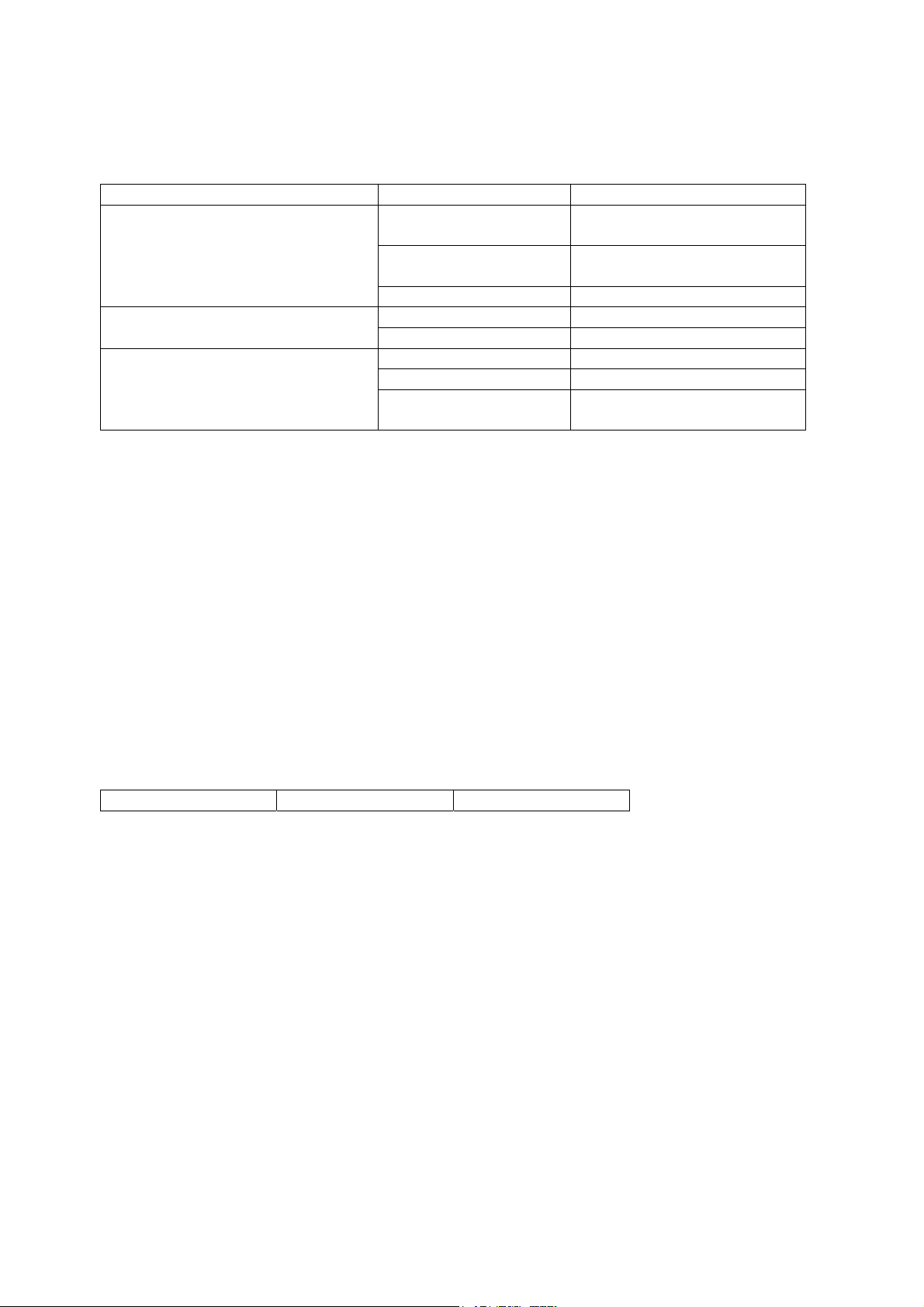
Indicator Light (s) and Button (s) Status Indication
Status Indicator Light (Yellow) Quick Flashes Device is in WiFi configuration
mode.
Slow Flashes Device is WiFi configured, but the
network connection is abnormal.
Off Device is successfully connected.
Alert Light (Red) On Food storage empty; Food is stuck
Off Normal condition
Multi-functional Set Button (SET) Blue Light Device is powered.
Single Press Manual feed for a single time.
Long Press (5s) Device switches to WiFi
configuration mode.
4 Download and Install Application
APP installation and user account registration
(1) Scan the QR code with a mobile device or search for “Yoocam Plus” in IOS APP Store or Android APP
Store. Download and install the application.
Scan the QR code to download and install.
5 Network Configuration Steps
(1) Please ensure that your mobile device is connected to a Wi-Fi network (only compatible with 2.4G
network);
(2) Open the “Yoocam Plus” application. Complete the user account registration and sign in;
Click on the “+” icon on the top-right corner to add your device (Fig. 1). Then select your device type:
Smart Pet Feeder (Fig. 2);
Fig. 1 Fig. 2 Fig. 3
(3) Please connect the device to a power supply and check if the power indicator light is on. It normally takes
about 30 seconds for the feeder to start up. After it starts up, the indicator light will turn to slow flashing
yellow light. (Fig. 3)
(4) Please press the “SET” button for 5 seconds. The indicator light will flash, and the device will prompt
“waiting to receive WiFi configuration information”. Click “I already heard the voice prompt”. (Fig. 4)
(5) Choose the Wi-Fi connection to connect the feeder to (only compatible with 2.4G network), enter the Wi-
Fi password, and click “connect to Wi-Fi”; (Fig. 5)
(6) Click “send sound wave” and wait for the camera to prompt “received”. When you hear the prompt, click
“next step”; (Fig. 6)
(7) APP shows feeder wireless connection countdown page; (Fig. 7)
(8) When feeder prompts “connection successful”, the App will direct you to “device naming” page; (Fig. 8)
(9) Enter the feeder’s name and click “finish”. Feeder is now successfully added, and you are directed to the
“device list” page. (Fig. 9)
Page 3
6 Real-time Monitoring
(1) Open the Yoocam Plus APP, and choose the feeder to open its real-time monitoring page; (Fig. 10)
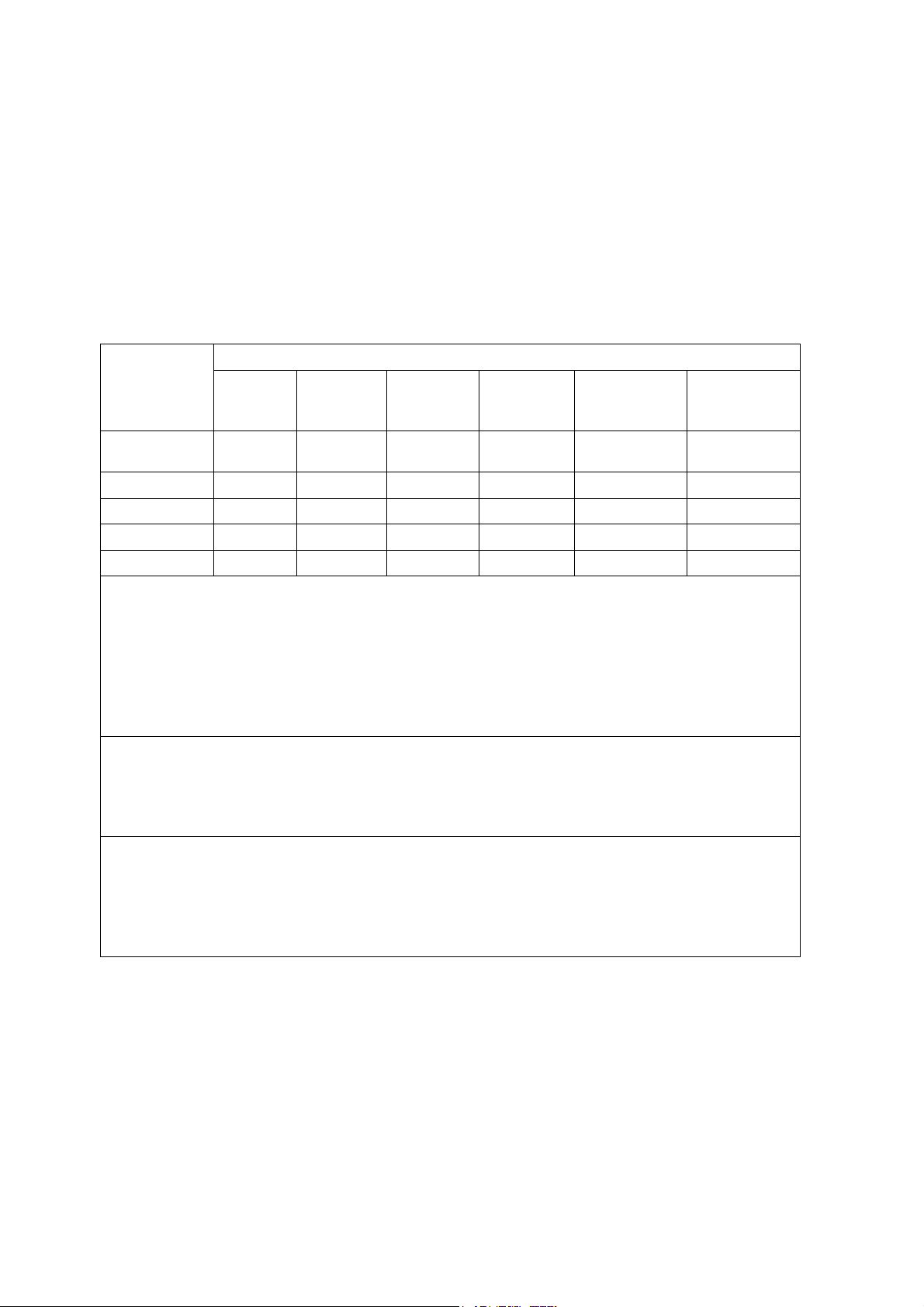
The Administrative Measures for the Restriction of the Use of Hazardous Substances in Electrical and
Electronic Products
Name and Quantity of Hazardous Substances in theProduct
Hazardous Substance
Circuit Board
Lead (Pb) Mercury
(Hg)
Cadmium
(Cd)
Hexavalent
Chromium
(Cr (VI))
Polybrominated
Biphenyls
(PBB)
Polybrominated
Diphenyl
Ethers (PBDE)
Components
PlasticMaterials
MetalParts
Speaker
Power Adapter
The content in the table strictly follows the SJ/T11364 requirements.
O indicates that this hazardous substance contained in all the homogenous materials for this part is within the
limit requirement in GB/T26572.
Xindicates that this hazardous substance contained in at least one of the homogenous materials for this part
exceeds the limit requirement in GB/T265752.
Note: The product draws upon sustainable design concepts, and the production process strictly controls for
hazardous substances. The hazardous substances marked by “X” are unable to be replaced by greener substances
due to limitations in technological development.
Environment Friendly Use Period (EFUP):
The label indicates period (10 years). Within the period and under normal condition of use, the hazardous
substances in the electrical and electronic product will not leak or undergo change. In addition, the electrical and
electronic product user will not cause serious harm to the environment or the health and property of others when
the product is used within the EFUP.
Recycling Tips:
We always strive to better care and protect our Earth; Therefore, when the product is no longer of use or has
reached the end of its use-period, please comply with the national laws and regulations regarding recycling and
disposal of electrical and electronic products and hand it over to local manufactures with recycling qualifications
approved by the nation. If the product is used or disposed improperly, it may affect the environment and human
health.
The Three Guarantees: repair, replacement, and return
Customers can enjoy the following services when the product experiences non-human damage and is within the
warranty period:
1. “The Three Guarantees” will be effective starting on the date that the purchase is billed. The warranty for this
product is 12 months.
2. Please keep all original purchase receipts. You will be asked to provide them upon service.
Page 4

Important Information
The Three Guarantees will not be serviced under the following circumstances. You may choose to consult
responsible personnel or seek paid services. Paid services are responsible for providing the fee standards and
invoices.
1. No valid, compatible, and unaltered guarantee certificate or valid receipt. When product is outside the warranty
period.
2. Damage caused by improper handling, extreme environmental factors (ex. lightning , fire, flood, and
earthquake etc.), unsuitable voltage, or physical damage (ex. fall).
3. Damage caused by improper use, maintenance, custody, voluntary transportation, parts removal, or any damage
caused by non-contracted units.
4. Damage caused by not handling, maintaining, or adjusting product according to the user manual.
5. When the conditions are beyond normal conditions of use, or when the product is operated with force.
6. The after-sales services will not be provided to customers who are unable to operate the product due to
customers’ personal network problems. Thank you for your understanding.
Important Considerations
Wanjiaan Smart Pet Feeder is suited for cats, and is suited for dogs that weigh less than 23 KG.
Children should only use the device under the supervision of an adult. Children under 8 are not recommended to use
the device.
Do not place heavy objects on top of the device; Please do not allow other devices to come in touch with the device;
it may affect its functions.
Do not submerge the device’s control panel or the base in water.
Do not allow children to play beside the feeder.
Do not use the device outdoors; avoid placing the device under direct sunlight or in humid environments.
Do not use wet food or canned food with the device; only use dry food.
Do not use adaptors other than the factory adaptor included in the product’s package.
Please place the base on flat surfaces to prevent inaccurate weighing.
Please test the device and change the batteries before long travels.
Warranty Card
Customer Information
Company Name or Individual Name ______________
Address ________________
Phone Number _____________
Postal Code _______________
Product Name and Model ________________
Distributor_______________
Date of Purchase _______________
Page 5
20C
 Loading...