

Page 1
MUGNLOO
Litter Box Health Monitor
User Manual
- B
Thank you for your purchase.
We will continue to develop smarter
more convenient products for your pets.
www.kangjipsa.com
Patent No:PCT/KR2017/002464
Page 2
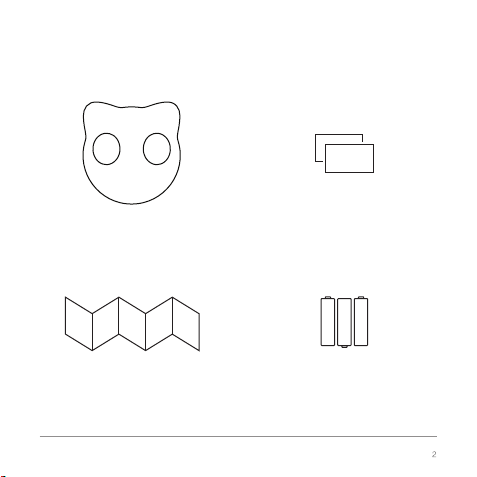
Product Composition
Litter Box Health Monitor
User Manual
Litter Box Health Monitor
Fastener
Three AA Batteries
(Not Included)
Page 3
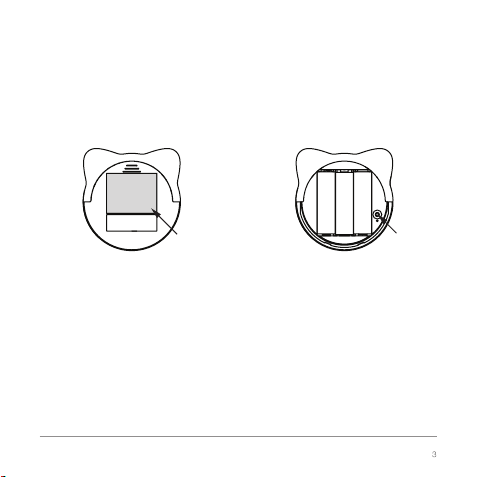
Subparts
Attach fastener here Pairing button
Litter Box Health Monitor
Page 4

Step One: Preparation
1. Download and install “Pet Keeper” APP from Google
Play Store or Apple APP Store.
2. Sign in with your phone number.
3. Login with your account.
4. Make sure your phone is connected to your Wi-Fi please.
Step Two: Pairing with device
1. Insert three AA batteries to the device.
2. Press the pairing button and hold for 5 seconds,
until a light start to blink.
3. In our APP, find “Settings-->Device Management
-->Add-->CL1-B”.
Litter Box Health Monitor
4
Page 5

4. Please check if your phone is connected to Wi-Fi again,
then click “pairing start”.
5. Click “Scan” button and chose the Bluetooth device
named “CL1-B-xxxxxx” after it appears.
6. Please chose your Wi-Fi and enter your WIFI password,
then click “Next” button.
7. Congratulations! Pairing successfully!
If not try again please.
8. Establish your baby cat information file.
Litter Box Health Monitor
Page 6
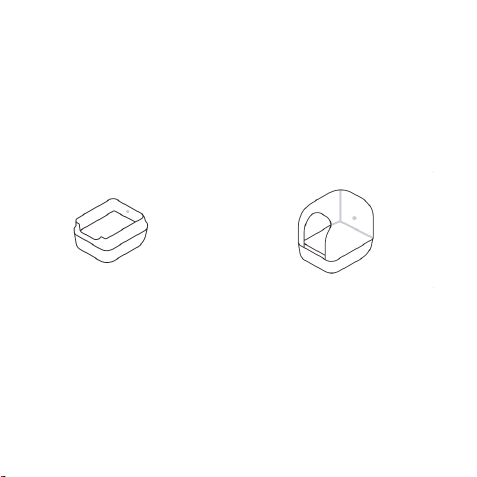
Step Three: Stick device to your cat litter box
The stick place we suggested
Closed-style Cat Litter BoxOpen-style Cat Litter Box
The fastener should be placed
two inched above the bottom
of the litter box.
[Attention] Avoid direct sunlight.
This product is not water-proof, please keep away from water .
Litter Box Health Monitor
Make sure that the fastener
stick to the center of the
inside wall.
Page 7

Function Introduction
1. Reset Data
This function button will clear all data of your device,
please be careful.
2. Recalibration
Basic calibration: you will use this function when you want to
change the position of the sticked device,or you want to stick
device to another cat litter box.
Caliberation measurement: you will use this function when your
data seems not correct.
3. Remove device
Realse the paired relationship with your account.
If you don't reset data before you remove your device,
tha data will still in your account.
Litter Box Health Monitor
Page 8

Product Specifications Important
Dimensions:
3.1 in/7.8 cm (length) by 3.3 in/8.3 cm(width)
by 1.4 in/3.5 cm (height)
Weight: Approximately 1.6 oz/45 g
Color: White and black
Model Number: CL1-B
Manufacturer: Walkbrain
Manufacturing Country: China
Production Date:
FCC ID: 2ART2-CL1-B
Serial Number:
The frequency range is 2412~2472MHz
with a maximum 18 dBm TX power
output and -90 dBm RX receive sensitivity.
The BT frequency range is 2402-2480MHz
with a maximum 4 dBm TX power
output and -90 dBm RX receive sensitivity.
Litter Box Health Monitor
.Read the user guide thoroughly before
use and follow all instructions.
.Keep product away from water, high
humidity, and direct sunlight. Do not
submerge.
.Product can be used approximately for
six months before the batteries will need
to be replaced. The lifespan of the
batteries will vary based on brand and the
environment in which they are used.
.Please replace the batteries according to
the battery level displayed on the app.
.Using alkaline batteries is recommended.
.Diagrams in this guide are for informational
purposes only and may be slightly
different from
.For more information about using product,
visit our website or contact customer service.
.Keep the warranty card on the next page
in a safe place.
Page 9

WARRANTY CARD
Fill in this card before using product and keep this card in a safe place.
Litter Box Health Monitor comes with a one-year limited warranty, which starts
from the date of purchase.
Product Name
Date of Purchase
Location
of Purchase
Address
Litter Box Health Monitor
Model Number
Serial Number
Name of Purchaser
Contact
Information
CL1-B
NOTE: THE GRANTEE IS NOT RESPONSIBLE FOR ANY CHANGES OR
MODIFICATIONS NOT EXPRESSLY APPROVED BY THE PARTY RESPONSIBLE
FOR COMPLIANCE. SUCH MODIFICATIONS COULD VOID THE USER’S
AUTHORITY TO OPERATE THE EQUIPMENT.
Litter Box Health Monitor
Page 10

This equipment has been tested and found to comply with the limits for a Class B digital
device, pursuant to Part 15 of the FCC Rules. These limits are designed to provide
reasonable protection against harmful interference in a residential installation. This
equipment generates, uses, and can radiate radio frequency energy and, if not installed
and used in accordance with the instructions, may cause harmful interference to radio
communications. However, there is no guarantee that interference will not occur in a
particular installation.
If this equipment does cause harmful interference to radio or television reception, which
can be determined by turning the equipment off and on, the user is encouraged to try to
correct the interference by one or more of the following measures:
.Reorient or relocate the receiving antenna.
.Increase the separation between the equipment and receiver.
.Connect the equipment to an outlet on a circuit different from that to which the receiver is
connected.
.Consult the dealer or an experienced radio or television technician for help.
This device complies with part 15 of the FCC Rules. Operation is subject to the following
two conditions: (1) This device may not cause harmful interference, and (2) this device
must accept any interference received, including interference that may cause undesired
operation.
This equipment complies with FCC radiation exposure limits set forth for an uncontrolled
environment. This equipment should be installed and operated with minimum distance 20cm
between the radiator & your body.
Litter Box Health Monitor
 Loading...