

Page 1

ank you for choosing Walabot HOME
to monitor your safety.
If you need assistance setting up your device
please contact [email protected]
For more information please visit:
www.walabothome.com
Walabot HOME
Device Setup Guide
Page 2

Walabot HOME Overview – Meet Your New Device
Congratulations
on your purchase
of a Walabot
HOME device.
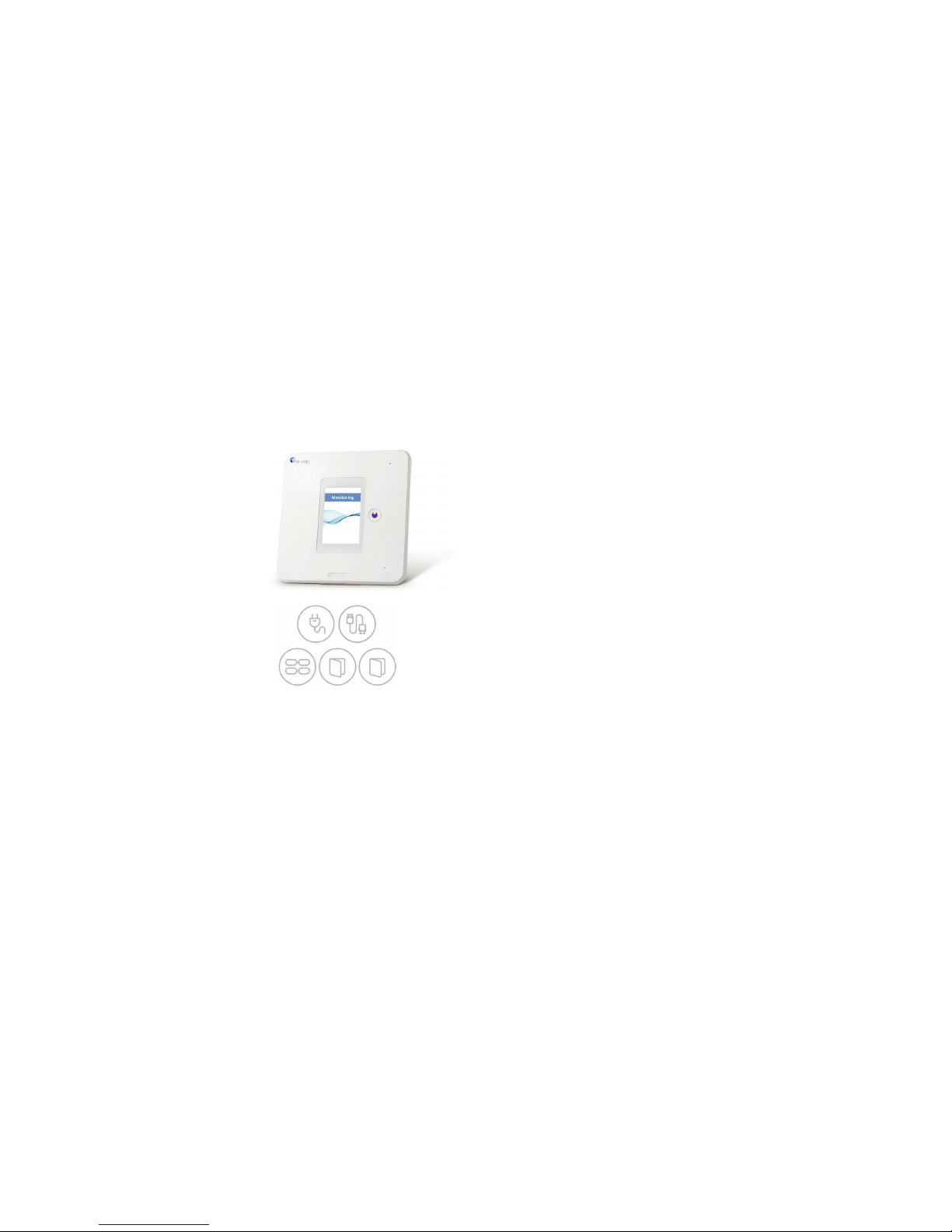
Walabot HOME uses smart motion
sensing technology to monitor your
safety. It is currently designed and
optimized for bathroom use.
Once installed, it can automatically
tell if you fell by analyzing the entire
bathroom space. No cameras,
pendants or bracelets required.
In the event of a fall, your
emergency contact will be notified,
so they can get you the help you
need.
If you need assistance setting up
your device please contact
[email protected]
Smart, automatic fall detection
On duty 24/7, monitoring activity
and reporting any falls
Walabot Home
WH21BBUS02
Trademark: Walabot
2
Page 3

Warnings
Warnings
1. The Walabot HOME device can break if
dropped from heights of 2.5 feet (76cm)
and above.
2. Using a power adaptor other than the
one provided can cause malfunction or
potentially damage the device.
3. Do not open or tamper with the device.
4. Do not submerge the device in water.
5. During a power outage, the device will not function.
6. In case your home WiFi connection is
disconnected, the device will not function.
7. Do not mount on wallpaper. Your
Walabot HOME device might fall off or
damage the wallpaper.
8. Please follow instructions carefully
before removing from your wall.
Overview
Table of Contents
1. Package Contents
2. Installation and Setup Instructions
Step 1: Mount the device on the bathroom wall
Step 2: Plug in the device
Step 3: Read the End-User Agreement
Step 4: Connect the device to your WiFi
Step 5: Pair the device with your emergency contact’s phone
Step 6: Set the perimeter of the bathroom
Step 7: Test the device
Step 8: Installation complete!
3. Other Useful Information
Page 4

FCC Regulations
This device complies with part 15 of the FCC Rules. Operation is subject to the following two
conditions: (1) this device may not cause harmful interference, and (2) this device must accept
any interference received, including interference that may cause undesired operation.
Any changes or modifications not expressly approved by the party responsible for compliance
could void the user's authority to operate the equipment.
NOTE: This equipment has been tested and found to comply with the limits for a Class B
digital device, pursuant to Part 15 of the FCC Rules. These limits are designed to provide
reasonable protection against harmful interference in a residential installation.
This equipment generates, uses and can radiate radio frequency energy and, if not installed
and used in accordance with the instructions, may cause harmful interference to radio
communications. However, there is no guarantee that interference will not occur in a particular
installation.If this equipment does cause harmful interference to radio or television reception,
which can be determined by turning the equipment off and on, the user is encouraged to try to
correct the interference by one or more of the following measures:
-- Reorient or relocate the receiving antenna.
-- Increase the separation between the equipment and receiver.
-- Connect the equipment into an outlet on a circuit different
from that to which the receiver is connected.
-- Consult the dealer or an experienced radio/TV technician for help.
To maintain compliance with FCC’s RF Exposure guidelines, This equipment should be
installed and operated with minimum distance between 20cm the radiator your body:
Use only the supplied antenna.
Changes or modifications made to this equipment not expressly approved by (manufacturer name)
may void the FCC authorization to operate this equipment
FCC ID: 2AHIS-WH21BBUS02
Contains FCC ID:2AHIS-VHOME
14 3
Page 5
Installation Setup and Instructions
Package Contents
The box in which your Walabot HOME
comes includes:
• Walabot HOME device
• Power adaptor
• Four double-sided stickers
• Device Setup Guide
• Emergency Contact Setup Guide
1 2
Warnings
Disclaimers
1. Walabot HOME must be installed in the
bathroom that you intend to monitor.
2. Your Walabot HOME device must be
connected to the emergency contact phone
number you have selected.
3. The maximum size of a bathroom that the
Walabot HOME can support is 10 x 10 feet.
4. Walabot HOME may not function
properly, if not installed in the correct
location, according to the instructions
provided.
5. In order to give you time to respond in
case of a false alarm, expect a short time
delay between the fall and the call to your
emergency contact. This can be up to 2
minutes.
6. Pets walking around the bathroom can
trigger a false alarm.
7. A few people in the bathroom at the same
time can trigger a false alarm.
8. Do not install inside the bath or over the
bathtub.
9. Will not work for people lying in a bathtub
full of water. In this case, it may trigger a false
alarm.
4 13
Page 6
Other Useful Information
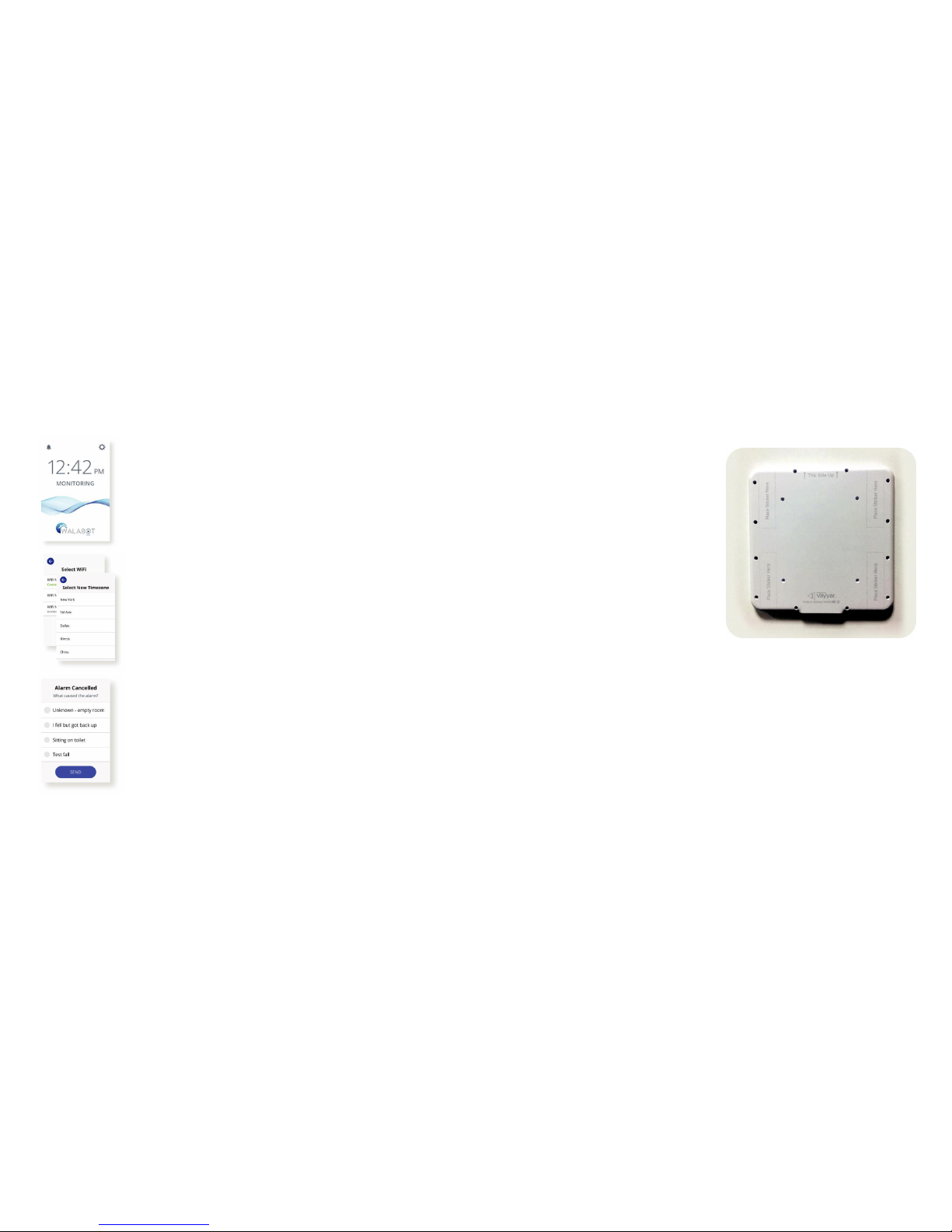
Monitoring screen
After successful installation you will
see this ‘Monitoring’ screen. It
shows you that your device is
connected. There is no further
action needed on your part.
Set correct time zone
If at any point you need to change
your time zone, you can go to the
device’s ‘Settings’ and do that there.
Give feedback
If you cancel an alarm for whatever
reason, please respond to the
feedback form that automatically
pops up, so we can better serve
you.
Installation Setup and Instructions
To make sure that you are properly
monitored in the event of a fall, it is
important that you follow these steps to
ensure your Walabot HOME device is
correctly installed.
Step 1: Mount the device
on the bathroom wall
Take your Walabot HOME out of the box
and into the bathroom for installation.
Make sure the device’s surface is clean
and dry.
Stick 1 sticker on each of the 4 corners at
the back of the device, within the outlined
section provided:
Make sure the rounded edge of each
sticker is facing outward, and just over
the device’s edge as in the image, to serve
as a pull-tab for easier removal from the
wall, if needed.
12
5
Page 7

Installation Setup and Instructions
Mount the device
(continued)
Look for a good location: How to apply & remove stickers.
• Walabot HOME should be
placed close to the center of
the bathroom, and in plain sight,
not near metal (shelving or
otherwise).
• The cable must be able to
reach an electric socket for
plugging in.
• The center of the device
should be approximately eyelevel, at about 5 feet (1.5
meters) from the ground.
Make sure the wall surface is
clean.
Remove the back of the
stickers, and firmly adhere the
device to the wall.
Installation Setup and Instructions
Step 8: Installation
complete!
Congratulations, you’re done.
Your Walabot HOME is now fully
installed and ready to act in the
event of a fall.
6
11
Page 8
Installation Setup and Instructions
Step 6: Set the perimeter of
the bathroom
The audio instructions will guide you to walk
around the bathroom in order for the device
to be able to calibrate the perimeter of the
room.
Step 7: Test the device
It is extremely important to perform a test
run, to make sure your Walabot HOME is
properly installed.
To begin, carefully lay down on the
ground.
After a few seconds, the device will
automatically detect a fall.
Within approximately 1 minute, it should
call your emergency contact.
Check that your emergency contact
received the call.
Installation Setup and Instructions
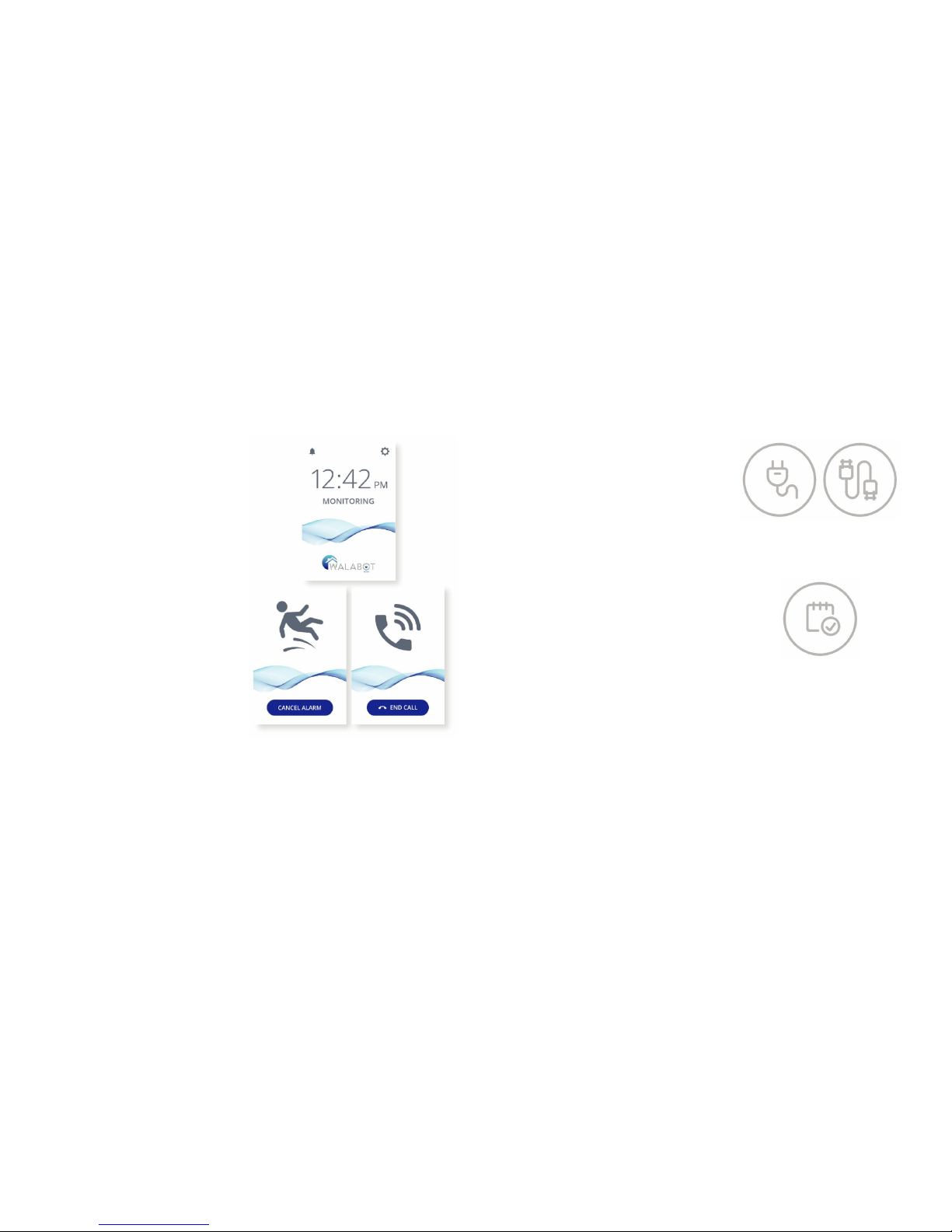
Step 2: Plug in the device
Plug Walabot HOME into the outlet using
the cable and power adaptor provided in
the box.
Wait for the application to load (it may
take a few minutes, do not unplug while
waiting).
Step 3: Read the End-User
Agreement
Read the End-User License Agreement.
You will need to scroll down to get to the
end.
Press ‘Agree’ to continue.
10 7
Page 9
Installation Setup and Instructions
Step 4: Connect the device
to your WiFi
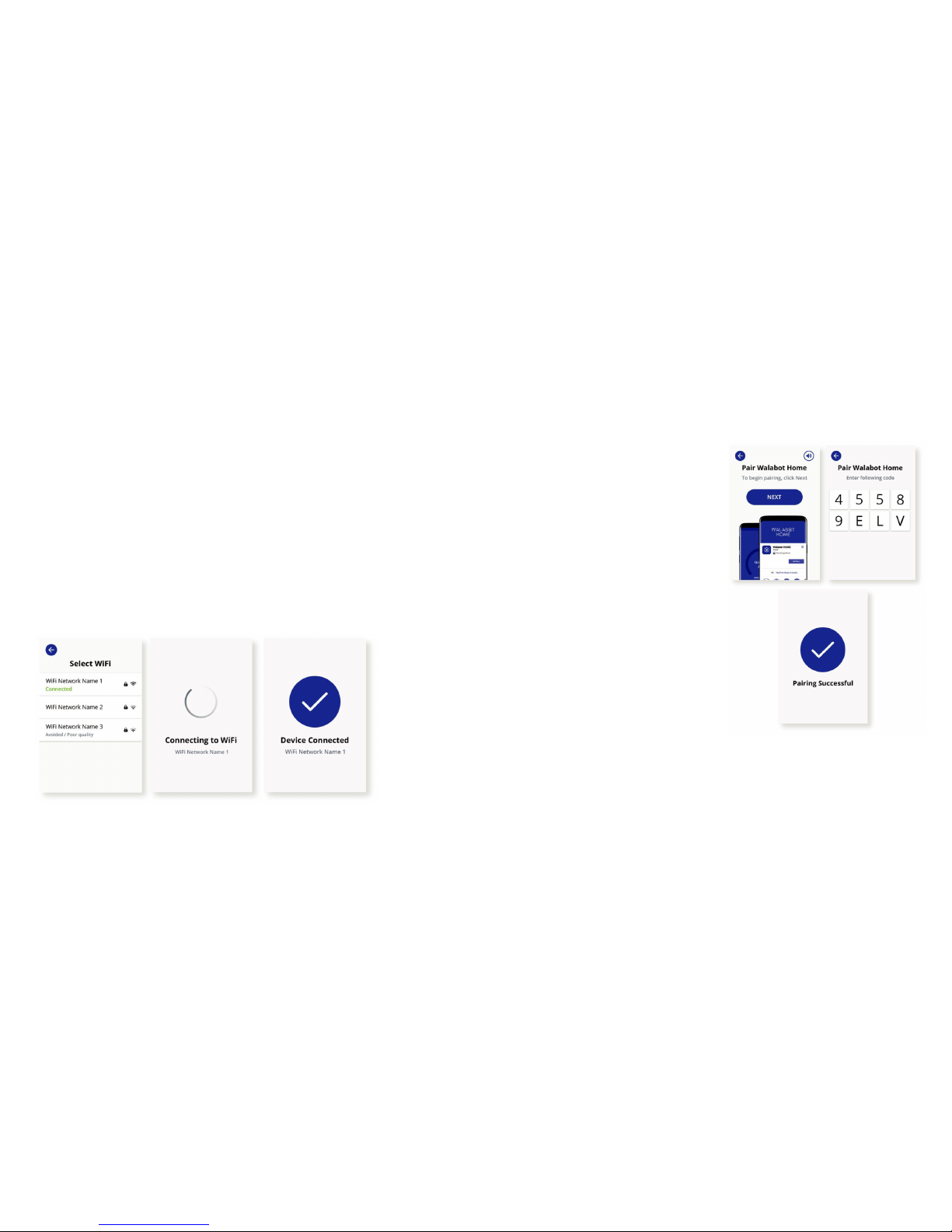
A list of WiFi networks will appear.
Select your home network. If you have
more than one, choose the one with the
strongest signal.
Enter the WiFi password, press the
checkmark in the bottom-right corner of
the keyboard, and press ‘OK’.
You will see a blue circle with a white
checkmark once connected.
Installation Setup and Instructions
Step 5: Pair the device with
your emergency contact’s
phone
Device pairing connects your Walabot
HOME with your emergency contact’s mobile
phone, to ensure they’re notified in case of a
fall.
First, check that your emergency contact
has downloaded the Walabot HOME app
from Google Play or the App Store.
If yes, click ‘Next’.
Now click the ‘Code Generator’ onscreen,
to create a code.
Give this code to your emergency contact,
to enter in the Walabot HOME app (you
will either need to read it to them, or write
it down and send).
Once your emergency contact enters this
code on their phone, you are successfully
paired.
8 9
 Loading...