

Page 1
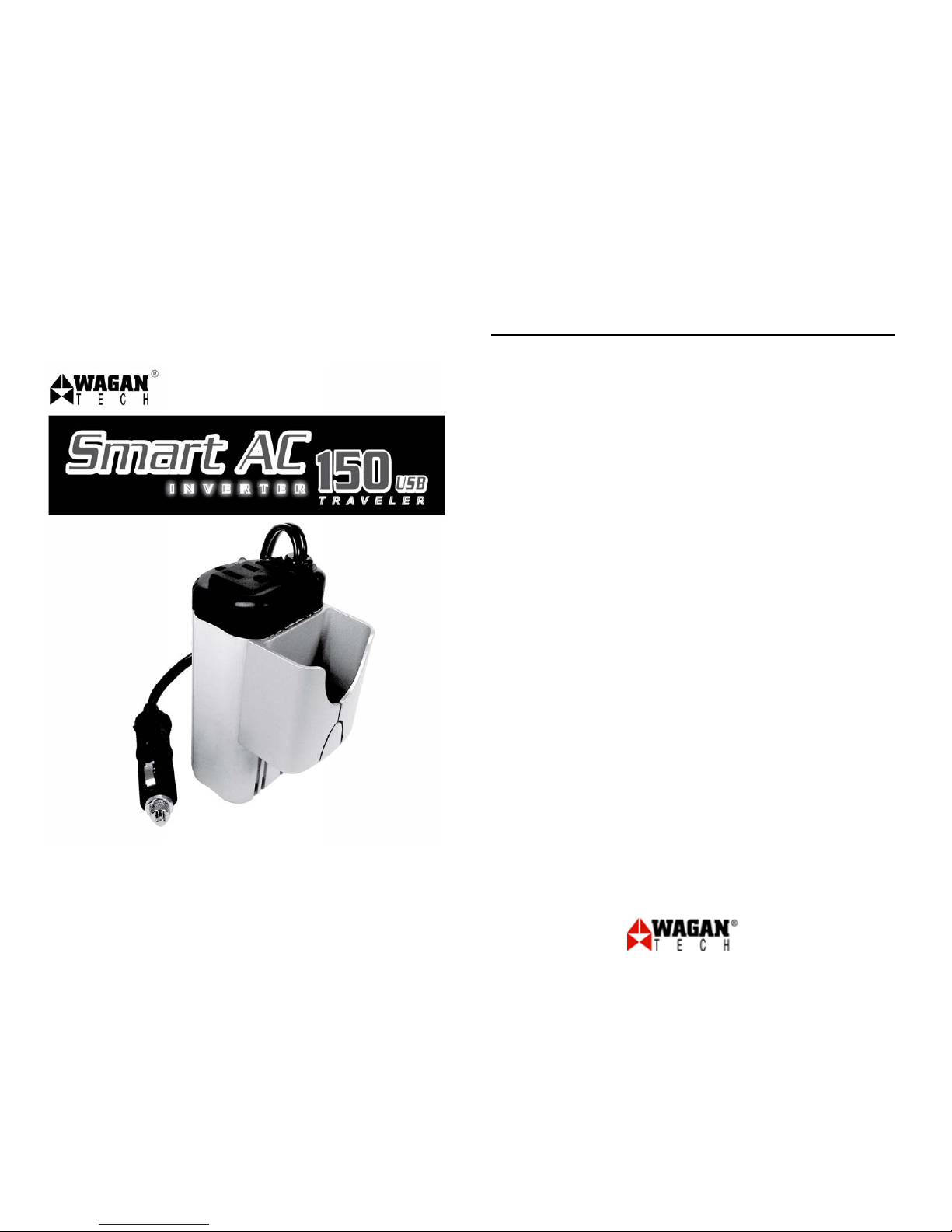
Smart AC 150 USB Traveler
By Wagan Tech
www.wagan.com
2
Item no. 2406
Thank you for purchasing Smart AC 150 USB Traveler by Wagan Tech. With
normal care and proper treatment it will provide years of reliable service. Please
read all operating instructions carefully before use.
GENERAL INFORMATION
Read, understand and comply with these instructions before using this inverter.
Keep this User’s Guide for future reference.
This inverter is powered from a 12 volt DC source and provides 150 Watts AC
60Hz through two North American standard outlets. The AC waveform is a
modified sine wave (MSW) which approximates the sine wave of household
electrical service. This inverter powers AC appliances up to 150 watts. An attached
DC power cord connects to a 12V DC cigarette lighter socket. There is a USB
power port that can be used to charge cell phones, PDAs and MP3 players. Safety
features include automatic shutdown in the event of overheat, overload, output
short circuit and input short circuit.
WARNINGS
• Keep the inverter away from children.
• Do not operate the inverter with wet hands because of an electrical shock
hazard.
• This device produces voltage similar to wall outlets at home and should be
treated with the same caution.
OPERATING ENVIRONMENT/ USER RESPONSIBILITY
• The 12 volt supply must provide between 10 to 15 volts DC
• Make sure the inverter is connected to the correct voltage and polarity.
• Unplug or disconnect the inverter when it is not in use.
• Unplug the inverter when starting the vehicle's engine.
• Keep at least one inch of clearance around the inverter for air flow.
• Keep the inverter and all cords dry.
• Secure the Inverter to keep it from changing position while the vehicle is
moving.
User’s Manual
Page 2

USER’S MANUAL — Please read before using this equipment.
© 2007 Wagan Corporation.
All Rights Reserved.
Wagan and Wagan.com are trademarks used by Wagan Corporation.
3
Smart AC 150 USB Traveler
By Wagan Tech
• Know the wattage requirements of your appliances. Appliance total wattage
can not exceed 150 watts.
• Do not connect the inverters AC output to another AC power source. Damage
will result, voiding the inverter's warranty.
• Do not use an extension cord between the DC power source and the DC input
of the inverter. An extension cord can create a voltage drop that can reduce
efficiency and output.
OPERATION
The cigarette lighter Adapter (DC plug) is fused at 20 amps. The plug allows the
Inverter to be easily connected to a cigarette lighter socket or accessory socket in a
vehicle. Removing the accessory socket plug allows the inverter to be powered
from an airline power receptacle.
FOR POWER CORD WITH CIGARETTE LIGHTER ADAPTER INSTALLED:
• Insert the DC plug into the vehicles accessory socket
• Turn the ignition switch to the accessory position, if necessary.
• Insert appliance plug(s) into AC socket(s) at the front of the inverter.
• Turn on the power switch that is located on the top of the Inverter
• The green LED will light to confirm that AC output is present.
• After use, turn OFF the inverter and disconnect the plug from the
accessory socket.
www.wagan.com
4
USB POWER PORT
When the inverter is powered, the USB Power Port provides 5 volts DC up to 0.5
Amps for charging cell phones, PDAs and MP3 players. The user supplies the
charging/power adapter cord.
Follow the above instructions to power the inverter.
1. Connect the device to the adapter cord
2. Plug the USB connector into thee USB Port
3. Turn on the device
4. After use, turn off the device and turn off the inverter.
5. Disconnect the USB connector from the inverter.
6. Disconnect the inverter from its power source.
CAUTIONS
If you use a battery charger to recharge your battery, be sure to disconnect the
inverter first. Failure to disconnect the Inverter prior to connecting a charger may
result in an input voltage spike that can damage the Inverter.
Powering this inverter with greater than 15 volts DC can damage the inverter and
void the warranty.
Do not use an extension cord between the DC power source and the DC input of
the Inverter. An extension cord on the DC input can create a voltage drop that can
reduce efficiency and output.
Do not open the case of the inverter. There are no user serviceable parts inside.
Do not let the cord of the inverter or any appliance cord get wet. Do not operate
this Inverter in or around water. Water can damage the Inverter. Water damage is
not covered under warranty.
Page 3
USER’S MANUAL — Please read before using this equipment.
© 2007 Wagan Corporation.
All Rights Reserved.
Wagan and Wagan.com are trademarks used by Wagan Corporation.
5
MAINTENANCE
Little maintenance is required to keep your inverter operating properly.
Periodically clean the exterior of the unit with a damp cloth to prevent
accumulation of dust and dirt.
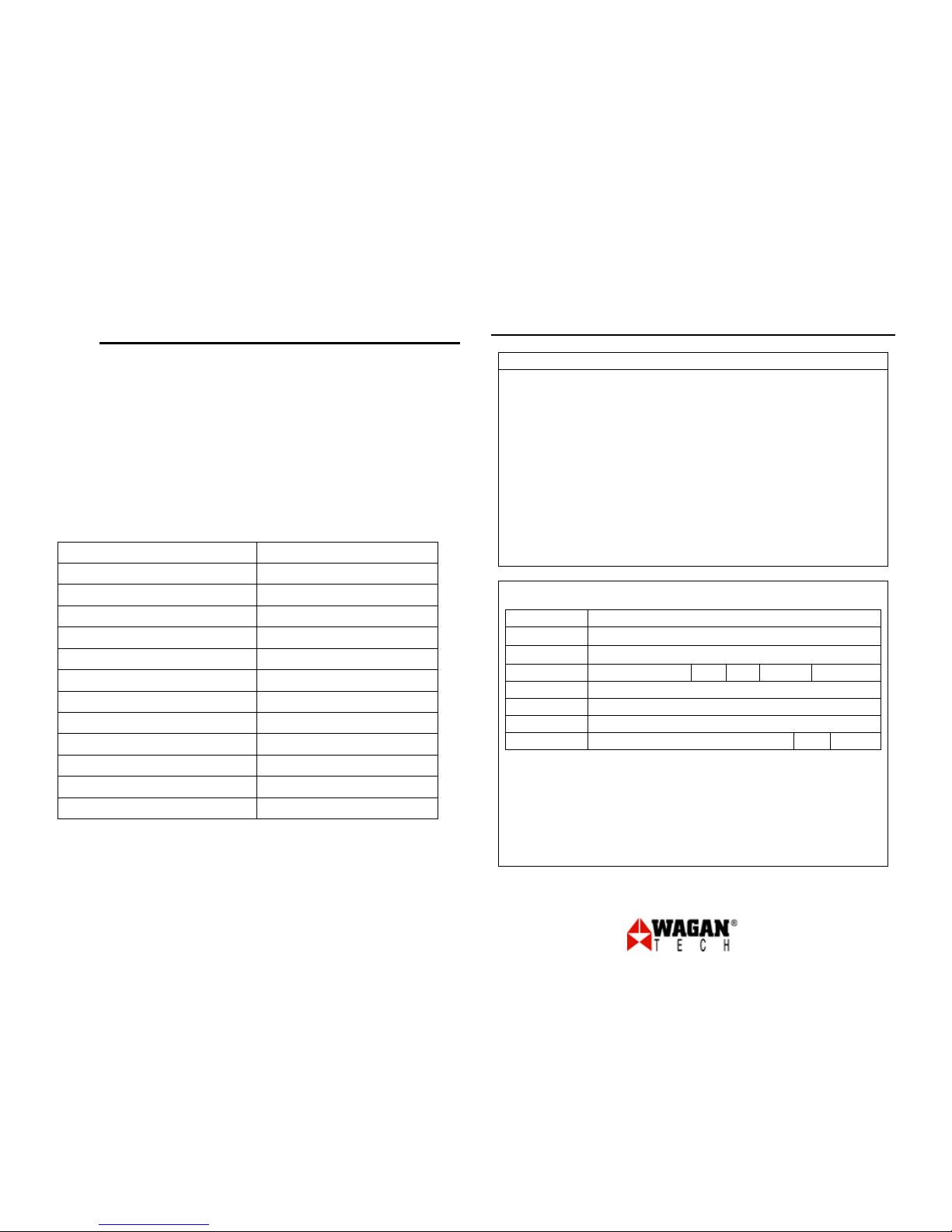
SPECIFICATIONS
Continuous output power 150W
Surge output power 450W
AC output voltage 115VAC
Regulation
+/- 10%
Frequency 60Hz
Efficiency 90%
DC input voltage 10-15VDC
Low battery shutdown
10VDC ± 0.5V
High battery shutdown >15VCD
Over temperature protection YES
Output short circuit protection YES
Overload protection YES
Input short circuit protection YES
Smart AC 150 USB Traveler
By Wagan Tech
www.wagan.com
6
WAGAN Corp. Limited Warranty Registration Form
All WAGAN Corporation products are warranted to the original purchaser of this product.
Warranty Duration: This product is warranted to the original purchaser for a period of one (1) Year from the
original purchase date, to be free of defects in material and workmanship. WAGAN Corporation disclaims any
liability for consequential damages. In no event will WAGAN Corporation be responsible for any amount of
damages beyond the amount paid for the product at retail. In the event of a defective item, please ship the item,
prepaid, with a complete explanation of the problem, your name, address a nd daytime phone number. WAGAN
Corporation will, at its option, replaces or repair the defective part. This warranty is void if the product has been
damaged by accident, in shipment, unreasona ble use, m isuse, ne gle ct, improper service, commercial use, repairs
by unauthorized personnel or other causes not arising out of defects in materials or workmanship. This warranty
is effective only if the product is purchased and operated in the USA and Canada and does not extend to any
units which have been used in violation of written instructions furnished.
Warranty Disclaimers: This warranty is in-lieu of all warranties expressed or implied and no representative or
person is authorized to assume any other liability in connection with the sale of our products. There shall be no
claims for defects or failure of performance or prod uct failure under any theory of tort, contract or commercial
law including, but not limited to negligence, gross negligence, strict liability, breach of warranty and breach of
contract.
Warranty Performance: During the above one (1) Year warranty period, a product with a defect will be replaced
with a comparable model when the product is returned to WAGAN Corporation with an original store receipt.
The replacement product will be in warr anty for the balance of the one (1) Year warranty period.
• Please activate my limited warranty for WAGAN Corp.
• Enclosed copy of original sales receipt.
Name
Mail Address
Add’l Address
City State Zip Code
Item Purchased
Store Name
Date of Purchase
Signature Date
All WAGAN Corporation Products must be registered within (30) days of purchased to
activate this warranty.
Mail the complete registration form, along with a copy of the original receipt to:
Attn: Customer Service
WAGAN Corporation
3589 Yale Way, Fremont, CA 94538
Email: [email protected]
Phone: (Toll Free) 1-800-231-5806 (Local) 1-510-490-9221
Hours of Operation: Monday through Friday 8:00 A.M. - 5:00 P.M. (P.S.T.)
 Loading...