

Page 1

Smart Doorcam user manual
Page 2
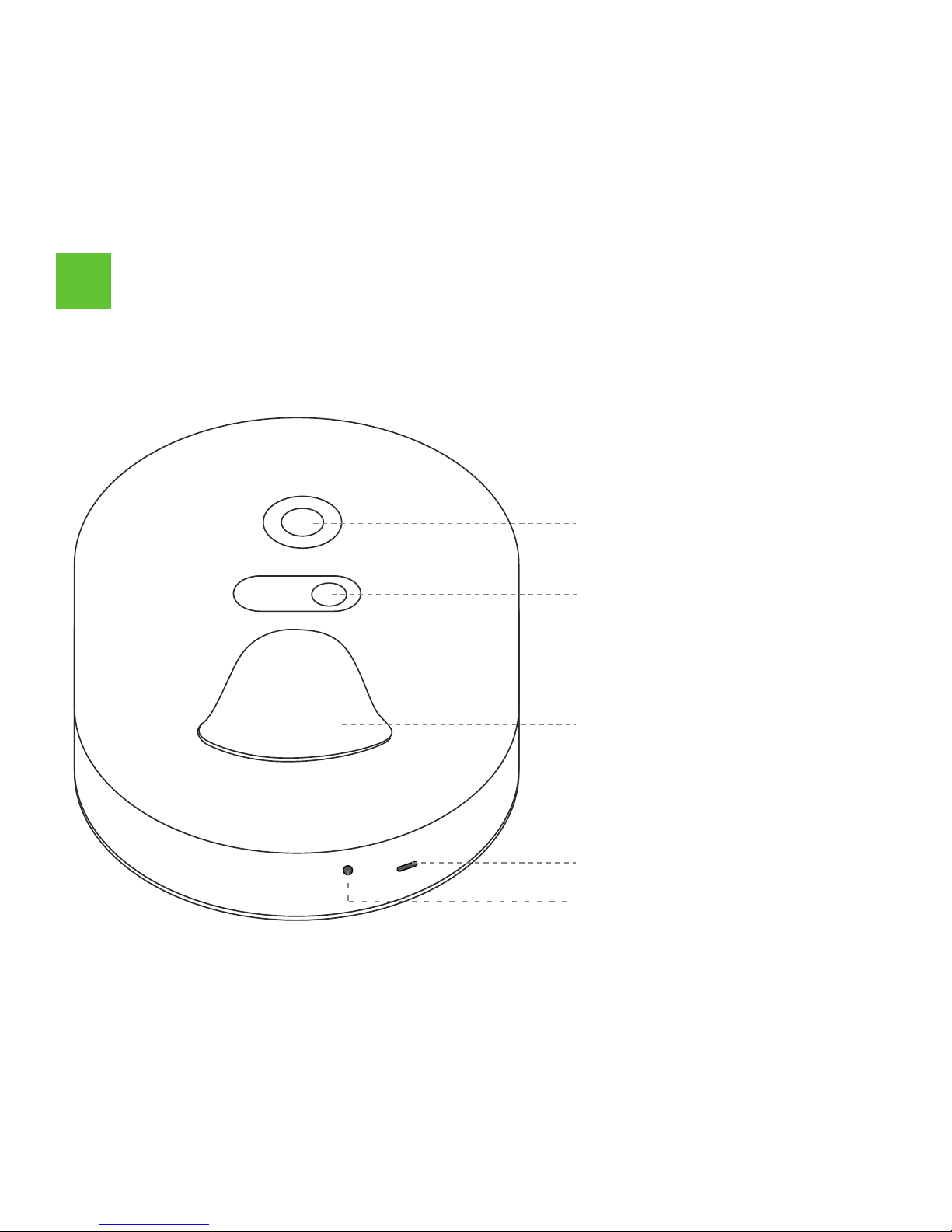
Lens
LED white light
Doorbell button
Indicator
Buzzer
1
Product description
Page 3

Picture resolution: 480 × 272
Transmission distance: 30 meters
Image sensor: 1/4 CMOS
Night vision mode: 1pc white light
Lens: 80°, F2.8 aperture
Power supply: 2pcs AAA batteries
Transmission: 2.4G RF
Installation: 3M glue or screw fixed
Alarm: buzzer
Burglar alarm: support
Page 4
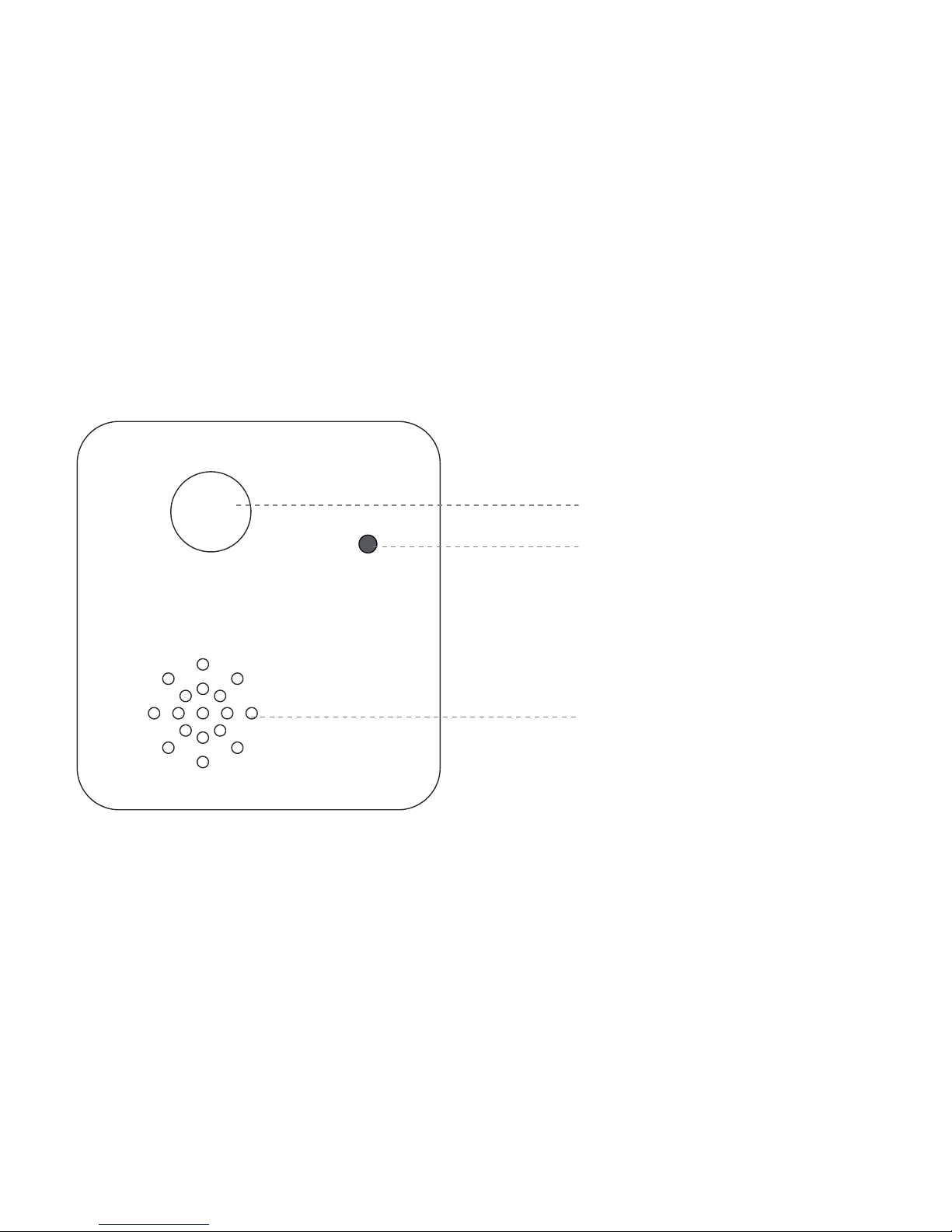
Function key
I
ndicator
Buzzer
Page 5

Data sending: WiFi 2.4G
Transmission distance: RF 30 meters + WiFi 30 meters
Data receiving: RF 2.4G
APP:Eye4
Transmission: RF + WiFi
Plug standard: US/EU/UK/AU
Rated voltage: Wide voltage 100V-240V AC
Energy efficiency rating: 6 energy efficiency
Page 6

①
Visit [http://www.eye4.so] for software download and install
②
Scan QR code download
2
Software download
Page 7
3
Register account
APP add indoor unit
4
Add device
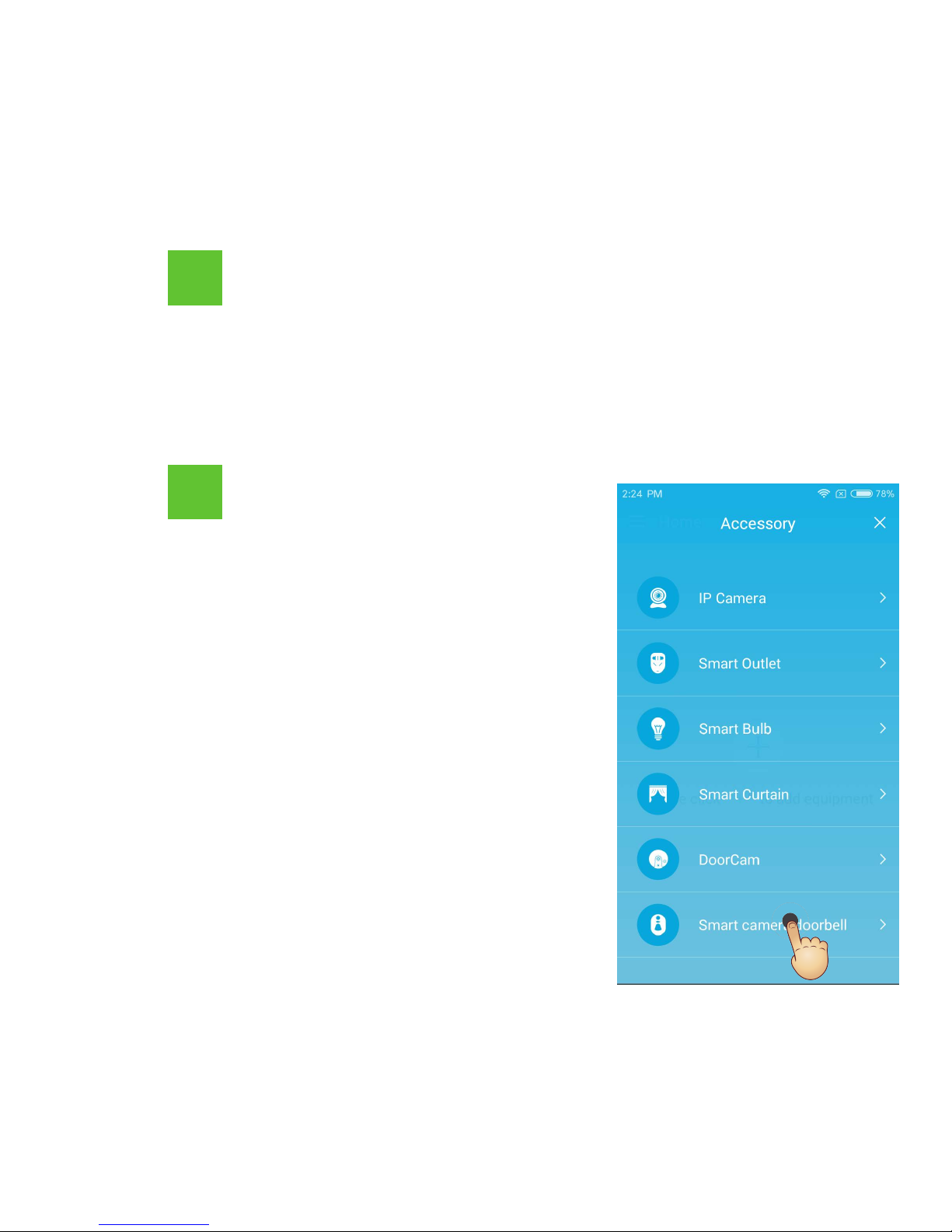
① Login APP, click the "+"
button, choose to add "smart
camera doorbell"; follow the
APP prompt instruction, click
Next.
Android / iOS client APP please select “Register now”, click to
enter the registration page, enter user name, password, then confirm
to complete the registration.
Page 8
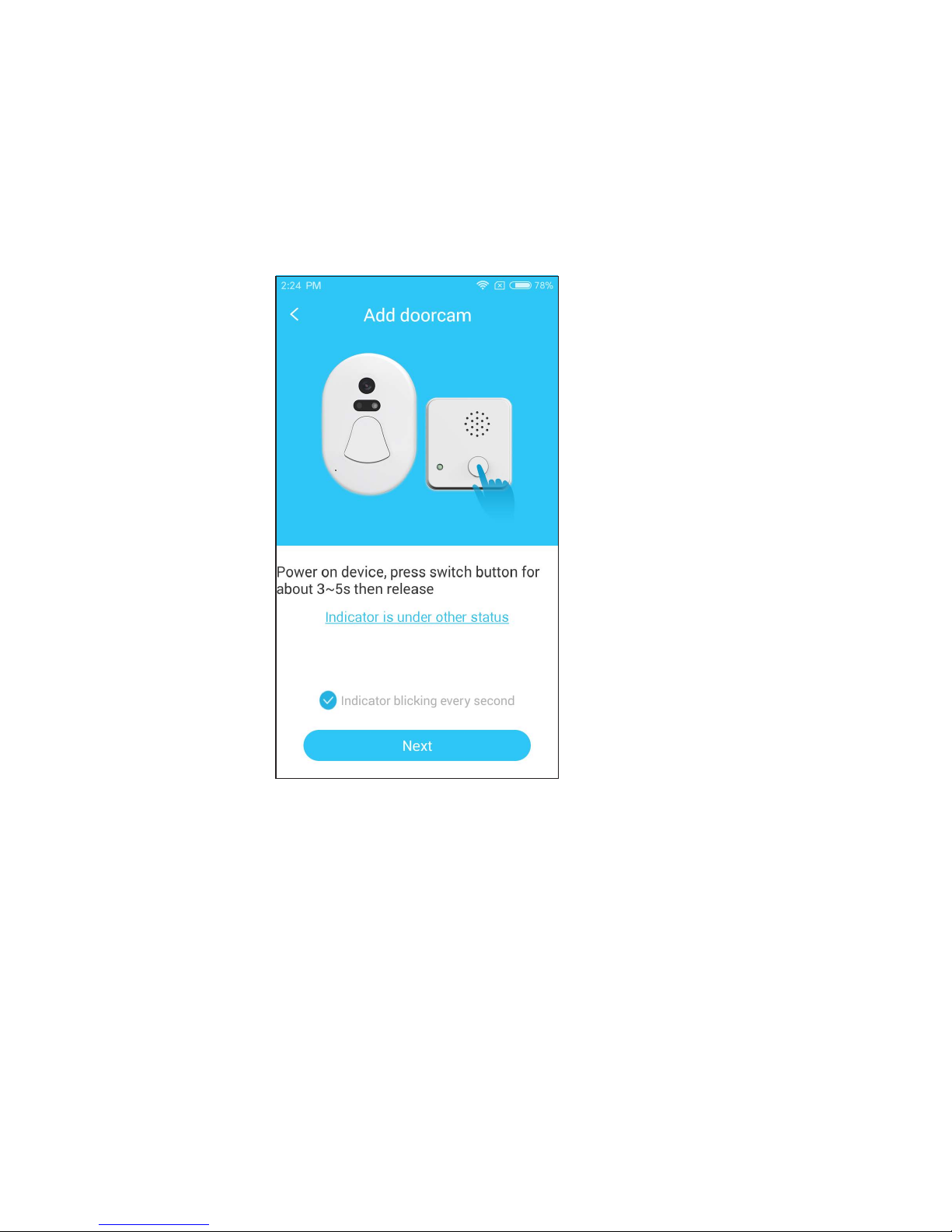
Note: If the indicator does not flash at once per second, please
reset the indoor unit.【
Reset method: Long press the function
key for 3 ~5s release】
Page 9
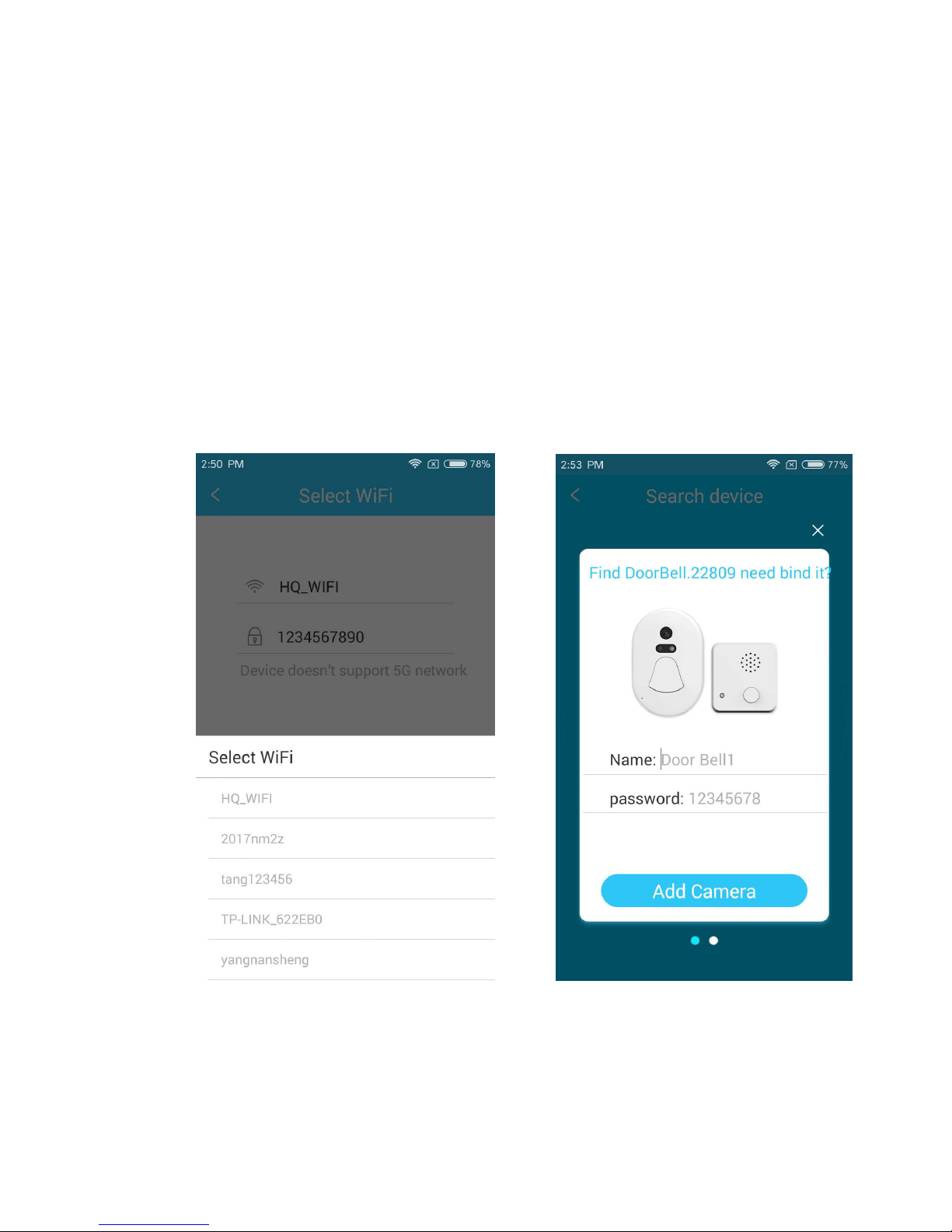
② First time add needs to add the phone connected WiFi name
and password, then enter the ne
xt step; APP will find nearby smart
doorcam, custom name click binding will enter the automatic
network configuration status(this process will lasts about 20
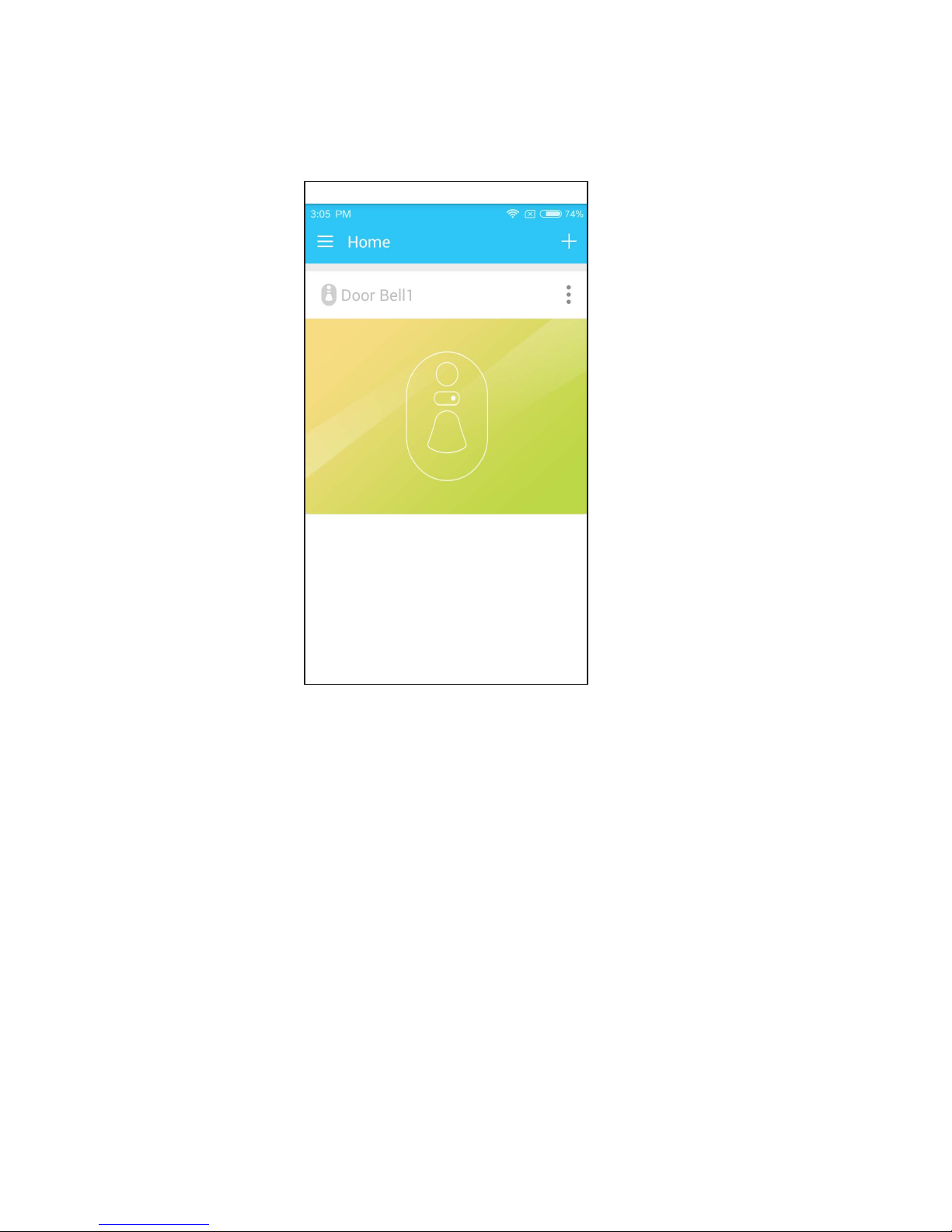
seconds), successfully bind doorcam will automatically show in the
APP.
Page 10
Note: the indoor unit and outdoor unit has been matched
before out of factory, in case of unexpected circumstances
device can not use, please follow the below method to rematch the two units.
①
Long press the indoor unit function keys 10s to enter the waiting
code matching status.
②
Press the outdoor unit for 3s to send the code to the indoor unit,
code matching complete.
Page 11
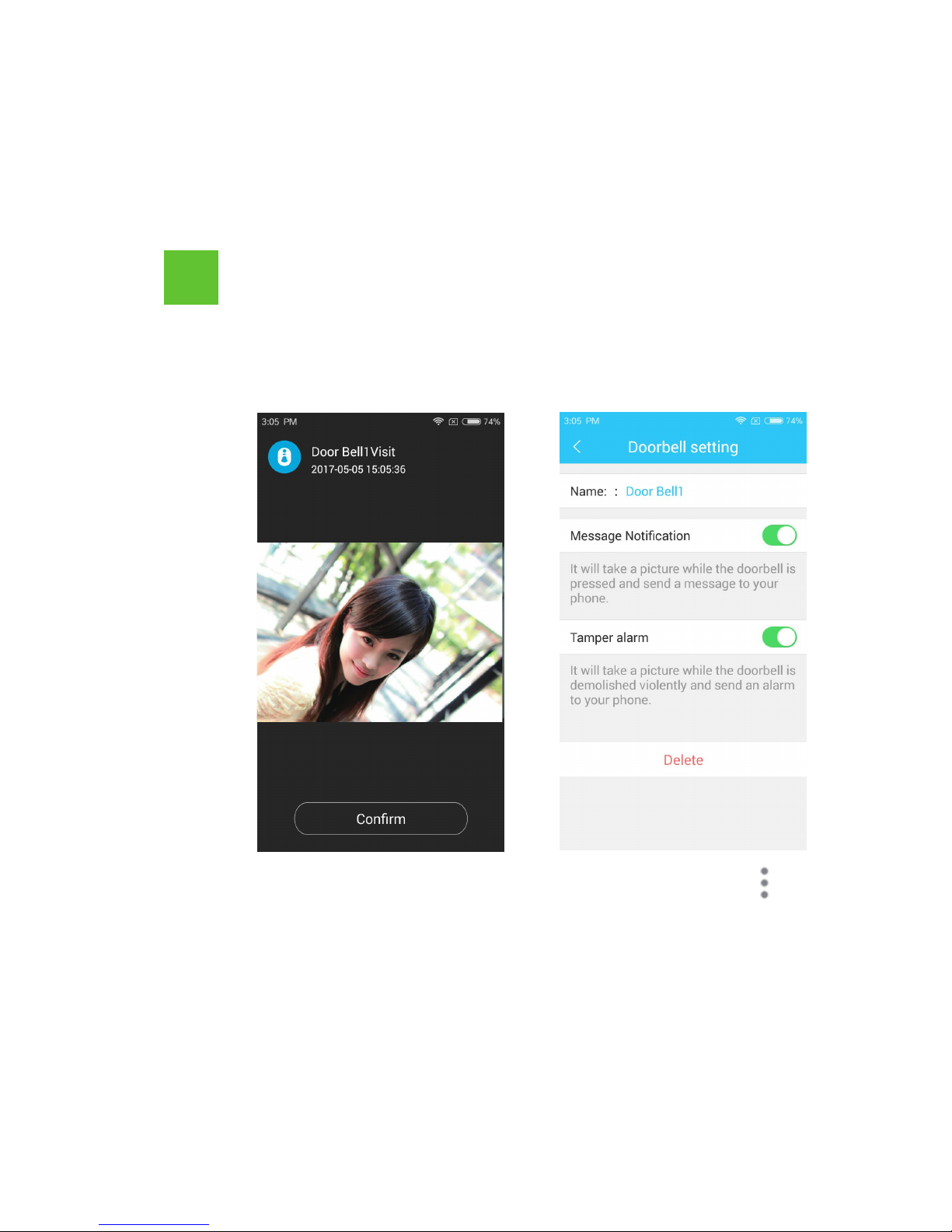
①
W
hen visitor comes to press the doorcam, the outdoor unit will
snapshot , and
push the picture to the smartphone ; the indoor
unit will also issue a corresponding notice tone.
②
Click APP home page upper rig
ht corner icon , enter the
doorcam setting, can set up whether to receive the push
notification or not, and turn on or off the tamper alarm
function.
5
How to use and set up
Page 12

◎Visitor records, visitor snapshot and other information are stored
in the cloud, user can check at anytime, anywhere;
◎Press doorcam, will automatically snapshot and push to the
smartphone APP;
◎CMOS image sensor;
◎Easy to install, can use 3M adhesive paste installation or screw
fixation;
◎Ultra-low power consumption, 2pcs AAA batteries can last for one
year;
◎Never offline, WiFi + RF wireless transmission, always keep online;
◎Anti-theft alarm function, when the outdoor unit leave the wall,
the indoor unit will be issued an alarm;
◎Clear night vision, even at no light condition can automatic fill light
6
Function and features
Page 13
Shenzhen VStarcam Technology Co., Ltd
The manual is made based on the eye4 4.0 version, the interface will
be some different cos of the app update.please refer to the actual
version as standard .
Service
If you need more help, please visit our FAQ:
4006217868
http://FAQ.eye4.so
4006217868
 Loading...