

Page 1
VST inc
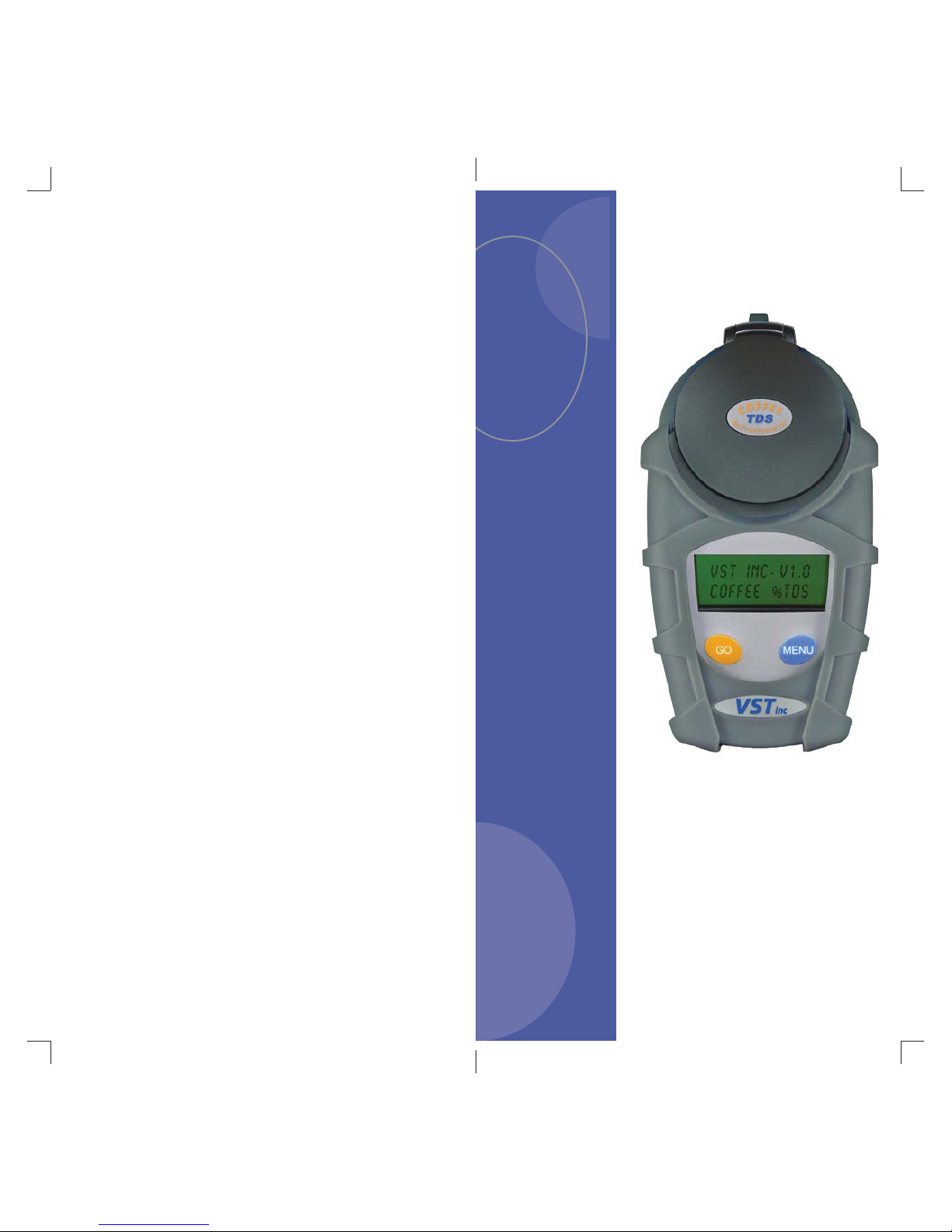
Lab Coffee II
Digital Refractometer
Instructions for Base Models
Coffee, Epresso
Coffee & Espresso
Read Instruction Manual Before Use
Rev D
Made in USA
© VST, Inc. 2012
Page 2
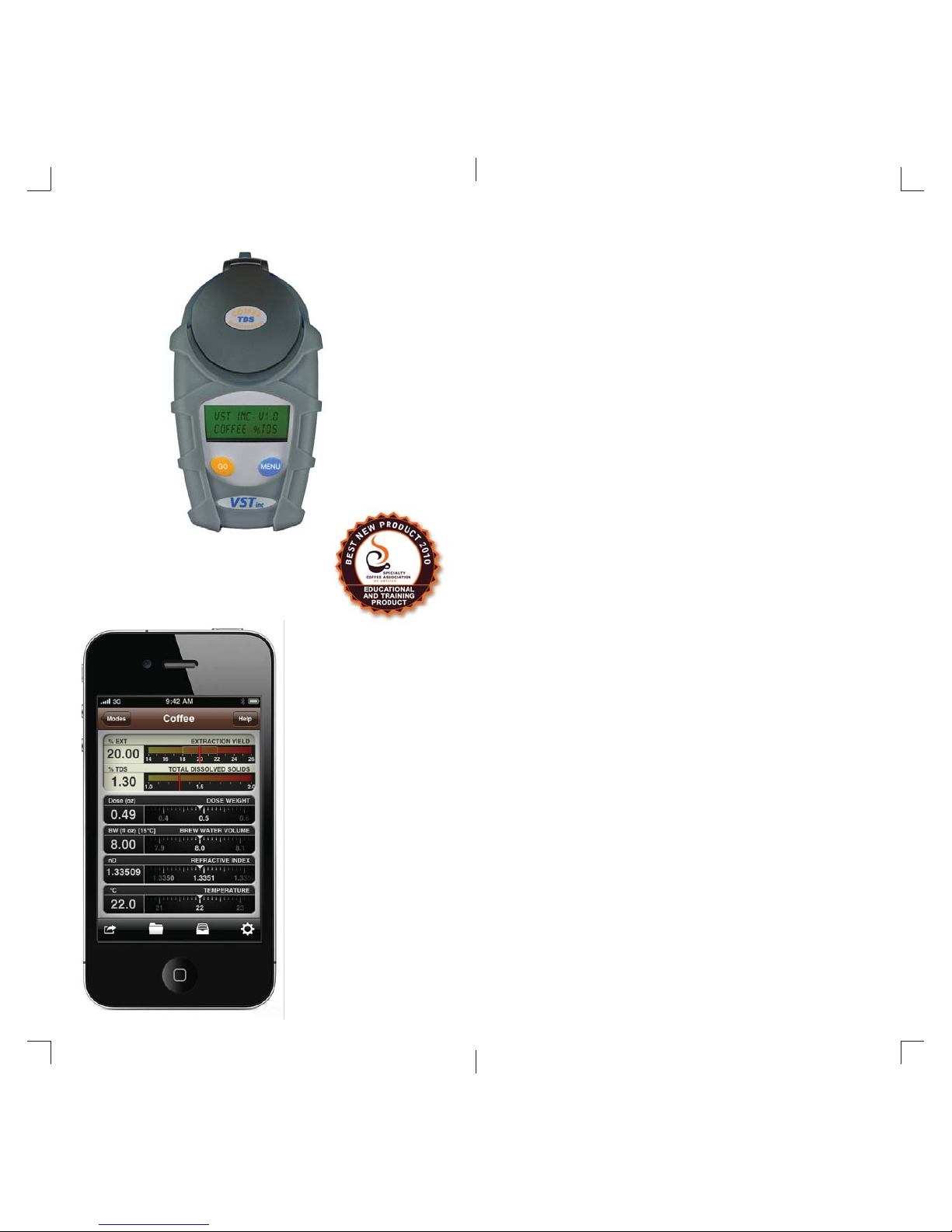
The VST Laboratory Grade Coffee Refractometer
2
Evaporative Cover &
Ambient Light Shield
Stainless-Steel
Sample Well
Sapphire
Optics
1024 Element
Detector Array
24-Character
Backlit Display
Rubber Armor Jacket
Coffee and Espresso
Design Software
www.MoJoToGo.us
LAB Grade Precision & Accuracy
Temperature Stability Function
Multiple Measurements
Averaged Display
Coffee and Espresso
Scales Included
Smart Zero-Set Software
Optional Rugged Hard Case
Five Languages
Made in USA
Best New Product
SCAA 2010
Designed to work directly
with VST LAB Coffee Refractometers
Calculate Brew Formula
Portions
Measure extraction yield
against design targets
Conversions for Volumes,
Weights, Metric and US
Units
Works with virtually any
brew method
Design, Brew, Measure,
Save, Share
Page 3
Warranty
A. What is covered and for how long:
Any defect in material and workmanship from use in accordance with the
Instruction Manual, for one year from the date of purchase.
B. Who gets the Warranty:
This warranty is limited to the original purchaser of product.
C. What we will do:
If your VST product is defective, we will repair it or, at our option, replace it at no
charge to you. If we repair your VST product, we may use new or reconditioned
replacement parts. If we choose to replace your VST product, we may replace it
with a new or reconditioned one of the same or similar design.
D. Limitations:
DAMAGE FROM LEAKING BATTERIES IS NOT COVERED BY VST’s
WARRANTY. EXCEPT AS SET FORTH ABOVE, NO WARRANTY OF
MERCHANTABILITY OF FITNESS FOR A PARTICULAR PURPOSE, OR OTHER
WARRANTY, EXPRESS, IMPLIED OR STATUTORY, NOR ANY AFFIRMATION
OF FACT OR PROMISE IS MADE BY VST WITH RESPECT TO THE GOODS
WHICH ARE SOLD PURSUANT HERETO. VST SHALL NOT BE LIABLE FOR
INCIDENTAL OR CONSEQUENTIAL LOSSES, DAMAGES OR EXPENSES,
DIRECTLY OR INDIRECTLY ARISING FROM THE SALE, HANDLING, OR USE
OF THE GOODS, OR FROM ANY OTHER CAUSE RELATING THERETO, AND
VST’s LIABILITY HEREUNDER IN ANY CASE IS EXPRESSLY LIMITED TO THE
REPAIR AND OR REPLACEMENT (IN THE FORM ORIGINALLY SHIPPED) OF
GOODS NOT COMPLYING WITH THIS AGREEMENT OR, AT VST’s ELECTION,
TO CREDITING BUYER WITH AN AMOUNT EQUAL TO THE PURCHASE
PRICE OF SUCH GOODS, WHETHER SUCH CLAIMS ARE FOR BREACH OF
WARRANTY, NEGLIGENCE OR
OTHERWISE.
E. How to Obtain Warranty Service:
To obtain warranty service for your VST product, you must provide proof of the
date and place of purchase of the product, and have completed and returned
the Warranty Registration Card to VST. You may obtain service by contacting
VST at [email protected] to obtain an RMA Form and then returning the
product, shipping prepaid, to: VST, inc., Attention: Service Department, P.O. Box
61, Harvard, MA 01451 USA. Be sure to include your name, address, telephone
number, RMA Form, proof of date and place of purchase and a description of the
operating problem. If eligible for repair, VST will repair or, at our option replace,
your VST product and return it to you freight pre-paid if in the 50 U.S. Users
outside of the 50 U.S. must pre-pay return freight.
The above is your exclusive remedy under this warranty.
F. What this Warranty does not cover:
This Warranty does not cover batteries or lost screws (which are considered
replacement parts), defects resulting from accidents, hinged items, damage
while in transit to or from our service location, or damage resulting from leaking
batteries, alterations, falls, misuse or abuse, lack of proper maintenance,
unauthorized repair or modifi cation of the product, affi xing of any attachment
not provided with the product, fi re, fl ood or act of God, or failure to follow the
Instruction Manual. This Warranty is the only one we will give on your VST
product, and it sets forth all our responsibilities regarding your VST product. There
are no other express warranties.
14
Specifi cations
VST LAB Coffee
Refractometer Models
Coffee Espresso
Unit of Measure: % TDS % TDS % TDS
Range: 0.00 - 9.99 0.0-20.0 0.00 - 20.00
Resolution: 0.01% 0.1% 0.01%
Precision: +/- 0.02% +/- 0.1% +/- 0.02%
Accuracy: +/- 0.05% +/- 0.1%
Prism Material: Sapphire
Well Material: Stainless Steel w/Cover
Detector: 1024 Elements
Temp Range: 15 to 40 ºC (59 to 104 ºF)
Sample Volume: 0.3 ml
Measuring Time: < 2 Sec (Typical)
Power: 2x AAA
Battery Life:
> 4,000 Readings
Dependant on Backlight
Dimensions: 145 x 75 x 37 mm
Weight: 250 grams (8.8 Ounces)
Display:
Languages:
LED Backlight, LCD
2 Lines x 12 Characters
5 Languages - English, French,
Spanish, German, Russian
Specifi cations are subject to change without notice.
Protected by US Patents and Patents Pending
Coffee &
Espresso
0.00-4.99:
+/- 0.05%
5.00-20.00:
+/- 0.10%
3
Page 4

Optional Accessories
Coffee & Espresso Software for iPhone®, iPad®,
iPod Touch® or PC & Mac under Windows.
See: www.VSTAPPS.com - SOFTWARE
Please refer to www.VSTAPPS.com - Refractometer
ACCESSORIES for
Soft Case - soft silicone case available in multiple colors.
Hard Case - protects instrument during transit, keeps
temperature stable.
Reference Solutions - Accurate to +/- 0.02% for 1.40%
TDS and +/- 0.03% for 9.70% TDS, can be used to check
accuracy of the instrument at 20.0 +/- 2.0 Deg C.
Syringe Filter Kit - For pre-fi ltering espresso or coffee
brewed using metal fi lters
Transfer Pipettes - to transfer samples without
contamination to ensure accuracy
4
Temperature Correction
The VST LAB Coffee Refractometer is temperature corrected
for aqueous (water-based) coffee and espresso solutions.
Temperature correction does not mean that a hot coffee or
espresso sample can be placed directly into the sample well
which is at ambient temperature. Rather, it means that the
sample should fi rst be cooled to the temperature at which the
instrument was last calibrated, and that both the instrument
and sample are within the temperature correction range of 15
to 40 °C.
In order for temperature correction to work properly, a small
portion of the sample should be placed into a glass that has
been at ambient temperature and allowed 20-30 seconds to
cool before being transferred to the instrument sample well.
Once placed, allow 15-20 seconds for the sample to reach
temperature equilibrium with the instrument.
For the most accurate and repeatable results it is
recommended that the instrument, distilled water used to
calibrate the instrument, glass or ceramic cooling cups, and
the sample to be measured all be at the same temperature and
within the range of 15 to 40 °C.
13
Samples fi ltered with the VST COF/ESP syringe fi lters will yield
the most stable, repeatable results.
Page 5

Instrument Features
The VST LAB Coffee II digital refractometers represent
a signifcant improvement in accuracy and precision over
previous models and are satisfactory for laboratory use.
Battery life is double previous models. The instruments feature
a 1,024 element detector array and sapphire prism for superior
resolution and accuracy. Precision is typically +/- 0.01-0.02%.
The two-line backlit LCD display offers improved readability.
The low-power LED backlight auto dims after 20 seconds to
preserve battery life. In newer instruments the backlight dims
during measurement to improve precision, and returns to ON
when the measurement is completed and displayed. You may
turn backlight off for longer battery life, or when batteries are
low to extend remaining life. A menu function is provided to
disable backlighting. Under typical use, without backlight, a
single set of batteries should last for 4,000 or more readings.
The instrument will automatically power OFF when idle for
three minutes. Measurements are displayed for a full three
minutes before auto-shut down.
TIP:
Hold <GO> for fi ve seconds to turn instrument OFF.
Hold <MENU> for fi ve seconds to display serial number and
fi rmware version.
The instrument reads each sample multiple times and
displays an averaged value to help eliminate noisey or erratic
measurements. A temperature stabilization software feature
prevents false calibration if the water sample temperature is
not stable during zero set.
Five languages are supported – English, French, Spanish,
German and Russian.
Accessory jackets and hard cases available for protection to
help ensure the instrument will not be damaged by excessive
shock and vibration during use or transit. High accuracy
reference solutions at 1.40% and 9.70% TDS are available at
www.VSTAPPS.com to verify instrument accuracy.
12
Introduction
The VST LAB Coffee digital refractometers for Coffee &
Espresso TDS are advanced fourth-generation handheld
instruments that put laboratory precision in the palm of
your hand. Accuracy and precision of the VST LAB Coffee
refractometers are comparable to state-of-the-art dehradration
ovens, and rival benchtop laboratory refractometers with
Peltier trays. VST’s latest LAB Coffee refractometers achieve
typical accuracies of +/- 0.03% and precision of +/- 0.02%.
Designed for the rapid and accurate determination of coffee
concentrations, these instruments will automatically correct for
temperature within the range of 15 - 40 °C (59 -104 °F), and
when used and cared for properly, will provide years of troublefree service.
This manual will help you maximize the usefulness of your
instrument, and it’s recommended that it be read carefully
before use. If you have any questions, please contact VST
technical support at: [email protected]
The VST LAB Coffee models are equipped with several scales
that measure coffee concentration from 0-20 % Total Dissolved
Solids. See specifi ctions for range, resolution, accuracy,
precision and temperature correction.
IMPORTANT:
When measuring espresso or coffee brewed with woven
or mesh metal fi lters, the sample must be fi ltered prior to
measurement to remove non-dissolved, suspended solids
using a coffee/espresso syringe fi lter.
Read the section about Filtering Espresso and Coffee in this
instruction sheet for more information on pre-fi ltering prior to
making measurements.
5
Page 6
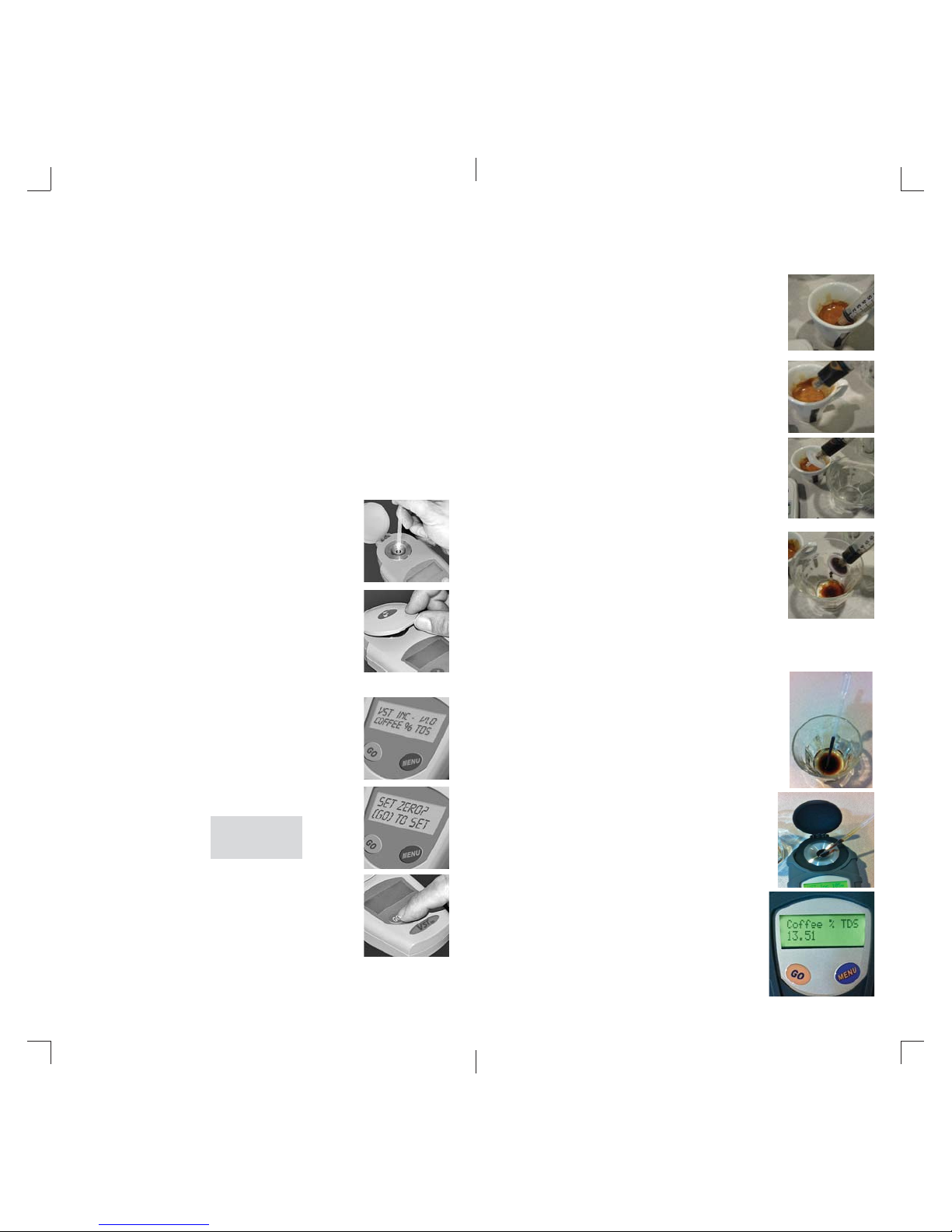
Calibration - Zero Set
The VST Coffee Refractometer MUST be Zero Set before
initial use and periodically thereafter for changes in ambient
temperature of more than 2 Deg C. It is recommended that a
Zero Set be performed at least once a day as well as prior to
performing tests requiring the highest accuracy, or when moving
between environments with changes in ambient temperature.
6
Filtering Procedure
for Espresso or Coffee
1
Allow 2 minutes for espresso to cool
and CO
to diffuse out of solution, and
2
stir sample for 4-5 seconds.
11
Distilled or deionized water is required for Zero Setting the
instrument. The water temperature for zero setting should
be between 15-30°C (59 to 86 °F). To ensure accuracy, it is
important to independently verify that you are calibrating the
instrument with distilled or deionized (DI) water and not just a
clear liquid which you think is DI water. RO (reverse osmosis)
water is not recommended for Zero Set.
Inspect the measuring surface to make
1
sure it is clean and dry. Place a few drops
of distilled water on the measuring surface.
Close the sample cover and allow some
2
time for the temperature to equalize. The
sample cover MUST be closed to calibrate
or take measurements.
Press and release <GO> to turn the instru-
3
ment on.
Press and release <MENU> until the
4
display reads:
Set Zero?
[GO] To Set
2
3
4
Draw about 3-4 mL espresso with syringe tip under the crema, and without
touching the bottom
Attach syringe fi lter and tighten until
snug, about a quarter turn. Do not
over-tighten.
Slowly express about 2 mL into a clean,
dry glass. Allow 30-60 seconds to cool.
CONTINUE with Step 2 of Sampling
Procedure, below.
Sampling Procedure
1
2
Draw a 0.2 - 0.4 mL fi ltered sample
using a pipette and transfer to a clean
dry cup or glass that is at ambient temperature. Let cool for 30-60
seconds.
Using a fresh pipette, transfer the
cooled sample to the instrument
Sample Well. Close cover. Allow 2030 seconds to equibrilate.
Press and release <GO> to automati-
5
cally zero the instrument. Remember
to clean and dry the measuring
surface after zero-set.
If the calibration was successful the instrument will display
“READY” or “nD 1.3330” otherwise, an error message will be
displayed. In later revisions, the backlight dims during reads.
3
Press GO to take a measurement.
Page 7
Filtering Espresso and Coffee
Filtering Espresso
When measuring espresso, you must fi lter the sample prior to
measurement to remove non-dissolved solids that pass through
metallic fi lters. Using the incorrect fi lter or a paper will result in
inaccurate and erratic readings. VST Coffee/Espresso Syringe
fi lters are designed specifi cally for espresso and coffee brewed
with any metallic fi lter, and will ensure accurate and repeatable
TDS measurements with the LAB Coffee Refractometer. Espresso
measurements should be taken no earlier than two minutes after the
shot is extracted, to allow suffi cient time for CO
to be released. CO2 reduces the density and therefore also the
refractive index, causing lower than actual readings.
Filtering Coffee
Generally, coffee brewed with paper or cloth fi lters and ground
to nominal drip grades does not need to be fi ltered prior to
measurement. However, coffee brewed with metal fi lters such as
press-pot, Clover®, trifecta, or Swiss Gold, or without fi lters–such
as coffee prepared for cupping, cold-processed or turkish methods,
must be pre-fi ltered, as above, using the syringe fi lter before
measurement. Coffee ground at a fi ne setting or using an espresso
grinder, even if brewed through a paper fi lter, should be fi ltered using
a syringe fi lter prior to measurement.
Note: When comparing % TDS measurements made with a
refractometer to those taken by a dehydration method, the espresso
beverage sample to be dehydrated must also be fi ltered fi rst,
using a method similar to that recommended, below, so that both
measurements are Total Dissolved Solid measurements, versus total
brew solids, in the case of unfi ltered espresso.
One fi lter is required for each measurement. Do not force more liquid
through a fi lter that has reached its maximum capacity, or bursting of
the device may occur resulting in loss of sample or personal injury.
infused into solution
2
10
Calibration - Span Set
The Span Set function is used by the factory to set a calibration point
toward the upper end of the VST Espresso range. Span Set is used
to determine if a factory RE-CALIBRATION is required, because the
instrument no longer meets specifi cations.
Normally, Span Set is not required throughout the life of the
instrument, unless it is dropped or subject to other signifi cant shock
and vibration.
If you have reason to believe the instrument is not providing correct
measurements, you can confi rm using the VST Reference Solutions.
Maintenance and Upgrade Note:
Most VST LAB Coffee refractometers may be upgraded to latest
fi rmware revision and re-calibrated for a fi xed fee of $199 (or current
fee). Other repairs, if needed, are not included in this charge. For
fi rmware upgrades, latest fees, and re-calibration services, contact
VST with your serial number, proof and date of purchase and request
an RMA prior to returning your instrument to VST.
7
Reference Solutions - Accurate to +/- 0.02% for 1.40%
TDS and +/- 0.03% for 9.70% TDS, are be used to check
accuracy of the instrument at 20.0 +/- 2.0 Deg C, and are
available from:
www.VSTAPPS.com
IMPORTANT:
When using VST COF/ESP Syringe Filters to prepare a sample for
measurement, be sure to deliver the fi ltered espresso sample into
a dry, clean glass or cup for cooling to ROOM TEMPERATURE, not
directly into the refractometer sample well.
Contact VST at [email protected]
for calibration reference fl uids.
Page 8
Menu Options
8
Various options are accessible through the <MENU>
button. With the instrument “ON”, press and release
<MENU> to step through the options.
COFFEE % TDS – press [GO] to Set
This option sets the default unit of measure, or scale,
the instrument will read. Some instruments are
programmed with more than one scale, or a separate
ESPRESSO % TDS scale. Later revision instruments
have a single COFFEE % TDS scale that covers the
entire range of coffee through espresso. Pressing
<MENU> will step through all available scales. Press
<GO> to set the a scale as the default.
SET ZERO? – press [GO] to Set
The Zero Set option will zero or calibrate the
instrument to pure water. See “Calibration - Zero Set.”
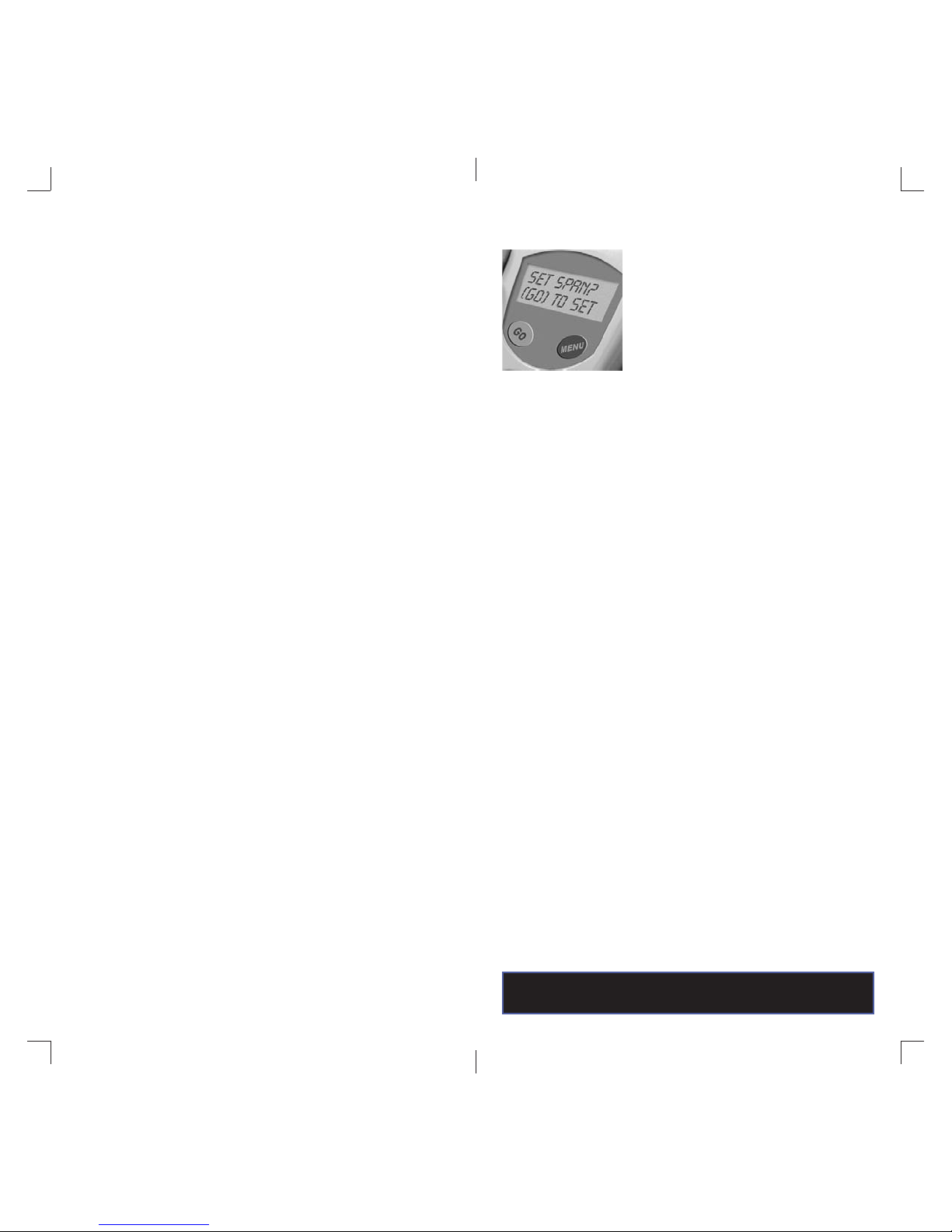
Set Span? – press [GO] to Set
The Span Set option will calibrate the upper range of
the instrument to a special calibration solution. See
“Calibration - Span Set.”
LCD-Light? – press [GO] YES
This option allows you to turn the LCD display
backlight on or off. The options are “Yes” and “NO.” Later
revision instruments turn backlight OFF momentarily
during read.
Language? – press [GO] to Set
This option allows you to set the display to a particular
language; English, Spanish, German, French, or
Russian. Just follow the prompts to your language of
choice and press <GO> to set.
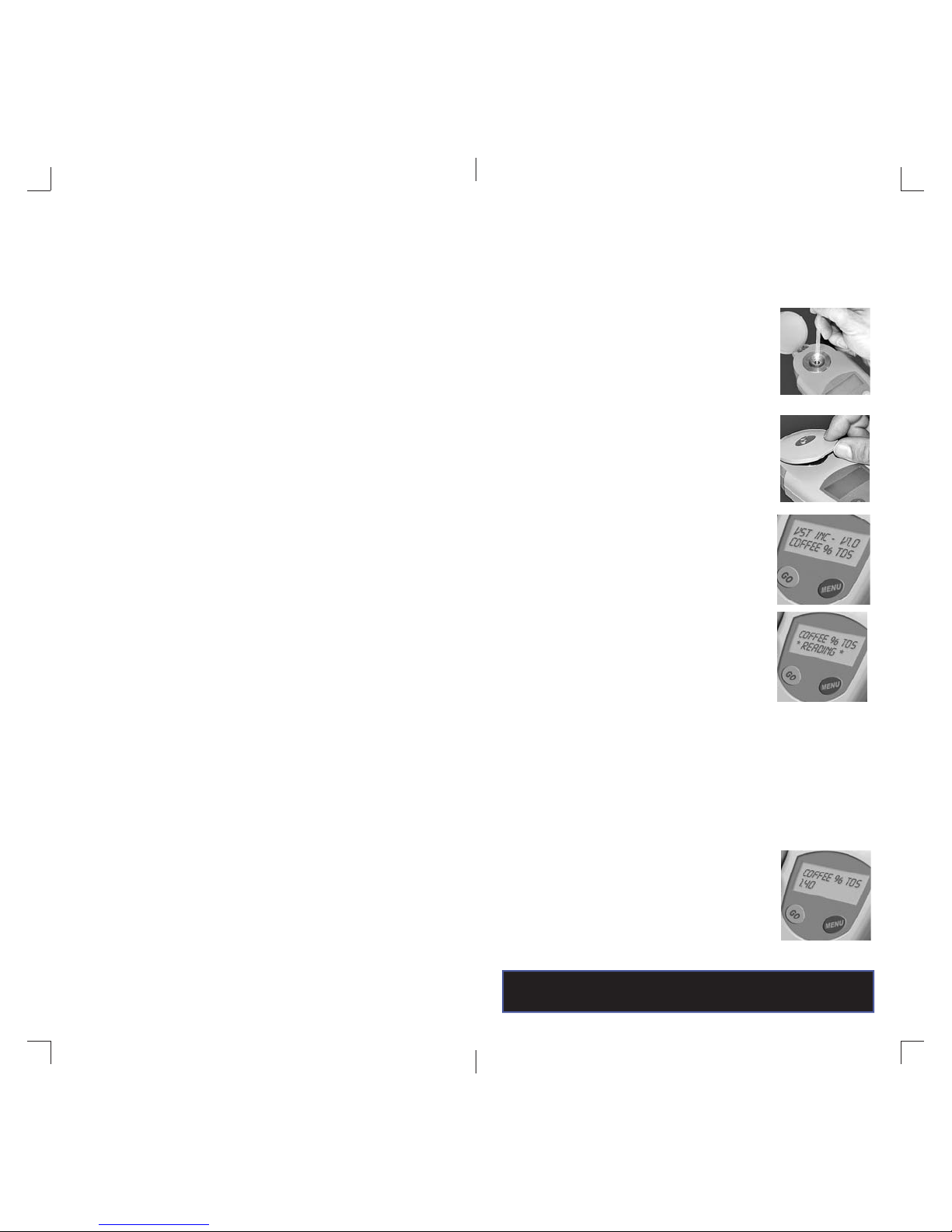
Taking a Measurement
Follow the steps below to accurately measure a coffee or
espresso sample:
Inspect the measuring surface to make sure
1
it is clean and dry. Place a few drops of the
sample to be tested on the measuring surface.
The instrument need not be on.
Close the sample cover and allow some time
2
for the temperature to equalize. A good ruleof-thumb is to wait 10 to 20 seconds for the
sample to equilibrate to the temperature
of the instrument.
A single press and release of <GO> will turn
3
the instrument on.
Press <GO> a second time to start the mea-
4
surement. The display will indicate Coffee %
TDS or Espresso % TDS on the fi rst line of the
display and * READING * on the second line.
On later revisions backlight turns OFF momentarily during a measurement.
Notes:
The instrument will not take a measurement
if it detects the sample was at a signifi cantly
different temperature than the prism. An error
message “TEMPERATURE STABLE ERROR”
will be displayed.
The reading will take approximately 2-3
5
seconds and the result displayed on the
screen is the average of several
measurements.
Contact VST at [email protected]
for calibration reference fl uids.
9
 Loading...