

Page 1
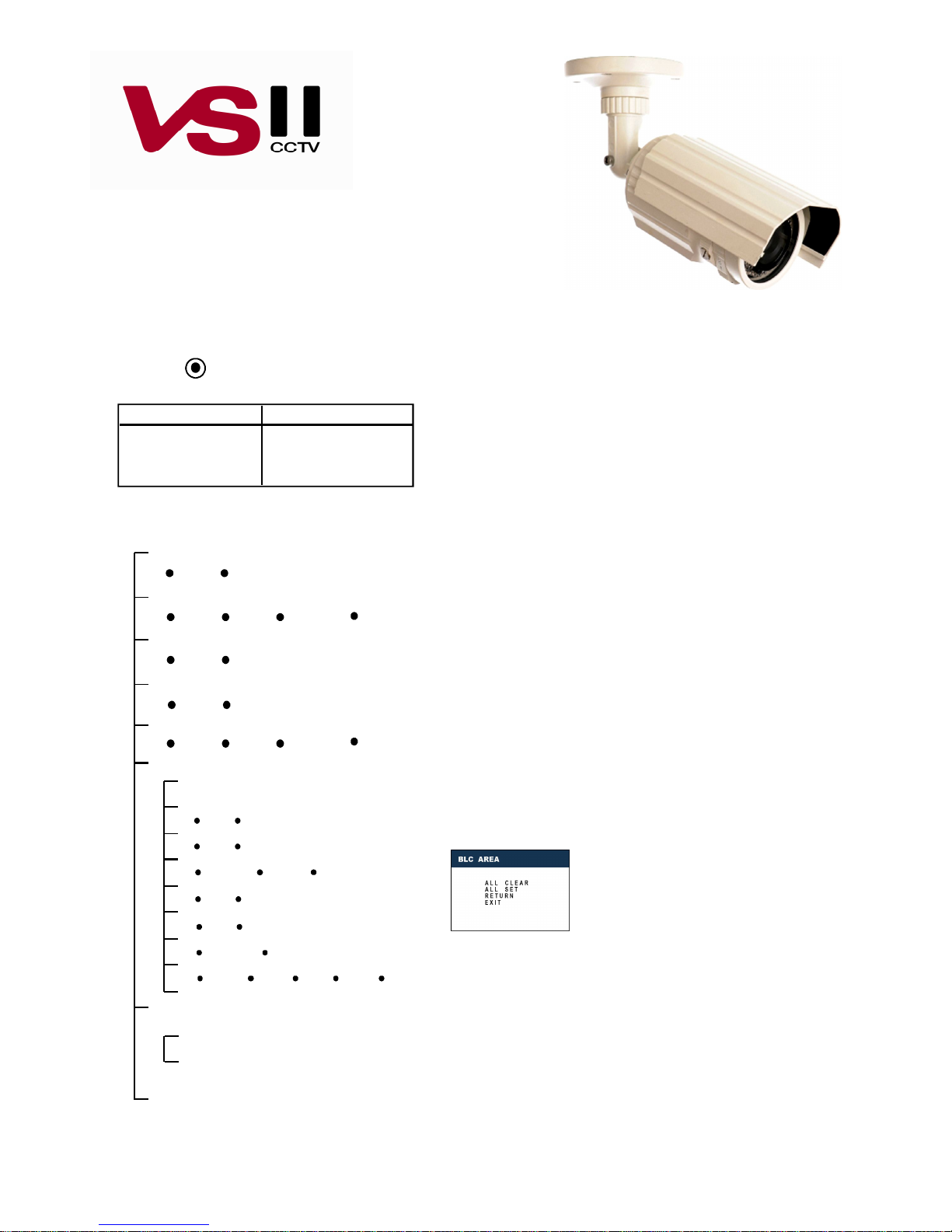
VSC23302, VSC23303, VSC23304
540 TVL Super High Resolution TDN Bullet camera with LEDs
Super high resolution Bullet camera
User manual
Features
SUPER BLC When the scene the camera is viewing has strong
background lighting, this setting allows configuration to continue to
get a clear image.
Motion Detection Your Camera detects motion of object without
via changes to the video signal.
OSD Configuration of the camera via on screen display
Manual / DC You can choose Manual / DC Lens by using switch.
DAY/NIGHT In normal lighting the camera is in colour mode and in
low light levels the camera automatically switches to mono mode
(B/W)
VSC23302 True Day/Night(ICR)
VSC23303 True Day/Night(ICR)
VSC23304 True Day/Night(ICR)
Test monitor point Test monitor connection for setting of focus
and OSD on installation (test lead supplied)
Camera OSD Control
UP
RIGHTLEFT
DOWN
SETUP(MENU):Push Down
Press this control
To do this
UP, DOWN Select a new item
LEFT, RIGHT
Select a menu item
SETUP(MENU)
OSD Menu Structure
SETUP MENU
SETUP Menu Options explained
LENS <DC / MANUAL> Selects Lens Type. DC or Manual
SHUTTER<AUTO / FLK / FIXED / MANUAL> Adjusts shutter
settings.
Flickerless mode(FLK) reduces on-screen flickering.
Electronic Shutter Control(AUTO) adjusts brightness level
on screen.
Manual mode allows you to adjust the shutter speed from 1/50~1/100,000
FLK is the only option available when the camera lens
is set to the recommended DC mode.
BLC <ON / OFF> Provides light level control to overcome severe
backlinghting conditions.
AGC <ON / OFF> Adjusts value of AGC gain.Increase the GAIN level to
brighten the picture.
WHITE BAL. <ATW / AWB / FIXED / MANUAL> Controls color on
the screen.
Select Auto Tracking White Balance(ATW) when the color temp. is
2400°K~12000°K (for example when under a fluo-rescent light or outdoors).
Manual mode allows you to increase or decrease the red or blue factor
levels.
Auto White Balance Control(AWC) automatically adjusts the white balance
to your specfic environment.
LENS
SHUTTER
BLC
AGC
WHITE BAL.
FUNCTION
DC
Access a submenu
MANUAL
AUTO FLK FIXED MANUAL
OFF
ON
OFF ON
ATW AWB FIXED MANUAL
RETURN
CAMERA ID
MIRROR
DAY / NIGHT
MOTION DET
PRIVACY
GAMMA
LANGUAGE
RESET
ON
OFF
ON OFF
COLOR AUT B/W
ON OFF
ON OFF
0.05~1.0 USER
ENGLISH
한국어 汉语 漢語 日本語
ADJUST
RETURN
SHARPNESS
CB_GAIN
Page 2
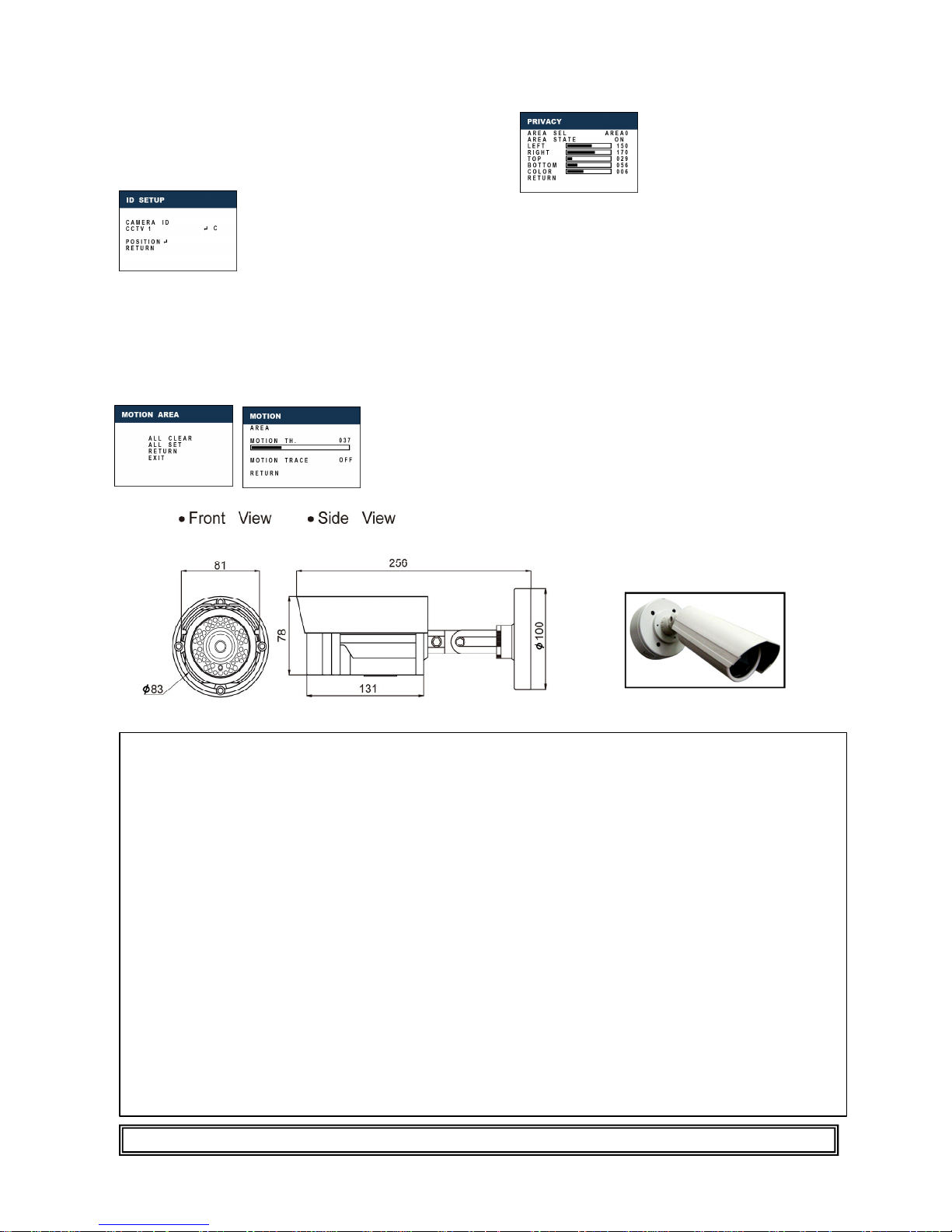
PRIVACY <ON / OFF>
AREA SEL = Select a motion detection grid(top left, top
right, bottom left, bottom right) to modify.
AREA STATE = Activate or deactivate the selected grid.
LEFT/RIGHT/TOP/BOTTOM
= Alter the dimensions of the selected grid.
COLOR = Select color of privacy area.
GAMMA <ON / USER>Sharpen the image on screen.
Excessive sharpening may casue picture noise.
LANGUAGE (English/한국어/汉语/漢語/日本語)
Choose language that should be displayed.
RESET Restore all factory default settings
ADJUST Adjust leven of sharpness / CB_Gain
EXIT(SAVE) Save OSD settings and exit the SETUP
menu.
FUNCTION
RETURN Return to the main SETUP menu
CAMERA ID <OFF / ON> Display a name and/or number on the
monitor.
CAMERA ID : Select character by moving joystick up and down.
C = Delete the entire name and start again.
POSITION = Position the camera title on the screen. Push down the
button to set the position.
MIRROR <ON / OFF> Produce a horizontal mirror image on screen.
DAY / NIGHT <AUTO / COLOR / BW>
MOTION DET <ON / OFF>
AREA = Select motion detection area.
MOTION TH = Select low luminous motion threshold value.
MOTION TRACE = Display motion trace.
This manual is based on the date as shown above and specifications are subject to change without notice for quality improvement.
VER.090909
● Accessories
Junction Box
(VSA21103)
Description / Model
VSC23302
VSC23303
VSC23304
Image pickup device 1/3” Sony Super HAD CCD 1/3” Sony Super HAD CCD 1/3” Sony Super HAD CCD
TV System NTSC / PAL NTSC / PAL NTSC / PAL
Pixels (H x V) NTSC 768 x 494
PAL 755 x 582
NTSC 768 x 494
PAL 755 x 582
NTSC 768 x 494
PAL 755 x 582
Scanning System
2:1 Interlaced
2:1 Interlaced
2:1 Interlaced
Sync System Internal Internal Internal
Resolution 540 TV Line 540 TV Line 540 TV Line
Minimum Illumination 0.00 Lux (LED ON) 0.00 Lux (LED ON) 0.00 Lux (LED ON)
S/N Ratio > 50 dB > 50 dB > 50 dB
White Balance ATW/AWC/MANUAL (1800K ~
10.500K)
ATW/AWC/MANUAL (1800K ~
10.500K)
ATW/AWC/MANUAL (1800K ~
10.500K)
Gamma Characteristic 0.45 0.45 0.45
Video output 1.0Vp-p 75 Ω Composite 1.0Vp-p 75 Ω Composite 1.0Vp-p 75 Ω Composite
Electronic shutter Speed NTSC : 1/60 ~ 1/120,000 sec
PAL : 1/50 ~ 1/100,000 sec
NTSC : 1/60 ~ 1/120,000 sec
PAL : 1/50 ~ 1/100,000 sec
NTSC : 1/60 ~ 1/120,000 sec
PAL : 1/50 ~ 1/100,000 sec
OSD BUILT-IN BUILT-IN BUILT-IN
BLC ON, OFF ON, OFF ON, OFF
AGC ON, OFF ON, OFF ON, OFF
Day & Night True Mechanical Day/Night True Mechanical Day/Night True Mechanical Day/Night
Motion Detection ON/ OFF ON/ OFF ON/ OFF
Mirror ON/ OFF ON/ OFF ON/ OFF
Privacy
ON/ OFF
ON/ OFF
ON/ OFF
Power Supply
Dual Voltage 12
V DC
/24V AC
Dual Voltage 12
V DC
/24V AC
Dual Voltage 12
V DC
/24V AC
Power Consumption 750 mA 750 mA 750 mA
Lens DC Iris Varifocal 2.8 ~ 12 mm
DC Iris Varifocal 9.0 ~ 22 mm
DC Iris Varifocal 5.0 ~ 50 mm
Operational Temperature
-10° to +50°C RH95% Max
-10° to +50°C RH95% Max
-10° to +50°C RH95% Max
Storage Temperature -20° to +60°C RH95% Max -20° to +60°C RH95% Max -20° t o +60°C RH95% Max
Weight (approx) 1000 g 1000 g 1000 g
Warranty Period 1 Year 1 Year 1 Year
 Loading...