

Page 1
VSU Quick Start
NOS version 3.1
Preconfigure your VSU to enable remote
communications with the VPNmanager.
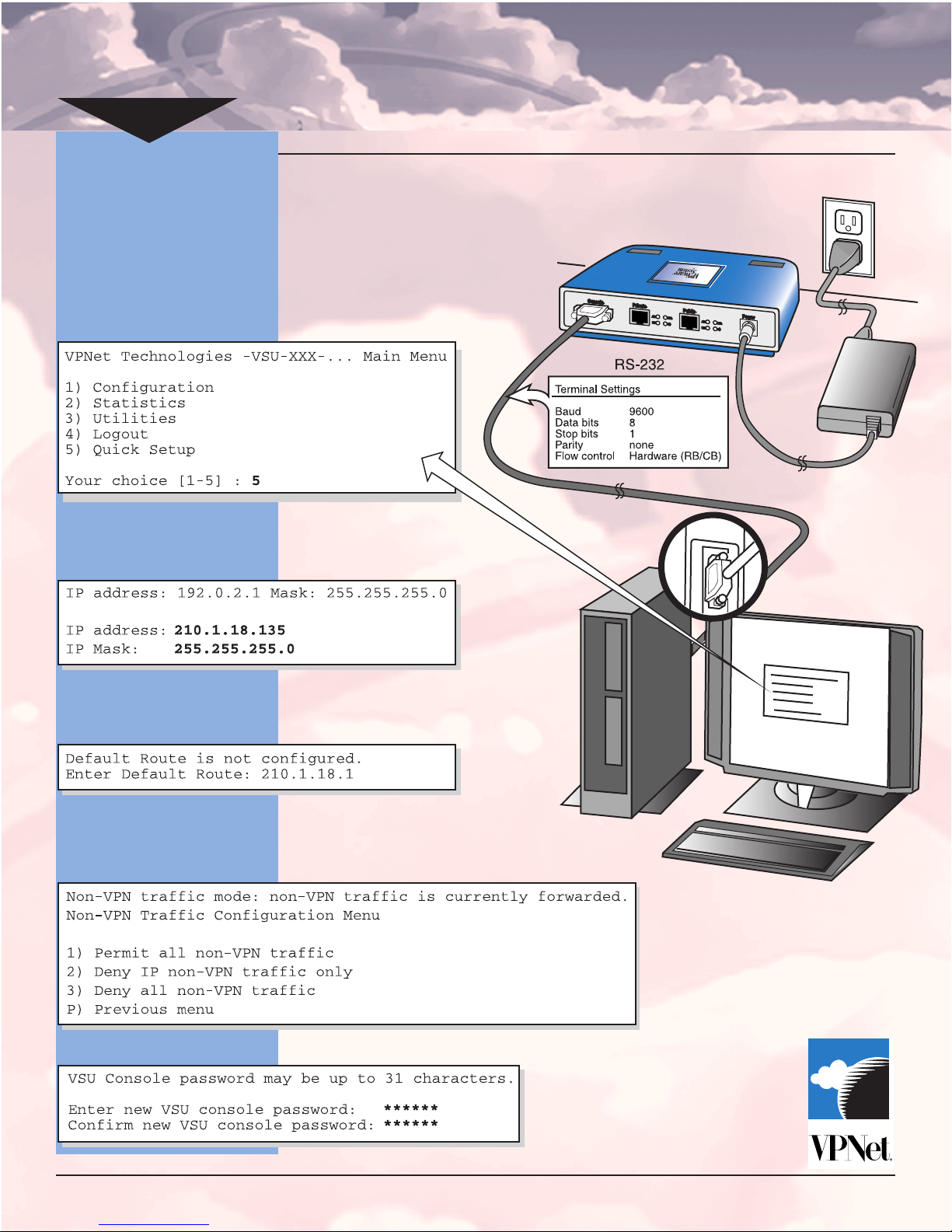
1. Connect the VSU console cable (provided) to the
serial port of a PC running Hyperterminal or a
dumb terminal. Press return.
2. From the VSU consoles Main Menu select Quick
Setup and press return.
3. Enter the public IP address and netmask assigned
to VSU. If a secondary IP address is to be used,
answer “y” to the prompt and enter secondary IP
address and mask.
Refer to the VPNmanager Administrator’s Guide
Chapter 4 for more information
Refer to the VPNmanager Administrator’s Guide
Chapter 4 for more information
5. Select the desired filtering operation. Refer to
Chapter 3 in the VSU User Guide for details.
6. Change the console password.
4. Enter the default route.
Page 2
VSU Quick Start
NOS version 3.1
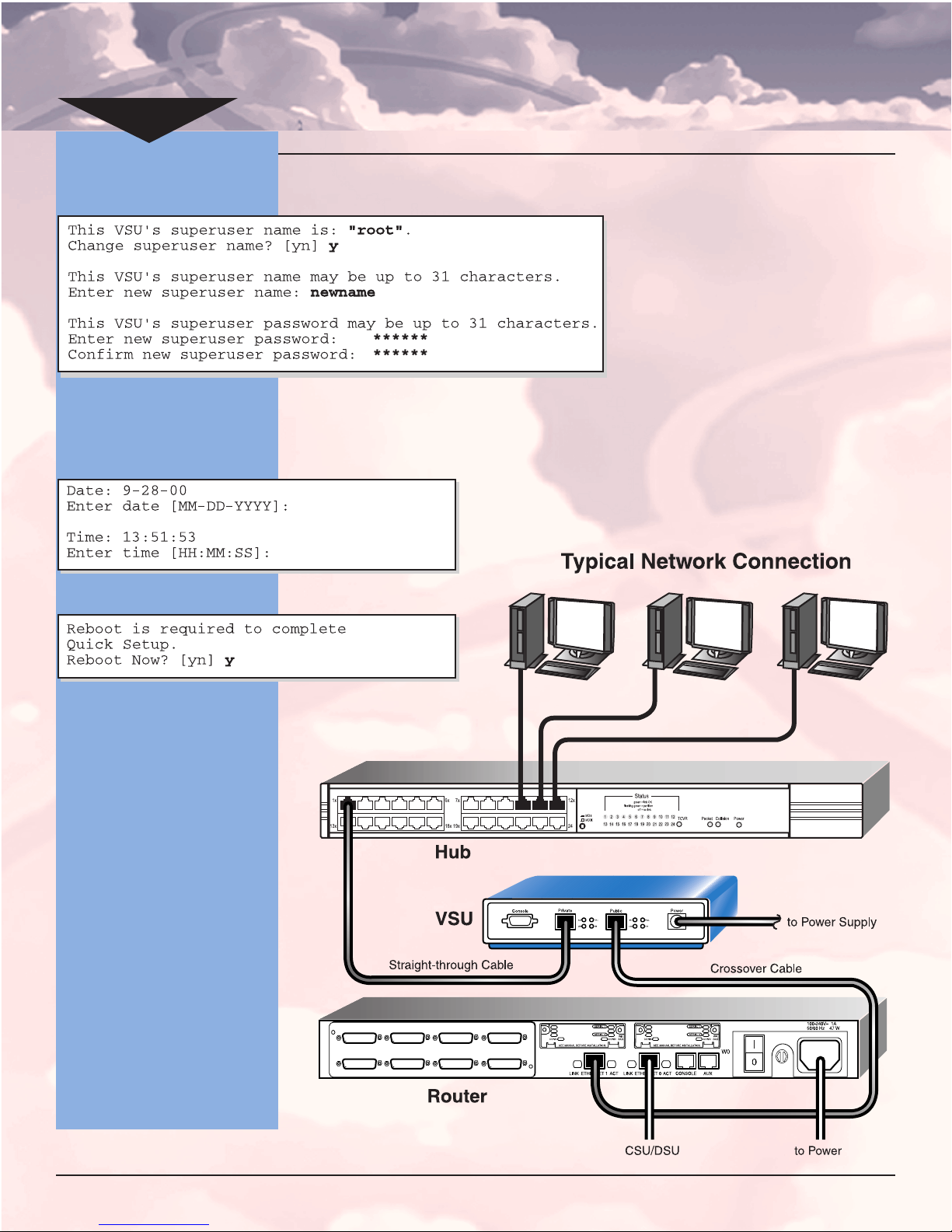
7. Enter your new superuser name.
8. If FIPS mode is required, select “y”, otherwise
choose “n”. (See Chapter 3 of the VSU User Guide
for more information)
9. Enter the time and date.
NOTE: By default, the VSU acts
as a bridge for non-VPN traffic.
See section on Filtering in
Chapter 3 of the VSU User
Guide
.
Refer to the VPNmanager
Administrator’s Guide,
Chapter 4 for more
information.
11.Deploy the VSU to it’s final position in the network.
10.Reboot the VSU.
© 2001 by VPNet Technologies Inc.
P/N 09-0051-02
 Loading...