

Page 1

VONETS——VAR11N PLUS 300M MINI WiFi Router
300M Mini WiFi Router
VAR11N PLUS
Quick Setting Guide
1
Page 2

VONETS——VAR11N PLUS 300M MINI WiFi Router
Declaration
All rights reserved, with retained ownership
Without Shenzhen HouTian Network Communication Technology Co., Ltd written
authorization, any company or personal can’t copy, writer or translation part or all
contents. Can’t do commodity distribution for any commercial or profitable purposes
by any ways (electricity, mechanical, photoprint, record or other methods).
VONETS is the registered trademark of Shenzhen HouTian Network Communication
Technology Co., Ltd. The other all trademarks or registered trademarks mentioned in
this documents are belong to the individual owners. The product specifications and
information technology mentioned in this manual are just for reference, if any updates,
without other notice. Except for special agreements, this manual is just for user
guidance, any statements, information and so on in this manual can’t constitute the
warranty of any forms.
Copyright © 2014 Shenzhen HouTian Network Communication Technology
Co., Ltd
2
Page 3
VONETS——VAR11N PLUS 300M MINI WiFi Router
VAR11N PLUS Quick Setting Guide
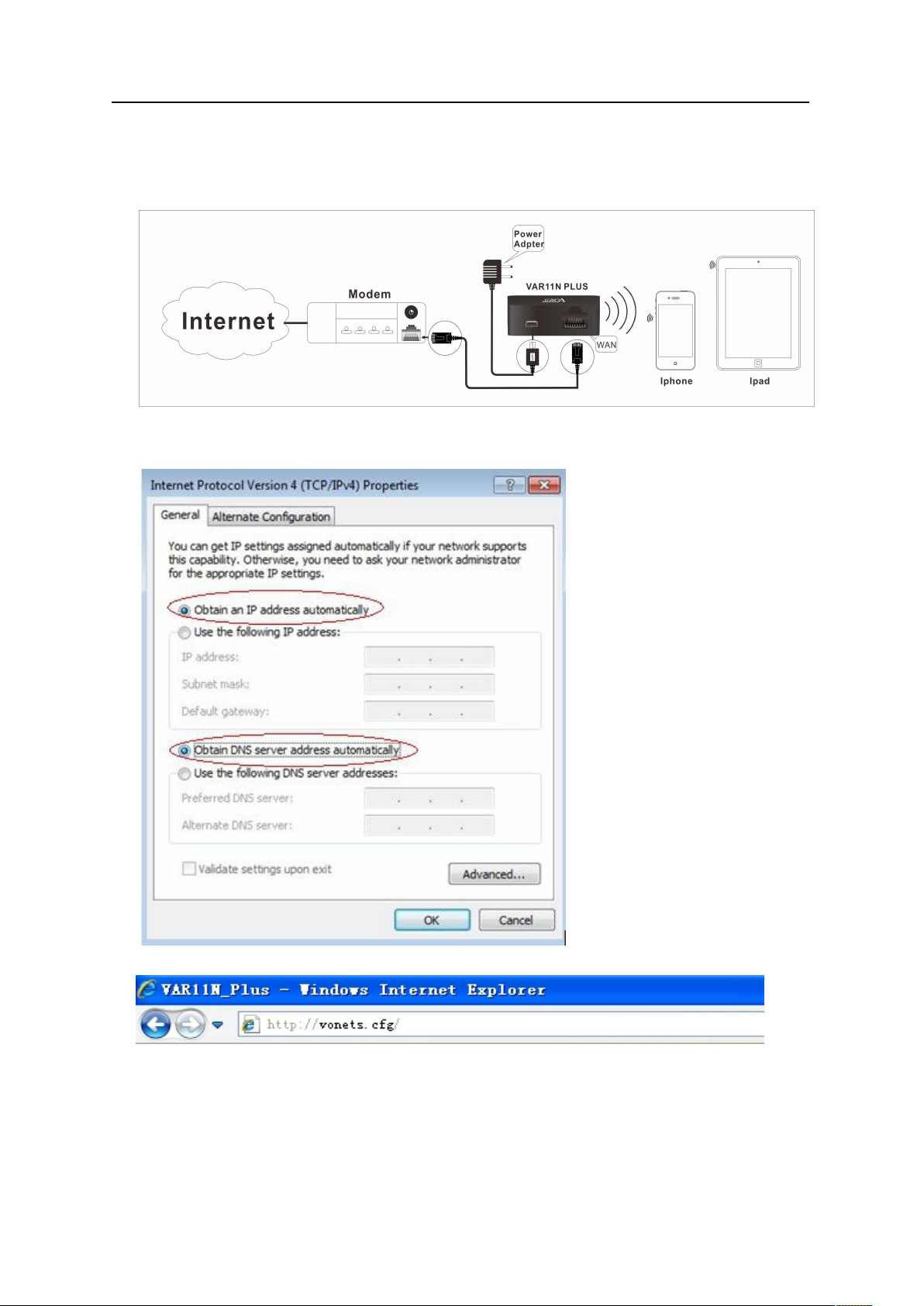
1. Connect VAR11N PLUS
Set computer IP address to automatically, please see the words in the red circle of
The following picture:
2. Open the IE browser, enter http://vonets.cfg virtual domain name setting (VDNS).
Remark:
Enter domain name, then Enter, the login page will appear, the default admin and
password is admin.
3
Page 4
VONETS——VAR11N PLUS 300M MINI WiFi Router
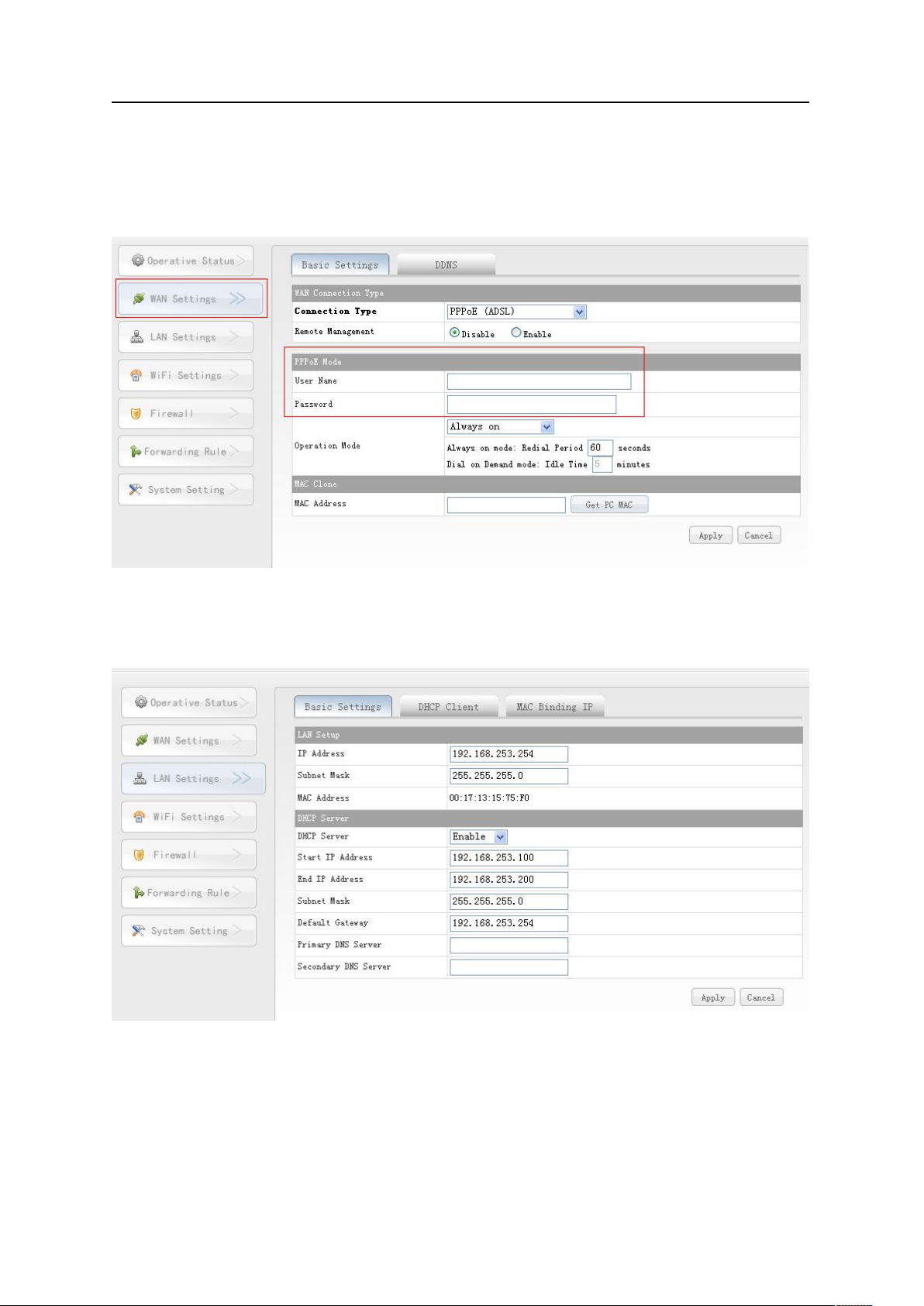
3. WAN Setting
Click WAN settings button, choose the correct connection Type, enter the User
4. LAN Setting
Enter webpage configuration, click LAN Setting, enable DHCP service, see the following
pictures:
name and Password provided by ISP, click Apply, then ok, see the following
picture:
Shenzhen Houtian Network Communication Technology Co.,Ltd
http://www.vonets.com
4
 Loading...