

Page 1
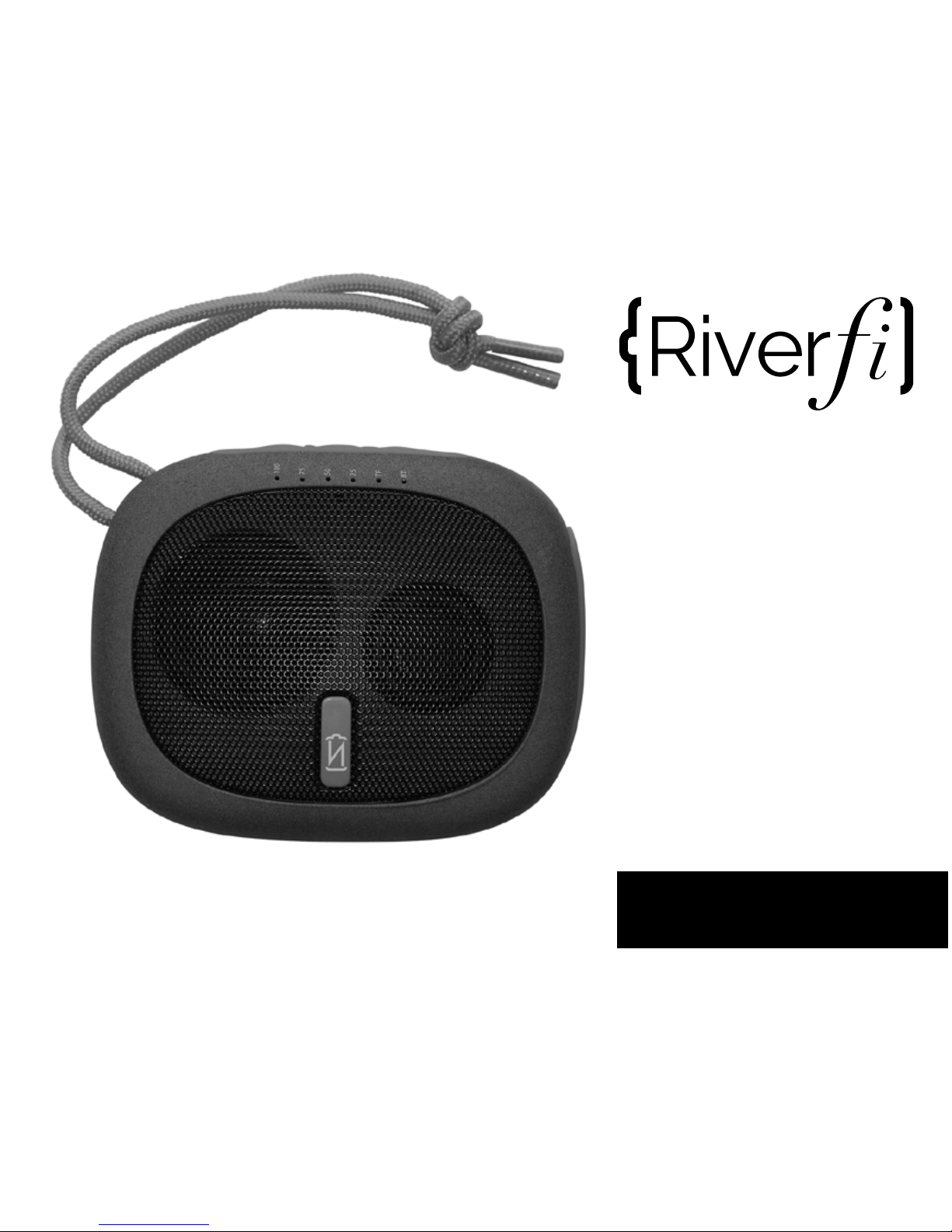
User Guide
Rechargeable Battery +
Bluetooth Speaker
®
Page 2
SPEAKER FEATURES
BATTERY FEATURES
• Optimized speaker for high fidelity sound
• Micro SD card slot to store hours of MP3’s
• Simplified Bluetooth pairing
• Rapid recharge (2A) your phone or tablet
• Play music for 24 hours (mid volume)
• Play music for 20 hours (max volume)
• Fully charge most phones 1-2x
INCLUDED
• VoltNow RiverFi Battery Speaker
• Nylon travel pouch
• Micro USB charging cable
• User guide
• Micro SD Card NOT included
®
Page 3
BATTERY SPECIFICATIONS
• Capacity: 2600mAh Li-ion
• 2600mAh Lithium Ion
• Input: 5V / 1A (micro USB)
• Output: 5V / 2.1A
SPEAKER SPECIFICATIONS
®
• Bluetooth V2.1 + EDR
• Range: 33 feet / 10 meters
• Driver: 30mm 4Ω 3W
• Freq. Response: 70Hz-20kHz
• Output Power: 2.5W
• Micro SD Card Supports:
MP3 files
PRODUCT DIMENSIONS
• 3.86” x 3.07” x 1.08”
• 98mm x 78mm x 27.5mm
Page 4
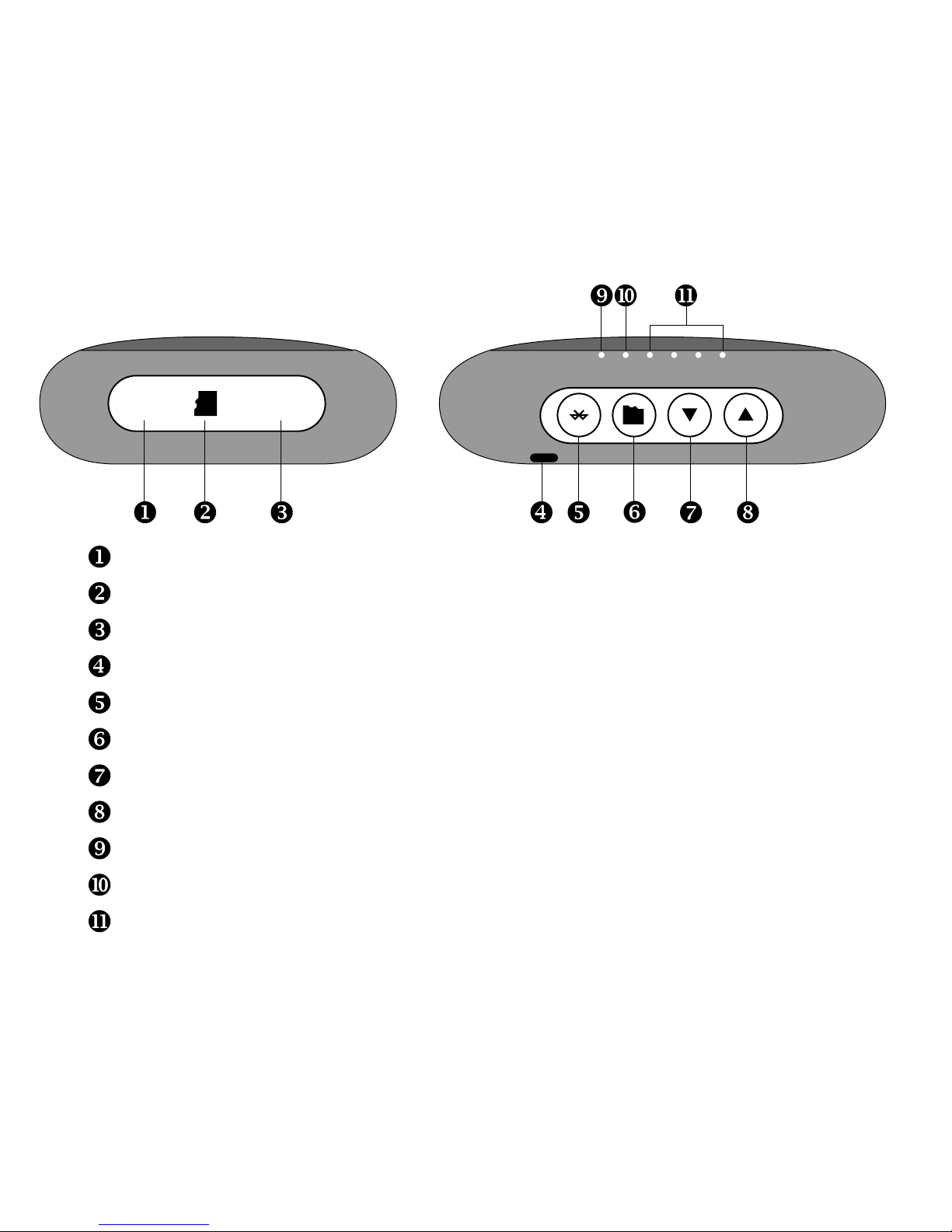
5V IN 5V OUT
Micro USB 1 Amp Charging Port Input
Micro SD Expansion Card Slot
USB Output 2.1 Amp Charging Port Output
Power ON/OFF [hold 3 seconds] / battery Indicator [press]
Bluetooth Mode [play/pause music, answer/hang-up calls]
Micro SD Card mode
Previous Song [long press] / Volume Down [press]
Next Song [long press] / Volume Up [press]
Bluetooth Indicator [flashing=pairing / solid=connected]
Micro SD Card Indicator
Battery Capacity Indicator [25%/50%/75%/100%]
100
75
50
25
SD
BT
Page 5
POWER ON/OFF
• Press the button for 3 seconds to turn on or off .
• When turned on, you will hear two short beeps.
• Bluetooth light will blink waiting to pair.
• If previously paired, RiverFi will automatically re-connect
and the BT light will turn solid blue and you will hear a chime.
• When the RiverFi is off, pressing will turn on the
battery capacity indicator lights to show you battery level.
BLUETOOTH
• RiverFi enters pairing mode when turned on. [If you were
previously using a micro-SD card, you may need to press
• On your device, pair with: VOLTNOW RIVERFI
• You will hear a chime and BT light will turn solid blue
• Press to answer an incoming call. Press to hang up.
• During music playback:
• Press to pause and play music.
• Press to decrease volume. Press to increase volume.
• Long press to previous song. Long press to next song.
Page 6

USING THE Micro-SD CARD
• Insert the memory card and RiverFi will automatically enter
SD mode and begin to play music (MP3 Files only).
• If the card is already inserted, press to enter card mode.
• Press to answer an incoming call. Press to hang up.
• During music playback:
• Press to pause and play music.
• Press to decrease volume. Press to increase volume.
• Long press to previous song. Long press to next song.
• Supports playback of MP3 files
CHARGING
• To charge RiverFi, connect the Micro USB cable to the
Micro USB input with the supplied cable.
• The battery indicator lights will flash while charging and
remain solid when RiverFi is fully charged.
• To charge an external device, connect device to USB output.
Charging will begin automatically even if RiverFi is off.
 Loading...