

Page 1
Idle State
Misc-Tone State (Busy Tone)
Incoming CO Call State (Talk State)
Outgoing (Busy Tone)
Recording State
Conference (Active State)
Conference (Idle State
ICM Call State
Quick Reference Guide
FIXED Feature Buttons
» Call Back button - Used for Auto-Callback.
» Dnd (Do not disturb) button - Used to prevent a call
from ringing at your station while busy or on a call.
» Hold/Save button - Used to place a call on hold.
The SAVE function is not used at this time.
» Speaker button - Used in place of the handset.
» Speed button - Used to access Speed Dialing &
Flexible Button programming.
» Trans/Pgm button - Used to transfer a call.
The PGM function is not used at this time.
» Volume button - Allows you to adjust the
speakerphone and handset volume.
Navigation Keys
» Left/Right Scroll key - To move up & down through
the soft key displays.
» Menu key - To “scroll up” in Dial-by-Name directory.
» OK key - To dial selection in Dial-by-Name directory.
» Phonebook key - To access Dial-by-Name list & to
“scroll down” in the directory.
Call Back 622
Call Park (groups 1-14) 424-437
Call Park - Pe rsonal 438
Call Park - Station 439+[XXX]
Call Park Pickup - Station #6+[XXX]
Call Pickup (reqs btn) #0
Caller ID Display (Answered) 659
Caller ID Display (Unanswered) 635
Camp On 620
Clear Call Fwd, DND, Personal Msg 662
CO Line (Idle) Direct Access
or if Alternate Dial Plan
88+[LLL]
8888+[LLL]
CO Line Group Access Code (grp 0-23) 800-823
CO Line Group Access Code (all grps) 824
CO Line Queue 621
Conference (reqs btn) 624
Directory Dial 680
Extension/DSS Number XXX
Flash 660
Headset Mode 634
In and Out (status) Button (reqs btn) 644
Mute 629
Page - All Call (Internal & External) 700
Page - Internal Zones 1-20 701-720
Page - Internal All Call 721
Page - External All Call (XTS-IP only) 760
Page - External Zones 1 or 2
(XTSc-IP = Zone 1 only)
761 or 762
Save Number Redial [SPEED]+[
*
]
Speed Dial Access [SPEED]+[YYYY]
VM Group Pilot Number 440-447
LLL = Line Number
XXX = Station Extension Number
(XTS-IP=100-419, XTSc-IP=100-157)
YYYY = Speed Dial Bin Number
(XTS-IP=9000-9999, XTSc-IP=9000-9099)
Default Feature Codes
Key 1 Key 2 Key 3
PICKUP VM1 LNR
ANS-CALL UA-CALL SNR
PERS-MSG BGM P-PKP1
ALLPG-IN ALLPG-EX UNA
BIN-FWD ALL-FWD N/A-FWD
BUSY-FWD B/NA-FWD CLR-FWD
H-MODE T-MODE P-MODE
BKL - OFF BKL-ON BKL-INUSE
Key 1 Key 2 Key 3
MSG CALL-BK CAMP-ON
Key 1 Key 2 Key 3
CONF REC FLASH
Key 1 Key 2 Key 3
CONF REC FLASH
Key 1 Key 2 Key 3
STOP
Key 1 Key 2 Key 3
EXIT END ADD-MEM
Key 1 Key 2 Key 3
RE-ENTER
Key 1 Key 2 Key 3
CONF
Soft Keys
P/NO: MMBB0191301 PRINTED IN KOREA
Vodavi Communications, Inc.
www.vodavi.com P/N: 3051-24
“Take A Closer Look” November 2005
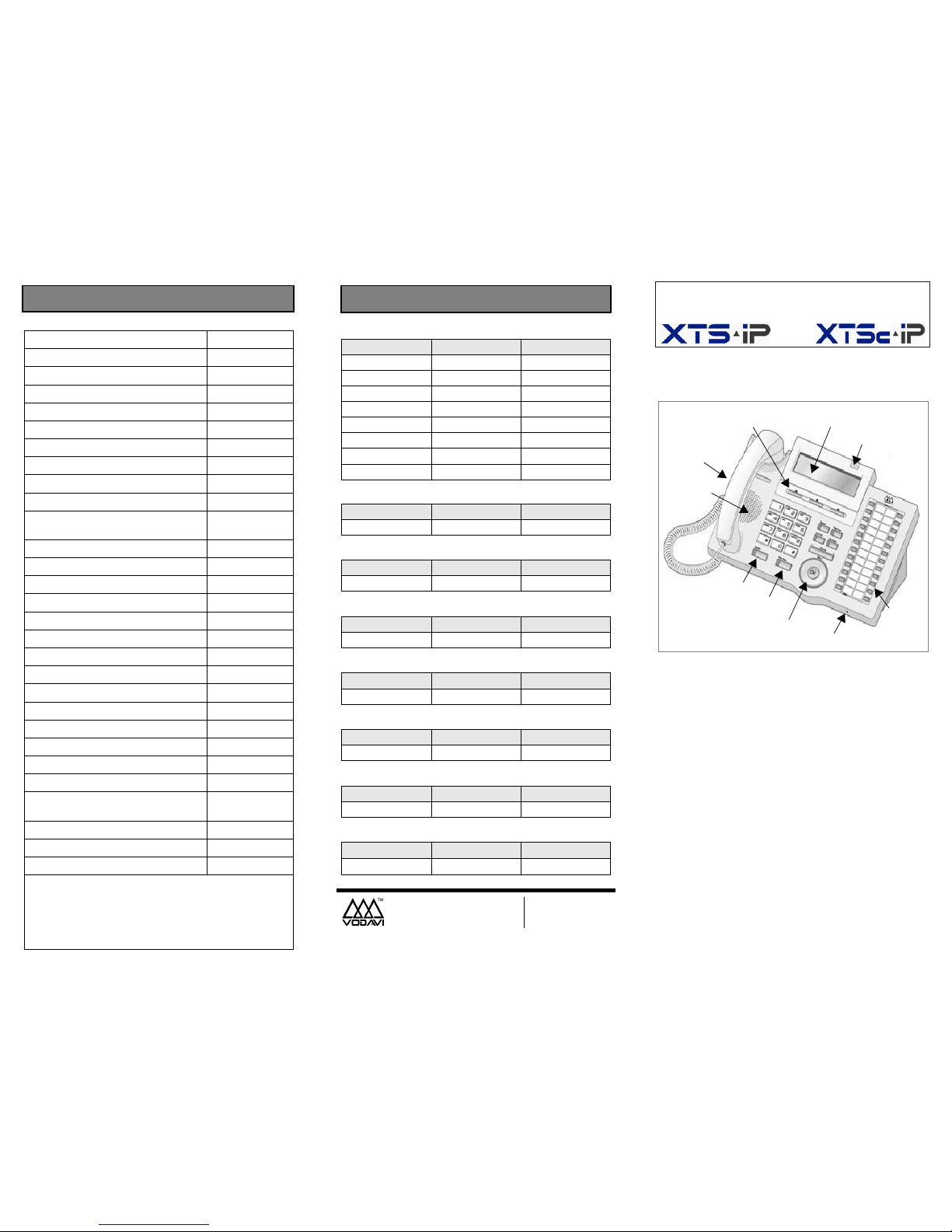
IP7024D Network Phone
Flexible
Buttons
24
Speaker
MIC
LCD Display
Headphone
Soft Keys
Jack
Navigation
Pad
Speaker
Button
Hold/Save
Button
Msg Wait/
Ring LED
Page 2
Programming a Flex Button
1. P ress SP EED twic e, th en pres s the flexibl e butto n to
be programmed.
2. Dial desired code from “Default Feature Code” chart,
OR enter a DSS extension number.
(A confirmation tone sounds.)
3. Press the SPEAKER button to end programming.
To Erase a Flex Button
1. P ress SP EED twic e, th en pres s the flexibl e butto n to
be erased.
2. Press FLASH button. (A confirmation tone sounds.)
3. Press the SPEAKER button to end programming.
Programming Speed Dials
STORING SPEED NUMBERS
1. Press the SPEED button twice.
2. Dial the speed bin location.
- 9000 to 9019 = Station Speed numbers
- 9020 to 9999 = System Speed numbers
(XTSc = 9020-9099)
3. Dial the desired telephone number.
4. Press the SPEED button.
5. Press the SPEAKER button to end speed dial.
DIALING A SPEED NUMBER
1. Press SPEED and dial the speed bin location,
OR press the pre-programmed speed bin button.
2. When t h e c a ll ed part y an swe rs , pi ck up the handset
or use the speakerphone.
DIRECTORY DIALING
1. Press the PHONEBOOK navigation key.
2. Press the UP or DOWN arrows to scroll through the
Directory List.
3. Press the OK button at the desired name to
automatically dial the destination station or outside
phone number (via Speed Dial).
OPTIONAL DIRECTORY DIALING
1. Dial the Directory List dial code [680].
2. To view the list of names, press the appropriate
keypad button (once, twice, or three times) that
represents the desired letter of the alphabet.
3. Scroll through the Directory List to select a name
using [*] or [#] for the next or previous entry.
4. Press the SPEED button at the desired name to
automatically dial the destination station or outside
phone number (via Speed Dial).
------ For additional user information, refer to the -----XTS-IP/XTSc-IP Station User Guide (P/N: 3152-00).
CALL FORWARDING
1. Press the FWD button,
OR dial feature code [640].
2. Dial the desired Call Forward code:
[6] = All Calls [7] = No Answer [8] = Busy
[9] = Busy/No Answer
[
*
] = Off-Net
3. Dial the station number where calls are to be
forwarded. A confirmation tone sounds.
4. Replace handset or press the SPEAKER button.
ESTABLISHING A CONFERENCE CALL
1. Lift the handset and select an intercom station, or
dial desired outside party.
2. When called party answers, press the CONF button.
3. Add the next conference party by selecting another
outside line or intercom station.
4. If the next confe renc e party is an outs ide li ne and a
busy or wrong number is encountered, press one of
the conference parties on hold. This drops the busy
or wrong number party. Press the conference button
again and repeat Step 4.
5. When the last party answers, press CONF twice.
To terminate a Conference, the conference initiator
who is actively in the conference must replace the
handset or press the ON/OFF button to OFF.
PLACING AN OUTSIDE LINE ON HOLD
- If your system is programmed for Exclusive Hold
Preference … press HOLD once for Exclusive Hold, or
twice for System Hold.
- If your system is programmed for System Hold
Preference … press HOLD once for System Hold, or
twice for Exclusive Hold.
TRANSFER - Unscreened
1. Press TRANS and dial desired station number.
2. When the called extension begins to signal, hang up
to transfer the call.
3. Replace handset or press the SPEAKER button.
TRANSFER - Screened
While connected to an outside line:
1. Press the station button where the call is to be
transferred (if programmed on your phone),
OR press TRANS and dial the station number.
(The called extension signals according to the
intercom signal switch position.)
2. When extension answers, announce transfer.
3. Hang up to complete transfer.
Station 100 CO1
Station 101 CO2
Station 102 CO3
Station 103 CO4
Station 104 CO5
Station 105 CO6
Station 106 LOOP
Station 107 POOL
Station 108 CONF
Station 109 PICKUP
Station 110 MUTE
Station 111 VM
Default Key Map Feature Operation
1
A B C D E F
G H I J K L M N O
T U V
*
#
0
23
456
789
W X Y ZP Q R S
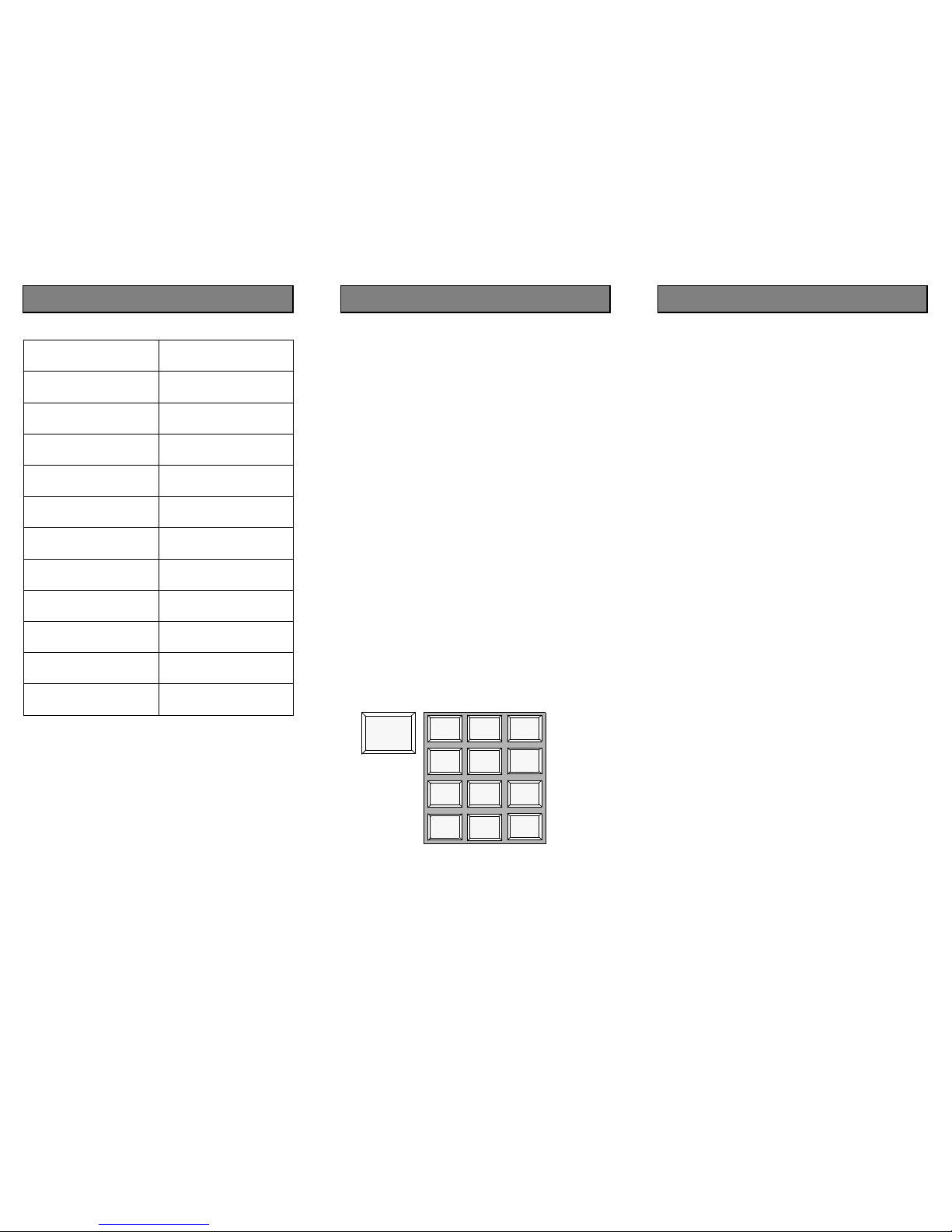
O P E R
A = 2
B = 22
C = 222
Feature Operation
 Loading...