

Page 1
V 1.0.3 29-03-2006
User manual
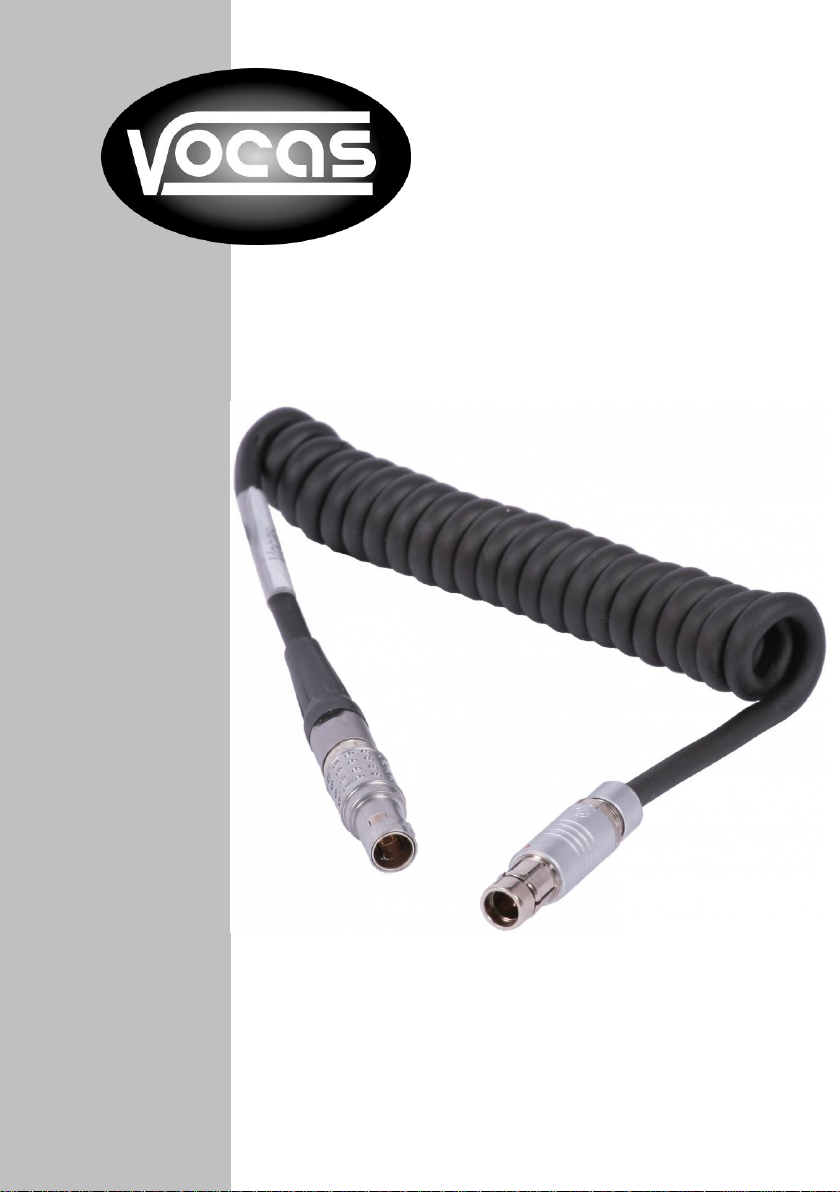
Remote cable for RED
Version 1.0.1
www.vocas.com
Page 2

2
Index:
Introduction .......................................................................................................... 3
Attaching the cable: ............................................................................................. 4
Compatibility ........................................................................................................ 5
Settings ................................................................................................................ 7
Additional information .......................................................................................... 7
Contact data:........................................................................................................ 8
© Vocas Systems B.V.
Page 3

3
Introduction
Thank you for purchasing this ergonomic remote cable for RED cameras (0390-0158).
More than 25 years of experience in camera accessory designs, are part of this cable design and
functionality.
We believe that the Vocas products gives you the perfect configuration for your camera. The coiled
cable is made to achieve flexible positions.
Before you start to use your new accessory, please read these instructions carefully to enjoy
optimum performance and a longer service life. Keep this manual in a safe place for future
reference.
In the interest of continually improving products, Vocas Systems B.V. reserves the right to update
or modify information contained in this manual.
© Vocas Systems B.V.
Page 4
4
Attaching the cable:
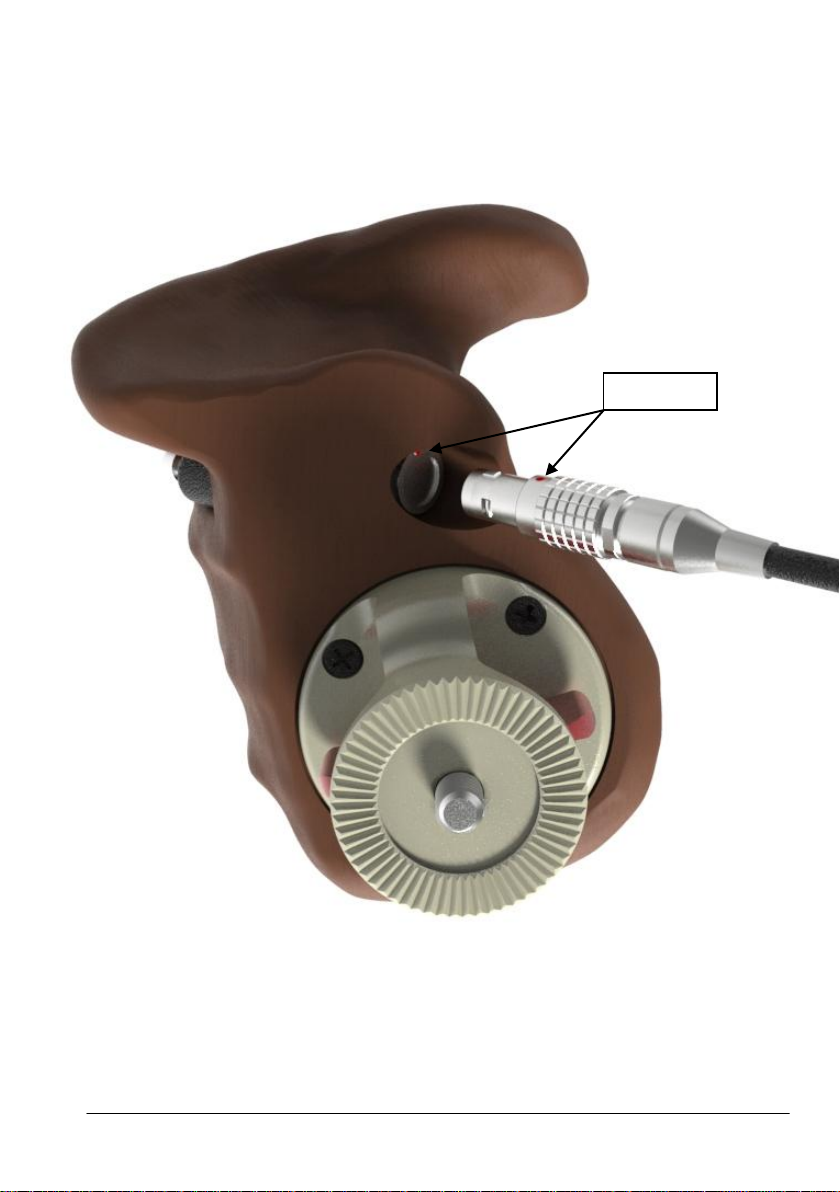
Red dots
When attaching the remote cable to the handgrip, make sure to align the two red dots (on the M/F
connector).
Please note: Trying to force the cable into the connector any other way may damage the
connectors.
© Vocas Systems B.V.
Page 5
5
Compatibility
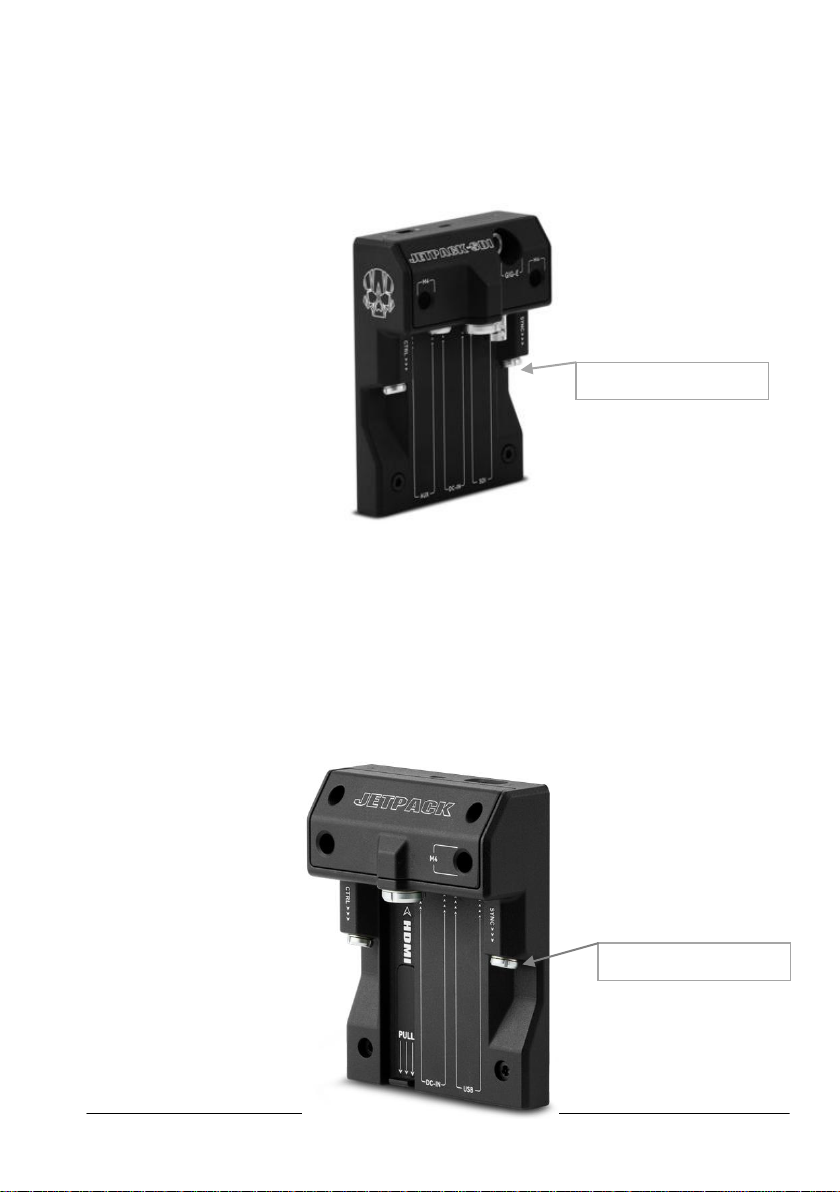
SYNC connector
SYNC connector
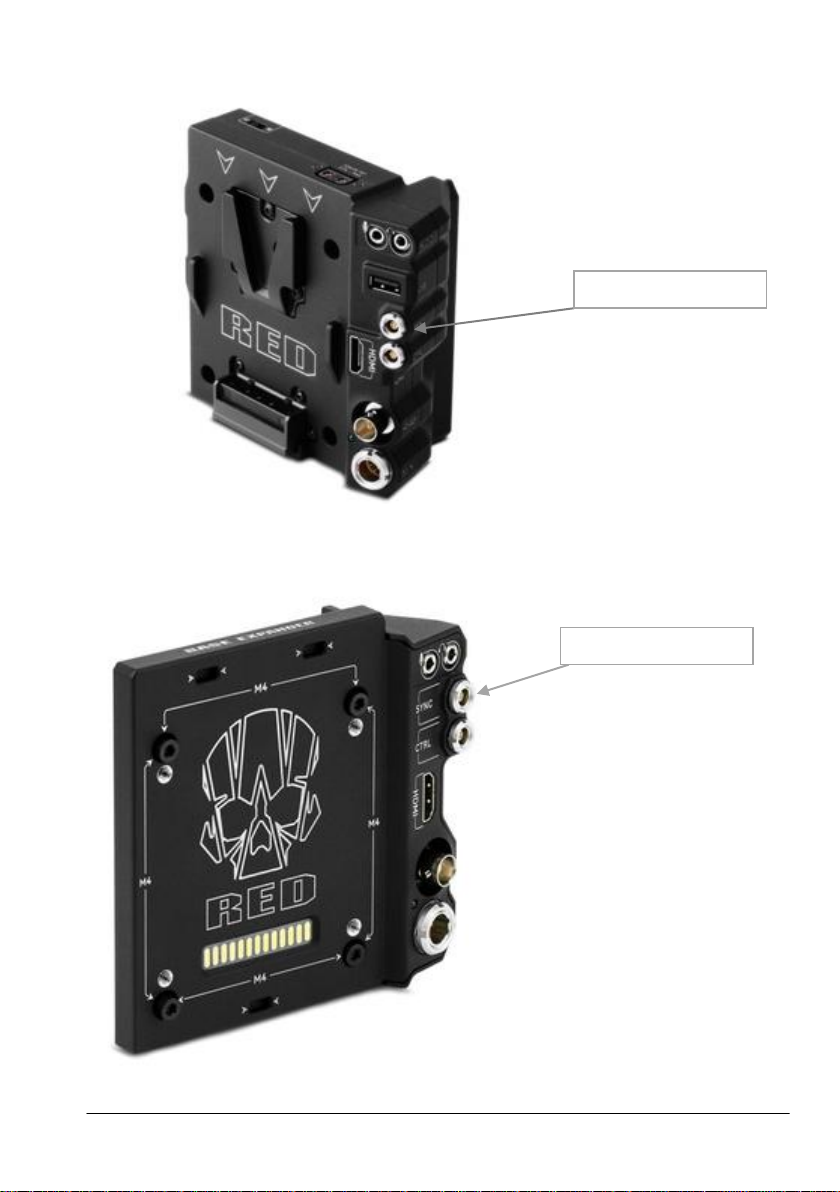
This cable only works on optional expanders from RED. The Vocas remote cable fits on the ‘SYNC’
connector on the RED modules below.
DSMC2 JETPACK-SDI EXPANDER
SKU:720-0048
DSMC2 JETPACK EXPANDER
SKU#:720-0039
© Vocas Systems B.V.
Page 6
6
SYNC connector
SYNC connector
DSMC2 V-LOCK I/O EXPANDER
SKU#:720-0045
DSMC2 BASE EXPANDER
SKU:720-0033
© Vocas Systems B.V.
Page 7
7
Settings
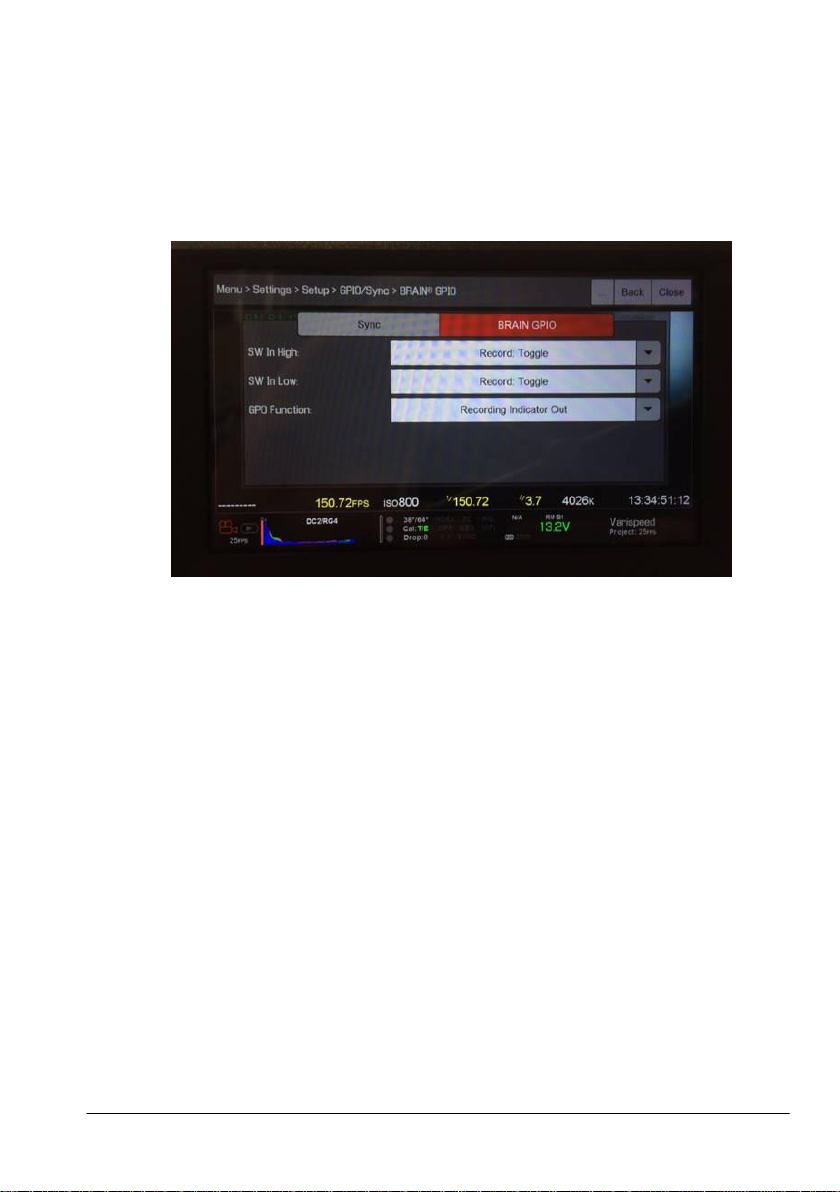
Example in order to operate the REC function, go to:
1. Menu
2. Settings
3. Setup
4. GPIO/Sync
5. BRAIN GPIO
Additional information
If this cable is used with non-prescribed products, Vocas is not liable for damages.
© Vocas Systems B.V.
Page 8

8
Contact data:
Vocas Systems B.V.
Larenseweg 121
1221 CL Hilversum, The Netherlands
T:+31(0)35-6233707
www.vocas.com
https://www.facebook.com/vocassystems/
© Vocas Systems B.V.
 Loading...