

Page 1
Page 2
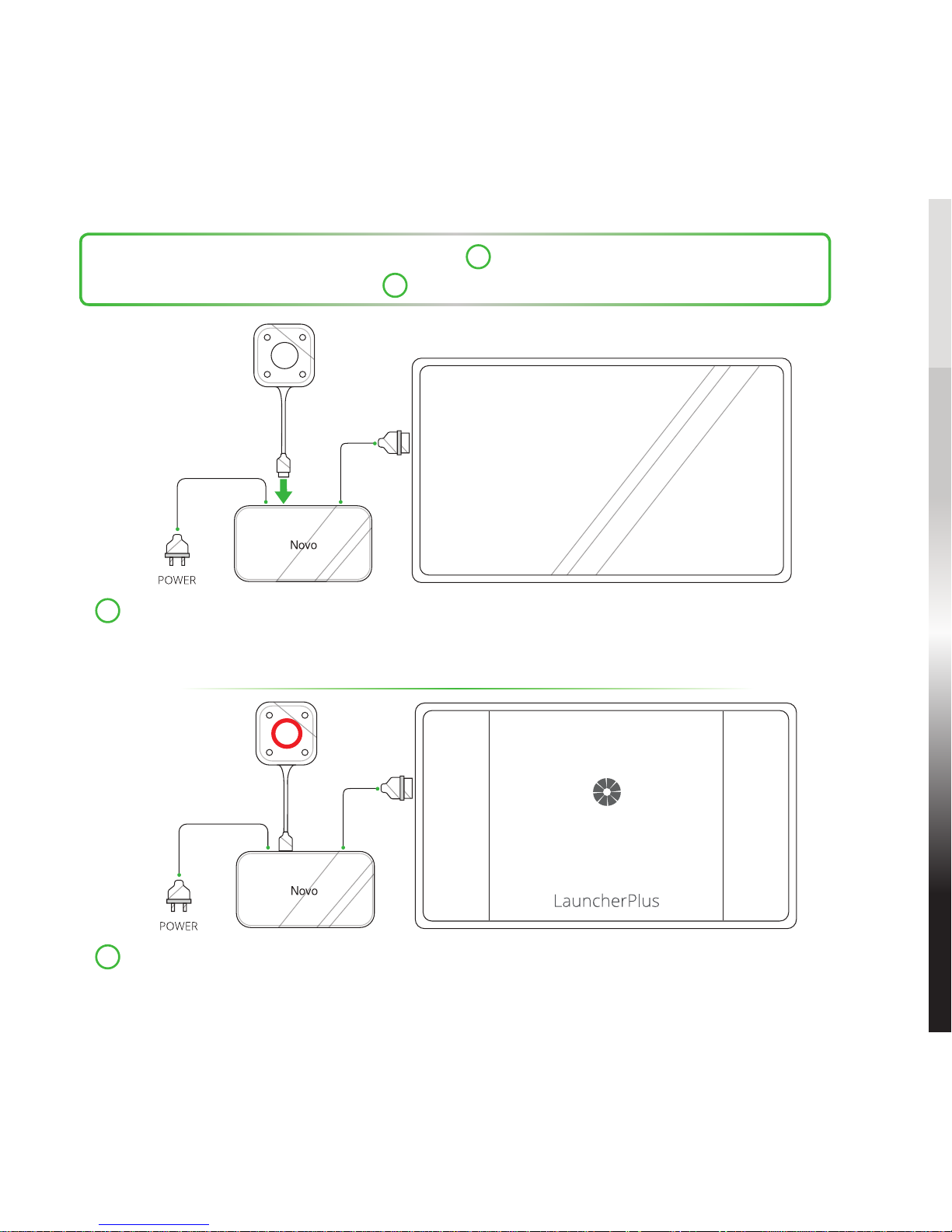
For first time users: Proceed with step 1 to begin pairing the LauncherPlus.
For repeat users: Skip to step 4 to begin using the LauncherPlus.
1
Connect the LauncherPlus to the NovoConnect device.
NOTE: The NovoConnect device must be powered on with a properly connected
Wi-Fi connection, and connected to a display.
2
The main button on the LauncherPlus lights up red and a Loading screen
is shown on the display.
1
Loading...
Page 3
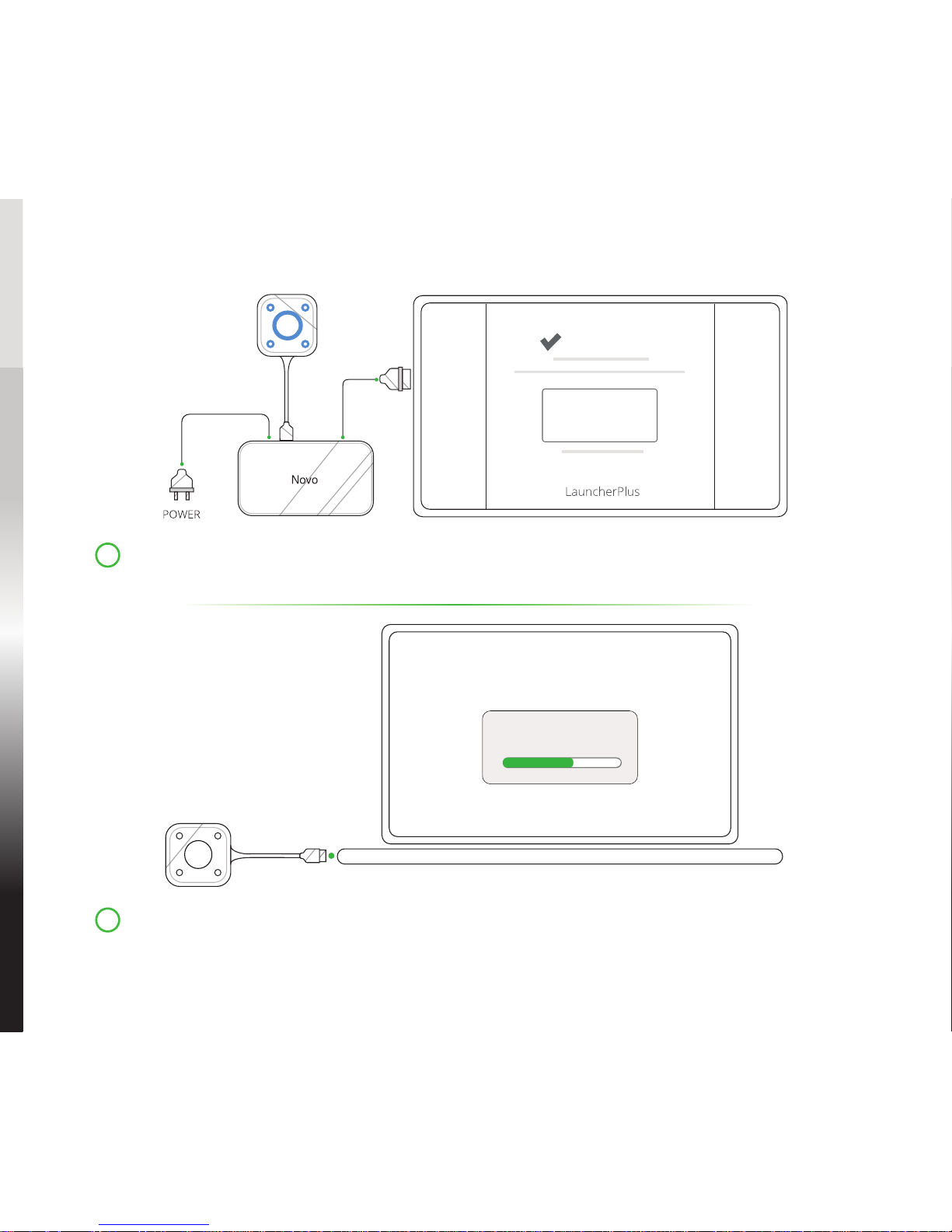
Pairing Completed
SSID:
IP Address:
3
Wait for the main and corner buttons on the LauncherPlus to light up blue
and the Pairing Completed screen to be shown on the display.
4
Connect the LauncherPlus to a computer, for first time usage the
LauncherPlus will begin loading the LauncherPlus software package.
2
Page 4
5
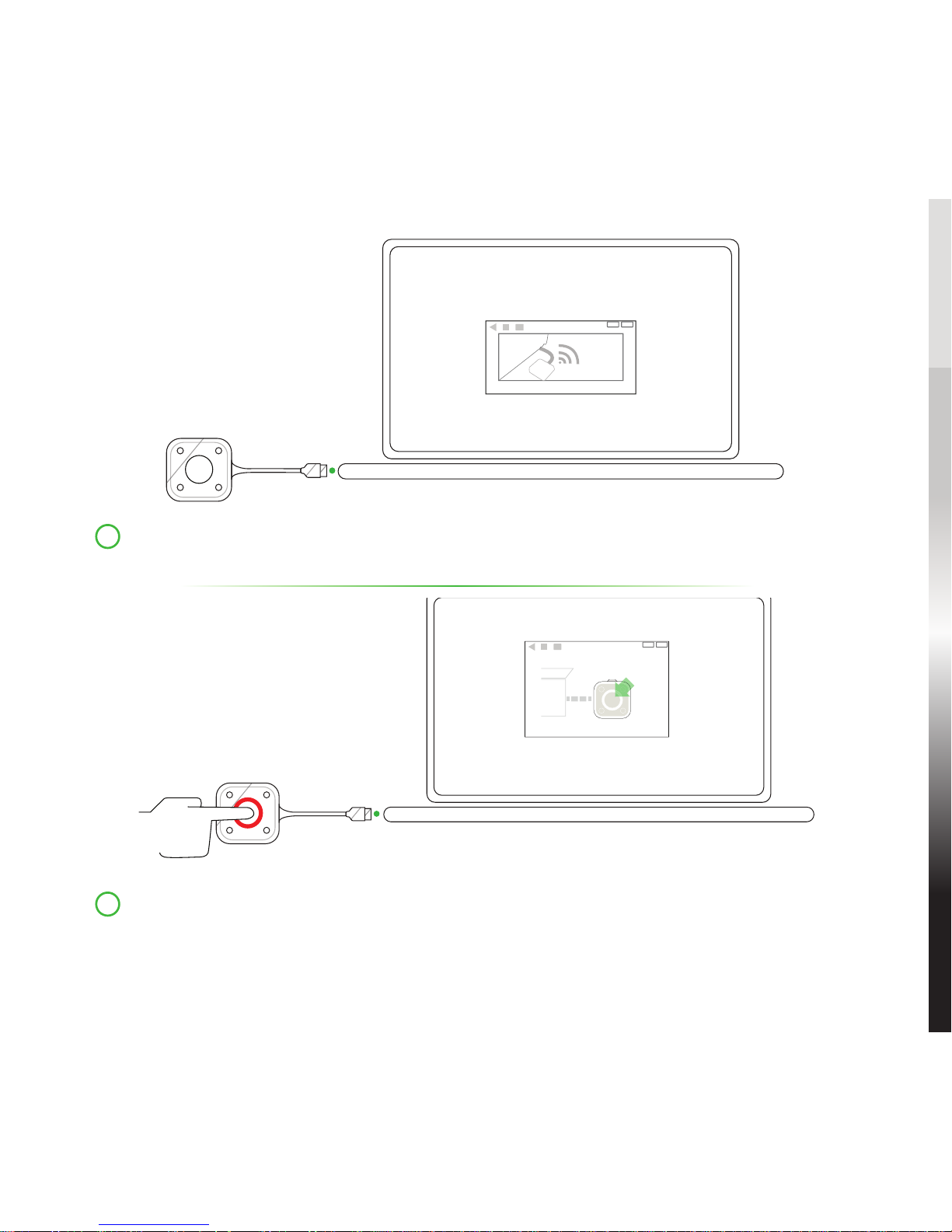
Once the software is ready, the LauncherPlus will begin scanning for the
NovoConnect device.
6
After the LauncherPlus has found the NovoConnect device, the main
button on the LauncherPlus lights up red. Press the button to begin
presenting.
3
Page 5
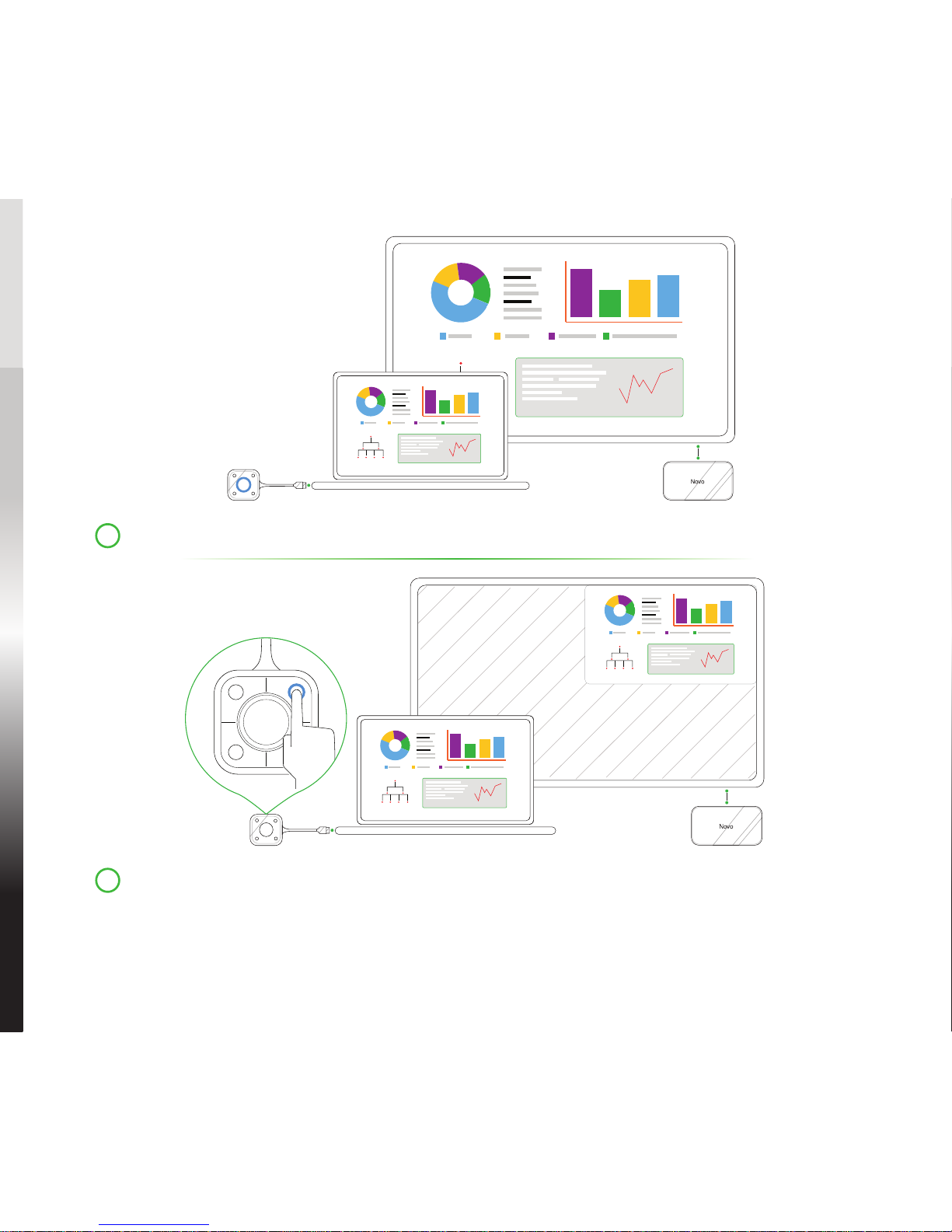
7
Your computer’s screen is shown on the display.
8
Press any corner button on the LauncherPlus to project your computer’s
screen onto the corresponding quadrant of the display, the button’s blue
LED will light when it is in use.
4
Page 6

5
Safety & Warning Information
FCC - Federal Communication Commission (USA)
This device contains the following wireless device and underwent the
certification process of FCC Part 15 Subpart B / CISPR 22 ET Docket No. 95-19
under the respective FCC ID Below:
• FCCID: H79ESSQL300
The FCC ID is indicated as the label affixed on the bottom side of your device.
CE Conformite Europeene (EU)
This device is intended for sale within the European Union are marked with
the Conformite Europeene (CE) Marking, which indicates compliance with the
applicable Directives and European Norms, and amendments, the following
standards were applied:
• EN 300328 V 2.1.1
• EN 301489-1 V 1.9.2 / EN 301489-17 V 2.1.1
• EN 55032:2012/AC:2013 / EN 55024:2010
• EN 50566:2013 / AC:2014
• EN62209-2 and COUNCIL RECOMMENDATION 1999/519/EC
• EN60950-1:2006+A11:2009+A1:2010+A12:2011+A2:2013
• IEC 60950-1: 2005 (2
nd
Edition) + A1:2009+A2:2013
ADDITIONAL INFORMATION
Page 7

6
CONTACT INFORMATION
Vivitek U.S.A. Corporate Office
46101 Fremont Blvd.
Fremont, CA 94538
Tel: (855) 885-2378
(855) 885-2378x1 - Sales
(855) 885-2378x2 - General Customer
Services
(855) 885-2378x3 - Technical Support
Vivitek EMEA Headquarters
Zandsteen 15
2132 MZ Hoofddorp
The Netherlands
Customer Service & Technical Support:
Monday - Friday 09:00 - 18:00
English (UK): 0333 0031993
Germany: 0231 7266 9190
France: 018 514 8582
International +31 (0) 20 721 9318
Page 8
Connect | Work | Share
Visit www.vivitekcorp.com for more product info
Copyright (c) 2017 Delta Electronics, Inc. All Rights Reserved
 Loading...