

Page 1
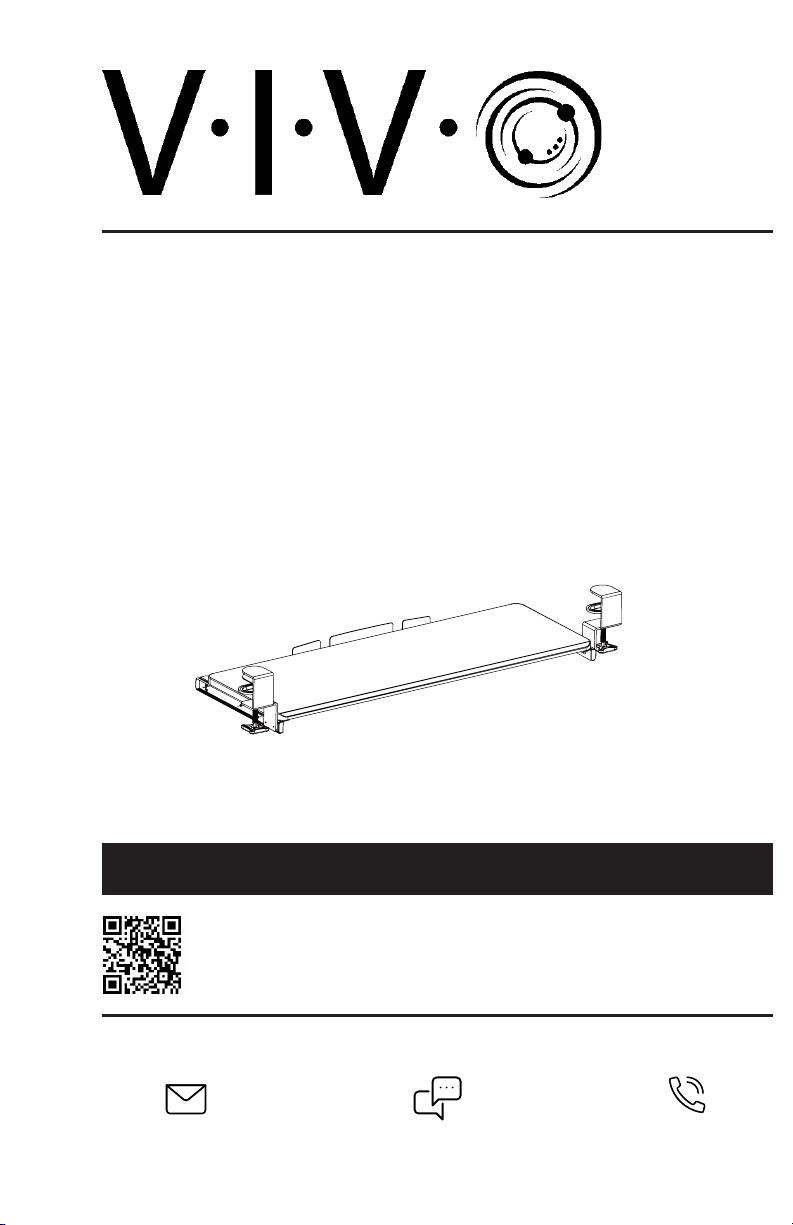
Black Clamp-on Keyboard Tray
Instruction Manual
SKU: MOUNT-KB05E
Scan the QR code with your mobile device or follow the link
for helpful videos and specifications related to this product.
https://vivo-us.com/products/mount-kb05e
GET IN TOUCH | Monday-Friday from 7:00am-7:00pm CST
Chat live with an agent!
Page 2
WARNING!
If you do not understand these directions, or if you have any doubts about the safety of the
installation, please call a qualified technician. Check carefully to make sure there are no missing or
defective parts. Improper installation may cause damage or serious injury. Do not use this product
for any purpose that is not explicitly specified in this manual. Do not exceed weight capacity.
We cannot be liable for damage or injury caused by improper mounting, incorrect assembly or
inappropriate use.
WARNING: CHOKING HAZARD
SMALL PARTS - NOT FOR CHILDREN UNDER 3 YEARS. ADULT SUPERVISION IS REQUIRED.
PACKAGE CONTENTS
A (x1)
Keyboard Tray
B (x2)
Slider Bracket
C (x2)
Clamp
NOTE: SOME HARDWARE INCLUDED MAY NOT BE USED
D (x6)
M4x7
E (x8)
M5x12
TOOLS NEEDED
DO NOT EXCEED WEIGHT CAPACITY.
Failure to do so may result in serious injury.
Phillips
Screwdriver
ASSEMBLY STEPS
STEP 1
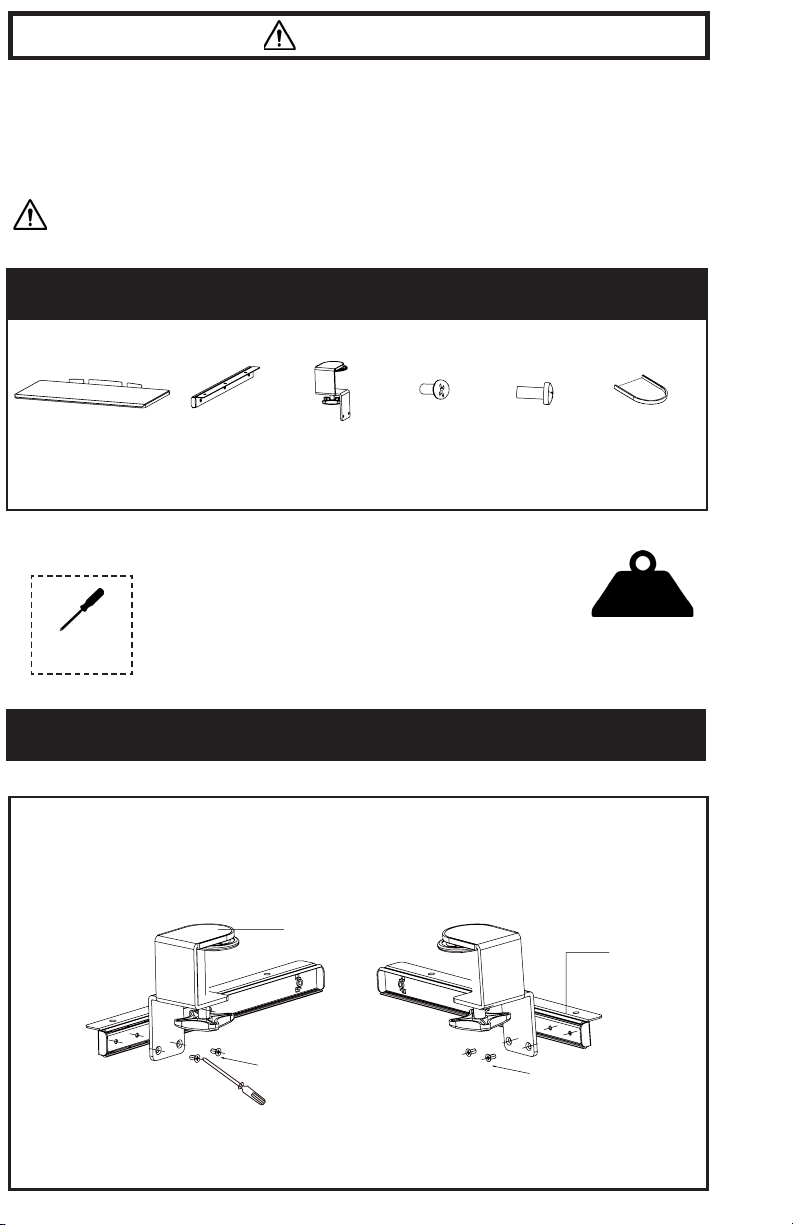
Assemble slider brackets (B) to the clamps (C) using M4x7 screws (D). Tighten with a Phillips
screwdriver.
C
F (x2)
Pad
11lbs
(4.99kg)
B
D
2
D
Page 3
STEP 2
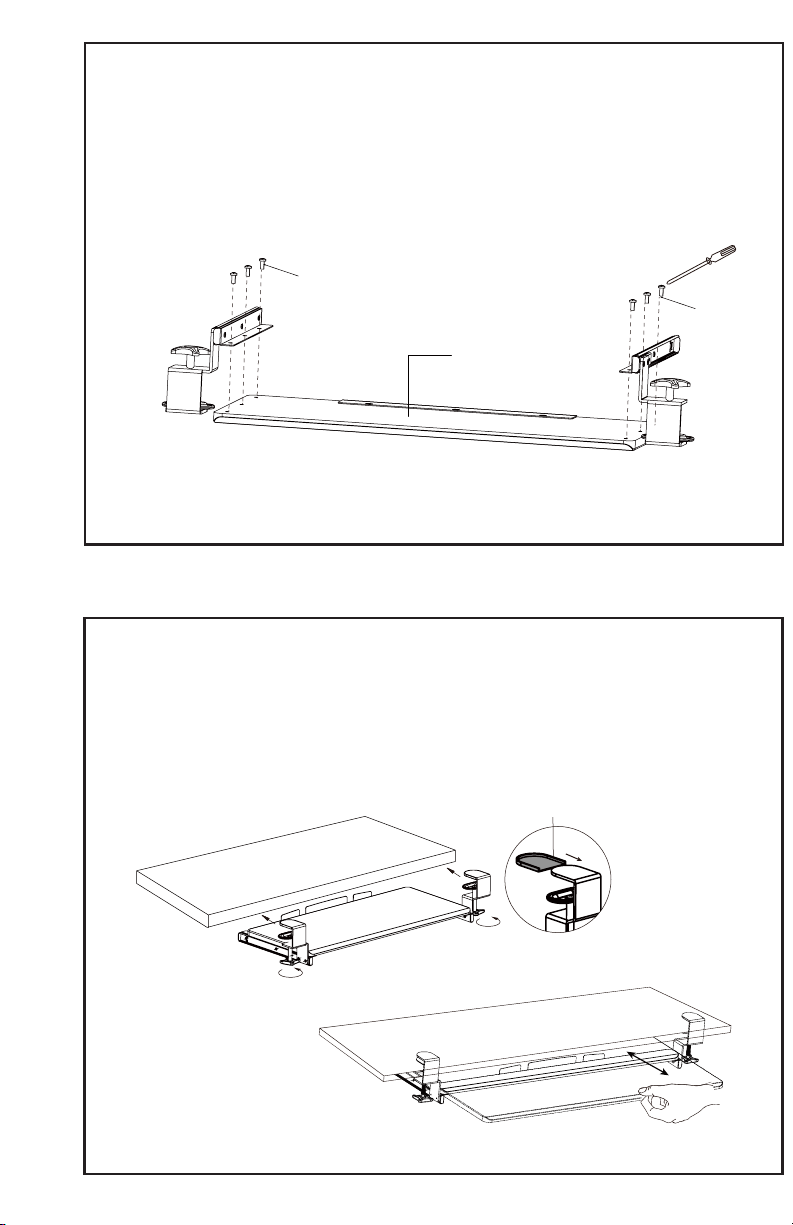
Assemble slider brackets with clamps to the keyboard tray (A) using M5x12 screws (E), and tighten
with a Phillips screwdriver. The clamps must be on the opposite end from the center cable guide.
E
E
A
STEP 3
Place pads (F) on the underside of each clamp. Place assembled keyboard mount on edge of desk
and tighten clamps. To ensure keyboard tray is level, do not over-tighten clamps. Slide keyboard tray
forward/back to desired position.
NOTE: If the keyboard tray is not sliding in completely , remove the keyboard backstop on the tray.
This will allow for an extra 0.75” (19mm) of clearance. If more clearance is needed, change the
orientation of the desk having the sync rod facing towards you. This will avoid the crossbar and cable
tray entirely.
F
3
Page 4

Love your new VIVO setup and want to share?
Tag us in your photo! @vivo_us
LAST UPDATED: 03/09/2021
Open Monday - Friday 7:00am - 7:00pm CS T,
our dedicated support team can oer immediate assistance with rapid response times. If any
parts are received damaged or defective, please contact us. We are happy to replace parts to
ensure you have a fully functioning product.
REV1.1
www.vivo-us.com
Chat live with an agent!
309-278-5303
AVG. RESPONSE TIME (within oice hrs): 1HR 8M
- 23% within < 15m
- 38% within < 30m
- 61% within < 1hr
- 83% within < 2hr
- 92% within < 3hr
AVG. RESOLUTION TIME (within oice hrs): < 15 M
AVG. RESOLUTION TIME (within oice hrs): 5M 4S
FOR MORE VIVO PRODUCTS, CHECK OUT OUR WEBSITE AT: www.vivo-us.com
 Loading...