

Page 1
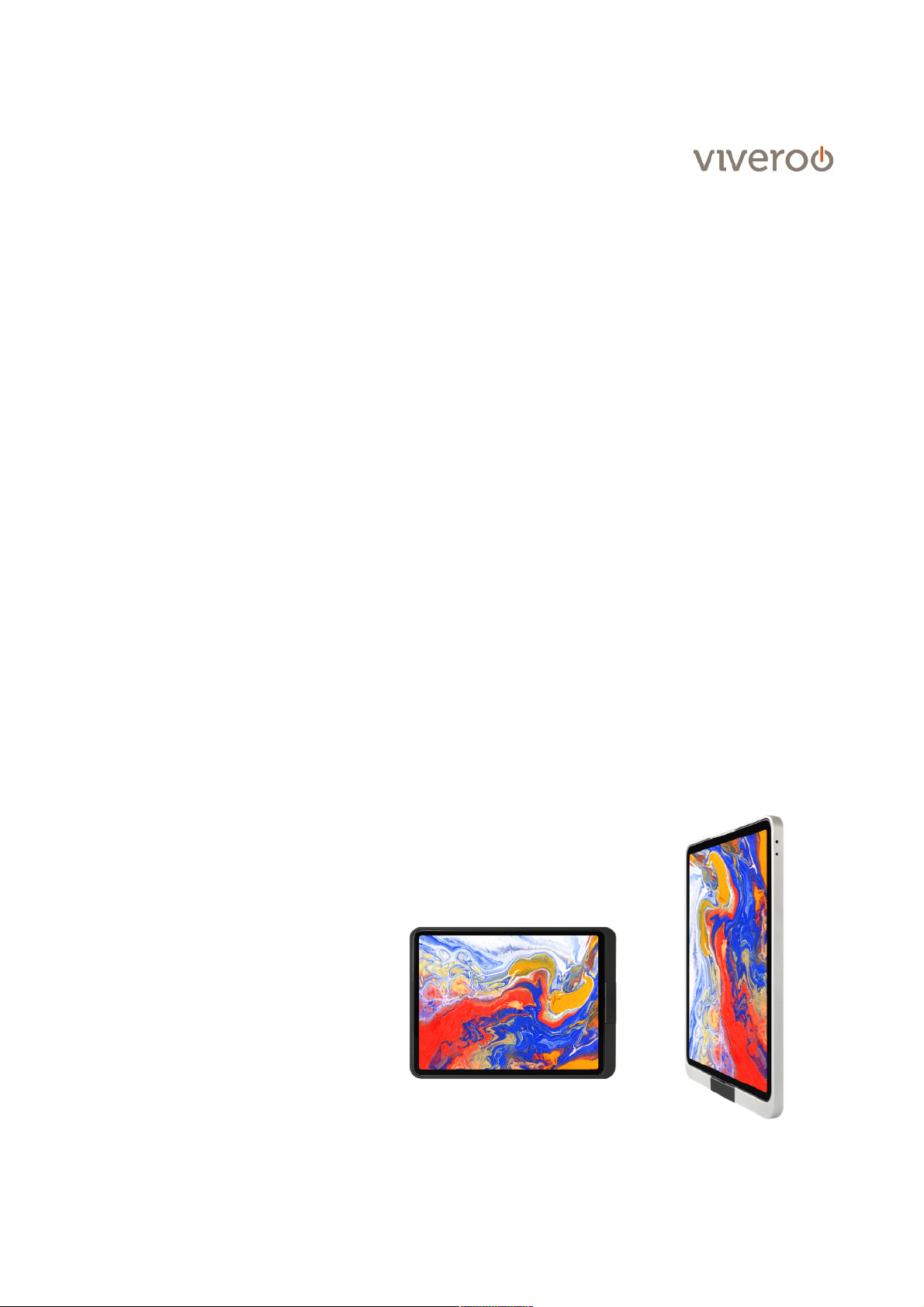
User manual
one
!
viveroo GmbH
Wewelsburger Straße 4
33154 Salzkotten
Germany
www.viveroo.de
REV20191001
Page 2

Safety information
User manual one, page of 2 7
! Warning
Please read the assembly instructions included carefully. Please read
this iPad wallmount user manual completely before using it. Please
follow the instructions and recommendations to ensure proper use
and maximum enjoyment.
Safety
information
All viveroo mounting sets are intended for use in enclosed and dry
living spaces.
The following conditions must be provided:
-
Operating temperature between 0° C (32° F) and 35° C (95° F).
-
Relative humidity (during use): 20!% to 90!%, non-condensing.
-
No external environmental influences such as oil, chemicals, salt,
extensive dust, etc.
Installation, service or repairs, if necessary, may only be performed by
authorized persons.
The maximum altitude is 2.000m.
The installer is responsible for selecting the proper mounting location
and safe installation of the one. This also applies to installation in
movable parts, such as doors. The installer is responsible for
performing and documenting all necessary safety tests.
All electrical installation work may only be conducted by authorized,
trained electricians, always adhering to the general rules and
regulations applying to electrical installation.
Should it become apparent that safe operation of the one is not
assured, then the one must immediately be taken out of service and
secured against potential misuse. If the one functions are limited,
blocked or disabled, if an unusual odor is present, if noises such as
scratching are audible or damage is visible, safe operation can no
longer be guaranteed.
!
Page 3
Technical Data
User manual one, page of 3 7
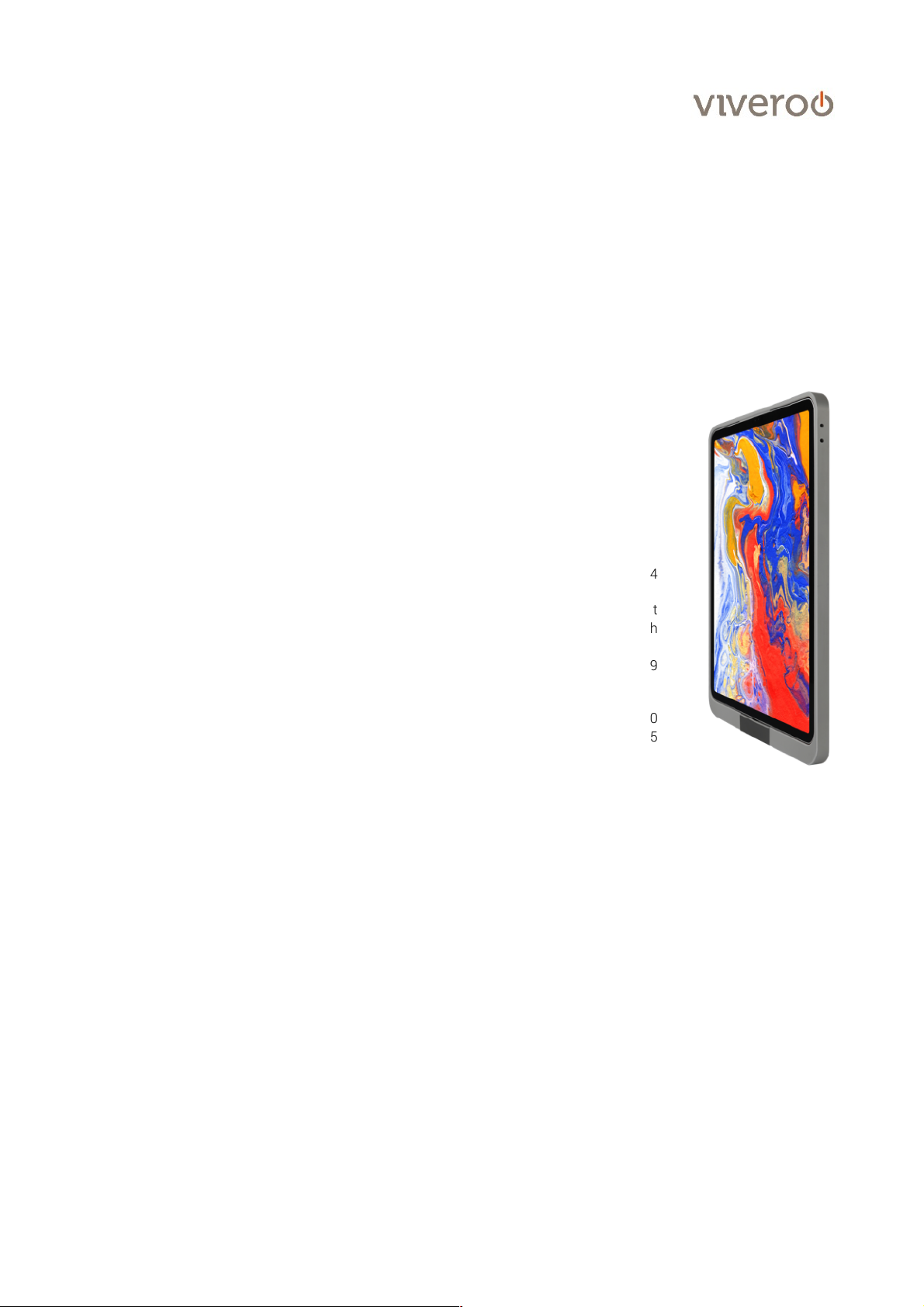
Measurements
in millimeter
Measurements design cover
one for …
… iPad mini 4/5
… iPad 10.2 inch (09/2019), Air (2019), !
Pro 10.5 inch
… iPad Pro 11 inch
… iPad Pro 12.9 inch (2018)
225 x 143
277 x 173!
!
275 x 178
307 x 215
Depth one
14
Size of opening
(for furniture installation)
Size of opening
(for flush-mounted box)
Round hole 40mm to put
the connector through
elongated hole 68 x 139
Installation depth (for furniture)
Installation depth (for flush-mounted box)
30
75
Weight in gram
one for …
… iPad mini 4/5
… iPad 10.2 inch (09/2019), Air (2019), !
Pro 10.5 inch
… iPad Pro 11 inch
… iPad Pro 12.9 inch (2018)
740
866!
952!
1.118
Electrical
connections
Power supply
Power consumption
100-240Vac, 50-60Hz
12,5Watt - 18Watt
depending on iPad and
power supply
Removal from
power supply
The one may be removed from the power supply via the circuit breaker
in the respective rooms.
Techni cal chan ges and mist akes are exc epte d.!
Apple, iPad and Lightning are registeres tradem geschützte Marken von Apple Inc.
Product
contents
- User manual one
- one
- screw set
Compatability
Electrical operation of viveroo iPad mounts is permitted only in
connection with viveroo MountingSet and power supply and cable
included in the MountingSet. Operation of viveroo iPad mounts
without a MountingSet will lead to immediate loss of guarantee and
warranty.
Page 4
Installation
Use the corresponding MountingSet to install your one. All MountingSets come with specific mounting instructions.
Illustration are examples. Depending on the iPad and USB port, another power adapter and cables can be supplied.
!
User manual one, page of 4 7
Step 1
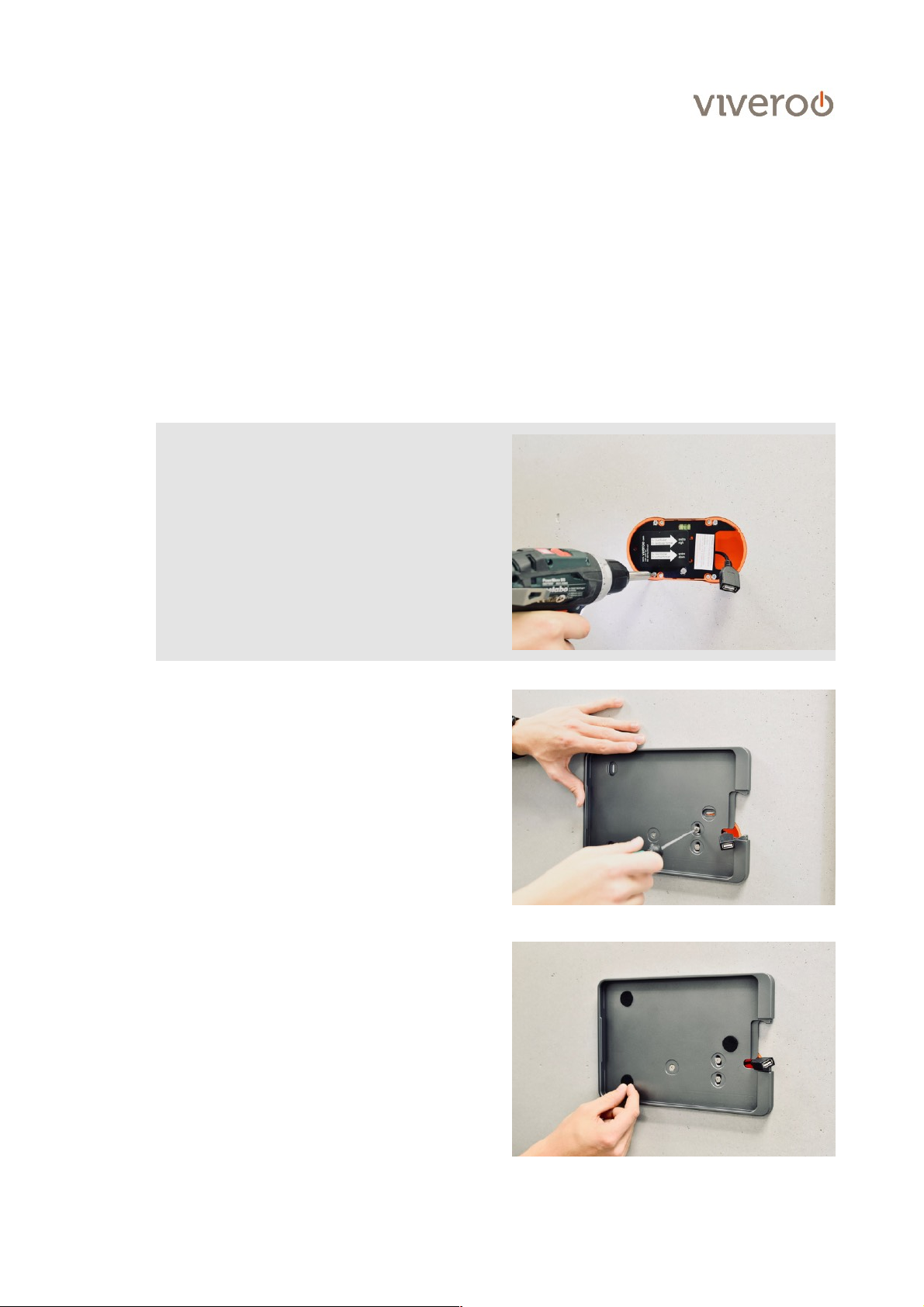
one can be either installed vertically or horizontally !
(see installation guide).
! Important: This installation guide shows the installation
process for Inwall mounting with flush-mount box
(MountingSet Inwall). Here, one is installed in landscape
position.
If you are going to fix the one without a flush-mounted
box and directly to the wall, please continue with step 2.
For USB-C: Insert the USB-C cable in the USB-C power
supply in the wallbox now. To do this, please remove
the black mounting plate from the wallbox to have
access to the power supply.!
!
!
!
!
!
!
!
!
!
!
Put the one on the wallbox. For USB-A: Feed the USB-A
socket out of the box to the front. It makes installation
easier and the cable can be connected later.!
!
Fix and secure the mounting plate using the supplied
screws (2.5mm hex). Tighten the screws lightly at first.
Then you can adjust it to its final position using a level.
Now tighten the screws.
Step 2
Now put the felt points onto the outer screw holes. The
felt points serve as a protection for the iPad. It is not
necessary to cover the inner screw holes for the
wallbox mounting. The screw head cannot come into
contact with the iPad.
Page 5
Installation"
User manual one, page of 5 7
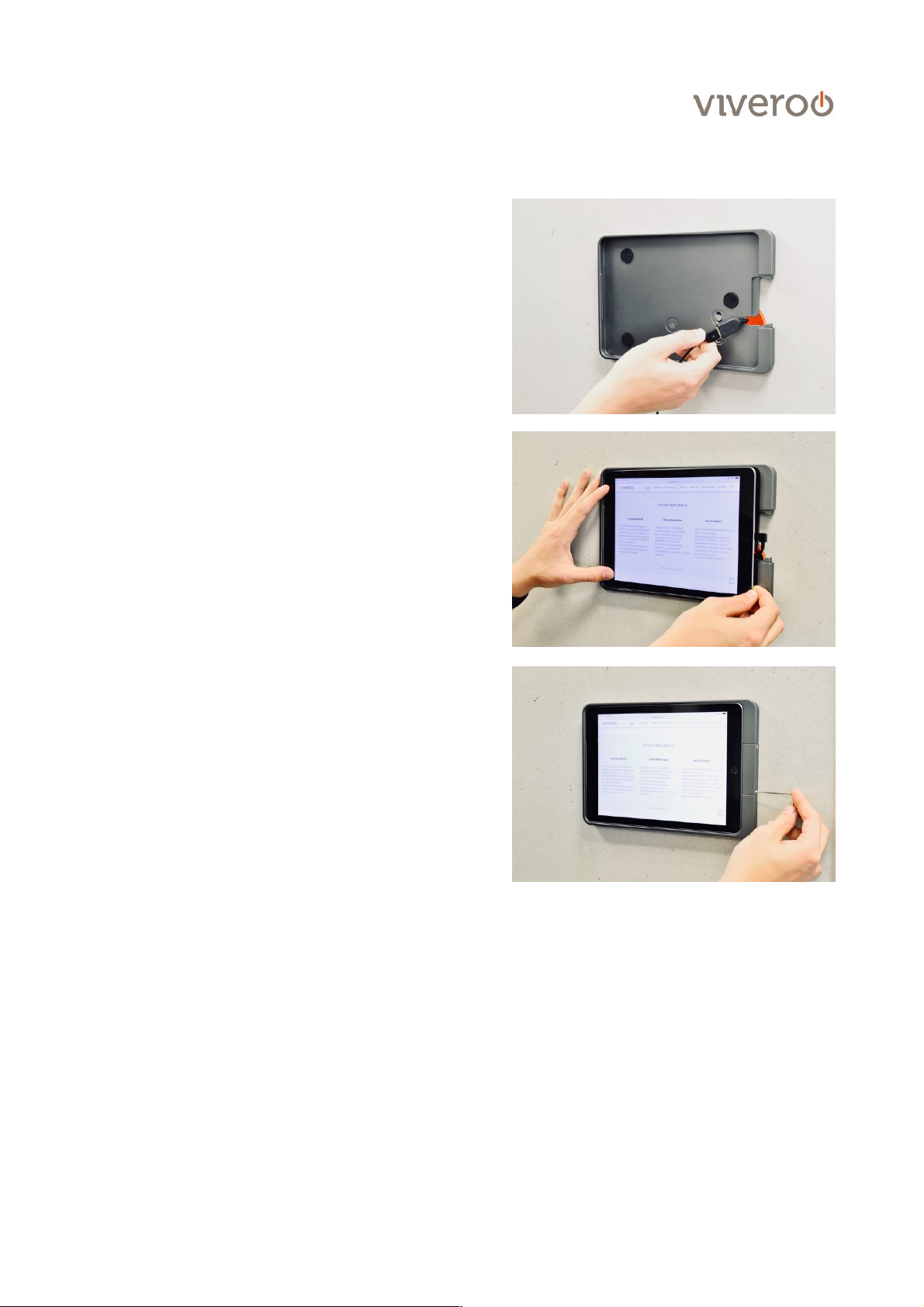
Step 3
Now connect the USB cable to the power supply.
Step 4
Insert the iPad. First slide left under the aluminum lip
and then press on the right. Then connect the iPad to
the charging cable and return the remaining cable to the
wallbox.
Step 5
Finally, put on the cap and fasten it with the enclosed
screws.
Page 6
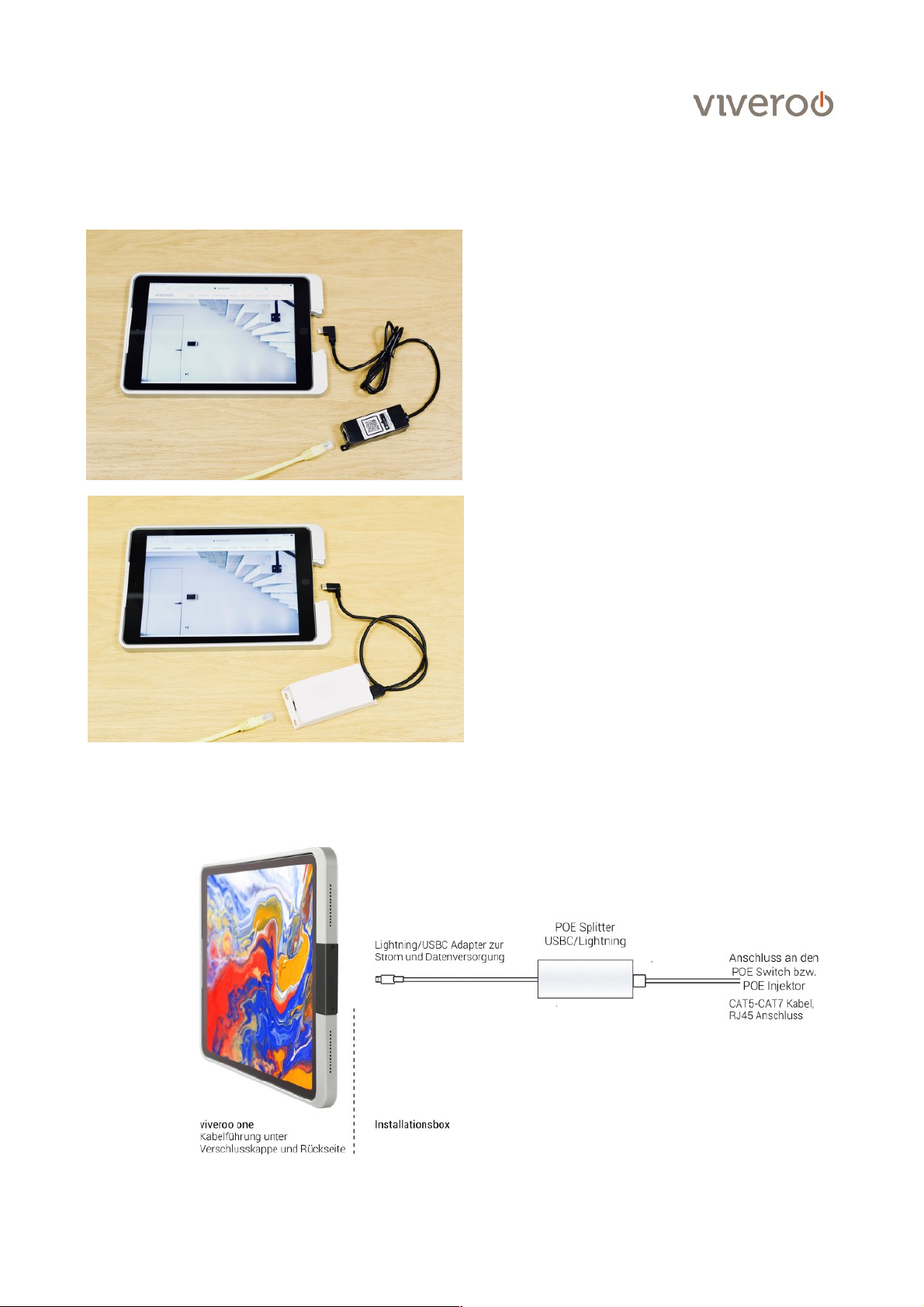
Notes on PoE Splitters
User manual one, page of 6 7
PoE Splitter for iPads with Lightning connector.
PoE Splitter for iPads with USB-C connector.
Note: Use the orange wall box and mounting plate
to attach the viveroo iPad mount to the wall. Lay
the white PoE splitter outside the box, as it can get
very hot at high load. Please also note the enclosed
instructions of the PoE Splitter. We recommend to
put the installation box into a bigger installation box
or in a cavity wall with enough space.
Page 7

Warranty
User manual one, page of 7 7
Warranty
viveroo products come with a one year warranty from date of purchase by the original
end customer, unless the device was repaired or replaced during the warranty period. In
this case, the warranty is valid until the end of the regular two year warranty or six
months following the repair/replacement, whichever comes first.
Warranty claims and
verification
Should your viveroo product for any reason not perform as expected, please contact
your dealer and provide the original invoice with serial number as well as a brief
description of your complaint.
Warranty claims and
verification
The following devices are excluded from the warranty
Devices with damages caused by:
-
acts of nature,
-
misuse, including but not limited to disregarding the user manual and mounting
instructions,
-
inappropriate handling,
-
connection to an incorrect power supply,
-
repairs or attempted repairs by unauthorized persons,
-
use of the device in connection with third party products,
devices on which the serial number of the producer has been changed, deleted, removed
or made illegible.
Apple, iPad and Lightning are registered trademarks of Apple Inc.
 Loading...