

Page 1
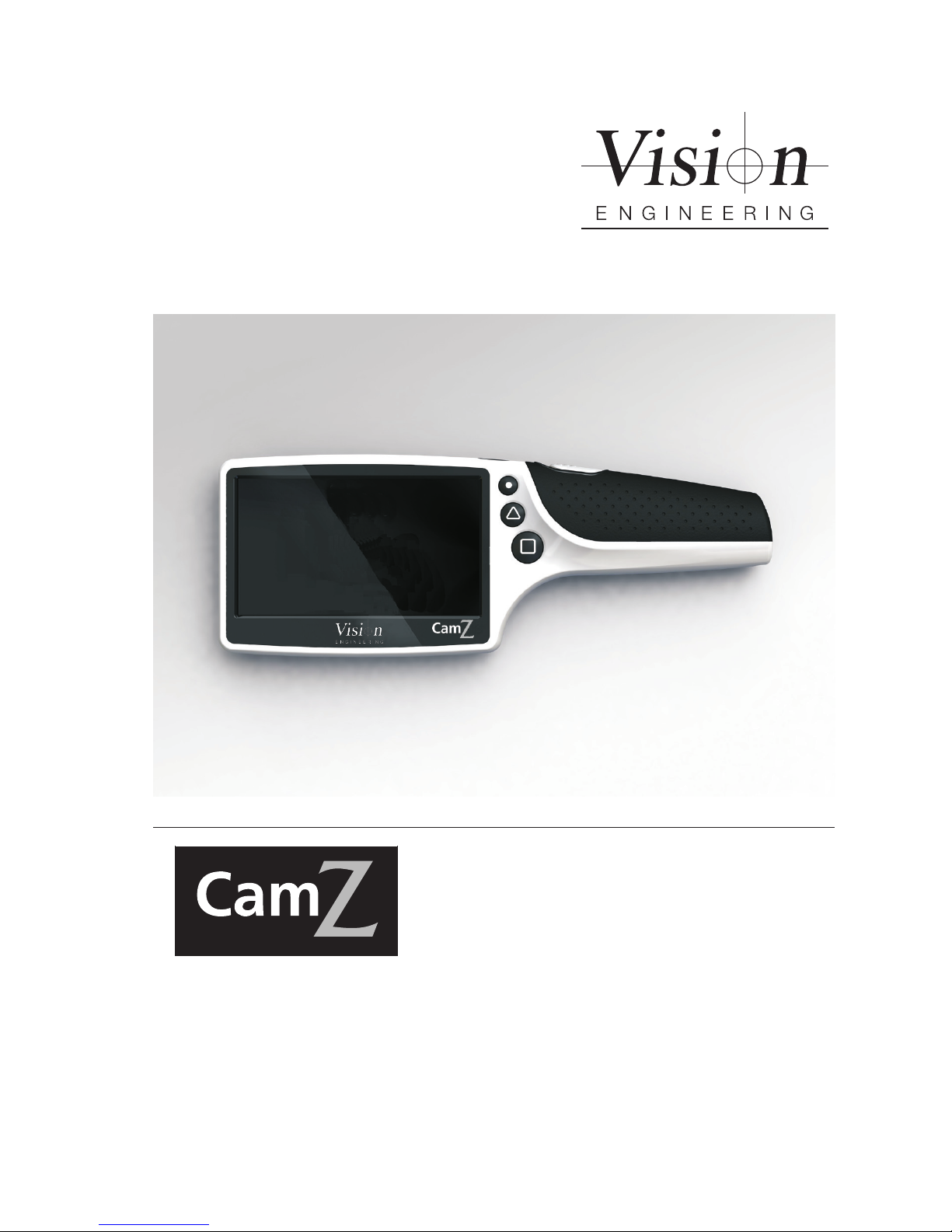
User Guide
Handheld digital magnier
Page 2

Page 3
INTRODUCTION
Handheld digital magnier
Vision Engineering manufacture a wide range of patented optical systems, offering fatigue-free viewing
with superb hand-eye co-ordination, for improved quality and productivity.
To achieve the most from this precision instrument, please read the enclosed assembly instructions, usage
and maintenance guidelines.
Health & Safety
We, Vision Engineering Ltd., declare under our sole responsibility that the product CamZ of the brand
Vision Engineering, to which this declaration relates, is in conformity with the following standards or other
normative documents:
EN55022: 2006 and EN55024:2010
EN61000-3-2: 2006
EN61000-3-3: 2008
Equipment classication: Residential and Industrial
EN62471:2008 Classication: Risk Group 1 – (Low Risk)
following the provisions of EMC directive 2004/108/EC.
Vision Engineering
24th September 2012
Warning symbols
This symbol, when used alone or in conjunction with the following symbol, indicates
the need to consult the operating instructions provided with the product.
WARNING: A potential risk of danger exists if the operating instructions are not
followed.
This symbol indicates the presence of electric shock hazards. Consult the operating
instructions provided with the product wherever this symbol is found.
Page 4

Page 5

CONTENTS
Operation
Initial operation 1
Switching on/off 1
Stability Leg 1
Focus 1
Magnication 1
Image freeze and Image Save: 2
Image Recall: 2
Deleting Saved Images: 2
Dimensioning Cursors and Grids 2
Adjusting the grids: 2
Adjusting the Dimensioning Cursors: 2
Illumination Mode: 2
LED alternate ash: 2
LED Brightness: 2
Setting the Clock: 3
Clearing All Saved Images: 3
Battery level indicator 3
Automatic power-off 3
Connecting the CamZ to the PC 3
Supported operating systems 3
Factory default settings 3
Care instructions and warnings 3
WARRANTY
Page
Page 6

Page 7
www.visioneng.com/support CamZhandhelddigitalmagnier
1
OPERATION
Operation
Initial operation
X We recommend you fully charge your CamZ magnier before its rst use. The charger is supplied
with a range of international power connectors and you should choose the appropriate one for your
country.
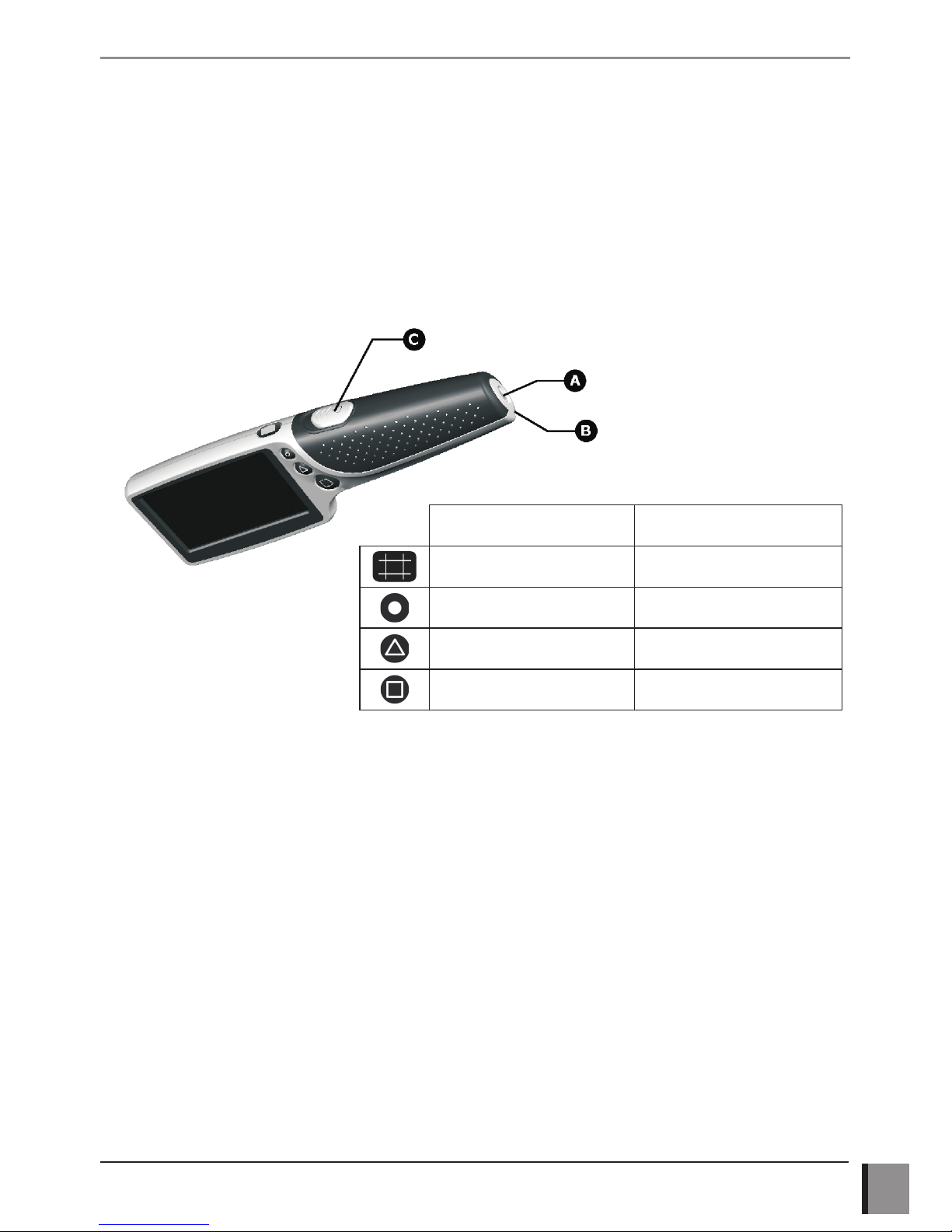
X Fit the cable to the charger and plug it into the end of the handle on the CamZ (A). The charging
indicator around the power connector will illuminate in orange as the CamZ is charging and will
extinguish when charging is complete. A full charge takes about 3 hours but can be longer.
X Alternatively, the CamZ can be charged from the USB port of a computer or by many standard
chargers for portable consumer devices. The connector used is an industry standard and all such
chargers should be compatible though charging times may vary considerably. For best results, the
CamZ should not be operated while charging.
X The unit is supplied with a neck strap that can be tted to the end of the handle (B) if required.
Switching on/off
X Slide the power switch (C) forwards to turn on the unit. The LED lights on the underside will illuminate
and an image will appear on the screen. Place the unit over the item you want to magnify with the
screen centred over the area of interest. You will need to raise or lower the unit to nd the sharpest
focus. The CamZ will re-use your last magnication and focus settings when next powered on.
Short press Long press
Cycle grids and cursors Cursor Adjust/LED bright
Image freeze Recall mode
Focus near/far LED alternate ash
Magnication level Illumination mode
Page 8
CamZ handheld digital magnier www.visioneng.com/support
2
OPERATION
Stability Leg
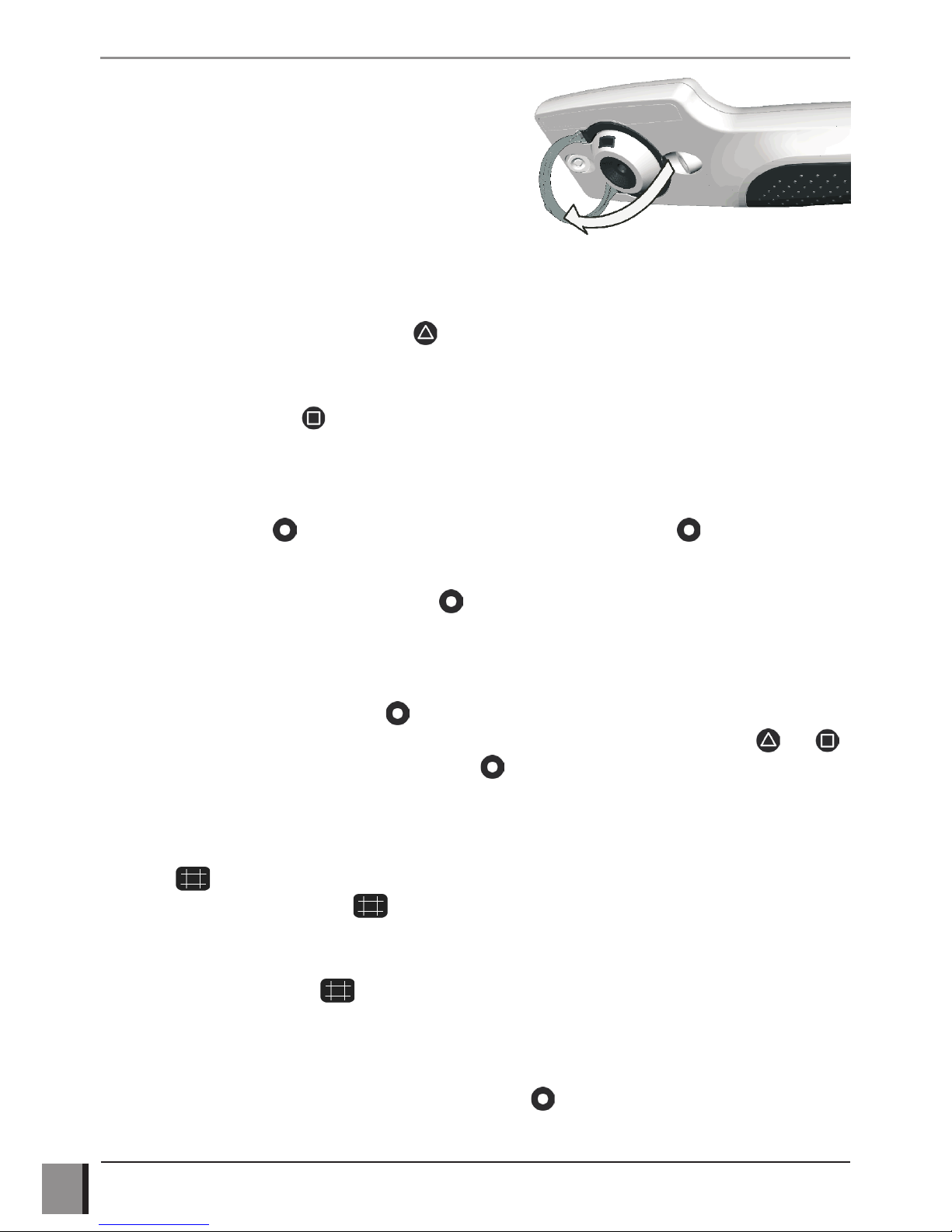
X The CamZ is provided with a ip out leg located
around the lens on the underside. Simply ip it out
fully to help maintain the ideal distance from the item
you are viewing. Click it back in place when not in use.
Focus
X There are two preset focal distances, near and far, set at approximately 12mm and 24mm from
the base of the unit. These distances cannot be changed as they are integral to the dimensioning
function of the device. A short press of will toggle between near and far focus.
Magnication
X Repeatedly pressing the button will cycle through the three levels of magnication. You can
choose the level that best suits what you are viewing.
Image freeze and Image Save:
X A short press of the button will freeze the image. Another short press of will return to the
live image.
X While the image is frozen, a long press of the button will save the frozen image to the internal
memory. When the image is stored you will automatically enter the Image Recall mode described below.
Image Recall:
X From the live image, a long press of will enter the image recall mode. The last stored image will
be shown and a picture number, in the form “# 10” for example, will be displayed. Use and
to move to the previous and next stored images. will return to the live camera mode.
Deleting Saved Images:
X When in Image Recall mode (above) you can delete the currently displayed image by a long press
of the button. The unit will show a trash can icon with a “?” beside it, asking you to conrm
deletion. Another long press of will delete the image and display the prior saved image if it exists.
Dimensioning Cursors and Grids
X Repeated short presses of will rst display the 1mm grid, then the dimensioning cursors and
nally clear the lines. The dimensions between the lines will be displayed on the screen. Note
the accuracy of this grid is dependant on how well focussed the unit is. The grid spacing will
automatically adjust to represent 1mm when the zoom or focus distance is changed on the unit. In
many cases it will be useful to freeze the image with the button before adjusting the cursors/grid.
If the image is saved while the grids or cursors are displayed, they too will be saved on the image.
Page 9
www.visioneng.com/support CamZhandhelddigitalmagnier
3
OPERATION
Adjusting the grids:
X The 1mm grid can be moved to allow it to be aligned with features on the image. Long presses of
will highlight either a horizontal or vertical line. The and buttons will allow the grid to
be moved in that direction.
Adjusting the Dimensioning Cursors:
X Repeated long presses of will highlight the cursors in turn. The and buttons will allow
the cursors to be moved and the distance between them will be displayed.
Illumination Mode:
X To facilitate viewing objects where reections may be an issue, the lighting can be cycled through three
settings; both LED’s on (default), both LED’s off, left only LED on and right only LED on. A long press of
the button will cycle through the options. Note this setting is deliberately not saved at power off.
LED alternate ash:
X Press and hold the button and the left and right LED’s will ash alternately. This can be helpful
in clarifying three-dimensional objects. When the button is released the unit will return to the
previously used illumination mode.
LED Brightness:
X The LED’s can be set to one of three brightness levels. If the cursors or grids are currently displayed,
cycle through using until they are off. Repeated long presses of will cycle through the
levels available.
Setting the Clock:
X The internal clock which is used to generate the date-stamp on the saved images will need to be set
if you depend on this function. Press both and simultaneously and release them to pop up
the menu. Use to move to the next eld and then press or to increment or decrement
the value. When the values are correct, use to navigate to “Save and Exit” and press .
Alternatively, press to exit without saving.
Clearing All Saved Images:
X Press both and simultaneously and release them to pop up the menu. Use to move to
the “Delete All” eld, enter a long press of . You will be asked to conrm deletion; long press
again to conrm or any other key to exit.
Battery level indicator
X When the unit is powered on, the remaining battery capacity is estimated and displayed briey. A
warning will be issued when the battery is almost depleted.
Page 10

CamZ handheld digital magnier www.visioneng.com/support
4
OPERATION
Automatic power-off
X The CamZ will reduce its power consumption if no button has been pressed within 3 minutes. The
display will go black and the lighting will go off. On pressing any button, it will power back up again
automatically. If no button is pressed for 8 minutes the unit will power off completely and need to be
powered off and on to wake it. If the battery is depleted, the CamZ will power-off and will not power
on again until it is charged for at least 30 minutes.
Connecting the CamZ to the PC
X The stored images on the CamZ can be viewed on any PC with a free USB port. Insert the micro
USB plug on the supplied cable into the micro USB socket on the CamZ. Connect the other end of
the cable to a USB port on your PC. If this is the rst time the CamZ is connected to the PC then
wait until the PC automatically installs the correct drivers. A message will appear on the PC when
the installation has been completed. The CamZ will now appear as a drive on the PC and the saved
images can be viewed.
Supported operating systems
Windows
Windows 2K/ME/XP/Vista/7
Mac
Apple Mac OSx
Linux
Linux Mass Storage Class drivers
Factory default settings
X To set the unit back to factory defaults, press and hold the button while powering on the unit.
A message will be displayed and the unit will restart. The zoom level, focus point, LED’s and cursor/
grid settings will be set back to default values.
Care instructions and warnings
When cleaning the CamZ do not use soap solutions, solvents or abrasives. Do not immerse in water! Use
the supplied cloth to remove ngerprints, etc. Heavier dirt can be removed with a damp cloth.
Warnings: Do not open the CamZ – there are no user-serviceable parts inside.
The LED lighting in the CamZ is exceptionally intense. Do not stare into the
LED lighting for prolonged periods.
At the end of its life, the CamZ should be recycled through a certied
disposal facility. Do not incinerate.
Page 11

WARRANTY
WARRANTY
This product is warranted to be free from defects in material and workmanship for a period of one year
from the date of invoice to the original purchaser.
If during the warranty period the product is found to be defective, it will be repaired or replaced at
facilities of Vision Engineering or elsewhere, all at the option of Vision Engineering. However, Vision
Engineering reserves the right to refund the purchase price if it is unable to provide replacement,
and repair is not commercially practicable or cannot be timely made. Parts not of Vision Engineering
manufacture carry only the warranty of their manufacturer. Expendable components such as fuses carry
no warranty.
This warranty does not cover damage in transit, damage caused by misuse, neglect, or carelessness,
or damage resulting from either improper servicing or modication by other than Vision Engineering
approved service personnel. Further, this warranty does not cover any routine maintenance work on the
product described in the user guide or any minor maintenance work which is reasonably expected to be
performed by the purchaser.
No responsibility is assumed for unsatisfactory operating performance due to environmental conditions
such as humidity, dust, corrosive chemicals, deposition of oil or other foreign matter, spillage, or other
conditions beyond the control of Vision Engineering.
Except as stated herein, Vision Engineering makes no other warranties, express or implied by law, whether
for resale, tness for a particular purpose or otherwise. Further, Vision Engineering shall not under any
circumstances be liable for incidental, consequential or other damages.
Page 12

Vision Engineering Ltd.
(Central Europe)
Anton-Pendele-Str. 3,
82275 Emmering, Deutschland
Tel: +49 (0) 8141 40167-0
Email: [email protected]
Vision Engineering Ltd.
(France)
ZAC de la Tremblaie, Av. de la Tre mblaie
91220 Le Plessis Paté, France
Tel: +33 (0) 160 76 60 00
Email: [email protected]
Vision Engineering Ltd.
(Italia)
Via Cesare Cantù, 9
20092 Cinisello Balsamo MI, Italia
Tel: +39 02 6129 3518
Email: [email protected]
Vision Engineering
(Brasil)
Tel: +55 11 4063 2206
Email: [email protected]
Nippon Vision Engineering
(Japan)
272-2 Saedo-cho, Tsuduki-ku,
Yokohama-shi, 224-0054, Japan
Tel: +81 (0) 45 935 1117
Email: [email protected]
Vision Engineering
(China)
11J, International Ocean Building,
720 Pudong Avenue, Shanghai,
200120, P.R. China
Tel: +86 (0) 21 5036 7556
Email: [email protected]
Vision Engineering
(S.E. Asia)
Tel: +603 80700908
Email: [email protected]
Vision Engineering
(India)
Email: [email protected]
Distributor
Visit our website:
www.visioneng.com
For more information...
Vision Engineering has a network of offices and technical distributors around
the world. For more information, please contact your Vision Engineering
branch, local authorised distributor, or visit our website.
Disclaimer – Vision Engineering Ltd. has a policy of continuous development and reserves the right to change or
update, without notice, the design, materials or specification of any products, the information contained within
this brochure/datasheet and to discontinue production or distribution of any of the products described.
Vision Engineering Ltd.
(Manufacturing)
Send Road, Send,
Woking, Surrey, GU23 7ER, England
Tel: +44 (0) 1483 248300
Email: [email protected]
Vision Engineering Ltd.
(Commercial)
Monument House, Monument Way West,
Woking, Surrey, GU21 5EN, England
Tel: +44 (0) 1483 248300
Email: [email protected]
Vision Engineering Inc.
(Manufacturing & Commercial)
570 Danbury Road,
New Milford, CT 06776 USA
Tel: +1 (860) 355 3776
Email: [email protected]
Vision Engineering Inc.
(West Coast Commercial)
745 West Taft Avenue,
Orange, CA 92865 USA
Tel: +1 (714) 974 6966
Email: [email protected]
LIT4836 R1.0/09/12
 Loading...