

Page 1
Page 2
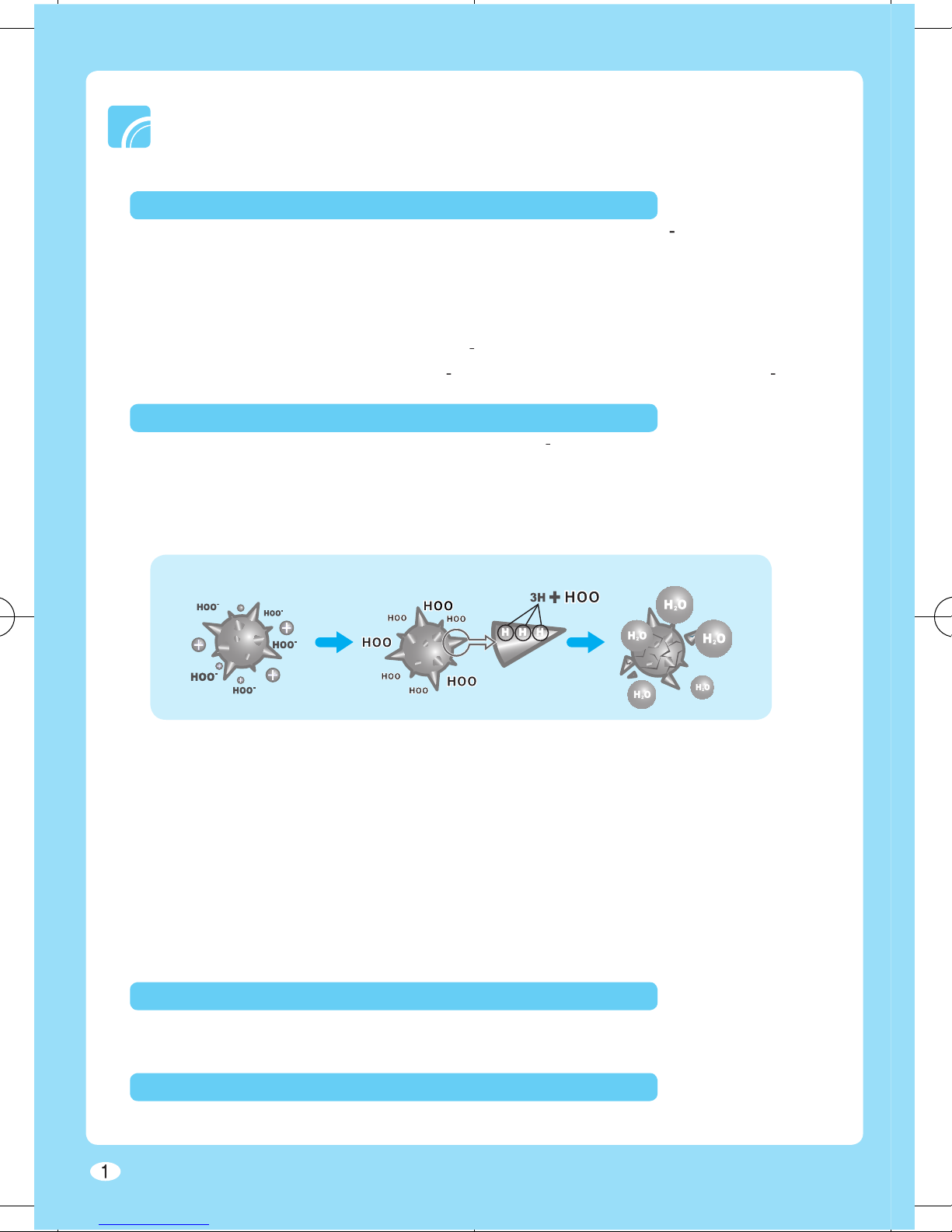
Mechanism of ion generation
₂
)
- Ceramic electrode (+ electrode) : Micro plasma discharger splits water molecules in the
air and forms positively charged hydrogen atoms (H
).
- Pin electrode (- electrode) : High-voltage electric discharger emits electrons (e) which
and O
₂
to form Hydrogen atom (H) and
Oxygen ion (O
₂).₂
) together form Hydroperoxyl radicals (HOO
).
Excellent air purifying technology
SPi generates Hydrogen atom (H
+
) and Oxygen ion(O
₂
) which reacts together to form
with three hydrogen elements of its protein structure before forming water vapor. Also,
the Hydrogen atom(H) will combine with OH-radical to form a water vapor and neutralize
Virus Elimination Mechanism
SPi eliminates biological contaminants (such as bacteria, viruses, molds etc.) more
eff ectively in airtight area.
Anti Allergen
SPi eliminates harmful allergens (such as dust mites, dusts, dog and cat hair) which can
cause rhinitis, asthma or other allergic symptoms.
World Recognized Technology
SPi technology is tested from many academic organizations in Korea, Japan and United
eff ectiveness of the technology was proven all around the world.
You can use it at home or in your car
Virus Zero will make sure to keep you healthy by providing the clean air at home and
even when you are driving your car.
Stylish design
Simple and luxury style allow you to place the product in any interior or automobile.
Page 3
2
Safety Information
..............................................................................
3
Checking the Parts/Components
......................................................
9
Before Using the Product
........................................................................
Operating the Product
......................................................................
Basic Operation
Cleaning the Product
........................................................................
Troubleshooting
...............................................................................
........................................................................
Other Information
Page 4
3
Hazards or unsafe practices that may result in severe personal injury or death.
Hazards or unsafe practices that may result in minor personal injury or
property damage.
and to prevent any possible damage or loss of property.
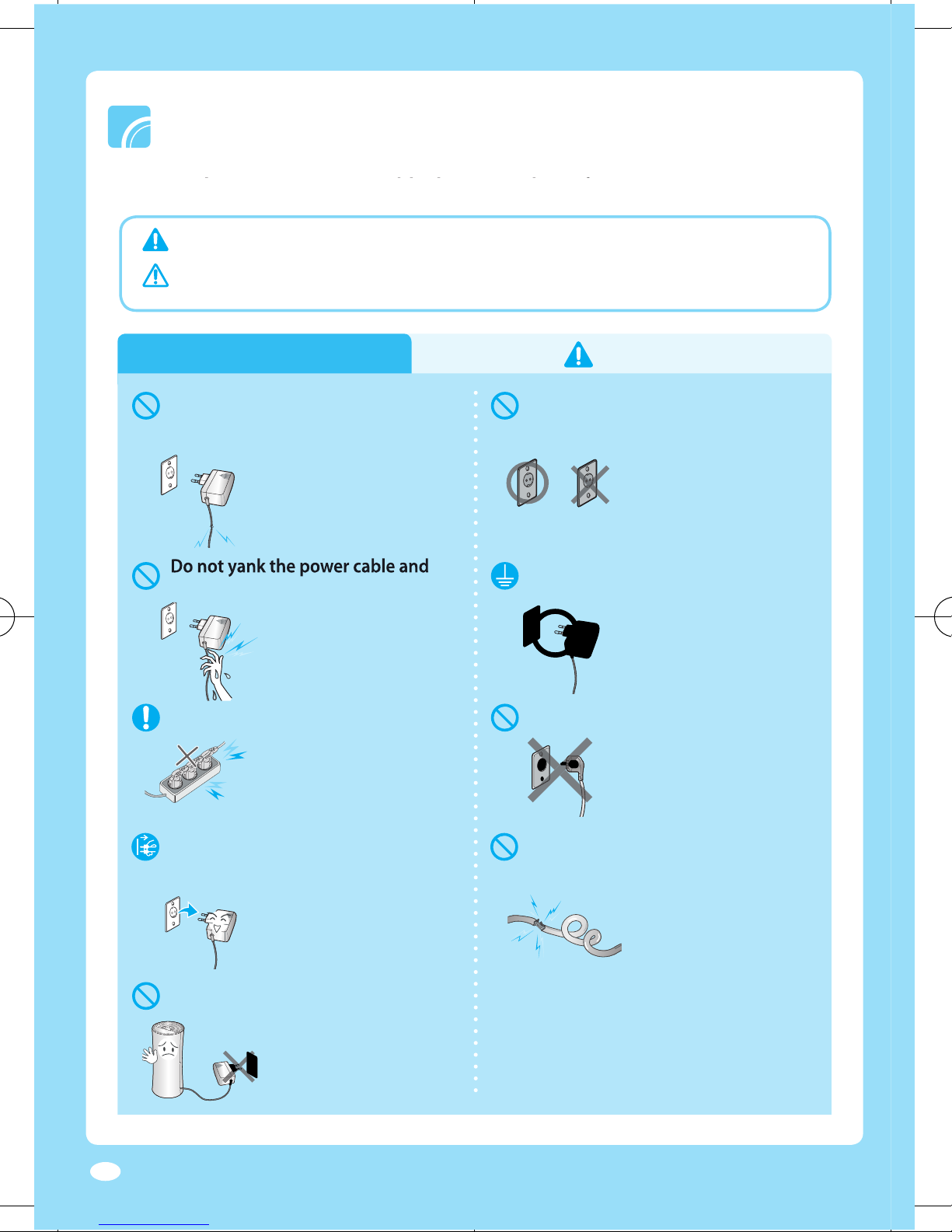
Power supply
220V 110V
▶
Product may not operate
normally and there is
potential risk of fi re.
dusted power cable or loosened
▶
Potential risk of fi re or
electric shock.
▶
Potential risk of fi re or
electric shock.
▶
Potential risk of fi re or
electric shock.
▶
You can save energy
and prevent fi re.
excessively or place heavy object
on the power cable.
▶
Potential risk of fi re or
electric shock.
turn off the power.
▶
There is potential risk of
product damage or electric
shock. Use the power button
to turn off the power.
touch the power plug with wet hands.
▶
Potential risk of fi re or
electric shock.
Connect the power plug to a
grounded receptacle.
▶
Potential risk of fi re or
electric shock.
Page 5
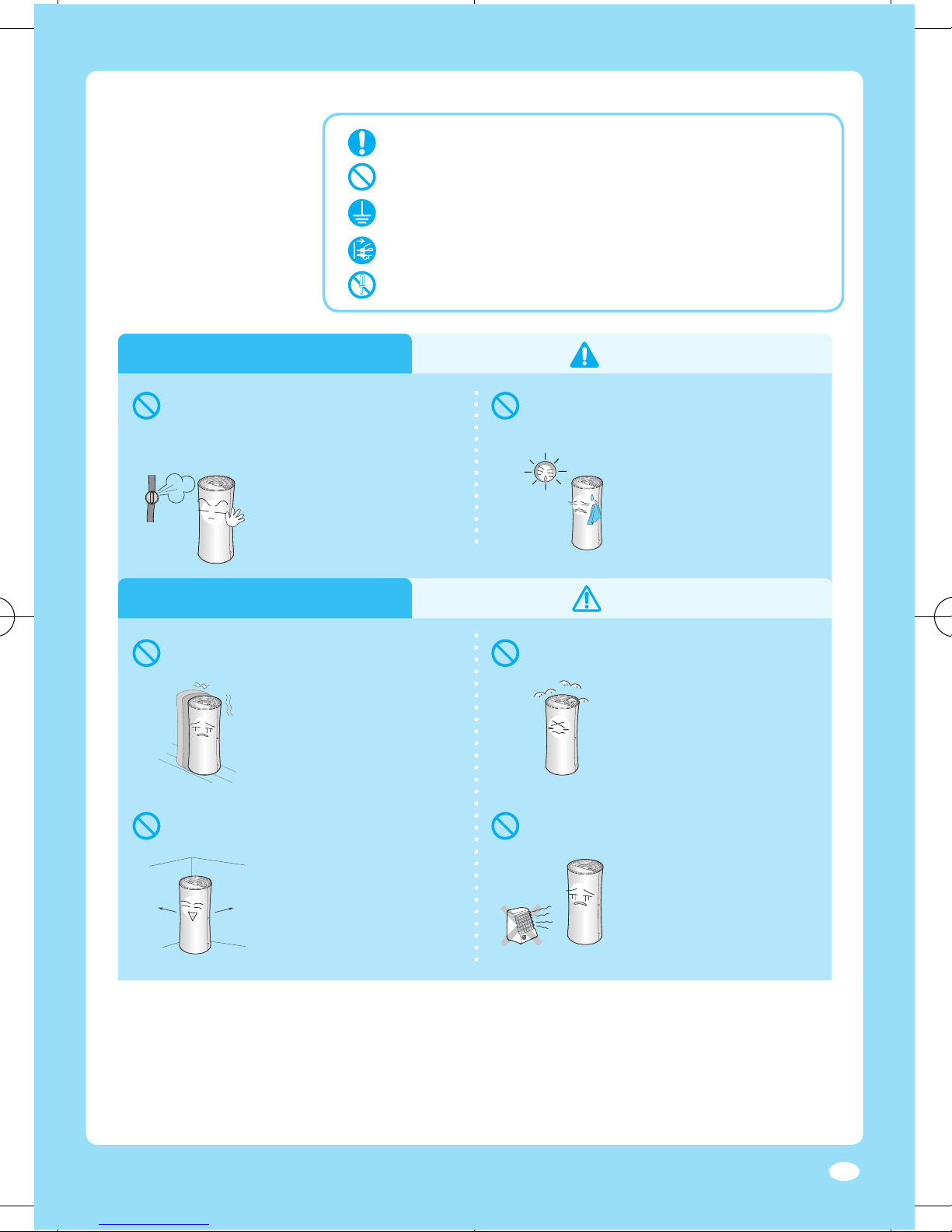
4
Installing
Follow the direction carefully.
Do not attempt.
Unplug the power plug from the wall socket.
Do not disassemble.
Make sure the machine is grounded to prevent electric shock.
Installing
that release free fl ames to avoid fi re,
explosions or injuries.
▶
Potential risk of
explosion or fi re.
direct exposure to sunlight, heating
appliance and humid places.
▶
There are potential risk
of electric shock and
performance decrease.
10cm
10cm
around the product.
▶
If you can clear space
around the product, it
may cause performance
decrease.
or sloped surface.
▶
If the product falls, it
can be damaged or
per
form abnormally.
with oil fume or metallic dust.
▶
Potential risk of fi re or
product damage.
▶
Potential risk of fi re.
Page 6
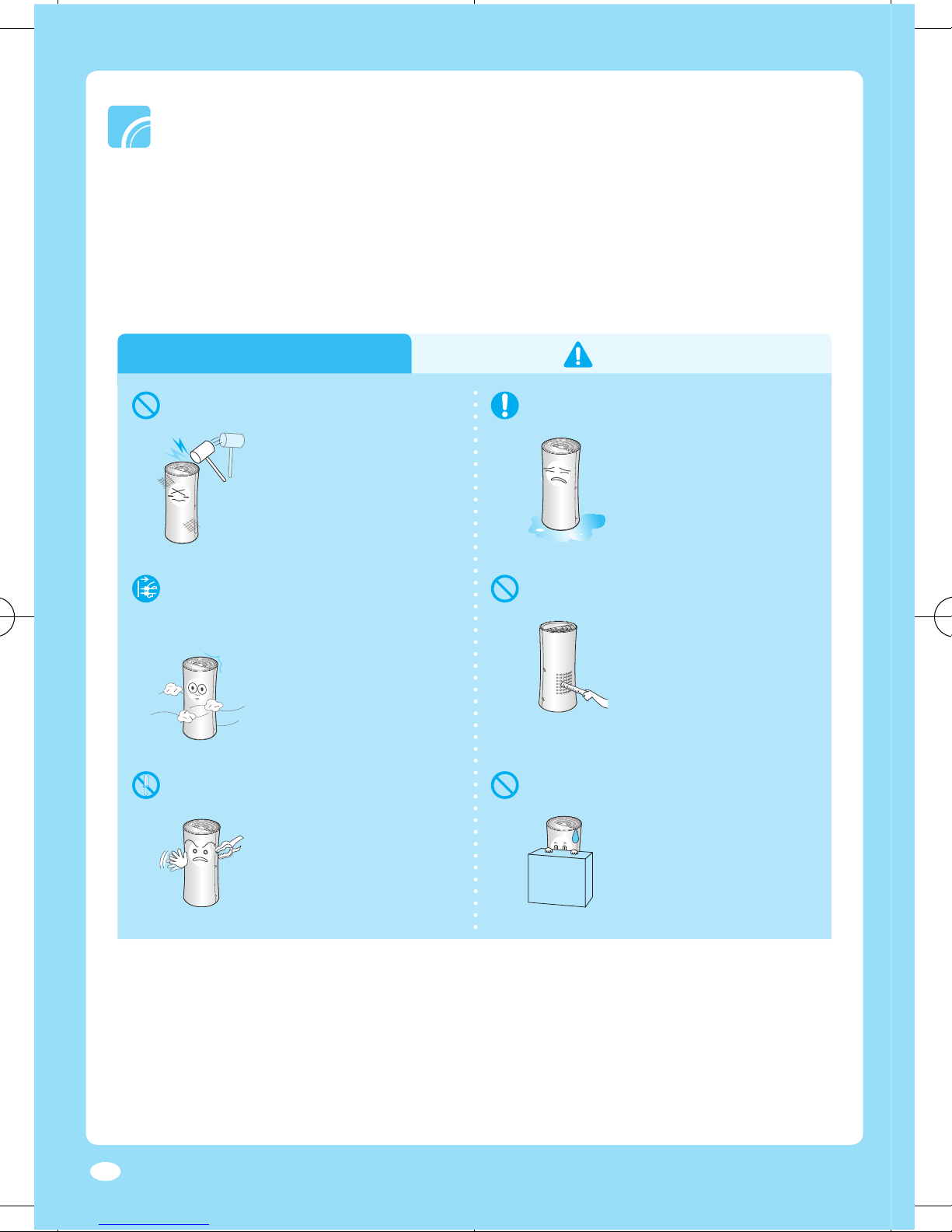
5
Operating (Residential)
appliance with excessive power.
▶
This may result in fi re,
injury or a problem
with the product.
emitted, unplug the power plug
▶
Potential risk of fi re or
electric shock.
substances into the ion outlet.
▶
Potential risk of product
damage or electric shock.
▶
Potential risk of fi re or
electric shock.
air inlet or the ion outlet.
▶
It may cause product
damage or performance
decrease.
or modify the appliance yourself.
▶
Potential risk of product
damage, electric shock
or fi re. Contact service
center when repair is
needed.
Page 7
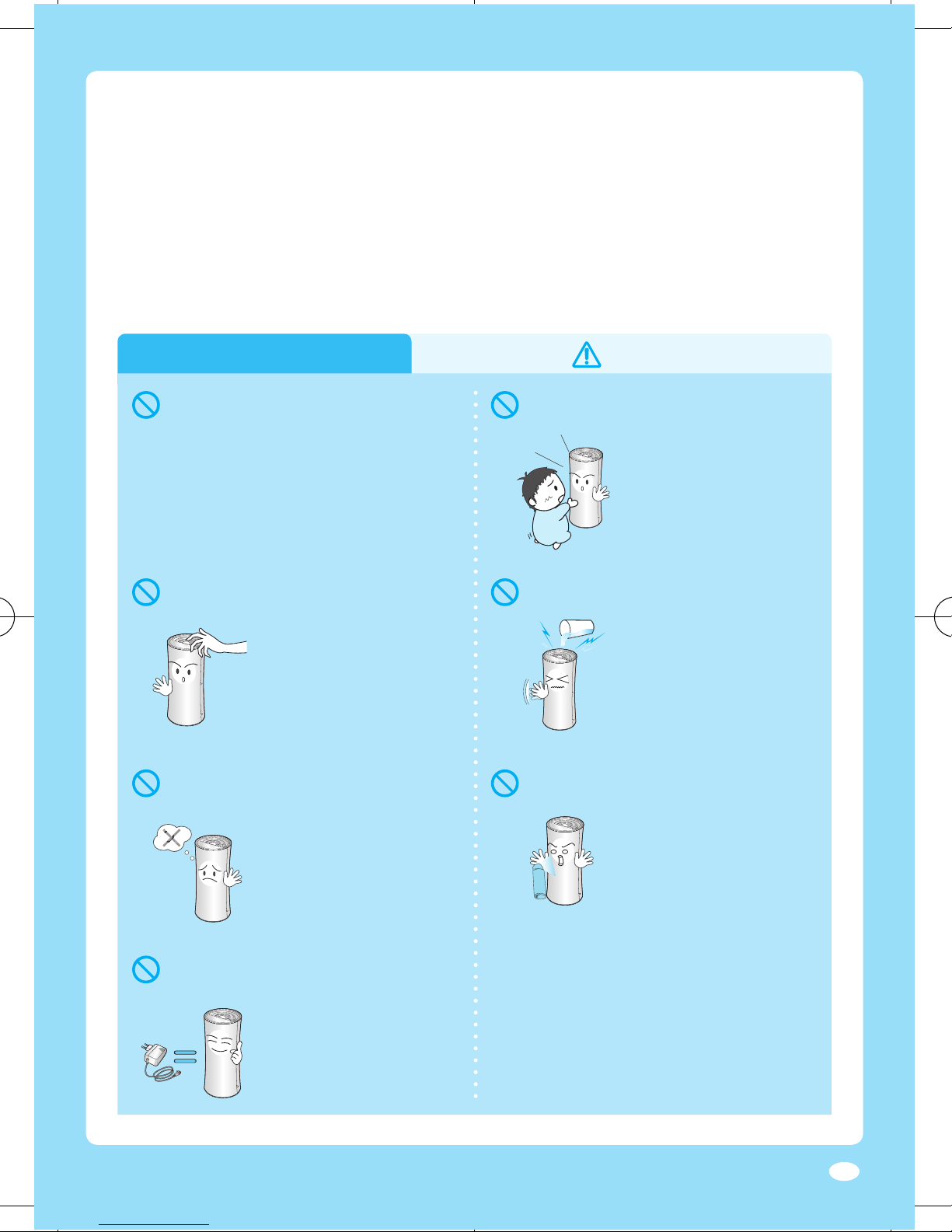
6
Operating (Residential)
damaged, the manufacturer or a
qualifi ed service technician must
NO!
▶
If the product falls, they
may get injured.
▶
Potential risk of product
damage or electric shock.
▶
Potential risk or electric
shock.
▶
I
f the water gets into
the product, stop the
operation and unplug
the power cable.
O2
2
space or place with young children
or senior.
▶
It may become dangerous
due to lack of oxygen.
such as insecticide near the product.
▶
Potential risk of electric
shock, fi re or unit
malfunction.
with any other products.
▶
Potential risk of product
damage or electric
shock.
Page 8
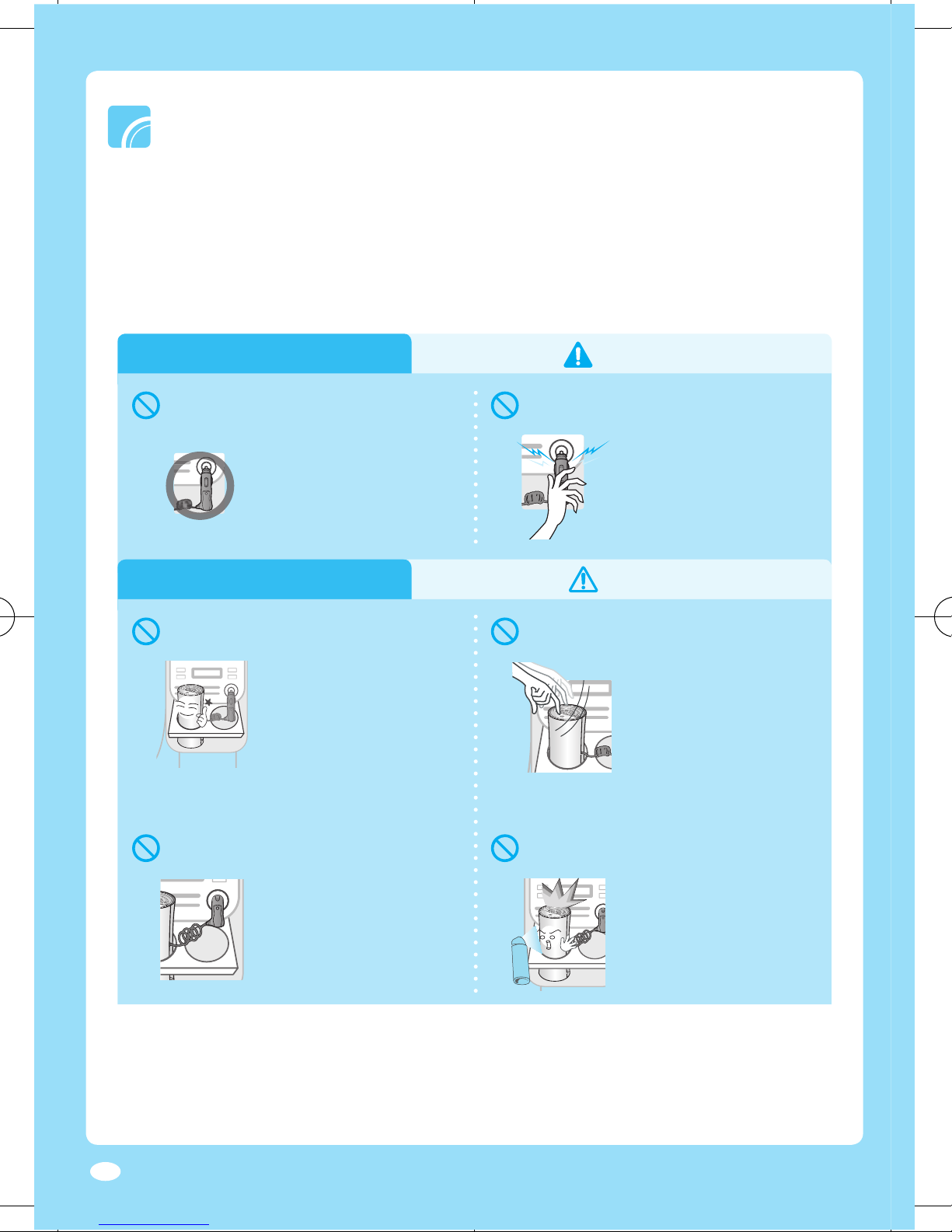
7
Operating (Automobile)
Operating (Automobile)
DC12V
▶
Potential risk of electric
shock or burn.
adapter.
▶
Potential risk of electric
shock or burn.
Make sure the product is securely fi xed
▶
If the product falls, it
can be dangerous and
may cause accident.
▶
If the product falls, you
may get injured and the
product may get
damaged.
driving.
▶
Potential risk of car
accidents.
spray type insecticide.
▶
Potential risk of fi re.
Page 9
8
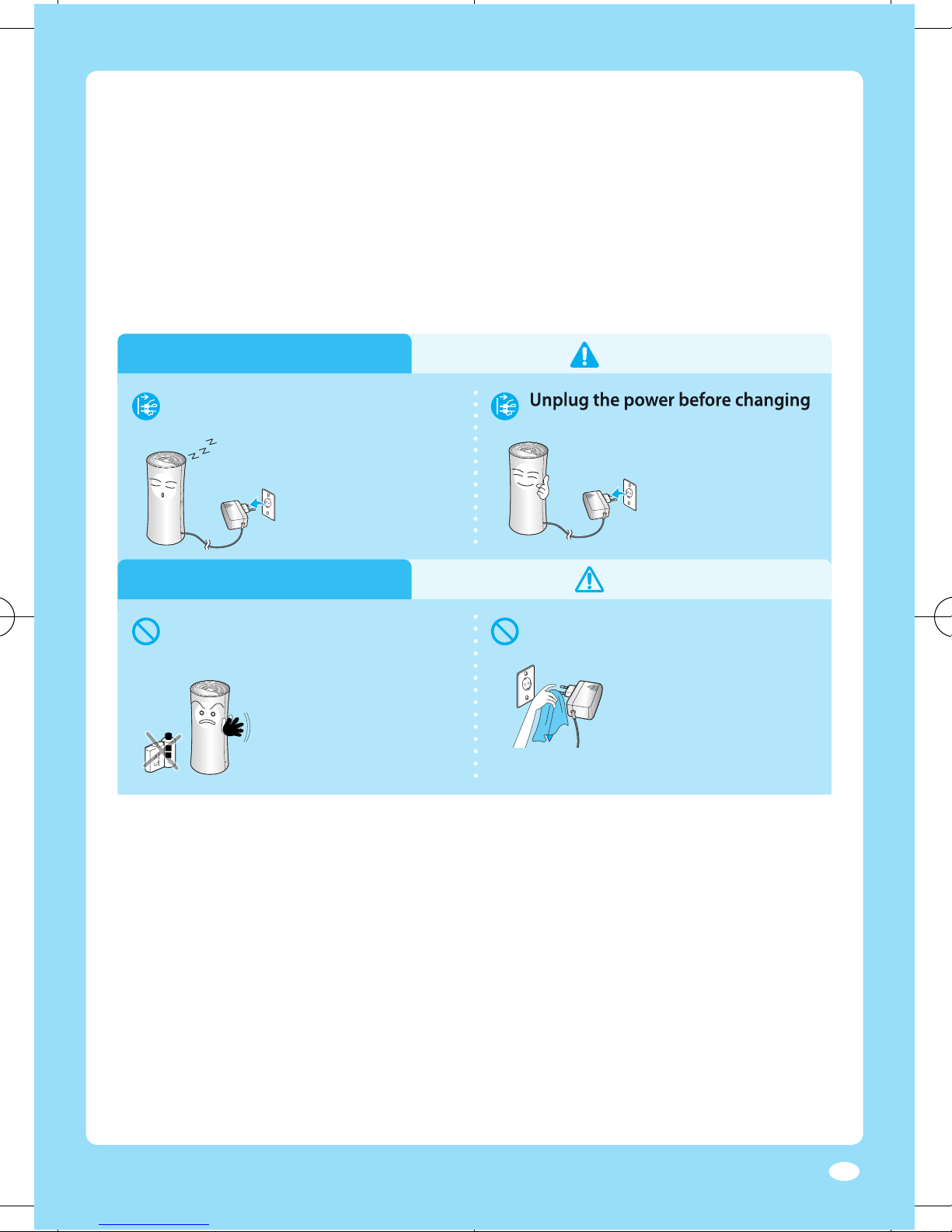
Cleaning
Cleaning
the product.
▶
Potential risk of personal
injury or electric shock.
the air fi lter.
alcohol to clean the product.
▶
Potential risk of fi re or
electric shock.
▶
I
t may damage the
surface of the product.
올
올
Clean the dusts on the power
▶
Potential risk of fi re or
electric shock.
Page 10
9
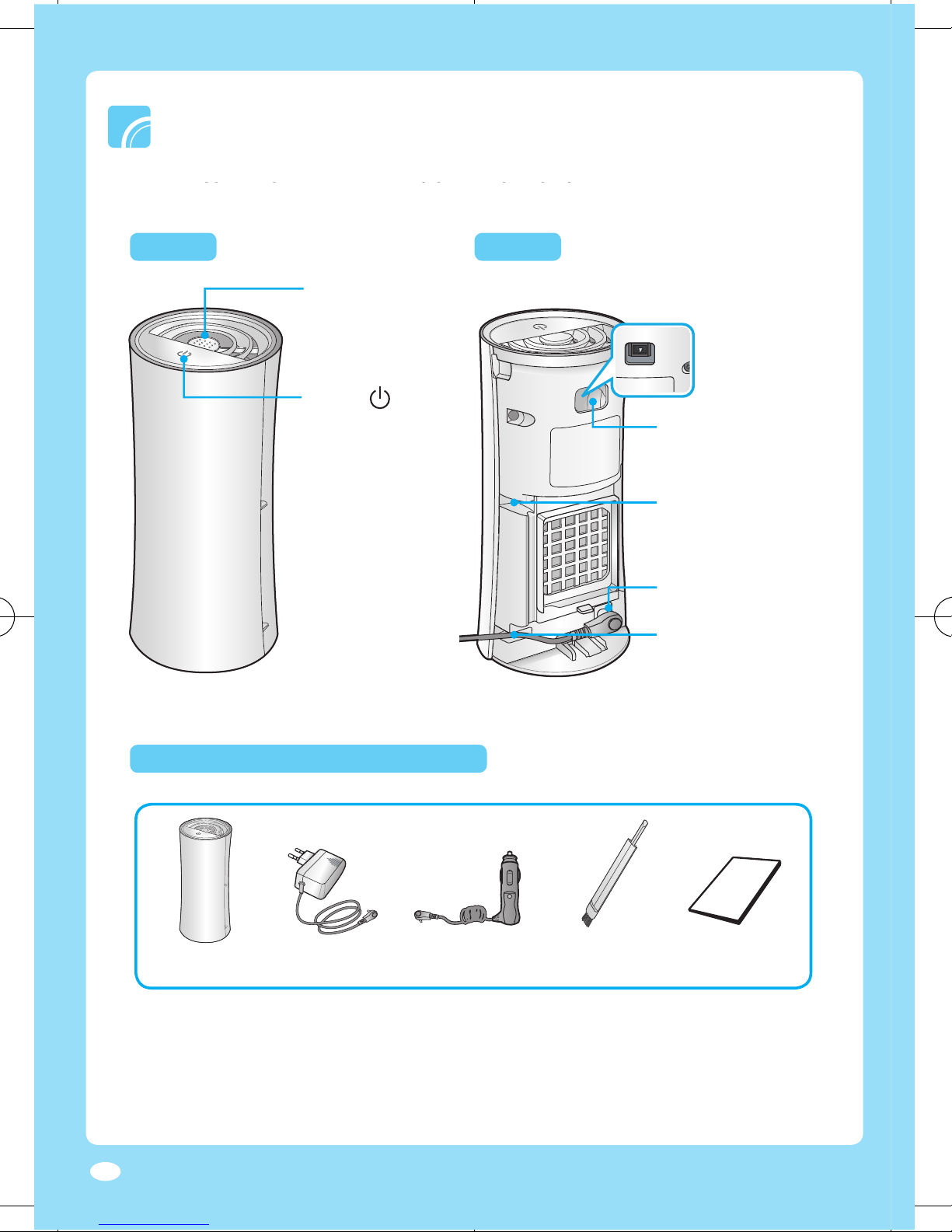
Checking the components
Front Back
Cleaning hole
the pin discharger
Top groove
Arrange the power
cable in automobile
Arrange the cable for
and learn the part names of the product before using it.
through here
] button
Turn on/off the power
or adjust the ion
strength
※
Your product may look slightly diff erent from the real product.
※
Adapter may be diff erent depending on the product
(Residential/Automobile/Both).
※
To purchase additional adapter, contact service center( 714-530-5791).
Car adapter
Cleaning brush
electric discharger
emits ions
Page 11
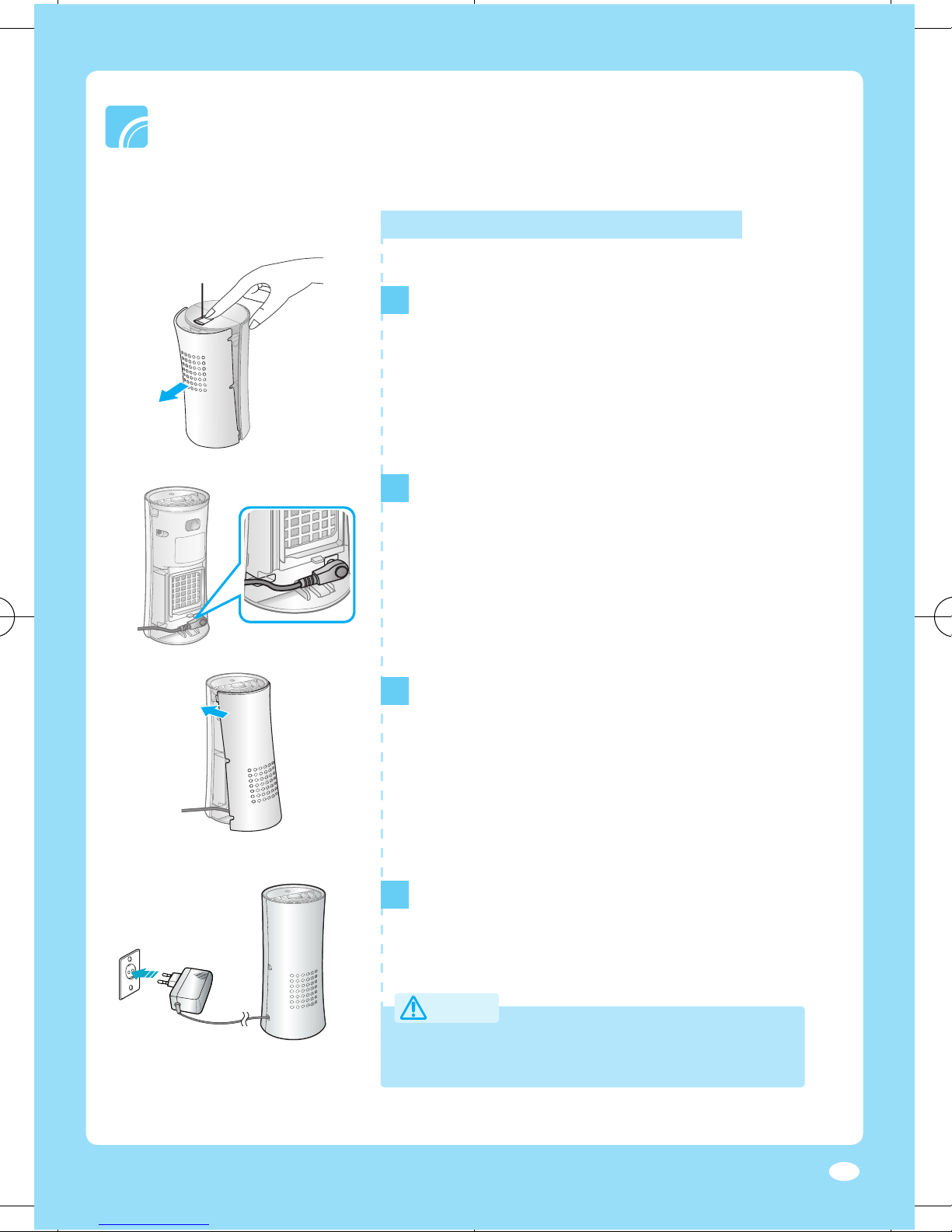
For residential
1
Turn the product upside down and press the
▶
▶
Cover will be disassembled.
2
Connect the residential adapter to the power port.
▶
the power cable through the bottom groove.
3
To close the cover, put the top part of the cover
cover until it clicks.
4
Connect the residential adapter to the receptacle.
●
Avoid direct sunlight when installing in the residence.
220V
Page 12
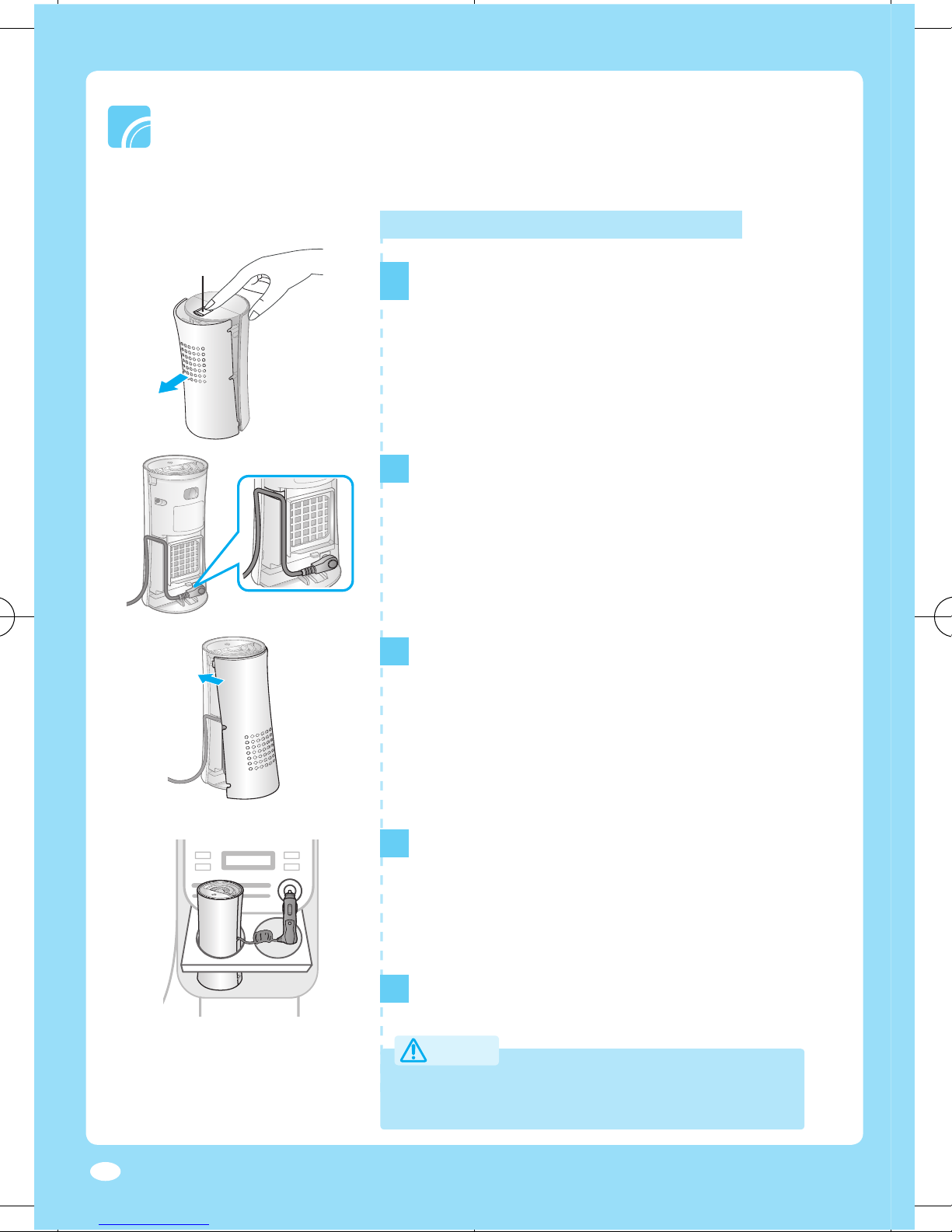
For automobile
1
Turn the product upside down and press the
▶
▶
Cover will be disassembled.
2
Connect the Car adapter to the power port.
▶
the power cable through the top groove.
3
To close the cover, put the top part of the cover
cover until it clicks.
4
5
Connect the car adapter to the cigar jack port.
When using the product in an automobile, it is recommended
to place the product on the cup holder.
●
Performance of the product may decrease
Page 13
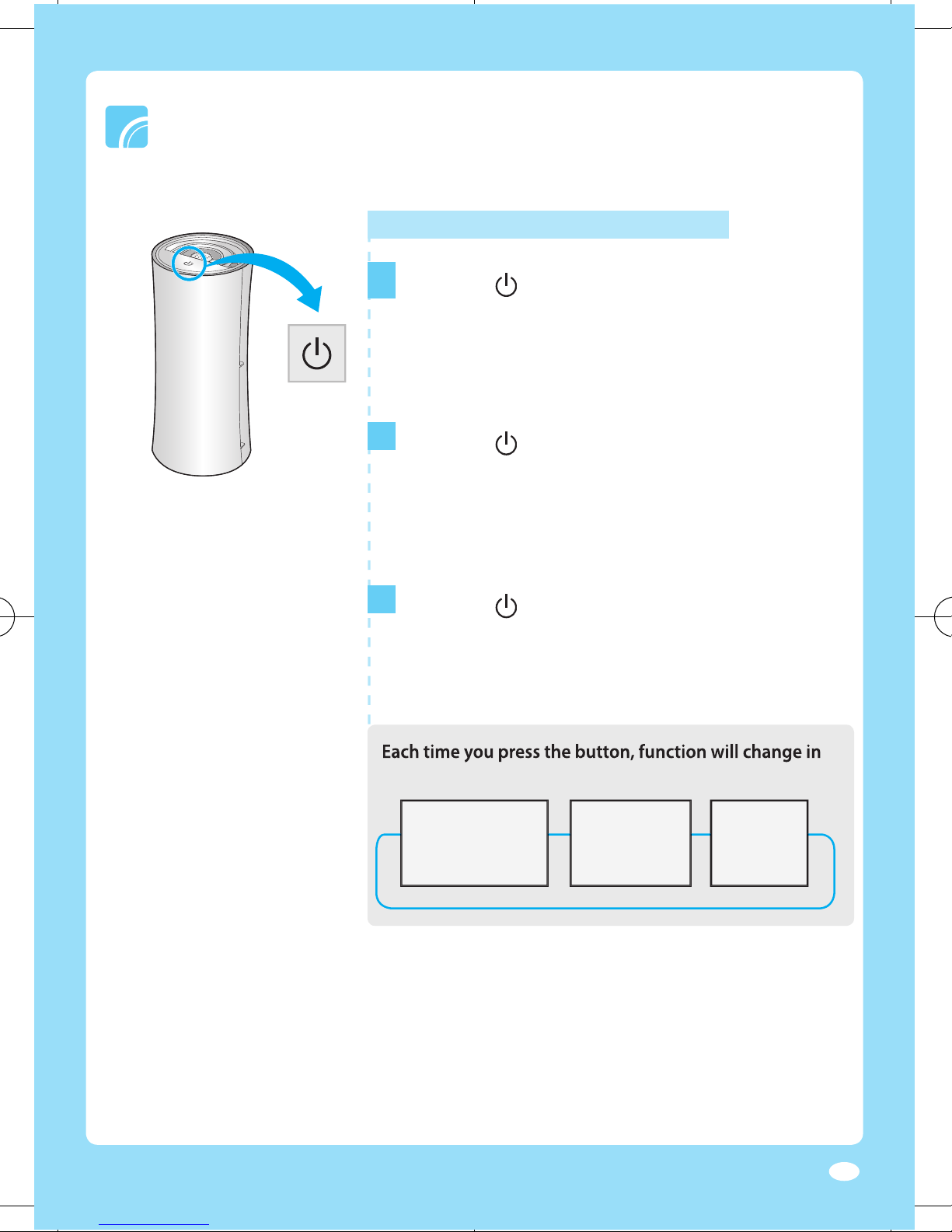
You can turn the power on/off and adjust the ion strength.
following order.
>>
>
Green light
1
] button once.
▶
2
] button again.
▶
3
] button again.
▶
Using the product
Page 14
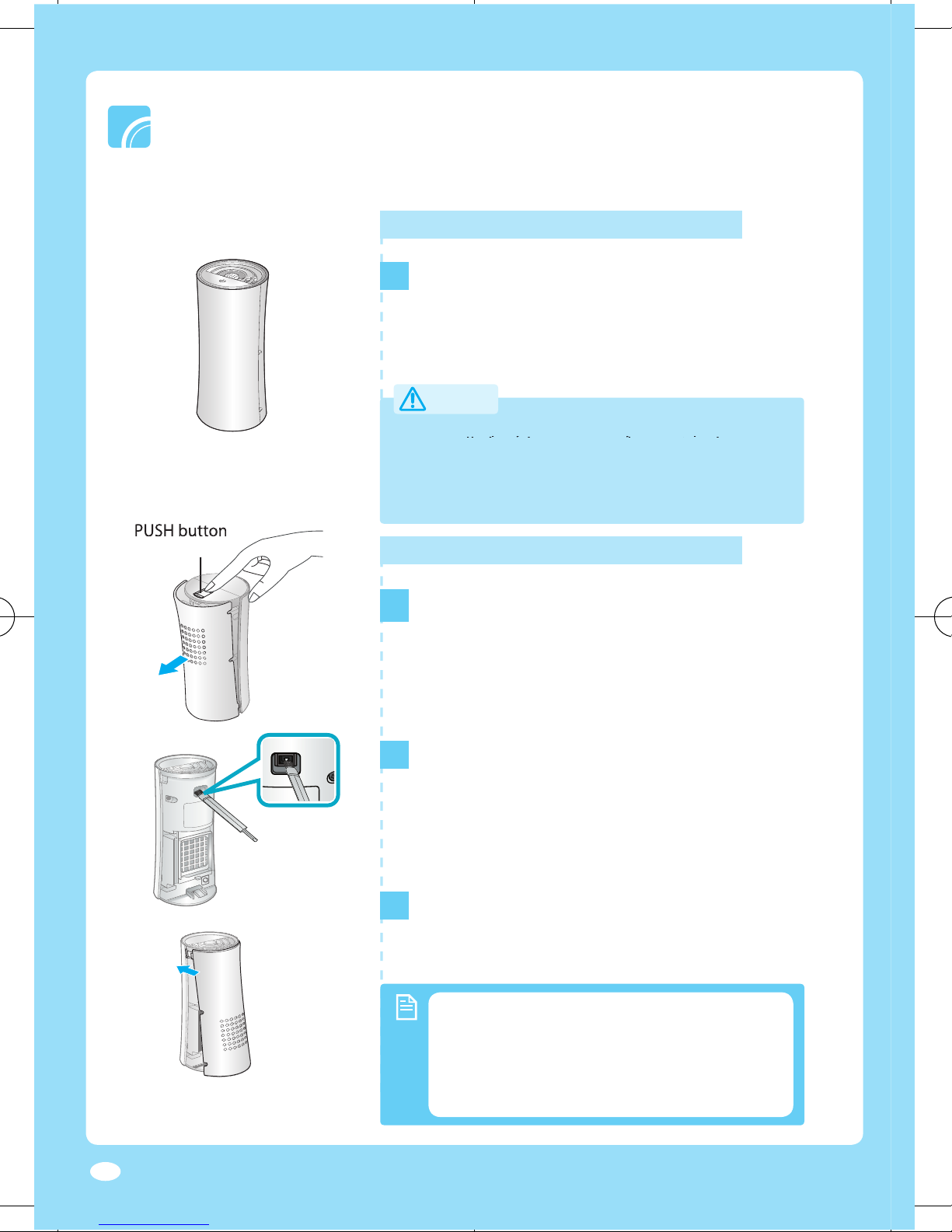
Turn off the power and unplug the adapter before cleaning the product.
Cleaning the exterior
1
Wipe the surface of the product with a slightly
wet or dry cloth when needed.
▶
other foreign substances on the ion outlet.
1
Turn the product upside down and press the
▶
▶
Cover will be disassembled.
2
▶
discharger through the cleaning hole.
3
To close the cover, put the top part of the cover
in the groove and push the bottom part of the
cover until it clicks.
●
Cleaning the pin discharger
●
Clean the Pin discharger every two weeks.
The cleaning term may diff er on usage
and environmental condition.
Accumulated dust on the pin discharger
Page 15
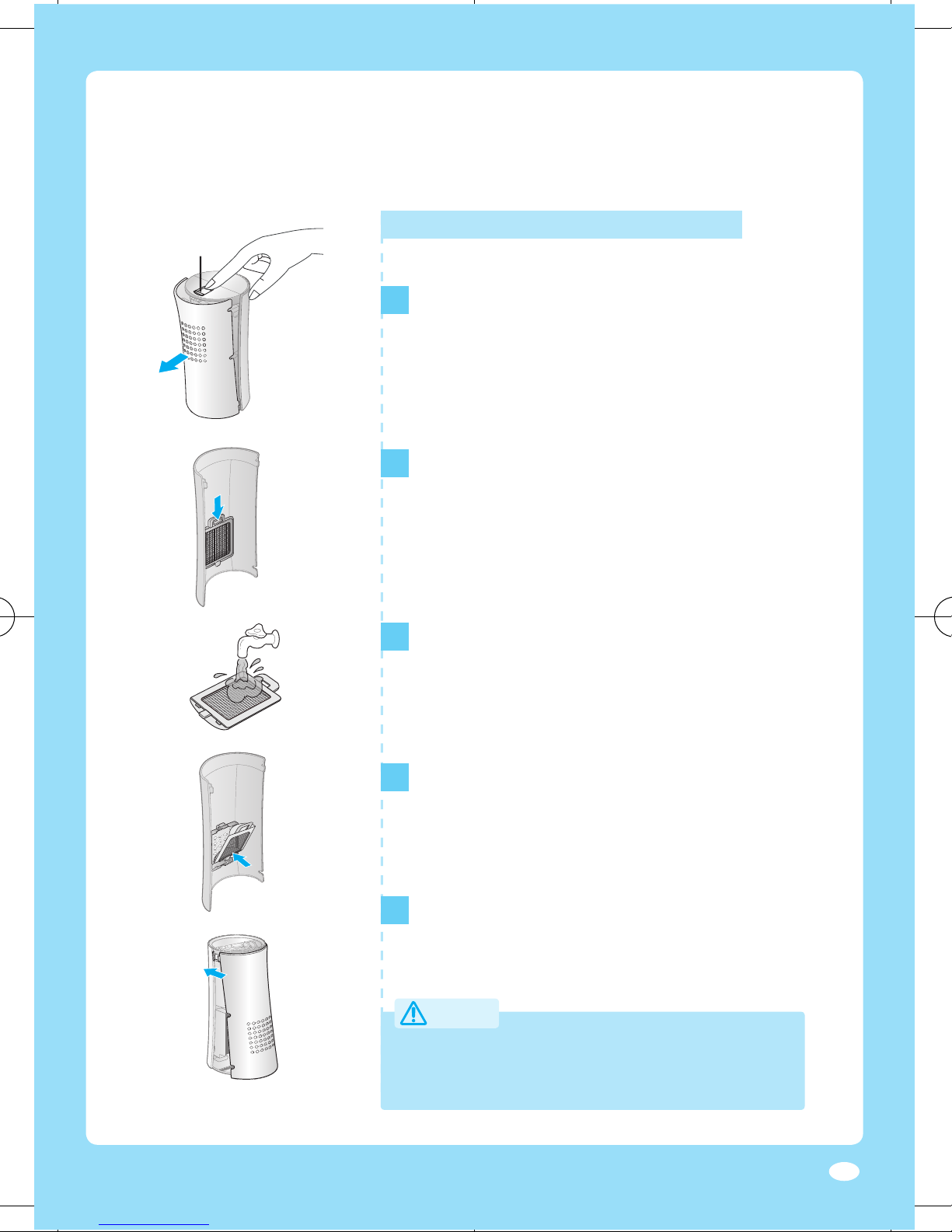
Cleaning the air fi lter
1
Turn the product upside down and press the
▶
▶
Cover will be disassembled.
2
cover by pressing it down as arrow shows and
then pulling it .
3
Clean the air fi lter with cleaning brush or
▶
After cleaning the air fi lter in running water,
dry it completely in the shade.
4
of the fi lter in the groove fi rst and then push it
●
Clean the air fi lter every two weeks.
The cleaning term may diff er on usage and
environmental condition.
5
To close the cover, put the top part of the cover
cover until it clicks.
Page 16
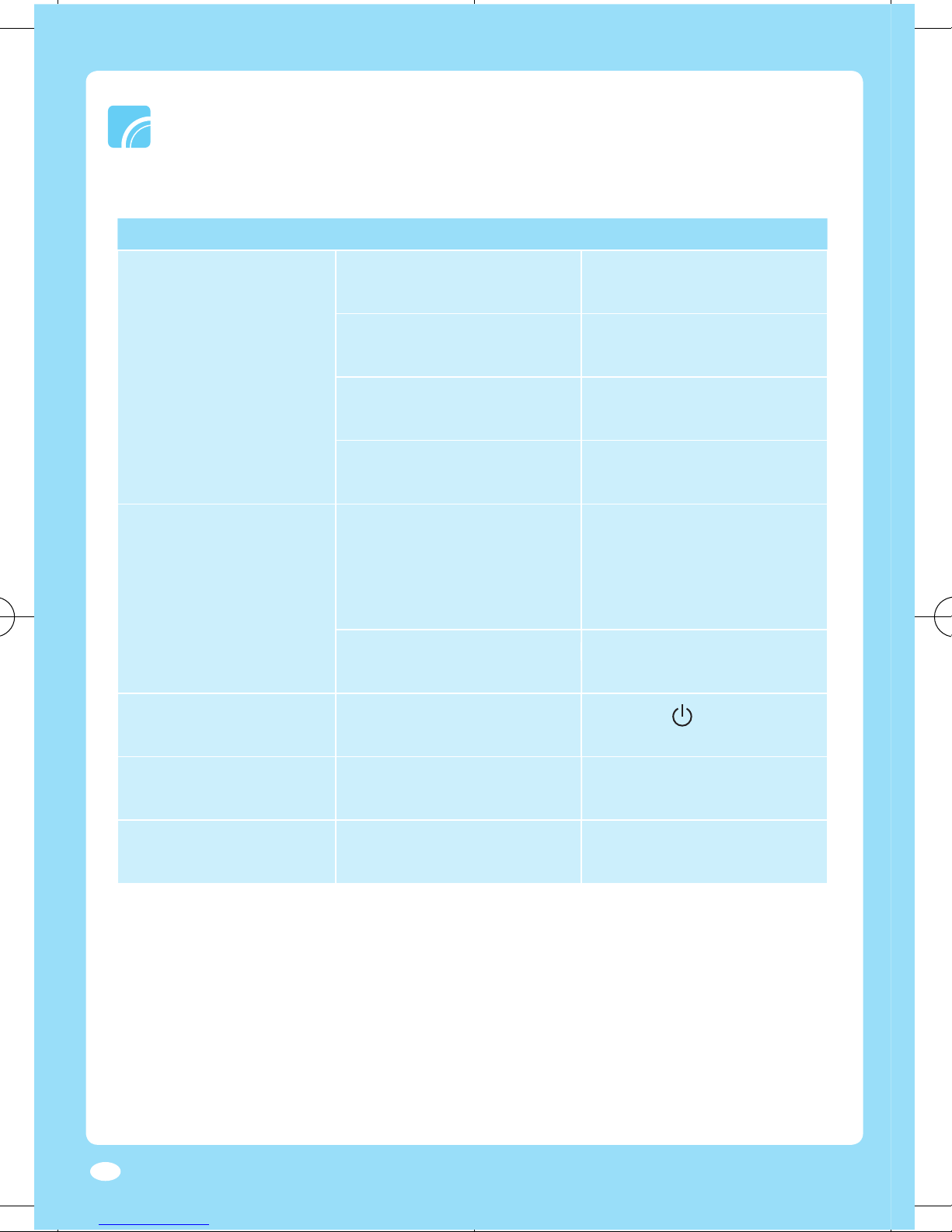
Troubleshooting
Check the following list before reporting the problem.
Check
Solution
Check if there is power failure.
on before trying again.
Check if the power plug is
Connect the power plug
Check if the adapter is
working properly.
Try another power
Check if the red light is
contact Customer center.
Strange odors permeate
in the room during
operation.
Check if you are using the
or other odor.
the product is being used in
a place with excessive odor
or smoke. Ventilate the area
Check if there is dust or foreign
substances on the ion outlet.
Clean the ion outlet and
operate the product.
operating.
Check if the light is on.
] button to turn
on the product.
There is no air coming out.
Check if the air fi lter is blocked
with dust.
Clean the air fi lter if it is dirty.
the product.
Check if the ion outlet is
Page 17
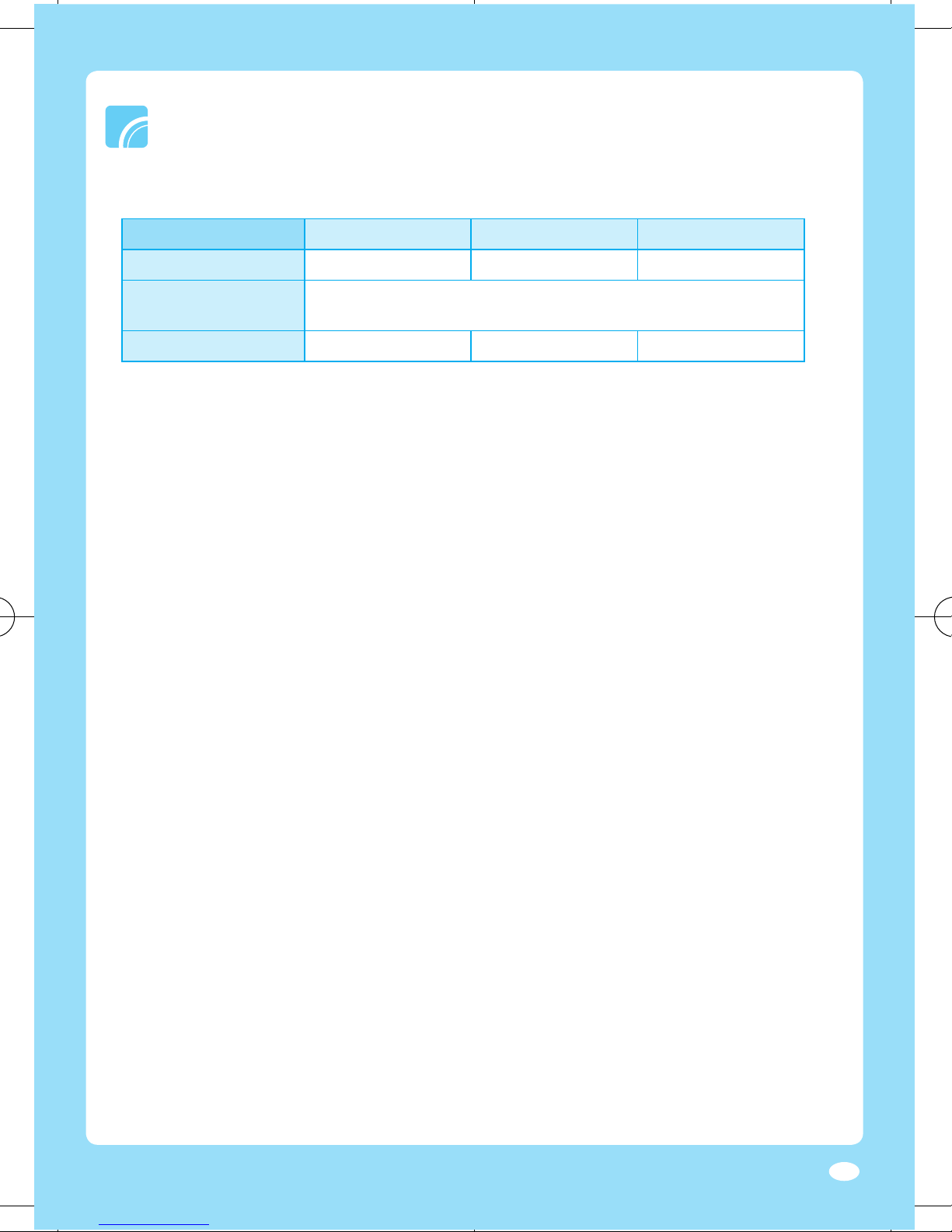
Type
Automobile
SP-PD4 Series
SP-PC4 Series
SP-PA4 Series
63.4 x 159 mm
AC220V
AC220V/DC12V
●
change without prior notice.
Page 18

Page 19
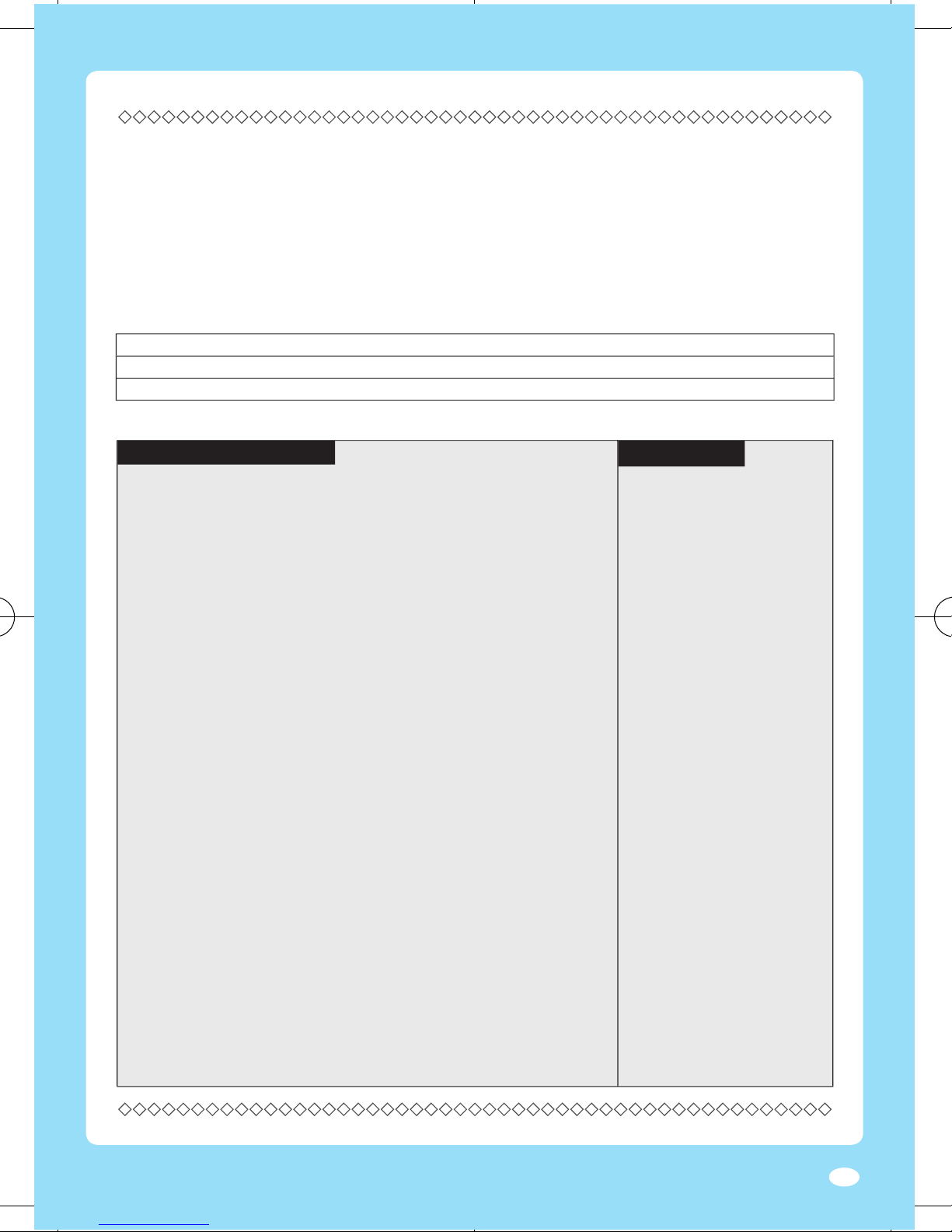
Product Warranty 제품보증서
About warranty service
guideline stated below. When the product repair is required, Mag
& Brook,Inc. will provide warranty service and the detail status of
the product will be notifi ed within 7days and the refund or pro
duct exchange will be done within a 14 days from repair request.
Type of defects or trouble Within warranty period After warranty expires
When the product shows performance or functional failure within the part service period.
Cr
itical performance and Exchange or refund N/A
functional failure within 10 days
from purchasing the product
Cr
itical performance and Exchange or free repair N/A
functional failure within
a month from purchasing
the product
D
efect occurred during Exchange N/A
shipping
or installationn
Cr
itical performance and Refund N/A
functional failure within a
mon
th from product exchange
W
hen product Refund N/A
ex
change is impossible
W
hen same failure Free repair Paid service
oc
curred twice
W
hen same failure Exchange or refund Paid service
oc
curred three times
W
hen different failures Exchange or refund Paid service
oc
curred five times
W
hen the product is lost Exchange or refund Refund the price
during repair service deducted by the
depreciation amount
and added by its 10%
W
hen the product repair is Exchange or refund Refund the price
impossible
because parts deducted by the
ar
e not in stock within the depreciation amount
part service period and added by its 10%
When the product is not defected
Re-installation is required due to
false installation by installation
agency or repair doesn’t require
disassembling.
When the product requires
internal cleaning and
re-installation due to moving,
false installation or other reasons.
When the defect is caused by user
Defects caused by careless
handling or improper repairing
and modification.
Defects caused by using
improper power supply.
Defects caused by repairs done
at a place other than the Mag &
Brook, Inc
Defects or damages resulting
from dropping the product.
Defects caused by using
accessories not provided by
Mag & Brook, Inc
Defects caused by not following
the ‘Safety information’ on the
user manual
Others
Defects resulting from natural
disasters such as fire, earthquake,
flood, etc.
Expiry of life time of consumable
parts (filters etc.)
※
Service fee will be charged if the product repair is requested when the
product is not defected.
If the product defect is caused by user
W
hen repair is impossible Refund after equivalent Refund the price
even though the parts are repair service fee is charged deduc
ted by the
available depreciation amount
after equivalent repair
service fee is charged
W
hen the product Paid service Paid service
repair is possible
Free warranty service Paid service
Product warranty is for
1 Year
Page 20

Customer Service Center
714-530-5791
Let us know the product model, problem and the contact
information. We will try to provide you with the fast and
satisfying solution.
Distributor / Manufacturer : Mag & Brook, Inc.
Device provider : Samsung Electronics Co., Ltd.
3613-0010-03
Mag & Brook, Inc.
 Loading...