

Page 1
2.0
Page 2
Please allow 45 minutes of settling time of non use of your
CPAP equipment after cleaning your CPAP equipment to allow
the ozone to dissipate.
Please only use VirtuCLEAN 2.0 for its intended use. It is not
recommended to use any other way.
Use VirtuCLEAN 2.0 in a room larger than 100 sq ft. The scent of
ozone can be unpleasant to some users.
Do not run VirtuCLEAN 2.0 for more than 1 cycle. It is not
necessary for multiple cleaning cycles.
Do NOT inhale the omitted ozone directly from the VirtuCLEAN
2.0 device as this may be harmful to ones health.
Do NOT attempt to open or repair the device. This will
compromise the device’s functionality and void the warranty.
Do NOT leave unattended near children or pets.
Do NOT block any part of the VirtuCLEAN 2.0 during operation.
It is not recommended to use your VirtuCLEAN 2.0 while
plugged into the wall for charging purposes. This will possibly
deplete your battery life in your device.
www.VirtuClean.com
1
Page 3
Thank you for purchasing the VirtuCLEAN 2.0 CPAP sanitizer
device.
In this manual you will nd how to properly clean your
CPAP equipment and accessories using the VirtuCLEAN 2.0
device, operating your VirtuCLEAN 2.0 device and
frequently asked questions.
To regiser your device for warranty coverage, accessories
for your device, or to nd additional information, please go
to www.VirtuClean.com
It is important to register your device for warranty coverage. All devices not properly registered will not be eligible
to be covered under warranty.
www.VirtuClean.com
2
Page 4
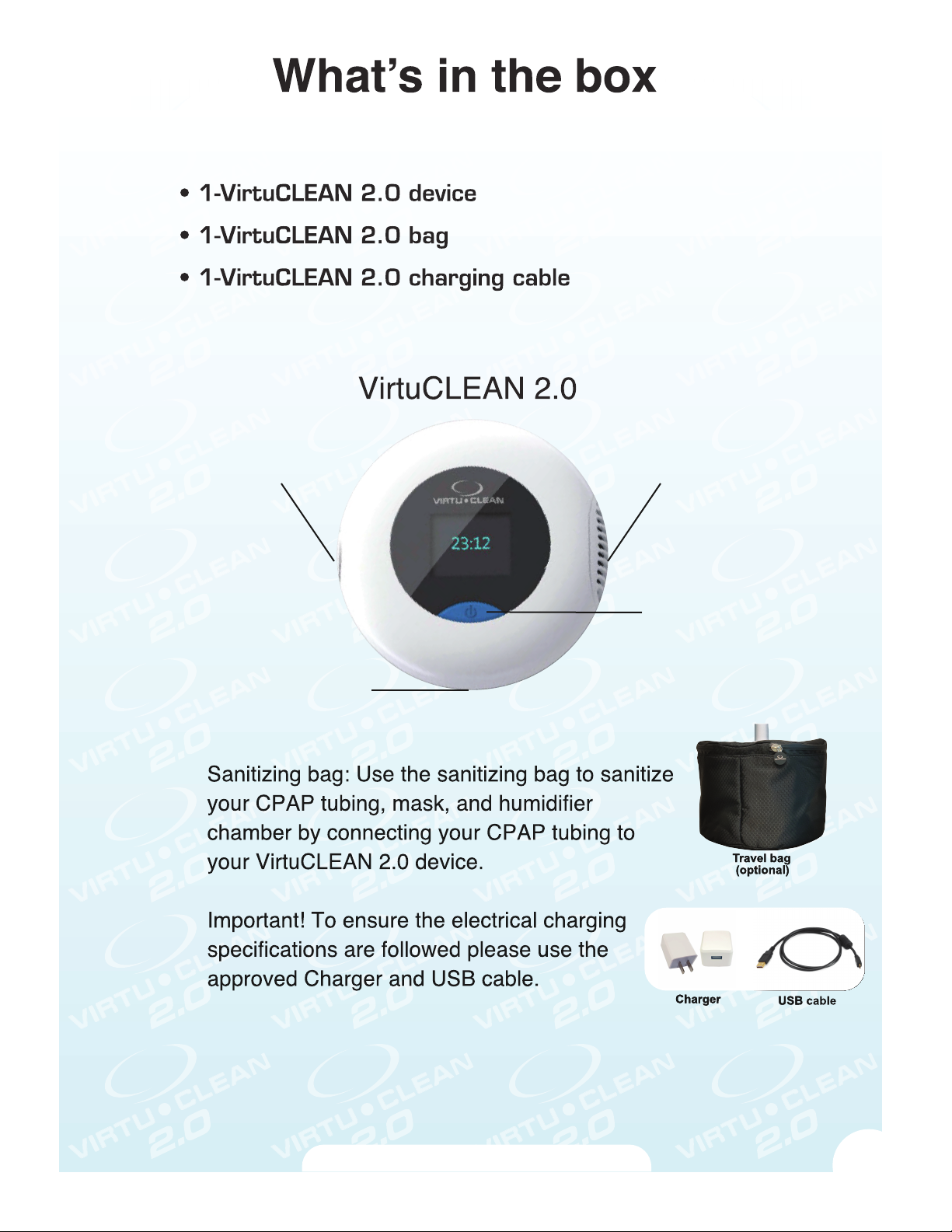
Name Part Number
2250
2251
2252
tubing port
USB charging port
air intake
on/off button
with built-in
charging and
working
indicator
www.VirtuClean.com
3
Page 5
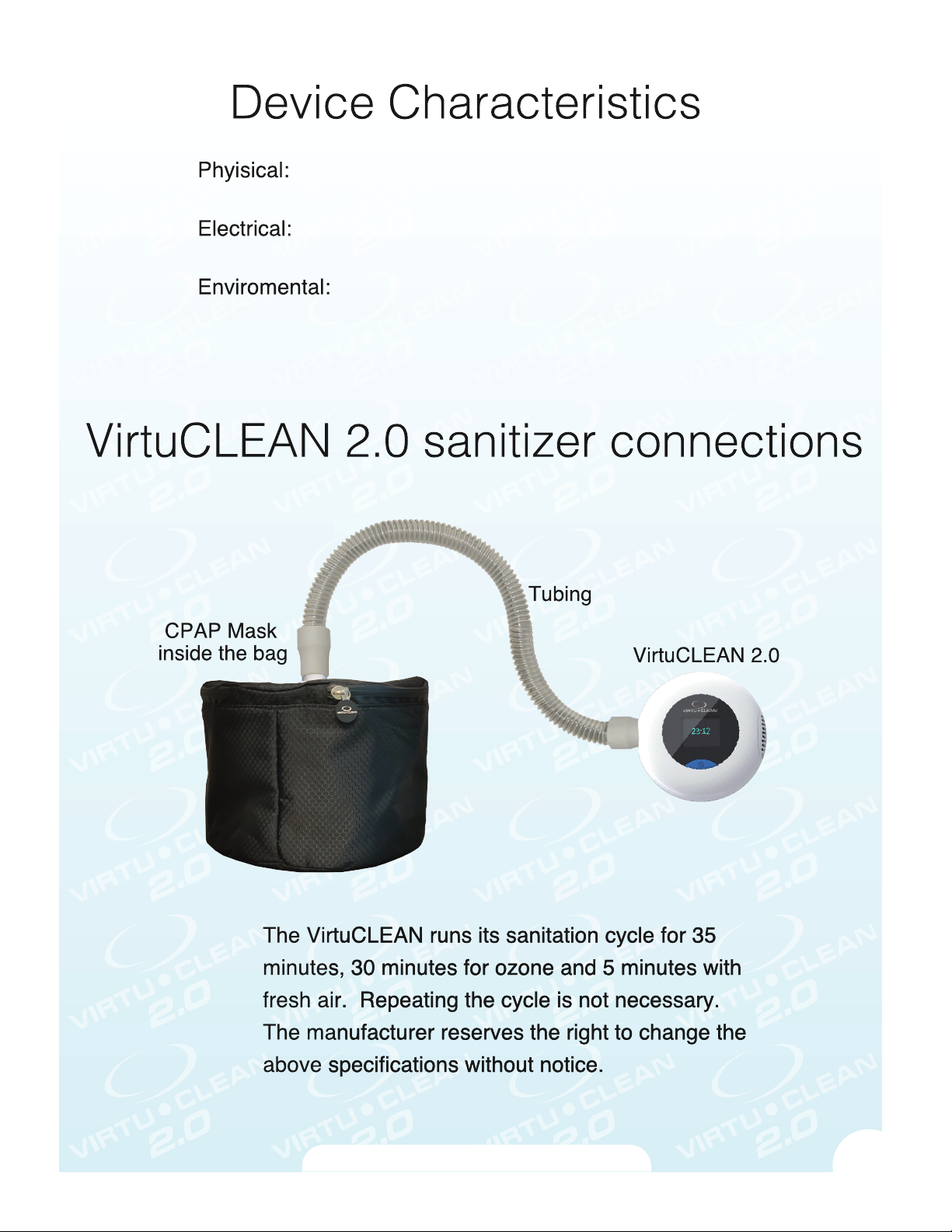
Dimensions: 4.5 in X 1.7 in
Weight: .45lbs
Rechargable Lithium-ion battery
2000mAh, 4W power
Storage temperature -20°C ~55°C
Operating temperature -5°C ~45°C
IPX1IP (ingress protection): IPX1
www.VirtuClean.com
4
Page 6
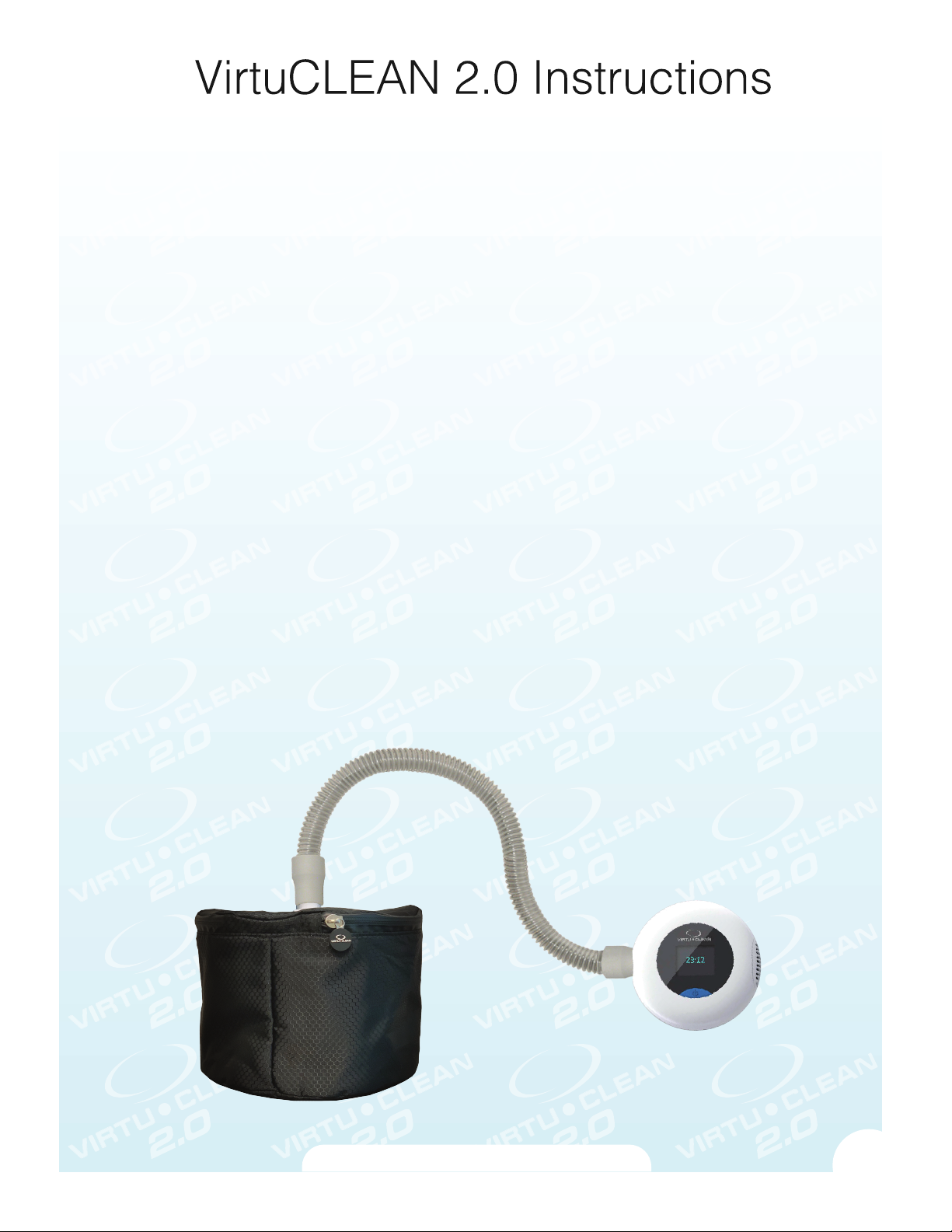
STANDARD TUBING CPAP MACHINES
The VirtuCLEAN 2.0 is a ONE-STEP process
Step 1: Disconnect your CPAP tubing from your CPAP machine.
Step 2: Disconnect your CPAP tubing from your CPAP mask
Step 3: Place your CPAP mask into your VirtuCLEAN 2.0 bag
Step 4: Remove your humidier chamber from your CPAP machine and empty
the water
Step 5: Place your humidier chamber into your VirtuCLEAN 2.0 bag
Step 6:
Step 7: Connect the end of your CPAP tubing that was connected to your CPAP
machine to your VirtuCLEAN 2.0 bag as shown.
Step 8: Connect the end of your CPAP tubing that was connected to your CPAP
mask to your VirtuCLEAN 2.0 device as shown.
Zip the VirtuCLEAN 2.0 bag closed
VirtuCLEAN 2.0 evice as shown.
www.VirtuClean.com
5
Page 7
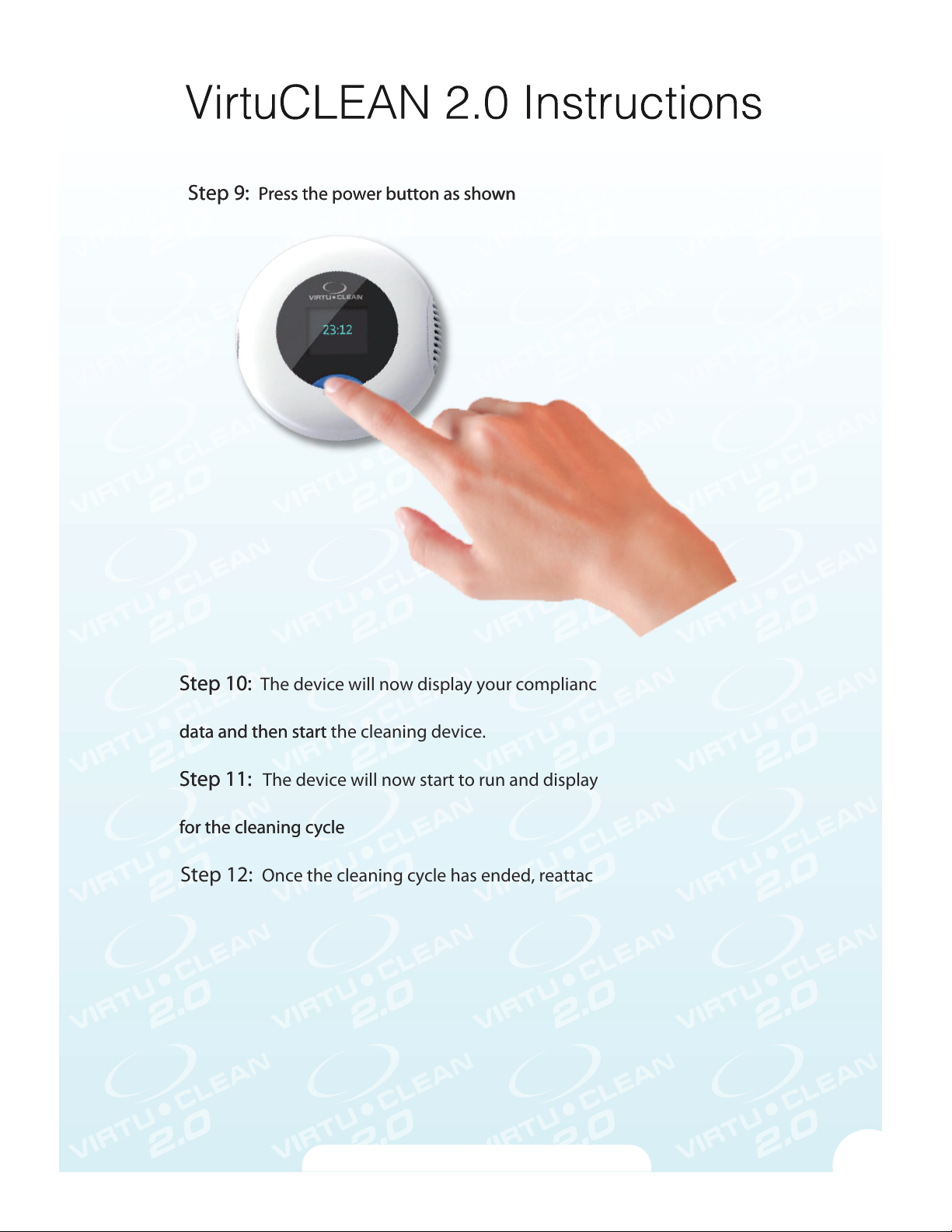
Step 9: Press the power button as shown
n
d then start the device
y
Step 9:
ress the power button as show
Step 10: The device will now display your compliance data and utilization
Step 10:
data and then start the cleaning device.
ata an
Step 11:
tep 11: The device will now start to run and display the remaining time
for the cleaning c
for the cleaning cycle
Step 12: Once the cleaning cycle has ended, reattached your CPAP equipment
to your mask and machine. Then place the humidier chamber back into your
CPAP machine and replace the water in it.
cle
.
www.VirtuClean.com
6
Page 8
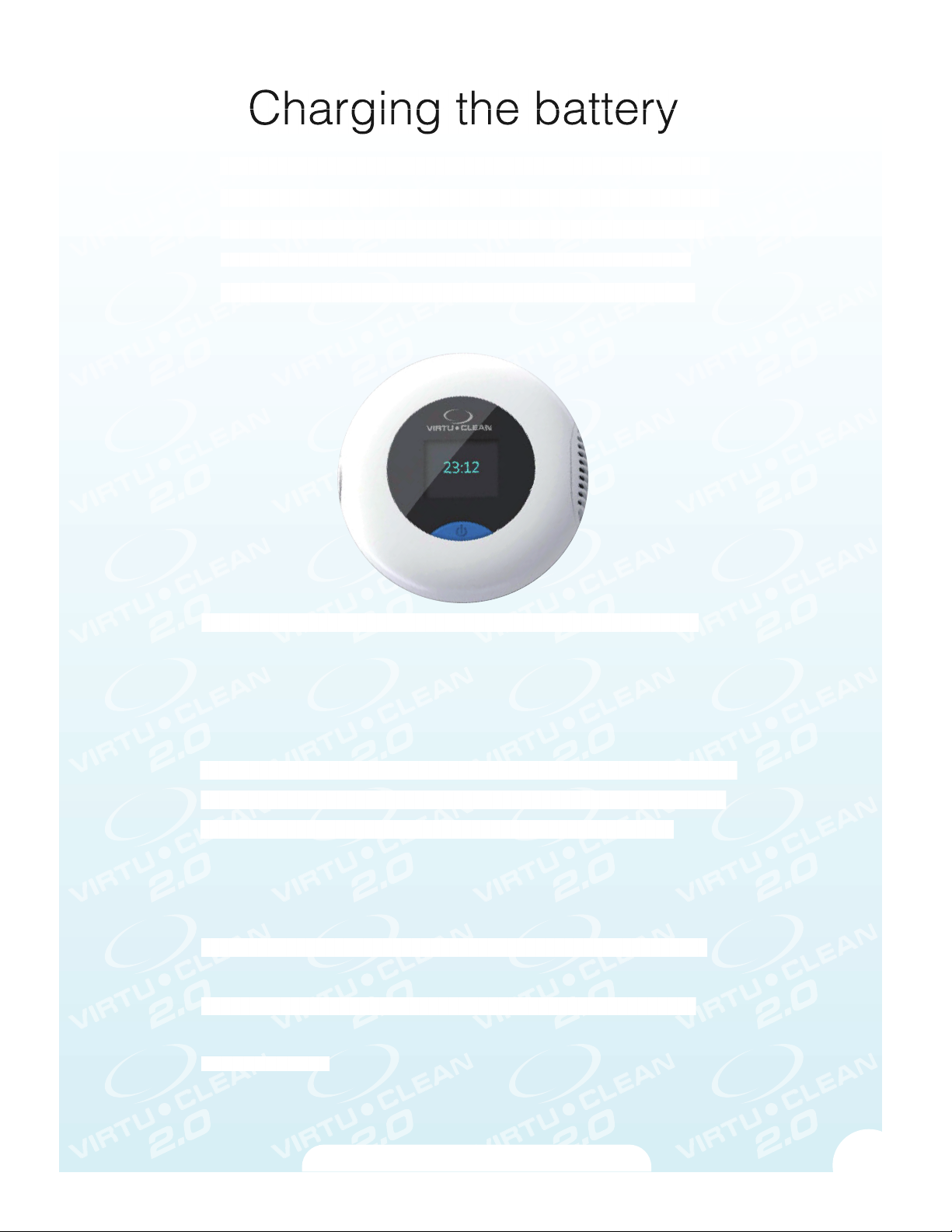
The VirtuCLEAN 2.0 includes a rechargable battery that is inside
Th
y
cato
es.
e VirtuCLEAN 2.0 includes a rechargable battery that is inside
your device. Please do not attempt to replace this battery as this
your device. Please do not attempt to replace this battery as this
will void the warranty of your device. For charging the battery,
will void the warranty of your device. For charging the battery,
onnect the cable to the VirtuCLEAN 2.0 device. Connect the
connect the cable to the VirtuCLEAN 2.0 device. Connect the
USB cable to the power adapter. Insert the power adapter into
USB cable to the charging port and power adapter. Insert the
the power outlet. Please make sure to fully charge your battery
before use.
For the best lithium battery performance and battery life, set the
or the best lithium battery performance and battery life, set the
power o while it is at charging. Charging indicator turns red while the
device is charging. Charging indicator turns green once charging is
completed.
The time required to recharge the battery will vary greatly depending
The time required to recharge the battery will vary greatly depending
on the ambient temperature and the battery’s remaining capacity. If
on the ambient temperature and the battery’s remaining capacity. If
the battery becomes exhausted quickly even after being fully
the battery becomes exhausted quickly even after being fully
charged, the batter
charged, the battery has reached the end of its life cycle.
Low Power indication: y is running low, working
ow Power indication: When the battery is running low,
indicator blinks along with long buzzer sound. The disinfector will
indicator blinks along with long buzzer sound. The disinfector will
continue to operate till the batter
continue to operate until the battery charge is completed used up;
owever, it does not warrant a complete 35 minute sanitization
however, it does not warrant a complete 35 minutes sanitization
cycle
cycle. Recommend user charge the disinfector once the charging
indi
indicator ashes.
r ash
www.VirtuClean.com
7
Page 9
For the CPAP machine congured with humidier, drain water in
reservoir before starting the sanitization process.
After the sanitation process is complete, wait an hour before using
your CPAP machine to ensure no residue ozone odor.
Ozone concentration is designed by the disinfector design,
enclosing container and sanitaization time. The machine design
is based on the best sanitization performance. User is not
recommended to change any settings.
The 2000 mAh rechargeable batteries meets most of the airlines
restriction.
The warranty becomes VOID if repairs are undertaken by
unauthorized persons and if original parts are not used. To obtain
service within the warranty period, Please contact your distributor.
It is recomended to sanitize your CPAP mask and tubing everyday and
your CPAP humidier weekly.
HLS oers an 24 month warranty on the product commencing on
the date of purchase. The warranty does not cover damage due
to improper use and normal wear. The warranty only covers
defects in the product resulting from faults in materials or
workmanship, free from charge by repairing or replacement in the
complete product at the HLS location and at HLS discretion.
www.VirtuClean.com
8
Page 10
VirtuCLEAN 2.0 does
not work after its
turned on
Connect VitruCLEAN to charger. Plug
the charger into power outlet. Turn on
the VirtuCLEAN 2.0
Charging indicator
does not light up
Machine stops with
no beep sound
The battery is
charged, but
VirtuCLEAN 2.0 still
not working
The VirtuCLEAN 2.0
is not generating
ozone
Make sure the battery has been
charged. Check the charging
connection
Battery is discharged. Connect the
VirtuCLEAN 2.0 to charger to recharge
Check the charger connection to be
sure it’s fully connected. If it is, send
the VirtuCLEAN 2.0 in for repair.
If, after you press the On/O button,
the fan and working indicator light are
not on, connect the VirtuCLEAN 2.0 to
the power charger and the power
charger into an outlet. If the working
indicator light turns on with a green
light but the fan still does not run,
please send the VirtuCLEAN 2.0 in for
repair.
For repair or additional information, please visit
WWW.VIRTUCLEAN.COM
www.VirtuClean.com
9
Page 11

Helpful Hints
When you turn on your VirtuCLEAN 2.0 device for the rst 10
times you will have a QR scannable code. This code will allow
you to scan using your smart phone device to register your
device for warranty coverage.
Each time the device is turned on, your device will tell you
• total times cleaned
• total hours used and times in the last 7 days used.
This information is for users to ensure they are cleaning their
equipment the proper amount of time(s) through out each week.
We recommend users to clean their mask and tubing every day,
one time per day. We also recommend to clean your humidier
chamber one time per week.
Run your CPAP/Bi-Level equipment for 5-10 minutes to help
dissipate the smell of Ozone
If you do not use your VirtuCLEAN 2.0 device then an audible
alarm will sound after 7 days of non use. If you do not wish to
have this alarm on please follow the following instructions:
1-Turn on your VirtuCLEAN 2.0 device.
2-Once the VirtuCLEAN logo appears, double press the power
button to open the screen
3-Push the button until the alarm area is highlighted and
press the button again to change it to your desired setting
www.VirtuClean.com
10
 Loading...