

Page 1
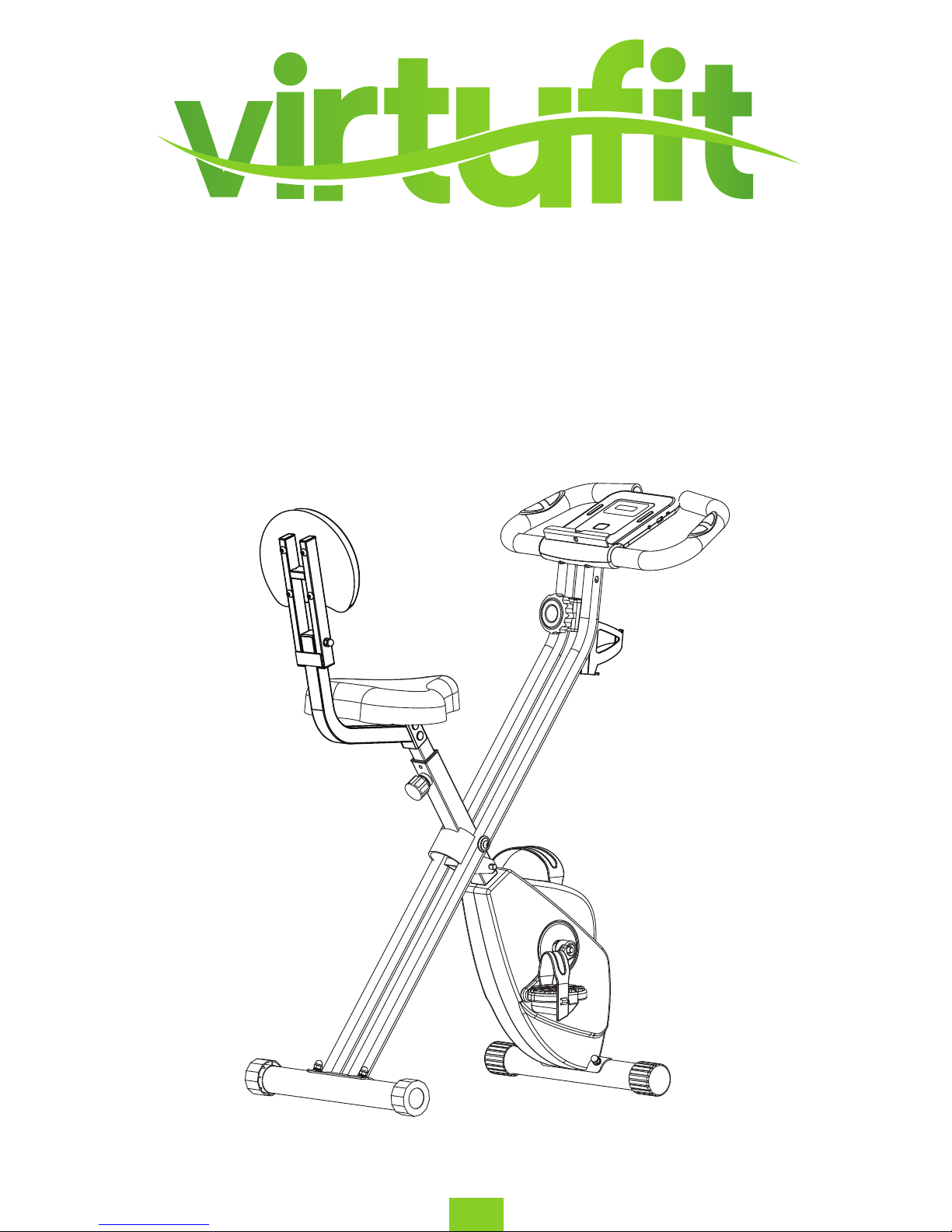
iBiking Folding Bike with Backrest
User manual
EN
Page 2

2
EN
VirtuFit iBiking Folding Bike with Backrest
CONTENTS
SAFETY INSTRUCTIONS ............................................................................................................................................................... 3
CHECKLIST........................................................................................................................................................................................ 4
ASSEMBLY . ...................................................................................................................................................................................... 5 - 7
EXPLODED VIEW . .......................................................................................................................................................................... 8
PARTS LIST . ...................................................................................................................................................................................... 9 - 10
RESISTANCE ADJUSTMENT ......................................................................................................................................................... 11
LEVELLING THE BIKE ..................................................................................................................................................................... 11
HOW TO FOLD . .............................................................................................................................................................................. 12
HOW TO ADJUST . .......................................................................................................................................................................... 13
CONTROL PANEL OPERATION ................................................................................................................................................... 14 - 16
APP INSTRUCTION......................................................................................................................................................................... 17
VirtuFit iBiking Folding Bike with Backrest
CONTENTS
Safety instructions 3
Checklist 4
Assembly 5 - 7
Exploded view 8
Parts list 9 - 10
Resistance adjustment 11
Leveling the bike 11
How to fold 12
How to adjust 13
Maintenance of the exercise bike 14
Problem Solutions 14
Control panel operation 15 - 17
App instruction 18
Page 3
3
ENG
SAFETY INSTRUCTIONS
WARNING: Before you undertake any programme of exercise that will increase cardiovascular
activity please be sure to consult with your doctor. Frequent strenuous exercise should be
approved by your doctor and proper use of your product is essential. Please read this manual
carefully before commencing assembly of your product or starting to exercise.
- Please keep all children away from exercise products when in use. Do not allow children to climb or
play on them when they are not in use.
- For your own safety, always ensure that there is at least 1 Metre of free space in all directions
around your product while you are exercising.
-
moving parts for obvious signs of wear or damage.
- Clean only with a damp cloth, do not use solvent cleaners. If you are in any doubt, do not use your
product, but contact CUSTOMER SUPPORT by any of the means listed on the opposite page.
-
rubber mat underneath to reduce the possibility of slipping in use.
- Always wear appropriate clothing and footwear such as training shoes when exercising. Do not wear
loose clothing that could become caught or trapped during exercise.
- Your product is intended for use in clean dry conditions. You should avoid storage in excessively cold
or damp places as this may lead to corrosion and other related problems that are outside our control.
- WARNING! A heart rate monitor may not be accurate. Overloading during training may cause
serious injury or death. If you feel any discomfort, immediately stop the exercise!
- This excercise bike is made for home use and is suitable for users up to 110 kg.
ATTENTION
Conformity
This product conforms to:
(EN 957-1 & EN 957-5), HOME USE – Class (C).
VirtuFit iBiking Folding Bike with Backrest
Page 4
4
VirtuFit iBiking Folding Bike
ENG
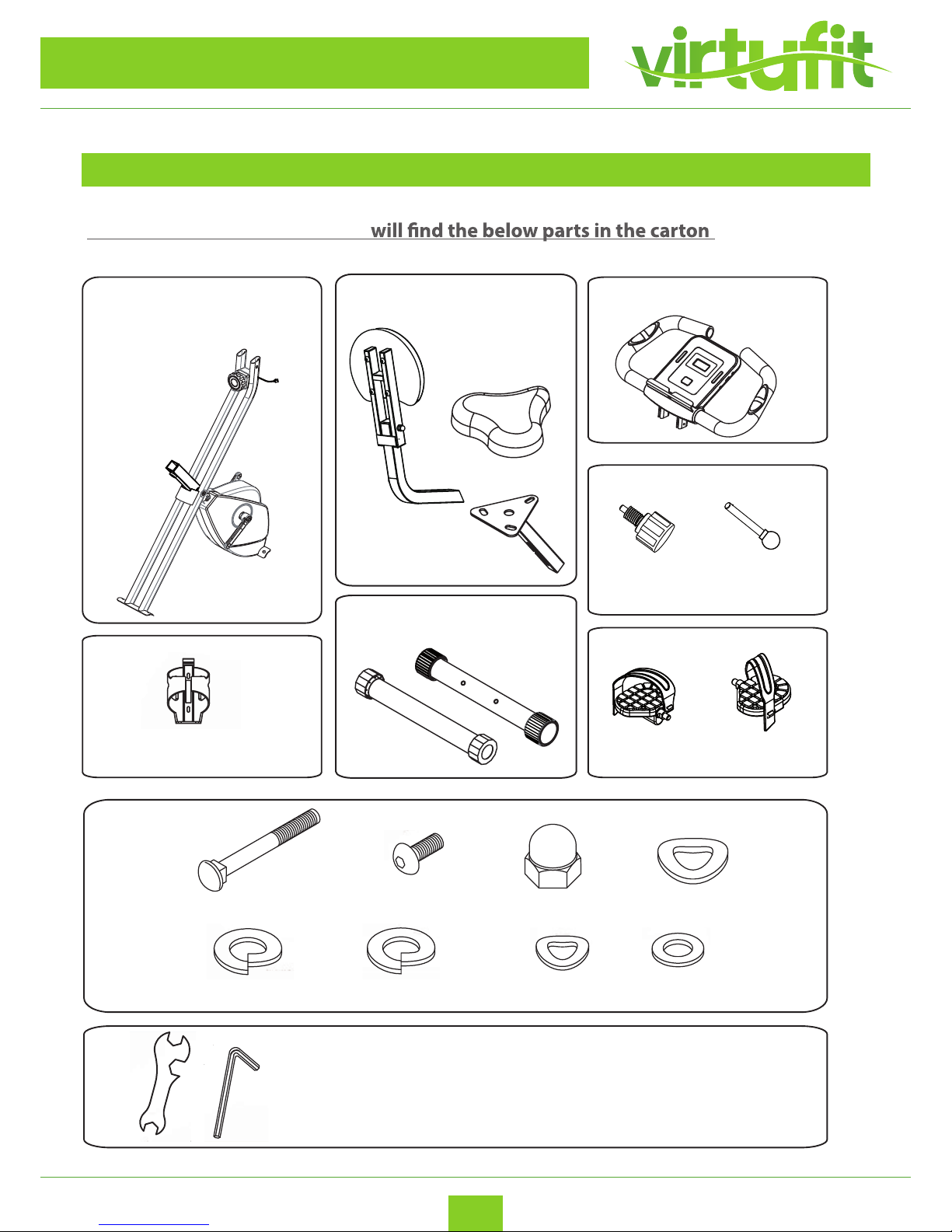
CHECKLIST (contents of packaging)
TOOL KIT
When you open the carton you :
Main Frame & Rear Frame
Console & Handlebar
Adjuster Knob Locking pin
Pedal(L) Pedal(R)
Tools
X4 X4 X4 X4
Water bottle holder
X4 X4 X2 X2
X4 4 X4 X4
X4 X4 X2 X2
X4 4 X4 X4
Saddle
Backrest
Saddle support
Front stabilizerRear stabilizer
VirtuFit iBiking Folding Bike with Backrest
Page 5
5
VirtuFit iBiking Folding Bike
ENG
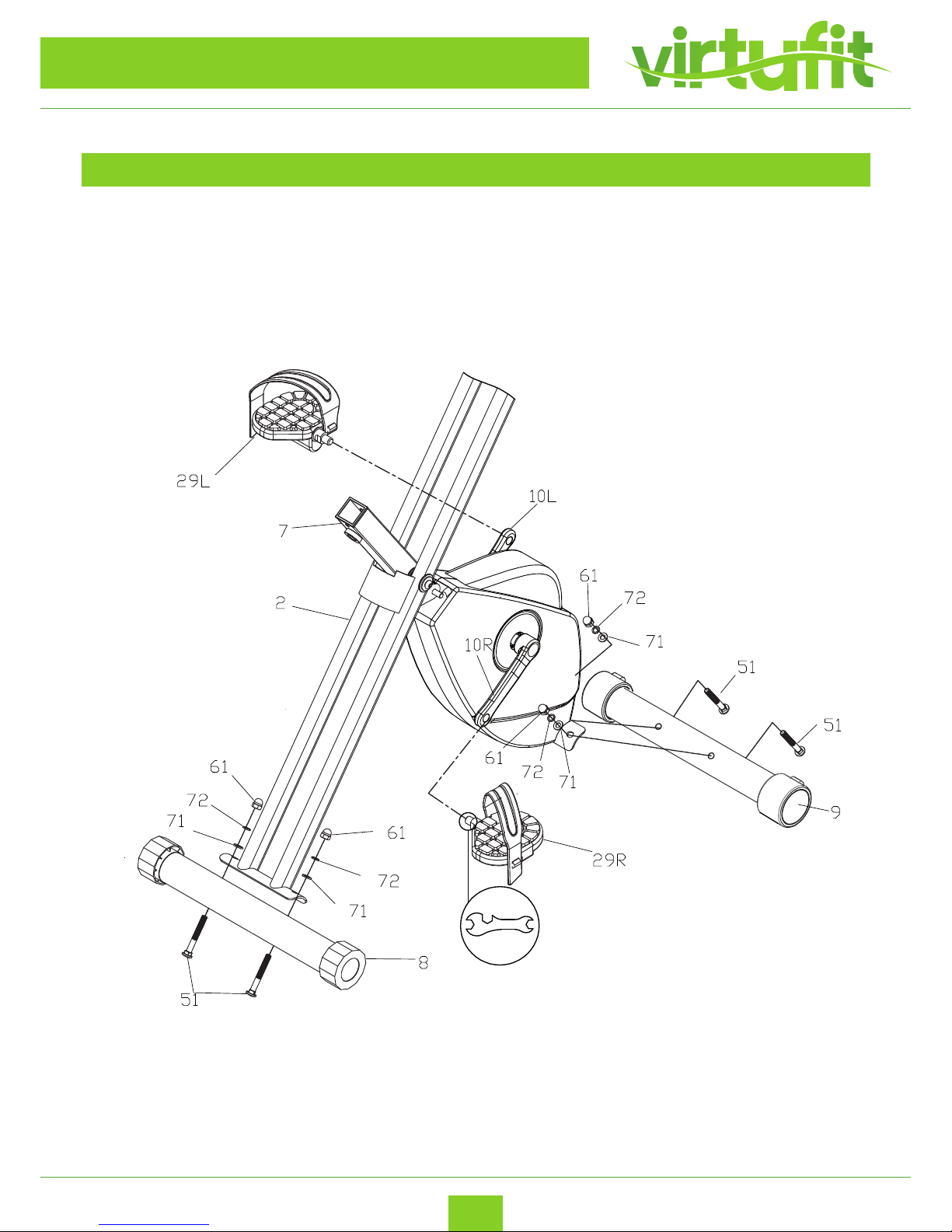
ASSEMBLY INSTRUCTION
STEP 1
Assemble Rear & Front Stabilizer, Pedal (L / R).
VirtuFit iBiking Folding Bike with Backrest
Page 6
6
VirtuFit iBiking Folding Bike
ENG
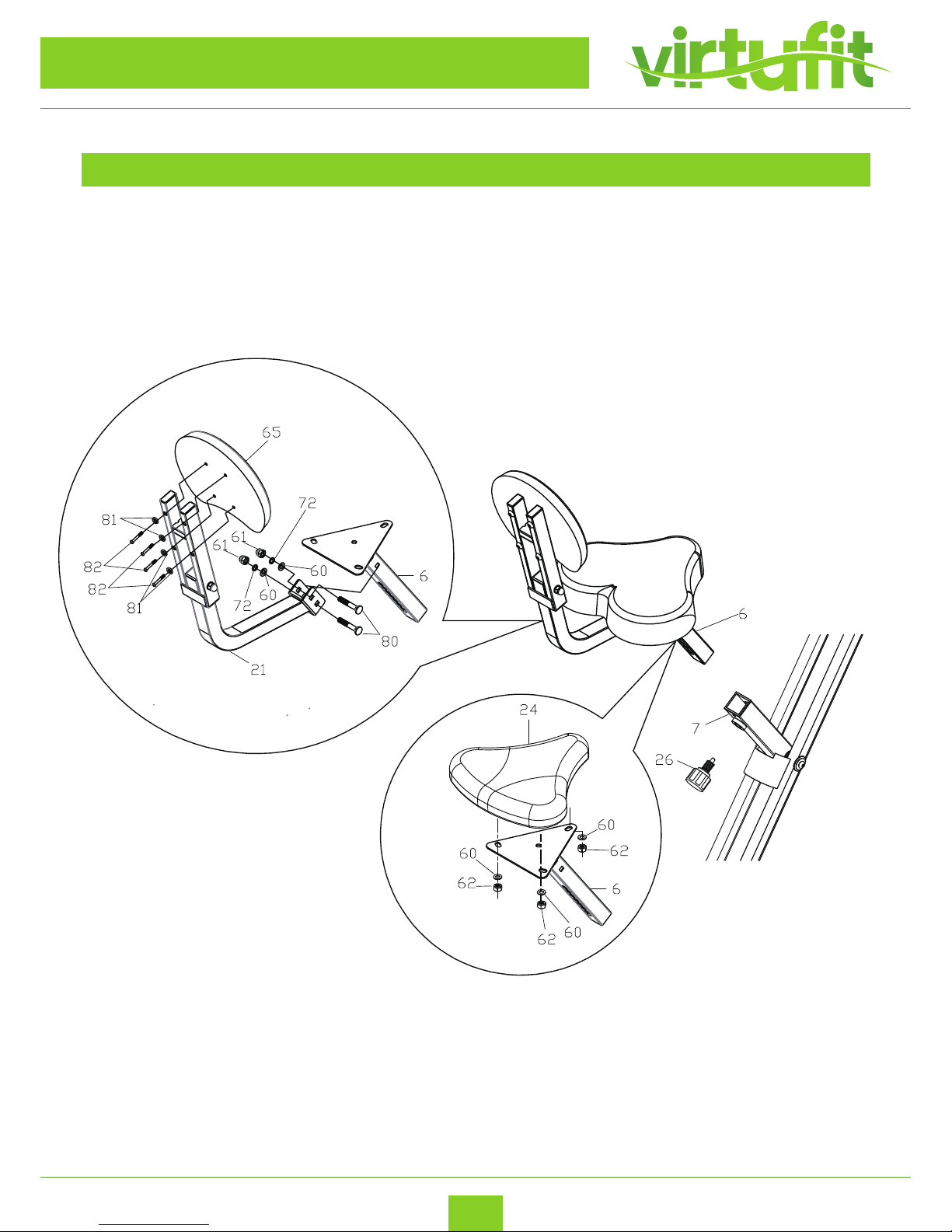
STEP 2
Assemble Saddle.
ASSEMBLY INSTRUCTION
VirtuFit iBiking Folding Bike with Backrest
Page 7
7
VirtuFit iBiking Folding Bike
ENG
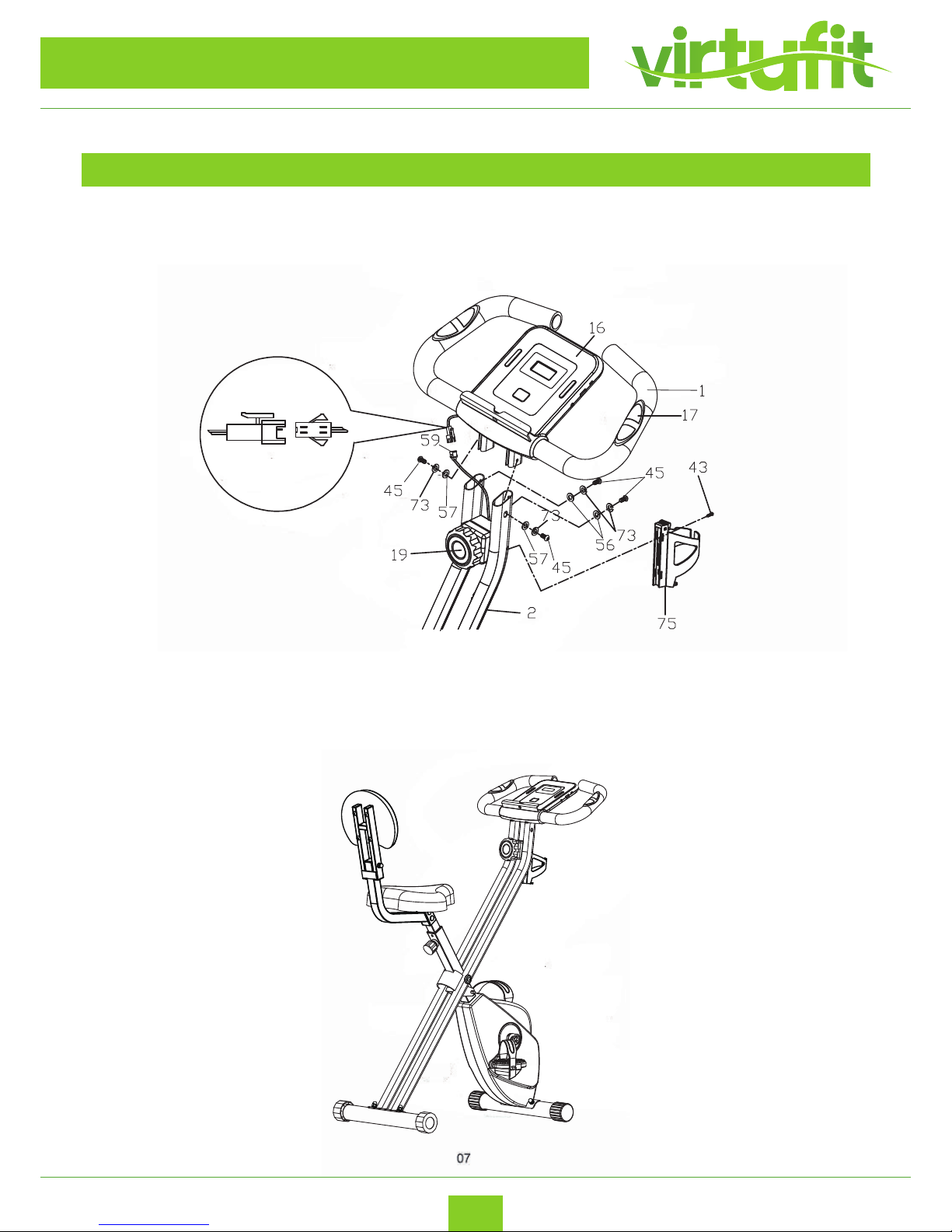
STEP 3
Assemble Handlebar & Exercise Monitor
ASSEMBLY INSTRUCTION
Complete!
VirtuFit iBiking Folding Bike with Backrest
Page 8

8
VirtuFit iBiking Folding Bike
ENG
EXPLODED DRAWING
VirtuFit iBiking Folding Bike with Backrest
Page 9

9
VirtuFit iBiking Folding Bike
ENG
PARTS LIST
part no. description q'ty
1 handlebar 1
2 rear frame 1
3 locking pin 1
4 M5*10 screw 2
5 15*20 oval line plug 3
6 saddle support 1
7 main frame 1
8 rear stabilizer 1
9 front stabilizer 1
10 crank (L&R) 2
11 main shaft 1
12 lower drive wheel shaft 1
13 magnetic bracket 1
14 round steel 2
15 handle grip foam 2
16 console 1
17 pulse sensor pad 2
18 chain cover (U) 1
19 tension control knob 1
20 EVA sticker 1
21 bracket stem support 1
22 pulse sensor wire 2
23 backrest support 1
24 saddle 1
25 saddle stem insert 1
26 seat adjustment knob 1
27 adjustable hex and cap 2
28 end cap 2
29 pedal (L&R) 2
30 chain cover (L&R) 2
31 pulley brush 2
32 ywheel 1
33 pulley bracket 1
34 lower drive wheel 1
35 upper drive wheel shaft 1
36 upper drive wheel 1
37 sensor bracket 1
38 magnet 6
39 crank guard trim 2
40 bearing 2
41 waved washer 5
42 spring washer 5
43 M4*25mm self-tapping screw 6
44 M5*15mm screw 3
45 M6*12mm 4
VirtuFit iBiking Folding Bike with Backrest
Page 10

10
VirtuFit iBiking Folding Bike
ENG
PARTS LIST
part no. description q'ty
46 M5*45mm screw 1
47 230J drive belt 1
48 220J drive belt 1
49 spring 1
50 M8*20mm Allen bolt 2
51 M8*65mm carriage bolt 4
52 M6*40mm screw 2
53 M6*12mm screw 6
54 M4*20 self-tapping screw 4
55 M10*1.25mm nut 2
56 M6 curved washer 2
57 M6 at washer 2
58 at washer 1
59 sensor wire 1
60 spring washer 6
61 dome locknut 7
62 M8 Nylon locknut 3
63 at washer 2
64 inner bushing 6
65 backrest 1
66 lock ring 1
67 bearing 1
68 at washer 1
69 M10 nylon locknut 1
70 bearing 2
71 curved washer 4
72 spring washer 8
73 spring washer 4
74 handlebar end cap 2
75 water bottle holder 1
76 M10*1 nut 4
77 M5*10 screw 2
78 M6 locknut 2
79 wire plug 1
80 carriage bolt 2
81 at washer 4
82 screw 4
83 obling end cap 4
84 square end cap 1
85 at washer 2
86 Allen bolt 1
87 backrest support 1
VirtuFit iBiking Folding Bike with Backrest
Page 11
11
EN
VirtuFit iBiking Folding Bike
RESISTANCE ADJUSTMENT
folding bike has been
correctly adjusted by our factory during production.
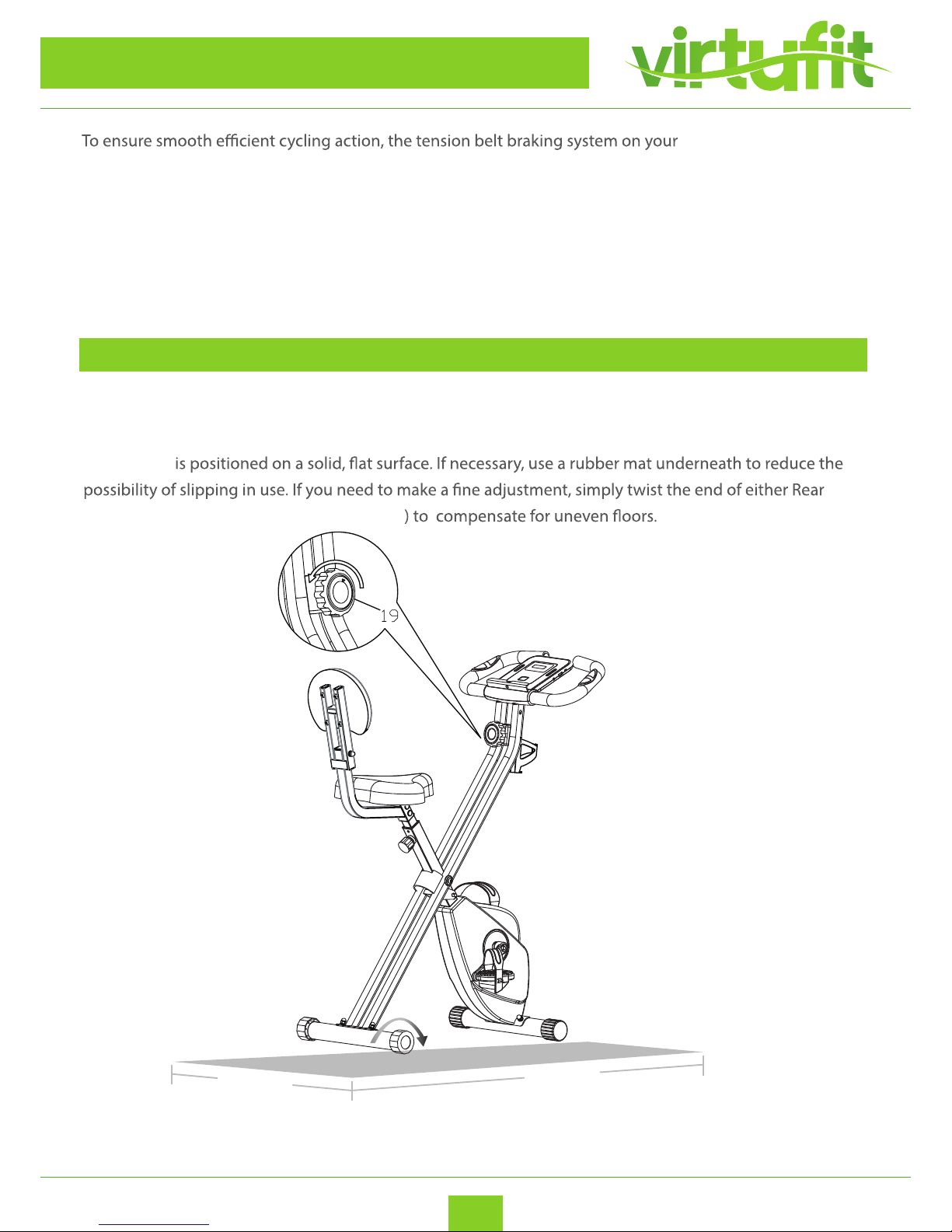
To adjust the pedalling resistance during use, start by turning the Tension Control (19) fully
ANTI-CLOCKWISE at the start of your workout. Gradually increase the pedalling resistance by turning the
Tension Controller Knob CLOCKWISE as required.
LEVELING THE BIKE
For security and stability, your folding bike has a factory welded frame and once fully assembled correctly,
should not need further alignment. However, in the interest of safety, please always ensure that your
folding bike
Frame Stabiliser Adjustable Hex End Cap (27
465 mm
810 mm
VirtuFit iBiking Folding Bike with Backrest
Page 12
12
EN
VirtuFit iBiking Folding Bike
FOLDING INSTRUCTION
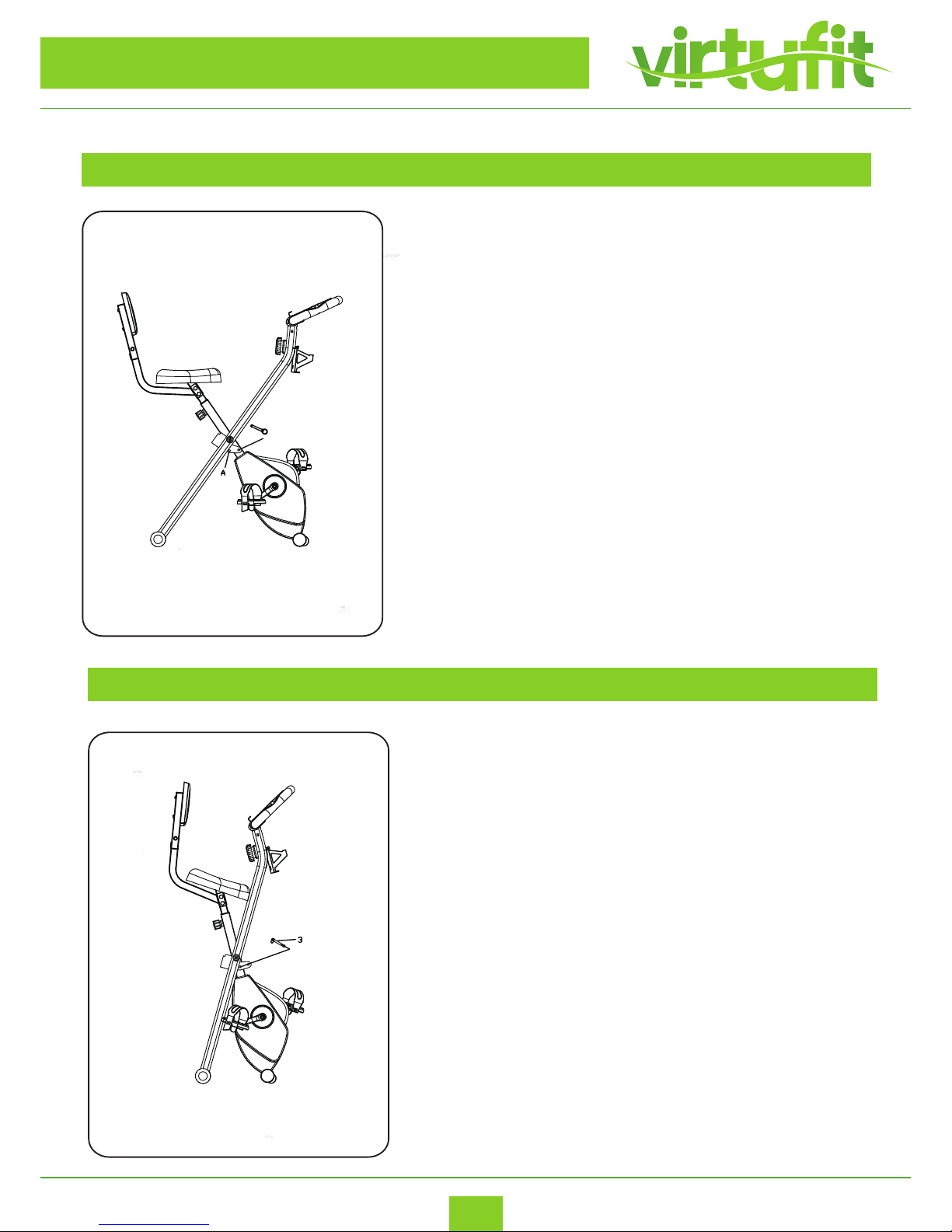
WHEN UNFOLDED
Using the Locking Pin (3) to fold and unfold the bike. When in
use, the Locking Pin (3) is in Position A.
WHEN FOLDED
Using the Locking Pin (3) to fold and unfold the bike. When
folded, the Locking Pin (3) is in Positon B.
3
VirtuFit iBiking Folding Bike with Backrest
Page 13
13
EN
VirtuFit iBiking Folding Bike
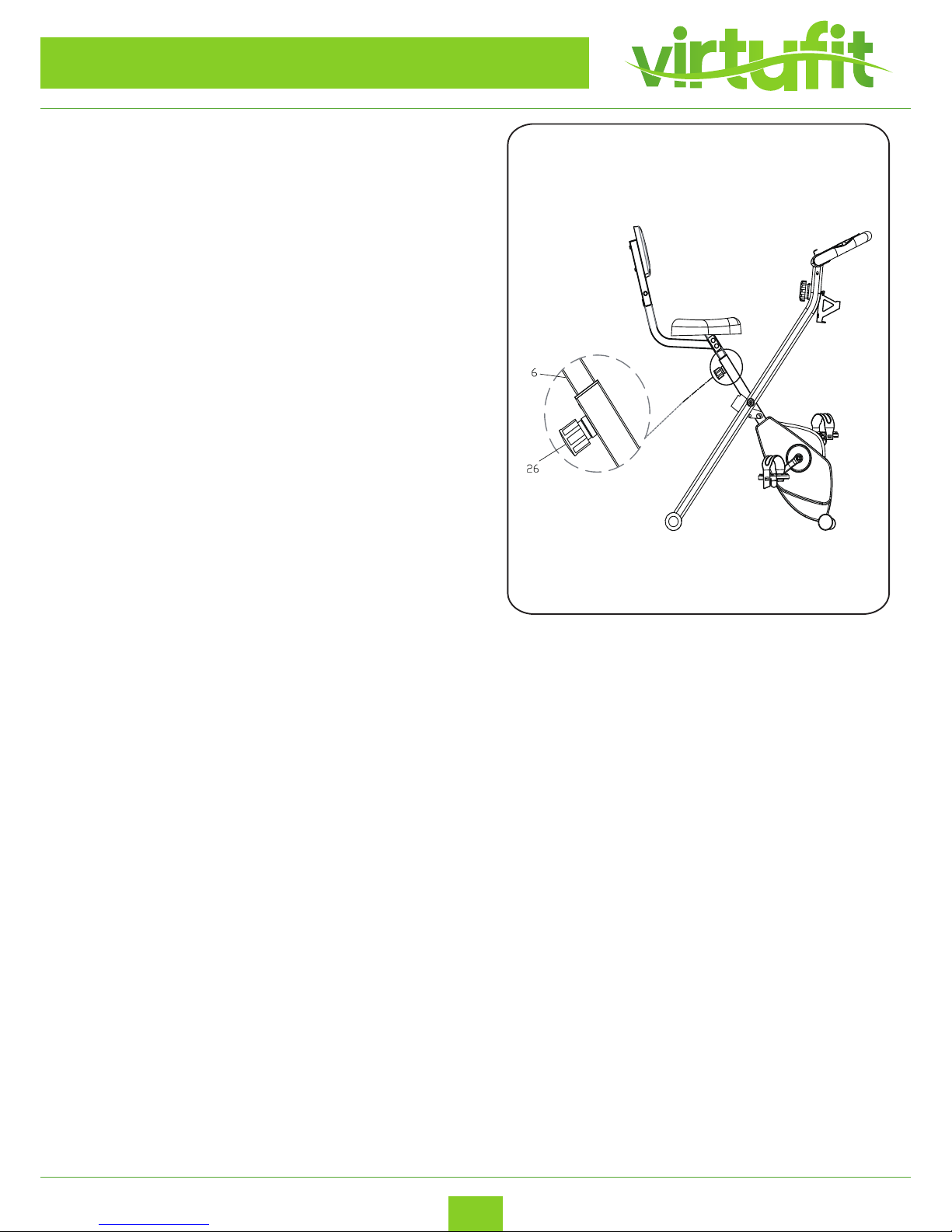
HOW TO ADJUST
The Saddle Support has “Max” Sign to show the
maximum height of Saddle. You should not exceed
this height. Unscrew the Seat Adjustment Knob (26)
a couple of turns then pull the knob outwards to
release the Seat Support Tube (6).
VirtuFit iBiking Folding Bike with Backrest
Page 14
PROBLEM SOLUTIONS
14
VirtuFit iBiking Folding Bike
ENG
MAINTENANCE OF THE EXERCISE BIKE
Regular maintenance is important for optimal operation and to reduce wear. During use,
regularly check all parts of the exercise bike and tighten them securely. Replace worn parts
immediately by contacting the manufacturer. Use a damp cloth and a little soft soap to
clean the exercise bike.
IMPORTANT: keep liquids away from the control panel to prevent damage. Keep the
control panel away from direct sunlight.
Squeaky exercise bike
First lubricate all rotating parts with silicone spray. It can also be that a screw is tightened
too tightly or too loosely, this creates friction and therefore a beep. If this is the case, try to
nd out exactly where the beep is coming from and then loosen or tighten this screw.
The screws should be tightened in such a way that they can always be released by hand.
Ticking noise when pedaling
This is probably caused by one of the pedals. Disassemble the trapper (s) and then reattach
them to the device. Be careful, the left-hand trapper has to be turned counterclockwise to
tighten, the right-hand trapper clockwise. Tighten the pedals securely. If this does not oer
the solution, report this to the supplier.
Heart rate display does not work
This can have various causes.
1. The sensor cables running from the heart rate sensor to the display are incorrectly tted
or have come o during use.
2. It may be that the sensors have become damp, dirty or greasy, clean them regularly.
The console doesn’t work
Are there any other problems? Please contact your dealer.
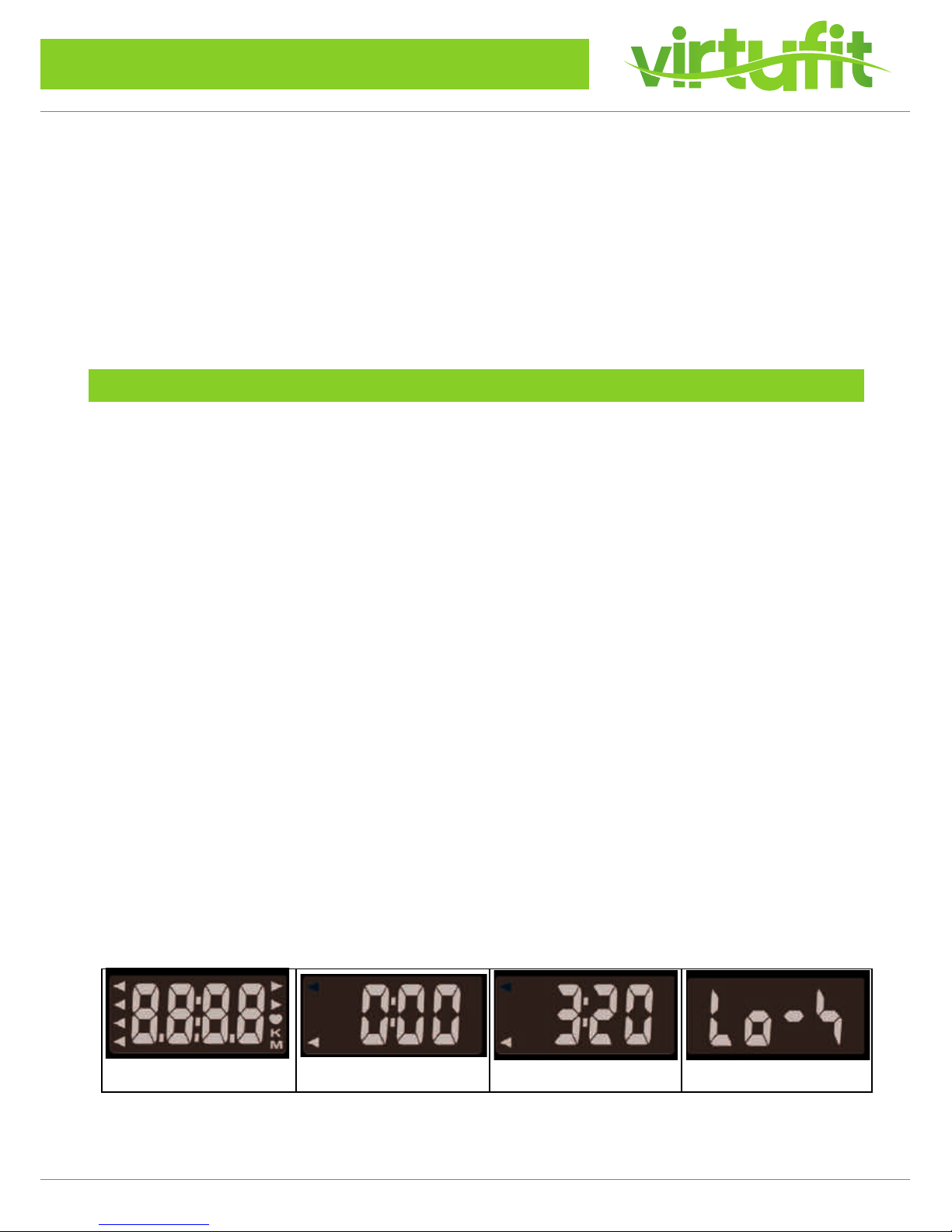
- When the display show Drawing D, it means the batteries need to be changed.
- If there is no signal when you pedal, please check if the cable is well connected.
Drawing A Drawing B Drawing C Drawing D
VirtuFit iBiking Folding Bike with Backrest
Page 15
15
VirtuFit iBiking Folding Bike
ENG
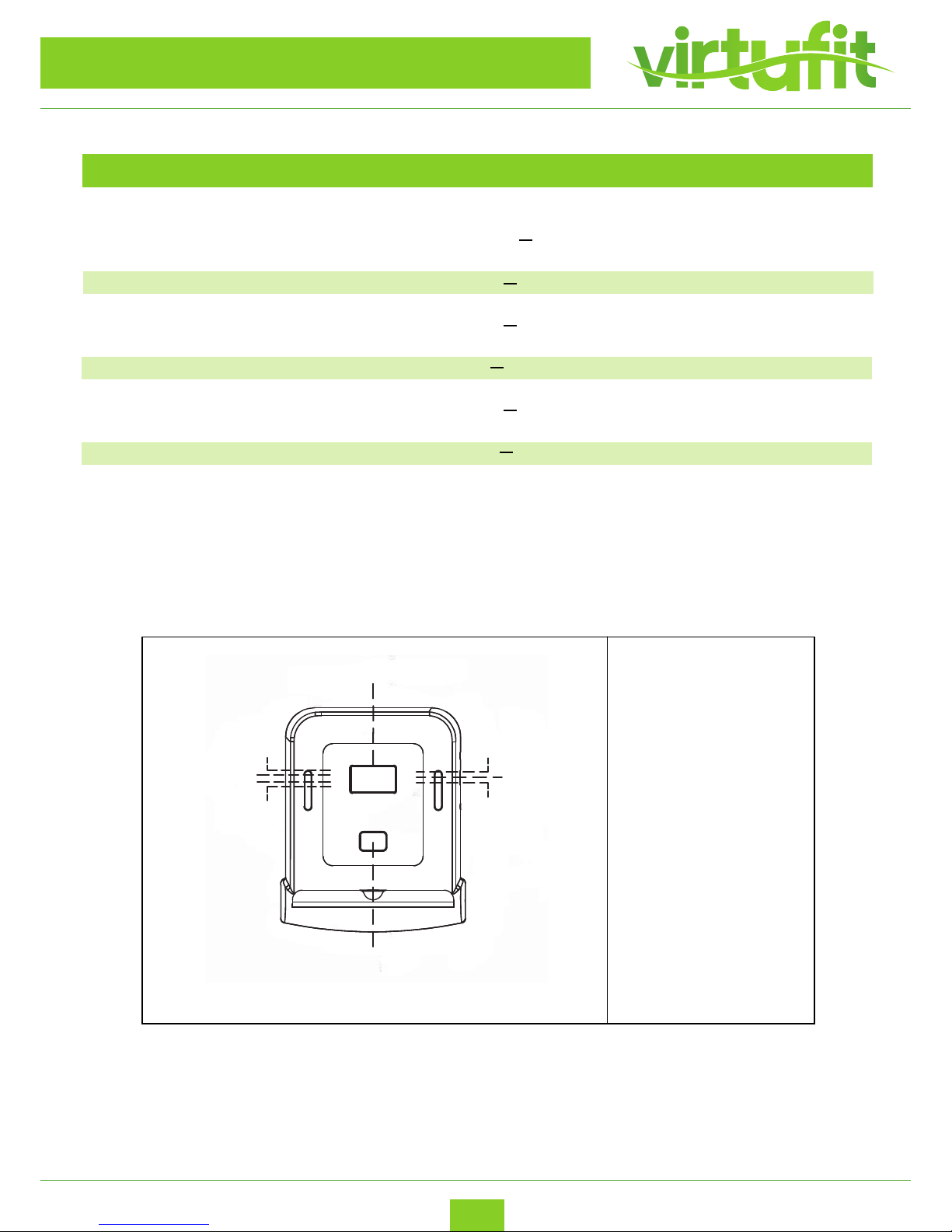
CONTROL PANEL OPERATION
FUNCTION
TIME 0 : 00 99 : 59 (Minute)
SPEED 0.0
999.9 (KM/H)
0.0ECNATSID
999.9 (KM)
0RETEMODO
9999 (KM)
0.0SEIROLAC
9999 (Cal)
03ESLUP
230 (Beats per Minute)
TIME
DISTANCE
SPEED
SCAN
ODOMETER
CALORIES
PULSE
1
2
3
4
5
6
7
8
9
1. MONITOR
2. ODOMETER
3. CALORIES
4. PULSE
5. MODE
6. TIME
7. DISTANCE
8. SPEED
9. SCAN
VirtuFit iBiking Folding Bike with Backrest
Lorem ipsum
Page 16
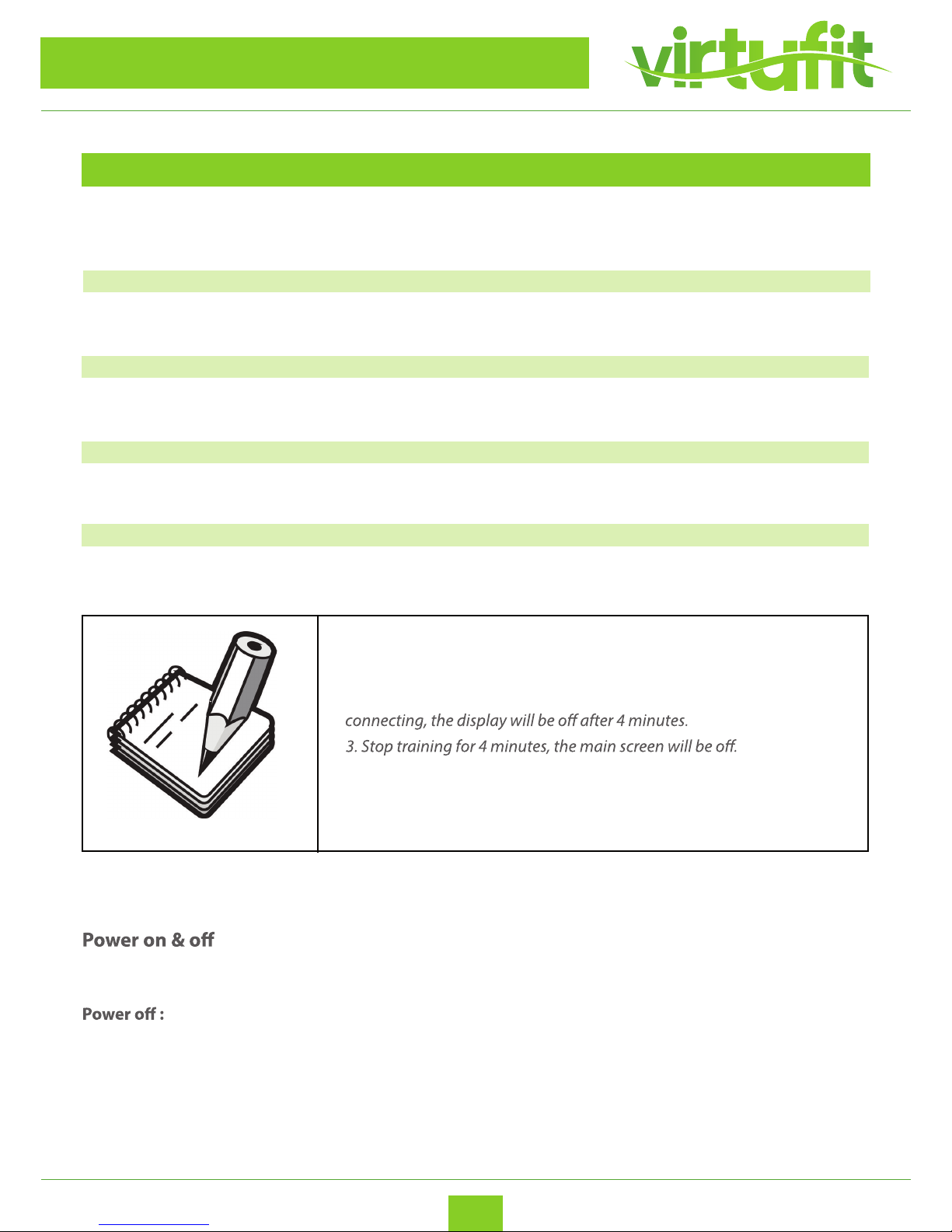
To select dierent functions
16
VirtuFit iBiking Folding Bike
ENG
FUNCTION DESCRIPTION
CONTROL PANEL OPERATION
MODE
SCAN Changing from function to function every 2 seconds
TIME Workout time during your exercise
SPEED Workout speed during your exercise
DISTANCE Workout distance during your exercise
ODOMETER Automatically counts the total distance of all training
CALORIES Burned calories during your exercise
PULSE Heart rate during your exercise
Note
1. Compatible with iOS and Android system
2. Console and mobile device connection via Bluetooth (4.0), once
4. If the computer displays abnormally, please try to remove the battery
and re-install again.
5. Battery Spec: 1.5V UM-3 or AA (4 PCS).
Power on : LCD will display all segments with Beep sound as Drawing A (next page).
Without any signal been transmitted into the monitor for 4 minutes,
the monitor enters to SLEEP.
VirtuFit iBiking Folding Bike with Backrest
Page 17

17
VirtuFit iBiking Folding Bike
ENG
OPERATION
CONTROL PANEL OPERATION
1. When monitor power on (or press MODE, RESET key and hold for 3 seconds), LCD screen will
display all segments with Beep sound for one second and enter to SCAN mode as Drawing B.
2. With any signal been transmitted into the monitor, the value of TMR, DST, and CAL will start to
count up as Drawing C.
3. Without any signal been transmitted into the monitor for 4 minutes, the monitor will enter to
SLEEP mode.
VirtuFit iBiking Folding Bike with Backrest
Page 18
18
VirtuFit iBiking Folding Bike
ENG
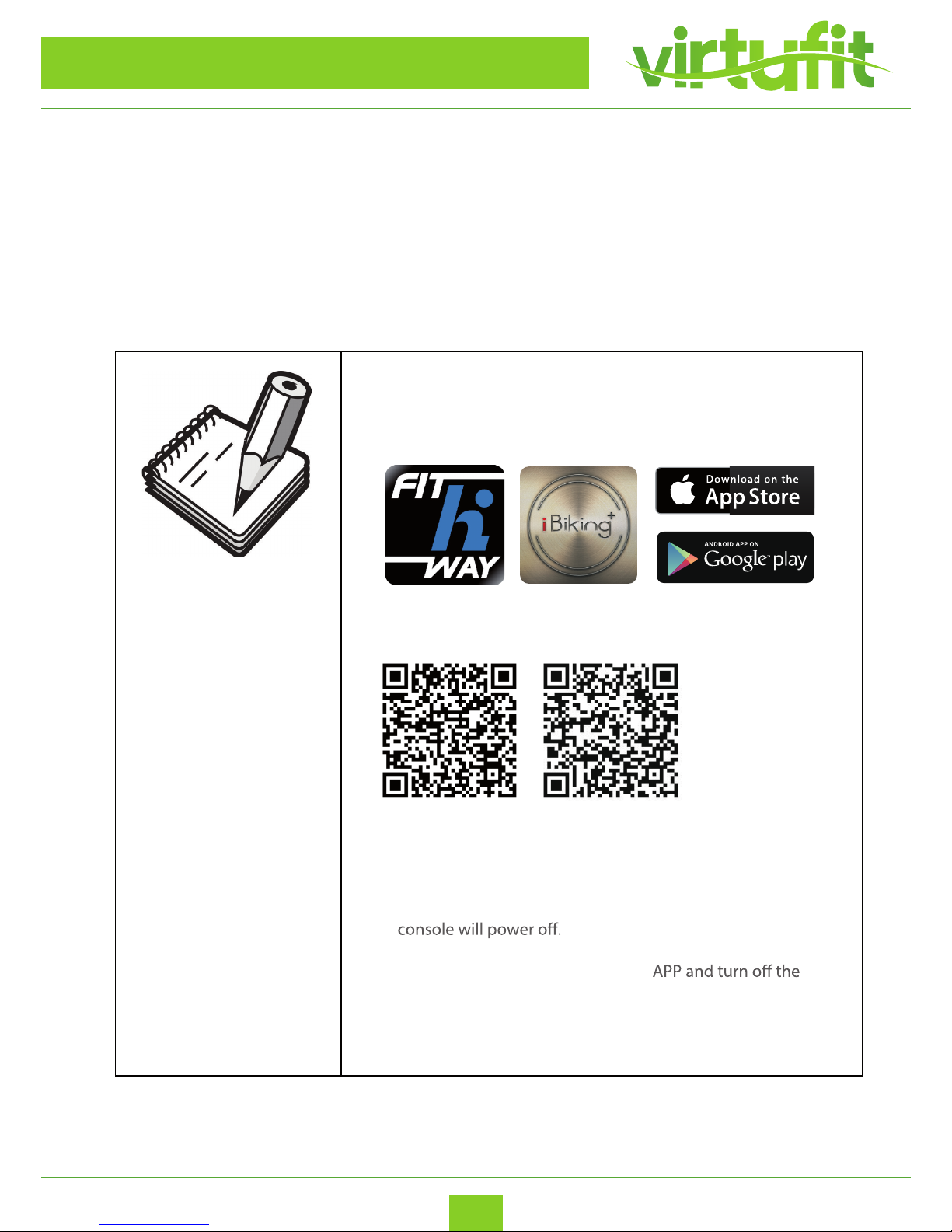
Turn on Bluetooth on your smart devices, and then start Fit Hi Way or iBiking+ APP
on smart devices for connection.
Start workout with devices.
APP INSTRUCTION
Fit Hi Way and iBiking+ instruction manuals :
Fit Hi Way and iBiking
+
APP download:
NOTE:
Download the APP in Google play or App Store.
Fit Hi Way
iBiking
+
The manuals will be
updated from time to
time, the consumer
can get the newest
version by scanning
the QR code.
1. Once console is connected to device via Bluetooth, the
2. Please exit Fit Hi Way or iBiking
+
Bluetooth from the smart device, then the console will
power on again.
VirtuFit iBiking Folding Bike with Backrest
Page 19

For questions or missing parts please contact your dealer.
 Loading...