

Page 1
www.vilant.com
Vilant Tracker Charger
User Guide
Page 2
2
Vilant Tracker Charger
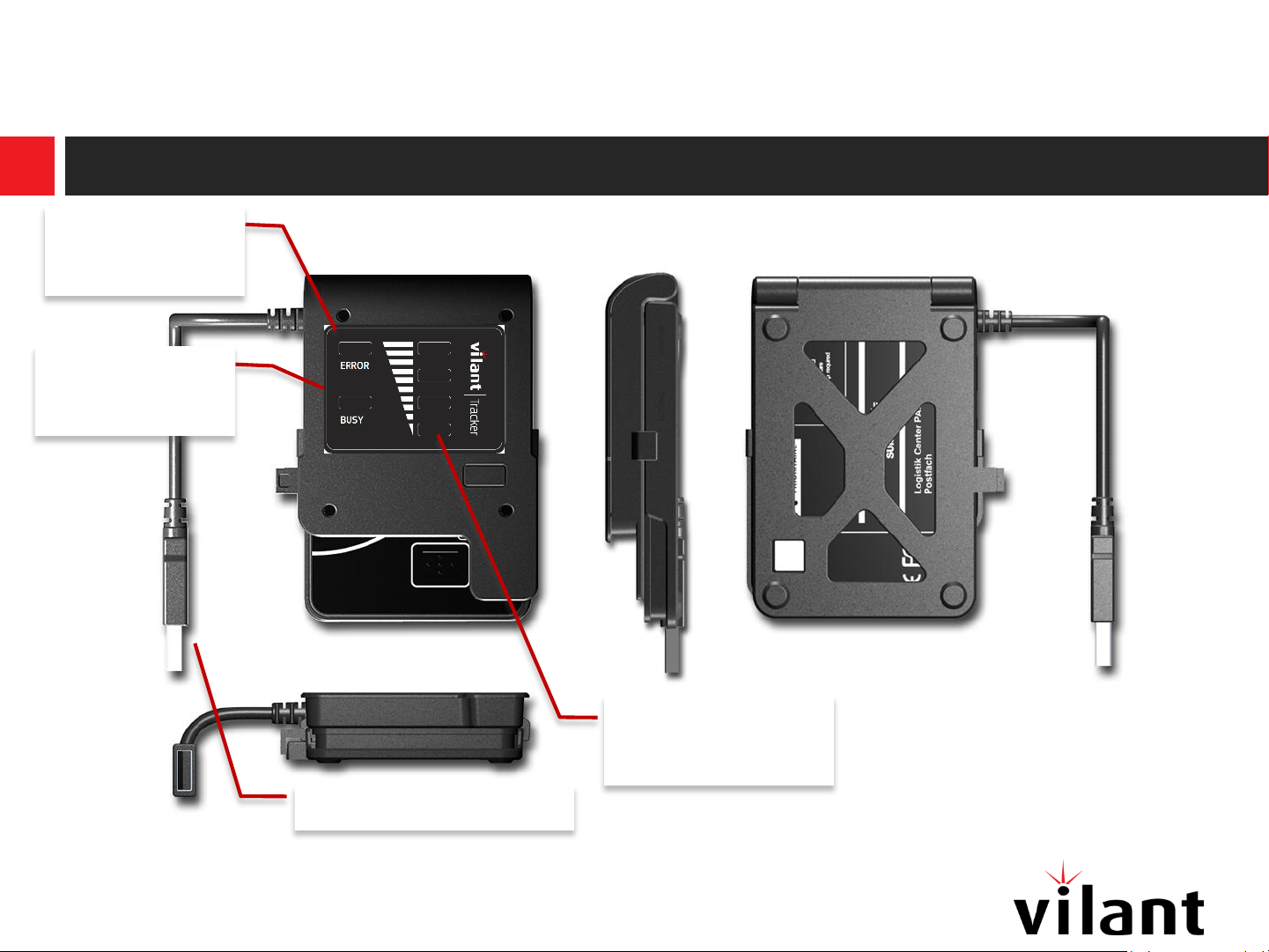
Error
indicator
Busy
indicator
Charge level
indicator
USB-connector
Version 1.0 © Vilant Systems 2013 / www.vilant.com
Page 3
3
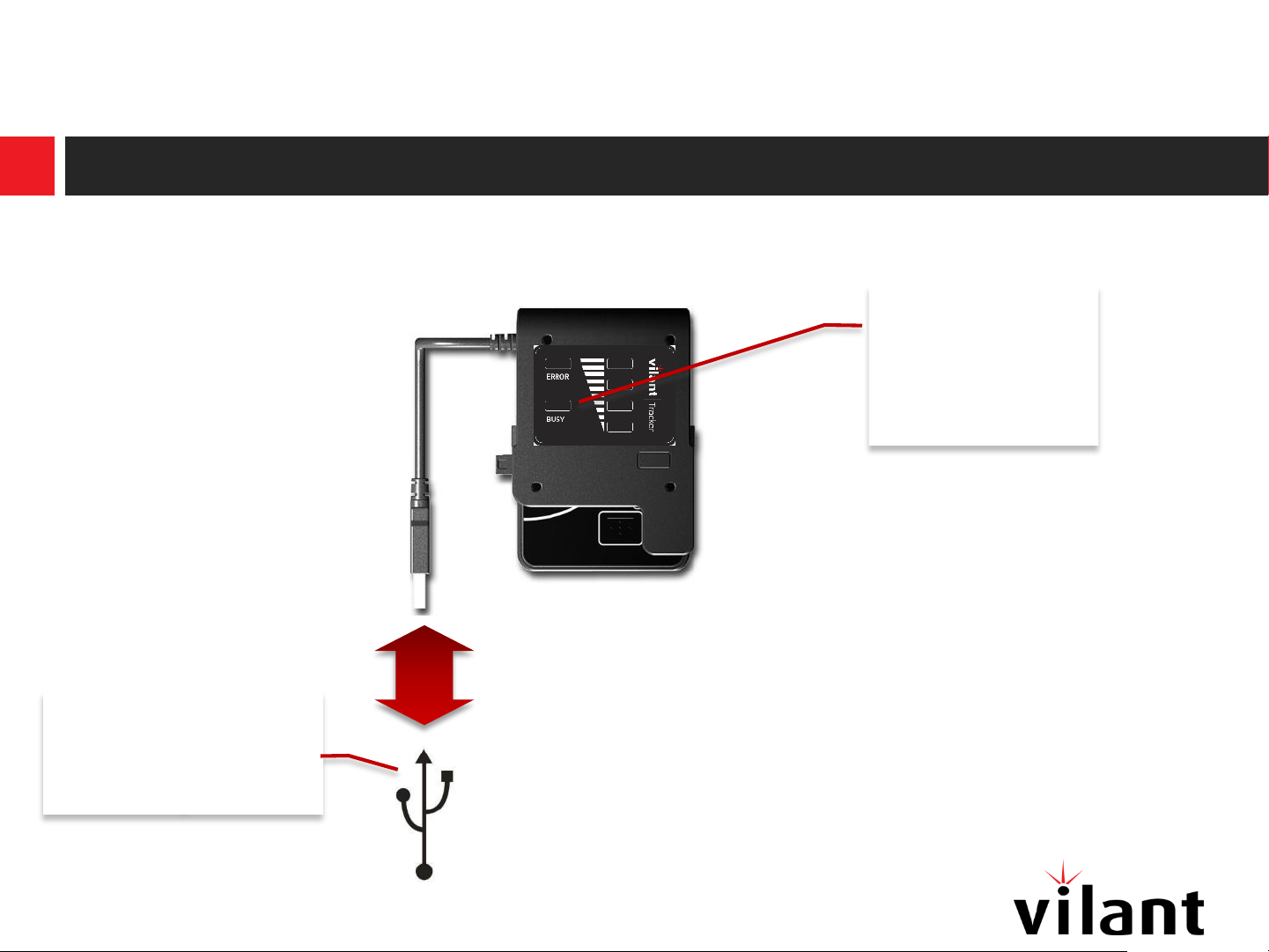
1) Connect to USB port
On PC or dedicated USB power-supply
Busy indicator
will start
blinking when
connected
USB connectors are
marked with this
sign
Version 1.0
© Vilant Systems 2013 / www.vilant.com
Page 4

4
2) Insert tracker and close
Open charging lid on tracker before inserting
The charging lid
should be entirely
opened
insert
Close &
click
Version 1.0
© Vilant Systems 2013 / www.vilant.com
Page 5

5
3) Wait during charging
On PC or dedicated USB power-supply
The green
indicators show
charging
progress.
Charging is
finished when
the busy
indicator is off
and all green
indicators are
Version 1.0
on
© Vilant Systems 2013 / www.vilant.com
Page 6
6
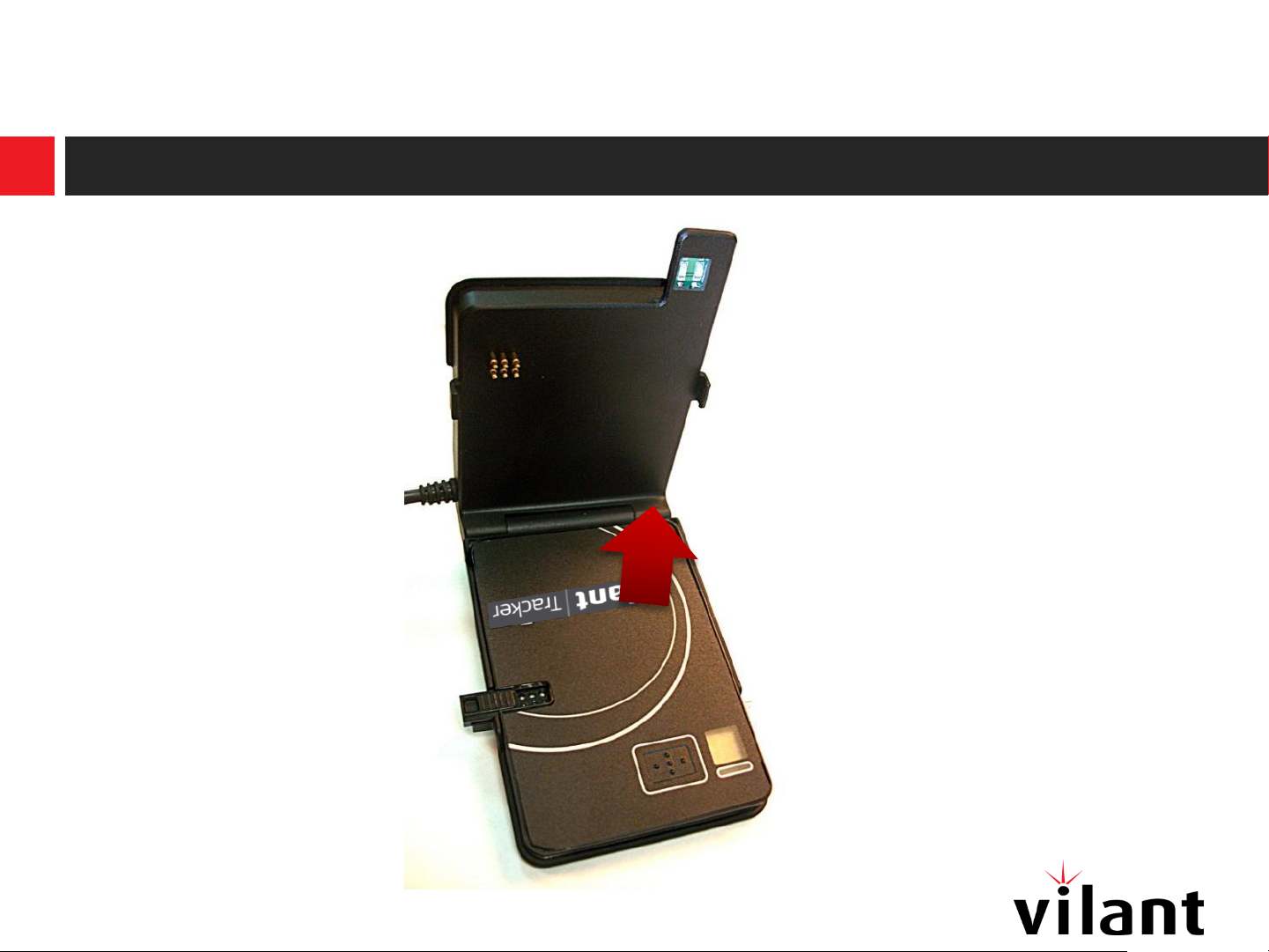
4) Take out the tracker
© Vilant Systems 2013 / www.vilant.comVersion 1.0
Page 7
7
Questions
I have a USB-charger, can I use this to connect the Jiiva charger to?
– Yes, you can use any powered USB port to charge.
How long does a charging cycle take?
– This depends on the USB-port and the remaining battery charge in the tracker.
When I insert a tracker, all 4 green indicators are switched on, what’s happening?
– The battery in the tracker is already full, the charger does not start a new charging cycle
When I insert a tracker, none of the green indicators are switched on, what’s happening?
– A bad contact between the tracker and the charger is likely to be the reason. Reopen the charger and
close it again firmly and wait a few seconds. Normally one or more green indicators should be switched
on.
– If the previous doesn’t solve the problem, the spring-loaded contacts on the charger may need to be
cleaned. For this purpose, use a soft cotton sick and pure alcohol.
The red error indicator is blinking, what should I do?
– The read indicator indicates a fatal system error. Please return the charger to your local Vilant Tracker
distributor for repair or replacement if covered by warranty.
© Vilant Systems 2013 / www.vilant.comVersion 1.0
Page 8
8
FCC Statement
This device
device may not cause harmful interference, and (2) this device must accept any interference received, including
interference that may cause undesired operation. Any Changes or modifications not expressly approved by party
responsible for compliance coulk void the user’s authority to operate the equipment.
Radiation Exposure Statement
This equipment complies with FCC radiation exposure limits set forth for an uncontrolled environment. This
equipment should be installed and operated with minimum distance 20 cm between the radiator & your body.
This transmitter must not be co-located or operating in conjunction with any other antenna or transmitter.
complies with Part 15 of the FCC Rules. Operation is subject to the following two conditions: (1) This
Warnning
© Vilant Systems 2013 / www.vilant.comVersion 1.0
 Loading...