

Page 1
VIKING
Electronics, Inc.
QUICK START GUIDE
K See Product Manual for complete installation and programming instructions.
1.0 Out-of-Box
1.1 Verify that you have received all of the parts listed
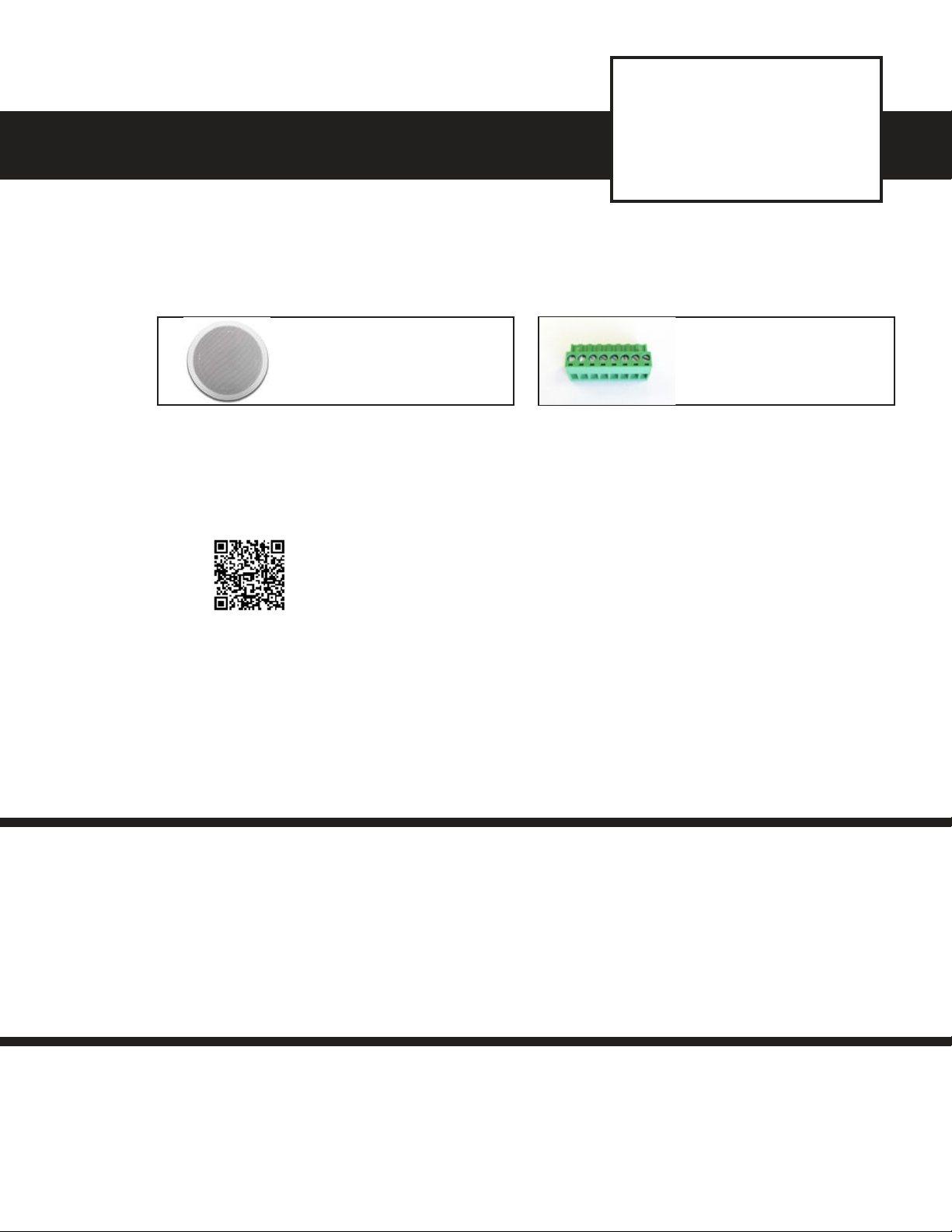
40TB-IP
SIP Multicast Talk-Back
Speaker
September 17, 2019
40TB-IP Speaker
Qty: 1
1.2 Download the product manual
Scan the QR code to
open and download
the product manual
1.3 Download and install the programming software
1. Go to www.vikingelectronics.com and enter 40TB-IP in the search box
2. Click 40TB-IP in the search results
3. Scroll down the page to Downloads, click IP Programming Software
4. Install the programming software by saving or opening the file and then clicking on
setup Viking IP Programming.exe
5. Follow the prompts on your screen to complete software installation
- OR -
1. Go to www.vikingelectronics.com and
enter 40TB-IP in the search box
2. Click 40TB-IP in the search results
3. Click Product Manual to open and
download the PDF
8-position terminal block
Qty: 1
2.0 Power Source
Select PoE Switch or PoE Injector that meets the following requirements:
1. IEEE 802.3af / 802.3at / 802.3bt compliant
2. Capable of providing at least 13 Watts (class 0 or class 3)
Note: CAT5e (or higher) cable recommended
3.0 Network Port Settings
• Make sure the port is not in trunk mode
• Make sure port is capable of 100mbps full duplex
• Disable Spanning Tree Protocol (STP) or enable Portfast
Page 2
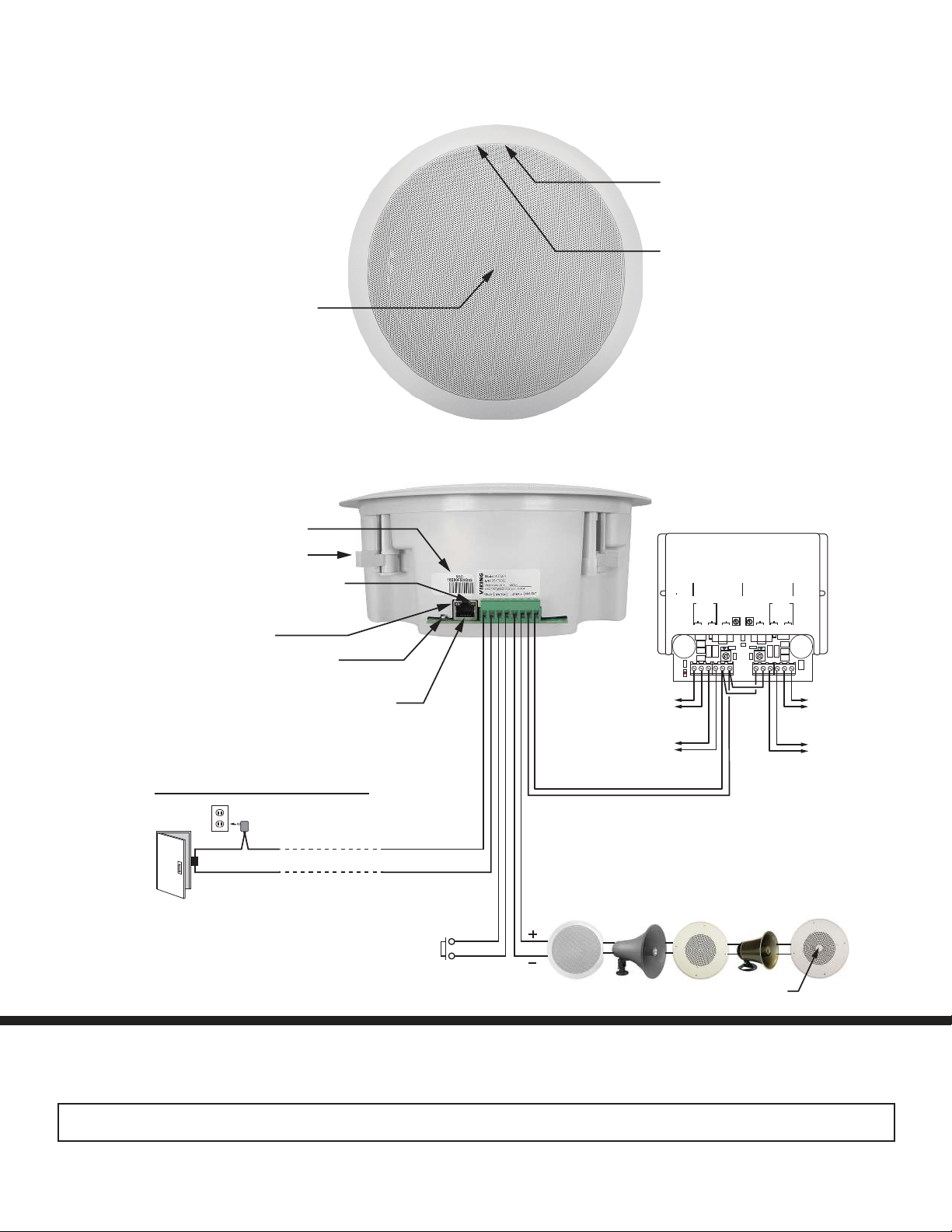
4.0 Features Overview
Speaker: 8” paper
with wizzer cone
MAC Address Label: The MAC
address is a unique 12 digit number
used by routers to send network
traffic to the correct IP address.
Adjustable Mounting Clamps
Yellow Network Status LED: Lights
steady to indicate power and data link.
Blinks to indicate network activity.
Green Unit Status LED
Reset Switch (see sections D and E
on page 9)
PoE LAN Port 10/100, PoE Class 3 (<13 Watts):
Connect to your LAN via RJ45 plug and CAT5 or
greater twisted pair wire.
Connect to Optional Doorstrike,
Mag Lock, Gate Controller, etc.
120V AC
Doorstrike / Magnetic Lock
(Power typically not required
for gate controllers)
Optional Momentary Switch Input
to initiate outbound calls (not included)
Relay Output Contact
(2A@30VDC/ 250VAC maximum)
Front View
Side View
Momentary
Line
Out
Speaker
Out
Blue Call/Status LED: Flashes
during dialing, then lights steady
when answered.
Microphone: Omni-directional
microphone with protective
water-resistant cloth.
Optional Viking Model PA-60
Paging Amplifier (DOD 493)
VIKING©
PWR 60 W
+/ 24 VDC
PWR
LED
Up to (15)
8 Ohm
Speakers
Up to (15)
8 Ohm
Speakers
Up to (5) Optional Viking Analog Speakers
(not included, see DOD 497 and 498)
40AE
300AE
30AE
VIKING
ELECTRONICS
HUDSON,
60 WATT 2 ZONE
POWER AMPLIFIER
70V OUT
GAIN GAIN
SPKRS
SPKRS
LINE LEVEL AUDIO INPUT
2315 7101112
4689
600 Ohm
Paging Audio
MODEL PA-60
WI
54016
CHANNEL 2 CHANNEL 1
LINE LEVEL
AUDIO INPUT
25AE
70V OUT
SPKRS
SPKRS
Up to (15)
8 Ohm
Speakers
Up to (15)
8 Ohm
Speakers
35AE
Volume Control
See the Product Manual for complete installation and programming instructions.
Questions? Call Viking Product Support: 715-386-8666
Due to the dynamic nature of the product design, the information contained in this document is subject to change without notice. Viking Electronics, and its affiliates and/or subsidiaries
assume no responsibility for errors and omissions contained in this information. Revisions of this document or new editions of it may be issued to incorporate such changes.
40TB-IP Quick Start Guide ZF303945 REV A
 Loading...