

Page 1
APPLICATION
APPLICATION
NNootte
e
T
T
EELLEECCOOM
M
S
S
OOLLUUTTIIOONNSSFFOORRTTHHE
E
221
1
SST
T
C
C
EENNTTUURRY
Y
Note: This document should be used in combination
with the HF-3W Handsfree Talkback Amplifier
Technical Practice (Fax Back Document 470).
The HF-3W handsfree paging unit allows employees
to respond to a paging message without reaching for
the telephone. It is perfect for use in city desks, shipping and service applications where quick answers
are needed.
IInnssttaallllaattiioon
n
HF-3W
HF-3W
Using an SW-2
“Push-to-Talk” Button
April 24, 2000
Using the HF-3W with a
“Push-to-Talk” Button
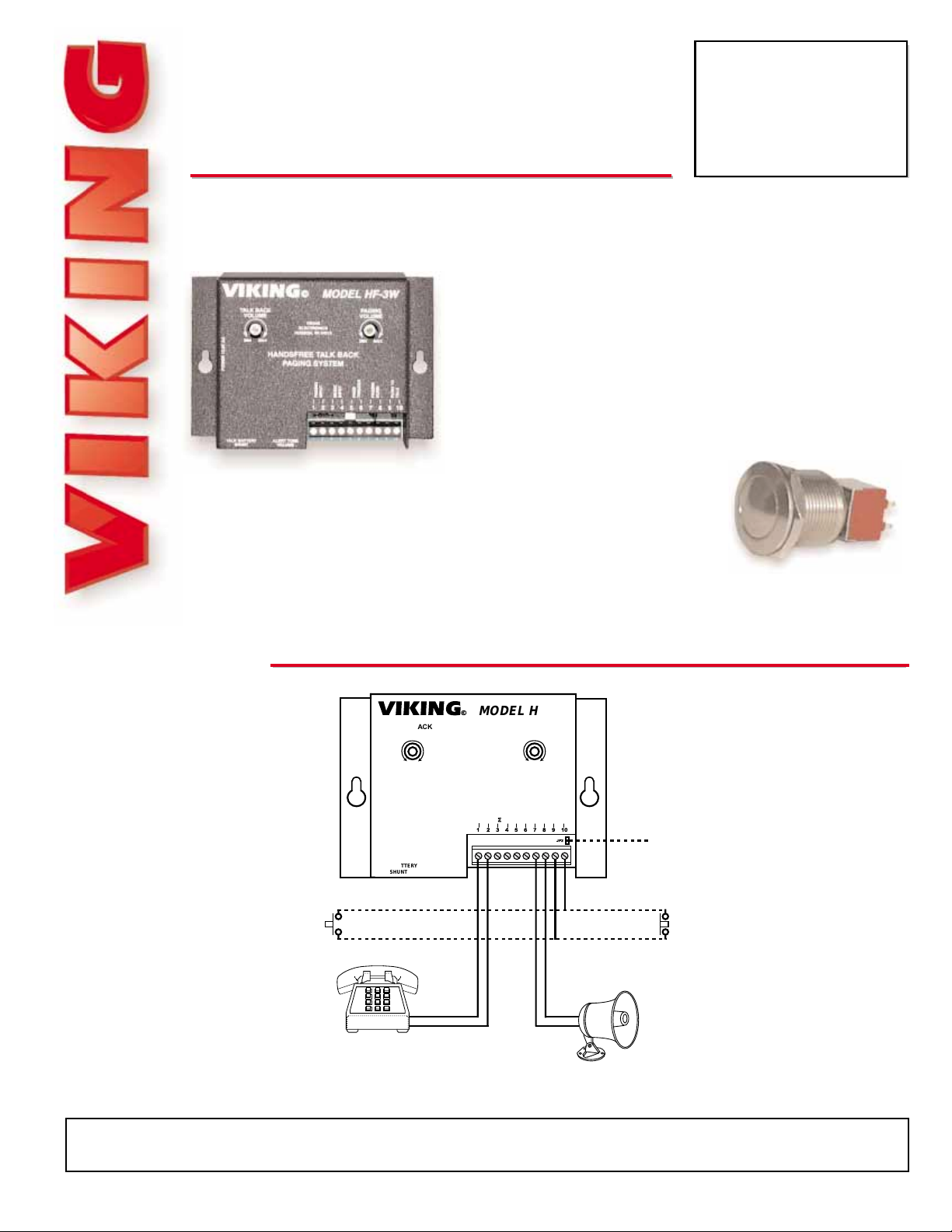
For loud background noise, an optional “Push-to-Talk” button
may be added using an N/C switch at the speaker or an N/O
switch at the phone. The Viking SW-2 panel mount switch
(right) will also work.
PPhhoonnee......771155..338866..8888661
1
hhttttpp::////wwwwww..vviikkiinnggeelleeccttrroonniiccss..ccoom
m
Due to the dynamic nature of the product design, the information contained in this document is subject to change without notice. Viking Electronics, and its affiliates and/or
subsidiaries assume no responsibility for errors and omissions contained in this information. Revisions of this document or new editions of it may be issued to incorporate
such changes.
Fax Back Doc 844
Rev 3
Printed in the U.S.A.
PPrroodduuccttSSuuppppoorrttLLiinnee......771155..338866..8866666
6
FFaaxxBBaacckkLLiinnee......771155..338866..4433445
5
HANDSFREE TALKB ACK
PAGING SYSTEM
VIKING
ELECTRONICS
HUDSON, WI 54016
VIKING©
MODEL HF-3W
POWER 13.8 VAC
PAGING
INPUT
ALERT TONE
VOLUME
12345678910
TALK BATTERY
SHUNT
MUSIC
INPUT
PAGE
TRIGGER
PAGING
HORN
PUSH TO
TALK
JP2
PAGING
VOLUME
TALK BACK
VOLUME
MIN
MAX
MIN
MAX
Single or Multi-
Line Phone
Normally Open
Button Contacts
for Push to Talk at
the Phone
Paging
Horn
Normally Closed
Button Contacts
for Push to Talk at
the Speaker
Note: JP2 must be removed to
use the "Push-to-Talk" feature.
 Loading...