

Page 1
Telecommunication Peripheral Products
Technical Practice
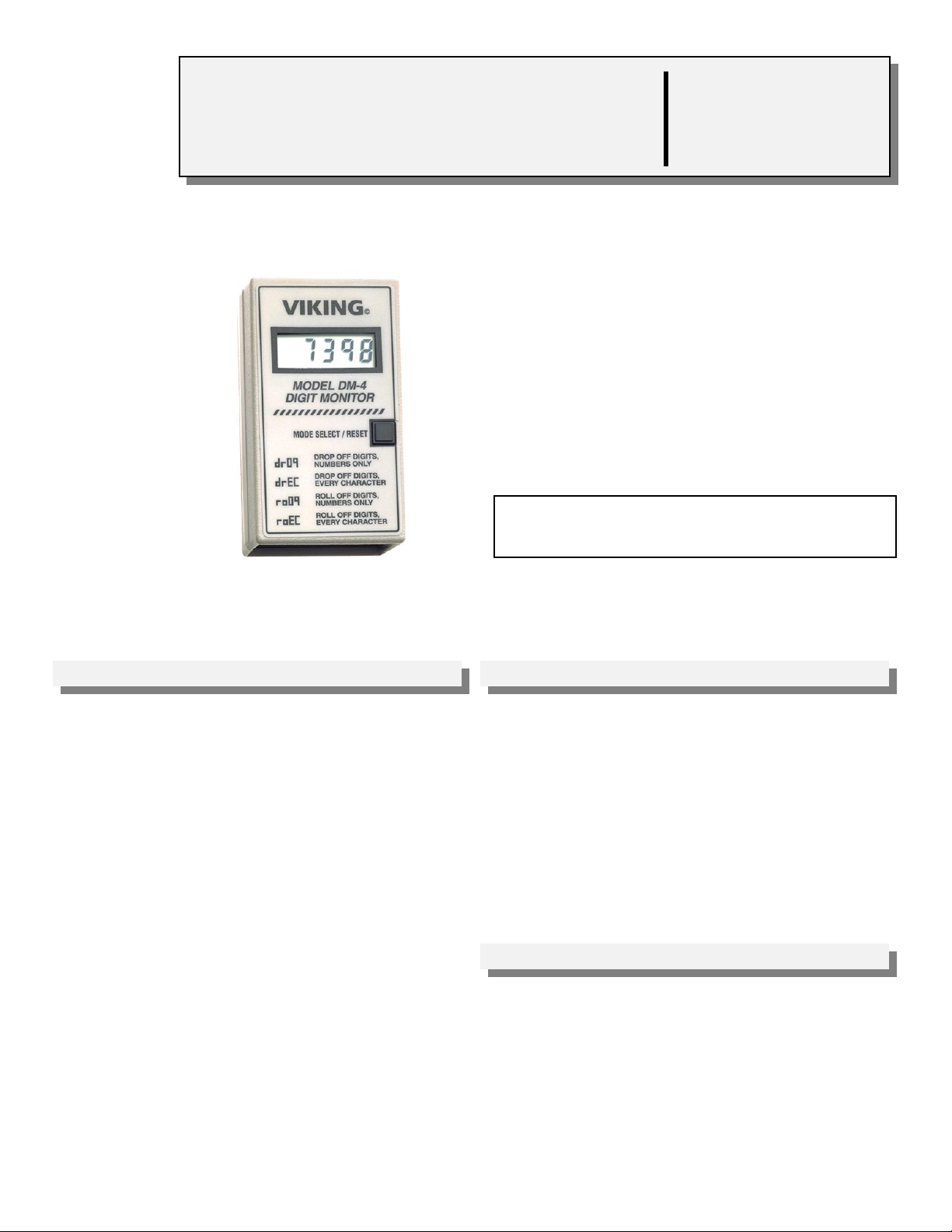
Decode DTMF Touch Tones
Easily decode DTMF Touch Tones for
trouble-shooting communication equipment.
The DM-4 will decode any numeric Touch
Tone as well as extended DTMF characters
on standard C.O. lines or analog PABX/KSU
stations.
The DM-4 is also recommended for decoding
the location identification codes built into
Viking’s 1600 Series, ADA* compliant
phones.
*Americans with Disabilities Act of 1992 contains new federal
regulations regarding elevator telephones (Public Law 101-
336).
DM-4
Digit Monitor
August 13, 1998
VIKING©
http://www.VikingElectronics.com
Features Applications
• Continuously monitors for Touch Tones
• Easy modular installation
• User programmable
• Four available display modes
• Power supply included
• Large liquid crystal display
• One year warranty
Made in the U.S.A.
Sales...(715) 386 - 8861
• Decipher DTMF Touch Tones to test
communication equipment
• Decipher DTMF location identification string of
ADA* compliant, 1600 Series emergency and
elevator phones (Fax Back Document 215)
Specifications
Power: 120V AC/13.8V AC UL listed power supply included
Dimensions: 71mm x 36mm x 119mm (4.7” x 2.8” x 1.4”)
Shipping Weight: .68 kg (1.5 lbs)
Environmental: 0°C to 32°C (32°F to 90°F) with 5% to 95% non-
condensing humidity
Display: 4 digits, 10 mm (.4”) high liquid crystal
Connections: (1) RJ-11 plug
Page 2
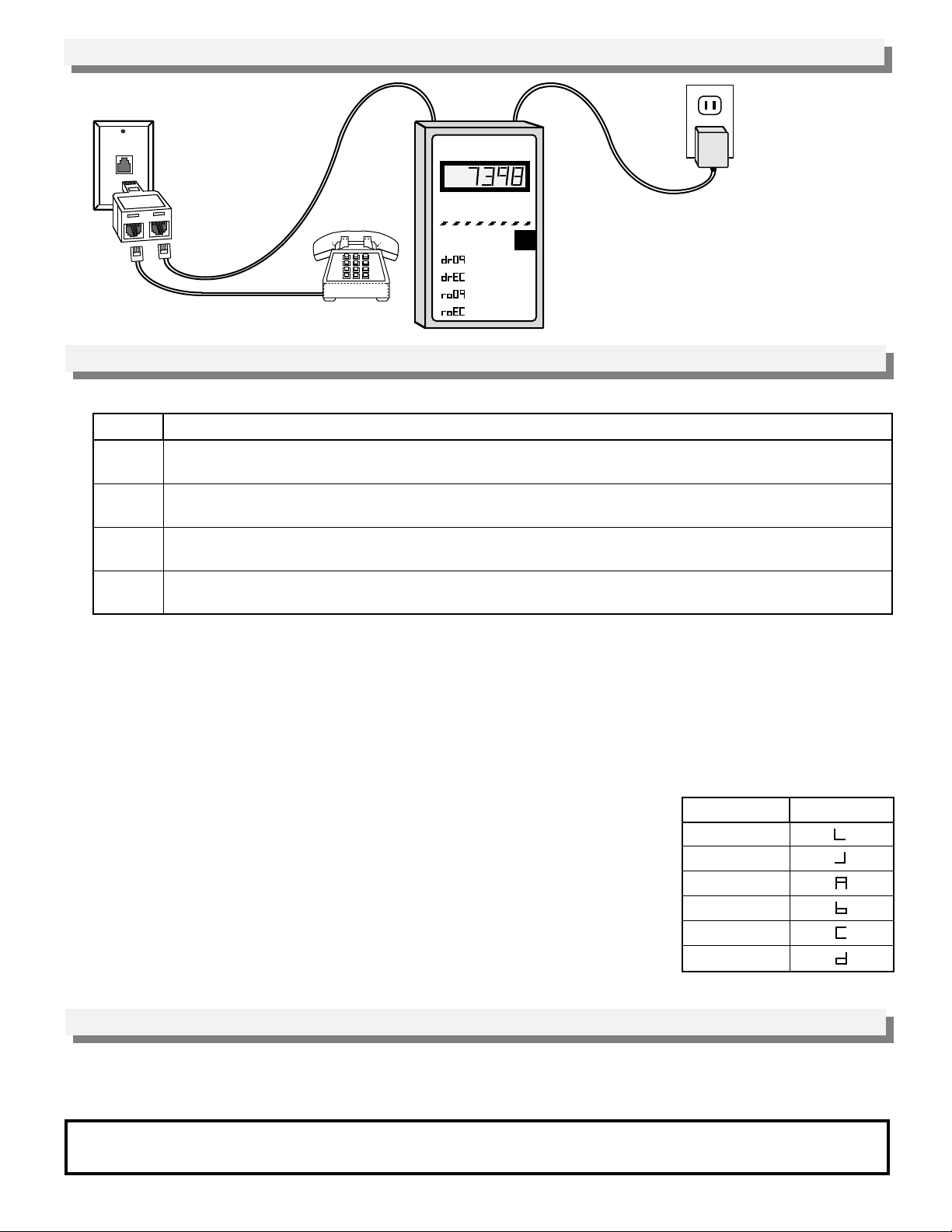
“T” Adapter
(included)
A. Mode Descriptions
Installation
VIKING©
MODEL DM-4
DIGIT MONITOR
MODE SELECT/RESET
DROP OFF DIGITS,
NUMBERS ONLY
DROP OFF DIGITS,
EVERY CHARACTER
ROLL OFF DIGITS,
NUMBERS ONLY
ROLL OFF DIGITS,
Telephone
EVERY CHARACTER
Programming
120V AC
Mode
dr09
drEC
ro09
roEC
Description
Drops the oldest digit from the display as a new Touch Tone digit is received (only on display overflow).
The only digits displayed are Touch Tones 0 - 9.
Drops the oldest digit from the display as a new Touch Tone digit is received (only on display overflow).
All Touch Tone characters are displayed (0 - 9, Q, #, A, B, C, D).
Rolls the digits onto the display if they overflow the display (14 digits maximum).
The only digits displayed are Touch Tones 0 - 9.
Rolls the digits onto the display if they overflow the display (14 digits maximum).
All Touch Tone digits are displayed (0 - 9, Q, #, A, B, C, D).
B. Changing the Mode
1. Press and hold the MODE SELECT/RESET button until the current mode is displayed, then release.
2. Momentarily press the MODE SELECT/RESET button to change the DM-4 from the current mode to the next.
3. When the desired operational mode has been selected, The DM-4 will continue to display that operational mode
for approximately 3 seconds.
4. Save your selection and return to normal operation.
C. Display
The DM-4 can be programmed to display all Touch Tone characters or only
numeric digits. If the mode is selected to show all characters, they will be
displayed as shown in the chart to the right.
The display will be cleared by any of the following:
1. Momentarily pressing the MODE SELECT/RESET button.
2. An “On-Hook” signal of a telephone or device connected to the same line as the
DM-4.
3. If more than 20 seconds elapse between Touch Tone entries, the display will
automatically blank on the next incoming Touch Tone.
Character
Q
#
A
B
C
D
Display
Operation
The DM-4 continuously monitors for Touch Tones and displays them on a four-digit display in one of four operational
modes. The DM-4 can display both numeric digits and extended DTMF characters.
Product Support Line...(715) 386-8666 Fax Back Line...(715) 386-4345
Due to the dynamic nature of the product design, the information contained in this document is subject to change without notice. Viking
Electronics, its affiliates and/or subsidiaries assume no responsibility for errors and/or omissions contained in this information. Revisions of
this document or new editions of it may be issued to incorporate such changes.
Printed in the U.S.A. ZF290540 Rev BFax Back Doc # 205
 Loading...