

Page 1
User manual
30x Zoom Laser Night Vision Object Tracking Camera Gimbal
Images are for reference only, please subject to the actual product.
Z30T-M
Page 2

Z30TM Pinpoint-precision Gimbal
1. …………… 2
2. ………………………………………………………2
3. Gimbal description……………………………………………………………………3
4. Packing list …… ………………………………………………………………………4
5. Gimbal dimension …………………………………………………………………4
6. Installing ………………………………………………………………………………5
7. Mechanics@Electronic characteristics … … … … … … …… … … … … ……5
8. Working characteristics ……………………………………………………………5
9. Gimbal’s signal wire box ………………………………………………………6
Gimbal introduction ………………………… ………………………
Object tracking function …
-1-
Contents
30x Starlight HD Zoom Camera
1. ………………………1130x Starlight camera introduction ……… …
…
…
……
…
……
…
…
…
…
10. Gimbal’s connection of control box and wiring instructions …………………7
…………
GPS Information Display and Serial Port Control Wiring Diagram
1. …………… 13
2. ………………………………………………………13
3. Gimbal description……………………………………………………………………13
GPS and Connection of control box
……… ……
………… ………………………
GPS baud rate ……
…
Page 3

Object Tracking Function
Gimbal Introduction
Z30TM is a pinpoint-precision professional 3-axis gimbal which features
high stability, small size, light weight and low power consumption. The
3-axis gimbal based on FOC motor control technology, adopts pinpointprecision encoder in each motor.
The speed of Z30TM gimbal is adjustable, LOW speed mode is used for
large zoom range, the control will be more accurate; Fast speed mode is
used for small zooming range, which makes the gimbal control sensitive
and quick. Also the one-key to center function will allow the gimbal return
to initial position automatically and rapidly.
-2-
1. Function description
2. Tracking Performance
Build-in normalization, cross-correlation and tracking algorithm,
combining with object missing recapture algorithm, achieve stable
track of the target.
Support custom characters of user OSD, adaptive gate, cross cursor,
tracking information display.
1)Update rate of deviation pixel 50Hz
2)Output delay of deviation pixel <10ms
3)Minimum object contrast 5%
4)The minimal signal-to-noise ratio (SNR) 4
5)Minimum object size 16*16 pixel
6)Maximum object size 160*160 pixel
7)Tracking speed 32 pixel/frame
8)The mean square root values of pulse noise in the object position<0.5
pixel
9)Object memory time 100 frames
Z30TM supports PWM, S.BUS and serial command control, suitable for
close range remote control or remote data command control.
Page 4
!
Please make sure that the motor is not stopped by any object during
the rotation, if the gimbal is blocked during rotation, please remove
the obstruction immediately.
-3-
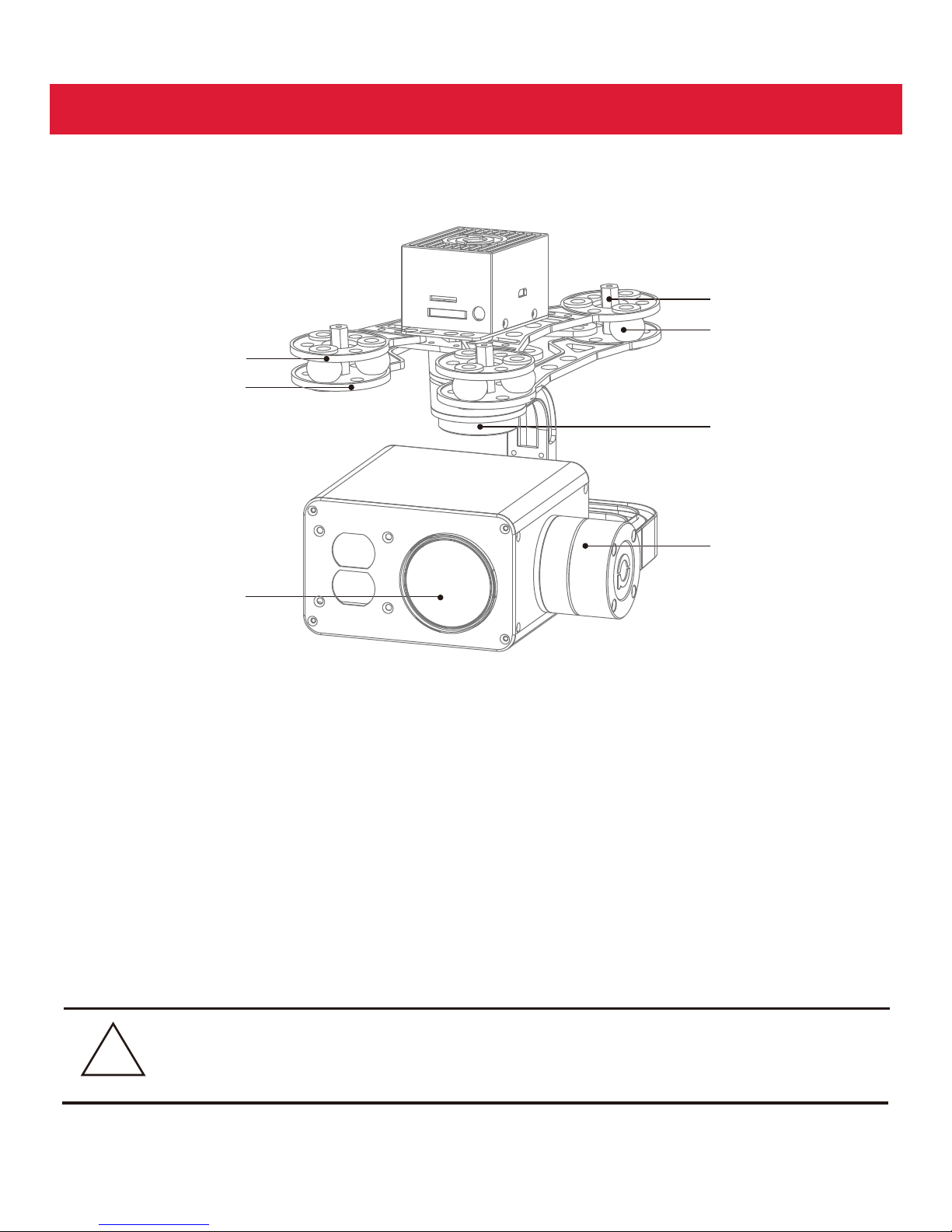
Gimbal Description
[1] Gimbal fixed copper cylinder
[2] Damping balls
[3] Upper damping board
[4] Lower damping board
[5] YAW axis motor
[6] Pitch axis motor
[7] HD zoom camera
[4]
[2]
[5]
[1]
[ ]
6
[3]
[7]
Page 5
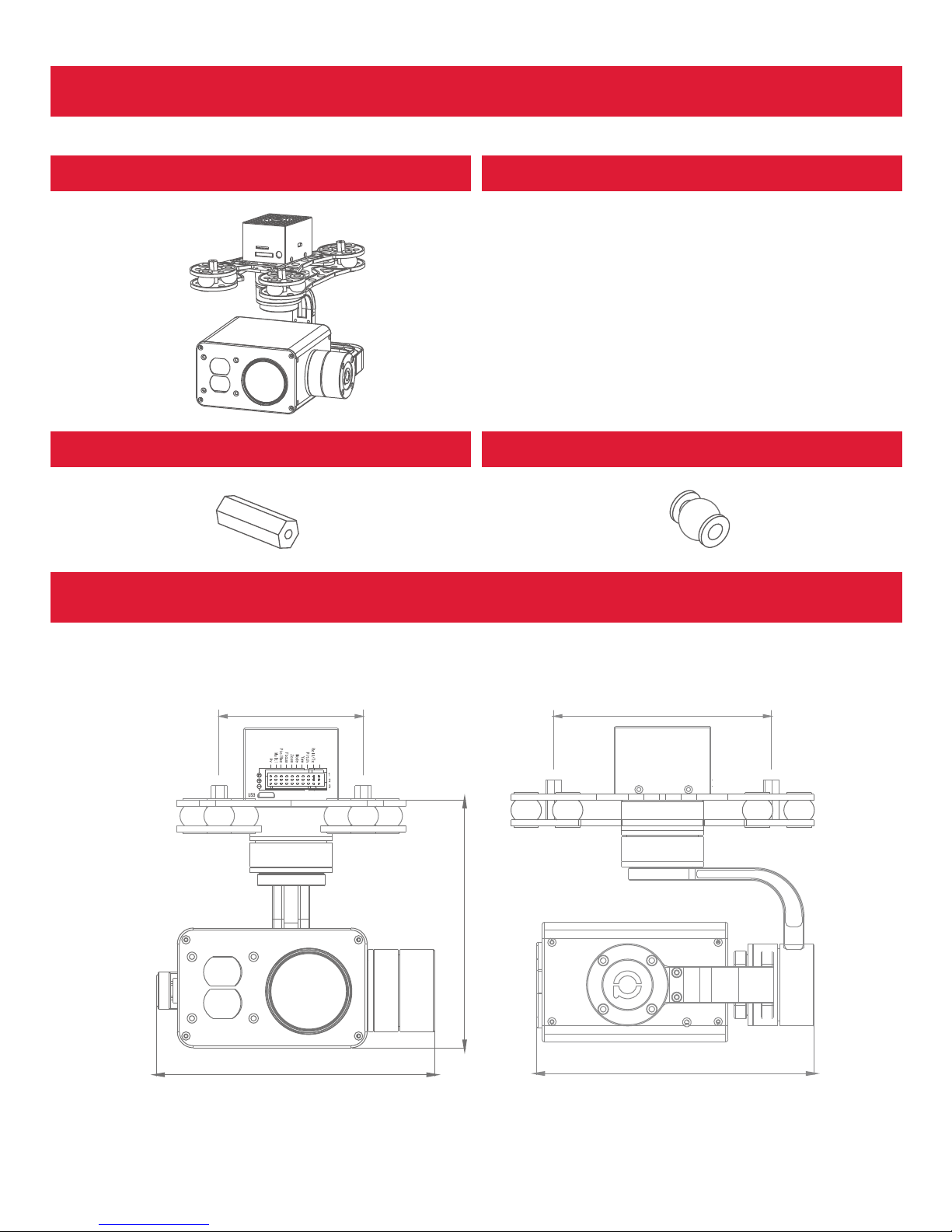
Screw pack*1
(M3*5mm button head hexagon screw*12)
Packing list
Gimbal*1 Screw pack*1
Copper cylindersr*4 Damping balls*12
Gimbal Dimension
Unit :mm
-4-
84
S.bu s/Rx
135.5
120
106
Z-3T
135
Page 6
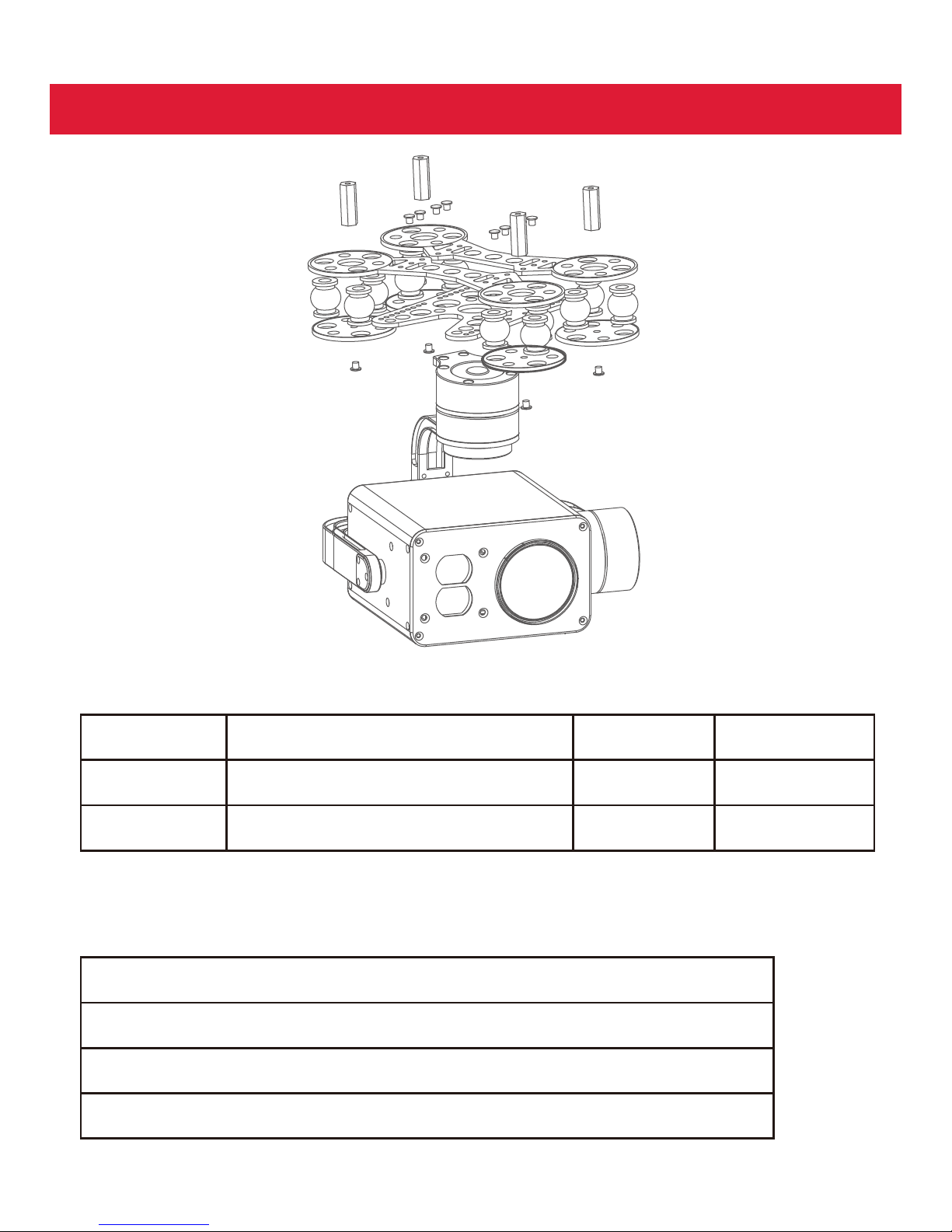
Input voltage
Dynamic current
Size
3S~ 4S
450mA@12V
L135.5 *W 135*H120mm
Idle current
Working
environment temp
Weight
330mA@12V
-20℃ ~ +80℃
835g
Working Characteristics
Mechanics@Electronic Characteristics
Installing
Pitch/Tilt: Pitch angle range of action : ±90
Roll: Roll angle range of action : ±85°
Yaw/Pan: Yaw angle range of action : ±150°
-5-
Vibration angle: Pitch/Roll: ±0.02°, Yaw:±0.03°
Page 7
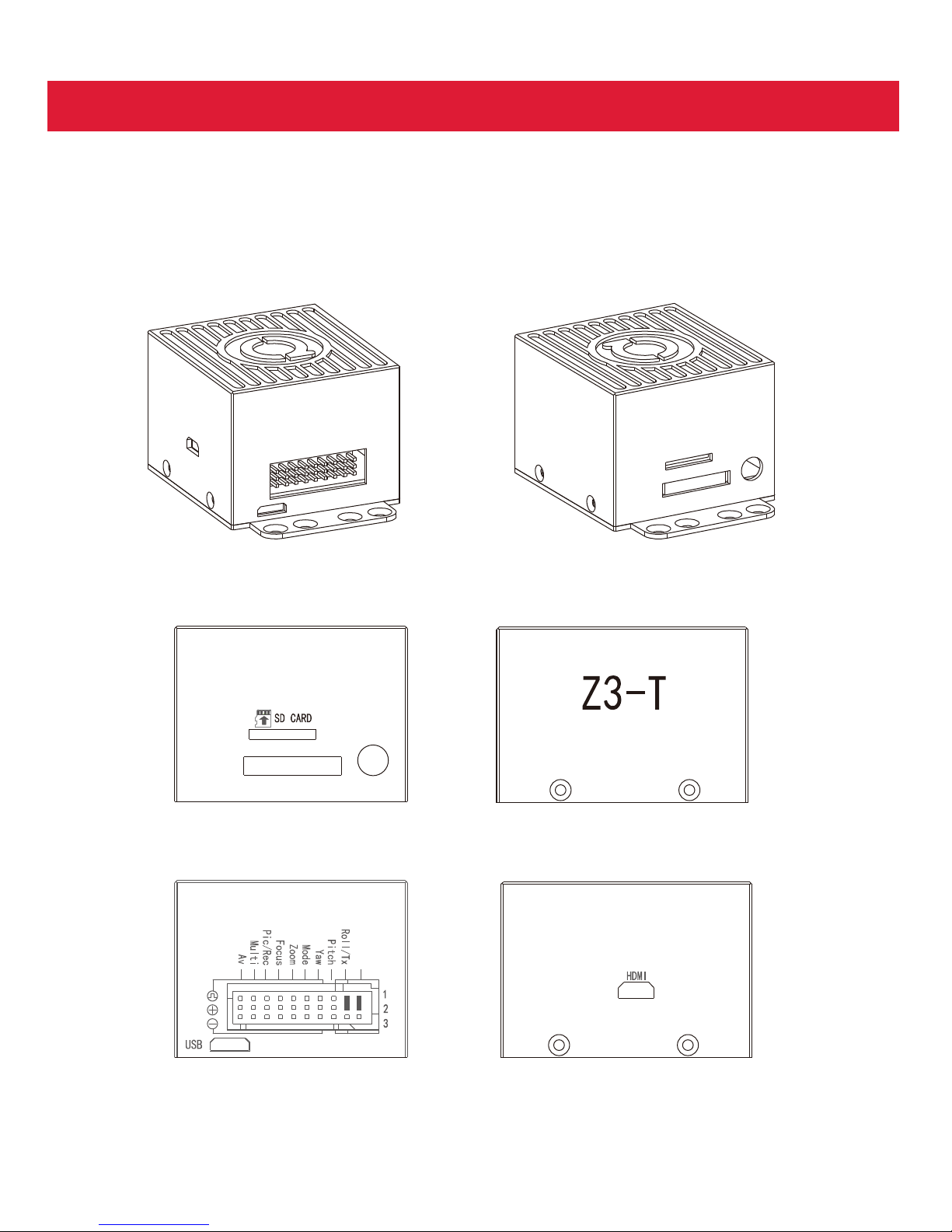
Size:49*45.4*35.7 Unit : mm
-6-
Gimbal’s Signal Wire Box
S. bu s / Rx
12V
Page 8
-7-
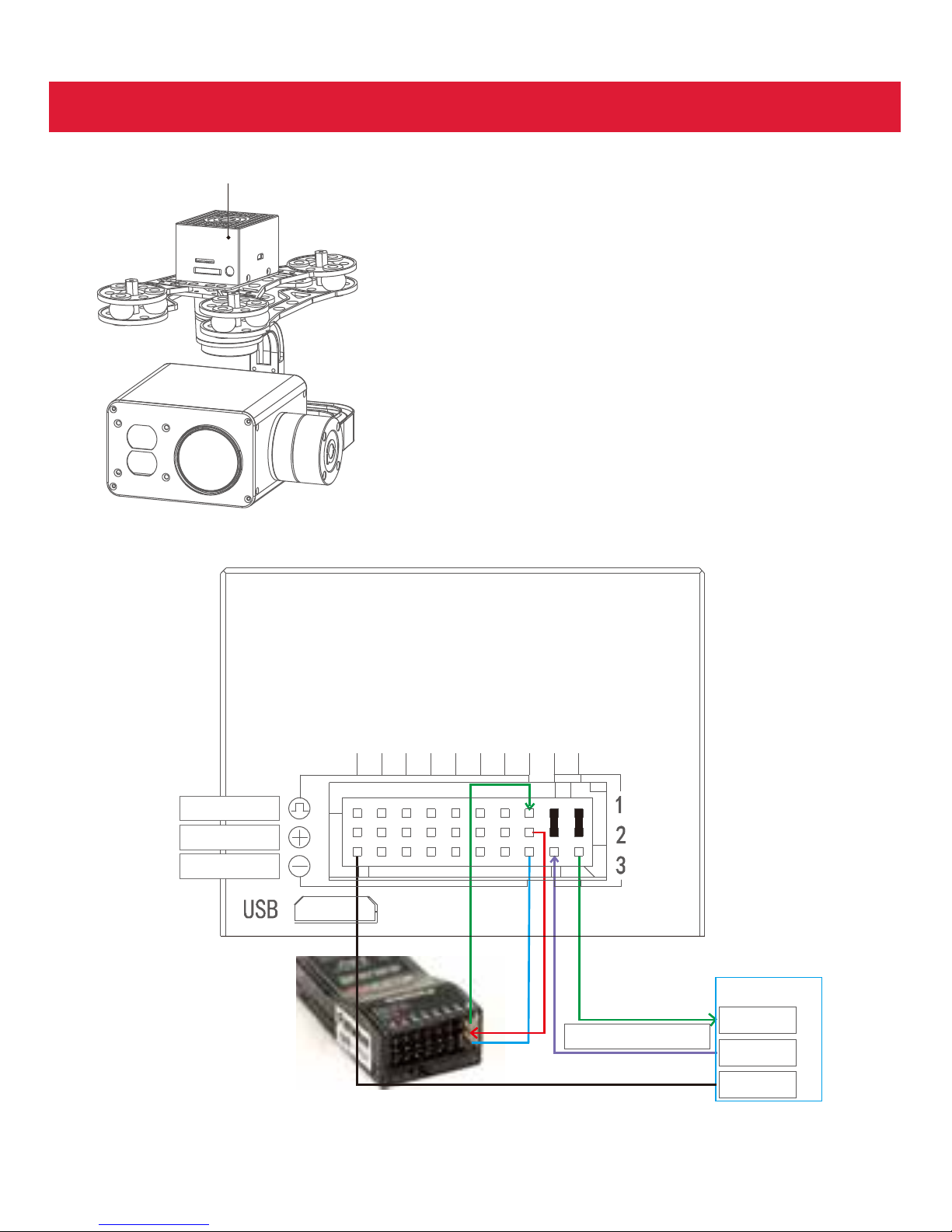
Connection of Control Box and Wiring Instruction
HDMI: micro HDMI OUTPUT
1080P 60fps default
SD card: max 128G, class10
FAT32 or exFAT format
PWM in
5V output
GND
TTL 115200/8/1/N
USER BOARD
RX
TX
GND
S.bus/Rx
Roll/Tx
Pitch
Yaw
Mode
Zoom
Focus
Pic/Rec
Multi
Av
Z-3T controller box
Page 9
-8-
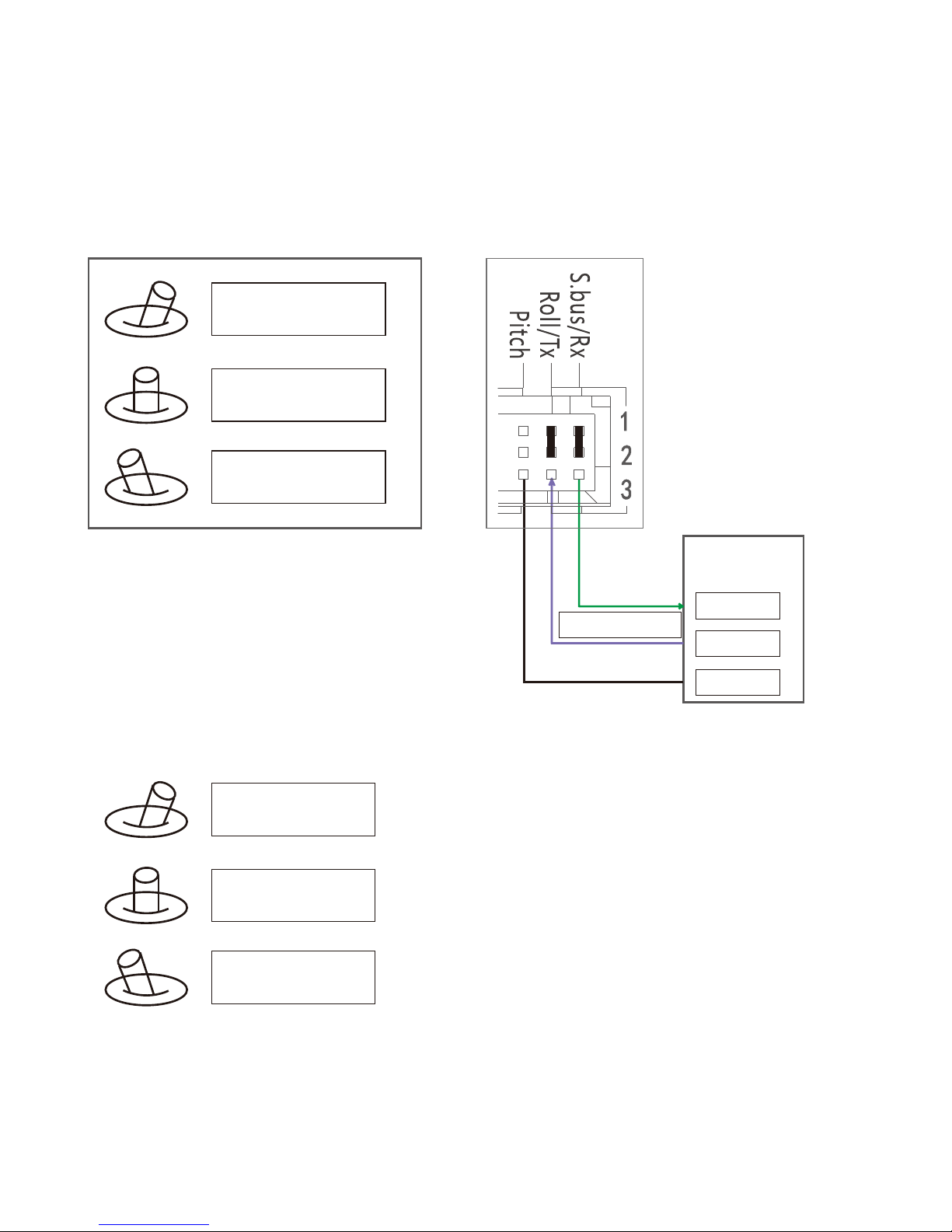
S.bus/Rx: connect to Rx2 for track function.
Roll/ Tx: connect to Tx2 for track function.
Pitch: PWM in, pitch control
1. Pitch up
2. Pitch stop
3.
Pitch down
We have p r o t o co l f o r
co n t r o l t h e g im b a l
an d c am er a, p l e ase
co n t act o u r t e ch n ical
su p p o r t f o r d et ai l
d o c.
USER BOARD /
GPS module
TX
GND
RX
TT L 115200/8/1/ N
Yaw:PWM in, Yaw control
1. Yaw right
2. Yaw stop
3. Yaw left
Page 10
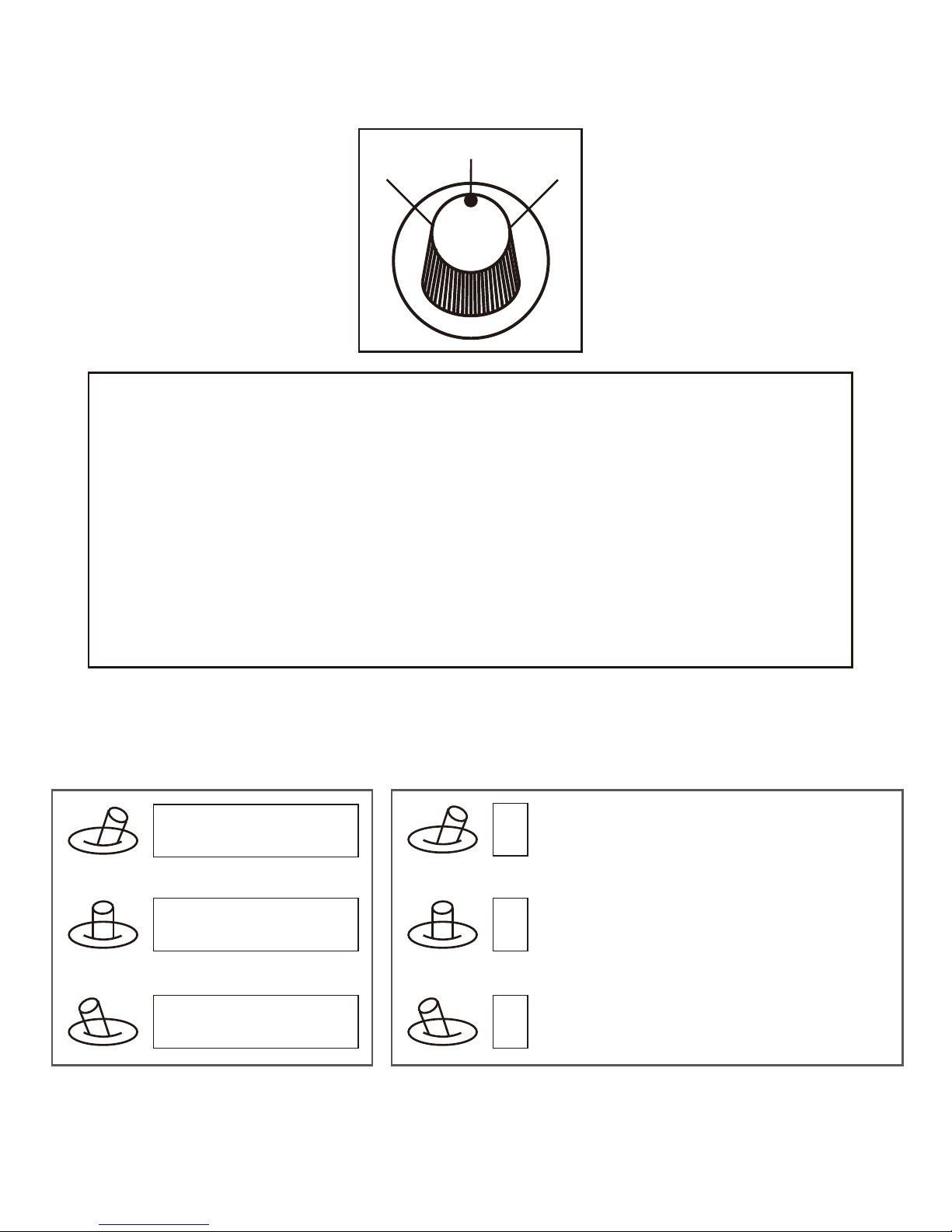
Mode: Change the speed / home position
1
2
3
Position 1: Lowest speed for pitch and yaw.
Position 2: Middle speed for pitch and yaw.
Position 3: Highest speed for pitch and yaw. The speed is continuously quickly
from 1 to 3.
One click: Home position.
Two click: Look down.
Three click: Yaw not followed by frame.
Four click: Yaw followed by frame.
Five click: Restore the factory settings.
(Click = from 2 to 3 and back to 2 quickly)
1. Zoom tele
2. Stop zoom
3. Zoom wide
ZOOM: Zoom the camera
Focus: Focus the camera
1
2
3
-9-
Focus tele
Stop focus
Focus near
Page 11
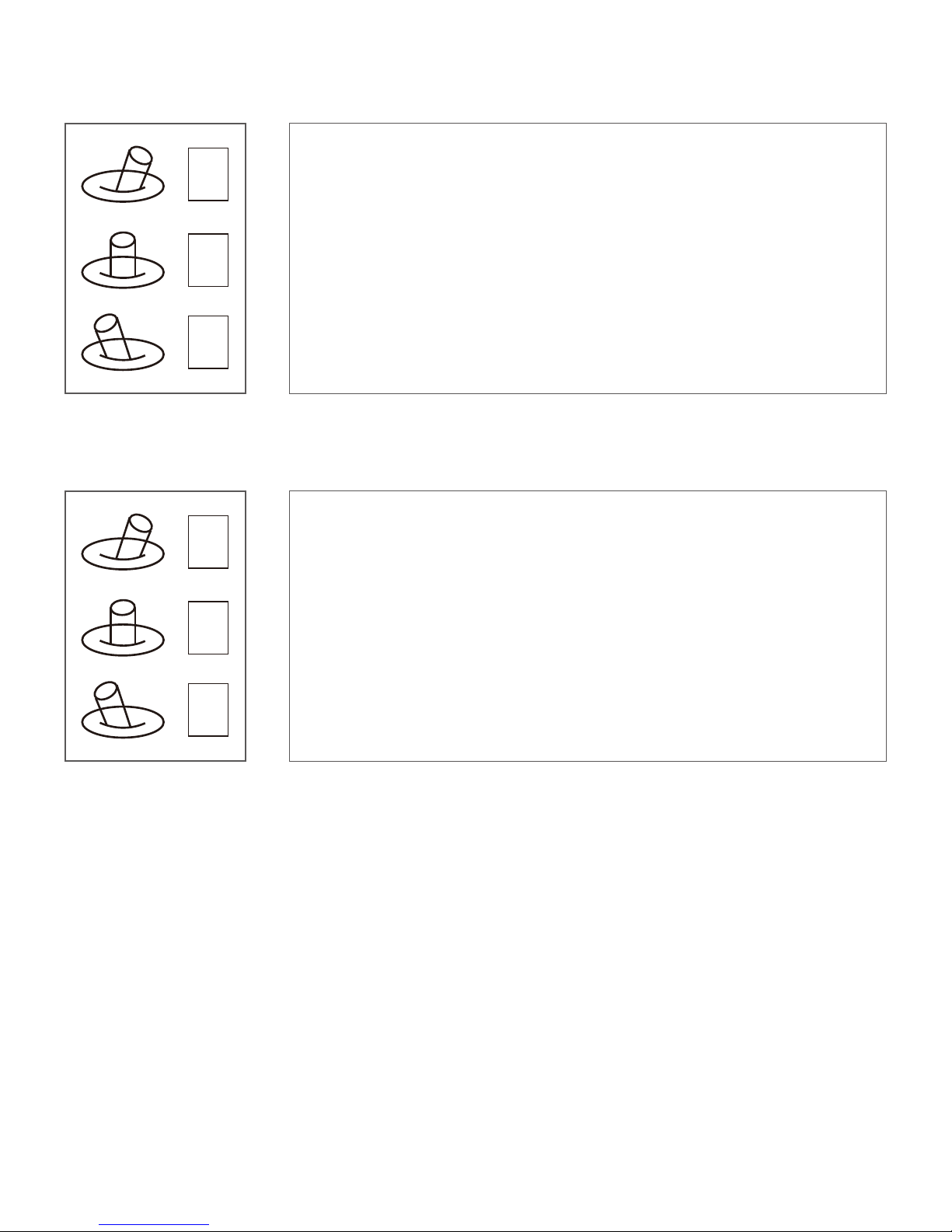
Pic /Rec picture / Start record, stop record
1
2
3
Switch 2 to 1: Start record / stop record.start record, t
he OSD display rec hh:mm:ss ;
Stop record, the OSD display STBY.
Switch 2 to 3: take a picture . OSD display’REC IMG’ a second.
Multi: Tracking control / camera ICR on, laser on/ camera ICR off, laser off
1
2
3
AV: NO AV output this model.
1. Position 1 exit the tracking
Switch 1 to 2: Display the cross cursor. Adjust the object to the cross
cursor.
2. Switch 2 to 3: start tracking. Change the object during tracking
Switch 3 to 2: Display the cross cursor, use Pitch/Yaw toadjust the
cross cursor.
Switch 2 to 3: Start tracking.
-10 -
Page 12
-11-
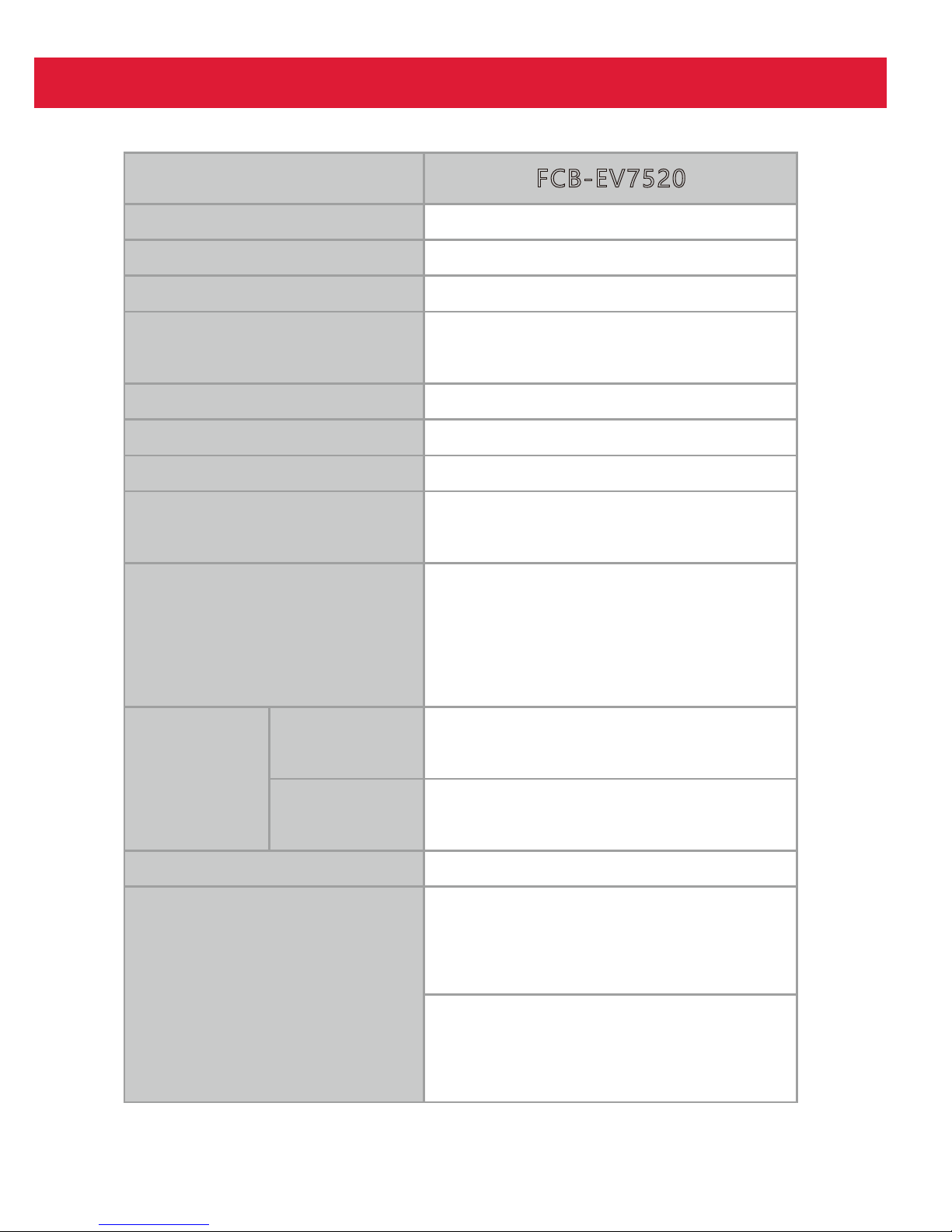
SONY EV7520 30x Starlight Camera
1/2.8-typeExmor R CMOS
30x
12x (360x with optical zoom)
Colour: 0.01 lx(F1.6, AGC on,
1/30 s)
Imager sensor
Lens
Picture quality
Minimum
illumination*
Digital zoom
Full HD 1080p (1920 x 1080)
Defog
FCB-EV7520
Yes
Image sensor
Image sensor(Number
of effective pixels)
1/2.8-type Exmor R CMOS
Approx.2.13 Megapixels
Signal system
10 8 0 p / 5 9 . 9 4 , 1 0 8 0 p / 5 0 , 1 0 8 0 p / 6 0 ,
10 8 0 p / 3 0 , 1 0 8 0 p / 2 9 . 9 7 , 1 0 8 0 p / 2 5 ,
1 0 8 0 i / 5 9 . 9 4 , 1 0 8 0 i / 5 0 , 1 0 8 0 i / 6 0 ,
1 0 8 0 i / 3 0 , 7 2 0 p / 5 9 . 9 4 , 7 2 0 p / 5 0 ,
7 2 0 p / 6 0 , 7 2 0 p / 3 0 , 7 2 0 p / 2 9 . 9 7 ,
7 2 0 p / 2 5 , N T S C * 1 , P A L * 1
Colour: 0.01 lx (F1.6,AGC on,
1/30s)
High
sensitivity
mode
Normal
mode
Minimum
illumination
(50%)
Colour: 0.1 lx (F1.6,AGC on,
1/30s)
S/N ratio
More than 50 dB
Gain
Auto/Manual 0 dB to 50.0dB (0
to 28 steps +2 step/ total 15
steps)
Max. Gain Limit 10.7 dB to 50.0
dB (6 to 28 steps +2 tep/total 12
steps)
Page 13
-12-
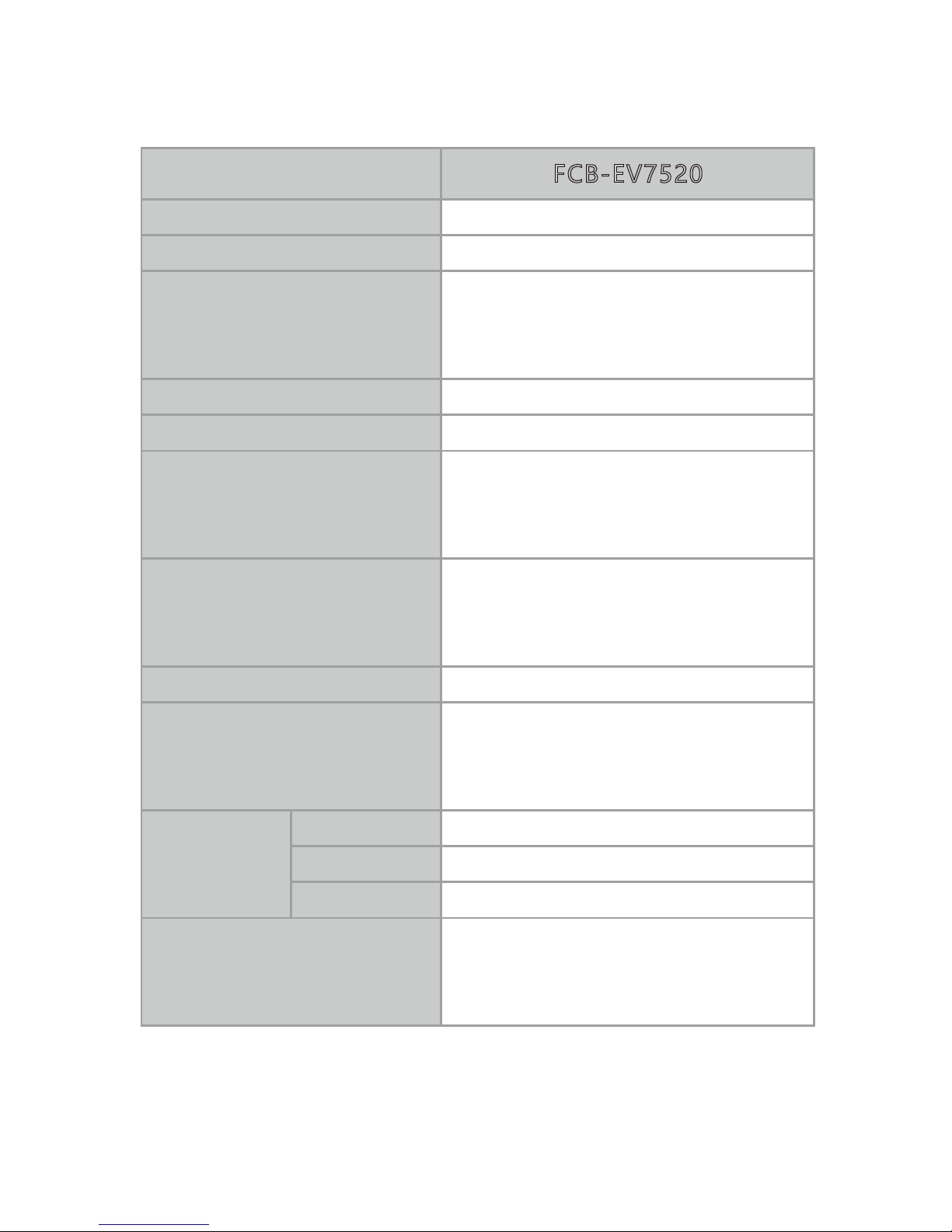
1/1 s to 1/10,000 s, 22 steps
Internal
Yes
Shutter speed
Sync system
Exposure control
Backlight compensation
Auto, Manual, Priority mode
(shutter priority & iris priority),
Bright, EV compensation, Slow AE
Aperture control
FCB-EV7520
White balance
Auto, ATW, Indoor, Outdoor,
Outdoor Auto, Sodium Vapor
Lamp (Fix/Auto/Outdoor Auto),
One-push, Manual
63.7° (wide end) to 2.3° (tele end)
1080p mode
Horizontal
viewing
angle
Minimum object distance
10 mm (wide end) to 1200 mm
(tele end)
(Default: 300 mm)
16 steps
30x optical zoom
f = 4.3 mm (wide) to 129.0 mm
(tele)
F1.6 to F4.7
Lens
Digital zoom
12x (360x with optical zoom)
Focusing system
Auto (Sensitivity: normal, low),
One-push AF, Manual, Interval AF,
Zoom Trigger AF, Focus
compensation in ICR on
63.7° (wide end) to 2.3° (tele end)
720p mode
47.8° (wide end) to 1.7° (tele end)
SD
 Loading...