

Page 1

VT-C6109
FCC ID: W3DVT-C6109
All rights reserved copy
Page 2
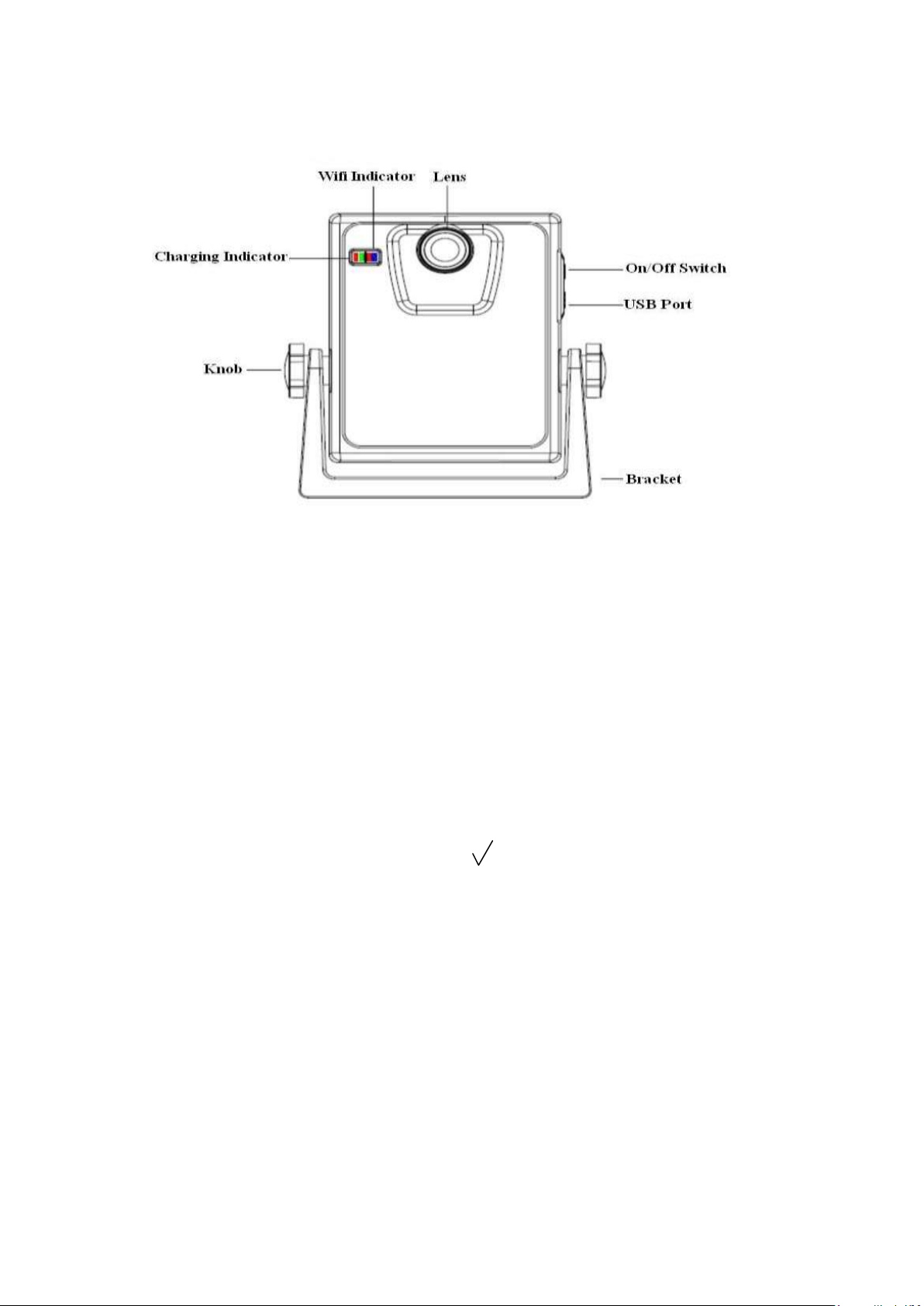
VT-C6109 Backeye Instruction of use
1.)VT-C6109 Backeye Product picture
2.)Long press the VT-C6109 power switch button for 3 seconds , the indicator
LED lights , switch on 。
3.)Click on the IPHONE standby“settings”icon into the desktop settings
interface,click the“WIFI”option to choose“BACKeye”WIFI SSID.
4.)In the password input“BACKeye”password“12345678”,click“add”button,
when after“BACKeye”the left appear“ ”, exit“settings”,enter the standby
interface of IPHONE 。
5.) The standby interface, click on the “Backeye”icon into the
Backeye app for video surveillance。
Page 3
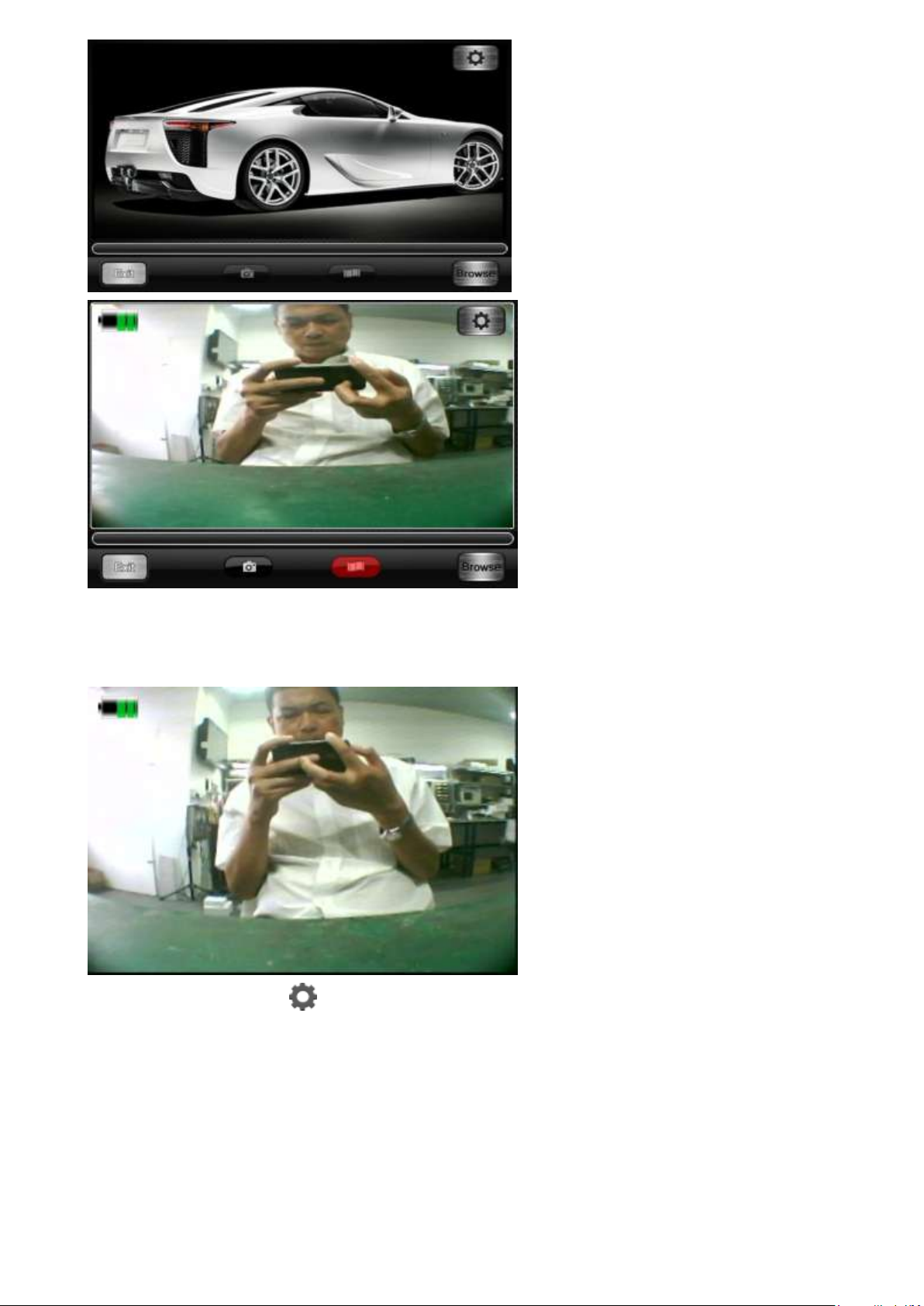
6.)If in the above screen 5 seconds without any operation , it will automatically
be entered into a state of full screen。
7.)Click on the“ ”icon,carries on the Settings and view the software
information.
Page 4
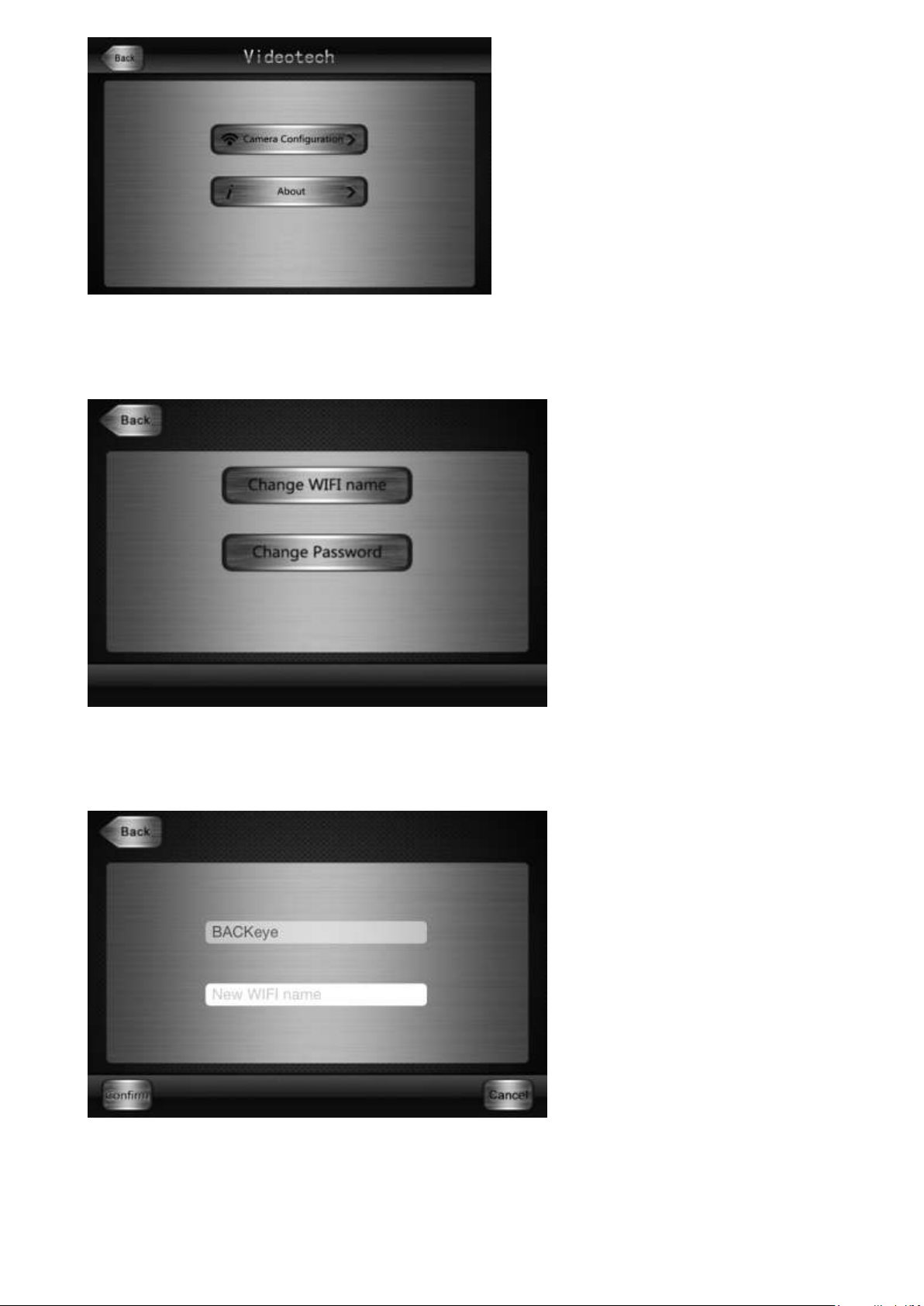
8.)Click on the“Camera Configuration”button to WIFI name change and
password change。
9.)Click on the“Change WIFI name”button to change the name of the WIFI。
After change the name of the WIFI must reboot the machine power supply。
10.)Click on the“Change Password”button to change the password。After
change the WIFI password must reboot the machine power supply。
Page 5
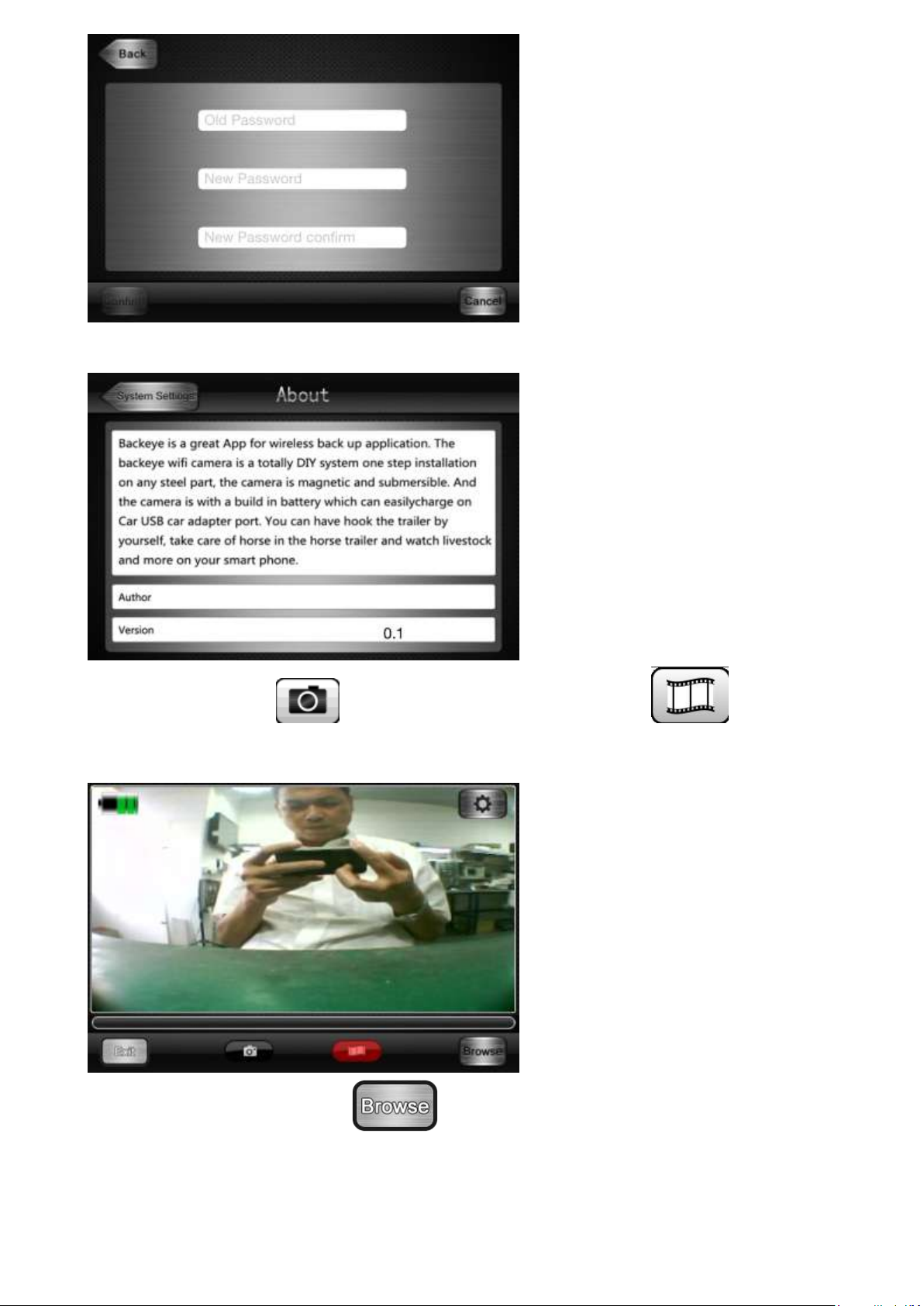
11.)Click on the“I about“button to view the App software information。
12.)Click on the“ ”to photograph,click on the“ ”for video
footage。
13。)Click the button to “ ”have take pictures and watch the video
of video files 。
Page 6
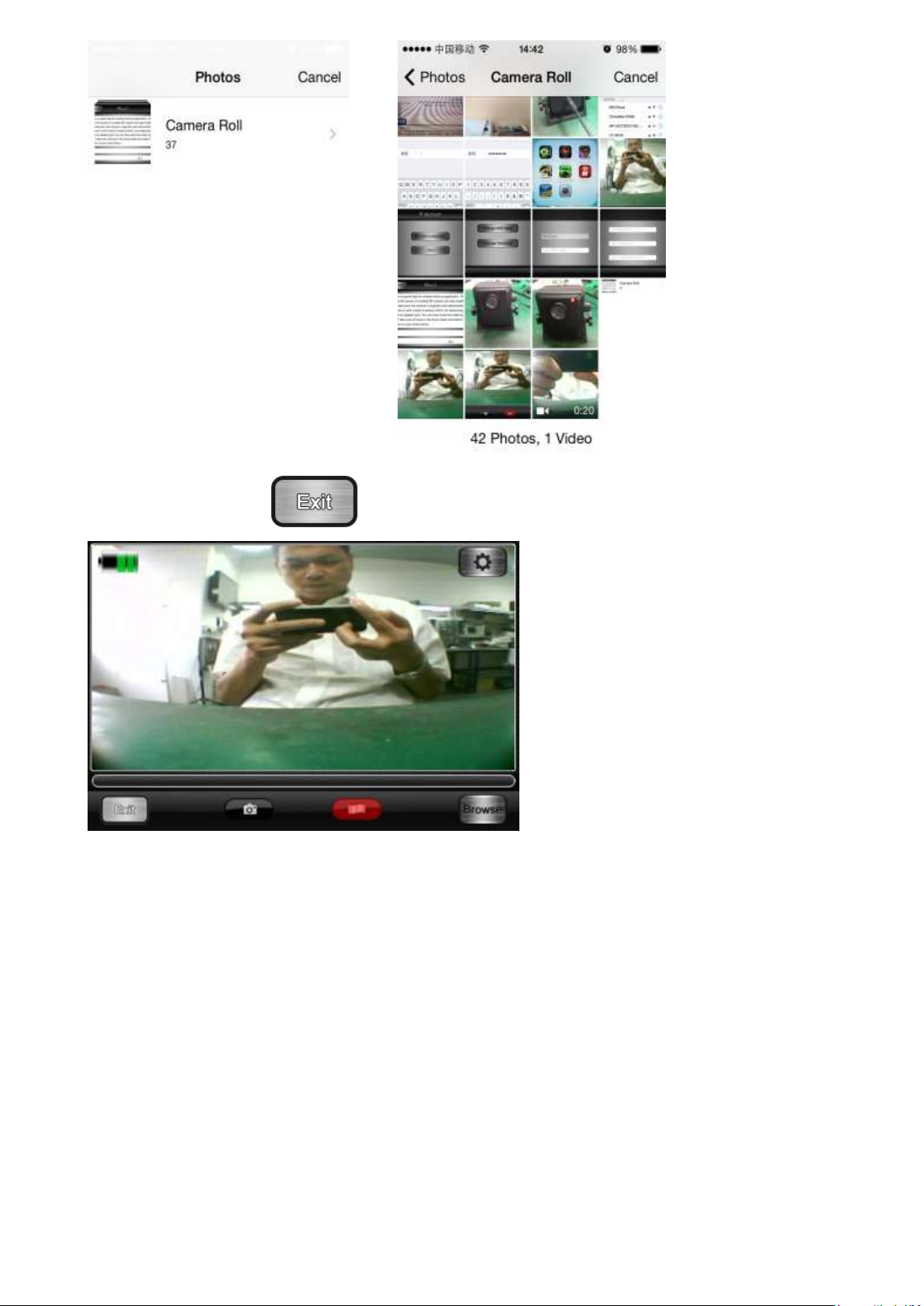
14.)Click on the“ ”button to exit the Backeye App software。
Page 7

Changes or modifications not expressly approved by the party responsible for
compliance could void the user's authority to operate the equipment.
This device complies with Part 15 of the FCC Rules. Operation is subject to the
following two conditions:
(1) this device may not cause harmful interference, and
(2) this device must accept any interference received, including interference that
may cause undesired operation.
FCC Radiation Exposure Statement:
This equipment complies with FCC radiation exposure limits set forth for an uncontrolled
environment. This equipment should be installed and operated with minimum distance
20cm between the radiator & your body.
This devi
Ad Hoc function is supported but not able to operate on non-US frequencies. Do not
use the device with the environment which below minimum -10℃ or maximum over
50℃ .
ce is acting as slave and operating in the 2.4 GHz (2412 ~2462 MHz) band.
 Loading...