

Page 1

PS04FE+2FE
User Guide
4+2 10/100Mbps PoE Switch
Page 2
Package Contents
Check the following contents of your package:
PoE Switch x 1
User Guide x 1
Power Cord x 1
Accessories(Feet*4)
If any part is lost and damaged, please contact your local agent immediately.
Introduction
The 4+2 10/100Mbps Provides the seamless network connection. The PoE ports (Port1~4) can automatically detect and
supply power with those IEEE 802.3af/at compliant Powered Devices (PD). The electrical power is transmitted along with
data in one single cable allowing you to expand your network where there are no power lines or outlets, where you wish
to fix devices such as AP, IP Cameras or IP Phones, etc.
It is easy to install and don’t need to configuration. With outstanding performance and quality, the 6-port 10/100Mbps
desktop PoE switch is an ideal choice for expanding your home or office network.
Hardware Description
Front Panel
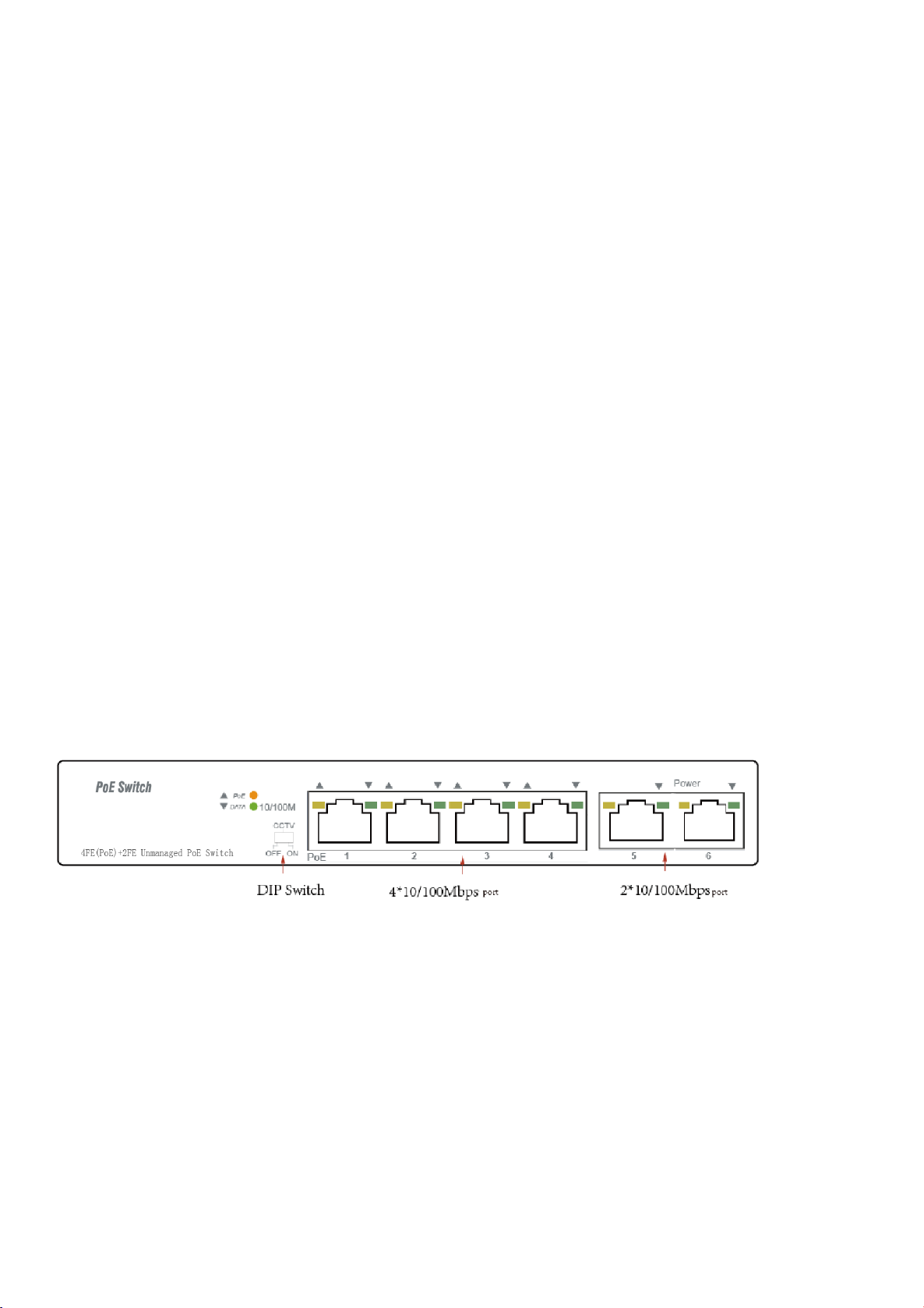
The Front Panel of 4+2 10/100Mbps Consists of 6-Port 10/100Mbps Ethernet RJ45 Ports. The LED indicators are also
located on the panel.
DIP Switch
The DIP switch located on the left panel.
Default mode: when CCTV closed the factory default mode can normal communication between port 1~6.
CCTV mode: 1-4 port can be isolated each other but 1-4 port can connect to 5, 6 port after open CCTV to stop broadcast
storm to increase forwarding rate of frame. The CCTV mode, Up to 250m PoE distance allows you to
expand you network via Ethernet cable to where there is no power line or outlet but where you want to fix
device such as IP Cameras.
Note: After change the mode, in order to make the corresponding configuration take effect you need to manually restart
the PoE switch.
- 1 -
Page 3
LED
Color
Function
PWR
Orange
Off: No Power supply.
Light: Indicates the switch has power.
DATA
Green
Off: No device is connected to the corresponding port.
Light: Indicates the link through that port is successfully
established at 10/100Mbps.
Blink: Indicates that the Switch is actively sending or
receiving data over that port.
PoE
Orange
Off: No PoE powered device (PD) connected.
Light: There is a PoE PD connected to be port, which
supply power successfully.
Blink: Indicates port abnormal power supply.
LED indicator
Rear Panel
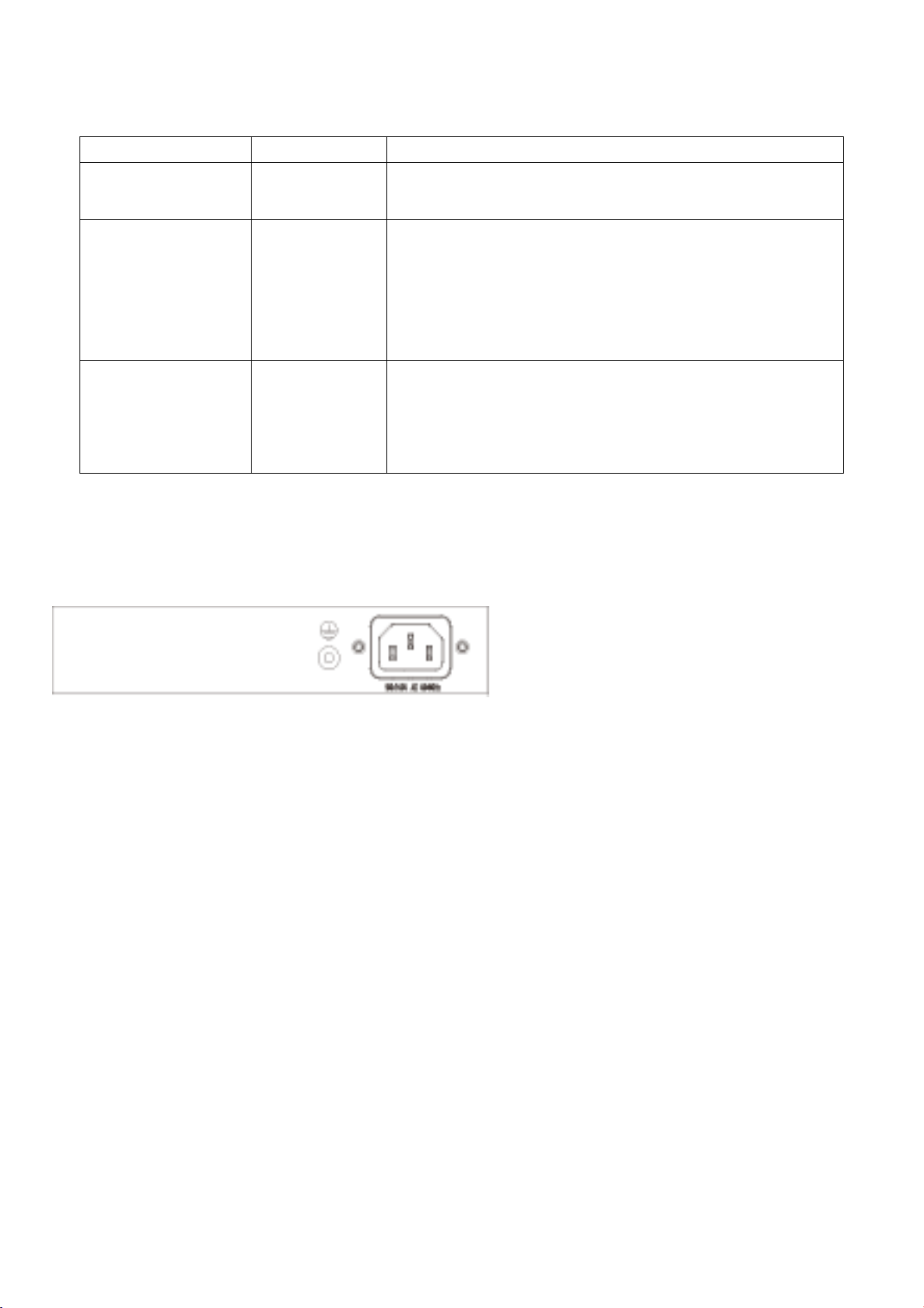
The rear panel of 4+2 10/100Mbps indicates AC inlet power socket .
Installation the Switch
This part describes how to install your Ethernet Switch and make connections to it. Please follow the following instructions
in avoid of incorrect installation causing device damage and security threat.
Before cleaning the switch, unplug the power plug of the switch first. Do not clean the switch with wet cloth or liquid;
Do not place the switch near water or any damp area. Prevent water or moisture from entering the switch chassis;
Do not place the switch on an unstable case or desk. The switch might be damaged severely in case of a fall;
Ensure proper ventilation of the equipment room and keep the ventilation vents of the switch free of obstruction;
Make sure that the operating voltage is the same one labeled on the switch;
Do not open the chassis while the switch is operating or when electrical hazards are present to avoid electrical shocks.
- 2 -
Page 4
Desktop Installation
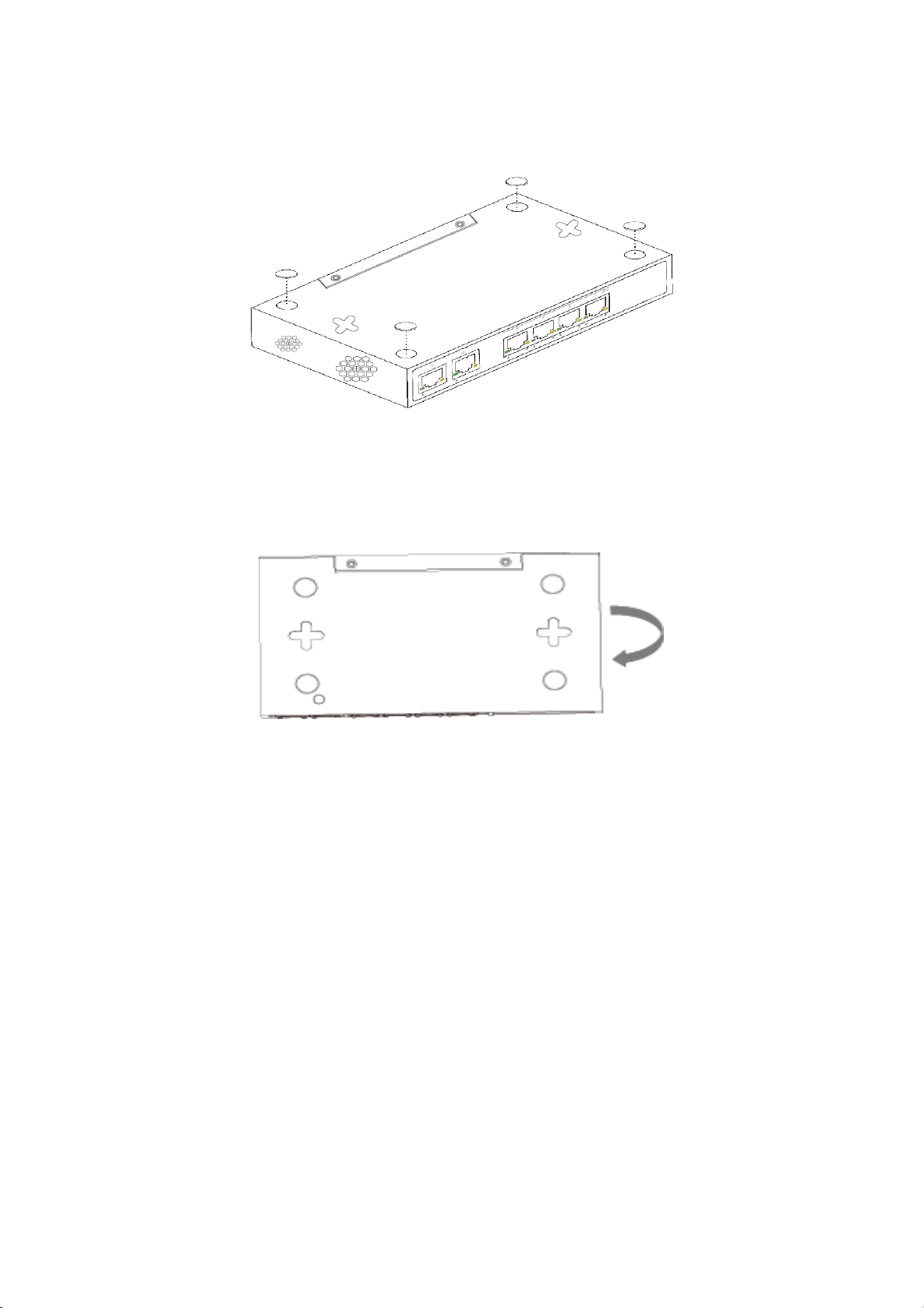
Install the Switch on a desktop, please attach these cushioning rubber feet provided on the bottom at each corner of the
Switch in case of the external vibration. Allow adequate space for ventilation between the device and the objects around
it.
Wall-mounted installation
In the first two fixed screw on the wall as shown in the figure below
Aim at the two fixed hole switches, and the machine smoothly on the screw
Turn on the switch
The PoE switch can be used with AC power supply. Powering on the switch, it will automatically initialize and its LED
indicators will respond as follows:
Firstly, the Power LED indicator will light up.
Then, the data LED indicators will flash momentarily for one second, which represents a resetting of the system.
- 3 -
Page 5

Model
4+2 10/100Mbps
Standard
IEEE802.3, IEEE802.3u, IEEE802.3x, IEEE802.3af, IEEE802.3at
Network Media(Cable)
10BASE-T: UTP category 3,4,5 cable (≤100m)
100BASE-TX: UTP category 5 cable (≤100m)
MAC Address Table
2K, Auto-learning, Auto-aging
Transfer mode
Store-and-Forward
Frame Forward Rate
10Base-T: 14881pps/Port
100Base-TX: 148810pps/Port
Switching Capacity
1.2G
Dimensions (L*W*H)
168*93*32mm
Fan
Fanless
Power Supply
65W built-in
PoE Port
Port1~4
PoE Power on RJ45
Mode A 1/2(+),3/6(-)
PoE Output
30W(Max)
Temperature
Operating Temperature: 0°C ~ 40 °C (32 °F ~104°F )
Storage Temperature: -40 °C ~ 70 °C (-40 °F ~158°F )
Humidity
Operating Humidity: 10% ~ 90% non-condensing
Storage Humidity: 5% ~ 90% non-condensing
Specifications
- 4 -
 Loading...