

Page 1
V02
JKD POCKET SCALE
USER’S MANUAL JKD 250/500
Features:
n Resolution 1/5000
(internal resolution 1/15000)
n g / oz / ct / pcs or g/ dwt/ ozt/ pcs
n Simple and convenient counting function
n Auto shut off after not be operated in 4
minutes
n Net/Gross weight
n Battery life over 120 hours
Precautions:
1. Make sure the protect plastic cover is open
before switch on the scale.
2. Due to this is a high precision scale, please
use the product in stable and leveling
circumstances.
3. Please don’t operate under severely
changeable temperature(Normal 0
O
C
-40
O
C)
4. Avoiding wind blowing places & nearby
vibrating equipment
5. Strike-resist strength for the plastic protect
cover is 45kgf / cm
2
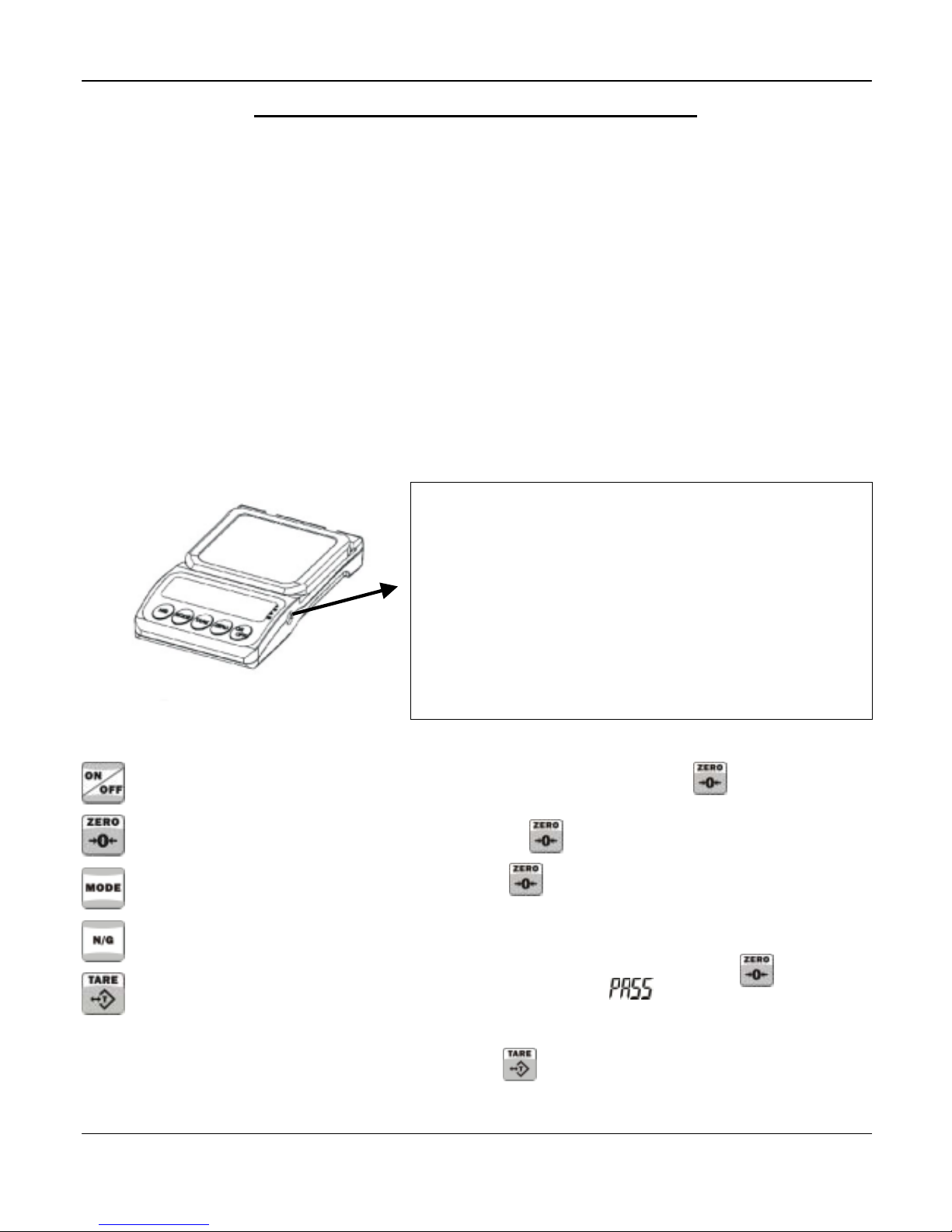
This bottom is to set “offset value” which is firstly set
"–9000~ –10000" at factory.
This bottom might be used when the load cell is wrongly
influenced by environment.
ü Turn clockwise to decrease the offset value
ü Turn counter-clockwise to increase the offset value.
Function Keys:
: power switch
: to reset the weight to zero.
: to select g / oz / ct / pcs
: gross weight/ net weight
: to tare
Calibration:
1. Switch off the scale. Press for about 5
seconds, the offset value will be shown, then
release
2. Press .
3. LCD shows 200.0 or 100.0, put the weight
according to the number, press , the
display will show
.
4. Calibration is completed.
5. Press return to normal weighing status.
Page 2
V02
JKD POCKET SCALE
Operation for Counting:
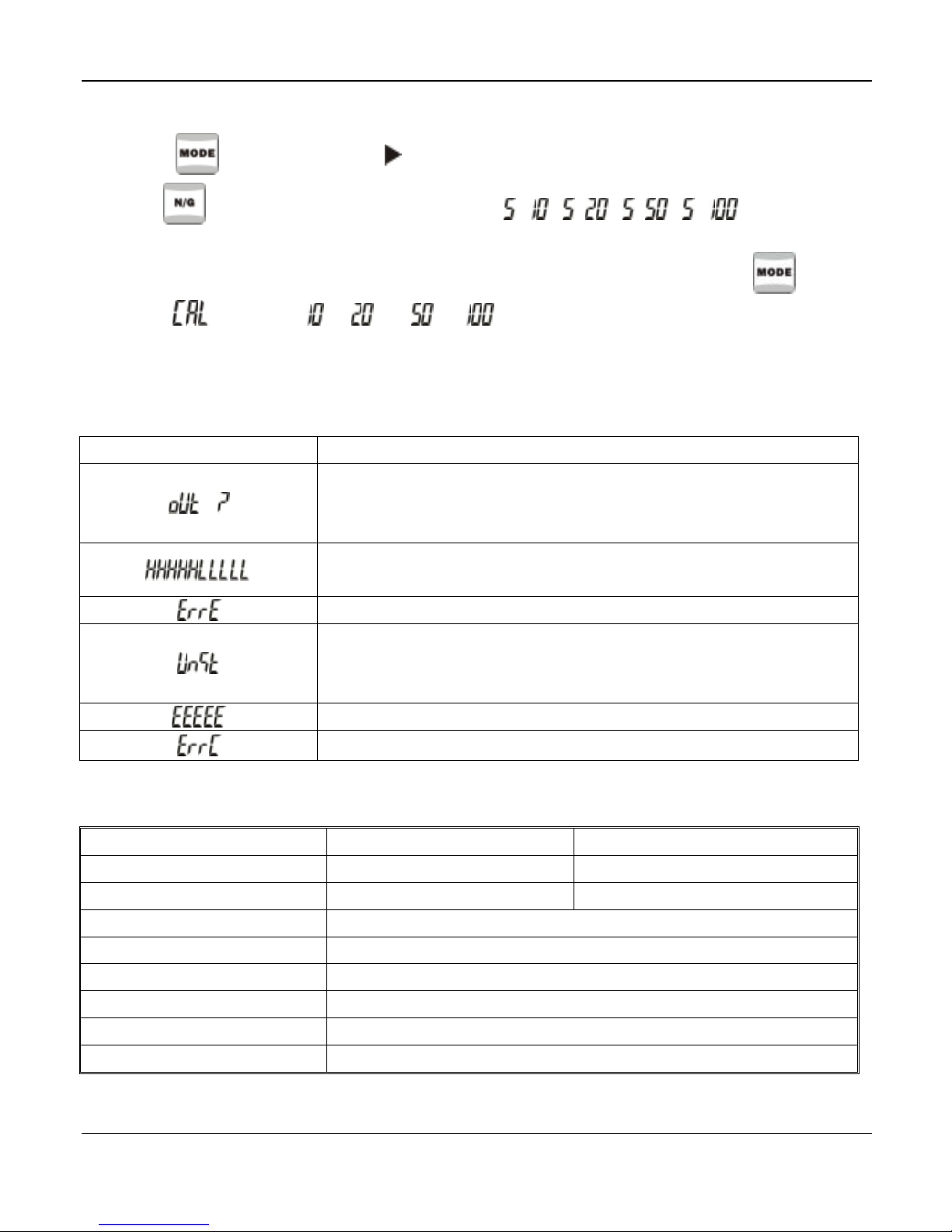
1. Press to select PCS.( point to Pcs)
2. Use to choose the sample quantity “ = , = , = , = ”.
3. Put the objects according to the quantity on the weighing pan, press
4. After displays, or or or displays when completed sampling.
5. Scale is ready for simple counting.
Trouble shooting:
Error message Causes & How to solve
1. Weighing pan is interfered by something, remove the object from
weighing pan and re-switch on the scale.
2. Load cell is defective
1. The PCB is defective
2. Load cell is defective
Re-switch on the scale.
1. Weighing pan is interfered by something, remove the object from
weighing pan and re-switch on the scale.
2. Replace new battery.
Check if the object is over weighing capacity.
Check if place a wrong weight master while calibration.
Specification:
Model JKD-250 JKD-500
Capacity
250 g 500 g
Readability
0.05 g 0.1 g
Weighing Modes
g, oz, ct, pcs / g, dwt, ozt, pcs
Operating Temp
0℃-40℃
Display
5 1/2 Digits X 15mm
Power
1.5 AAA battery X 3
Dimensions
135 x 80 x 23 mm
Weight
140g
※ It could be dangerous by using improper battery or wrong connection of battery.
 Loading...