

Page 1
ZHONGXIN ELECTRONICS INDUSTRIAL Ltd.
SPK-2AE52 User Guide
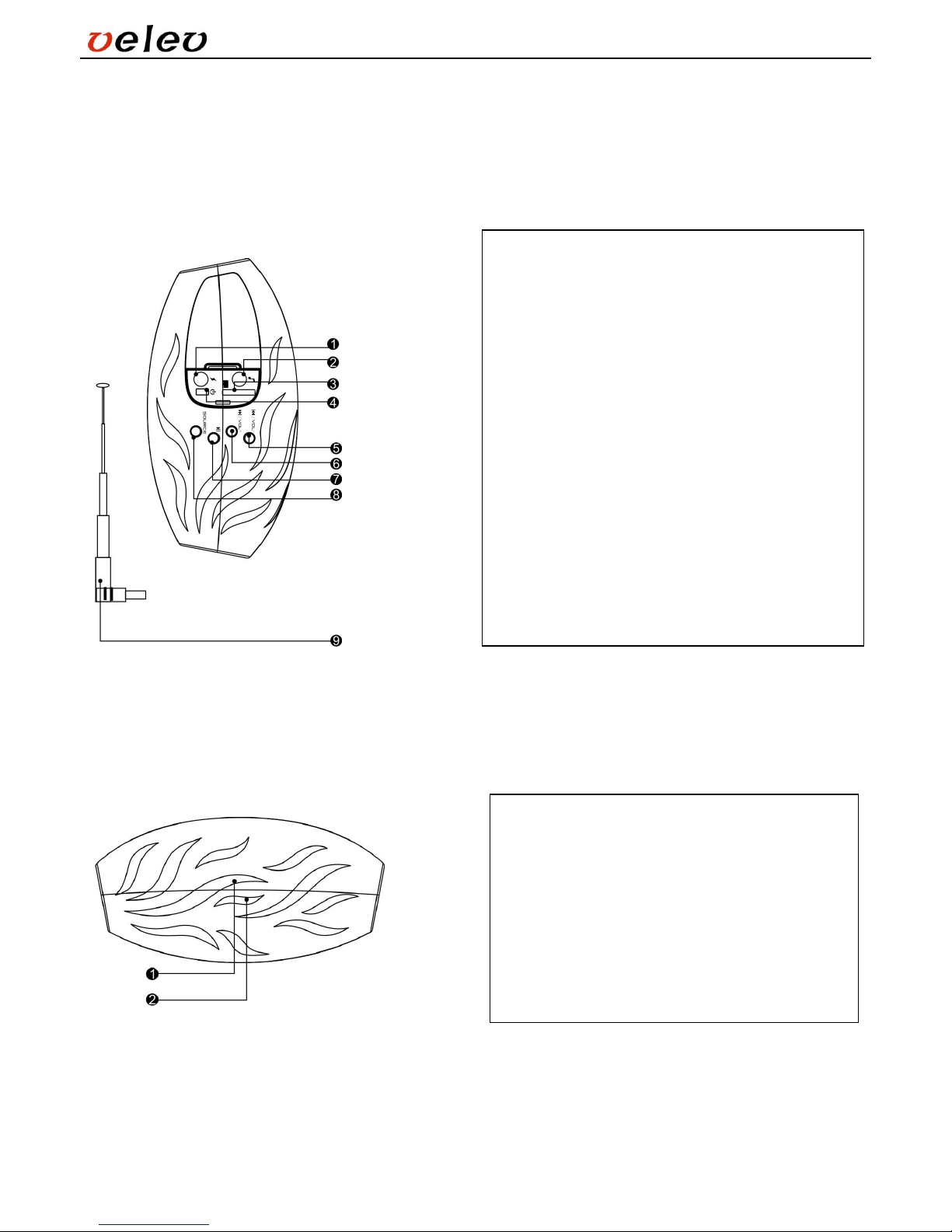
1. Keys and Input Ports
0
Light Indicator
1) USB Charging port
2) Line-in port (Aux Port)
3) T-Flash Slot
4) Power On/Off
5) Previous track / Previous FM station (press
once) or Vol – (press and hold)
6) Next track / Next FM station (press once) or
Vol + (press and hold)
Note: On Line-in state, (5) & (6) keys control the
volume only.
7) Play/Pause: Valid on MP3 playing state only.
8) Audio Source: Press this key to select different
audio source: T-flash card, FM radio and Line-in.
9) External FM antenna (optional)
1) Charging Indicator: Red LED light is on when
the product is charging. LED light is off when
the charging is finished.
2) Working State Indicator:
LED light on during MP3 playing state
LED light flashes slowly during FM radio state
LED light flashes rapidly during Line-in state.
Page 2
ZHONGXIN ELECTRONICS INDUSTRIAL Ltd.
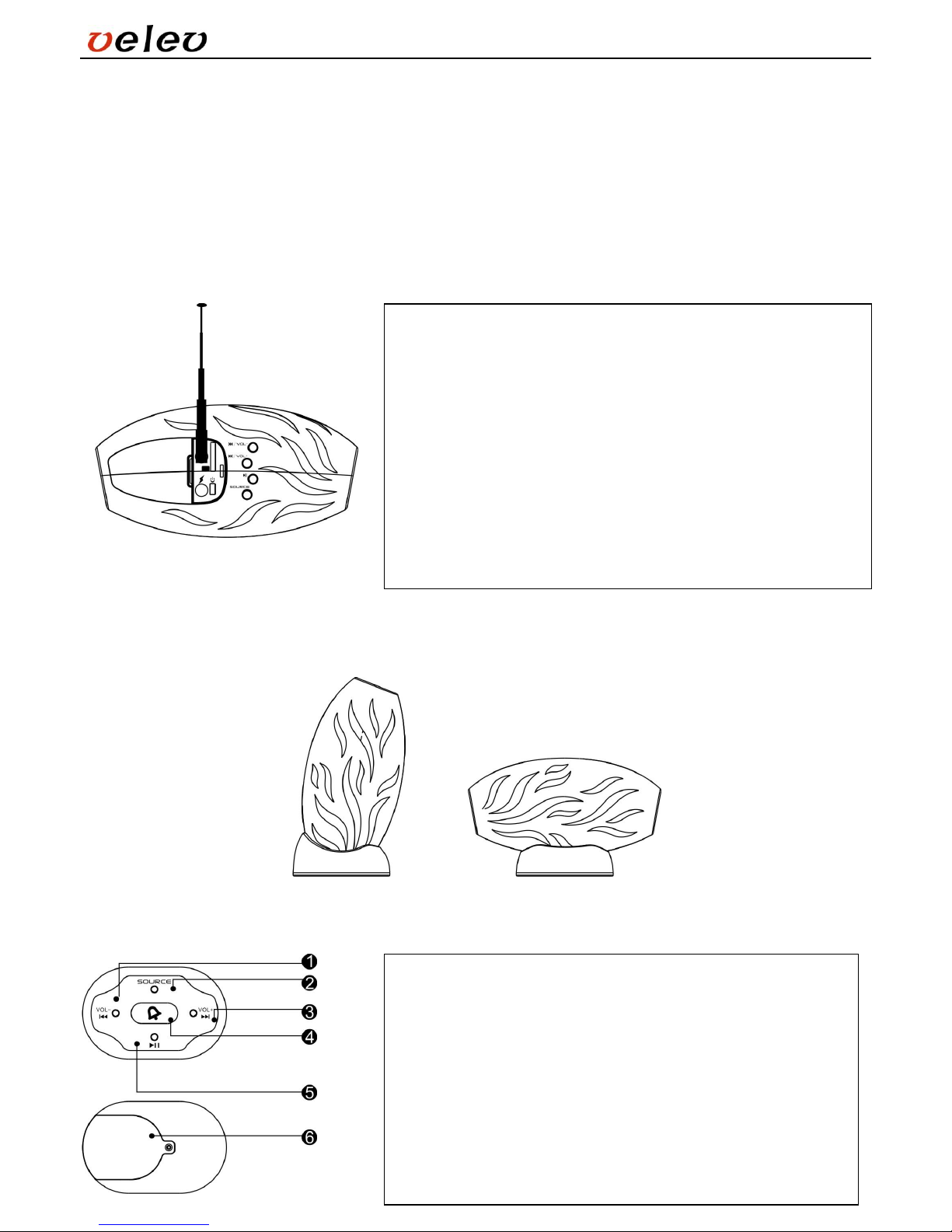
SOURCE (INPUT) key
When you press the INPUT KEY once, you can enter into the FM radio state; if you press the key twice, you can
enter into the Line-in state.
On the FM radio state, you must insert the external antenna into the 3.5mm audio port. Press the PLAY/PAUSE key
down for few seconds, the player will auto-search the radio frequency and store them.
2. FM function (Optional)
3. Desk Base (Optional)
4. 2.4 GHz Wireless Remote Control (Optional)
1) Insert the external FM antenna into the Line-in port, and press the
SOURCE key or the INPUT key on the remote control to select the
FM radio state.
2) Press down the PLAY/PAUSE key for few seconds to auto search
the FM station. After finishing the auto search, the product will auto
save all the searched stations; the light indicator will restore to slow
flash state.
3) Press the PREVIOUS, NEXT key to select different FM station.
(FM frequency: 87.5-108.0 MHz Please re-searches the station
when in a different location. You can use the external antenna to get
the better signal to search the FM station.)
1) Previous/Vol –
2) Audio Source
3) Next/Vol +
4) Bicycle Bell (press once to toggle between on and off)
5) Play/Pause
6) Battery cover (The battery can be changed by opening the
cover, the battery model no.: CR2032)
The function of the keys is the same with the keys on the speaker.
Page 3
ZHONGXIN ELECTRONICS INDUSTRIAL Ltd.
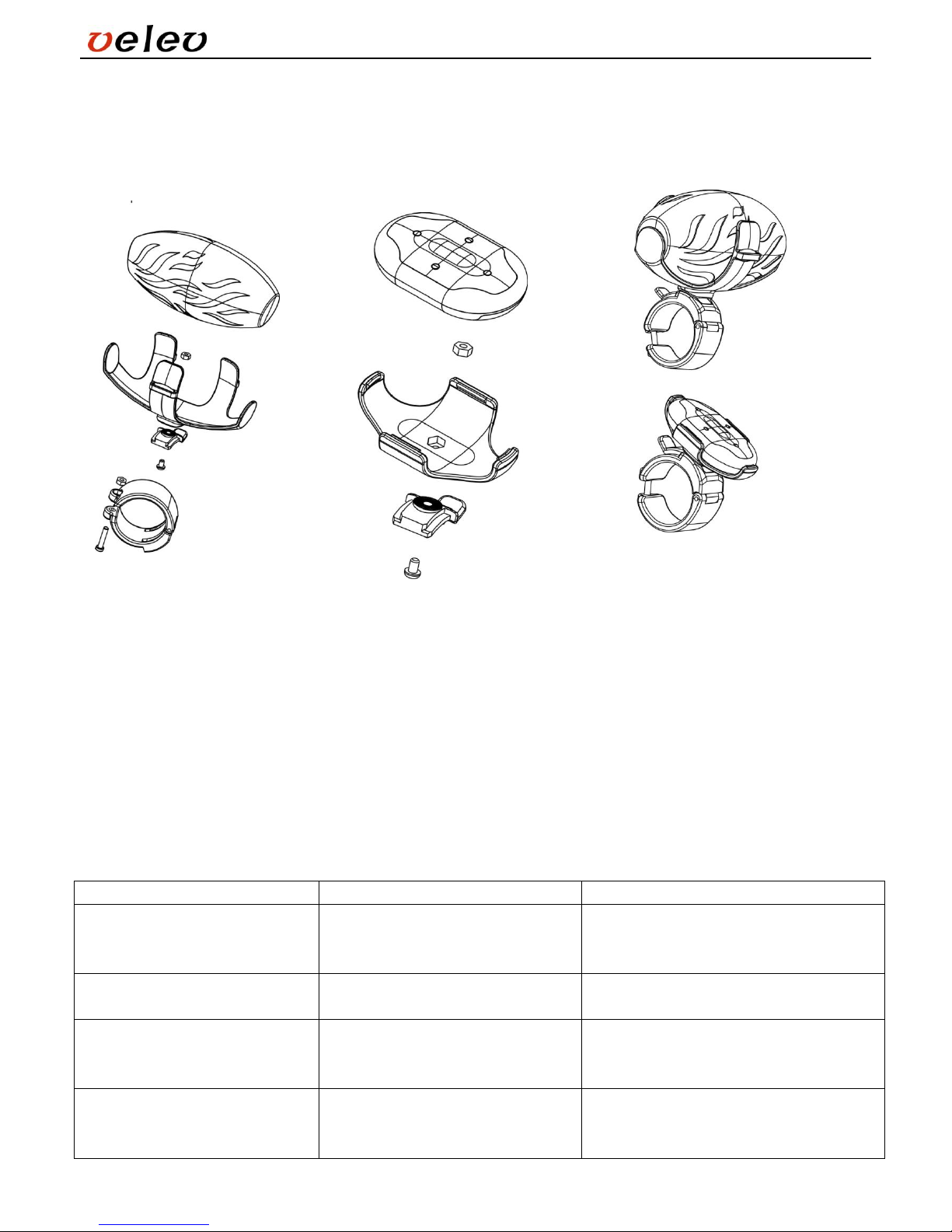
5. The bicycle bracket for the
speaker (Optional)
6. The bicycle bracket for the 2.4
GHz remote control (Optional)
7. Assembled State
8. Specification
FM: 87.5 - 107.5 MHz
Speaker power: 2W+2W
Frequency response: 150 Hz - 20 KHz
Signal/Noise ratio: ≥80 dB
Sensitivity: 600±100 mV
Rated distortion: ≤1% (1W 1 KHz)
DC IN: 5V 1A
Unit dimension: 109 x 55 x 49 mm
Unit weight: 200 g
9. Troubleshooting
Condition
Possible Causes
Solutions
No Sound after inserting T-Flash
card
T-Flash card doesn’t work.
You insert the 3.5mm audio
cable.
Change the T-Flash card
Remove the 3.5mm audio cable.
No Sound or Sound distortion
The battery level is low
Recharge the speaker or turn down the
volume.
Noise
Poor audio cable connection
Reconnect or check the audio cable.
Check the audio port.
Turn down the volume
Volume is too low
Check the speaker’s volume key
The battery level is low
Adjust the speaker’s volume key.
Change music.
Recharge the speaker.
Page 4

ZHONGXIN ELECTRONICS INDUSTRIAL Ltd.
 Loading...