

Page 1
VENTA user manual
Venta username and password allows you to access computer labs, University’s
email account, Moodle (study) platform, printing etc.
E-MAIL (based on Gmail)
Remember that from now on VENTA email will be your main contact channel
with Ventspils University of Applied Sciences and its academic and
administrative staff.
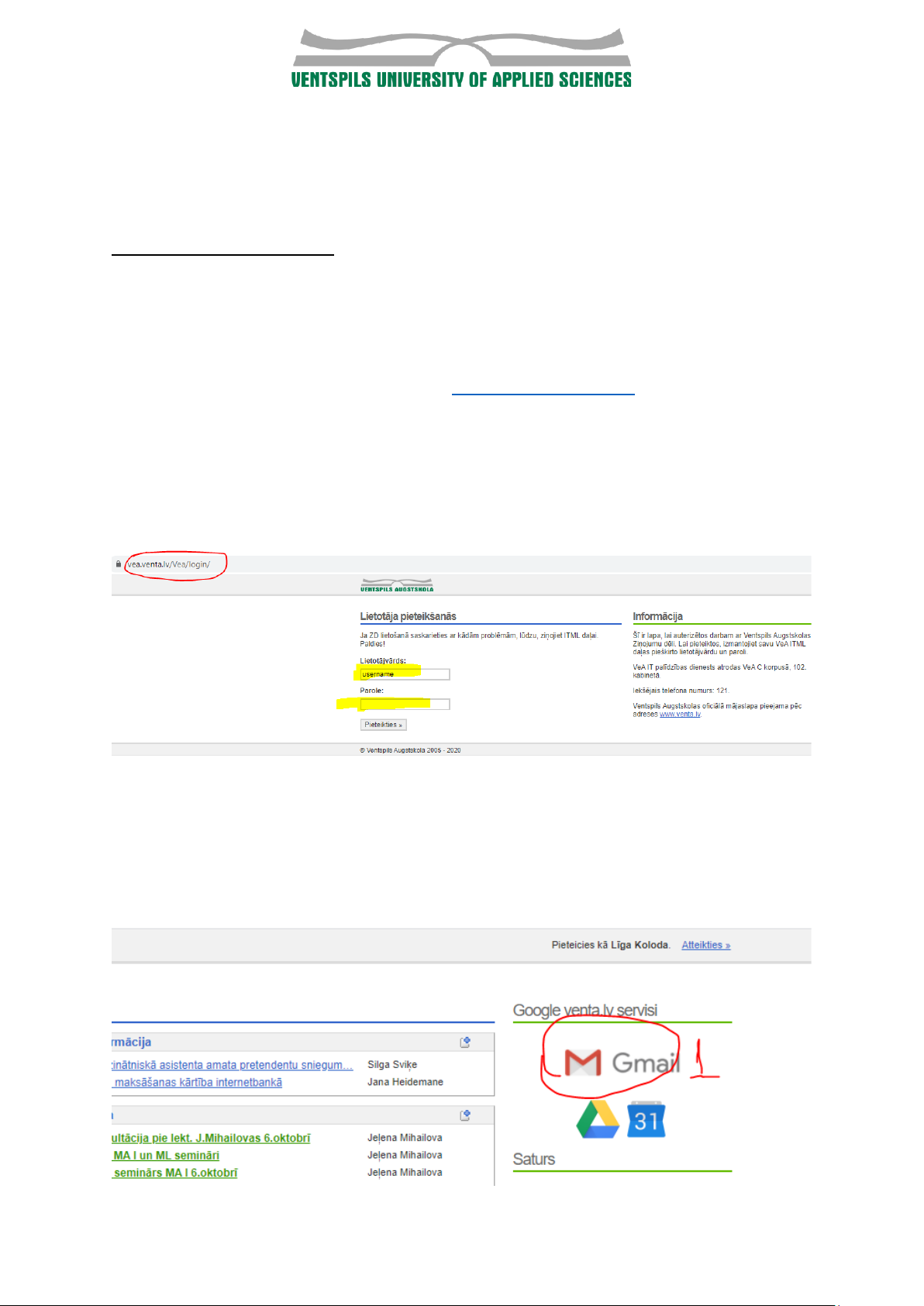
You can access your venta email here: https://vea.venta.lv/
Your username (lietotājvārds) and password (parole) will be sent to your
personal email address.
Please change the password after the first log in. To change the password, go to
password change form https://itserviss.venta.lv/password/change
After you log-in, you can continue to your e-mail account by pressing on Gmail
icon.
Page 2
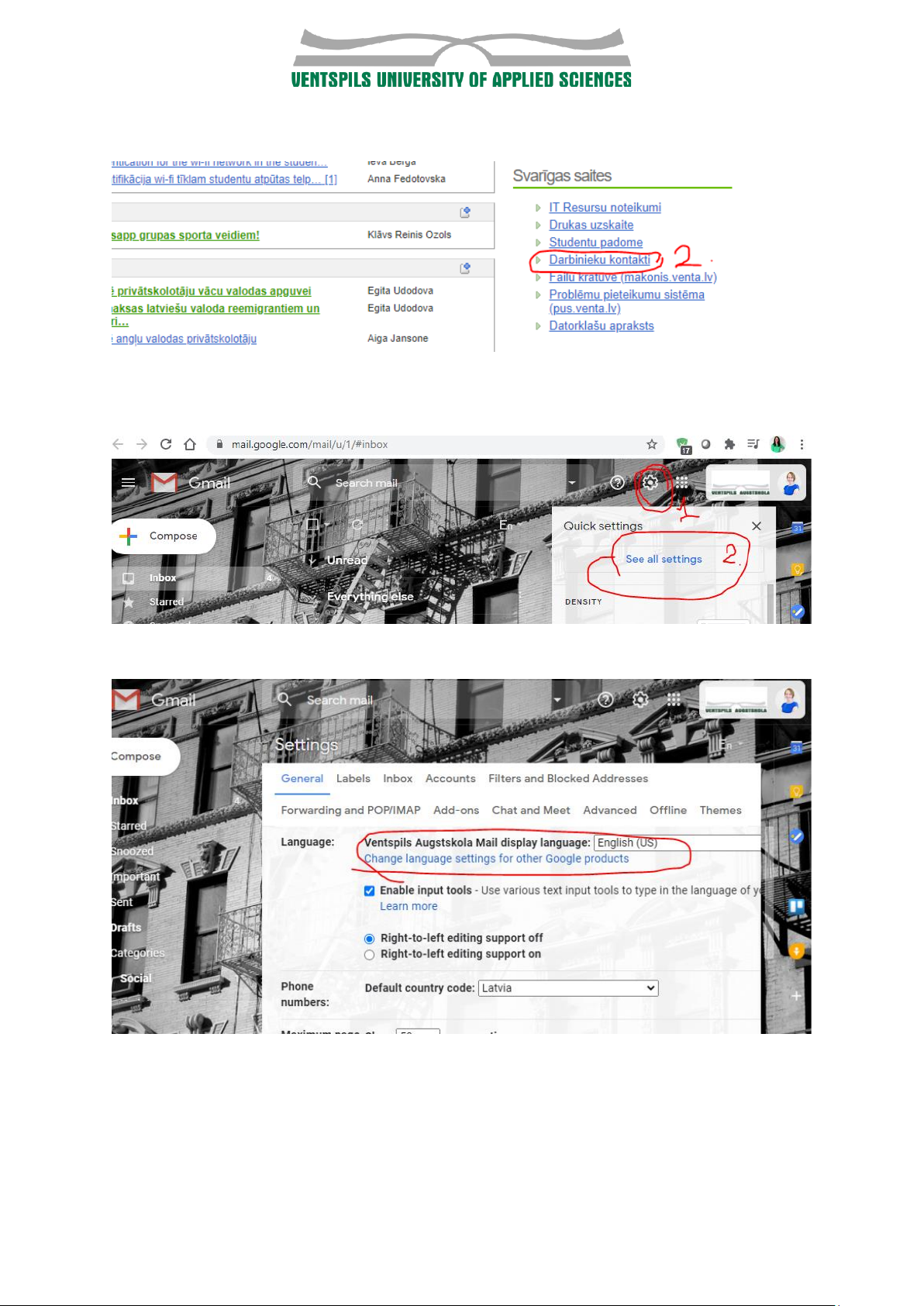
P.S. here you can also find contact information of VUAS staff
After your first log-in in the email please set the language to something you
understand. You can do it in the settings here:
And continue by setting a language here:
You can forward your venta emails to your personal email account by adding
settings here:
Page 3
MOODLE (study platform)
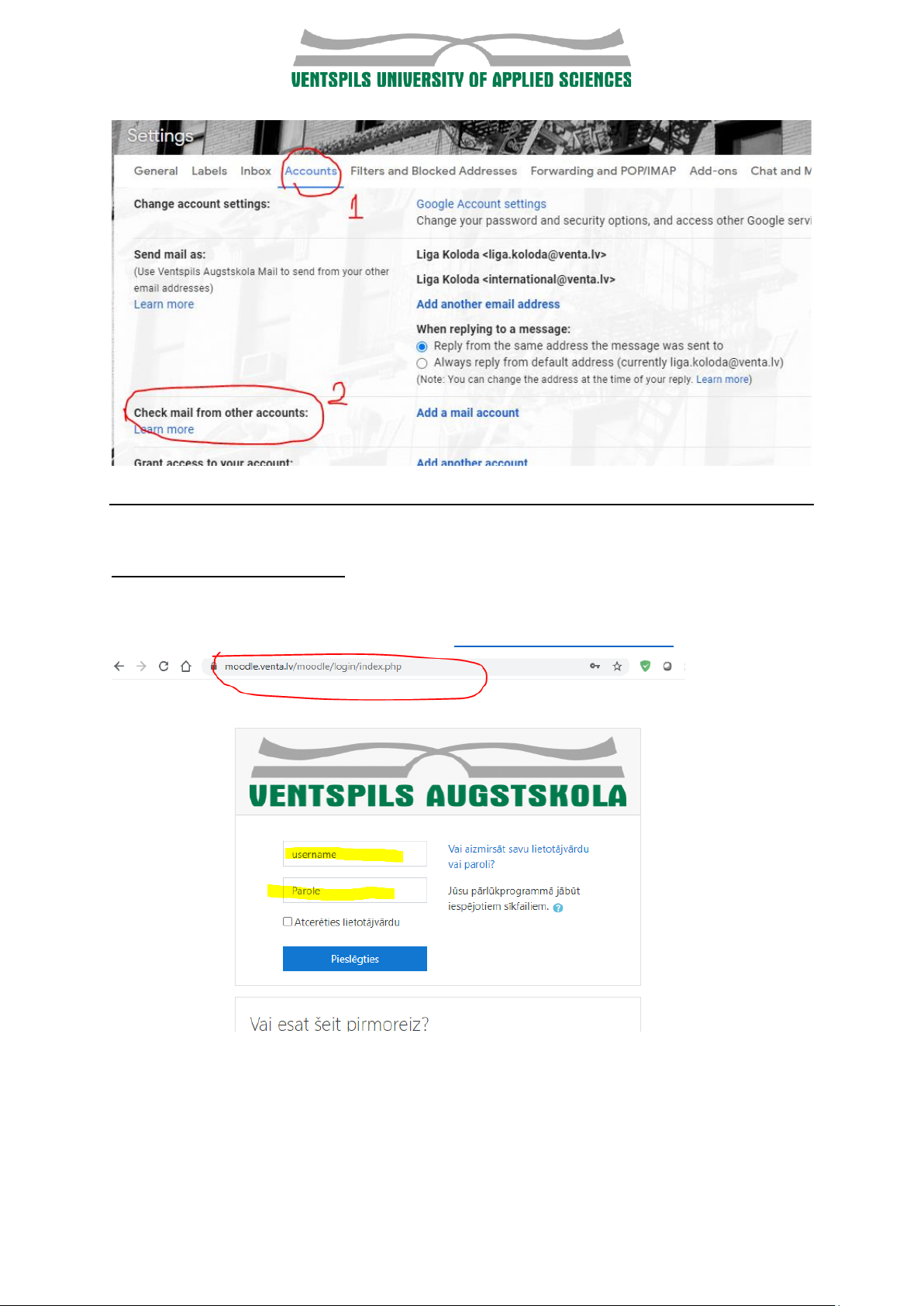
Here you should be able to find most of your courses and study materials.
You can access Moodle platform here: https://moodle.venta.lv/
Page 4
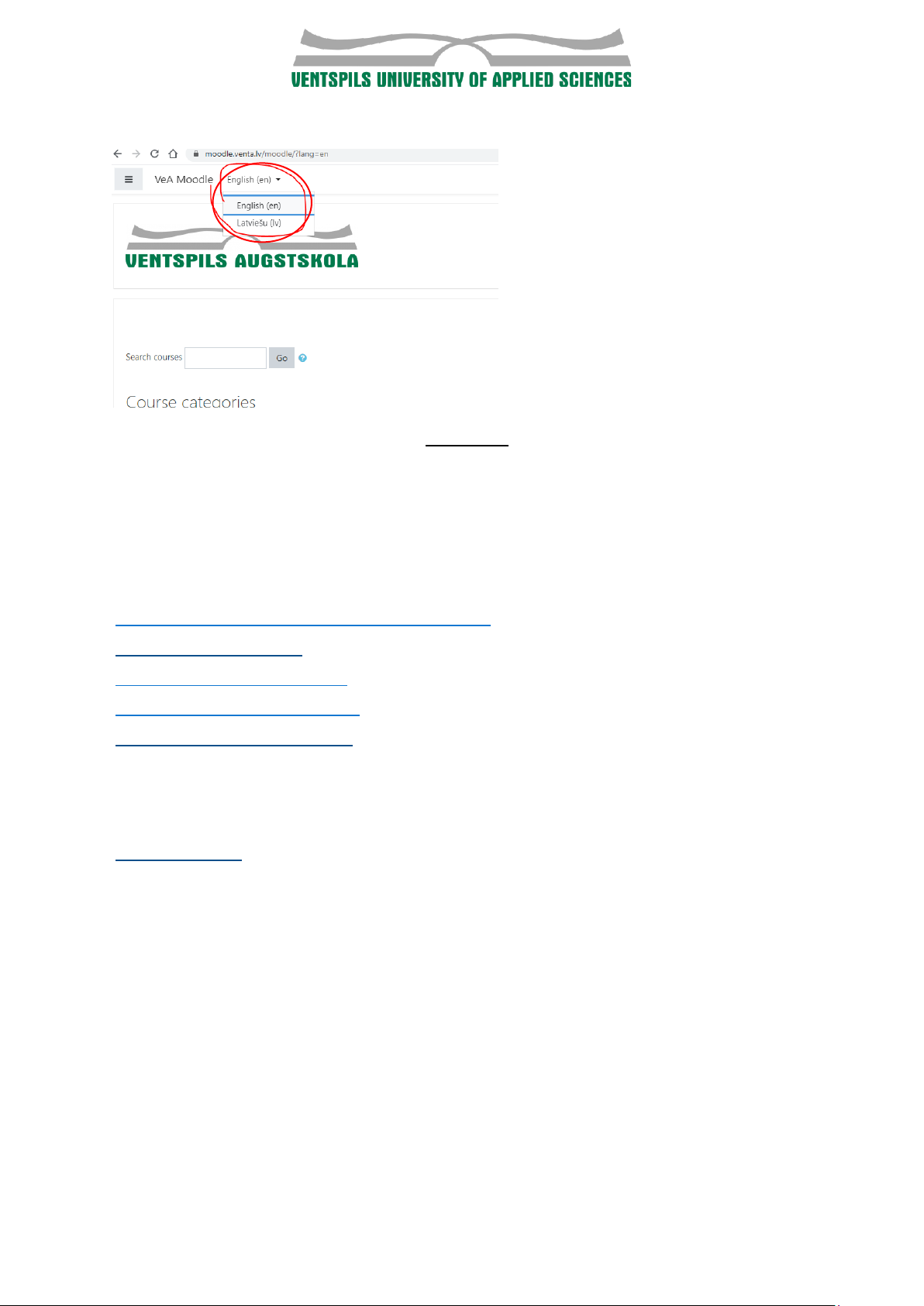
You can change the language after logging in:
Please ask each lecturer to send an exact link where to find his/her course
because it might be complicated to find a course as it can be from a different
study programme.
You can also look for them yourself.
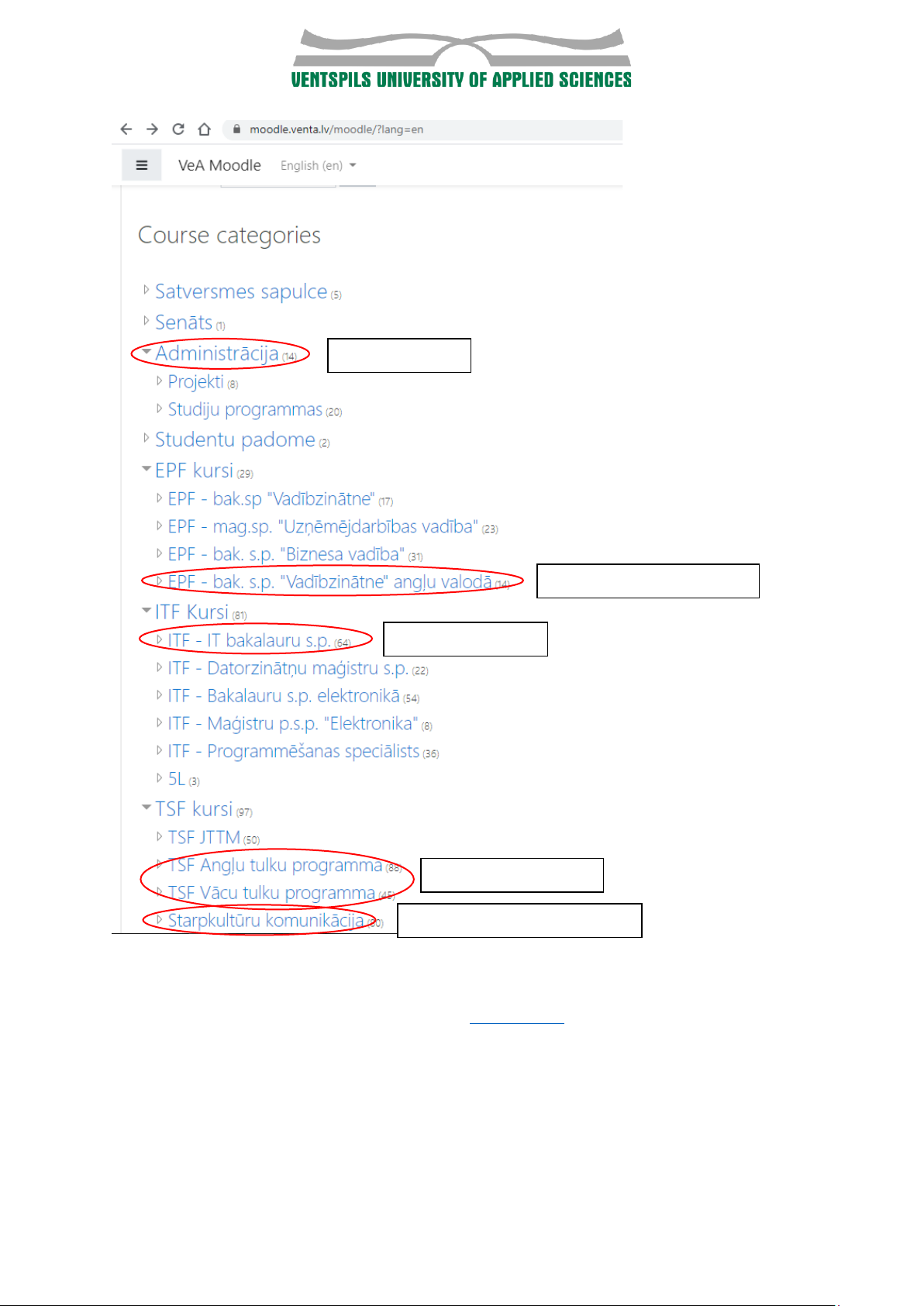
Translations of programme names in the Moodle:
EPF - bak. s.p. "Vadībzinātne" angļu valodā : Business Administration (BA)
ITF - IT bakalauru s.p. : Computer Science (IT)
Starpkultūru komunikācija : Languages and Intercultural Communication (VSK)
TSF Angļu tulku programma : Translation programme
TSF Vācu tulku programma : Translation programme
(Start-up management and Master students are informed individually where
and how to access study materials)
Study administrative process related documents can be found here:
Administrācija : Administration.
Page 5
In case you have any questions how to use LAIS please contact secretary of relevant Faculty or VUAS
Study department (contact information available in student guide)
Administration
Business Administration
Computer Science
Translation studies
Languageas and Intercultural
 Loading...