

Page 1
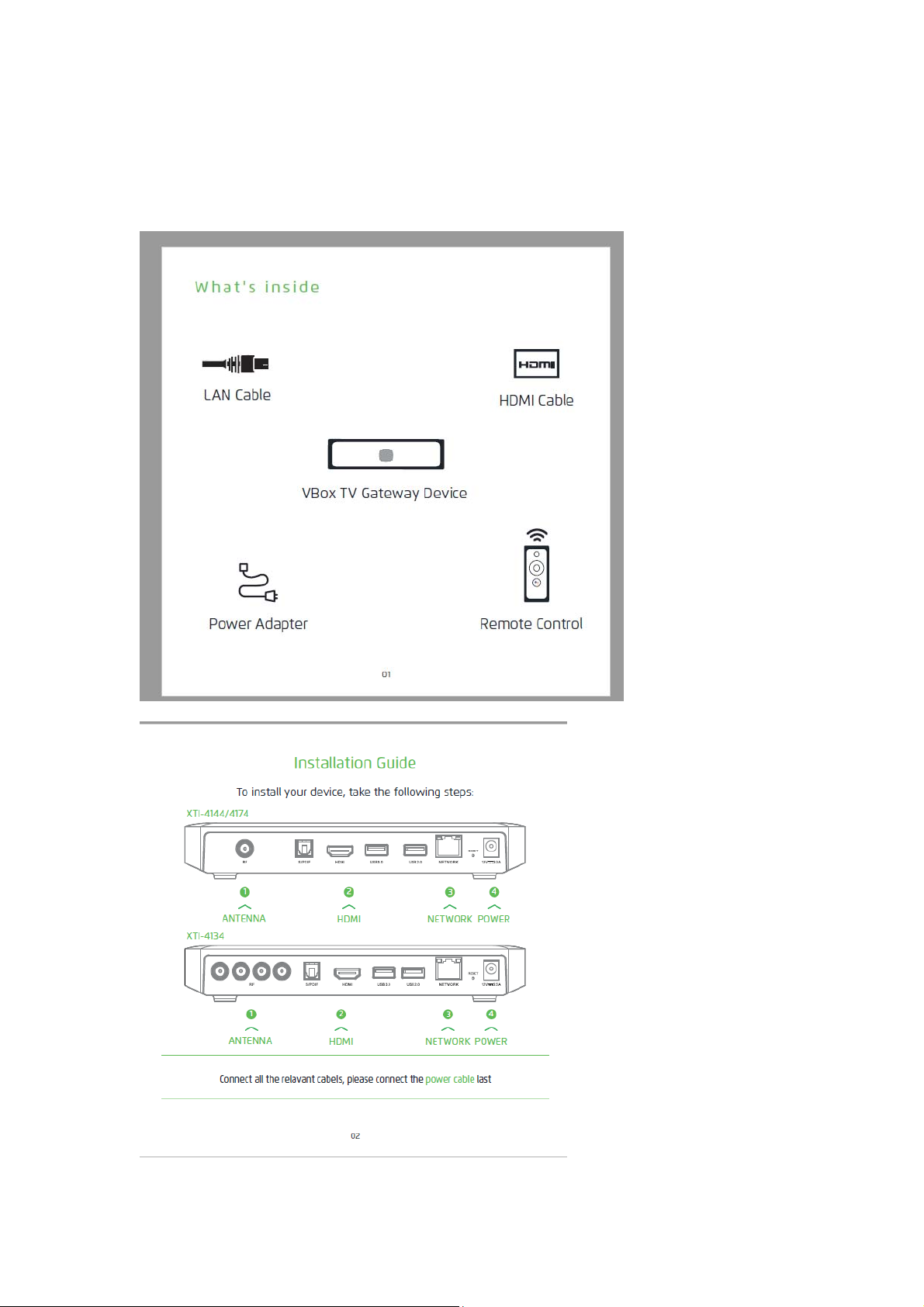
Q Installation Guide for VBox Android TV Gateway XTi – 4144/4174
ATSC, DVB-S/2, DVB-T/2, DVB-C, ISDBT
XTi 4144 for DVB-T/T2/C/ISDBT
XTi 4174 for ATSC/DVB/T/T2/C/ISDBT
Page 2
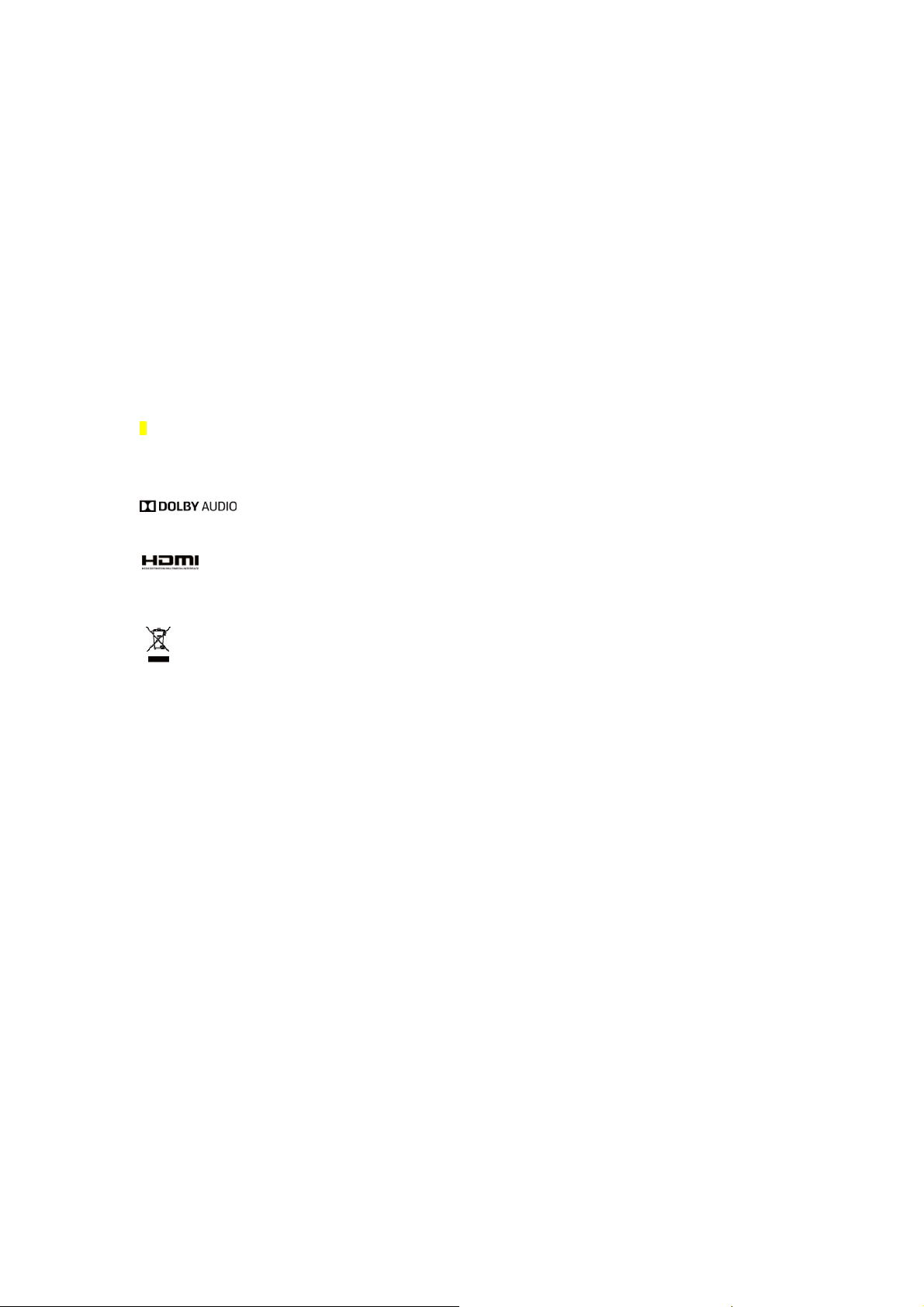
Note:For XTi 4134 LNB power supply,only one RF connector can supply 400mA at
the same time.
Set up your Android TV
1. The XTi will power on and Android TV welcome screen will appear on the TV.
2. Follow the Android TV instructions on the screen.
3. Remote Control- For pairing the remote, Press and Hold Back the voice + -
buttons together and follow the instructions on the screen.
Set up Live TV Channels
1. Settings TV Channels through Android TV screen, Go to the “Google Play
Store” Install or Update the "VBox Live TV " app and follow the instructions
on the screen.
2. Now you're ready toWatch and Record live TV channels on Android TV by using The
"VBox Live TV" Android TV app
Record Live TV programs, connect an external media recording device SD Card or USB Flash/ Hard
3.
Drive, or Set a Network Drive. You can add and set up the media recording device at any time later.
4. Recast live TV channels to any device go to Android, iOS or Microsoft
app stores and download "VBox Live TV" app or a variety of third-party
applications to your device
Acknowledgment of Trademarks
Manufactured under license from Dolby Laboratories. Dolby, Dolby Audio, and the double-D symbol are trademarks
of Dolby Laboratories.
HDMI, the HDMI Logo, and High-Definition Multimedia Interface are trademarks or registered trademarks of HDMI
Licensing LLC in the United States and other countries.
competent recycling organization or to the retailer when he buys a new electrical or electronic equipment.
This product bears the selective sorting symbol for Waste electrical and electronic equipment (WEEE). This
means that this product must be handled pursuant to European directive 2012/19/EU in order to be recycled
or dismantled to minimize its impact on the environment. User has the choice to give his product to a
Safety instructions
This receiver has been designed and manufactured to satisfy international safety standards. Please read the
following safety precautions carefully before operating the receiver.
◎
Main Supply:
Before operating the receiver, please check that the unit’s
operating voltage is 12V/2.0A/12V/2.5A.
◎
Working Temperature:
0~45℃
◎
Overload:
Do not overload a wall outlet, extension cord or adapter. Do not
use a damaged power cord or touch it with wet hands as this may result in electric shock.
◎
Liquid:
The receiver shall not be exposed to dripping or splashing
water. No objects filled with liquids, such as base, shall be placed on the apparatus.
◎
Ventilation:
Keep the slots on top of the receiver uncovered to allow
sufficient airflow to the unit. Do not put the receiver on soft furnishings or carpets. Do not expose the receiver to
direct light and do not place it near a heater or in humid conditions. Do not stack other electronic equipment on top of
the receiver. light and do not place it near a heater or in humid conditions.
Do not stack other electronic equipment on top of the receiver.
◎
Cleaning:
Plug out the receiver from the wall outlet before cleaning it.
Clean the receiver with a soft cloth or a mild cleaning solution
(no solvents).
◎
Location:
Keep the receiver indoors to avoid lightening, rain or direct
exposure to sunlight.
Page 3
◎
A
Uncover:
To reduce the risk of electric shock, do not remove the cover.
pplication Frequency band Maximum EIRP Comments
2.4G WiFi 2412MHz~2472MHz 17.95dBm For CE
5G WiFi
Bluetooth 2412MHz~2480MHz 3.58dBm For CE
5150MHz~5250MHz 17.38dBm For indoors use
5725MHz~5850MHz 13.45dBm For CE
only, For CE
Contact qualified and licensed service personnel to
repair the receiver, or contact your dealer.
◎
Radio Frequency (RF) Notices:
Restrictions in the 5 GHz band
According to Article 10 (10) of Directive 2014/53/EU, the packaging shows that this radio equipment will be subject to
some restrictions when placed on the market in Belgium (BE), Bulgaria (BG), the Czech Republic (CZ) , Denmark
(DK), Germany (DE), Estonia (EE), Ireland (IE), Greece (EL), Spain(ES), France (FR), Croatia (HR), Italy (IT), Cyprus
(CY), Latvia (LV), Lithuania(LT), Luxembourg (LU), Hungary (HU), Malta (MT), Netherlands (NL), Austria(AT), Poland
(PL), Portugal (PT), Romania (RO), Slovenia (SI), Slovakia(SK) , Finland (FI), Sweden (SE), the United Kingdom
(UK).
The WLAN function for this device is restricted to indoor use only when operating in the 5150 to 5250 MHz frequency
range.
Declaration of Conformity
Hereby, VBox Communications LTD. declares that the radio equipment type 4144, 4174 is in compliance with
Directive 2014/53/EU. The full text of the EU declaration of conformity is available at the following internet address:
http://bit.ly/2rwFj2N
To watch on other devices download
"VBox Live TV" app
FCC Caution.
§ 15.19 Labeling requirements.
This device complies with part 15 of the FCC Rules. Operation is subject to the following two conditions: (1) This
device may not cause harmful interference, and (2) this device must accept any interference received, including
interference that may cause undesired operation.
§ 15.21 Information to user.
Any Changes or modifications not expressly approved by the party responsible for compliance could void the user's
authority to operate the equipment.
§ 15.105 Information to the user.
Note: This equipment has been tested and found to comply with the limits for a Class B digital device, pursuant to
part 15 of the FCC Rules. These limits are designed to provide reasonable protection against harmful interference in
a residential installation. This equipment generates uses and can radiate radio frequency energy and, if not installed
and used in accordance with the instructions, may cause harmful interference to radio communications. However,
there is no guarantee that interference will not occur in a particular installation. If this equipment does cause harmful
interference to radio or television reception, which can be determined by turning the equipment off and on, the user is
encouraged to try to correct the interference by one or more of the following measures:
-Reorient or relocate the receiving antenna.
-Increase the separation between the equipment and receiver.
-Connect the equipment into an outlet on a circuit different from that to which the receiver is connected.
-Consult the dealer or an experienced radio/TV technician for help.
This equipment complies with FCC radiation exposure limits set forth for an
uncontrolled environment. This equipment should be installed and operated withminimum distance 20cm between th
e radiator & your body.
 Loading...