

Page 1
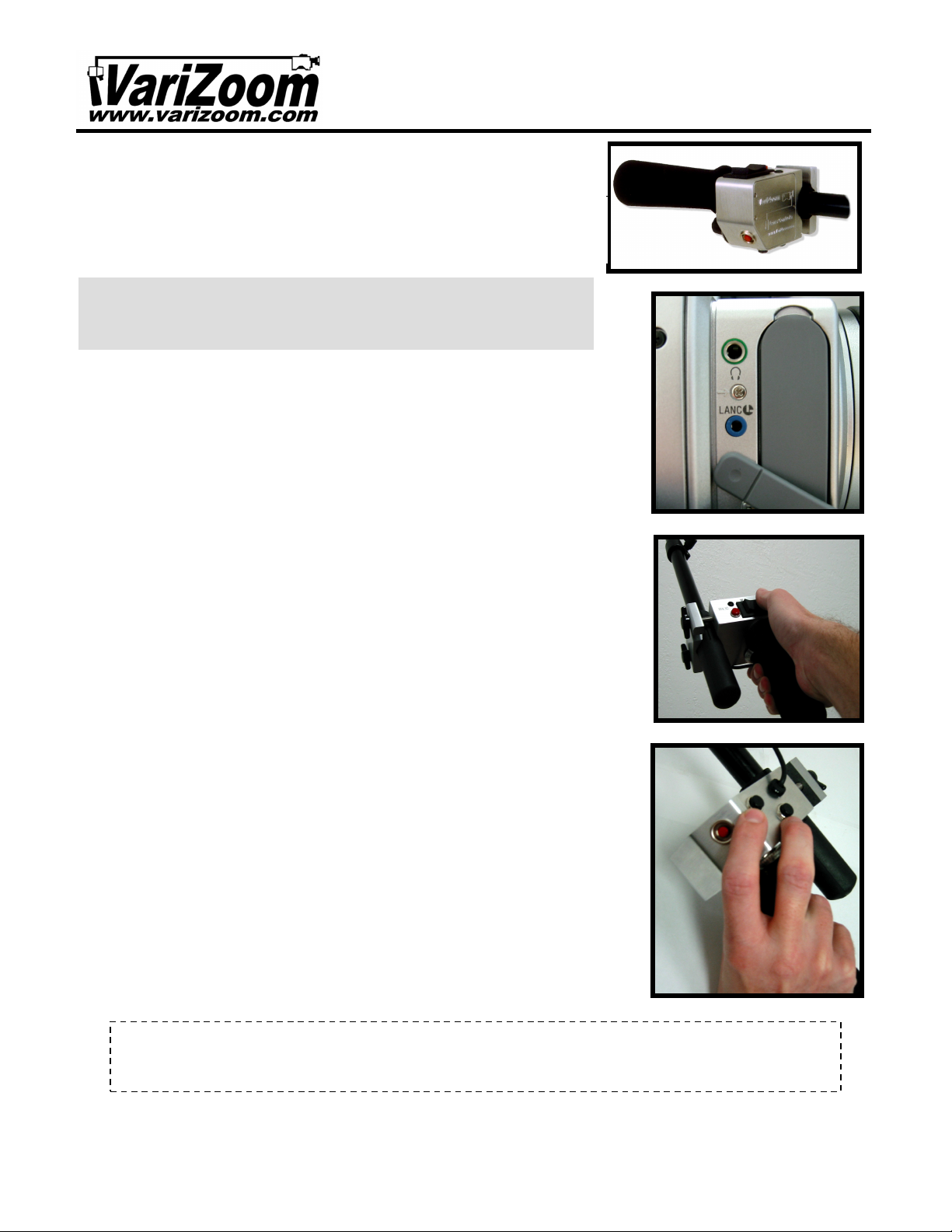
Do not open your control device, as this may void your warranty and possibly damage the
year
parts and labor warranty. Plea
functions on the camera. The red LED will light up when camera is recording and may also
control manual focus functions on all
camcorders that have gone into auto standby mode. Press it once to power the camera on
VZ-Pro-L Camera Control
duty clamping system
LANC cables are available from
VariZoom
.
Thank
you
VariZoom VZ
-
Pro-L
“Control
-L” on the camera (see picture bottom right).
Instruction Manual
for purchasing the
controller for DV camcorders. We think you’re going to like it a lot. Here are some important
guidelines for safe and effective operation…
Connection:
camera’s LANC jack only. Do not plug in to any port not clearly labeled LANC or
Insert the VZ-Pro-L controller cable mini-plug into your
remote variable-speed zoom and focus
CAUTION! Do NOT plug in to ANY OTHER JACK or DAMAGE may
result to your camera and or controller! DO NOT PLUG IN TO
ANY PANASONIC CAMERA OR DAMAGE MAY RESULT!!!
Power:
cable into the camera’s LANC jack, and it’s ready to use.
The VZ-Pro-L does not require batteries or external power. Just plug the
Tripod / Jib Mount:
to attach firmly to your tripod panhandle, shoulder support or camera crane/jib. Extension
Recording:
give other camera indications such as low battery power and end-of-tape warning.
Press the button next to the rocker to activate the pause and record
Your VZ-Pro-L comes with a heavy-
Zoom:
the left side for zoom out (Wide). Zoom speeds are dependent upon the position of the
speed control knob, and zooming will go as fast or as slow as the camera’s lens motor is
capable.
Variable Zoom and Speed Settings:
clockwise until it stops. This is your slowest speed setting. By pressing on either the right
or left side of the rocker, the lens will zoom either in or out. While pressing the rocker
down, roll the knob with your index finger counter-clockwise to speed up and clockwise to
decrease speed (see picture at right).
Press the rocker on the right side for zoom in (Telephoto). Press the rocker on
Turn the speed control knob all the way
Manual Focus:
manual focus mode (consult camcorder instructions). The two buttons (pictured at right)
are located on the underside of the VZ-Pro-L and will
compatible cameras. One button pushes the focal plane farther away and the other brings
the focal plane closer to the camera.
Canon XL1/XL2/GL1/GL2 users note: the manual focus buttons are disabled while
shooting in Green Box (full auto) mode, even if the lens switch is set to manual.
To utilize the VZ-Pro-L’s focus feature, put your camera in
ON/OFF Button:
from standby mode. Press and hold for 2 seconds to put the camera into standby mode.
When not in use for extended periods, unplug the controller.
The red recessed button on the controller will “wake up”
Warranty Warning!
control. If you need service, contact VariZoom for a Return Merchandise Authorization (RMA #). All controllers have a 2-
se save your receipt and send us your comments and suggestions. Thanks!
-- please keep this document for your records & reference -888-826-3399 / 512-219-7722
visit us on the web at www.varizoom.com
 Loading...