

Page 1
Van Walt Ltd | Prestwick Lane | Grayswood | Haslemere | Surrey | GU27 2DU | Tel. 01428 661 660 | Fax. 01428 656 808 | www.vanwalt.com
QUICK START GUIDE: GA5000 Portable Landll Gas Analyser
+44 (0)1428 661 660
VAN WALT
Monitoring your needs
This guide serves as a quick reference
for operating a GA5000 Portable
Landll Gas Analyser. It is for your
convenience & not intended to
replace the full-length manual where
additional information may be found.
RR207V3_08/06/2018_JI
This unit was dispatched serviced, calibrated & with everything you need to operate it.
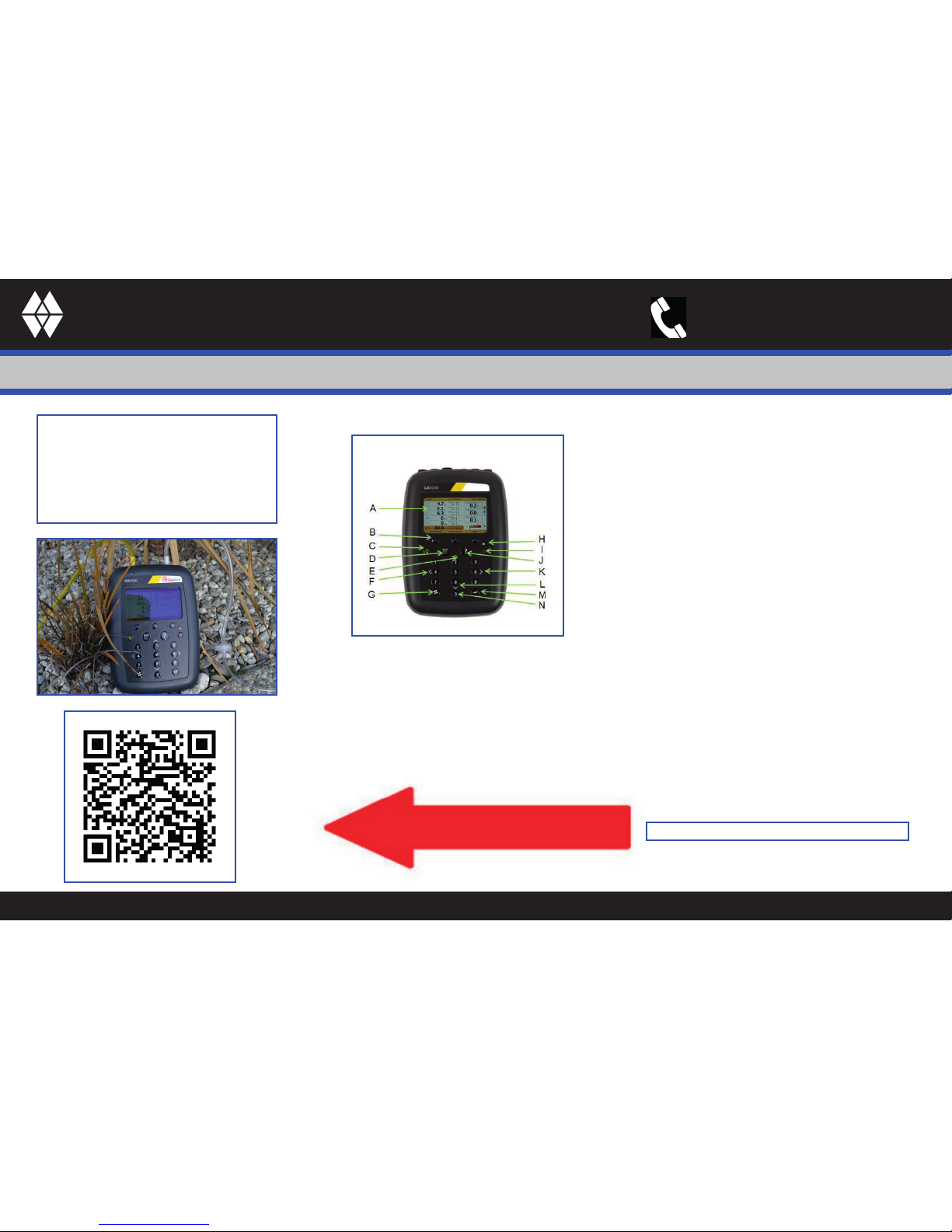
A - Main Gas Read Screen
B - So-keys
C - Backlight Key
D - Menu Key
E - Key 2 – Page Up
F - Key 4 – Scroll Le
G - Pump Key
H - LED Light
I - On/O (Start) Key
J - Assistance Key
K - Key 6 – Scroll Right
L - Key 8 – Page Down
M - Enter Key
N - General Keys
1. To switch the instrument on, hold the ‘On/Off’ key. The instrument will start-up & run
through a test procedure.
2. Always use tubing provided to stop moisture ingress into the instrument.
3. Start by doing a quick ‘self-purge’ test by following the on-screen instructions.
4. Press ‘Start’ key which will take you through all the settings.
For one well you have Gas Analysis, Pressure & Flow Readings
Scan to download the video
GA5000 Landll Gas Analyser Quick Start Guide
Page 2
Van Walt Ltd | Prestwick Lane | Grayswood | Haslemere | Surrey | GU27 2DU | Tel. 01428 661 660 | Fax. 01428 656 808 | www.vanwalt.com
QUICK START GUIDE: GA5000 Portable Landll Gas Analyser
+44 (0)1428 661 660
VAN WALT
Monitoring your needs
Scan to download the video
GA5000 Landll Gas Analyser - Sampling
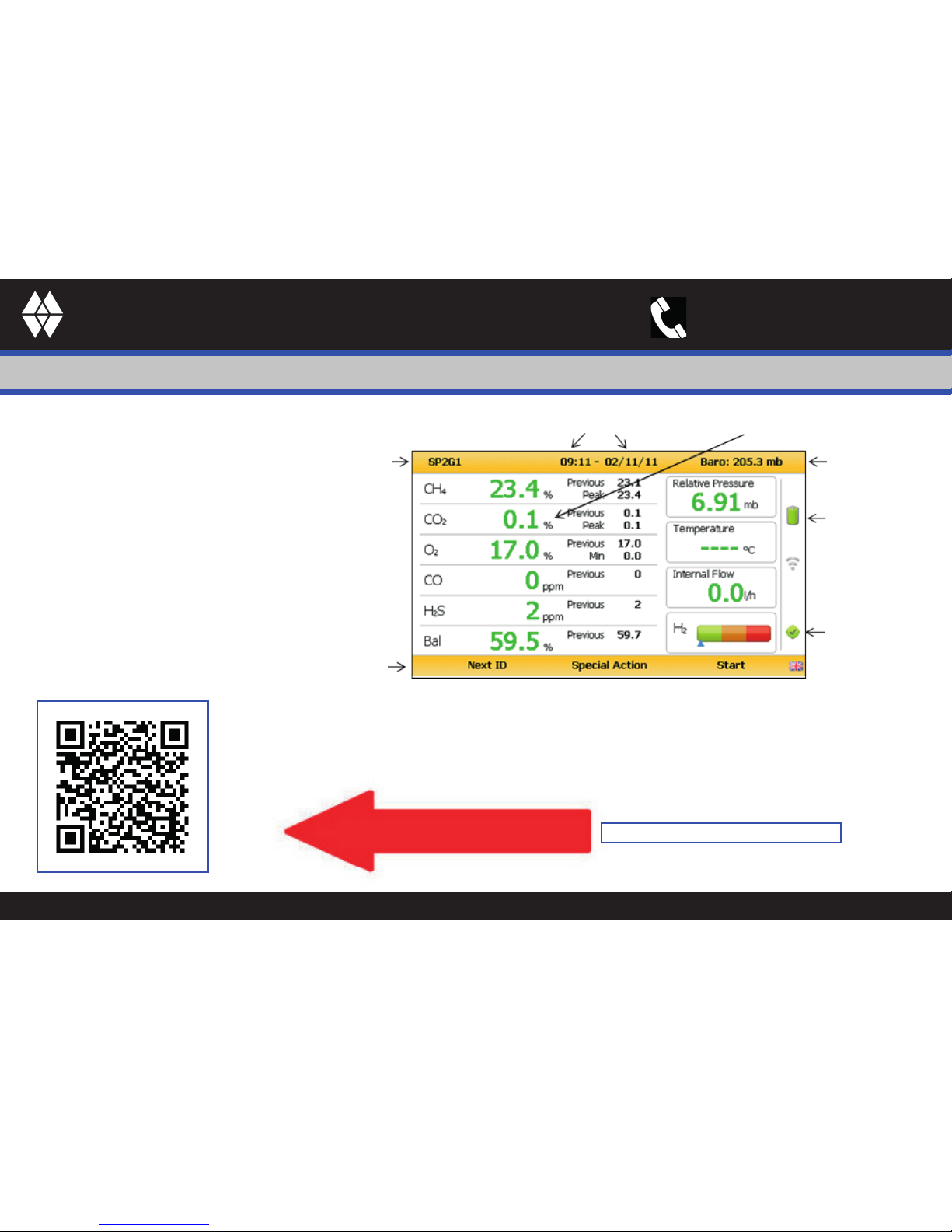
The ‘Main Gas Read Screen’ is
considered to be the normal operating
screen and all operations are carried
out from this starting point.
When readings achieved store the
information & start again.
To access your stored information, press
‘Menu’ button & ‘view download’.
At anytimeyou can Purge System
by pressing ‘Pump’ or turninjg the
instrument off.
Time / date stamp
Borehole ID
Green text = reading active
Note: Blue text = reading xed
Baro
Battery power
indicator
Healthcheck
status
Soft key options
When you have completed your readings, Click & hold ‘Power’ button to turn the instrument
off. The instrument will purge itself before it powers down completely. Please keep the inlet
tube after use, if returned Van Walt will dispose of this as we can’t re-use it.
 Loading...