

Page 1

glowspin
GENTLE CLEANSING &
EXFOLIATING FACE BRUSH
user guide
#VPBEAUTY | VANITYPLANET.COM
Page 2

spin
your
heart
out
Page 3

features:
Goodbye Nasty Dirt
Spinning action works with your skin to cleanse while lifting dirt, makeup,
and sweat
Clean Those Pores
Exfoliates to help remove dead skin cells, bacteria, and unwanted oils to
promote naturally clearer pores
Pick Your Speed
Includes 2 speed settings for the optimal skincare experience
Get your Glow On
Reveals a natural, brighter complexion to keep you glowing
Comprehensive Skincare Routine
Comes with 3 specialized brush heads: Daily Cleansing Brush, Exfoliating
Brush, and Silicone Brush
Travel Friendly
Equipped with a handy storage case and powered by 2 AA Batteries
The Vanity Planet Glowspin is a two-speed spin brush that gently cleanses
and exfoliates your complexion to help reveal your skin’s natural glow. With
three attachable brush heads—Daily Cleansing Facial Brush, Exfoliating
Facial Brush, and Silicone Facial Brush—this skincare wonder takes care of
all your needs, keeping your face clean and healthy. Plus, it comes with an
awesome travel case for easy storage on-the-go.
With two speed settings, you can use the lower speed for a gentle, everyday
cleanse, or the higher speed for deeper exfoliation. Get ready to step up your
beauty game!
Page 4
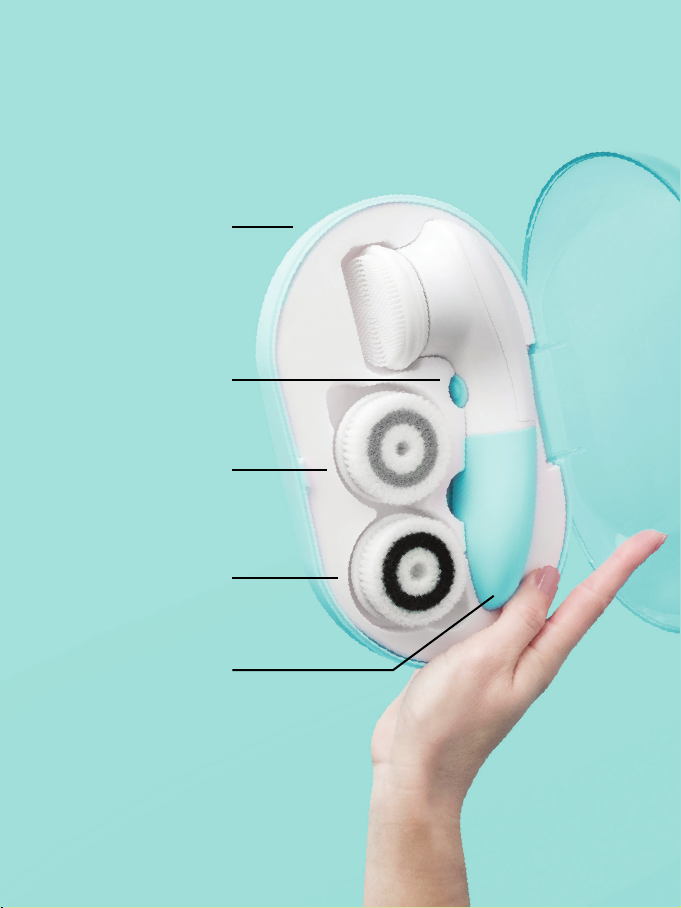
on-the-go
storage
case
power
and speed
button all
in one
cruelty-free
bristles
3 brush
heads
easy pull-
off battery
comparment
Page 5

getting started:
inserting the batteries
To open the battery compartment, pull apart the top
white portion of the brush with the bottom piece.
The bottom should come off to reveal the battery
slots. Insert the two AA batteries in accordance with
the polarity symbols, then snap the bottom piece
back into place.
turning your device on/off
Press the button once to turn on your spin brush on
the first speed setting. To switch the second speed,
press the button again. To turn your brush off, press
the button a third time.
Page 6

get
squeaky
clean
Page 7

getting started:
using your brush heads
1. To start, use a wipe or your favorite remover to get rid of
any makeup on your face before using your spin brush.
This will improve your cleansing experience and extend
the life of your brush heads.
2. Pick your brush head and attach to your device handle.
3. Wet your face and your brush head with warm water.
Apply a dollop of cleanser to the brush, then turn on
the device and gently move the brush head in circular
motions around your face.
4. Choose your preferred speed. One for gentle everyday
cleansing, two for deeper exfoliation.
5. Once you’re done cleansing, turn off the device and rinse
your face. Before storing, rinse off the brush head with
water and let dry in open air to keep your brushes in tip
top condition.
Note: Keep the brush head flush to your skin. Pressing too
hard will impede the motion of the brush and reduce its
effectiveness.
Page 8
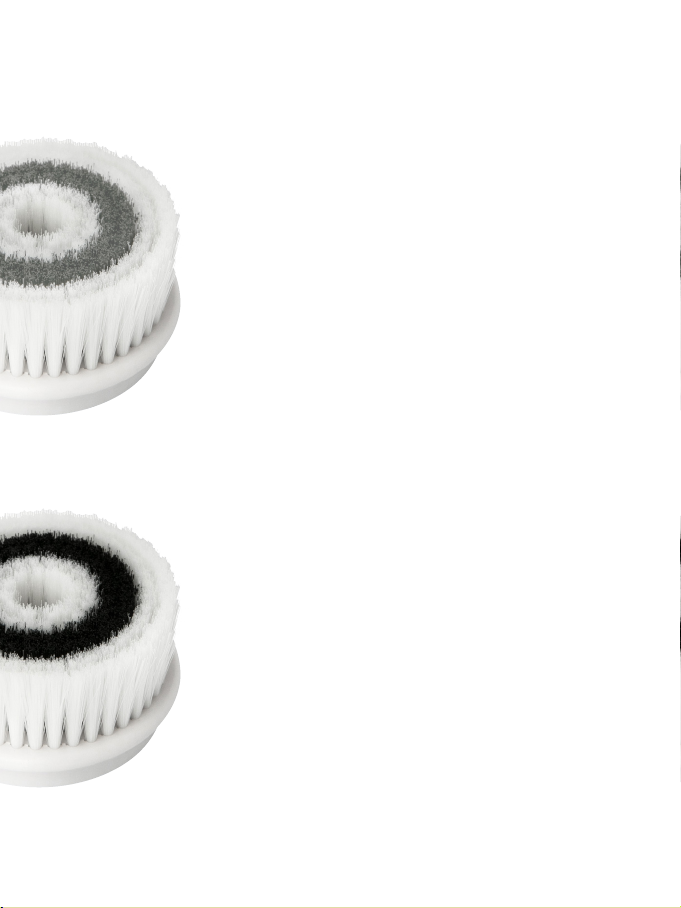
cleansing brush
The Cleansing Brush is made of ultrasoft bristles that are specially designed to
cleanse your skin.
Ultra-Soft Bristles for that pretty face
Use it daily—a spin a day keeps the
blemishes away
A mild cleanser is its perfect pair
exfoliating brush
The Exfoliating Brush has slightly firmer bristles
that are specially designed to lift away debris
and dead skin cells from your face.
Firmer bristles to kick debris to the curb
Treat yourself 2-3 times a week
Dream match? A mild cleanser—harsh
exfoliants are a no-no
Page 9
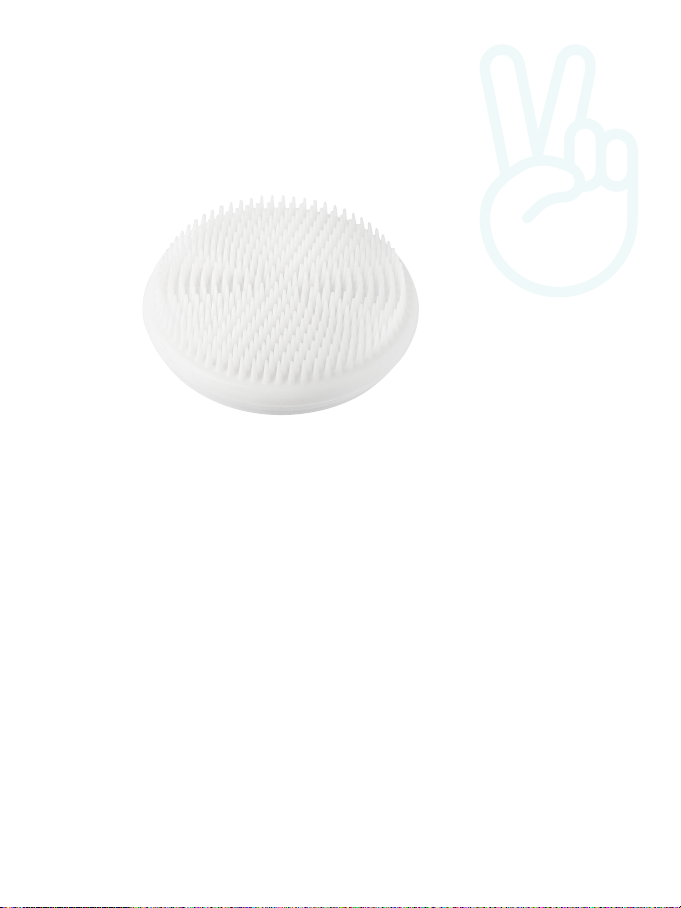
silicone brush
The Silicone Brush is great for dry and
sensitive skin types. Its bristles are soft,
hypo-allergenic, and non-abrasive so you
can cleanse thoroughly while keeping your
skin safe.
Soft, hypo-allergenic bristles
Use it daily—spin, and spin some more
A mild or hydrating cleanser is its
perfect pair
Page 10

taking care
To keep your Glowspin in good shape, do not use abrasive
cleaners or chemicals to clean any part of this device.
cleaning the brush heads:
Rinse the brush heads thoroughly after
each use. If they are discolored from
makeup or debris, clean with warm,
soapy water. Place on flat surface
bristle-up to air dry.
cleaning the device:
To remove any residue or buildup, clean
the handle once a week by taking a
slightly damp cloth and wiping down
the body of the device.
Battery Disposal/Recycling Instructions:
• Failure to insert batteries in the correct polarity, as indicated in the battery
compartment, may shorten the life of the batteries or cause batteries to leak.
• Do not mix old and new batteries, and do not mix Alkaline, Standard (Carbon-Zinc) or
Rechargeable (Nickel Cadmium or Nickel Metal Hydride) batteries.
• Do not dispose of batteries in fire.
• Batteries should be recycled or disposed of as per state and local guidelines.
Page 11

important tips & warnings
To ensure you experience the full range of benefits from
the Vanity Planet Glowspin, we recommend the following:
• Do not share your brush heads with anyone
• Do not submerge the handle in water
• Do not use with harsh exfoliating cleansers or physical
exfoliants such as nuts, shells, seed, or other jagged
exfoliating particles
• If you would like to use the Glowspin with an exfoliating
product, use one that contains soft, rounded particles
• Using your Glowspin to remove makeup may stain the
bristles of the brush head; if discoloration occurs, clean
the brush head with soap and water
• For best results, change your brush heads every 2 to 3
months
NOTE: If you are under a doctor’s care for any skin condition or
if you think you may have a skin condition, please consult your
physician before use.
Page 12

one-year warranty
This Vanity Planet product is warranted to be free of
manufacturer’s defects in materials or workmanship for
one year from the date of purchase. Damage or wear
resulting from an accident, misuse, abuse, commercial
use, or unauthorized adjustment and/or repair are not
covered under this warranty.
Should this product require warranty service (or
replacement at our discretion) please contact client
service to obtain a Return Merchandise Authorization
number (RMA) and return instructions; proof of
purchase is required. Products returned without a
Vanity Planet generated RMA number will not be
accepted and the sender will not receive a refund,
replacement, or repaired product.
VANITYPLANET.COM
[email protected]
1.888.870.2132
There are no express warranties except as listed above.
This warranty gives you specific legal rights and you may have
other rights which vary from state to state.
Please do not return this product to the retailer. Contact us
directly for warranty service or repair, thank you.
 Loading...