

Page 1
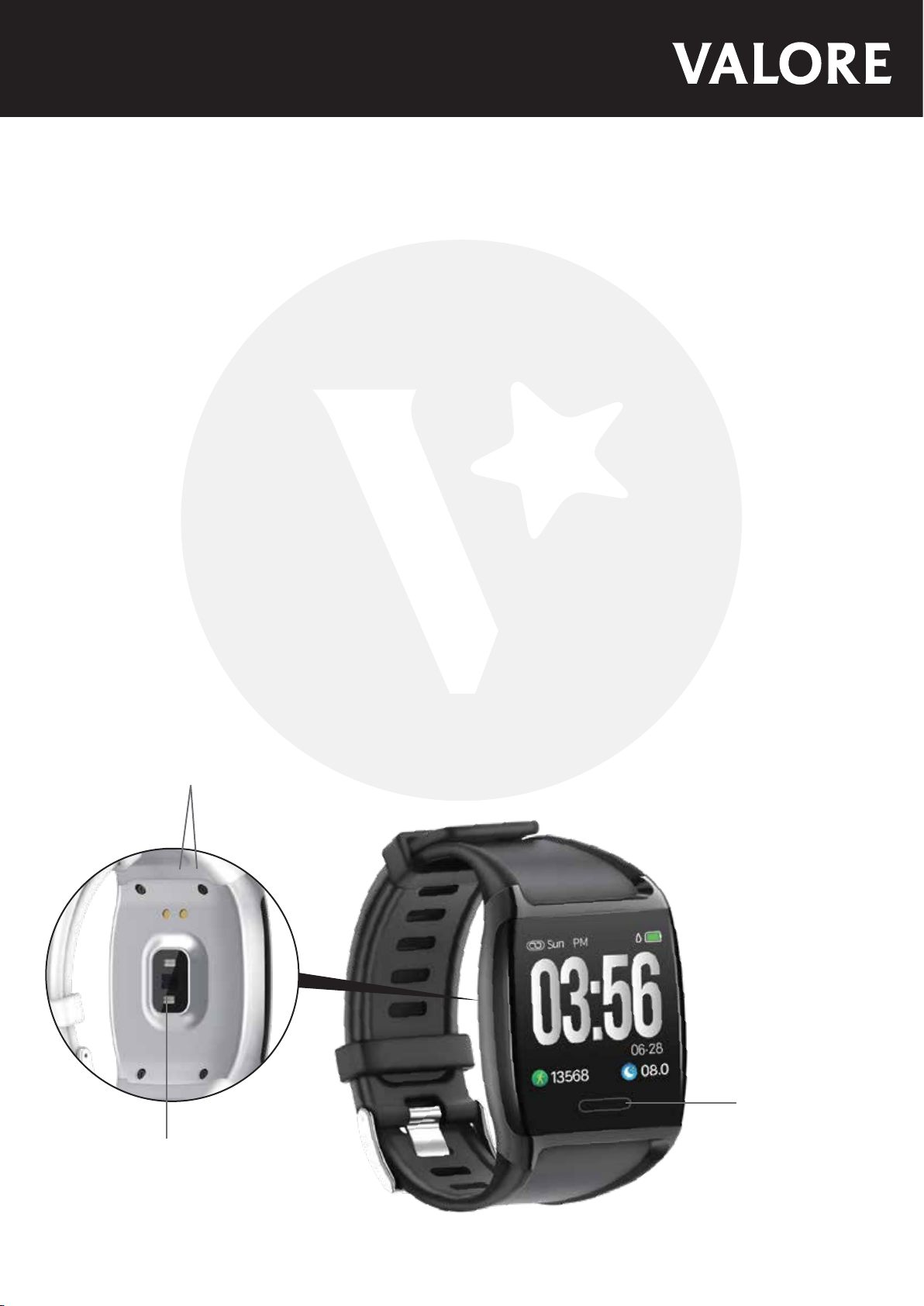
Valore Smart Watch (VHA-16)
Thank you for purchasing the Valore Smart Watch (VHA-16).
• Camera shutter button
• Message notification
• Distance tracking
• Pedometer
• Wake screen
• Calories
• 5 different watch faces
• Sleep management and more
Important: Please read the user manual thoroughly before using your Fitness Tracker.
Note: The data collected on the fitness tracker is not for medical usage.
Specifications: Package Contents:
• Battery type: 200mAh lithium battery
• Standby time: Up to 7 days
• Charging time: Approximately 2 hours
• Support: iOS/Android
• Display screen size: 1.3"
UNDERSTANDING THE PRODUCT
②
• Smart watch
• White strap
• Charging cable
③
①
① Touch key
② Charging point
③ Sensor
Page 2
START USING THE SMART WATCH
1) Charging the smart watch
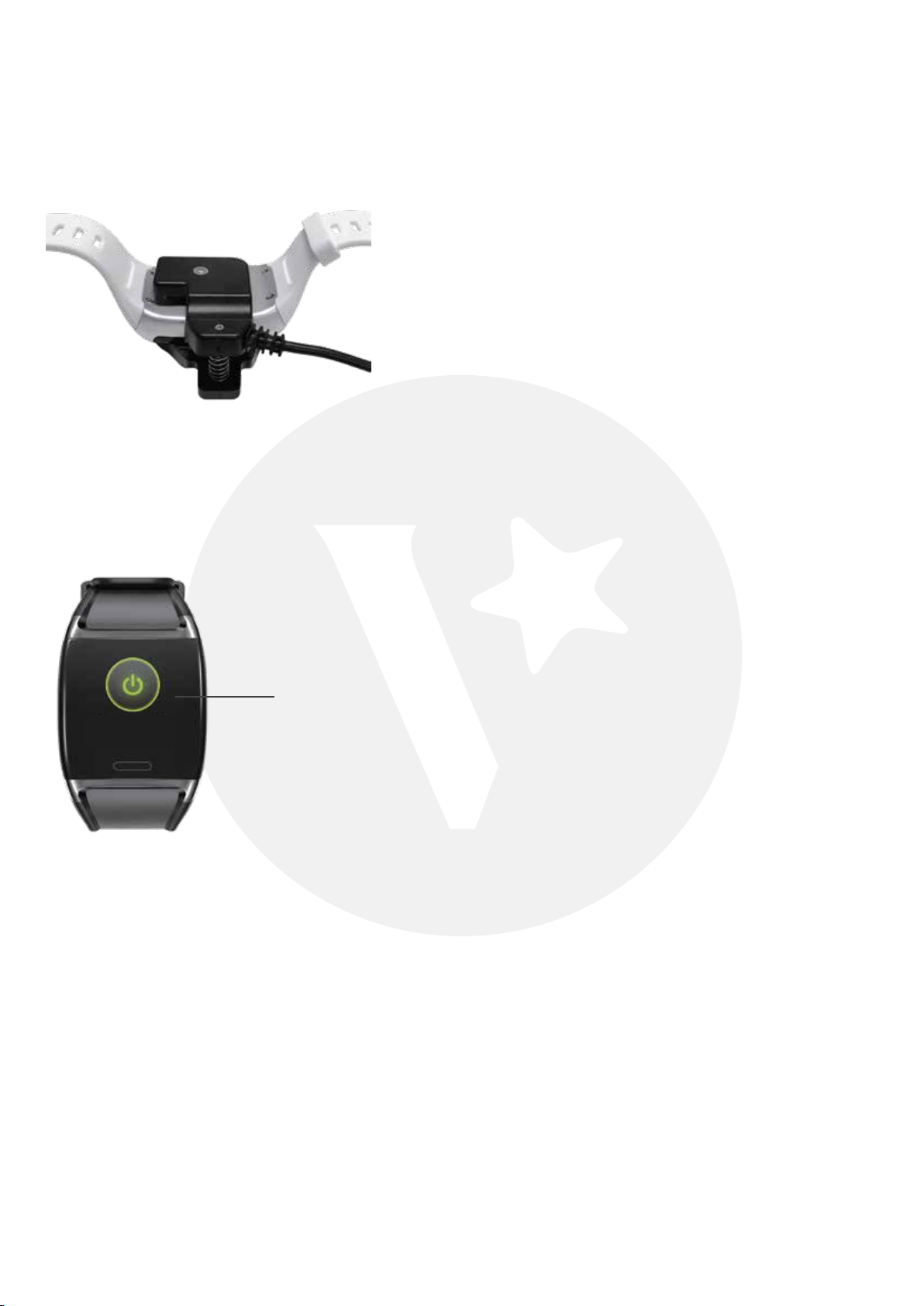
Align back-clamp charger to charging point located at the back correctly and clamp the device
tightly.
2) Power On/Off
Power On: Long press the touch key turn the device on.
Power Off: Switch to the Power off interface, then long press the touch key to turn off device.
Power off interface
3) Time, date & week
After the device is connected to your mobile device via Bluetooth, the time, date and week will
auto-synchronize according to your mobile device.
4) Heart rate (HR) monitoring
Switch to HR interface, the device starts a single HR measurement automatically with th icon
of HR flashing. It will remind with a vibration after measurement is done.
5) Blood pressure (BP) monitoring
Switch to BP interface, the device starts single BP measurement automatically with the icon
of BP flashing. It will remind with a vibration after measurement is done.
6) Sports mode
Long press to start the sports mode, you can check count-down, calorie burnt, real-time heart
rate and steps. Short press the touch key to pause or exit. Long press to activate again.
Page 3

7 Pairing the smart watch
Scan the QR code to download the application (H band) on respective mobile device.
a) Switch on smart watch
b) Switch on Bluetooth on your mobile device
c) Launch the H band application
d) Under “Settings”, click on Bluetooth and connect to “VHA-16”
After pairing is successful, set the application function and user info to your convenience.
Page 4

TECHNICAL SUPPORT & WARRANTY
• For Technical Support, email us at [email protected].
• For Warranty Registration, visit www.valore.sg.
Cautions:
Read all the instructions and warnings carefully prior to using this product.
• Do not attempt to replace battery or open the enclosure or disammble this product. Doing so
will void the warranty and can result in safety hazard.
• Do not store the fitness tracker in a high temperature environment.
• Do not place the fitness tracker near a fire or other excessively hot environments.
• Do not expose this fitness tracker to moisture or submerge it in liquid. Keep fitness tracker
dry at all times.
• Do not disassemble this fitness tracker or attempt to repair or modify it in any manner.
• Be cautious of excessive drops, bumps, abrasions or other impacts to this fitness tracker. If
there is any damage to the fitness tracker such as dents, punctures, tears, deformities or
corrosion, stop using the fitness tracker and contact us immediately via email at
[email protected], or return this product to the store where you have purchased it from.
• If the product produces an abnormal smell, high temperature (low temperature during
normal use), discolours or changes shape abnormally, stop using the product and contact us
immediately via email at [email protected].
DISCLAIMER & TRADEMARKS
All information, trademarks, logos, graphics, and images (“Materials”) provided on this user manual are
copyrighted or trademarked and are the property of Challenger Technologies Limited. Any unauthorized use of
any material contained on the instruction manual may violate copyright laws, trademark laws, laws of privacy
and communications statutes.
The trademarks, service marks and logos used and displayed in the Materials are registered and unregistered
trademarks and service marks of Valore and others. All other registered and unregistered company names,
product names and marks mentioned herein the (“Materials”) are the property of their respective owners and
may be trademarks or registered trademarks.
Inspired by Valore Singapore
For full range of Valore products visit www.valore.sg
 Loading...