

Page 1
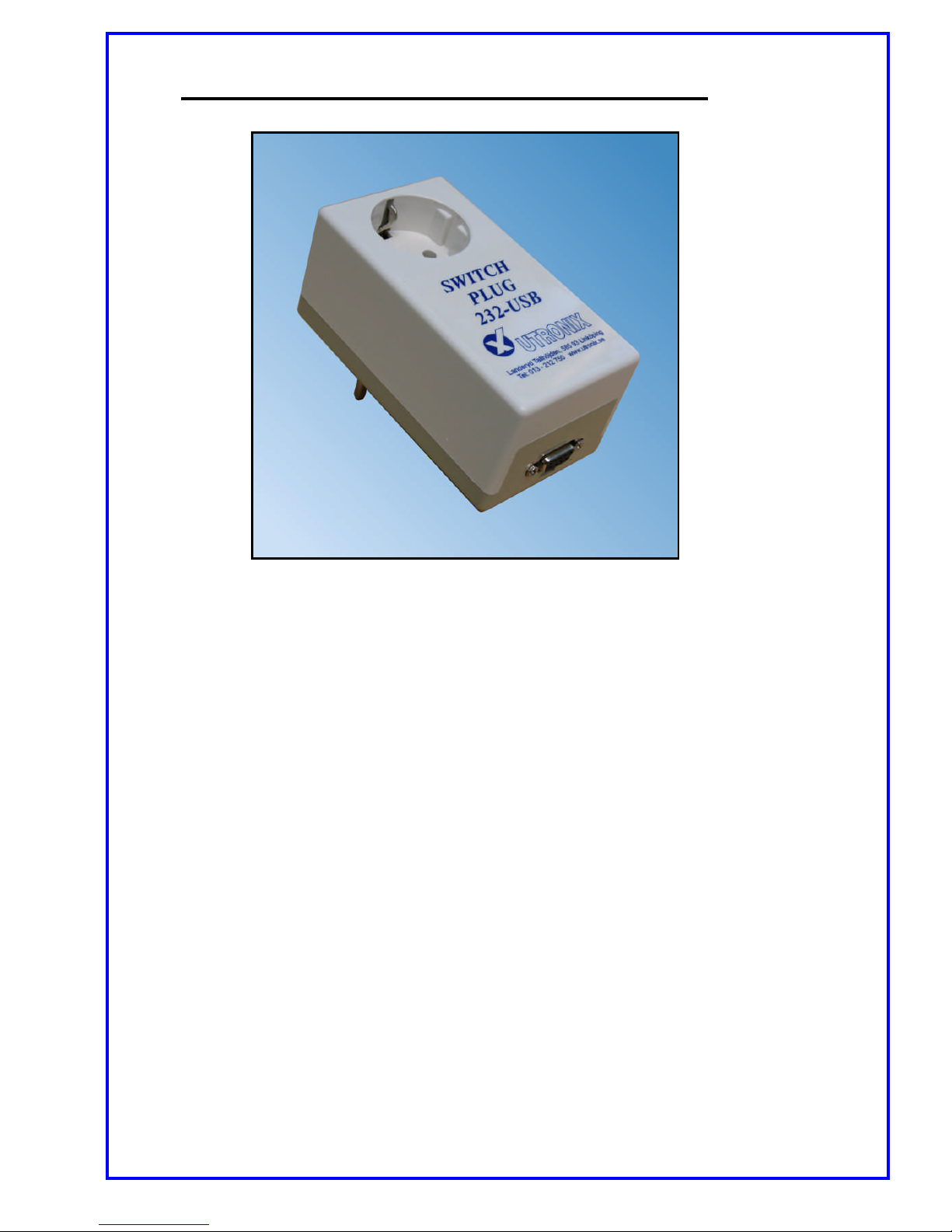
Users guide for SwitchPlug232USB
Grounded outlet for 10A / 230V.
Controlled via RS232 or USB.
Very easy to use, 10 minutes to learn!
Controls lamps, computers, alarm, heaters, fans,
conveyor bands…
SwitchPlug232USB is mounted in a common wall outlet and the output
can be switched on/off from your computer..
SwitchPlug232USB is controlled via or USB. You can only use one connector
at a time (do not try to connect both, you will break the connectors).
Control is done with some simple ASCII text commands, ON and OFF,
that switches the outlet on and off.
There are some more commands for asking status and to set options.
When controlling via RS232 more than one box can be controlled from one
single COM-port.
Then each box is given an individual address digit and all commands to the
box must start with this digit. When using this option connector pin 2 is
not used – transmission from the box.
The addressing function works in the same way with USB but it is not really
useful with USB.
Page 2

Control commands.
All commands are sent as common ASCII text:
Switch the output on: ”ON” The reply is ”OK”
Switch the output off: ”OFF” The reply is ”OK”
Ask state of output: ”??” The reply is ”ON” or ”OFF”
Ask current configuration: ”?S” The reply is a list of the settings.
Help with commands: ”?H” The reply is a list of the commands.
Configure baud rate: ”#config#baudX” The reply is ”OK”
Where X are:
”0” for 1200 baud
”1” for 9600 baud
”2” for 19200 baud
Configure box address: ”#config#adreY” The reply is ”OK”
Where Y is chosen address ”0”…”9”
Address 0 means no address needed.
Configure start position: ”#config#startZ” The reply is ”OK”
Where Z is:
”0” The output is off at power on.
”1” The output is on at power on.
”2” The output have same position as before.
Configure if “OK” reply ”#config#replyW” The reply is ”OK”
shall be sent on commands Where W is ”0” to not send reply and is
ON and OFF: ”1” to send reply.
To make the SwitchPlug232USB compatible with the old SwitchPlug232
send these commands:
Baurate to 1200 baud: ”#config#baud0”
Box address to 0: ”#config#adre0”
No ”OK” replies: ”#config#reply0”
Connection to RS232.
Connection is made with a 9-pole D-sub connector.
SwitchPlug232USB have sockets in the connector and the mating cable shall have pins.
Ground is on pin 5, signal in on pin 3 and signal out on pin2.
It uses 8 data bits, 1 stop bit and no parity.
Connection to USB.
Connection is made with a USB micro B connector.
Note, this connector must not be connected at the same time as the RS232
connector, if you try it will break!
Page 3
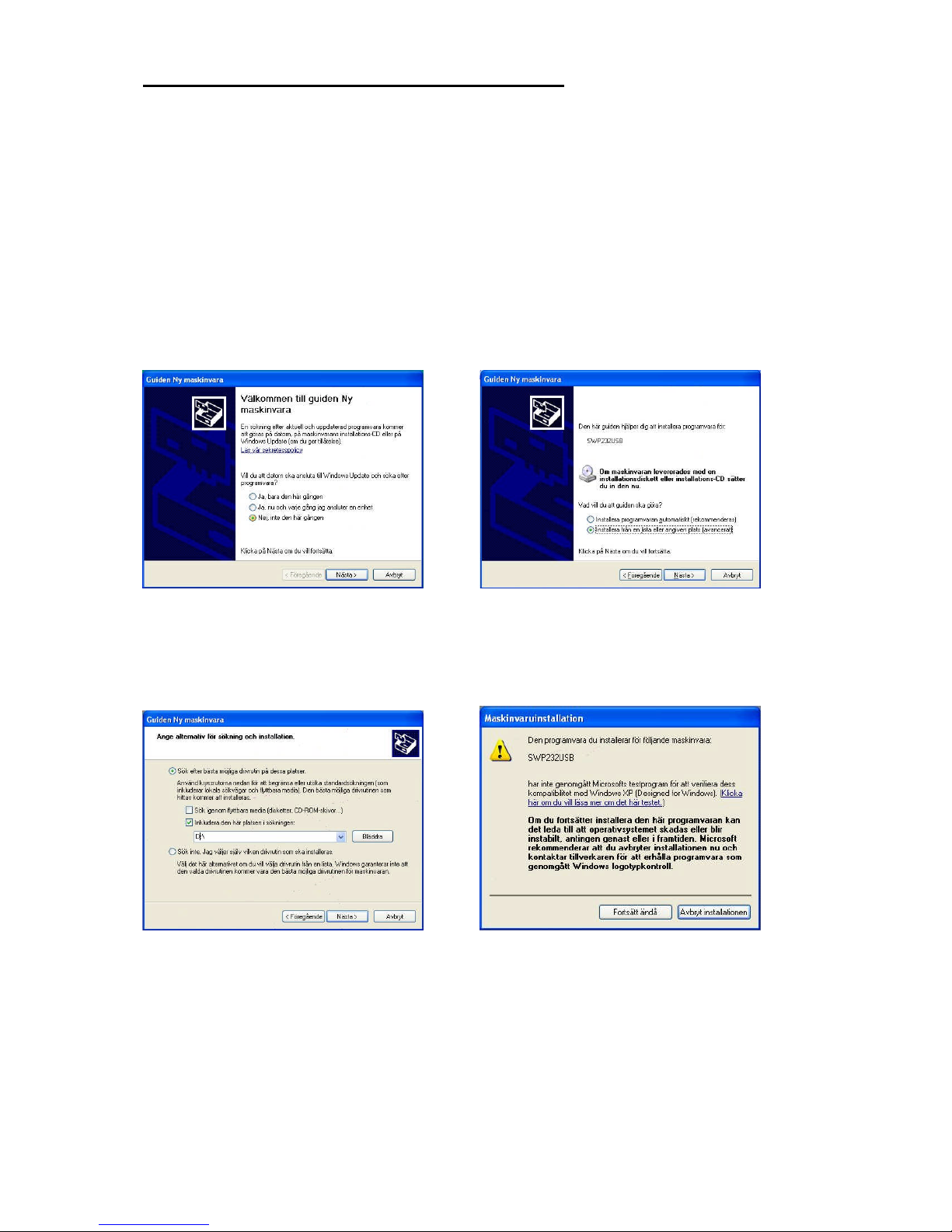
Installation on computer when using USB.
On Linux and Macintosh no special installation is needed, the operation systems
handles this automatically.
Microsoft Windows requires an installation where the file SWP232USB.inf , from the
CD, shall be used.
This is an information file with only the name of the manufacturer etc.
The only driver used is the one supplied by Microsoft that is already in your PC.
1) Connect SwitchPlug232USB to the computer
2) Select ”No, not this time” 3) Select ”Install from a list…”
4) Put the CD in the drive and type. 5) Select ”Continue anyway”
in the CD-drives letter, for example No new software will be installed,
D: only Windows own.
Page 4
Compatible with: USB: With Linux, Macintosh, MS Windows XP/VISTA,
but not 64-bit VISTA.
RS232: For all computers with RS232-connection.
Defaults: 9600baud, address 0, ”OK”-reply sent.
Dimensions: 123 x 55 x65mm
Weight: 300g
Connectors: Schuko for 230V in/out.
USB micro B.
D-sub, 9-pole with sockets.
UTRONIX Elektronikutveckling AB Telephone: +46 13 – 212 750
Landeryd Tallhöjden, 585 93 Linköping Telefax: +46 13 212 725
www.utronix.se e-mail: [email protected]
1.0Z 20100 326
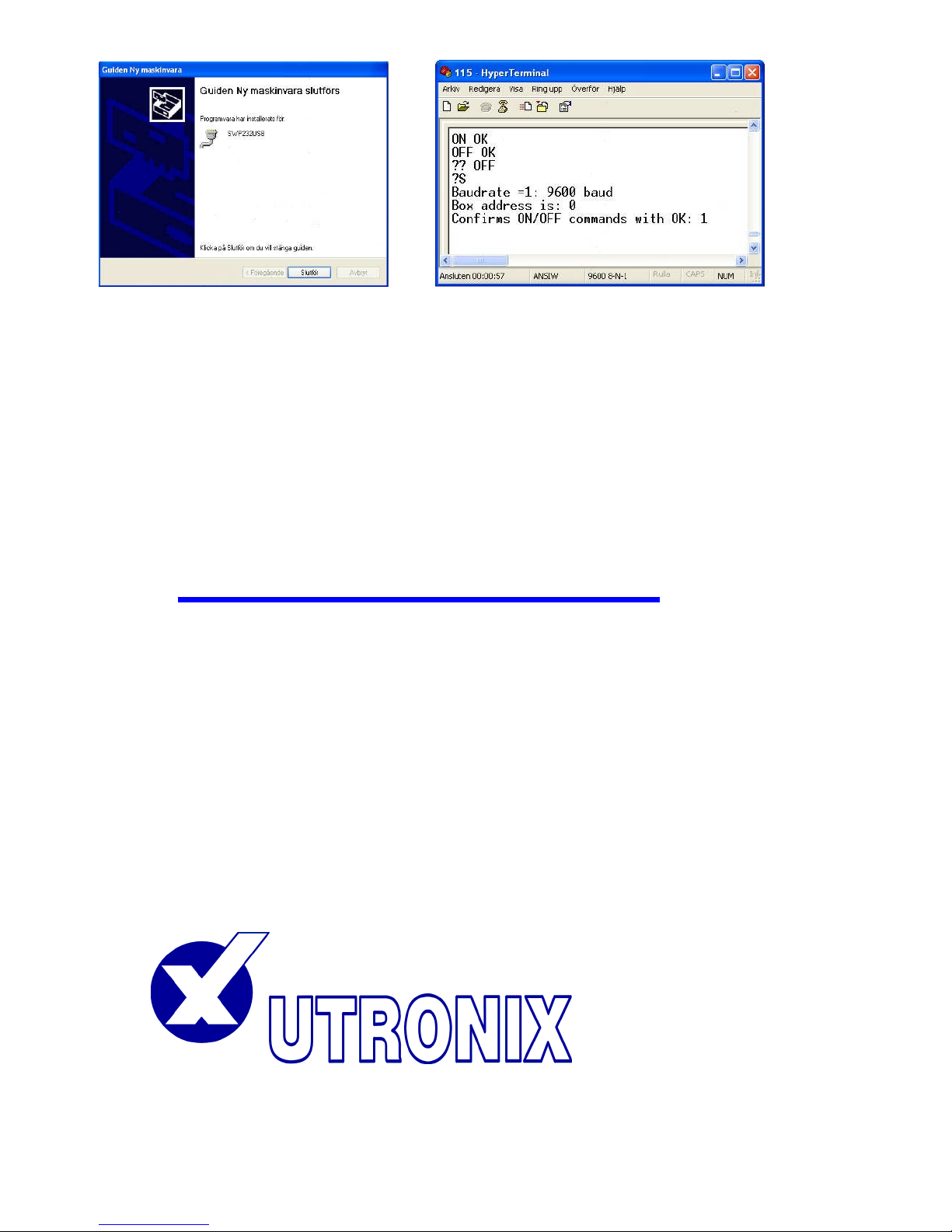
6) Finish!
SwitchPlug232USB has been
given a COM-port number, for
example COM8, and may now
be controlled.
Test it from, for example, Windows
Hyperterminal.
 Loading...