

Page 1
INNER RANGE security system user manual for UT employees
1. Day and evening/night mode in the buildings
The buildings of the University of Tartu have specific opening hours when common areas are
not guarded and main entrances are open. UT employees should be aware of these hours.
After opening hours the doors provided with card readers can only be entered with access
cards having certain credentials.
2. Entering rooms and turning areas off
Before entering the building and workrooms, when the building has been closed, the
employees must verify if the areas are armed or not and if needed personally turn the armed
areas off. After opening the entrance door the employees have limited time to turn the
area(s) off before alarm message is sent to the security service.
3. Using the keypad
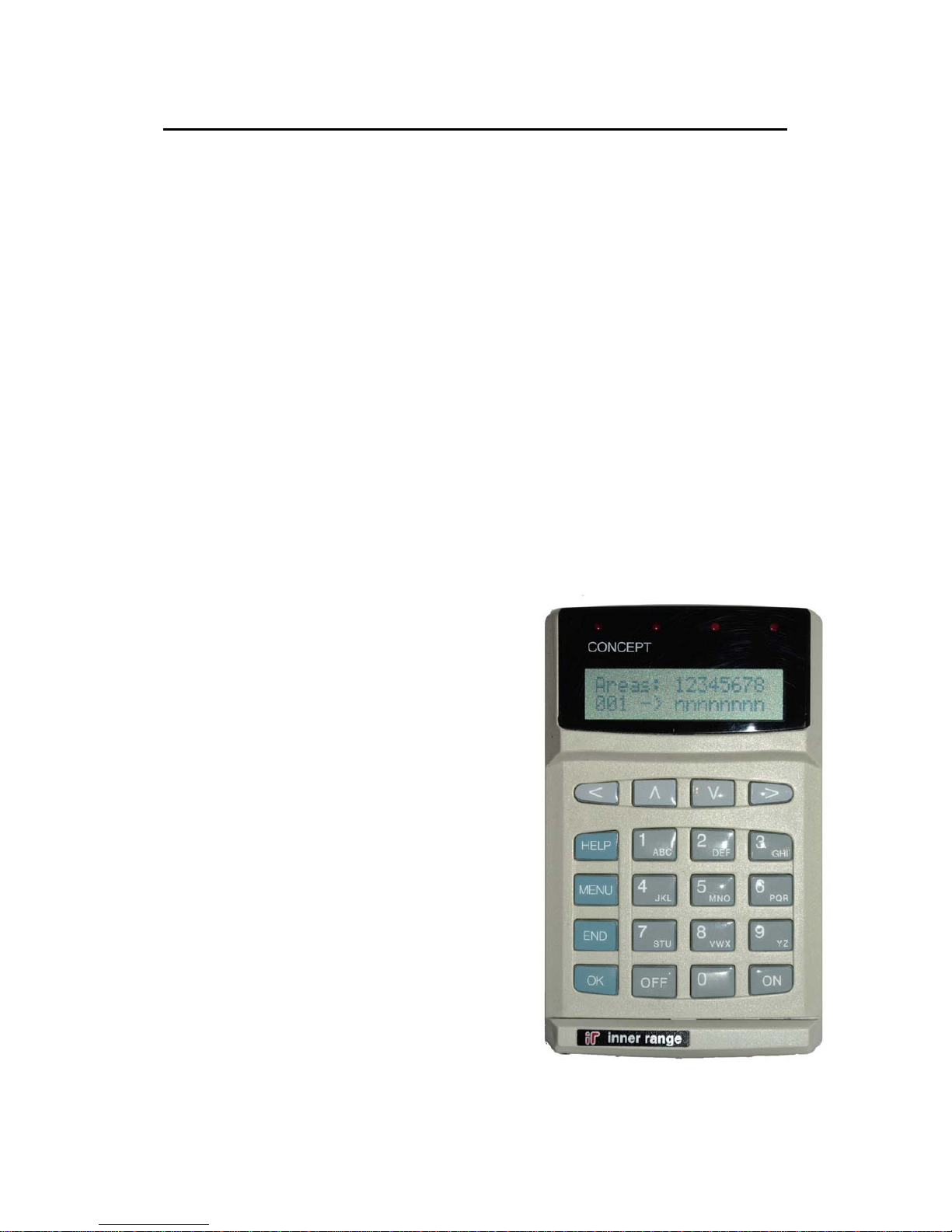
Use the keypad referred to on the picture in order
to turn the areas on or off.
The users must enter their PIN code in order to be
verified by the system. This is your personal
identification number. Do not give out your PIN !
3.1 Entering the PIN code
Enter your PIN code using the digit keys and
press OK when complete.
Your name should now be displayed on the
terminal. If your name is not displayed on
the terminal or you think you might have
made a mistake, you can start again from
the beginning. Press END and re-enter your
PIN and press OK when complete.
Page 2
3.2 Alarm messages
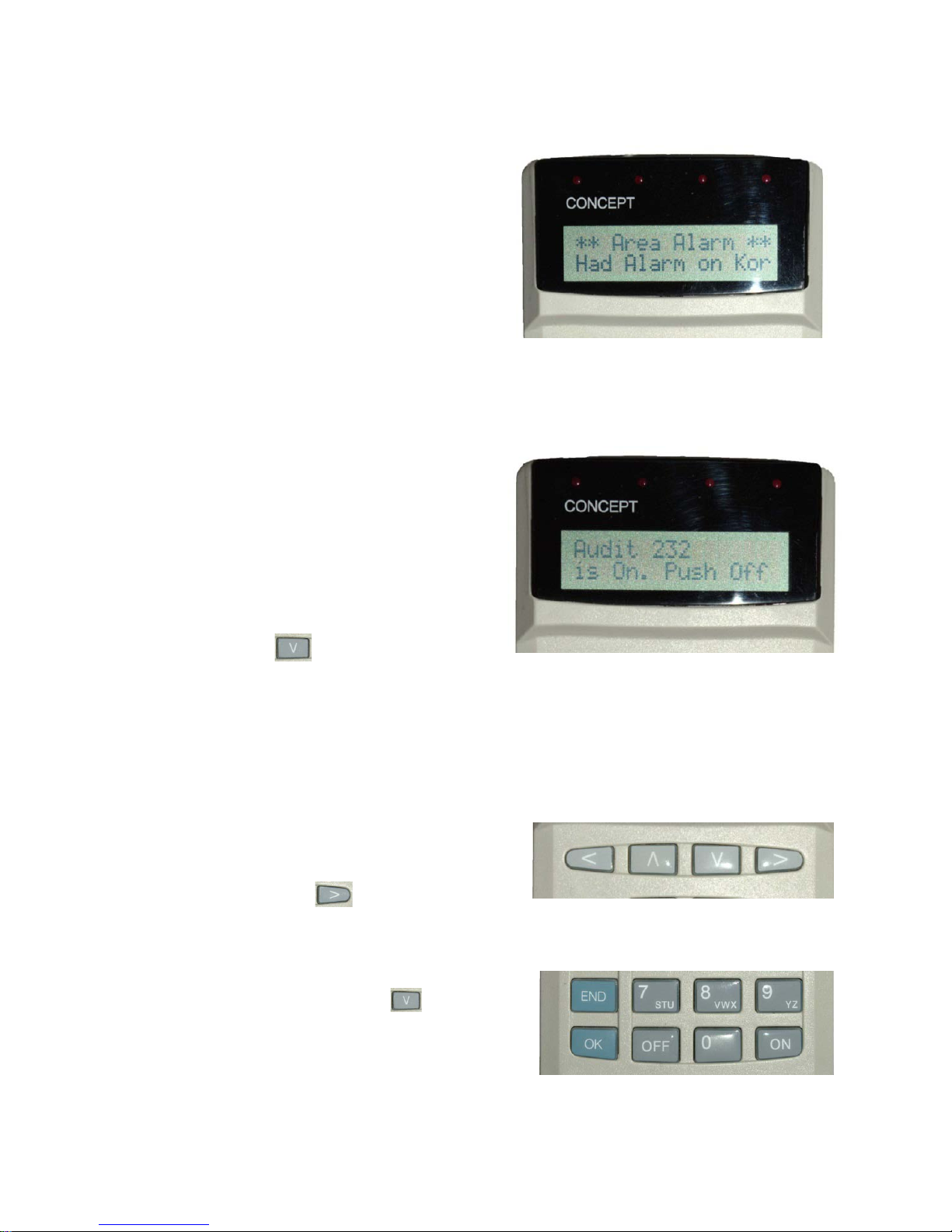
Alarm messages may be displayed on the
terminal indicating which area the alarm
has occurred in. Before proceeding, the
alarm messages have to be
acknowledged. Press the OK key after
each alarm message to acknowledge the
messages. Alarm messages are very rare.
3.3 Turning areas off
After entering the PIN code and
displaying possible alarm messages the
terminal will indicate whether the area is
armed or not. If the area is armed the
terminal will display: „Is On. Push Off“.
Please pay attention here: the area might
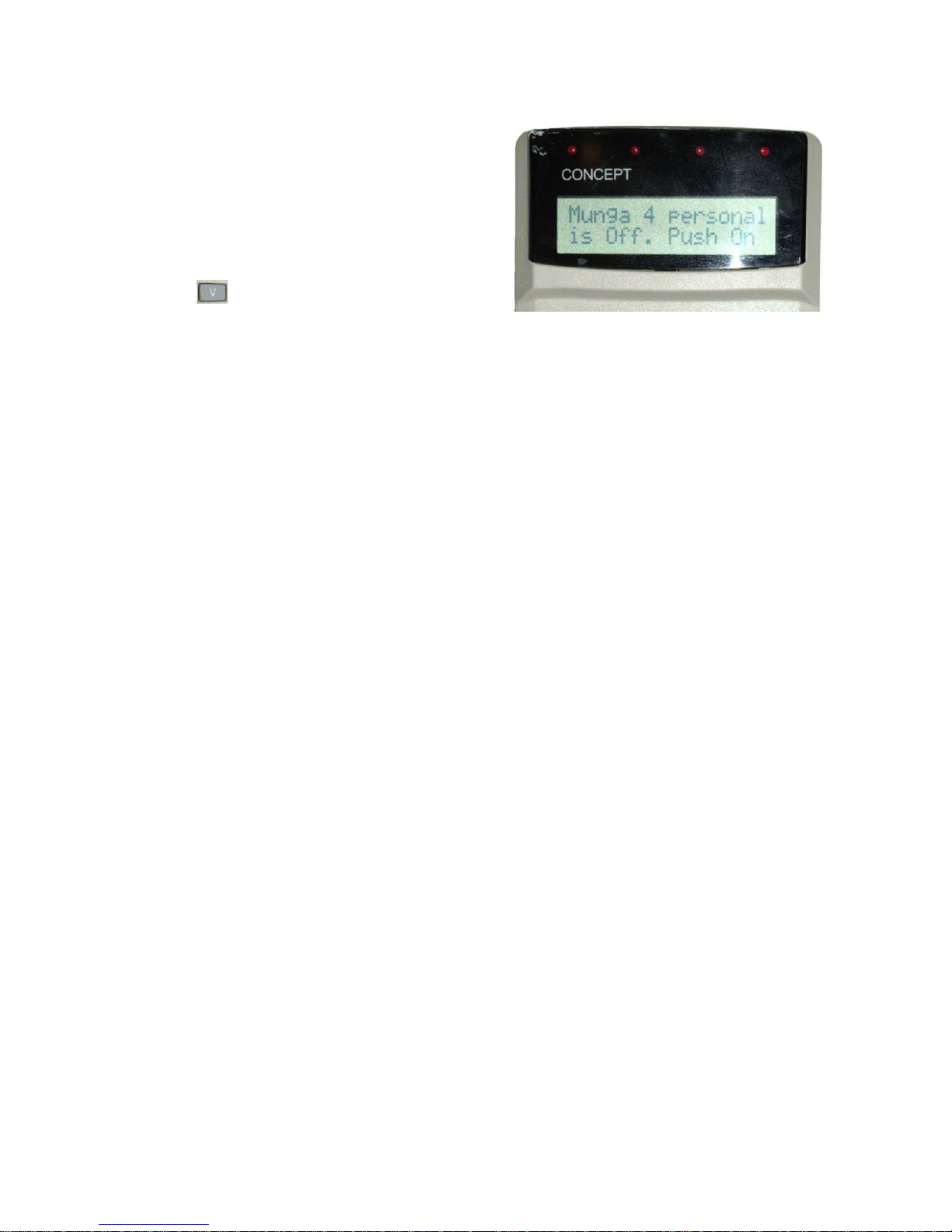
not be armed. In that case „Is Off. Push
On“ (see 3.4) will be displayed. Use the
arrow key to scroll through all the
areas. If you are convinced that all the areas are disarmed push the END key to
complete.
3.3.1 Selecting single or all areas
If you wish to disarm all the areas you
are allowed to control, use the right
arrow key , then push OFF and
after that push the END key to log out from the system.
If you wish to turn the areas off selectively
use the down arrow key to scroll
between the areas and push OFF when
desired room number or area name is
displayed. If all desired areas have been
disarmed push END to complete.
Page 3
3.4 Turning areas on
Use your PIN code to log in the system to
turn the areas on. If areas are not armed
the terminal displays: „is Off. Push On“.
Areas can be turned on by single area or
all areas together. If you wish to turn the
areas on selectively use the down arrow
key to scroll between the areas and
push ON when desired room number or
area name is displayed. If all desired areas have been armed push the END key.
NOTE! The keyboard may locate in the area that is also about to turn on. After
turning the areas on, act consistently and you have enough time to leave the area
before the system sends an alarm message to the security service.
4. More important notes!
a) Hallways, staircases and other common areas are usually connected to the work
areas and there is no need to arm or disarm them separately. If different rules apply
to your building, specific instructions will be provided.
b) If you use the work areas at the time the building is closed, please try to turn off and
on only these areas you actually use. Please make sure that the entrance doors are
always in locked position after you leave the building in order to avoid trespassers
entering the building.
c) If you leave your work area and you are aware that some areas are still being used,
please only arm your work area. How to act if you are not certain whether somebody
else is using the area you are about to arm? If the area is small and if possible you
might check the area yourself. If it is not possible, there is no need to worry; before
arming the areas the system checks for movement in the building and if movement is
detected the system does not allow to turn the area on. Some buildings have the
administrator present for 24h. Please notify the administrator if the situation should
occur. If there is no administrator in the building, please call the security centre 737
5111 and ask for further instructions.
d) Also: do not worry if alarm is activated during arming or disarming the system. If
there is an administrator in the building, contact the control desk and explain the
situation. If there is no administrator in the building, please call the security centre
737 5111 (short no 5111), clearly state your name, address of the building and
explain the situation. Please also notify the security service if you should lose your
employee ID card.
 Loading...