

Page 1
E4T Assembly Instructions
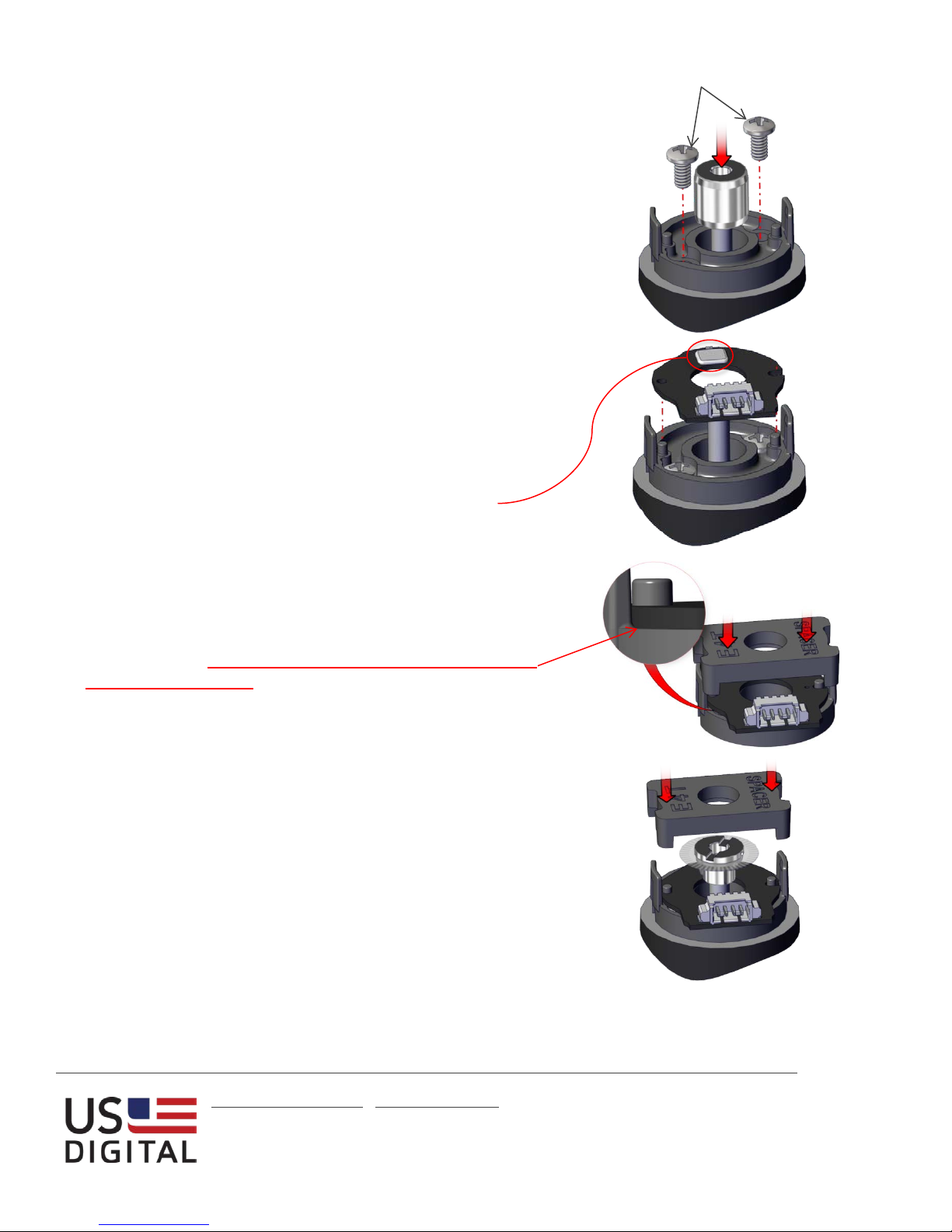
Step 1:
Place the base over the shaft and onto the mounting surface.
Slide the centering tool onto the shaft so that it contacts and
aligns the base. While applying light pressure to the centering
tool, secure the base to the mounting surface using two screws.
Step 2:
Remove the centering tool. Place the PCB onto the base
surface, aligning the board with the two mounting posts. Note
that the base is symmetrical allowing the connector to exit out
either side.
Caution: To prevent damage, avoid directly touching the
optical sensor area when handling the PCB.
Mounting Screws:
2-3 in-lbs torque
Step 3:
Using the spacer tool, very firmly press down on the PCB in
order to push it over the alignment pins and completely onto
the base surface. Check to make sure that the PCB is fully
seated against the base. If it is not, use the spacer tool to press
it again, recheck that it is fully seated.
Step 4:
Place the hubdisk onto the shaft with the longer end of hub
toward the base. Position the spacer tool onto the hub such
that the notches are aligned with the latches of the base. Press
down firmly until the tool bottoms out on the PCB. Verify that
this action has pressed the PCB flush against the base.
Caution: While installing the hubdisk ensure that the hub bore
is parallel to the shaft. Forcing the hub onto the shaft at an
angle may cause permanent damage to the hub.
[email protected] ▪ www.usdigital.com
Local: 360.260.2468 ▪ Sales: 800.736.0194
Support: 360.397.9999 ▪ Fax: 360.260.2469
1400 NE 136
th
Ave. ▪ Vancouver, Washington ▪ 98684 ▪ USA
USD-4203
v8.0
Page 1
Page 2
E4T Assembly Instructions
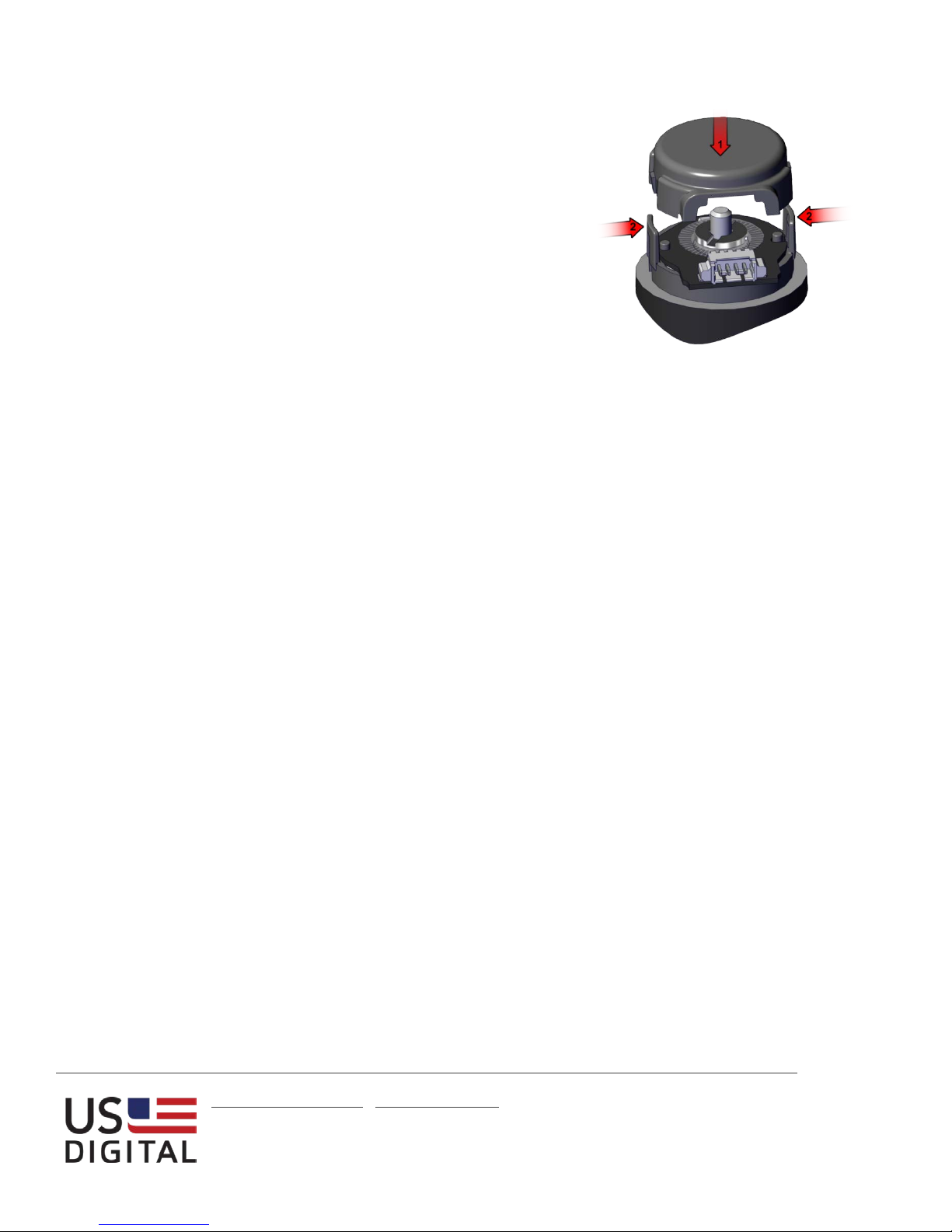
Step 5:
Remove the spacer tool and snap the cover down onto the base,
(1). With your thumb and finger, squeeze the base latches
together to ensure they are fully engaged with the cover, (2).
[email protected] ▪ www.usdigital.com
Local: 360.260.2468 ▪ Sales: 800.736.0194
Support: 360.397.9999 ▪ Fax: 360.260.2469
1400 NE 136
th
Ave. ▪ Vancouver, Washington ▪ 98684 ▪ USA
USD-4203
v8.0
Page 2
 Loading...