

Page 1
k
ReadyCall
Using Your ReadyCall
Battery Installation Charging ReadyCall Pagers
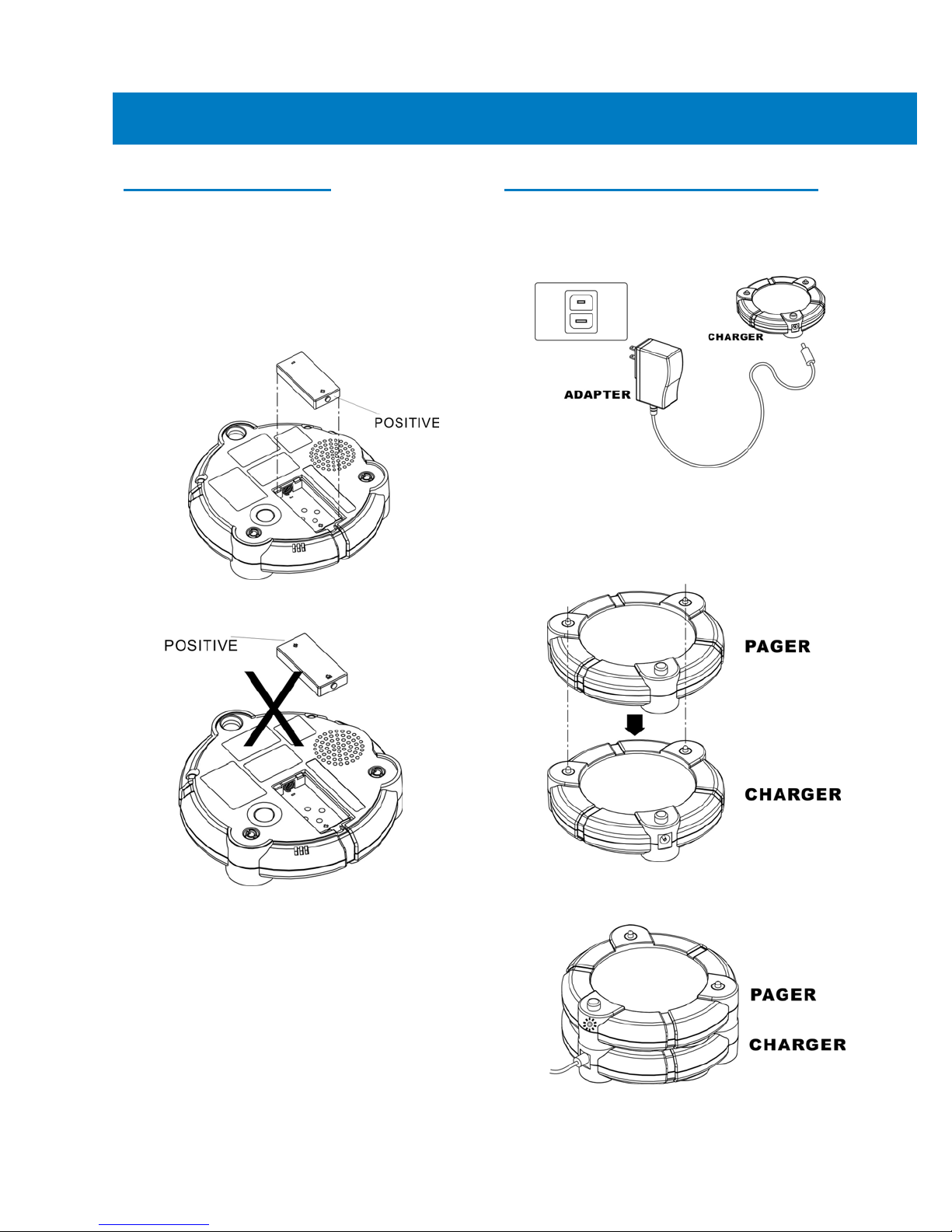
Step1: Remove the battery door by loosening the
locking screw using a screwdriver.
Step2: Follow the “+” and “-“markings on the
rechargeable battery, and insert it into the pagers'
battery compartment.
Quic
Guide
Step 1
(110-240V / 50Hz-60Hz), and connect the adapter
to the charger.
Step 2
power LED will illuminate to show it is on.
: Connect the adapter to wall power outlet
: When the charger is powered, charger
Note: Do not install the battery backwards.
Step3: Put the battery door back and secure it by
tightening the screw using a screwdriver.
: After battery is inserted correctly, the pager
Step4
will beep, flash and vibrate simultaneously to show
the pager is powered.
: Place the pagers on the charger by lining up
Step3
the charge contacts and lightly pushing the pager
down into position one on top of the other.
Step4: The pager power LED will go on when the
pager is stacked correctly.
Note: It is suggested that users should implement a system or strategy for rotating pagers being
issued. For example, users might use pagers that have been connected to the charger base for
longer periods of time. This will allow those pagers being returned to have enough time to charge
before being issued to the next recipient.
s being issued. For example, users might
Page 2
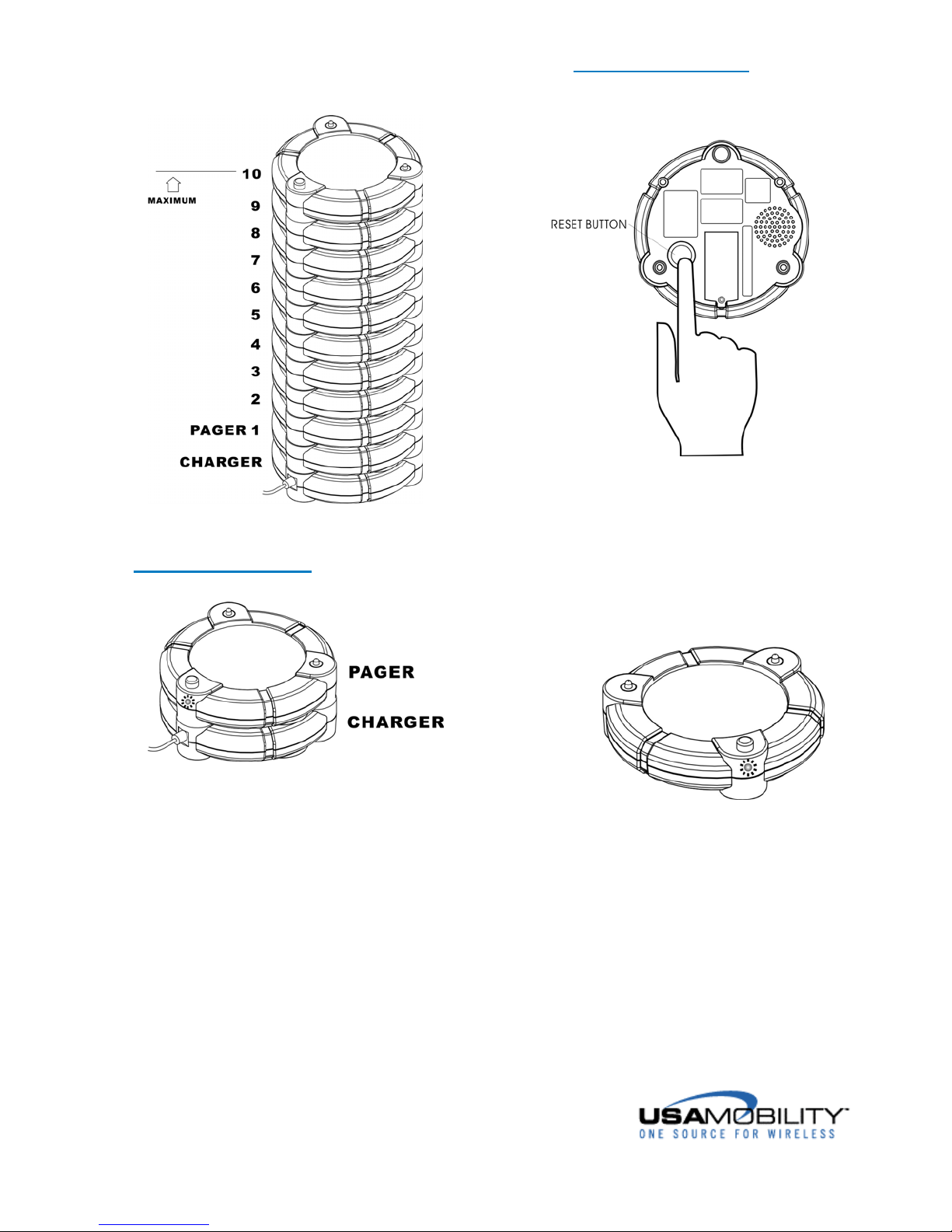
: The charger base supports a maximum of 10
Note
ReadyCall pagers.
Other Functions
Reset button
Charging Status
While charging, the pager power LED will be
on.
When the charging is completed, the pager
power LED will turn off.
The pager battery can only be charged while
it is in the pager.
To stop the audible and vibe alert, press Reset
button.
Battery Gauge Status
ReadyCall power LED will flash regularly when
powered and change to 1/4 second flash rate with
a low battery.
When Paged
When the pager is paged, it will alert. After
pressing the reset button to stop the audible and
vibe alerting, the LEDs will continue flashing, to
show that it was paged, until the pager is returned
to the charger base.
Visit us @ www.usamobility.com
 Loading...