

Page 1
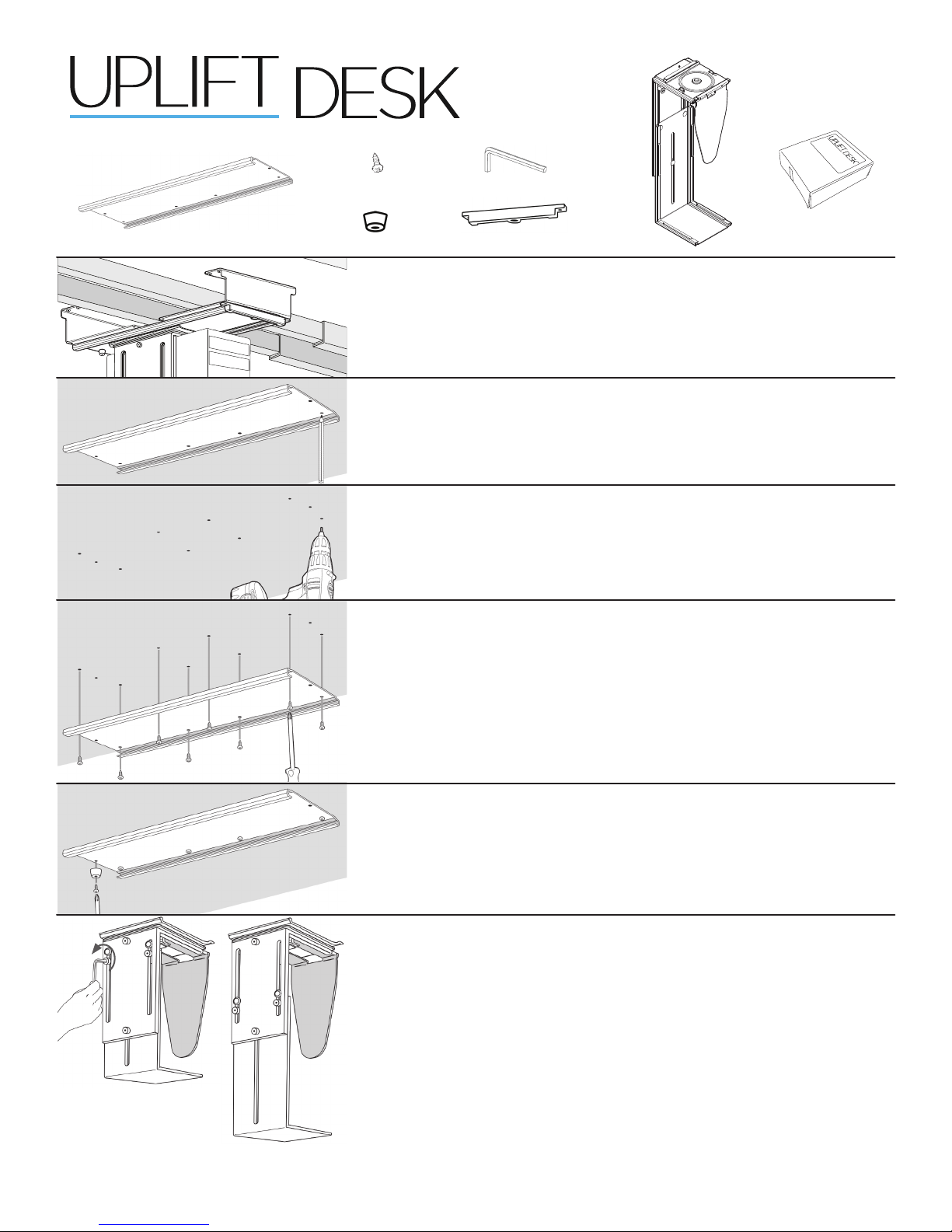
Package contents
®
CPU Holder
CPU128
Track
5/8’’ Wood screws
(qty 12)
Back bumper
*A note before you begin:
Determine where to mount the CPU Holder. If you need to mount it
over the Crossbars of your desk, open the box containing the Track
Spacer Kit and follow the instructions inside.
Step 1
Hold the Track under your desk to see where it will t. Mark the location
of the screw holes with a pencil.
Step 2
Use a drill with a 1/8” bit and drill your pilot holes where your two pencil
marks are located. Drill no deeper than 1/2’’.
Step 3
Make sure screws aren’t too long for your desktop thickness by holding
the screw up to the desktop side. Attach the track to the underside of
the desk by using eight (8) Wood screws and a Phillips head screwdriver.
Allen wrench
Track guard
UPLIFT
CPU Holder
Track Spacer Kit
(optional)
CAUTION: Do not drill through the desktop surface.
UPLIFT Desk • 1-800-349-3839 • [email protected] • www.upliftdesk.com
Step 4
Using one (1) Wood screw, attach the rubber Back bumper to the rear
side of the track.
Step 5
Use the Allen wrench and loosen the three (3) bolts on the side of the
CPU holder. This will loosen the lower half of the vertical clamp, and
allow you to slide it to its full height.
CPU128/R01
Page 2
®
CPU Holder
UPL128
Step 6
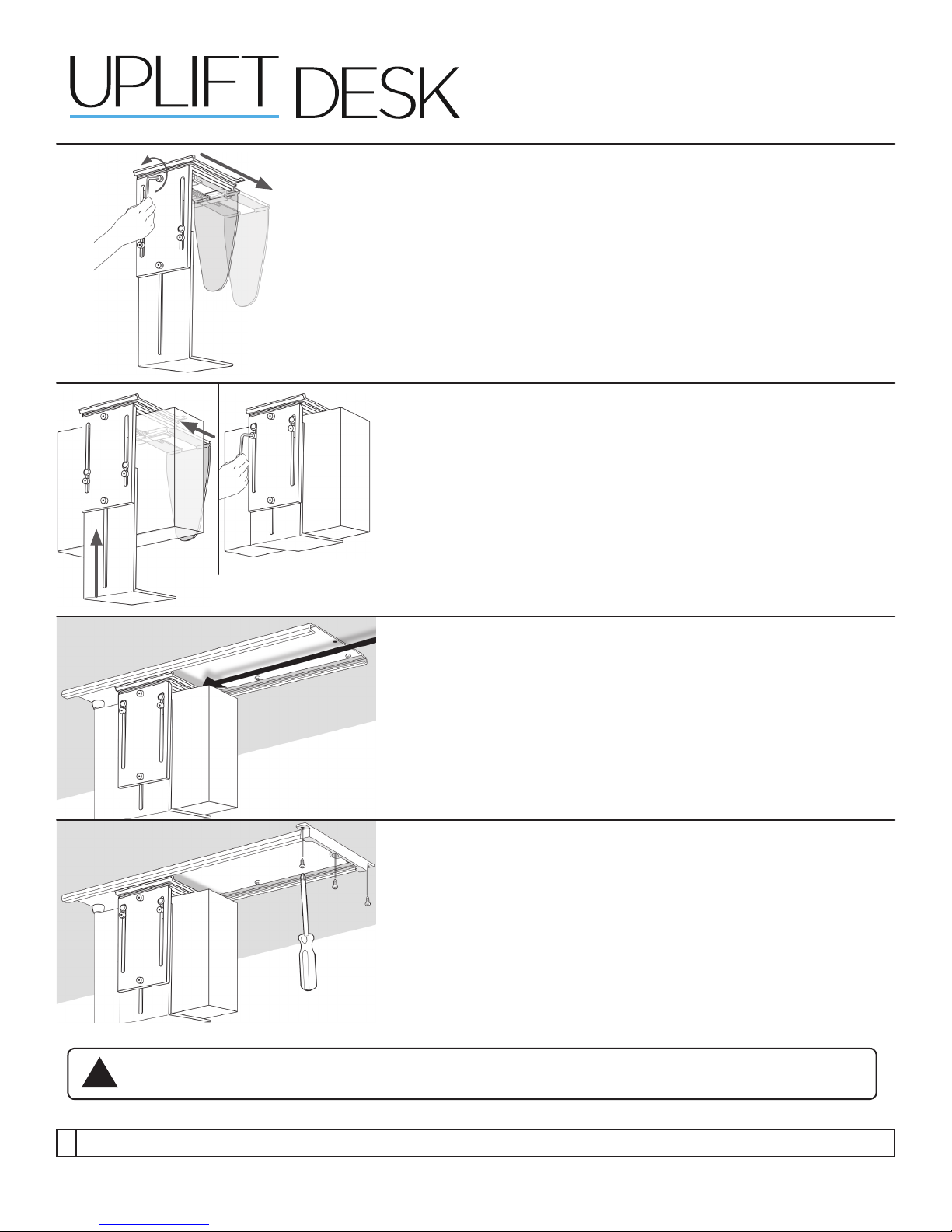
Use the Allen wrench and loosen the one (1) bolt on the side top center
of the CPU holder. With sufcient unscrewing, the horizontal clamp will
widen.
Step 7
Place your CPU into the holder, and reverse what you did in Steps
5 and 6. Slide the lower half of the vertical clamp up to hold the CPU,
and tighten the bolts.
Tighten the top center bolt to bring the horizontal clamp inward and
hold the CPU securely.
Step 8
Slide the CPU and CPU Holder onto the track.
Step 9
Use (3) three remaining Wood screws to attach the Track guard to
prevent the CPU Holder from sliding off.
Read all instructions before installing. Failure to install properly may result in damage
!
or personal injury
Copyright Notice:
©
Excerpts or copies may not be forwarded to third parties or used in any other published form without the prior written consent of UPLIFT Desk.
This guide is a component of the UPLIFT CPU Holder. This guide is a part of the scope of delivery, even if the item is resold. This guide is also available on the UPLIFT Desk website: upliftdesk.com.
UPLIFT Desk • 1-800-349-3839 • [email protected] • www.upliftdesk.com
These instructions are subject to United States copyright law.
 Loading...