

Page 1
P/N:110401109821X
LM 58 5L D
Li ne L as er U se r Ma nu al
Page 2
LM585LD User Manual
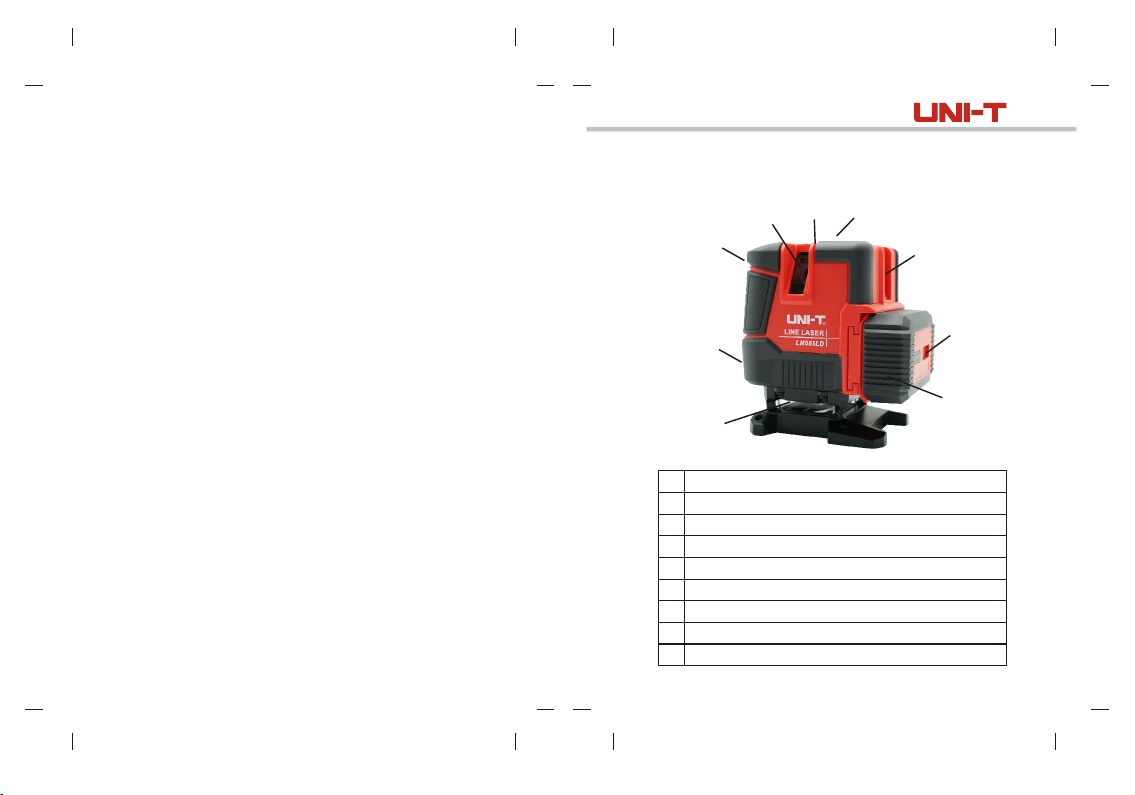
Product introduction
7
3
2
5
4
6
1
360° horizontal glass window
1
Vertical glass window (V1)
2
Vertical glass window (V2)
3
Vertical glass window (V3)
4
Vertical glass window (V4)
5
Protection lock
6
ON/OFF button
7
Battery pack
8
Charging port
9
9
8
2
Page 3
LM585LD User ManualLM585LD User Manual
Safety instruction
Warning:
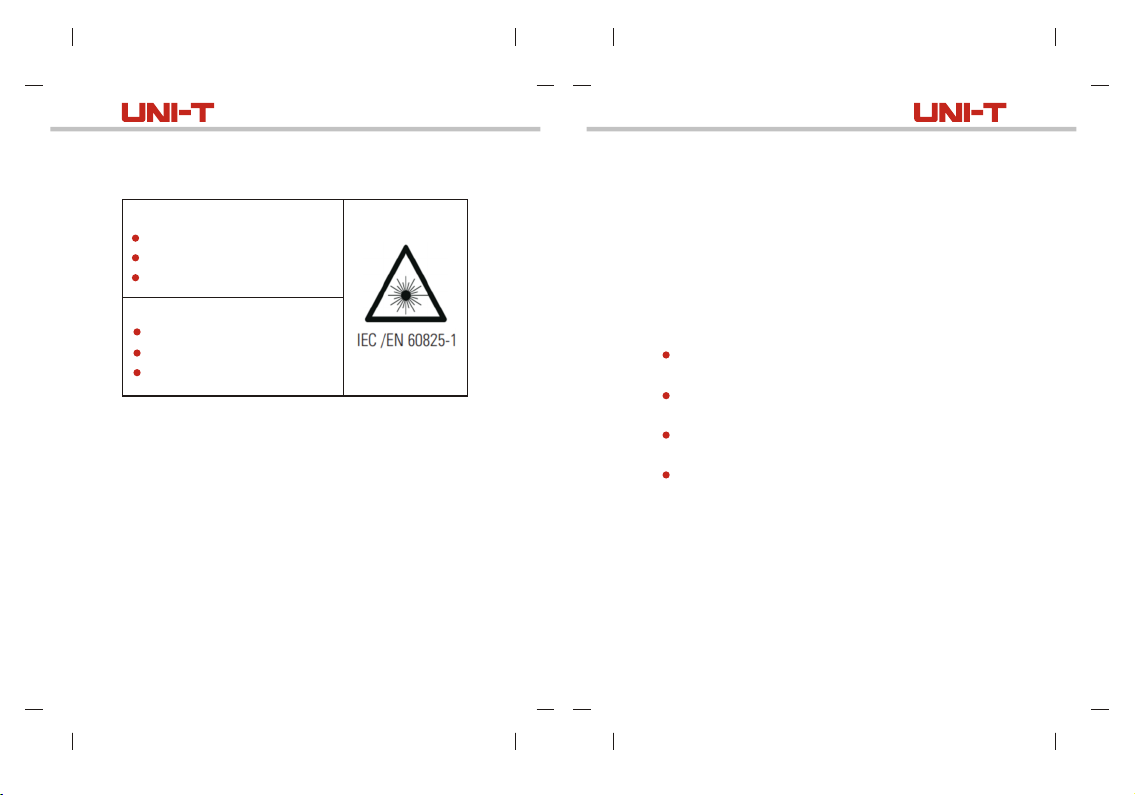
Class II Laser product
Maximum output power: ≤1mW
Wave length: 520nm
Laser radiation:
Do not stare at the laser beam.
Do not point the laser to eyes.
Do not use optical instrument.
Safety guideline
Please carefully read and follow the safety instruction
before use.
Warning
Please carefully read this manual and relevant safety
information before use.
Attention
Do not point the red or green laser beam to eyes when
operating. Laser beam may injure eyes.
3
Attention
Glasses as accessories are provided for some products,
please pay attention that these glasses are not safety
glasses, they are only used to help users to easily identify
laser beam in strong light environment or when the laser
source is relatively far away from the users.
Do not observe laser beam directly by optical instrument
or set the line laser at visual height.
Do not disassemble the line laser without authorization,
users do not need to repair any inside part of line laser.
Do not make any alteration to the line laser , alteration
may result in hazardous laser radiation.
Do not use the line laser near children, and children are
not allowed to use line laser.
It is deemed as safe for users to expose eyes to Class
II laser for no more than 2 seconds, users can blink to
protect their eyes.
4
Page 4
LM585LD User ManualLM585LD User Manual
Operation
1
2
3
4
5
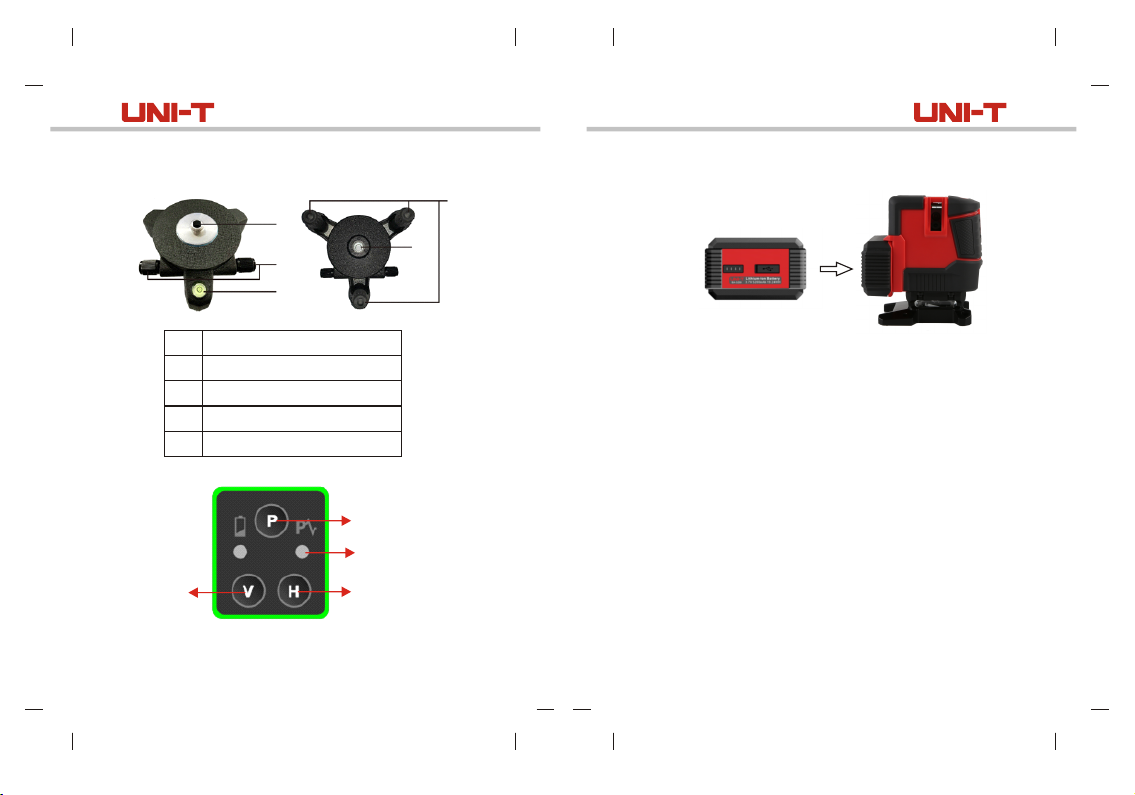
Vertical
laser
switch
5
1
2
3
5/8 threaded connector
Tune knob
Round water level
Foot screw
Screw hole
5
Pulse switch/
Manual switch
Pulse indicator
Horizontal
laser switch
Install lithium battery pack
4
Slide the switch to unlock/lock position to turn on/off the
instrument. In self-leveling/manual mode, LED indicator
lights up green, the battery power screen keeps displaying
remaining power and stops displayi ng after turnin g off
th e in str ume nt f or 5 seconds.
The instrument will conduct self-calibration after switching
on, the h oriz ontal laser beam keeps lighting up after
cali bratio n, and then the line laser enters se lf-lev eling
mode, within 3°±1°, the instrument will conduct self-leveling,
if beyond 3°±1°, the instrument will emit flashing beams
and alarm.
Press H button to turn on/off horizontal laser beam, press
V button to turn on/off vertical laser beams (Two horizontal/
vertical laser beams can be used together or separately).
When the instrument is ON, user can slide the lock switch
to lock position to turn off the switch.
Note:
This is to ensure that the instrument movement is locked
before users turn off the instrument.
6
Page 5
LM585LD User ManualLM585LD User Manual
Manual mode
When the instrument is OFF, long press manual/pulse
button for more than 3 seconds to turn on the instrument
and it will enter manual mode. The angle of laser beam
can be set as needed. In self-leveling/manual mode, LED
indicator lights up red. Long press manual/pulse button
again for more than 2 seconds, the instrument will turn off.
Overrange sensing is OFF in manual mode and the laser
beam flashes every 5 seconds to indicate that the manual
mode is ON.
Note: In manual mode, the projected laser cannot be used
as horizontal or vertical reference laser.
Pulse mode
When the instrument is ON, short press manual/pulse
button to enter pulse mode, the brightness of laser beam
will decrease and the pulse indicator light up blue, the
receiver can be used at this time. Short press manual/
pulse button to exit pulse mode, and then the pulse indicator
lights off.
Function description
The instrument can generate four vertical laser beams,
one horizontal 360° laser beam and one aligning point.
When the instrument is ON, the logic sequence defaults
at vertical laser, horizontal laser and aligning point.
Short press H button to turn on/off horizontal laser beam
and aligning point.
Short press V button to switch vertical laser beams.among
7
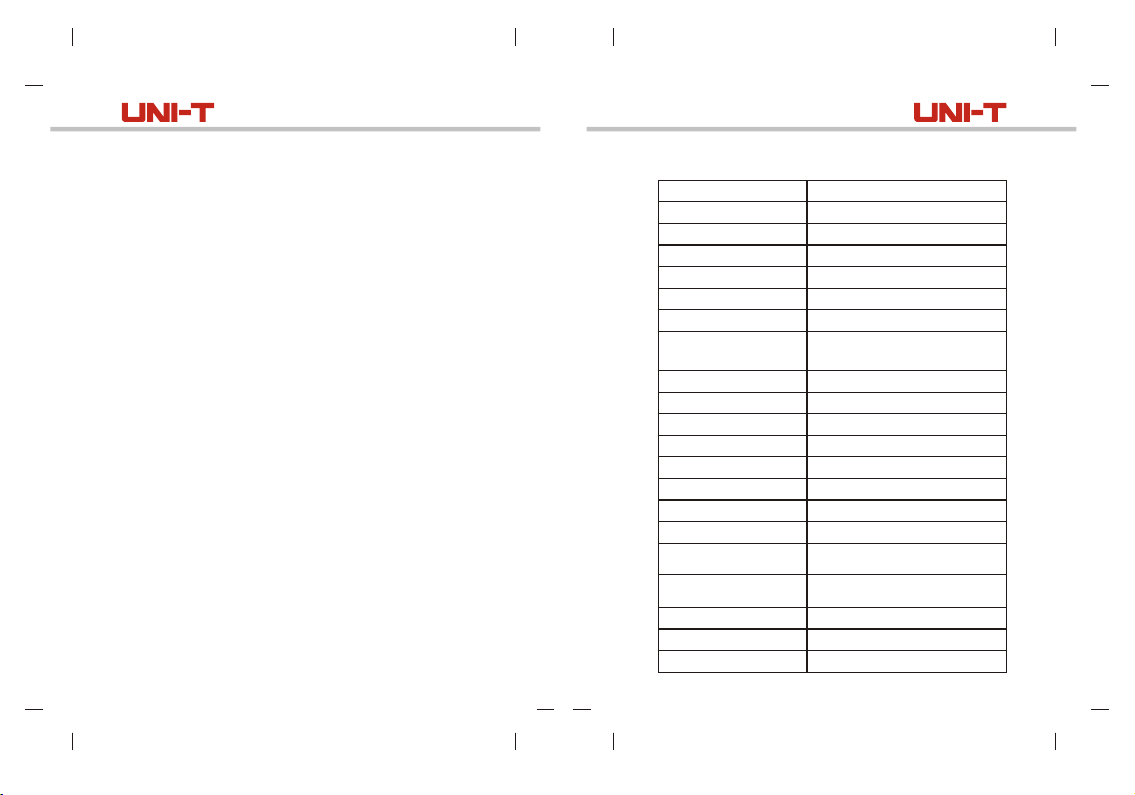
Specification
Laser type
Laser wave length
Laser power
Laser class
Laser number
Horizontal accuracy
Vertical accuracy
Laser width
Distance from ground
Emitting angle
Working distance
Working temperature
Storage temperature
Outdoor pulse
Leveling time
Leveling range
Leveling type
Battery type
Battery capacity
Dimension
Working time
LD green light
520nm±5nm
30mW
Class II
8 beams
≤±3mm/10m ( 60 )± ''
≤±3mm/10m ( 60 )± ''
<4mm/10m
(Indoor light: 80~100lux)
≤20mm
Horizontal 360°, vertical 120°
30m
-10 40°C~
-10 40°C~
Pulse (5:5) mode
≤3 seconds
3° 1°±
Magnetic damping type,
heavy bob type
Lithium battery pack (including
2 pieces of 18650 batteries)
5200mAh with Type-C port
138.3mm×89.5mm×136.4mm
4 hours
8
Page 6

LM585LD User ManualLM585LD User Manual
Maintenance
When the instrument is not in use, please turn it off and
slide the lock switch to lock position.
Do not short circuit the battery contact piece or put the
batteries into fire.
Do not put the batteries in high temperature environment
or in places where sunlight shines directly.
Clean the exterior plastic part with damp cloth, it is not
recommended to wipe the instrument by solvents. Wipe
the instrument with dry and soft cloth before storage.
Store the instrument in soft case or plastic box when
it is not in use.
Do not put the instrument near household waste.
Dis pos e of th e li thium bat ter y pack or d iscar ded
instruments according to WEEE directive or relevant
directives.
9
Accessories
Instrument ------------------------------ 1 piece
5200mAh lithium battery--------------1 piece
Instruction manual----------------------1 piece
Tripod mount-----------------------------1 piece
Lifting platform---------------------------1 piece
Type-C charging cable-----------------1 piece
Adaptor------------------------------------1 piece
Blow-molding box-----------------------1 piece
10
 Loading...