

Page 1
New Energy Co., Ltd www.ultisolar.com
E-mail : [email protected] Tel: 0086-0158-6679-7355
Add: 4102, Hanlin Yuan, Zhonggong Town, Licheng, Jinan, Shandong, China
US211M Lite User Manual
I. Definition of the button
From left to right the button is as followed: “SET”, “+”,”-“
II. Display
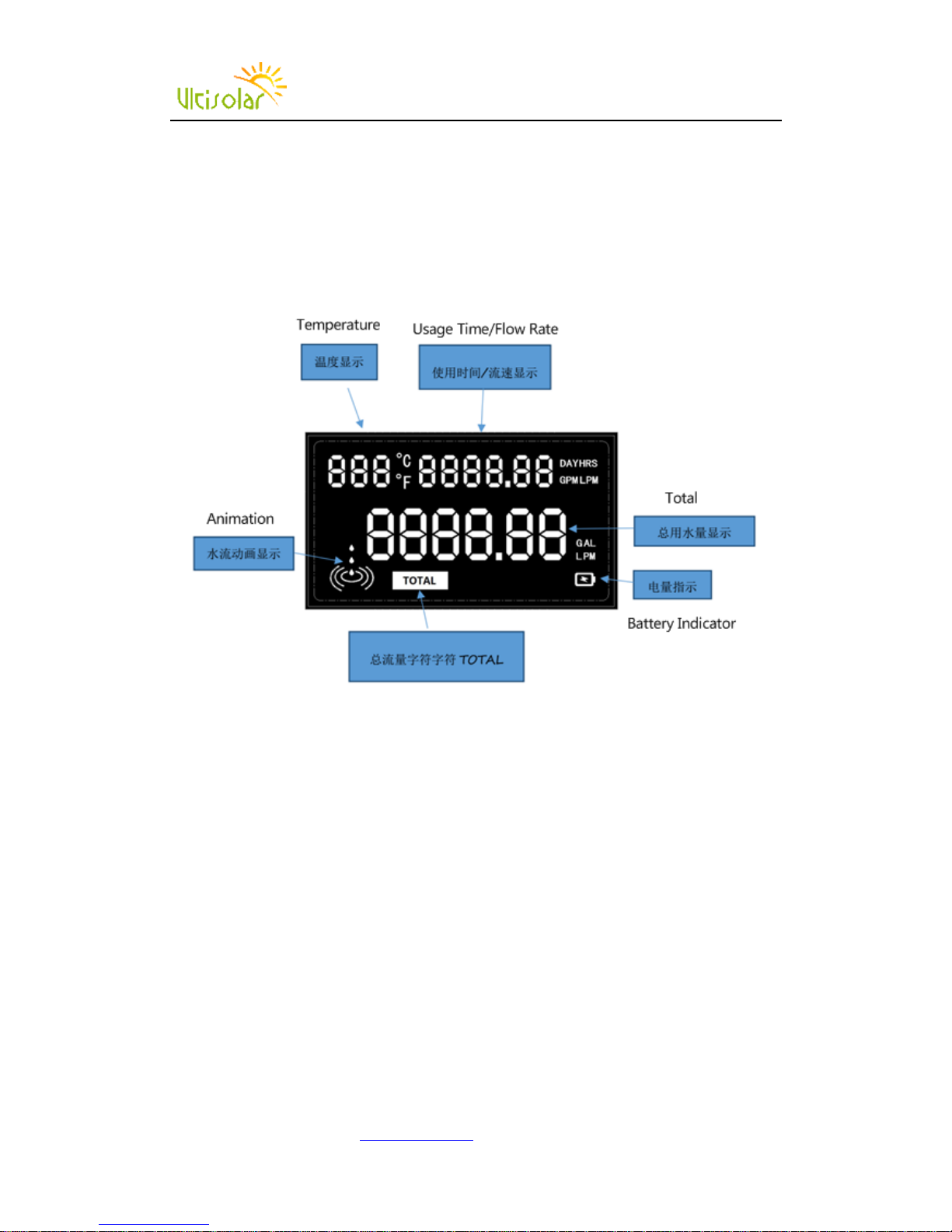
1. Temperature
Range:-99-999, C stands for Celsius, F stands for Fahrenheit; the display unit can be shifted by
pressing “+” button for one second.
2. Usage time/flow rate
When there is water pass through, it will show the flow rate automatically. When there is no water,
it will show usage time. Unit DAY means days, HRS means hours. The display unit can be shifted
by pressing “+” button for 5 seconds.
LPM means liter per minute, GPM means Gallons per minute and the display unit can be shifted
by pressing “-” button for one second.
3. Battery Indicator
When use battery and there is no enough battery, it will blink to remind the user to replace the
battery, if the battery is full, there will be no indication.
4. Animation
When there is water passing through, the animation will be activated.
5. Total
Total means total water passed through. The unit L means liters, G means gallons. The display unit
can be shifted by pressing “-” button for 5 second.
Page 2
New Energy Co., Ltd www.ultisolar.com
E-mail : [email protected] Tel: 0086-0158-6679-7355
Add: 4102, Hanlin Yuan, Zhonggong Town, Licheng, Jinan, Shandong, China
III. K Value Setting
Press SET one time, the display will show K SETTING
Press SET for 5 seconds until the first number blinks, press + or – to input K value
After setting, press SET for 5 seconds to save and exit.
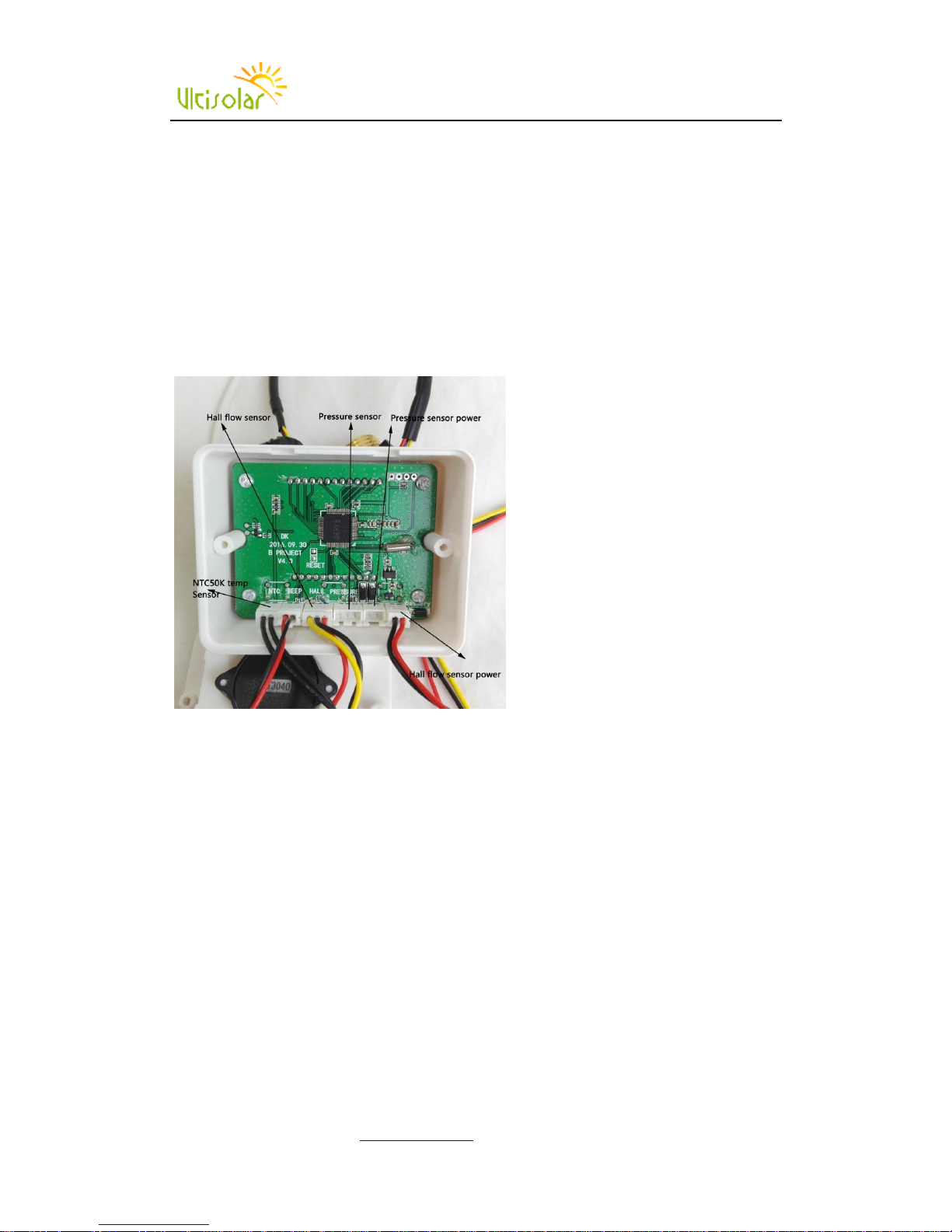
IV. Pressure Meter
1. Pressure meter and flow meter cannot work together.
2. To work as pressure meter, you have to choose AC to DC power adaptor for long time usage.
3. When use this as pressure meter, need to unplug the hall flow sensor power and provide
power to pressure sensor power plug.
V.Clear/Recover to factory setting
Open the back cover, there are two contacts besides the RESET print on the circuit board, short
circuit the two contacts when power on for 2 seconds, counting cleared.
 Loading...