

Page 1

DATASHEET
Indoor/Outdoor 5-Port PoE Gigabit Switch
with 802.3bt Input Power Support
Auto-Sensing IEEE 802.3af PoE Ports
Lightweight, Weatherproof Housing
Indoor/Outdoor Design with Versale Mounts
Page 2
DATASHEET
Overview
Build and expand your network with the
UniFi® Switch Flex, model USW-Flex. It is a
congurable Layer 2 Gigabit switch with
auto-sensing 802.3af PoE. Five RJ45 Gigabit
Ethernet ports provide one PoE input and
four PoE output links to your devices.
Switching Performance
The USW-Flex oers the forwarding capacity
to simultaneously process trac on all ports
at line rate without any packet loss.
PoE Flexibility
The USW-Flex features ve Gigabit RJ45
ports to deliver robust performance and
intelligent switching for your network.
Port 1 provides PoE input while ports 2-4
oer 802.3af PoE and provide up to 15W
of power for your PoE devices. Products
requiring 802.3af, such as G3 Flex cameras,
are supported.
Indoor/Outdoor Design
The USW-Flex can be installed horizontally
or vertically and oers versatile mounting
options: desktop, wall, and pole.
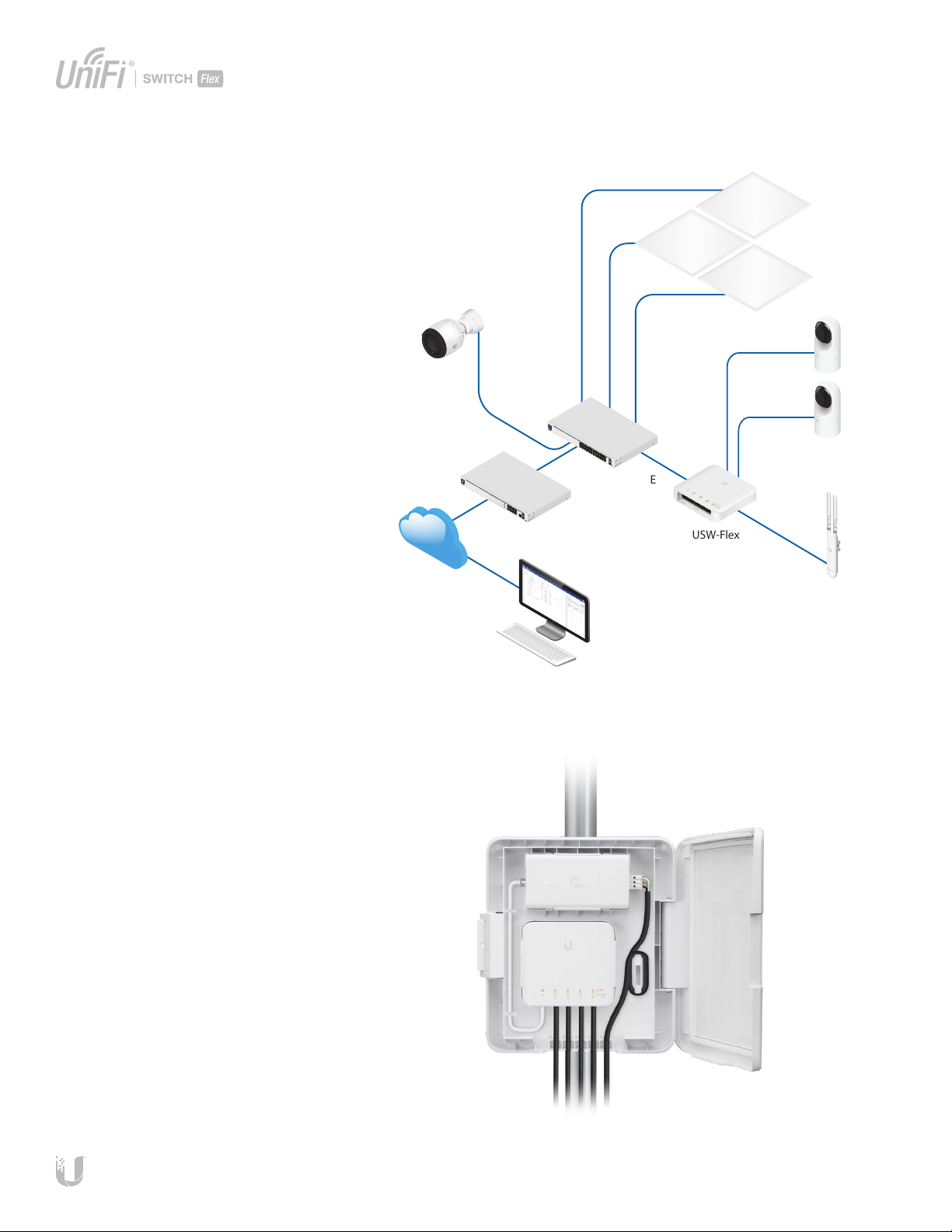
UVC-G4-PRO
Internet
Deployment Example
USW-Pro-24-PoE
UDM-Pro
ULED-AT
UVC-G3-Flex
USW-Flex
UAP-AC-M
The weather-resistant USW-Flex can
withstand extreme temperature variations.
If the USW-Flex is installed at an exposed
location outdoors, we recommend the UniFi
Switch Flex Utility, model USW-Flex-Utility,
which is designed for use with the USW-Flex.
Outdoor Enclosure Accessory
An outdoor weatherproof enclosure, the
USW Flex Utility, is available as an optional
accessory. It includes an Ethernet patch
cable and a 60W PoE adapter, which
provides a maximum PoE budget of 46W.
Easily mounted on a pole, the USW Flex
Utility provides clean cable management
and a screw lock for security.
Remote Access to
UniFi LED Controller
The USW-Flex is powering the AC Mesh Access Point and multiple UVC-G3-Flex cameras..
2
Page 3
Scalable UniFi Network Controller
DATASHEET
Management Capabilities
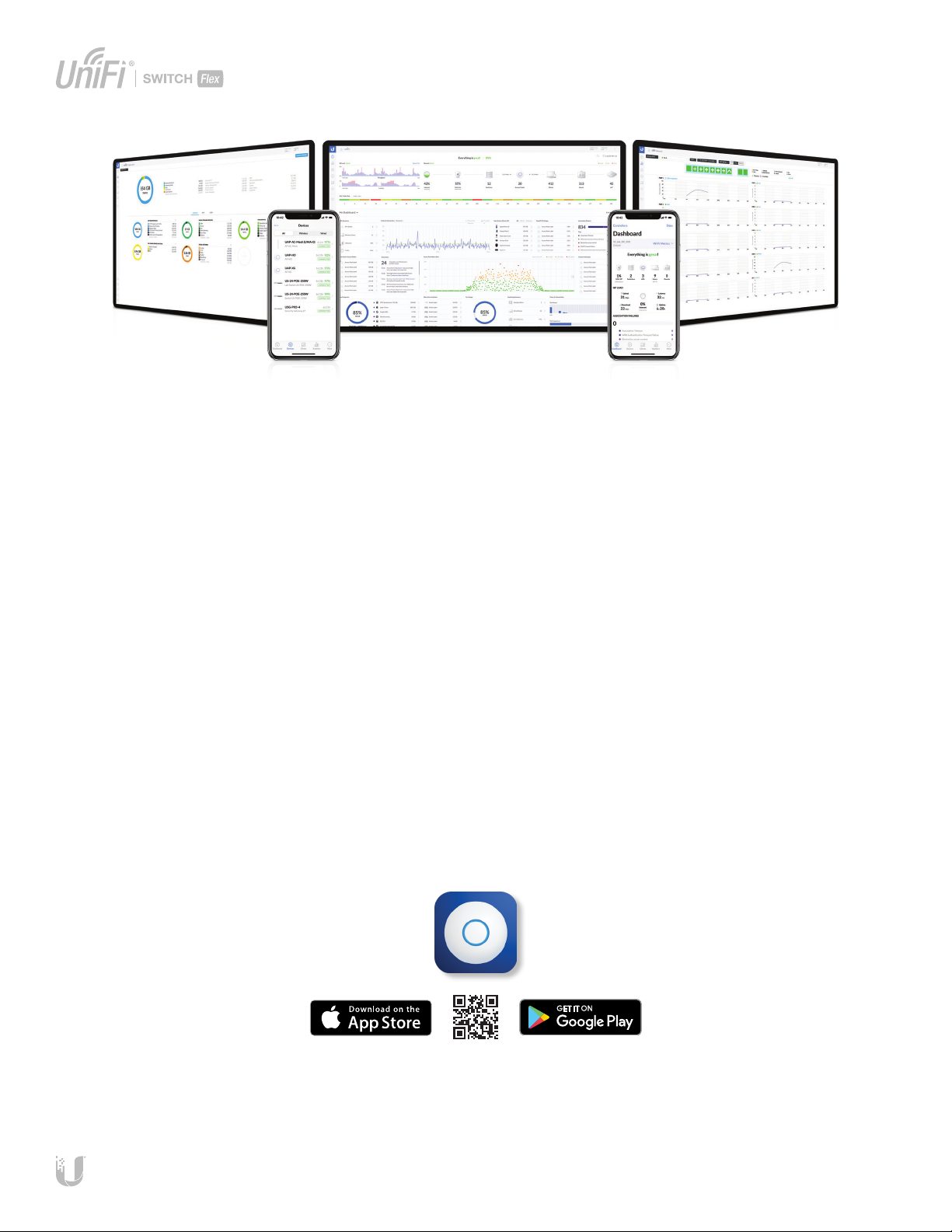
The UniFi Network Controller can provision
UniFi devices, map out networks, and
quickly manage system trac. Important
network details are logically organized for
a simplied, yet powerful,interface.
Network Overview
From a single pane of glass, view network
topology and conguration, real-time
statistics, and debugging metrics. Monitor
your network’s vitals and make on-the-y
adjustments as needed.
Multi-Site Management
A single controller running in the
cloud can manage multiple sites:
multiple, distributed deployments
and multi-tenancy for managed
service providers. Each site is logically
separated and has its own conguration,
maps, statistics, guest portal, and
administratoraccounts.
Deep Packet Inspection
Ubiquiti’s proprietary Deep Packet
Inspection (DPI) engine includes the latest
application identication signatures to
track which applications (and IP addresses)
are using the most bandwidth.
Detailed Analytics
The UniFi Network Controller provides
congurable reporting and analytics
to manage large user populations and
expedite troubleshooting. Advanced
search and sorting capabilities make
network management more ecient.
Switch Port Status
You can also view status information for
each port:
• Connection speed and duplexmode
• TX/RX data rates
• Network/VLAN setting
Switch Conguration
You can access any managed UniFi Switch
through the UniFi Controller to congure a
variety of features:
• Operation mode (switching or mirroring)
per port
• Network/VLAN conguration
• Jumbo frame services
• Network settings
• Debug terminal option for command-
line interface
Software Features
The UniFi Network Controller software
oers the following features:
• Centralized conguration management
(including conguration cloning)
• Auto-MDIX automatically adjusts as
needed for straight through or crossover
cable
3
Page 4
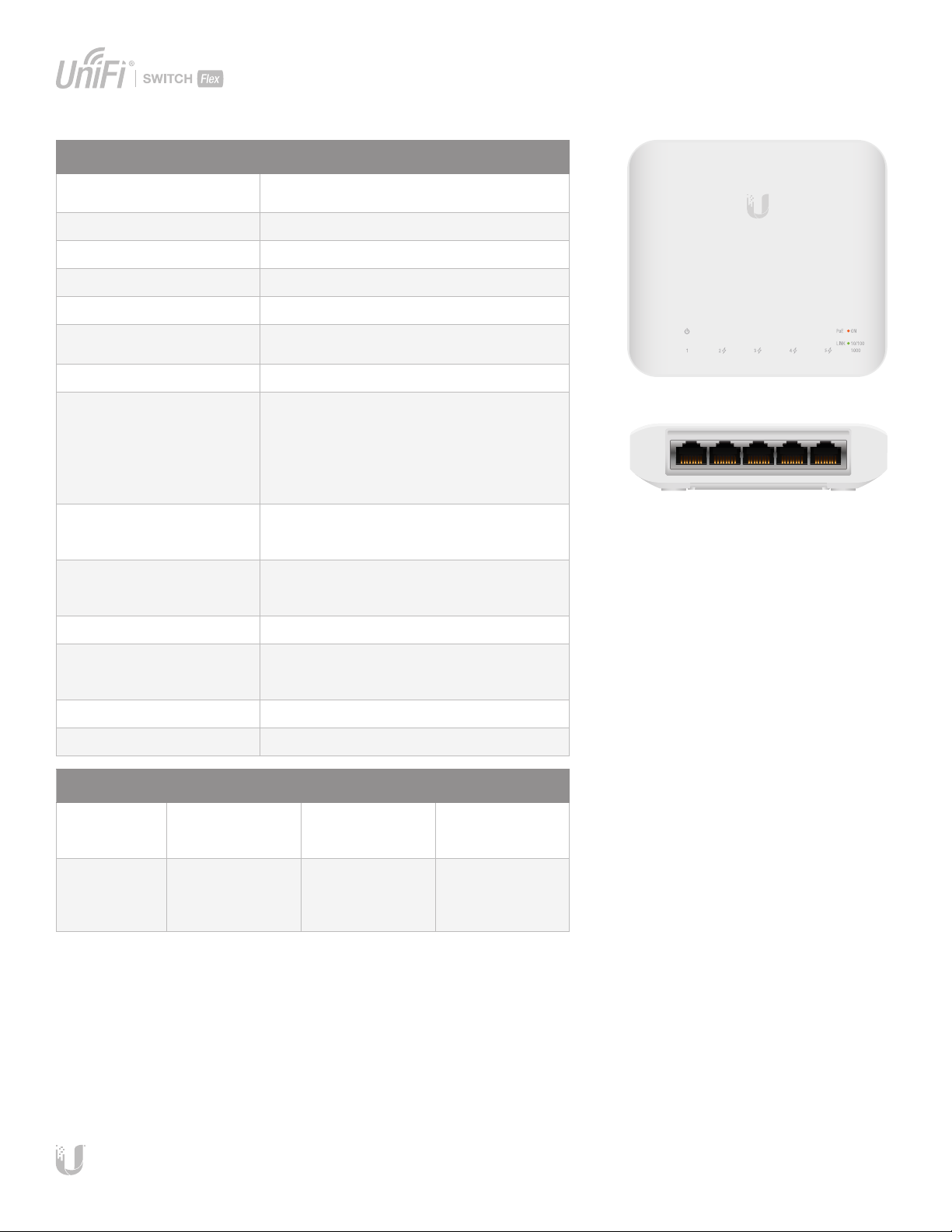
USW-Flex
SPECIFICATIONS
Dimensions
Weight 230 g (8.11 oz)
Networking Interfaces (5) 10/100/1000 Mbps RJ45 Ports
Management Interface Ethernet In-Band
PoE Out (Ports 2-5) 802.3af (Pins 1, 2+; 3, 6-)
Max Power Consumption
(Excluding PoE Output)
Max PoE Wattage Per Port 15.4W
Total PoE Power Budget
Powered by 802.3af
Powered by 802.3at
Powered by 802.3bt
Powered by PoE Adapter
(Enabled in Controller)
Voltage Range
802.3af
802.3at/bt
LEDs
System
RJ45 Data Ports
ESD/EMP Protection ± 16kV Air, ± 16kV Contact
Operating Temperature
46W PoE Output
25W PoE Output
Operating Humidity 5 to 95% Noncondensing
122.5 x 107.1 x 28.0 mm
(4.82 x 4.22 x 1.10")
5W
8W
20W
46W
46W
44 - 57V
50 - 57V
Status
PoE; Link/Speed/Activity
-40 to 55° C (-40 to 131° F)
-40 to 65° C (-40 to 149° F)
Certications CE, FCC, IC
Power Method (Port 1)
PoE Type
Recommended
PoE Source
802.3af/at
(Pins 1, 2+; 3, 6-)
USW-24-PoE
(sold separately)
* To enable PoE output power, select Power Source > PoE Injector in UniFi Controller.
802.3bt
(Pins 1, 2+; 3, 6-
and 4, 5+; 7, 8-)
USW-Pro-24-PoE
(sold separately)
50V/60W
PoE Adapter*
PoE Injector,
POE-50-60W-WH or
POE-50-60W
(sold separately)
4
Page 5
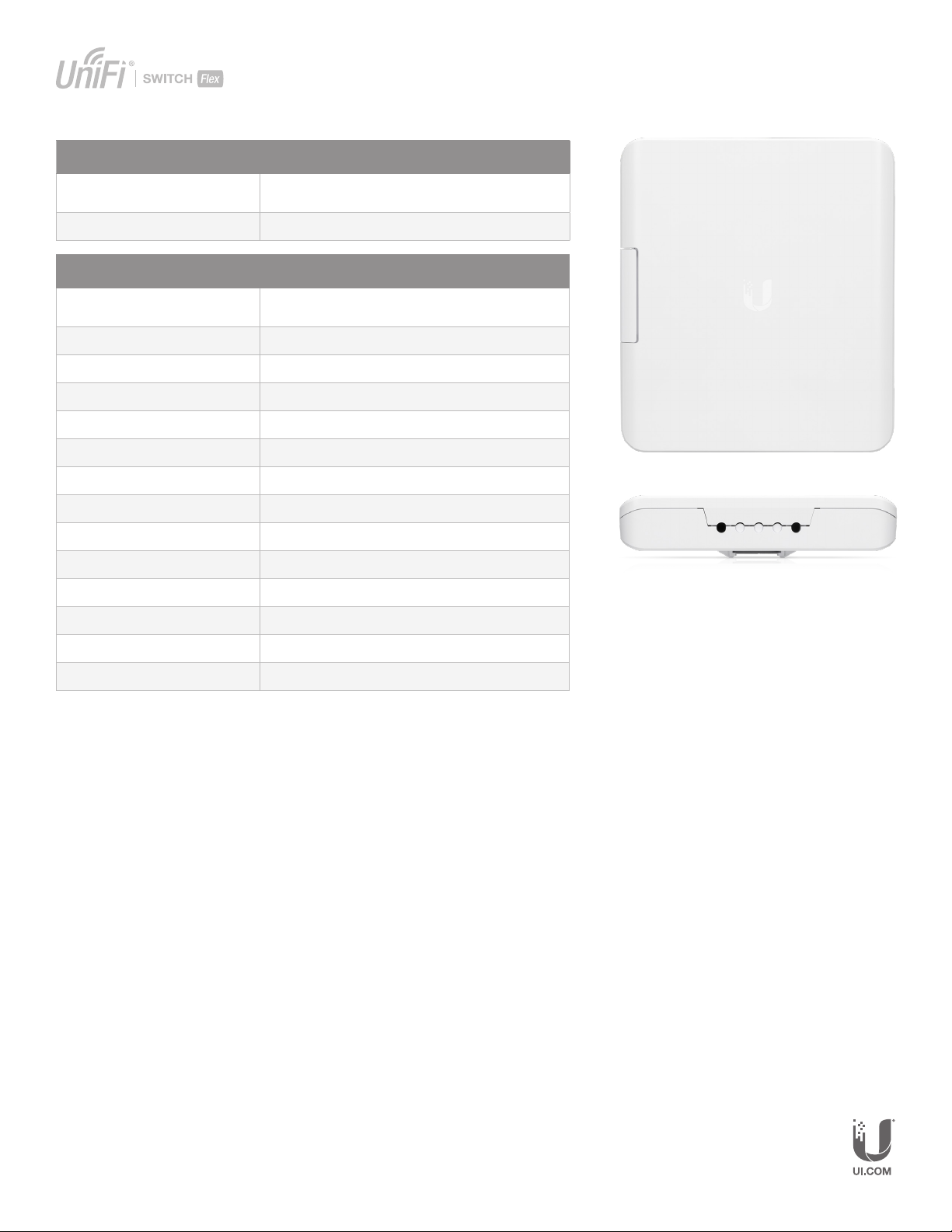
USW-Flex-Utility*
Dimensions (with Mount) 249 x 218 x 60 mm
(9.80 x 8.58 x 2.36")
Weight (with Mount) 740 g (26.10 oz)
USW-Flex-Utility 60W PoE Adapter
Dimensions 118.5 x 63 x 34.7 mm
(4.66 x 2.48 x 1.36")
Weight 206 g (7.27 oz)
Output Voltage 54V, 1.11A
Rated Voltage 100-240VAC
Input Current 1.5A (Max.)
Eciency > 86%
Output Ripple 200mVpp
Line Regulation < 1%
SPECIFICATIONS
Load Regulation < 3%
4-Pair Powering Pins 1, 2, 4, 5+ and Pins 3, 6, 7, 8-
Operating Temperature -20 to 60˚ C (-4 to 140˚ F)
Storage Temperature -30 to 70˚ C (-22 to 158˚ F)
Operating Humidity 5 to 90%, Noncondensing
Surge Immunity 4kV Dierence and Common Mode
* Accessor y sold separately.
Specications are subject to change. Ubiquiti products are sold with a limited warranty described at: ui.com/support/warranty
The limited warranty requires the use of arbitration to resolve disputes on an individual basis, and, where applicable, specify arbitration instead of jury trials or class actions.
©2019-2020 Ubiquiti Inc. All rights reserved. Ubiquiti, UbiquitiNetworks, the Ubiquiti U logo, the Ubiquiti beam logo, UniFi, and UniFi Network are trademarks or registered trademarks of Ubiquiti Inc. in the United States and in
other countries. Apple Inc., registered in the U.S. and other countries. App Store is a service mark of Apple Inc., registered in the U.S. and other countries. Android, Google, Google Play, the Google Play logo and other marks are
trademarks of Google LLC. All other trademarks are the property of their respective owners.
JLAJ031820
 Loading...