

Page 1
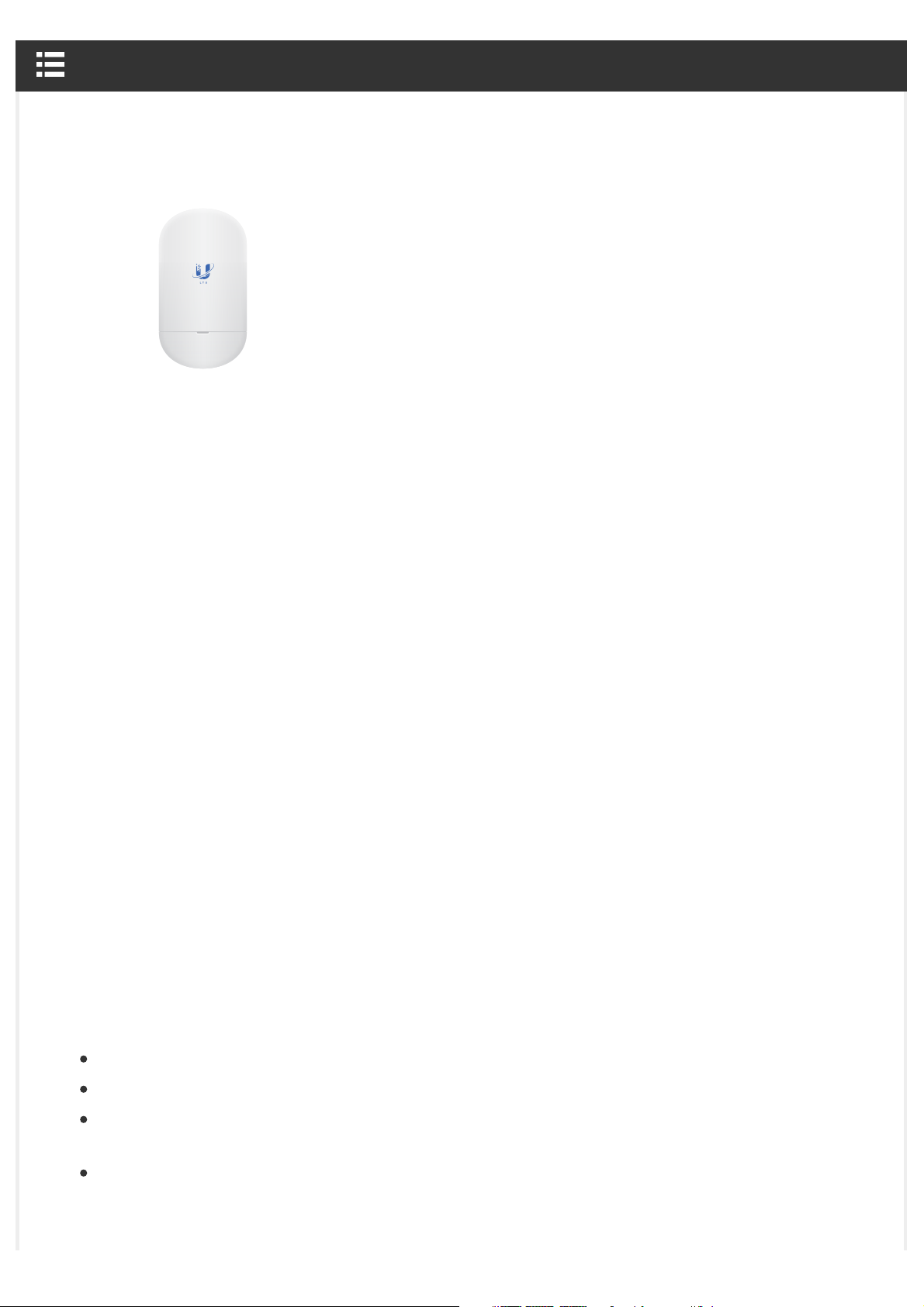
LTU-Lite Quick Start Guide
Package Contents
LTU-Lite Quick Start Guide
LTU-Lite Wall Mount Bracket Screws (Qty. 2)
Screw Anchors (Qty. 2) Zip Tie Gigabit PoE (24V, 0.5A) with
Mounting Bracket
Power Cord
Installation Requirements
LTU PtMP AP, such as model LTU-Rocket
Phillips screwdriver for wall-mounting
Outdoor, shielded Category 6 (or above) cabling and shielded RJ45 connectors are
required for all wired Ethernet connections.
Surge protection should be used for all outdoor installations. We recommend that you use
two Ethernet Surge Protectors, model ETH-SP-G2, one near the device and the other at the
entry point to the building. The ETH-SP-G2 will absorb power surges and safely discharge
http://dl-origin.ubnt.com/qsg/LTU-Lite/LTU-Lite_EN.html[05.02.2020 14:06:04]
Page 2

LTU-Lite Quick Start Guide
them into the ground.
Note: For guidelines about grounding and lightning protection, follow your local
electrical regulatory codes.
Hardware Overview
System LED
Blue Initial power-up.
Flashing White Bootup in progress.
http://dl-origin.ubnt.com/qsg/LTU-Lite/LTU-Lite_EN.html[05.02.2020 14:06:04]
Page 3
LTU-Lite Quick Start Guide
White Ready for use.
Alternating
Blue/White
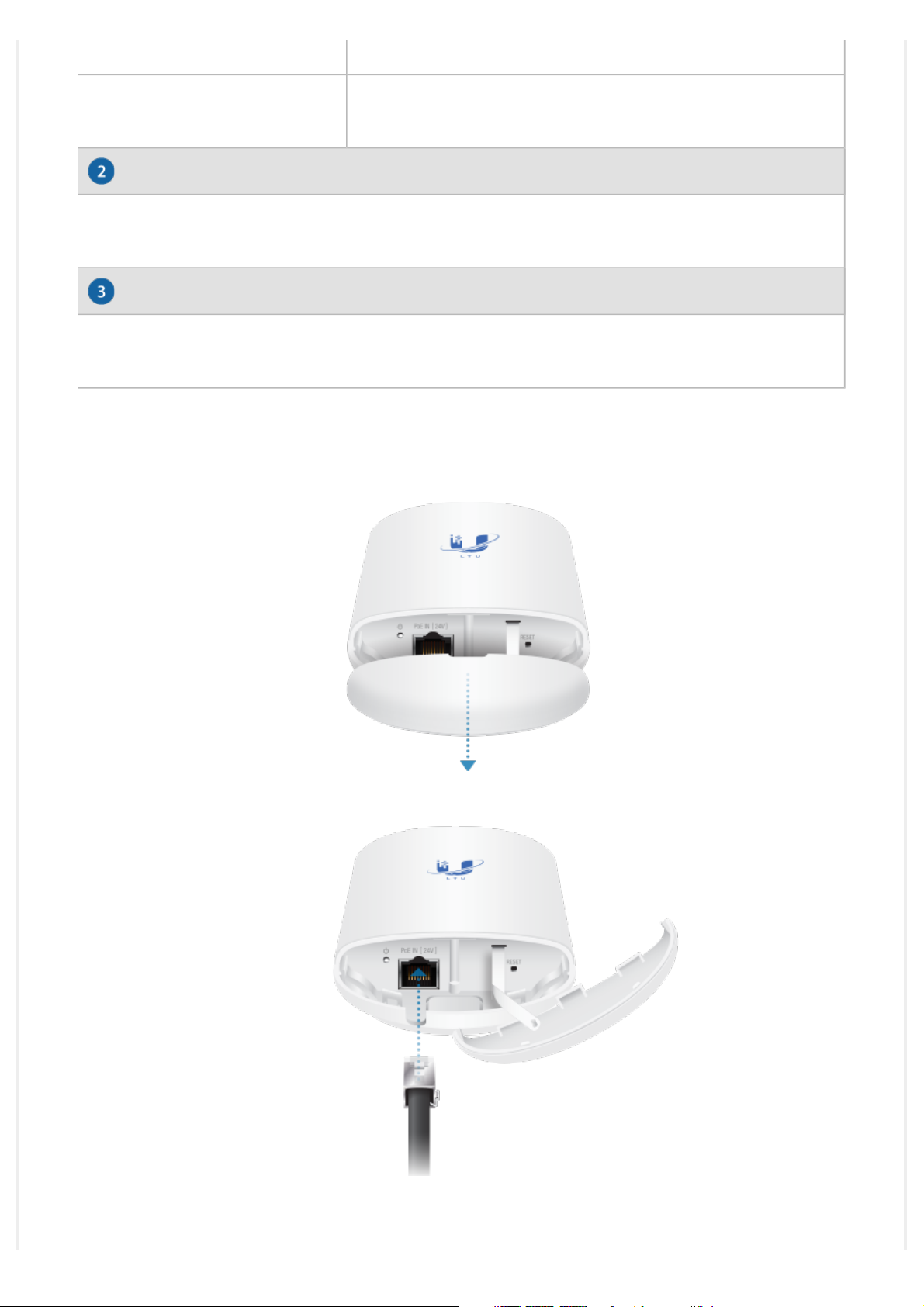
Ethernet Port
This 10/100/1000 Ethernet port is used to connect the power and should be connected to
the LAN and DHCP server.
Reset Button
To reset to factory defaults, press and hold the Reset button for more than 10 seconds
while the device is powered on.
Hardware Installation
Firmware upgrade in progress.
1.
2.
3.
http://dl-origin.ubnt.com/qsg/LTU-Lite/LTU-Lite_EN.html[05.02.2020 14:06:04]
Page 4
LTU-Lite Quick Start Guide
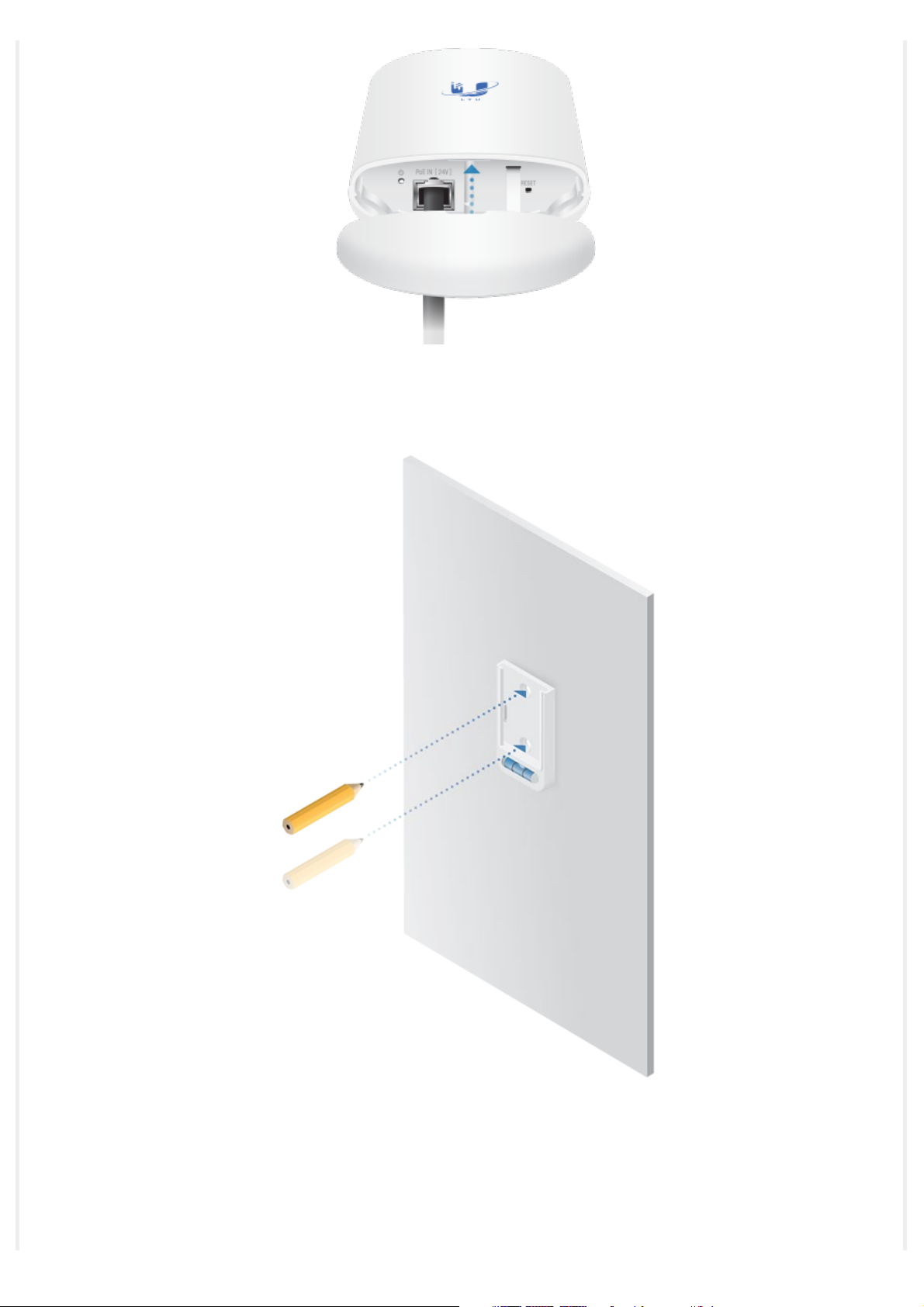
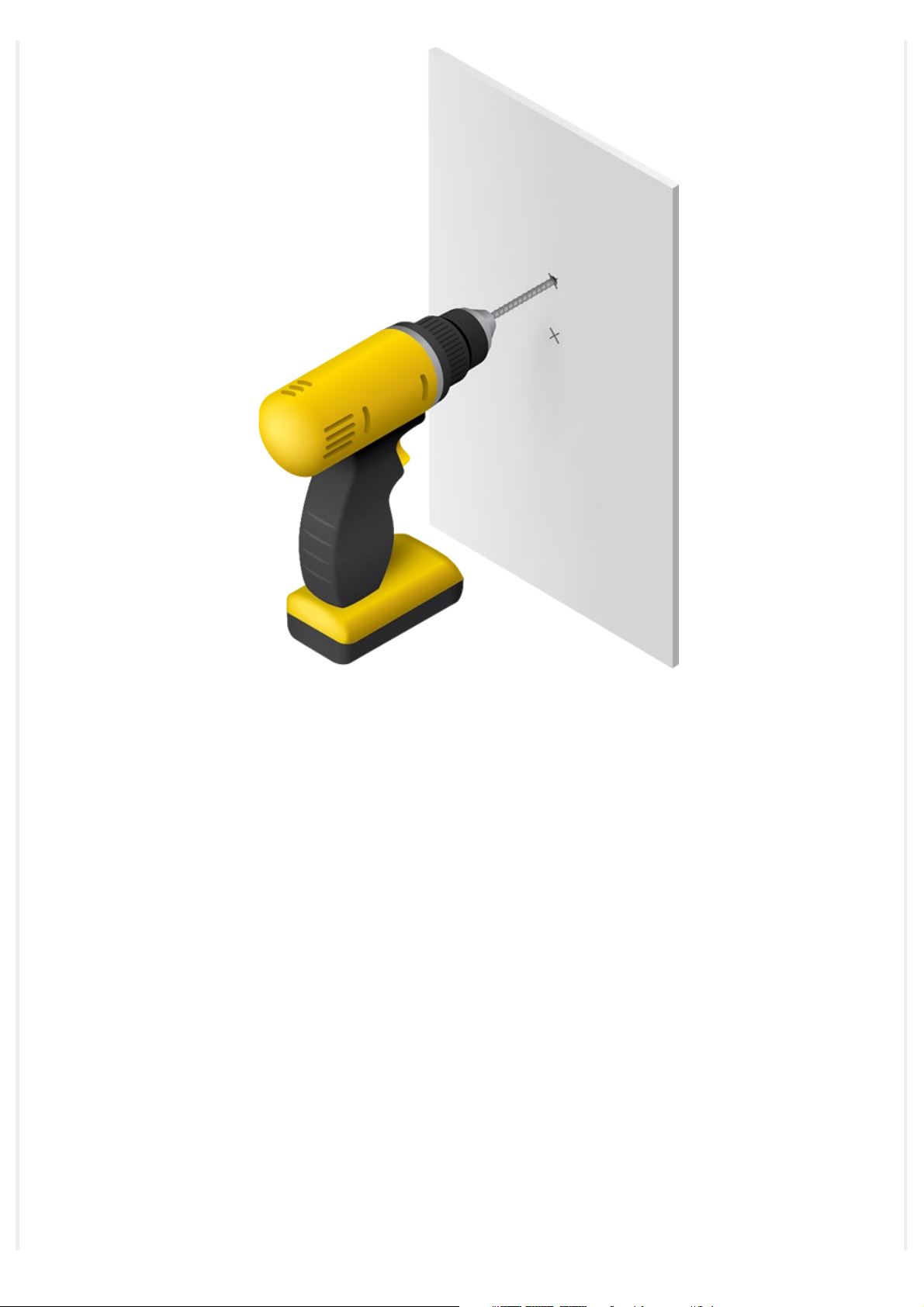
Wall Mount
1.
2.
http://dl-origin.ubnt.com/qsg/LTU-Lite/LTU-Lite_EN.html[05.02.2020 14:06:04]
Page 5
LTU-Lite Quick Start Guide
3.
http://dl-origin.ubnt.com/qsg/LTU-Lite/LTU-Lite_EN.html[05.02.2020 14:06:04]
Page 6
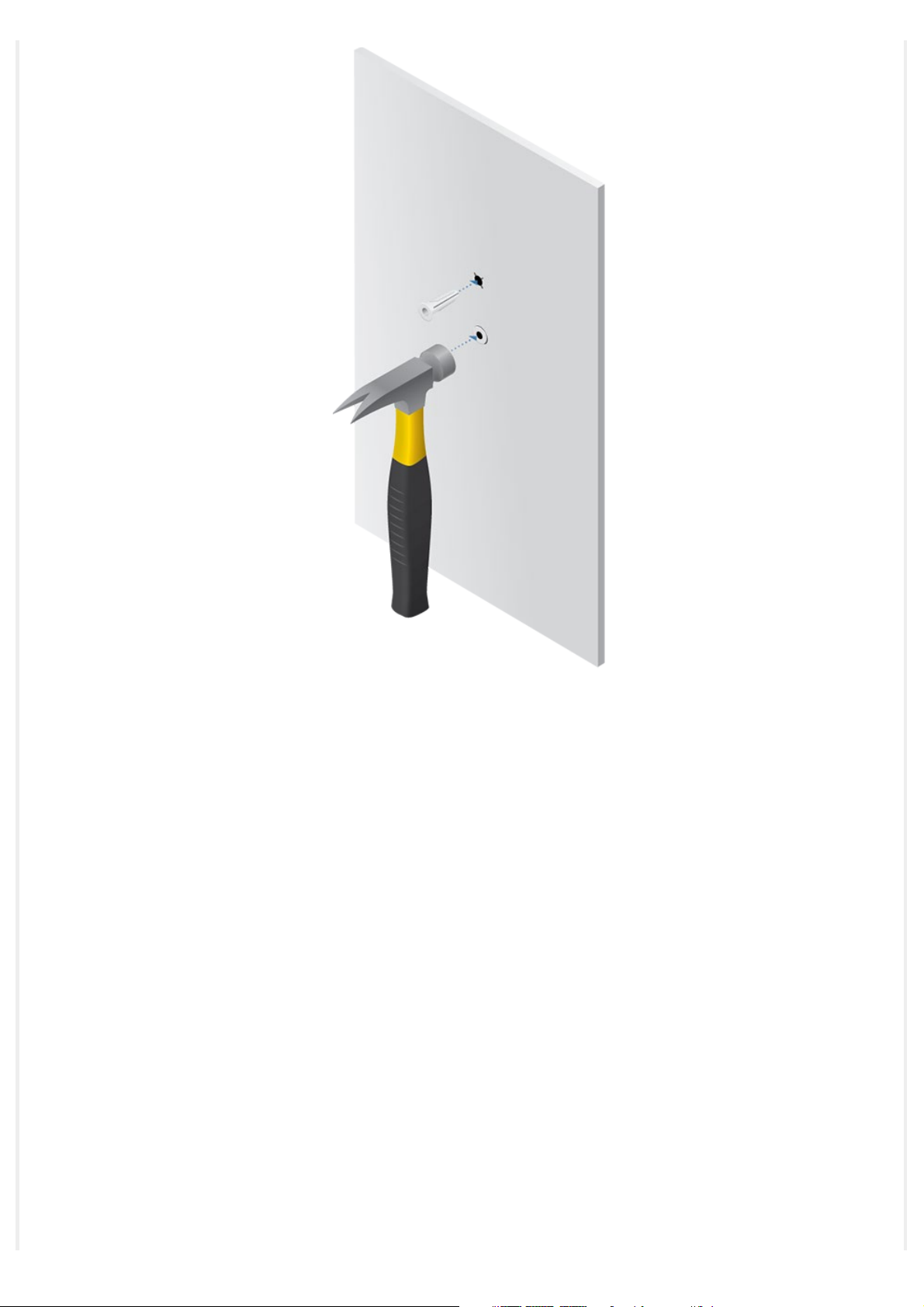
LTU-Lite Quick Start Guide
4.
http://dl-origin.ubnt.com/qsg/LTU-Lite/LTU-Lite_EN.html[05.02.2020 14:06:04]
Page 7
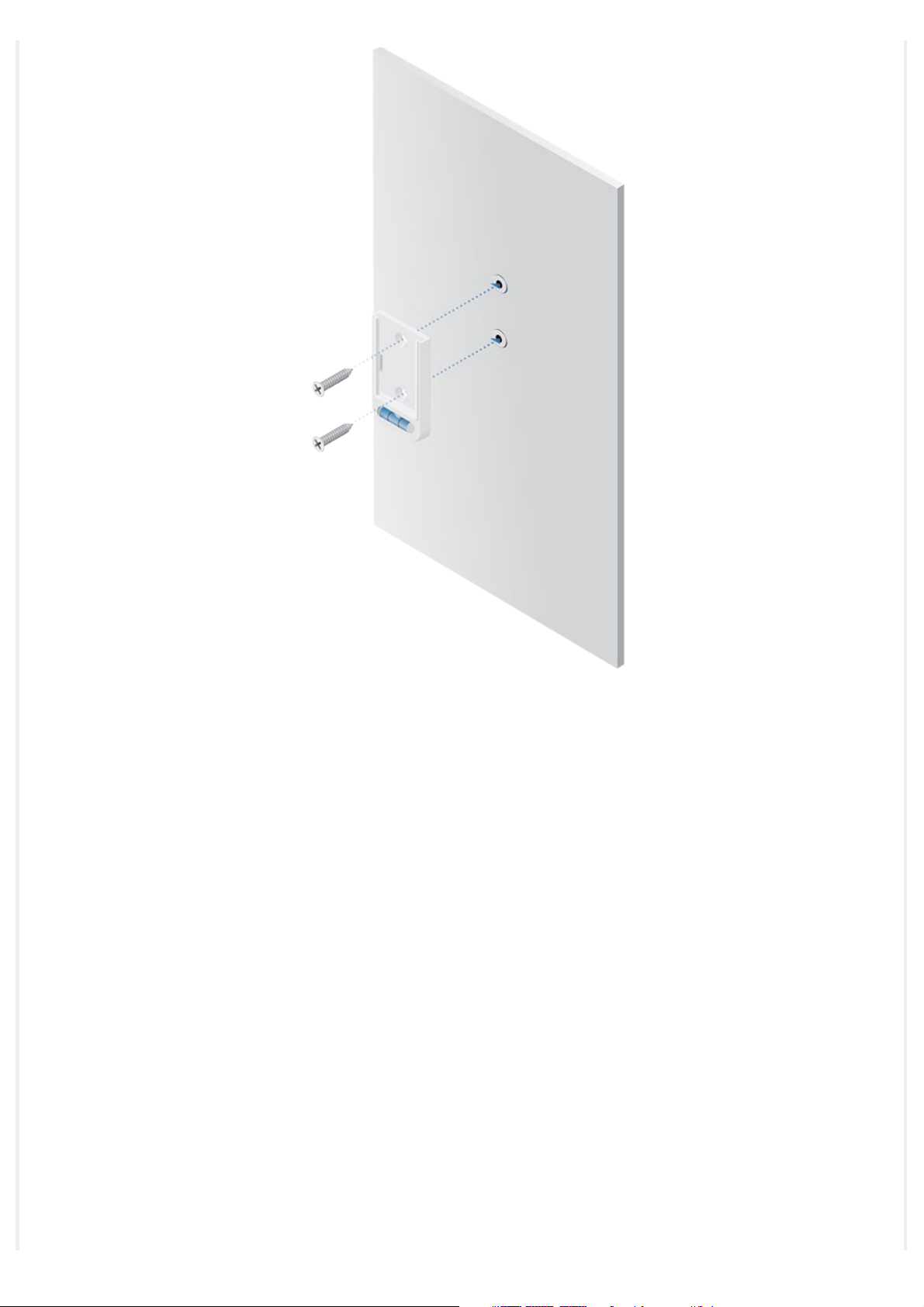
LTU-Lite Quick Start Guide
5.
http://dl-origin.ubnt.com/qsg/LTU-Lite/LTU-Lite_EN.html[05.02.2020 14:06:04]
Page 8
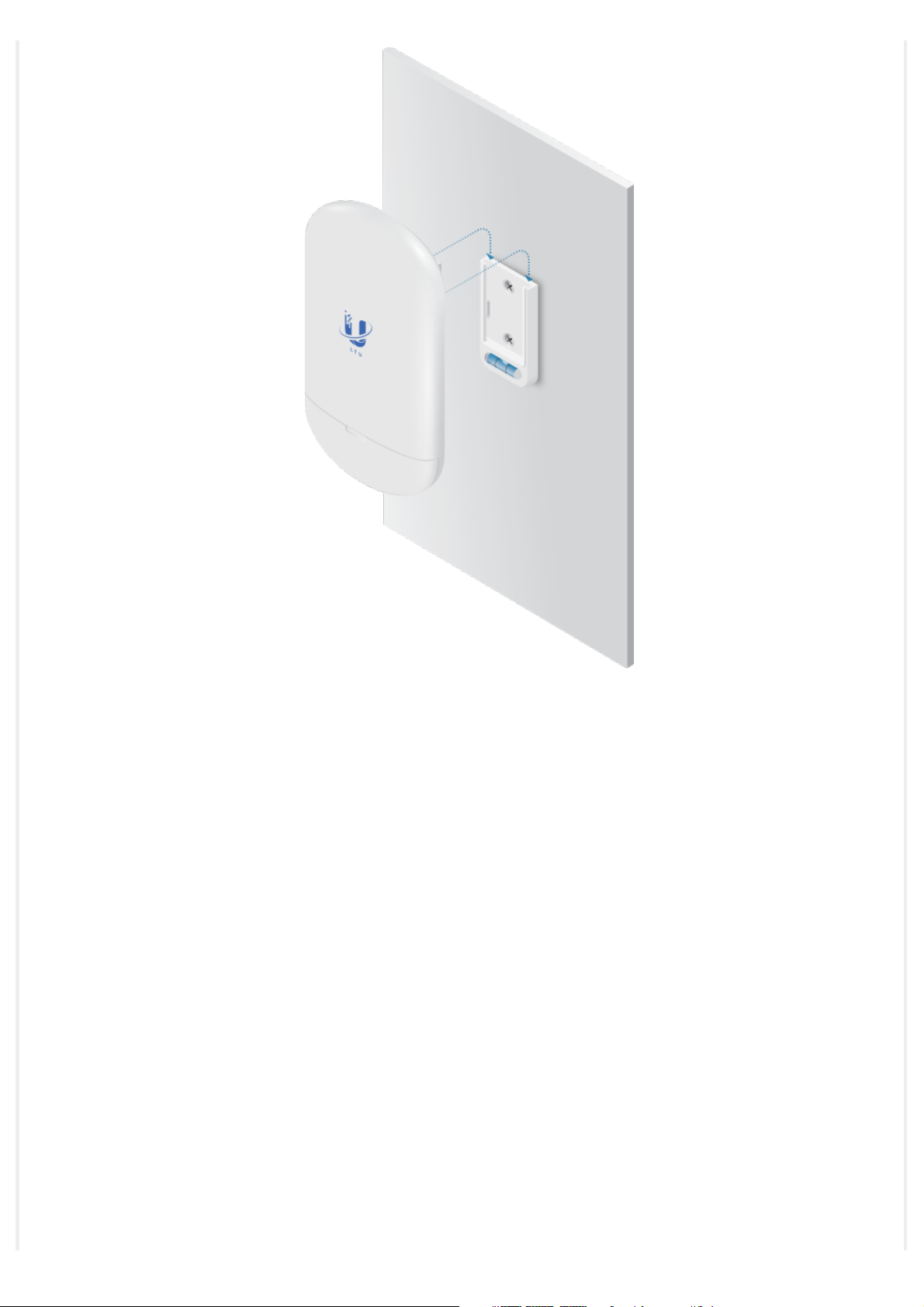
LTU-Lite Quick Start Guide
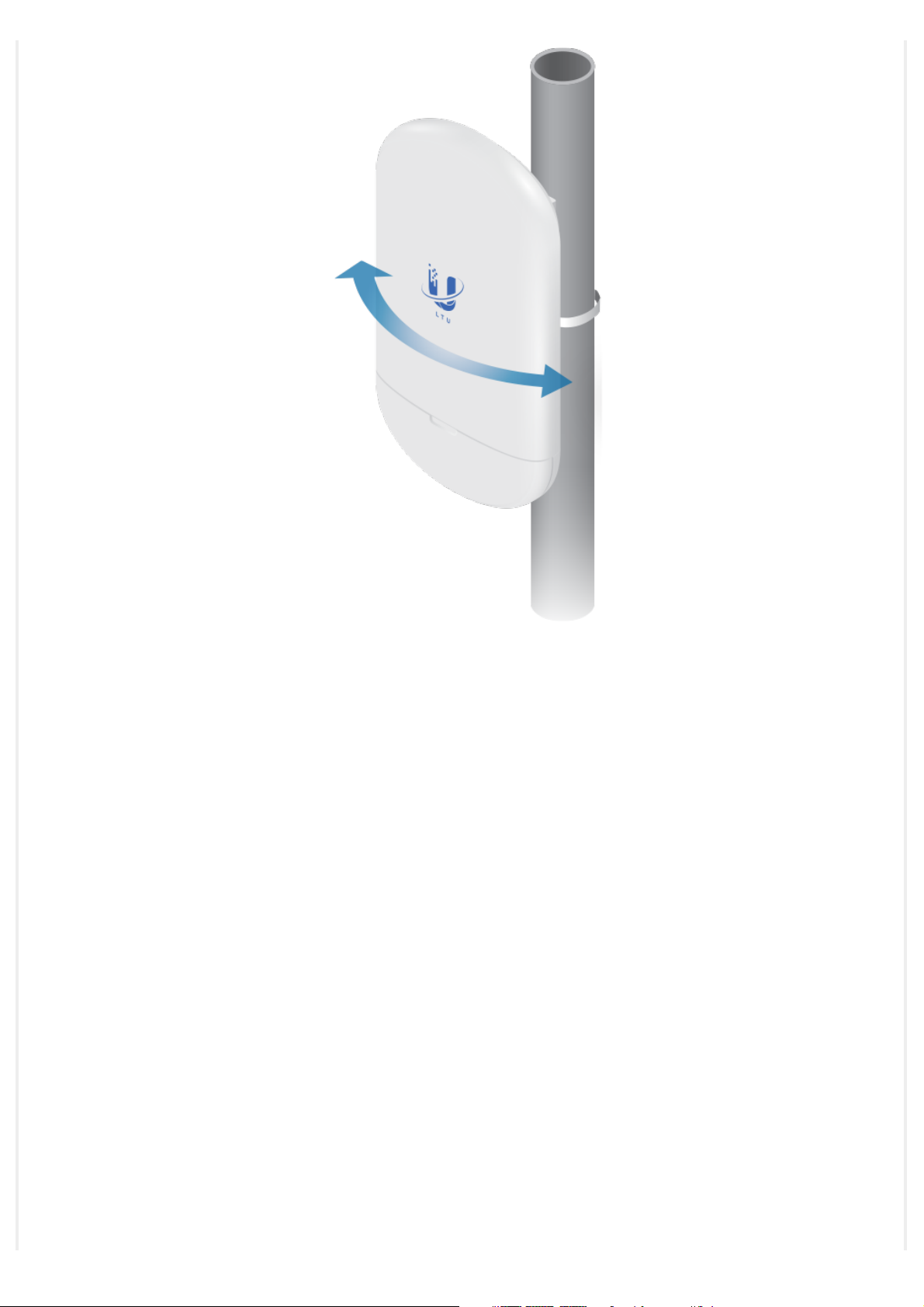
Pole Mount
1.
http://dl-origin.ubnt.com/qsg/LTU-Lite/LTU-Lite_EN.html[05.02.2020 14:06:04]
Page 9
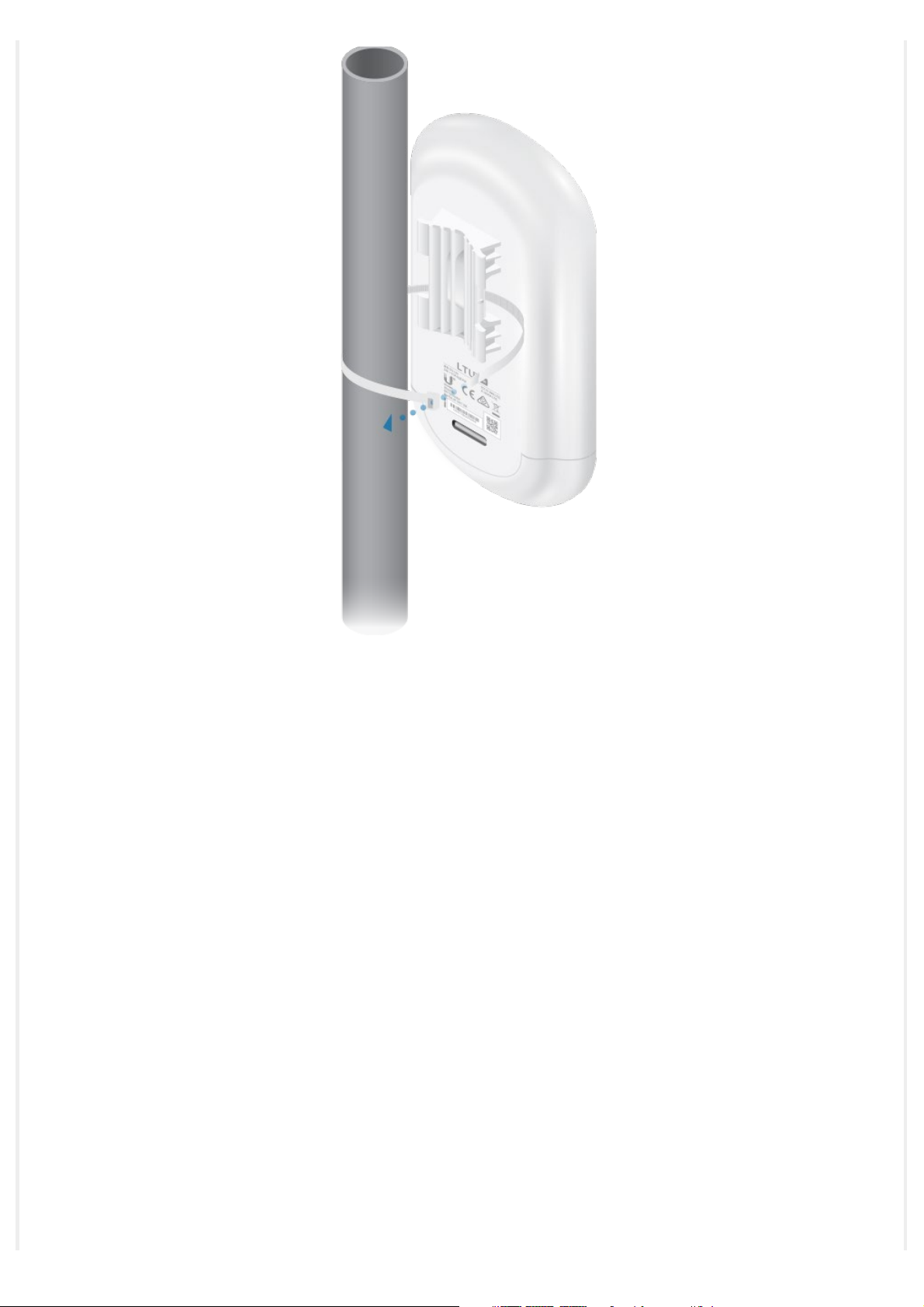
LTU-Lite Quick Start Guide
2.
http://dl-origin.ubnt.com/qsg/LTU-Lite/LTU-Lite_EN.html[05.02.2020 14:06:04]
Page 10
LTU-Lite Quick Start Guide
3.
http://dl-origin.ubnt.com/qsg/LTU-Lite/LTU-Lite_EN.html[05.02.2020 14:06:04]
Page 11
LTU-Lite Quick Start Guide
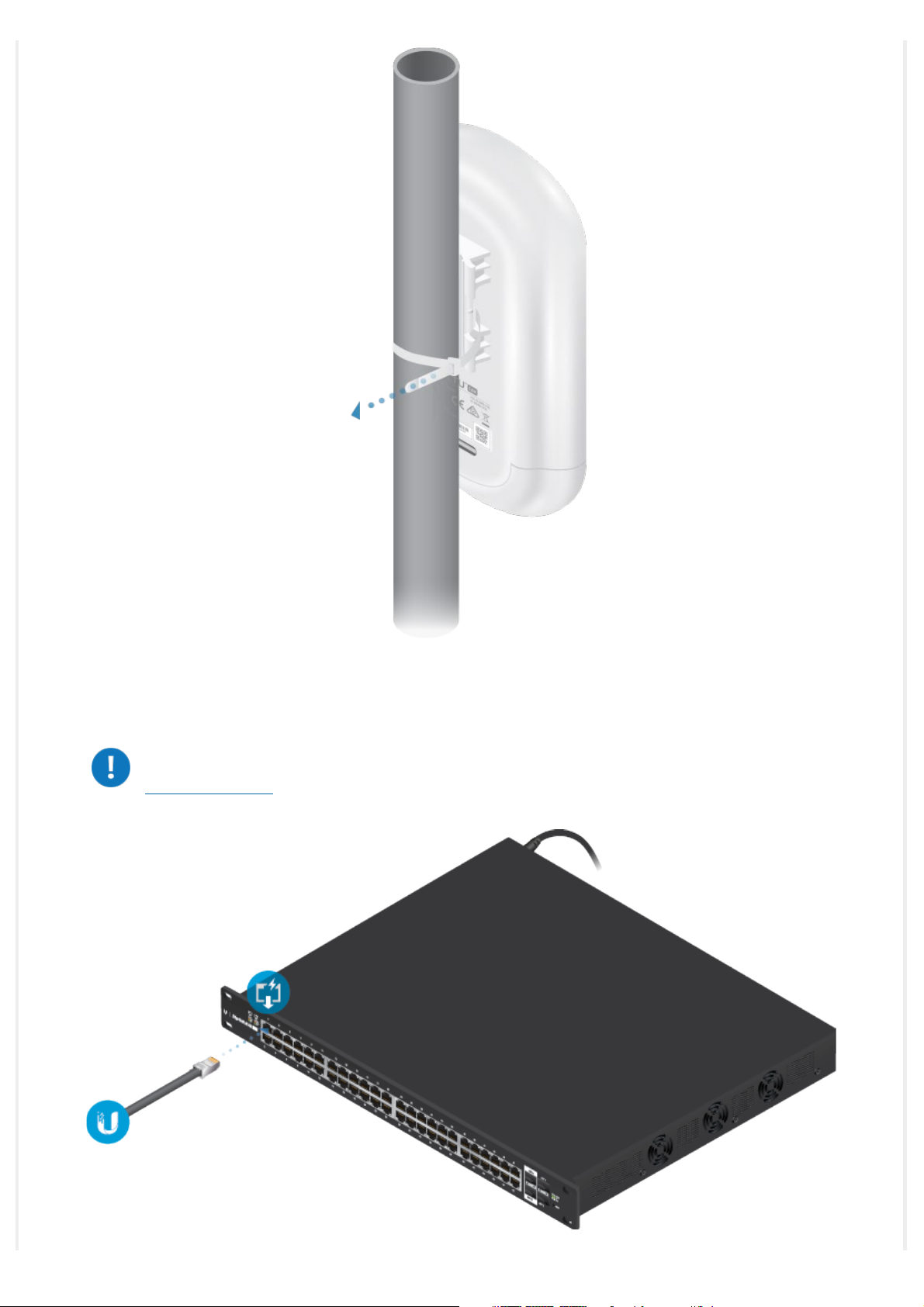
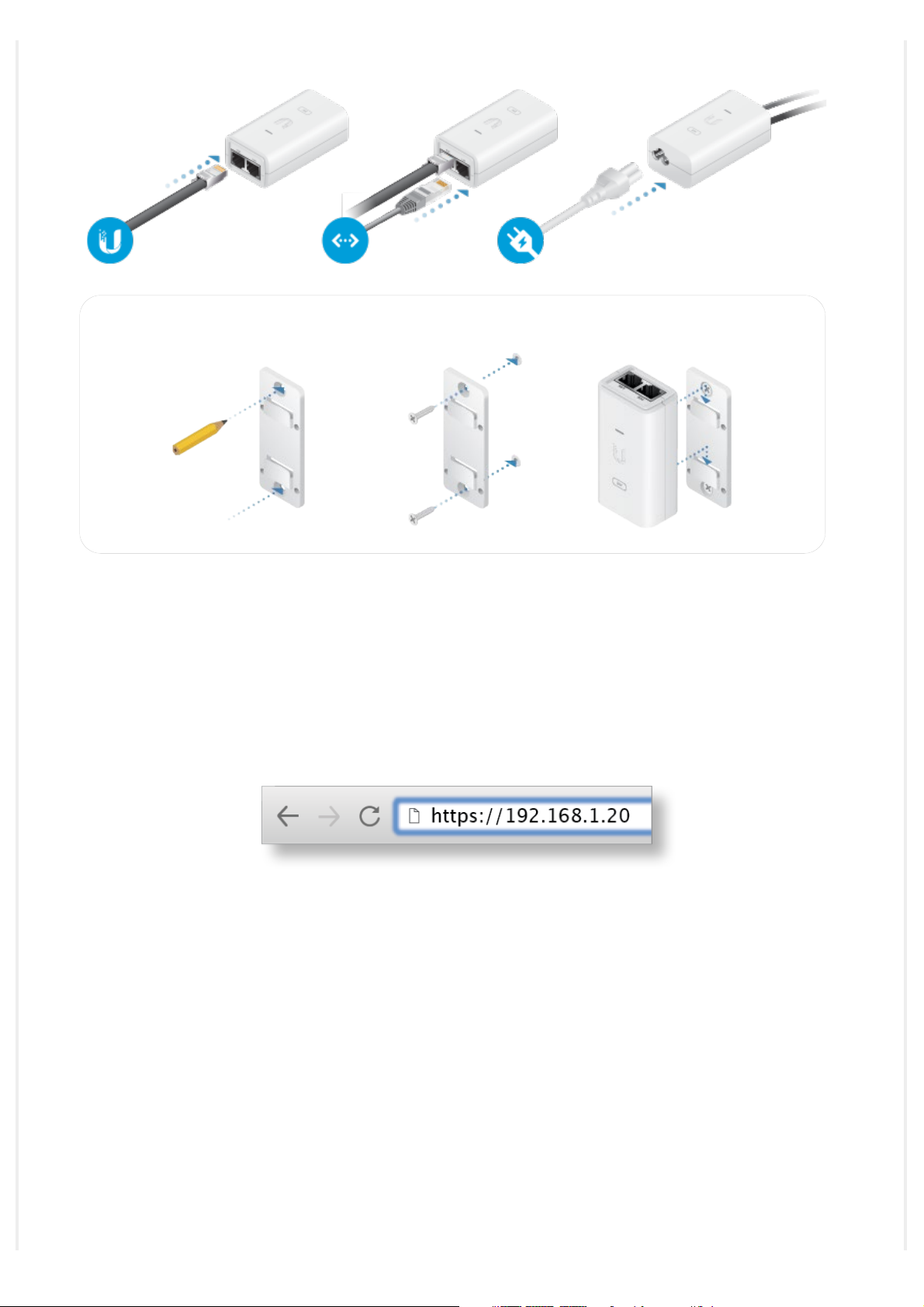
Connecting Power
WARNING: The switch port must comply with the power specifications listed in
“Specifications”.
http://dl-origin.ubnt.com/qsg/LTU-Lite/LTU-Lite_EN.html[05.02.2020 14:06:04]
Page 12
LTU-Lite Quick Start Guide
OR
Optional
Accessing the Configuration Interface
1. Make sure that your host system is connected via Ethernet to the device.
2. Configure the Ethernet adapter on your host system with a static IP address on the
192.168.1.x subnet.
3. Launch your web browser and type https://192.168.1.20 in the address field. Press enter
(PC) or return (Mac).
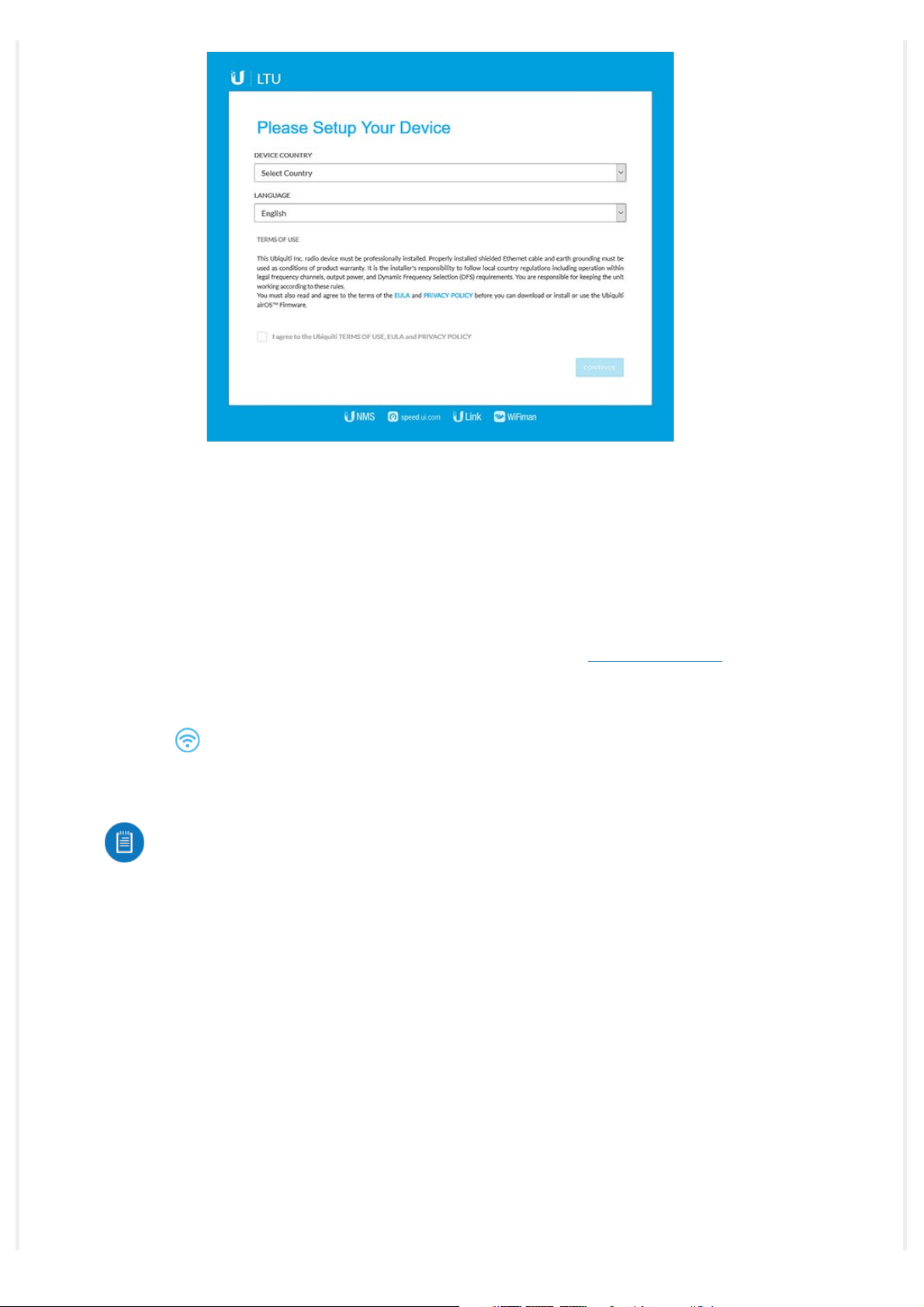
4. Select your Country and Language. You must agree to the Terms of Use to use the
product. Click Continue.
http://dl-origin.ubnt.com/qsg/LTU-Lite/LTU-Lite_EN.html[05.02.2020 14:06:04]
Page 13
LTU-Lite Quick Start Guide
The LTU Configuration Interface will appear, allowing you to customize your settings as
needed.
UNMS Management
You can manage your device using UNMS, which lets you configure, monitor, upgrade, and
back up your devices using a single application. Get started at
www.unms.com
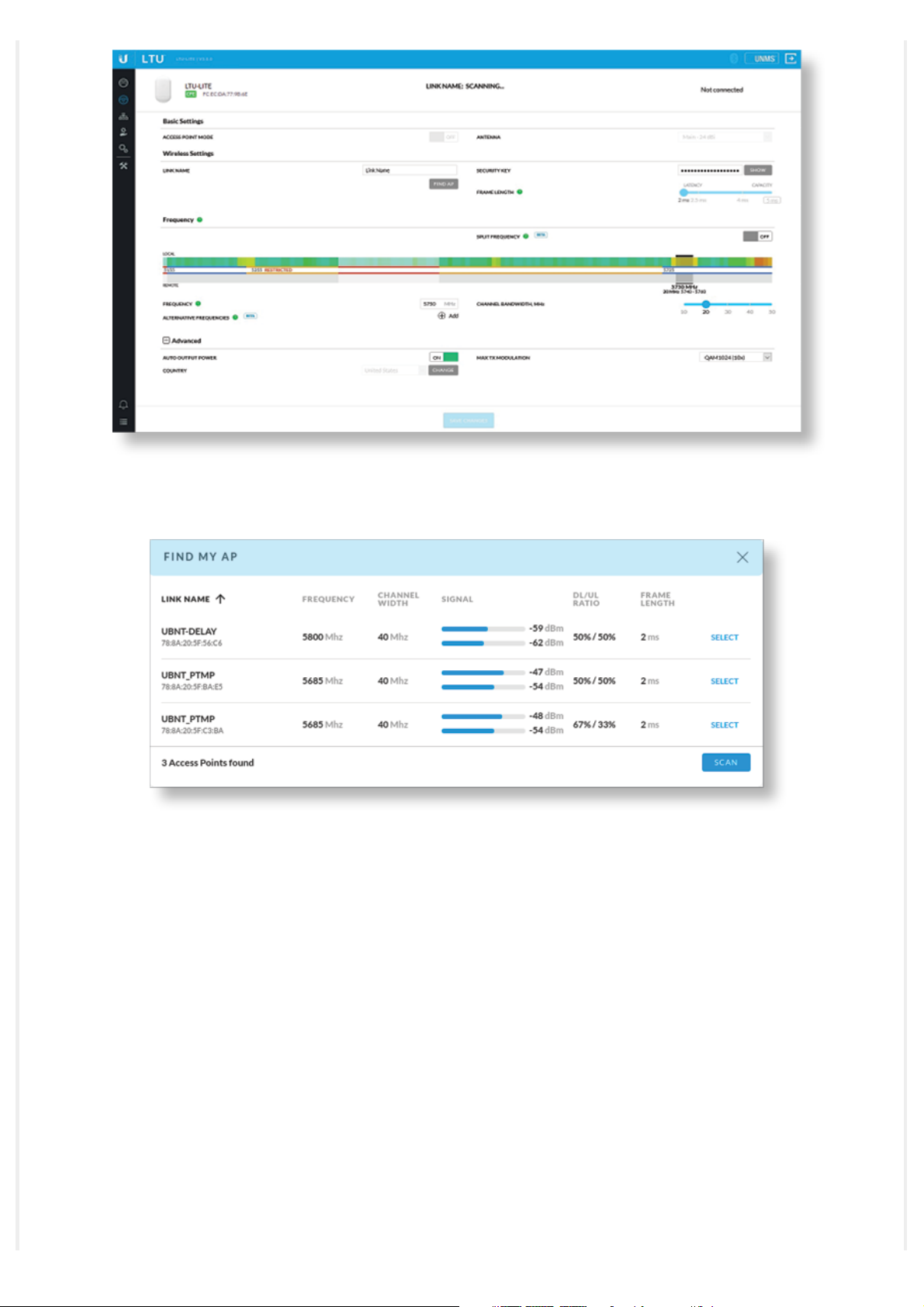
Find My AP
1. Click the icon.
2. In the Wireless Settings section, change the channel bandwidth (default: 20 MHz) as
needed.
Note: For example, if the AP’s channel bandwidth is set to 50 MHz and your device
is set to 20 MHz, then your device will not see that AP and you should change the
channel bandwidth on your device.
3. Click Find AP.
http://dl-origin.ubnt.com/qsg/LTU-Lite/LTU-Lite_EN.html[05.02.2020 14:06:04]
Page 14
LTU-Lite Quick Start Guide
4. The device will scan for nearby APs. Click Select for the appropriate AP. To run the search
again, click Scan.
5. Follow the on-screen instructions.
Installer Compliance Responsibility
Devices must be professionally installed and it is the professional installer’s responsibility to
make sure the device is operated within local country regulatory requirements.
http://dl-origin.ubnt.com/qsg/LTU-Lite/LTU-Lite_EN.html[05.02.2020 14:06:04]
Page 15
LTU-Lite Quick Start Guide
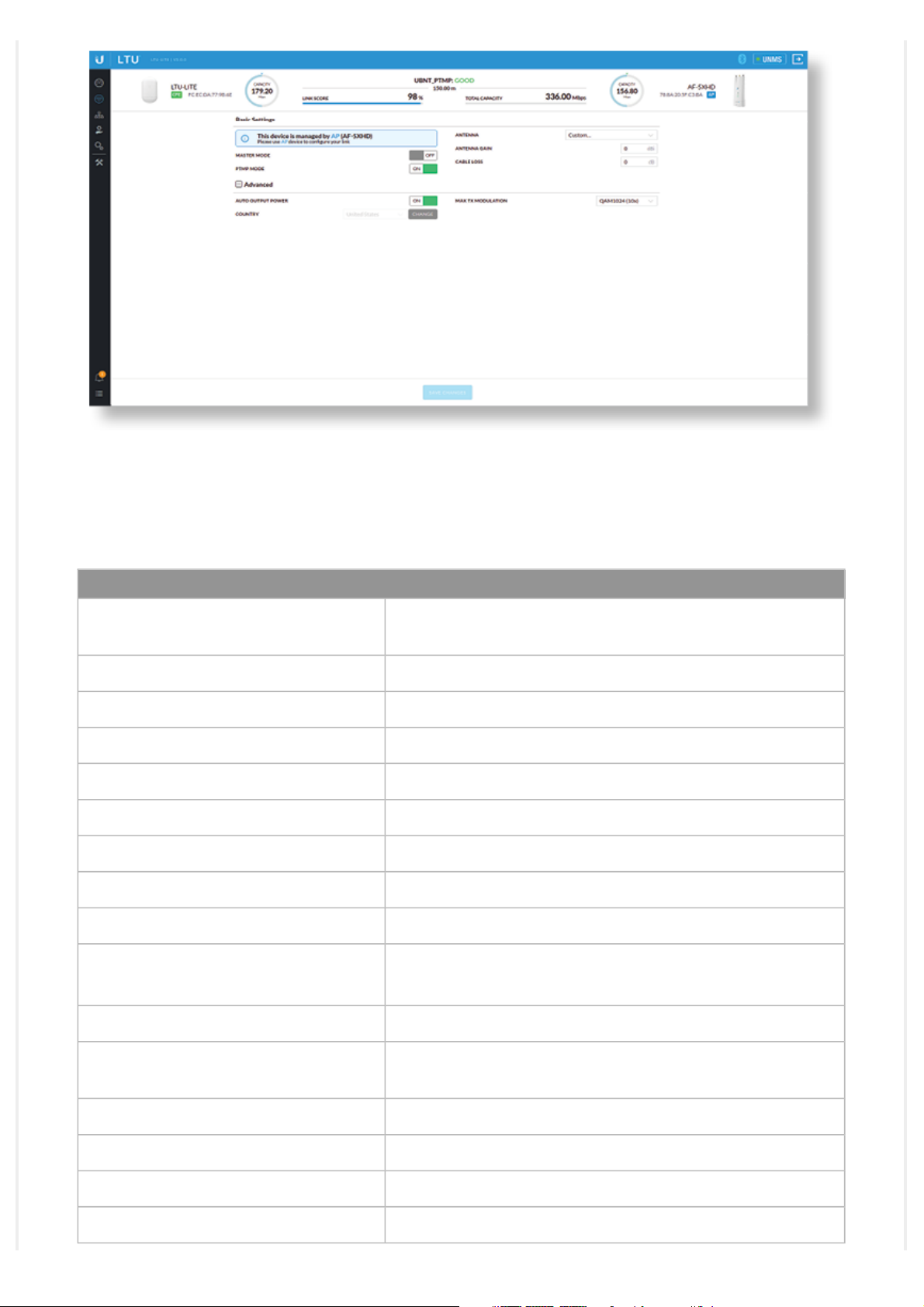
The Auto Output Power field is provided to the professional installer to assist in meeting
regulatory requirements.
Specifications
LTU-Lite
Dimensions 153 x 84 x 39.5 mm
(6.02 x 3.31 x 1.56")
Weight 250 g (8.82 oz)
Networking Interface (1) 10/100/1000 Ethernet Port
Enclosure Outdoor UV Stabilized Plastic
Max. Power Consumption 8.5W
Power Supply 24V, 0.5A Gigabit PoE Adapter (Included)
Power Method Passive PoE 2-Pair (Pairs 4, 5+; 7, 8-)
Supported Voltage Range 22 - 26V
Gain 13 dBi
Mounting Pole Mount
Wind Survivability 200 km/h (125 mph)
Wind Loading 20 N @ 200 km/h
ESD/EMP Protection ± 24kV Contact / Air
Operating Temperature -40 to 60° C (-40 to 140° F)
Operating Humidity 5 to 95% Noncondensing
Certifications CE, FCC, IC
http://dl-origin.ubnt.com/qsg/LTU-Lite/LTU-Lite_EN.html[05.02.2020 14:06:04]
Wall Mount (Kit Included)
(4.5 lbf @ 125 mph)
Page 16
LTU-Lite Quick Start Guide
Worldwide 2400 - 2483.5*
US/CA U-NII-1 5150 - 5250
EU 2400 - 2483.5
Safety Notices
Operating Frequency (MHz)
4800 - 6200*
U-NII-2A 5250 - 5350
U-NII-2C 5470 - 5725
U-NII-3 5725 - 5850
*
Depends on regulatory region.
5150 - 5875
1. Read, follow, and keep these instructions.
2. Heed all warnings.
3. Only use attachments/accessories specified by the manufacturer.
WARNING: Do not use this product in location that can be submerged by water.
WARNING: Avoid using this product during an electrical storm. There may be a remote risk of
electric shock from lightning.
Electrical Safety Information
1. Compliance is required with respect to voltage, frequency, and current requirements indicated on the
manufacturer’s label. Connection to a different power source than those specified may result in
improper operation, damage to the equipment or pose a fire hazard if the limitations are not followed.
2. There are no operator serviceable parts inside this equipment. Service should be provided only by a
qualified service technician.
3. This equipment is provided with a detachable power cord which has an integral safety ground wire
intended for connection to a grounded safety outlet.
a. Do not substitute the power cord with one that is not the provided approved type. Never use an
adapter plug to connect to a 2-wire outlet as this will defeat the continuity of the grounding wire.
b. The equipment requires the use of the ground wire as a part of the safety certification, modification
or misuse can provide a shock hazard that can result in serious injury or death.
c. Contact a qualified electrician or the manufacturer if there are questions about the installation prior
to connecting the equipment.
d. Protective earthing is provided by Listed AC adapter. Building installation shall provide appropriate
short-circuit backup protection.
e. Protective bonding must be installed in accordance with local national wiring rules and regulations.
Limited Warranty
ui.com/support/warranty
http://dl-origin.ubnt.com/qsg/LTU-Lite/LTU-Lite_EN.html[05.02.2020 14:06:04]
Page 17

LTU-Lite Quick Start Guide
The limited warranty requires the use of arbitration to resolve disputes on an individual basis, and, where
applicable, specify arbitration instead of jury trials or class actions.
Compliance
FCC
Changes or modifications not expressly approved by the party responsible for compliance could void the
user’s authority to operate the equipment.
This device complies with Part 15 of the FCC Rules. Operation is subject to the following two conditions.
1. This device may not cause harmful interference, and
2. This device must accept any interference received, including interference that may cause undesired
operation.
This equipment has been tested and found to comply with the limits for a Class A digital device, pursuant
to part 15 of the FCC Rules. These limits are designed to provide reasonable protection against harmful
interference when the equipment is operated in a commercial environment. This equipment generates,
uses, and can radiate radio frequency energy and, if not installed and used in accordance with the
instruction manual, may cause harmful interference to radio communications. Operations of this
equipment in a residential area is likely to cause harmful interference in which case the user will be
required to correct the interference at his own expense.
This radio transmitter has been approved by FCC.
ISED Canada
CAN ICES-3(A)/NMB-3(A)
This device complies with ISED Canada licence-exempt RSS standard(s). Operation is subject to the
following two conditions:
1. This device may not cause interference, and
2. This device must accept any interference, including interference that may cause undesired operation
of the device.
This radio transmitter has been approved by ISED Canada.
The device for operation in the band 5150-5250 MHz is only for indoor use to reduce the potential for
harmful interference to co-channel mobile satellite systems.
CAN ICES-3(A)/NMB-3(A)
Le présent appareil est conforme aux CNR d’ISDE Canada applicables aux appareils radio exempts de
licence. L’exploitation est autorisée aux deux conditions suivantes :
1. l’appareil ne doit pas produire de brouillage;
2. l’appareil doit accepter tout brouillage radioélectrique subi, même si le brouillage est susceptible d’en
compromettre le fonctionnement.
Le présent émetteur radio a été approuvé par ISDE Canada.
Les dispositifs fonctionnant dans la bande 5150-5250 MHz sont réservés uniquement pour une utilisation
à l’intérieur afin de réduire les risques de brouillage préjudiciable aux systèmes de satellites mobiles
utilisant les mêmes canaux.
IMPORTANT NOTE
http://dl-origin.ubnt.com/qsg/LTU-Lite/LTU-Lite_EN.html[05.02.2020 14:06:04]
Page 18
LTU-Lite Quick Start Guide
Radiation Exposure Statement
This equipment complies with radiation exposure limits set forth for an uncontrolled environment.
This equipment should be installed and operated with minimum distance 24 cm between the radiator
and your body.
This transmitter must not be co-located or operating in conjunction with any other antenna or
transmitter.
AVIS IMPORTANT
Déclaration sur l’exposition aux rayonnements
Cet équipement est conforme aux limites prévues pour l’exposition aux rayonnements dans un
environnement non contrôlé.
Lors de l’installation et de la mise en fonctionnement de l’équipement, assurez-vous qu’il y ait une
distance minimale de 24 cm entre l’élément rayonnant et vous.
Cet émetteur ne doit être installé à proximité d’aucune autre antenne ni d’aucun autre émetteur, et ne
doit être utilisé conjointement à aucun autre de ces appareils.
Australia and New Zealand
Warning: This equipment is compliant with Class A of CISPR 32. In a residential environment this
equipment may cause radio interference.
Brazil
Nota: Este equipamento não tem direito à proteção contra interferência prejudicial e não pode
causar interferência em sistemas devidamente autorizados.
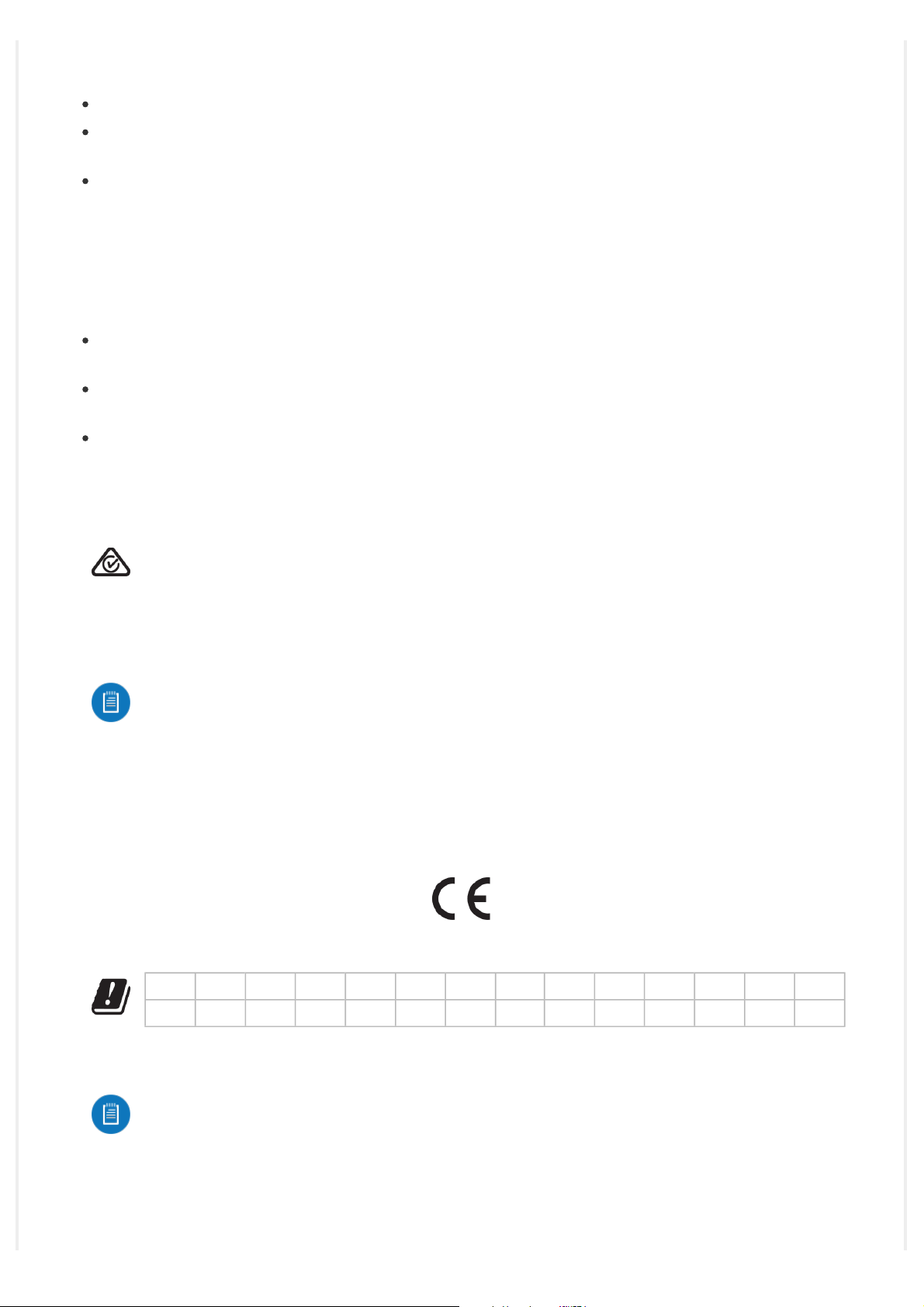
CE Marking
CE marking on this product represents the product is in compliance with all directives that are applicable
to it.
Country List
AT BE BG CY CZ DE DK EE EL ES FI FR HR HU
IE IT LV LT LU MT NL PL PT RO SE SI SK UK
BFWA (Broadband Fixed Wireless Access) members noted in blue
Note: This device meets Max. TX power limit per ETSI regulations.
The following apply to products that operate in the 5 GHz frequency range:
Note: This device is restricted to indoor use only when operating in the 5150 - 5350 MHz
http://dl-origin.ubnt.com/qsg/LTU-Lite/LTU-Lite_EN.html[05.02.2020 14:06:04]
Page 19
LTU-Lite Quick Start Guide
frequency range within all member states.
Note: All countries listed may operate at 30 dBm. BFWA member states may operate at 36 dBm.
Note: Operation in the 5.8 GHz frequency band is prohibited in BFWA member states. Other
countries listed may use the 5.8 GHz frequency band.
WEEE Compliance Statement
Declaration of Conformity
Online Resources
© 2020 Ubiquiti Inc. All rights reserved.
http://dl-origin.ubnt.com/qsg/LTU-Lite/LTU-Lite_EN.html[05.02.2020 14:06:04]
 Loading...